

Choosing a WordPress directory plugin is paralyzing. You’re sorting through feature lists, weighing costs, and worrying about the wrong choice causing site-breaking plugin conflicts.
We created this guide to be your shortcut past that noise.
We’ll compare the top options honestly. This way, you can find a WordPress directory plugin that truly fits your project.
Use GeoDirectory for large map sites, HivePress for marketplaces, and Directorist for the best free features. Before installing any of them, make sure you have a solid backup plugin running to protect your site.
Top 3 WordPress directory plugin picks
To simplify your choice, here’s a head-to-head comparison of our top three recommendations. Each excels in a different area, so your specific goal will determine the best fit.
| Feature | GeoDirectory | HivePress | Directorist |
|---|---|---|---|
| Best For | Large-scale, location-based directories (like Yelp) spanning multiple cities. | Niche marketplaces for services, rentals, or bookings (like Airbnb or Fiverr). | All-in-one “business in a box” sites, especially those needing a strong free start or a mobile app. |
| Pricing Model | Free core plugin with paid add-ons or an annual membership for pro features. | Free core plugin with individual paid extensions (one-time cost) or an optional annual bundle. | Most generous free version, with premium extensions and a rare lifetime access plan available. |
| Ease of Use | Steeper learning curve; powerful but requires more configuration (best for experienced users). | Very beginner-friendly; feels modern and intuitive out of the box. | Easy to set up; designed for rapid deployment to get a site running quickly. |
| Standout Feature | Unmatched scalability for massive, multi-city directories and high performance. | Clean, modern design and excellent for building functional, elegant marketplaces. | Best value proposition, offering the most features for free and a lifetime purchase option. |
1. GeoDirectory
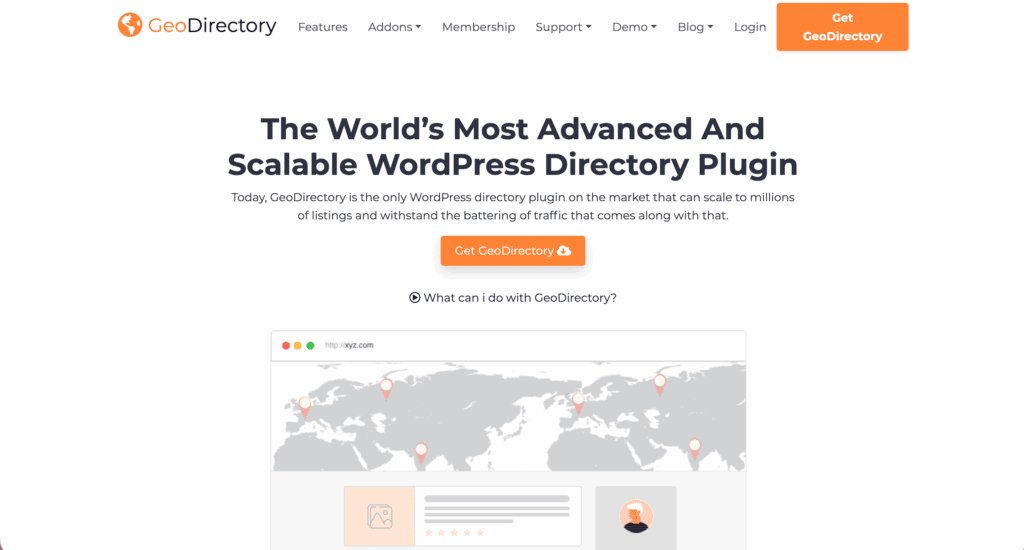
This is the most robust framework for location-based directories. Its recent update makes it much easier to use with drag-and-drop page builders.
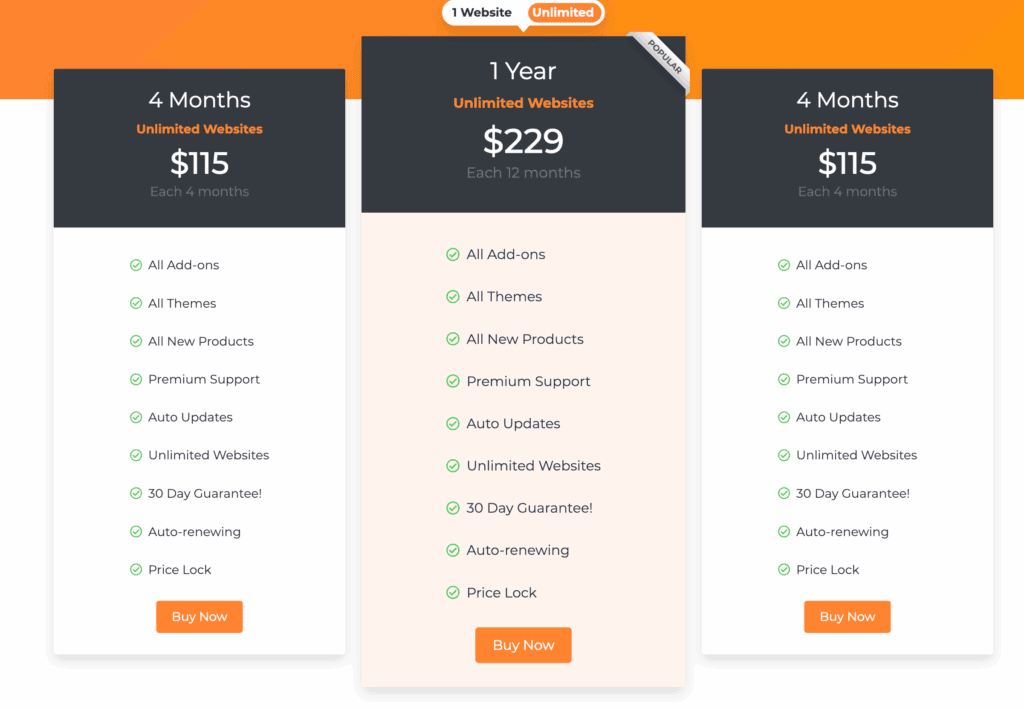
The core GeoDirectory plugin is free and capable. It’s not just a demo. But if you want to build a site that makes money with features like paid listings or claims, you’ll need to buy their add-ons or a membership. So, you can run a basic site for $0, but a professional, monetized directory will require an investment.
Who is this for?
- Anyone planning an ambitious, large-scale directory project.
- Creators of directories that need to span multiple cities or countries.
- Site owners who anticipate growing to thousands of individual listings.
- Designers who prefer to use page builders like Elementor or Divi.
What’s the catch?
Think of it less as a finished product and more as a powerful framework. Out of the box, it’s a blank slate. While it has starter themes, the final look and feel depend entirely on your design skills and how you configure it with your theme and page builder.
It gives you incredible control, but it also demands more setup work than other options.
2. HivePress
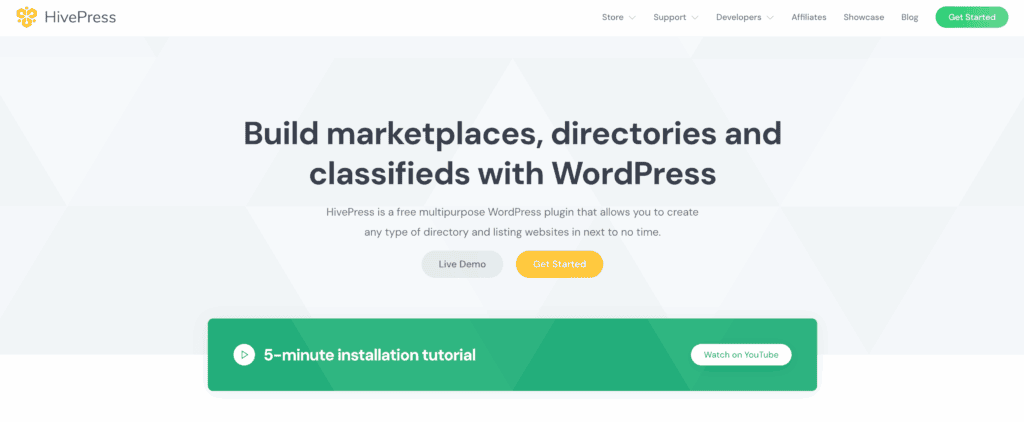
HivePress is a clean, modern, and developer-friendly framework. It’s brilliant for creating marketplaces and service directories without any bloat.
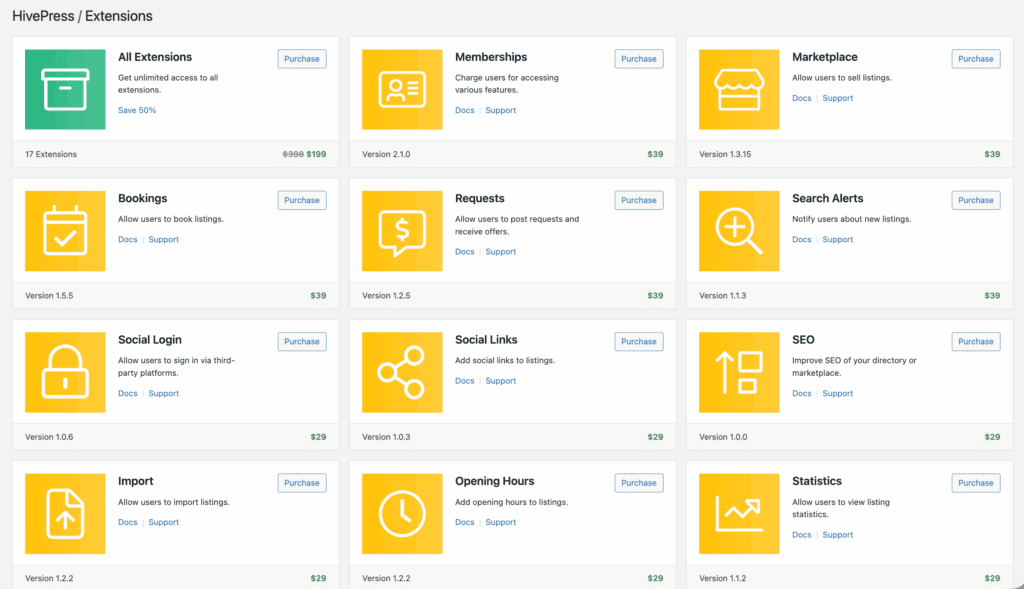
The main plugin is free, and you build on it by purchasing premium extensions for specific features (typically $29–$39 each) and pairing it with one of their official themes (which range from free to $89).
This pay-for-what-you-need system is fantastic. For complex sites, their annual bundle can be more cost-effective than buying everything separately.
Who is this for?
- Builders of niche marketplaces for services or rentals.
- Beginners who want a simple, out-of-the-box solution.
- Users needing built-in accounts, dashboards, and messaging.
- Developers looking for clean code to make custom modifications.
What’s the catch?
HivePress has a distinct minimalist style. It looks fantastic with its own official themes (like ListingHive), but it can sometimes be tricky to integrate with a third-party theme that has a very different design. It’s not impossible, but it works best when you commit to its ecosystem.
3. Directorist

A modern powerhouse that packs the most generous free version on the market, making it the best choice for a professional-looking site without an initial investment.
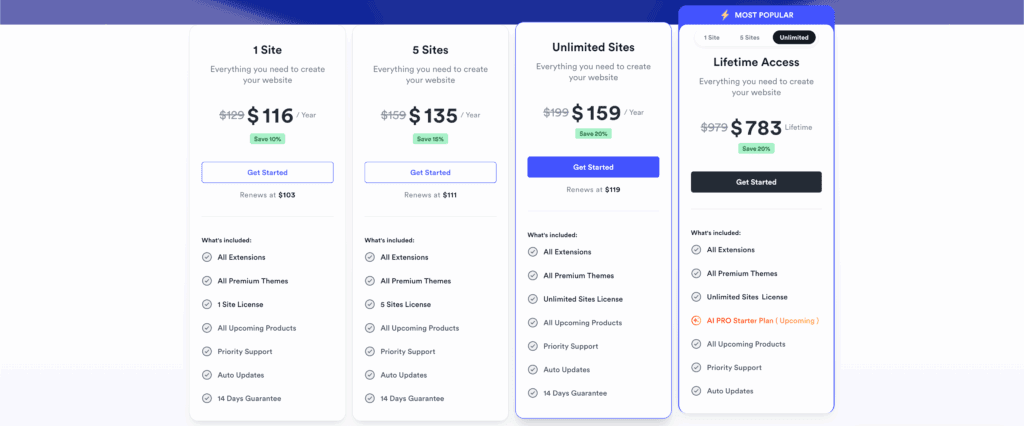
Directorist gives away features in its free version that others charge hundreds for, like the ability to run multiple directories on one site. For advanced tools like booking or a live chat function, you’ll need premium extensions.
The big deal here? Directorist is one of the few top plugins that still regularly offers a lifetime access plan. For anyone planning long-term, that’s a massive financial win.
Who is this for?
- Entrepreneurs wanting a complete “business in a box” solution.
- Users who need to launch a monetized directory site very quickly.
- Projects that require a native mobile app for iOS and Android.
- Owners who plan to manage multiple directories on a single website.
What’s the catch?
The user dashboard and overall feel are very polished and “app-like.” While this is a strength, it can make Directorist feel like a separate platform running inside your WordPress site. It doesn’t always blend perfectly with every theme’s style.
4. Business Directory Plugin
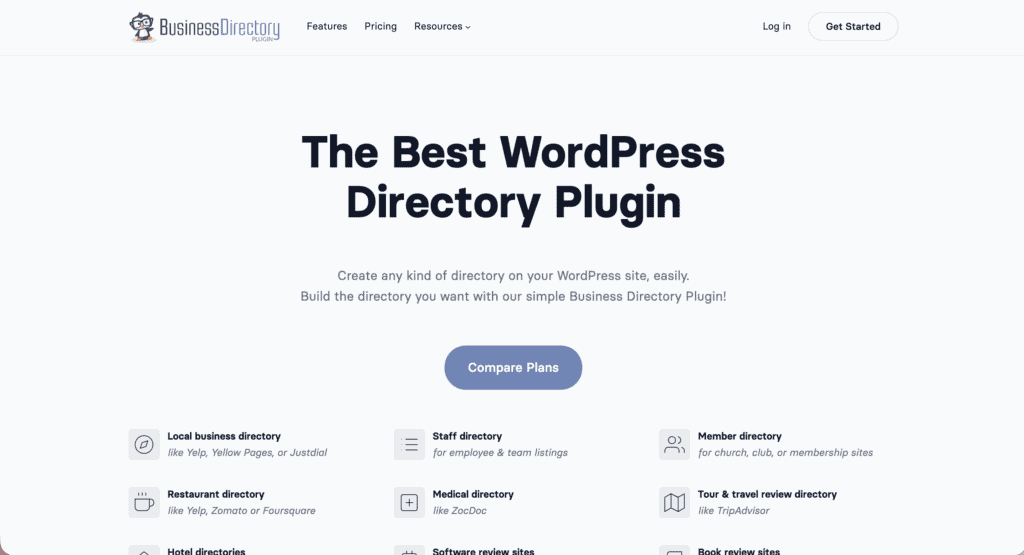
This is the old reliable—a battle-tested and straightforward plugin for a standard directory. Though its default look needs a modern theme to feel fresh. Before you even install the plugin, you should have a reliable WordPress backup strategy in place
The free version is fine for creating a basic list of names and addresses. But essential features for a modern directory, like Google Maps integration or letting users upload files, are locked behind a pro subscription. We highly recommend using a staging environment to test these pro features.
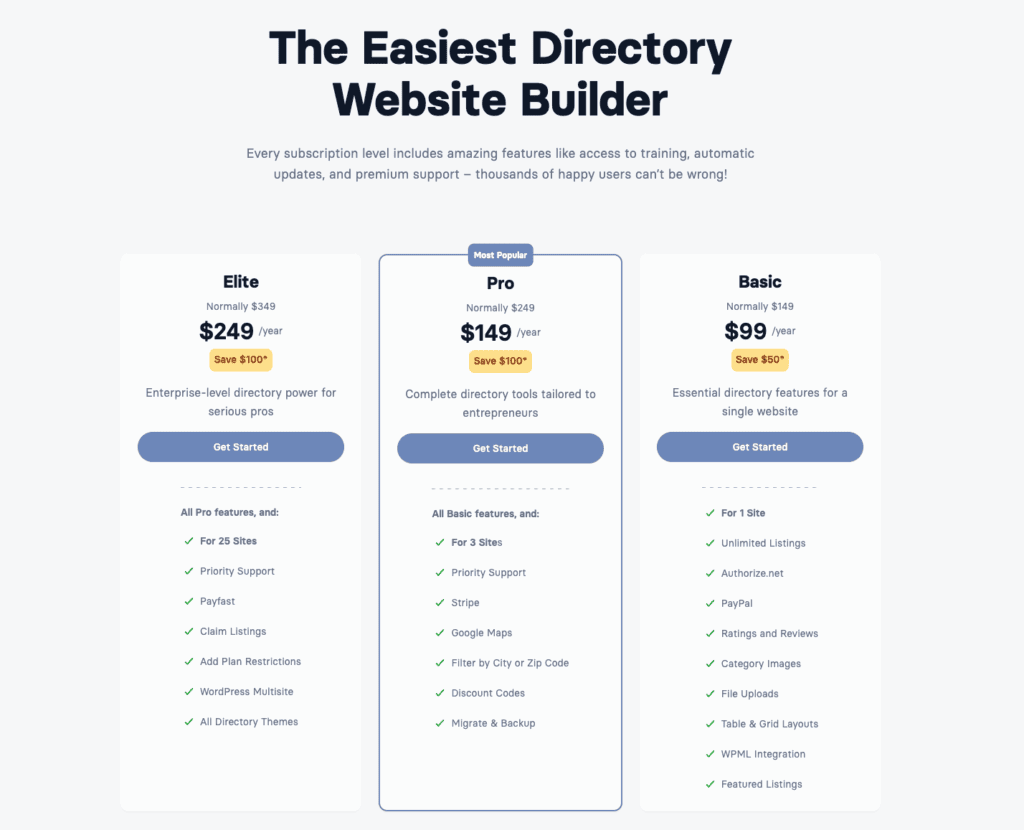
They use a tiered annual plan. You have to subscribe to get and keep the features you need. There is no lifetime option here.
Who is this for?
- Non-technical users who need a simple and reliable directory.
- Organizations that require a straightforward member directory.
- Anyone who needs their listings to be easily found by Google.
What’s the catch?
Visually, the plugin itself is very plain. It is designed to inherit your theme’s styling completely. This is good because it won’t fight your site’s design, but it’s bad if your theme isn’t great to begin with. Your directory will only look as good as the theme you pair it with, so choosing a theme is your most important decision.
5. Formidable Forms (with Views)
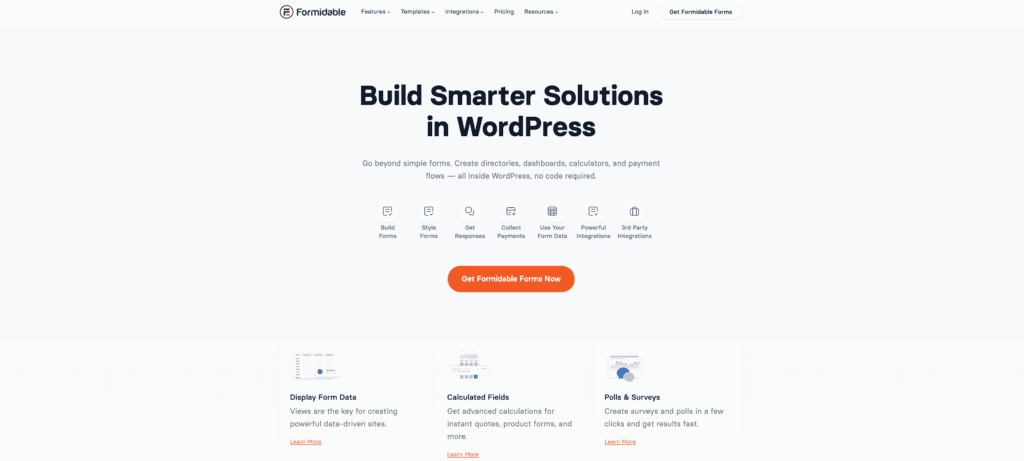
This is the ultimate blank canvas for building a completely custom directory, but it’s not a directory plugin—it’s a database builder.
This is a premium form builder first and foremost. To get the directory-building feature (called Views), you need at least the Plus plan, which is more expensive than dedicated directory plugins. You’re paying for an elite form builder, and the ability to display its data is a secondary feature.

Who is this for?
- Users with highly specific or unusual data requirements.
- Creators of directories that require completely custom fields.
- Developers building internal tools like employee databases.
- Anyone needing total control over how their data is displayed.
What’s the catch?
You have to build everything from scratch. Every listing card, every search filter, every detail page—you construct it all yourself using their Views builder. This offers total freedom but comes with a steep learning curve and a lot more work. If you just need a simple business directory, this is massive overkill.
How to actually make a choice?
Okay, let’s cut through the noise. Here’s a simple thought process:
- First, what’s the real goal? Are you building a public business directory like Yelp, or do you just need to display data from a form you already use? If it’s the latter, Formidable Forms is your answer. For everything else, stick with a dedicated directory plugin.
- Now, let’s talk money. If your budget is zero but you want professional features now, start with the free version of Directorist. But be prepared to troubleshoot WordPress errors on your own. If you hate subscriptions and prefer a one-time cost for long-term use, Directorist’s lifetime deal is a major factor.
- How comfortable are you with WordPress? If you’re a beginner who wants something that just works, go with the Business Directory Plugin. If you’re building a marketplace and want something modern and easy, pick HivePress. If you’re an experienced user who wants total control and scalability, GeoDirectory is your framework.
- Test it first. Always install the free version of your top choice on a test site. See how it feels. Does it make sense to you? This is the best way to avoid buyer’s remorse.
A few ground rules before you start
No matter which WordPress directory plugin you choose, follow these steps to save yourself a headache:
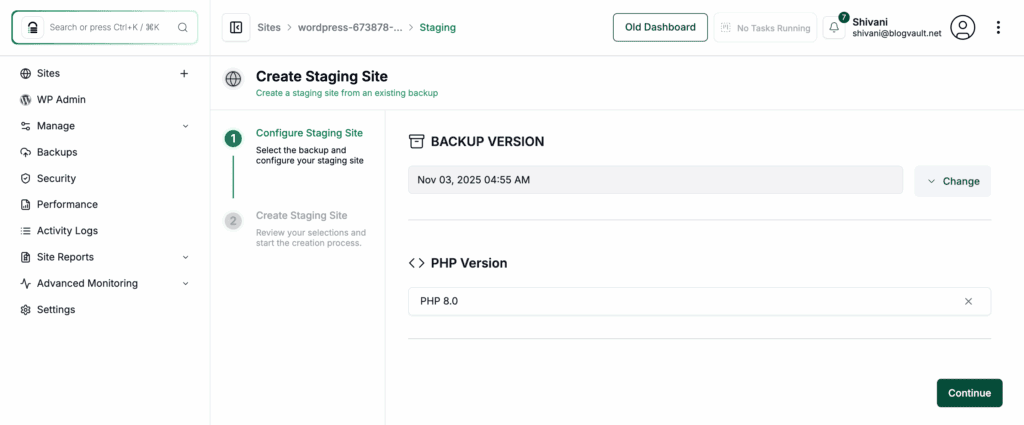
Always test on a staging site first. Never install a complex plugin on your live website without testing it in a safe environment.
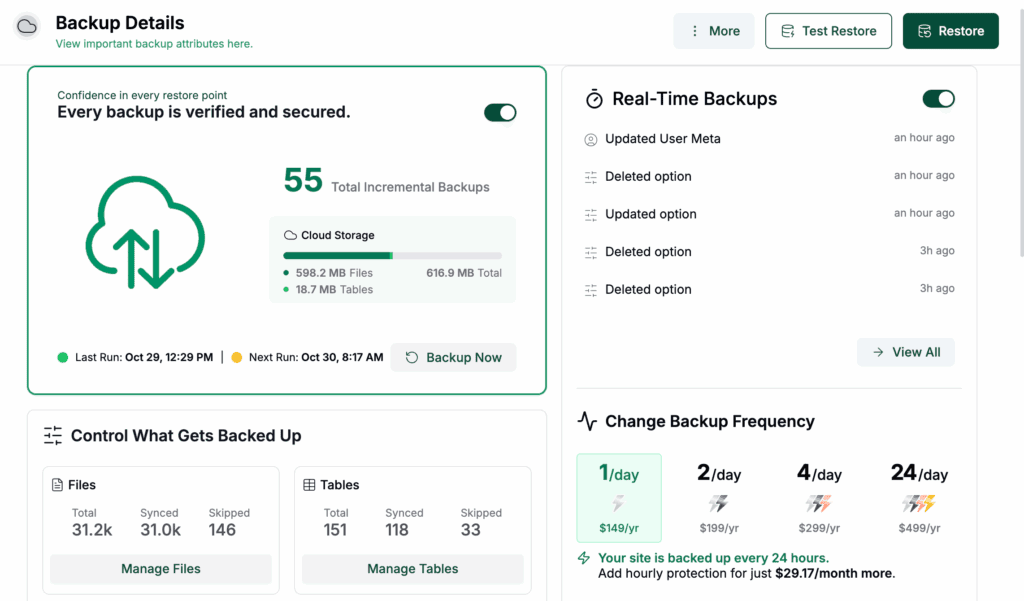
Make a full backup. Before you click “activate,” ensure you have a complete, recent backup of your site.

Use a quality theme. A lightweight, well-coded theme will prevent countless style conflicts and performance issues.
Invest in good hosting. Directory sites can be resource-heavy, especially as they grow. Don’t cheap out on your hosting plan.
Plan your categories and fields. Before you build anything, map out what information you need to collect for each listing. Changing it later is a pain.
Parting thoughts
There isn’t a single “best” WordPress directory plugin, only the one that’s right for your project. Use the free versions to test your top choices, but always have a good backup strategy in place before installing anything.
Choose the tool that feels like an enabler for your idea, start simple, prove your concept works, and then expand with premium features as you grow.
FAQ
Which WordPress directory plugin is best?
There is no single “best” plugin; the right one depends entirely on your project’s goals. For large map-based sites, GeoDirectory is a top choice, while HivePress excels for modern marketplaces.
How do I create a directory website in WordPress?
You create a directory website by installing a dedicated WordPress directory plugin like Directorist or GeoDirectory. After installation, you’ll configure listing categories, submission forms, and pages through the plugin’s settings.
Is GeoDirectory free to use?
Yes, the core GeoDirectory plugin is free and capable of running a functional directory. However, you will need to purchase premium add-ons for monetization features like paid or claimed listings.
What is the best free directory plugin for WordPress?
Directorist has the most feature-rich free version, giving you professional tools without an initial cost. HivePress is another excellent free option, especially for service marketplaces with its clean, modern design.
Which directory plugin is easiest to set up?
Business Directory Plugin is generally considered the easiest for non-technical users to set up. Its interface is straightforward, allowing you to create a simple, functional directory without a steep learning curve.

Shivani enjoys crafting guides that make every aspect of using WordPress simple and easy to follow. When she's not glued to her laptop, you can find her buried in a good book or occasionally, painting.


