A speed plugin can be helpful if slow PageSpeed scores are hurting your website. You’ve likely heard of NitroPack as a powerful, all-in-one fix. It promises to dramatically boost your site’s speed automatically, but it works very differently from a standard performance plugin.
This unique cloud-based approach has created a lot of hype and confusion. Is it really a “set it and forget it” solution, or are there hidden costs and potential issues to worry about?
This guide cuts through the noise. We’ll break down exactly how NitroPack works, weigh its pros and cons in simple terms, and help you decide if it’s the right choice for speeding up your website.
Our review of Airlift was far more successful. With NitroPack, critical site functions broke. We were hoping for more granular control that Nitropack didn’t offer. Airlift is the better solution because it delivers genuine, stable speed improvements transparently.
Quick look at Nitropack
As far as WordPress performance solutions go, Nitropack is a popular option. It functions as an all-in-one service that integrates with WordPress to handle caching, image optimization, and code minification automatically.
The platform’s key feature is that it offloads all resource-intensive optimization tasks to its own servers. This means your site’s hosting isn’t burdened, ensuring consistent performance even during traffic spikes. This also means that you can disable the service at any time without any risk to your original website.
Caching
WordPress caching plugins create a super-fast copy of your pages, so they don’t have to be rebuilt every time someone visits. NitroPack’s cloud-based caching system automatically handles this process on its own servers to deliver instant load times.
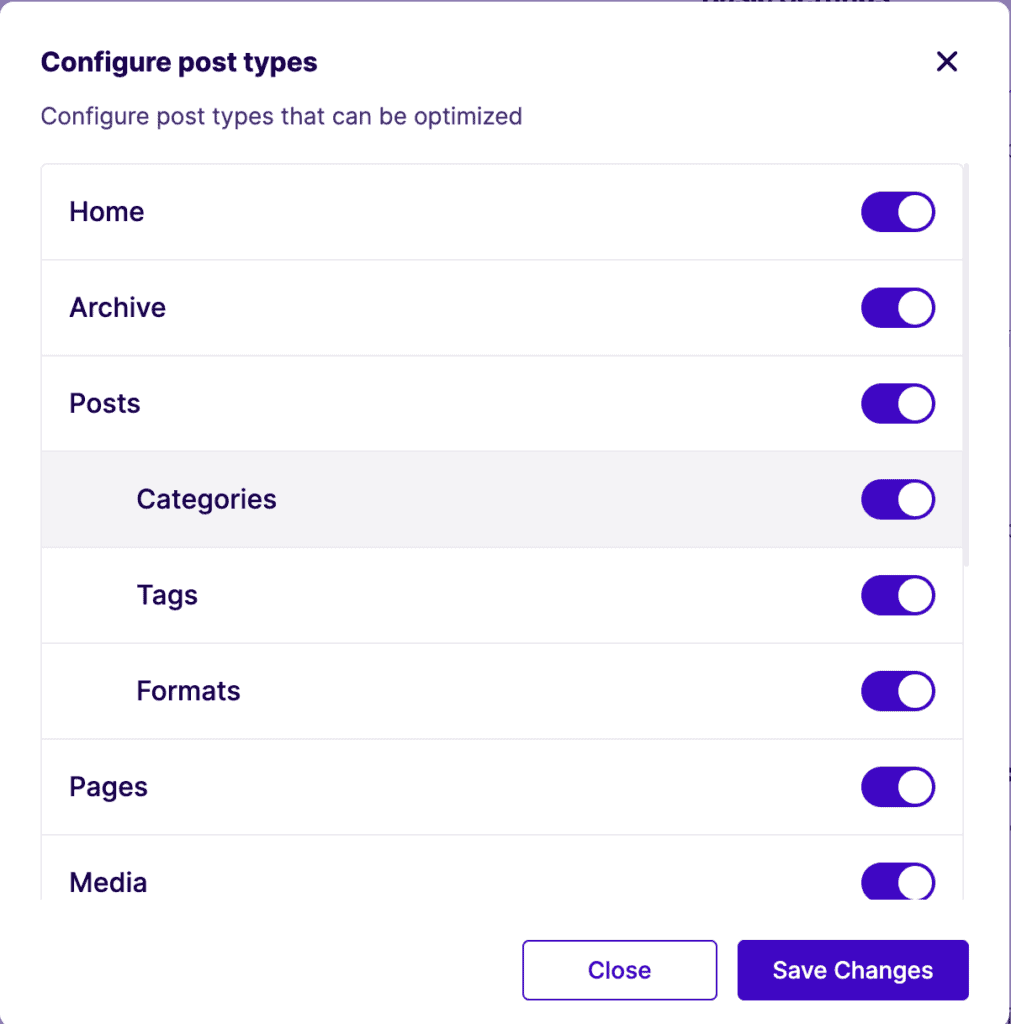
Here’s how NitroPack improves your site’s caching:
- Cloud-Based Caching: Makes your site load instantly, worldwide. It creates static, optimized versions of your pages on its own servers and delivers them from a global Content Delivery Network (CDN), taking all the pressure off your hosting.
- Automatic Cache Warmup: Serves the fastest version to every visitor. After you update a page, NitroPack automatically rebuilds the cache in the background and “warms it up” so even the very first visitor gets an optimized experience.
- User-Aware Caching: Protects your dynamic content. It knows not to serve a cached page to logged-in users or on pages like the shopping cart. This ensures your store and other interactive features always work correctly.
Database Optimization
WordPress database optimization involves cleaning up and organizing your website’s database to help your server run more efficiently. NitroPack does not include database optimization features. Its focus is entirely on “front-end” optimization.
Media Optimization
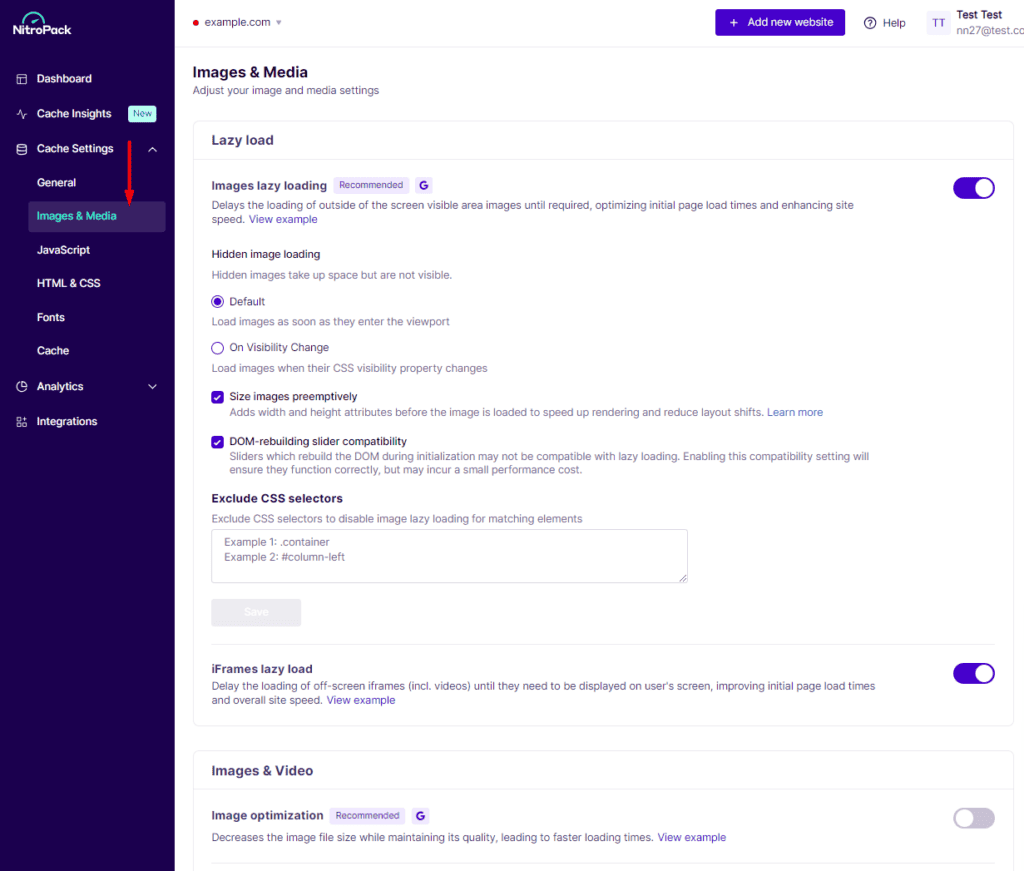
Media optimization makes your images, videos, and fonts smaller and smarter, so they load quickly without slowing down your site. NitroPack automates this entire process in the cloud.
Here’s how NitroPack optimizes your site’s media:
- Automatic Image Compression: Makes your images load faster. It automatically reduces the file size of your images without sacrificing visual quality, so your pages aren’t weighed down.
- Next-Gen Image Formats: Serves the fastest images possible. It automatically converts your images to modern formats like WebP for browsers that support them, significantly speeding up load times.
- Lazy Loading for Media: Speeds up initial page load. It waits to load images, videos, and even background images until a visitor scrolls down to them, so the visible part of your page appears instantly.
- Font Optimization: Prevents slow-loading text. It reduces the size of font files and optimizes how they are loaded, stopping them from blocking your page from rendering quickly.
Asset Optimization
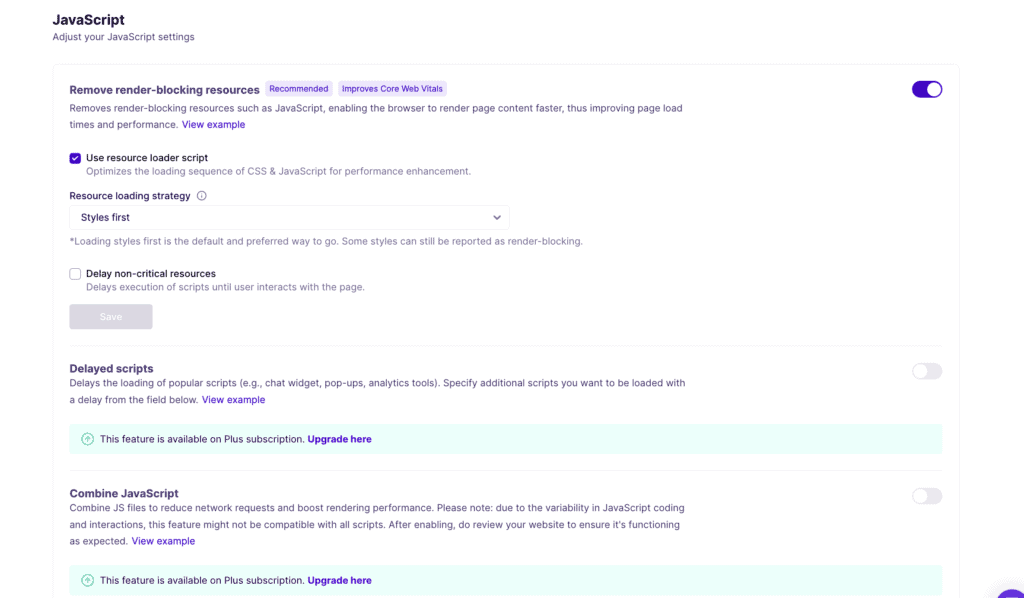
Asset optimization is the process of shrinking and reorganizing your site’s code (like CSS and JavaScript) so the browser can load it more efficiently and render your page faster.
Here’s how NitroPack optimizes your site’s assets:
- Code Minification: Shrinks your code files. It automatically removes unnecessary characters from your site’s HTML, CSS, and JavaScript, making the files smaller and faster to download.
- Critical CSS Generation: Makes your site appear instantly. It identifies the exact styles needed to display the top part of your page and loads them first, so visitors see your content right away.
- Delayed JavaScript Execution: Prioritizes what users see first. It delays loading non-essential scripts until a user starts interacting with the page, drastically improving the initial loading experience.
- Built-in Global CDN: Delivers your content at top speed. All your optimized assets are served from a global network of servers, ensuring visitors from anywhere in the world get the fastest possible load times.
Honourable Mentions (Features Edition)
Beyond its core functions, NitroPack includes several advanced technologies that contribute to its high performance scores.
- Proprietary Resource Loader: This unique system changes how code is loaded to help a visitor’s browser work more efficiently, leading to faster rendering times.
- Resource Preloading: It intelligently prepares assets in the background before they are needed, making the site feel more responsive and instant when a user clicks or scrolls.
- Intelligent JS Combining: It uses a smarter method to bundle JavaScript files together, reducing server requests in a way that is less likely to break complex site features.
- Animated Image Optimization: For users on higher-tier plans, it automatically shrinks the file size of animated images like GIFs, so they don’t slow down your pages.
- Video Facades: It replaces heavy YouTube or Vimeo video embeds with a lightweight preview image. The full video only loads after a visitor clicks the play button, saving significant load time.
- Google Tag Manager Optimization: On the Pro plan, it can control and speed up how marketing and analytics scripts loaded via Google Tag Manager are executed.

What’s Missing in NitroPack?
While NitroPack is a powerful tool for speeding up your website, it is highly specialized. Its focus is entirely on front-end performance, which means there are several important website management features that it does not handle. Here’s what you won’t get with NitroPack:
- Database Optimization: NitroPack doesn’t clean your website’s database. Over time, your database can get cluttered with old post revisions, spam comments, and temporary data. NitroPack won’t clear this out, which means you may still need a separate plugin to keep your database running efficiently.
- Server-Level Optimization: Because NitroPack is a cloud service, it can’t optimize your actual hosting server. The speed of your website for logged-in users or for processing things like e-commerce orders still depends entirely on the quality of your hosting provider.
Pricing
NitroPack’s pricing comes with multiple tiers designed to scale with your website’s traffic and needs. While a free plan exists, its limitations mean that most businesses will need to choose a paid plan. The key thing to remember is that pricing is based on monthly pageviews and CDN bandwidth usage.

Here’s a breakdown of the different plans available:
Free Plan
This plan is suitable for very small personal sites or for testing purposes. It has low resource limits and places a mandatory NitroPack badge in your website’s footer.
Starter Plan
- Cost: Starting from $6.65 per month (billed annually) or $8 per month (billed monthly).
- Best for: Small websites, freelancers, and bloggers.
- Resource limits: Up to 8,000 pageviews and 5 GB of CDN bandwidth per month for one website.
- Features: Includes all core optimizations and removes the NitroPack badge.
Plus Plan
- Cost: Starting from $17.10 per month (billed annually) or $22 per month (billed monthly).
- Best for: Growing websites, content-driven businesses, and e-commerce stores.
- Resource limits: Up to 40,000 pageviews and 25 GB of CDN bandwidth per month for one website.
- Features: Includes all Starter features, plus advanced capabilities like adaptive image sizing.
Pro Plan
- Cost: Starting from $78.87 per month (billed annually) or $99.99 per month (billed monthly).
- Best for: High-traffic websites, power users, and small agencies.
- Resource limits: Up to 540,000 pageviews and 270 GB of CDN bandwidth per month, covering up to three websites.
- Features: Includes all features from the Plus plan.
Agency Plan
- Cost: Starting from $229.17 per month (billed annually) or $275 per month (billed monthly).
- Best for: Agencies and enterprises that manage numerous high-traffic client websites.
- Resource limits: Covers 10 or more websites with custom pageview and CDN bandwidth allocations.
- Features: Includes all Pro features, plus agency-specific benefits like a revenue share program and tailored pricing.
Best Alternative: Airlift
There are plenty of Nitropack alternatives in the market. While NitroPack is a popular choice, its high costs, lack of control, and risk of breaking site functionality lead many to look for a better solution. However, Airlift emerges as the ideal alternative, offering the power of cloud-based optimization with a more transparent, reliable, and affordable approach.
Here’s why Airlift is the superior choice:
- Greater Transparency and Control: Where NitroPack often feels like a “black box,” Airlift provides you with clear and meaningful control. Its intuitive settings page allows you to customize caching, asset optimization, and lazy-loading, so you can fine-tune performance without giving up control of your site.
- Affordable and Predictable Pricing: Airlift offers a robust free plan and flexible paid tiers that scale fairly. This avoids the unpredictable, usage-based billing that can make NitroPack surprisingly expensive, especially for high-traffic sites.
- Daily Site Tune-Ups: Airlift doesn’t just optimize your site once; it performs a daily analysis to automatically apply the best settings for your specific content, theme, and plugins. This ensures your site remains fast as it evolves, without requiring manual intervention.
- Reduces Site Conflict Risk: Thanks to its tailored, page-by-page optimization process, Airlift significantly lowers the risk of conflicts that can break your site’s functionality—a common complaint with NitroPack’s more aggressive, one-size-fits-all approach.
- Integrated All-in-One Solution: Like NitroPack, Airlift combines advanced caching, a built-in CDN, and comprehensive image and code optimization into a single, easy-to-use package. You get all the benefits of a powerful performance suite without needing to manage multiple plugins.
Final Thoughts
NitroPack’s promise of easy speed is a high-risk gamble. Its aggressive, “black box” approach often breaks site functionality in the pursuit of a perfect score, leaving you with no control and unpredictable costs. It prioritizes a synthetic score over a reliable user experience.
Airlift offers a smarter path, delivering the same powerful cloud optimization with the transparency and stability that NitroPack lacks. By focusing on genuine, stable speed for your actual visitors, Airlift is the clear choice for anyone who values control and real-world results over a risky shortcut.
FAQs
What does NitroPack do?
NitroPack is an all-in-one, cloud-based service designed to automatically speed up your website. It connects to your site via a plugin, then performs a range of optimizations on its own servers, such as advanced caching, image compression, and code minification. It then delivers this optimized version of your site to visitors through its built-in Content Delivery Network (CDN).
Is NitroPack free or paid?
NitroPack offers both, but its free plan is very limited. The free version is suitable for very small sites with low traffic and places a mandatory NitroPack advertisement in your website’s footer. For any professional or business website, you will need one of their paid subscription plans, which remove the ad and offer higher limits for traffic and CDN usage.
What is the difference between NitroPack and Cloudflare?
NitroPack is a highly specialized tool focused exclusively on front-end speed optimization. Cloudflare is a much broader platform focused primarily on security (like firewalls and DDoS protection) and its global Content Delivery Network (CDN). While Cloudflare offers performance features, they are just one part of a larger suite of tools. Think of NitroPack as a dedicated speed specialist, while Cloudflare is a foundational platform for security and content delivery.
Is NitroPack legit?
Yes, NitroPack is a legitimate company and its service does what it claims: it dramatically increases scores on performance tools like Google PageSpeed Insights. However, the methods it uses are controversial. Its aggressive, automated approach can sometimes “game the test” to achieve a high score while causing conflicts or breaking parts of a website’s functionality, which is why many users seek more stable and transparent alternatives like Airlift.

Shreya has been a writer for as long as she can remember. Now, she writes articles that help WordPress users manage the sites that they're proud of, with little to no coding