
Picking from the sea of WordPress newsletter plugins can be a headache. You’ve likely narrowed it down to MailPoet vs Brevo, but now you’re stuck.
They represent two very different approaches. One is a native plugin, which is simpler but risks potential plugin conflicts. The other is an external platform that keeps your site lean but means managing a separate dashboard.
We’re here to help you make the right call. This guide puts them head-to-head so you can walk away knowing exactly which one fits your needs.
MailPoet is a dedicated WordPress plugin, while Brevo is an all-in-one marketing platform that lives outside your site. Whichever you choose, always use a backup plugin before installing new tools to avoid any potential conflicts or issues.
Head-to-head MailPoet vs Brevo
To make your decision easier, here’s a simple head-to-head breakdown:
| Feature | MailPoet | Brevo |
|---|---|---|
| Core Philosophy | Native WordPress Plugin (lives inside your dashboard) | External Marketing Platform (connects via plugin) |
| Pricing Model | Based on subscriber count | Based on emails sent (unlimited contacts) |
| Best For | WooCommerce stores and bloggers wanting simplicity | Businesses needing multi-channel (SMS, CRM) marketing |
| Website Performance | Can impact server resources with large lists | No impact; all processing is done on their servers |
| Marketing Channels | Email only | Email, SMS, WhatsApp, Live Chat, and CRM |
Price comparison
MailPoet uses a subscriber-based model. The price you pay is tied directly to the number of people on your email list. It’s free for your first 1,000 subscribers (Starter). This makes it very predictable for those just starting out. When your list grows past that, you move to the next paid tier.
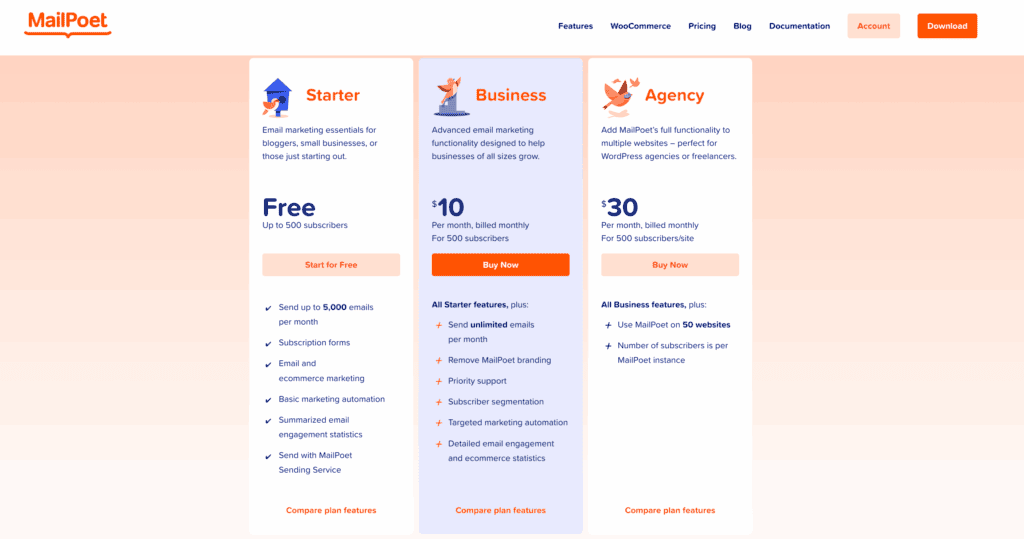
Brevo uses an email credit-based model. Its cost scales with your sending frequency, not your list size. You can have unlimited contacts on all plans, even the free one. The free plan gives you 300 emails per day. You only pay when you need to send more than that.
So, what does this mean for your wallet? If you have a large list but only send a monthly newsletter, Brevo will likely be much cheaper. If you have a small, active list and send emails often, MailPoet’s fixed cost might be more manageable.
Now that we have the pricing clear, let’s look at what you actually get for your money.
Core features
MailPoet is a native WordPress plugin. Everything is managed directly inside your WordPress dashboard. You never have to leave your site. Its biggest strength is a deep, native integration with WooCommerce.

Brevo is a centralized marketing hub. Email is just one part of it. The platform is a full CRM that also handles SMS, WhatsApp, and live chat. Brevo’s automation is also much more advanced and often means you’ll need a way to troubleshoot plugin conflicts that might arise.
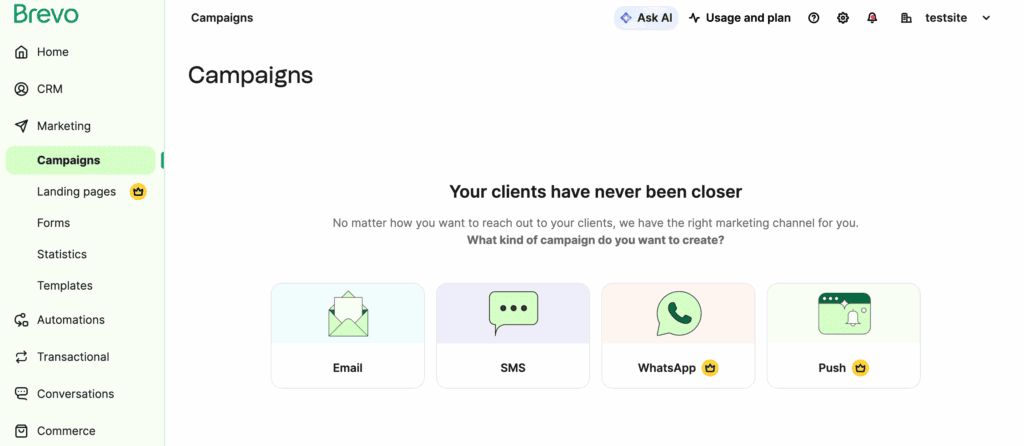
You can build complex, multi-step workflows based on customer behavior. MailPoet’s automation is good, but it is limited to simpler, behavior-triggered email sequences. Brevo also includes its Aura AI for content help on all plans.

If you want to keep your entire operation inside WordPress, MailPoet is built for you. It’s focused and powerful within that world. If you imagine your business growing to use multiple marketing channels, Brevo provides a single place to manage all of it.
Having great features is one thing. But using them should be easy and intuitive.
Design and usability
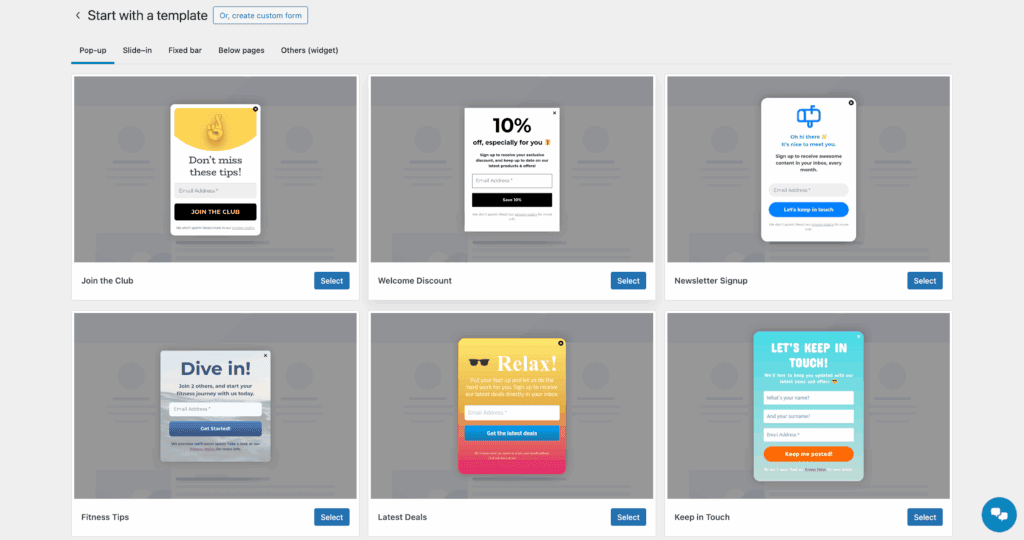
Both have intuitive drag-and-drop email editors and a solid library of professional, responsive templates.
MailPoet operates seamlessly within the WordPress dashboard. Its native interface is intuitive for any user, allowing you to create newsletters from blog posts in minutes.
Brevo’s interface is a dedicated SaaS application dashboard. It’s clean, modern, and guides you through the process. It feels separate from your website because it is. One very useful feature is its brand library, which can auto-apply your logos and colors to new templates.
Of course, a beautiful email is useless if it doesn’t land in the inbox.
Deliverability
Brevo uses its own optimized SMTP relay for very strong inbox placement. It’s what their business was built on. MailPoet uses its own reliable proprietary sending service. Both platforms handle the technical setup like SPF and DKIM authentication to make your domain look legitimate to email providers.
Here are the key differences. Brevo offers dedicated IP options on its higher-volume plans, which is a big deal for serious senders. MailPoet protects its network by throttling sending to prevent server overload and having a very strict sub-1% complaint policy.
If too many people mark you as spam, your account can be suspended. Both services provide automatic bounce and unsubscribe handling.
Deliverability isn’t just about their servers; it’s also about yours.
Performance
MailPoet runs on your web hosting. Every subscriber and campaign is stored in your WordPress database. With a large list, this can increase your database size and potentially slow down your site’s admin area.
The plugin uses background WP-Cron tasks to send efficiently, but the resource use still happens on your server.
Brevo offloads all the heavy lifting to its own cloud infrastructure. Your lists, your campaigns, and the sending process all happen on their servers. The plugin on your site is just a lightweight bridge.
This means Brevo’s performance is completely independent of your web hosting plan. It won’t slow your site down, no matter how big your list gets.
Which should you choose?
Let’s make this simple. Here’s a clear breakdown to help you decide.
You’re a great fit for MailPoet if:

- You want to manage everything from your WordPress dashboard.
- You run a blog or a small WooCommerce store and need deep integration.
- You prioritize simplicity and an easy-to-use visual editor.
- The free plan for your first 1,000 subscribers is perfect for you.
You should go with Brevo if:

- You need email, SMS, and WhatsApp together in one platform.
- You have a very large contact list but send campaigns infrequently.
- You need complex, multi-step automations based on user behavior.
- Storing unlimited contacts on a free plan is a critical feature for you.
Other choices
If neither of these feels like a perfect fit, the WordPress ecosystem has other great options.
Consider Noptin for a completely free, lightweight, and very simple native alternative.

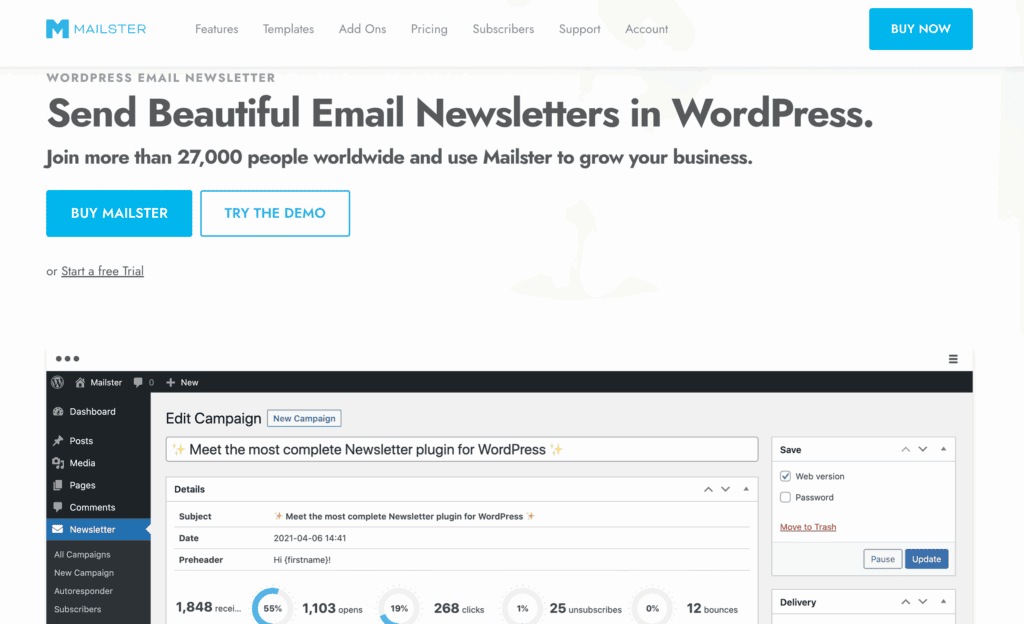
Consider Mailster for a self-hosted plugin with advanced automation that you buy once.
Consider Newsletter Plugin. This is a very popular freemium plugin. Its free version is powerful with no sending limits, and its reporting dashboard is fantastic. It uses a unique composer editor instead of a drag-and-drop system.

Parting thoughts
There is no single “best” tool, only the one that’s right for you. MailPoet champions seamless WordPress integration, while Brevo offers a scalable, all-in-one marketing hub.
Your choice should be based on your current needs and where you plan to take your business next. We strongly recommend testing the free plan of your top choice to ensure it’s the right fit for your growth.
FAQs
What are the main differences between MailPoet and Brevo?
The main difference is that MailPoet is a native WordPress plugin, while Brevo is a separate, all-in-one marketing platform. This means MailPoet lives entirely inside your dashboard, whereas Brevo handles email, SMS, and CRM on its own servers.
Which is cheaper: MailPoet or Brevo?
Brevo is cheaper for large lists with infrequent sending, while MailPoet can be more cost-effective for smaller, highly engaged lists. Brevo charges based on emails sent, whereas MailPoet charges based on your number of subscribers.
Does Brevo have a WordPress plugin?
Yes, Brevo has an official WordPress plugin that connects your website to its marketing platform. This lightweight plugin is used to add signup forms, sync contacts, and manage transactional emails.
Can I use MailPoet for transactional emails?
Yes, MailPoet can handle transactional emails, especially for WooCommerce, allowing you to style them within WordPress. This feature lets you replace the default WooCommerce emails with beautifully designed, branded ones.
Which has better email deliverability: MailPoet or Brevo?
Both platforms have excellent email deliverability for most users. Brevo has a slight edge for high-volume senders due to its SMTP origins and dedicated IP options on higher plans.
Which is better for WooCommerce: MailPoet or Brevo?
MailPoet is generally better for WooCommerce due to its deep, native integration. It allows for more seamless customization of abandoned cart and transactional emails directly from your dashboard.

Shivani enjoys crafting guides that make every aspect of using WordPress simple and easy to follow. When she's not glued to her laptop, you can find her buried in a good book or occasionally, painting.