
This Novashare review is for anyone tired of social plugins that slow their website to a crawl. You need those share buttons, but the fear of hurting your site’s performance is real. Novashare promises to be the solution: a lightweight, fast plugin built specifically for speed. We tested it to see if it truly lives up to the hype and is the right choice for your performance-focused site.
The right WordPress social plugin should help you grow without compromise. We’ll cover Novashare’s key features, pricing, and how it stacks up against popular competitors. By the end, you’ll have a clear, honest answer on whether it’s the high-speed sharing solution your website needs.
Novashare is an ultra-lightweight and high-performance plugin designed for one purpose: adding social share buttons without slowing your site down. It successfully delivers a fast, clean, and effective sharing solution, but it is a premium-only plugin with no free version available to test.
We recommend using a staging site to fully setup the plugin first. This helps you completely integrate the plugin into your site without ruining the user experience.
Novashare is a performance-focused WordPress plugin designed for one specific job: adding lightweight, fast social sharing buttons to your website. It allows your visitors to easily share your content on platforms like Facebook, X (Twitter), and Pinterest, helping to boost your traffic, enhance social proof, and increase visitor engagement without slowing your site down.
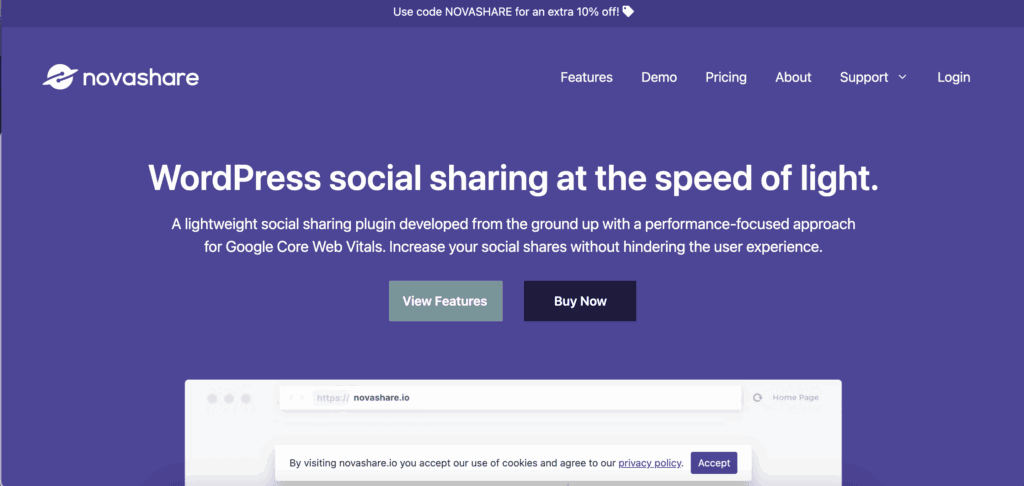
To give you a definitive answer in this Novashare review, we installed and tested it on our own test site. We evaluated it against the key benchmarks that define a top-tier social sharing plugin:
- Performance & Site Speed
- Ease of Use & Setup
- Key Features & Functionality
- Customization & Design
- Social Proof & Data Integrity
- Developer Support & Code Quality
- With that in mind, let’s dive into our hands-on experience and test results.
Unbeatable Site Speed
Every millisecond matters for user experience and SEO. A social sharing plugin must add value without adding weight or slowing down your site. We look for minimal code, no dependencies, and intelligent script loading. Novashare doesn’t just meet these standards; it sets them.
- Ultra-Lightweight Footprint The entire front-end code is under 5 KB, making it objectively one of the lightest and fastest options available.
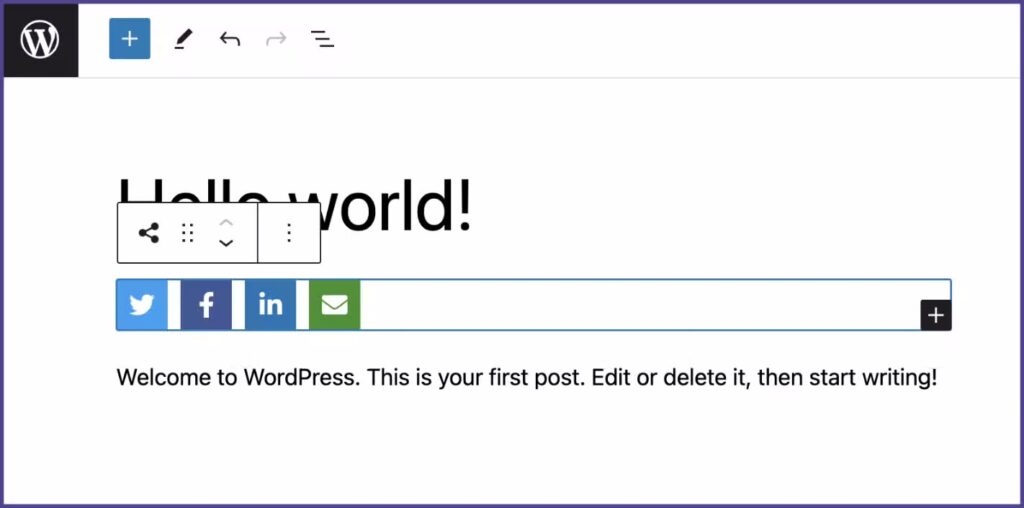
- Efficient SVG Icons It uses inline SVG icons instead of heavy font libraries, which drastically reduces server requests and accelerates load times.
Source: Novashare
- No Dependencies It requires no jQuery or other bloat-inducing libraries, guaranteeing it won’t conflict with modern themes or slow down browser rendering.
- Conditional Asset Loading Scripts only load on pages where buttons are active, completely eliminating site-wide bloat and preventing unnecessary code execution.
Flawless Social Proof
Share counts are a powerful psychological trigger, but they can be fragile and slow to load. A superior plugin must protect this data during site migrations, load it asynchronously, and present it strategically to maximize its impact.
- Share Count Recovery Easily recover all share counts lost during HTTPS migrations or domain changes, instantly preserving your hard-earned social proof.
- Minimum Display Thresholds Hide share counts until they reach a number you define, preventing the “negative social proof” of a newly published post.
- Asynchronous Fetching Share counts are fetched in the background, so they never block page rendering or create a bottleneck for your visitors.
- Smart Local Caching Counts are cached locally to ensure maximum performance and avoid hitting restrictive API rate limits from social networks.
Total Content Control
Simply having share buttons is not a strategy. To maximize engagement, your content must be optimized for each social platform. A top-tier plugin must provide effortless tools to customize titles, images, and descriptions.
- Pinterest-Specific Images Upload a hidden, vertically optimized Pinterest image that only appears when a user clicks the dedicated “Pin” button.
- Custom Social Metadata A dedicated meta box in the post editor lets you customize titles and images specifically for Facebook and X (Twitter).
- Integrated Click to Tweet Includes a built-in Click to Tweet block with multiple designs, removing the need for a separate, often clunky, plugin.
Intuitive, Flexible Design
Your social buttons must look like a natural part of your site, not a cheap afterthought. The plugin must be simple for you to configure and even simpler for your visitors to use on any device.
- Flexible Placement Display buttons inline (above/below content), in a floating sidebar, or anywhere you choose using a simple shortcode.
- Mobile-First Design Features a dedicated mobile sticky bar at the bottom of the screen for easy, one-tap sharing on phones.
- Native WordPress UI The settings use the standard WordPress interface, making it instantly familiar and fast to navigate for any user.
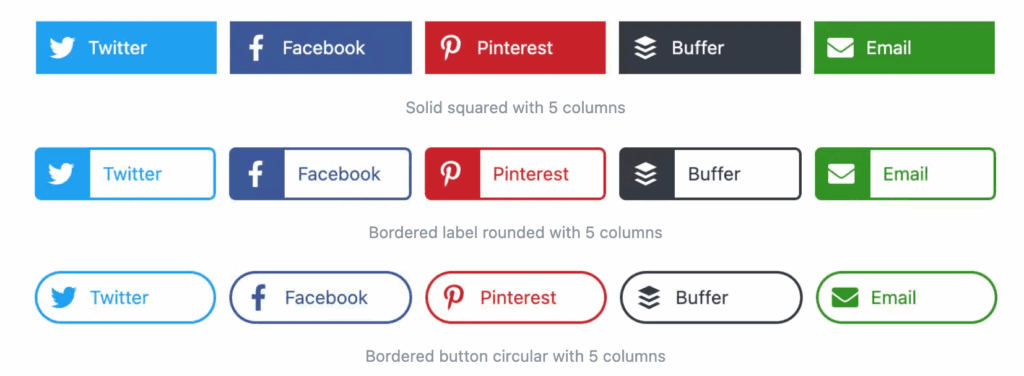
- Effortless Customization Easily adjust button colors, shapes, and sizes to perfectly match your site’s branding without touching a line of code.
Absolute Privacy Compliance
Your plugins cannot be a privacy liability. A sharing tool must not track your visitors or load external scripts that could compromise their data. This is a non-negotiable requirement for any modern website.
- Zero Tracking The plugin does not use any tracking cookies or collect any personally identifiable information from your website visitors. Period.
- No Third-Party Scripts Unlike many free alternatives, it doesn’t load external scripts that can monitor user behavior across the web.
- GDPR Ready Because it doesn’t store user data or track visitors, it is fully compliant with privacy regulations out of the box.
Smart Traffic Tracking
Sharing is pointless without data. To refine your content strategy, you need to know which platforms are driving traffic. A professional plugin integrates these tracking features seamlessly so you can measure what matters.
- Open Graph Control It handles Open Graph tags perfectly but also allows your SEO plugin (like Rank Math) to take precedence if you prefer.
- Built-in UTM Tagging Automatically add Google Analytics UTM parameters to track exactly which social networks are sending you valuable referral traffic.
- Bitly Link Shortening Integrates directly with Bitly to create clean, short links automatically when your visitors share your content.
Elite Developer Pedigre
A plugin is only as good as the team that builds and maintains it. You must trust that the code is clean, support is reliable, and updates are frequent. Novashare is built on a foundation of proven performance expertise.
- Expert Development Built by the team behind Perfmatters, who are renowned for their high-quality, obsessively optimized code in the WordPress community.
- Consistent Updates The plugin is actively maintained and updated to ensure flawless compatibility with WordPress core and evolving social media APIs.
- Bloat-Free Backend The settings page is fast, clean, and free of the annoying dashboard advertisements and upsell notifications that plague other plugins.
Novashare Pricing
Novashare’s pricing is split into three annual plans available, making it accessible for single site owners, freelancers, and agencies alike.

Here is the current breakdown of their pricing:
- Single Site: $19.95 / year
- 3 Sites: $49.95 / year
- Unlimited Sites: $119.95 / year
All plans include one full year of customer support and plugin updates. Given its best-in-class performance and lightweight design, the pricing is highly competitive, offering strong value for anyone serious about their website’s speed and user experience.
Limitations of Novashare
While Novashare excels at performance, it’s important to understand what it doesn’t do. Its focused design means it has a few limitations that might be deal-breakers depending on your needs.
- No Free Version: Novashare is a premium-only product. Unlike many plugins that offer a “lite” version on the WordPress repository, you have to purchase it to use it. This means there’s a financial commitment from the start.
- Limited Niche Networks: The plugin focuses on the most popular and widely used social networks to keep things lightweight. If you need to include buttons for smaller, regional, or highly specific niche platforms, you may not find them included.
- No Social Feed Integration: Novashare is built exclusively for adding social sharing buttons. It does not display your Instagram feed, Twitter timeline, or Facebook reviews on your website. For that functionality, you would need a different, all-in-one social media plugin.
Alternatives to Novashare
If Novashare’s limitations don’t align with your goals, here are a couple of popular alternatives to consider:
- Social Warfare: Another popular premium plugin known for its focus on performance and attractive designs. It offers a slightly broader feature set than Novashare, including more customization options and analytics, which may appeal to users who need more data and control.
- Social Snap: This plugin positions itself as an all-in-one social media toolkit. Beyond sharing buttons, it offers features like social auto-posting, social logins, and the ability to boost older posts. It’s a good alternative for users who want to consolidate multiple social media functions into a single plugin.
Final Thoughts
Novashare is incredibly lightweight, easy to configure, and does its one job flawlessly without adding any bloat. If you’re tired of clunky plugins slowing down your site, Novashare is a top-tier solution that is well worth the investment.
We recommend that you install and configure the plugin on a staging site first after purchasing. This allows you to safely set up your buttons or experiment with different placements before activating it on your live website.
FAQs
What is the best community plugin for WordPress?
For building an online community, plugins like BuddyPress or bbPress are the best choices. They allow you to create user profiles, groups, and forums, which is different from a social sharing plugin like Novashare.
Which is the best WordPress plugin?
There is no single “best” plugin; it depends entirely on your needs. For SEO, many use Rank Math. For security, MalCare is a top choice. For social sharing focused on speed, Novashare is a leading contender.
How do I add a share button in WordPress?
The easiest and most effective way is to use a dedicated social sharing plugin. You simply install a plugin like Novashare, go to its settings, choose which social networks you want to display, and select where you want the buttons to appear (e.g., above or below your content).
Which plugin is commonly used for social media integration in WordPress?
Several plugins are popular for social media integration. For pure performance-focused sharing, Novashare is a top choice. For all-in-one solutions that include feeds and auto-posting, users often turn to plugins like Social Snap or SmarterQueue.

Shreya has been a writer for as long as she can remember. Now, she writes articles that help WordPress users manage the sites that they're proud of, with little to no coding