

Looking for a Social Warfare plugin review that tells you the honest truth? You need fast, attractive share buttons to boost your traffic, but you can’t risk a plugin that slows down your site or has a history of security issues. We’ve analyzed its performance, key features, and past controversies to determine if this popular tool is still a safe and effective choice for your WordPress site.
A social feed plugin displays existing social content on your site, but a sharing plugin is what gets your own content out into the world. Making the right choice is critical for your growth, and this review provides the clear, data-driven verdict you need to make an informed decision.
Social Warfare is a performance-focused and powerful plugin for adding social share buttons, excelling with its Pinterest features and share count recovery. However, its history of severe security vulnerabilities and buggy updates raises major trust issues, with all its best features locked behind a paywall.
You should always install and test updates on a test site first. This is non-negotiable. It allows you to check for site-breaking bugs or conflicts before they can damage your live website’s reputation and security.
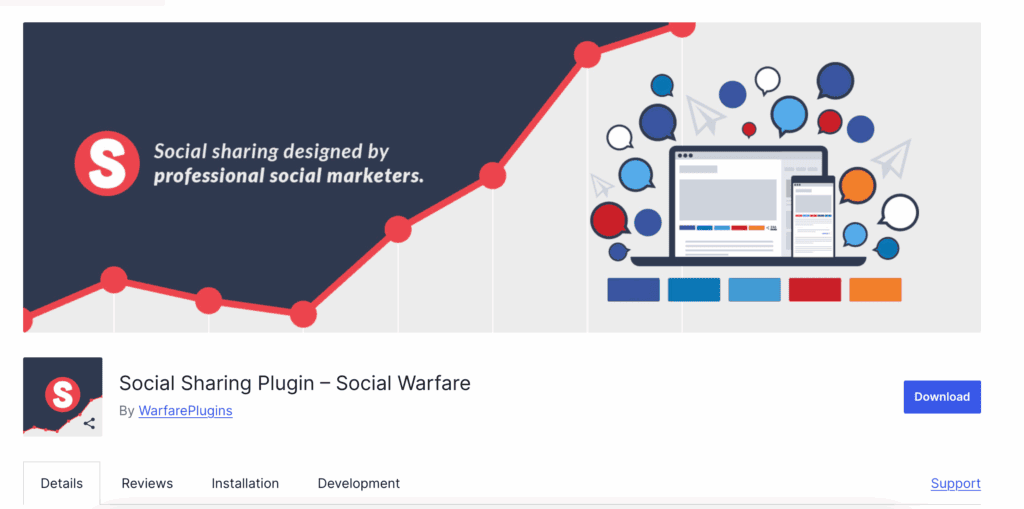
Social Warfare is a social media plugin designed to add fast, attractive, and customizable social sharing buttons to your website. It allows your visitors to easily share your content on platforms like Facebook, X (Twitter), and Pinterest, helping to increase your site’s traffic and reach.
To give you a definitive answer, we tested Social Warfare, on a test site, against the seven critical benchmarks that define a professional-grade plugin:
- Performance & Site Speed
- Social Proof & Data Integrity
- Content-Specific Optimization
- Design & User Experience
- Privacy & GDPR Compliance
- Automation & Distribution
- Developer Support & Code Health
Performance & Site Speed
A social sharing plugin’s primary directive is to get out of the way. It must not, under any circumstances, degrade your site’s performance. We look for minimal code, asynchronous loading, and smart caching—metrics where a millisecond can mean the difference between a visitor sharing your content or abandoning your slow-loading page.
- SVG Icons: Uses lightweight vector icons instead of bulky font libraries for crisp buttons that load instantly.
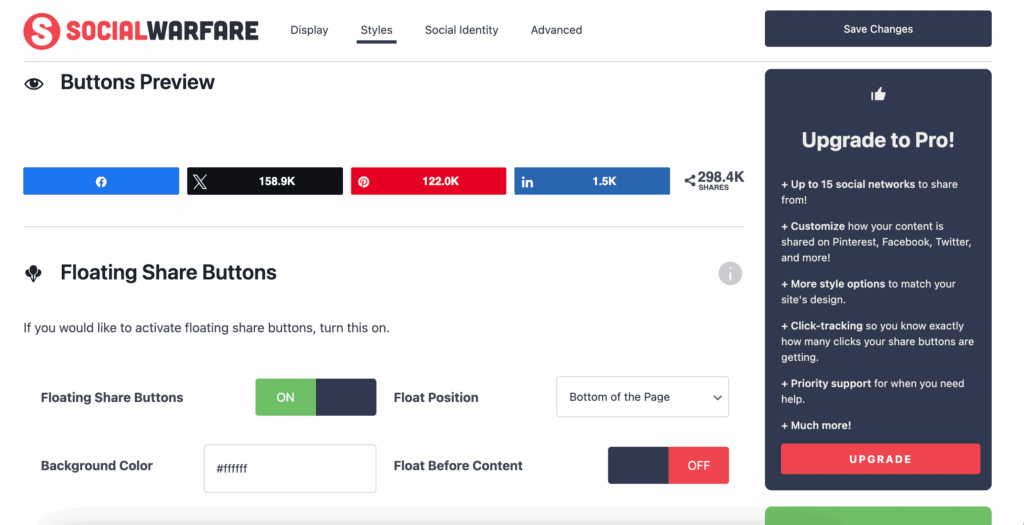
- Minimal Footprint: Adds remarkably few HTTP requests to your page, preserving your hard-earned site speed scores.
- Asynchronous Loading: Intelligently fetches share counts after your page content is visible, so users aren’t left waiting.
- Caching Mechanism: Stores share counts in your database to reduce external API calls and protect your Core Web Vitals.
Social Proof Features
Social proof is the engine of virality. A plugin must not only display share counts accurately but also protect that data during site migrations. We look for robust tools that preserve this valuable metric, but we are critical of features that artificially inflate popularity rather than reflecting it honestly.
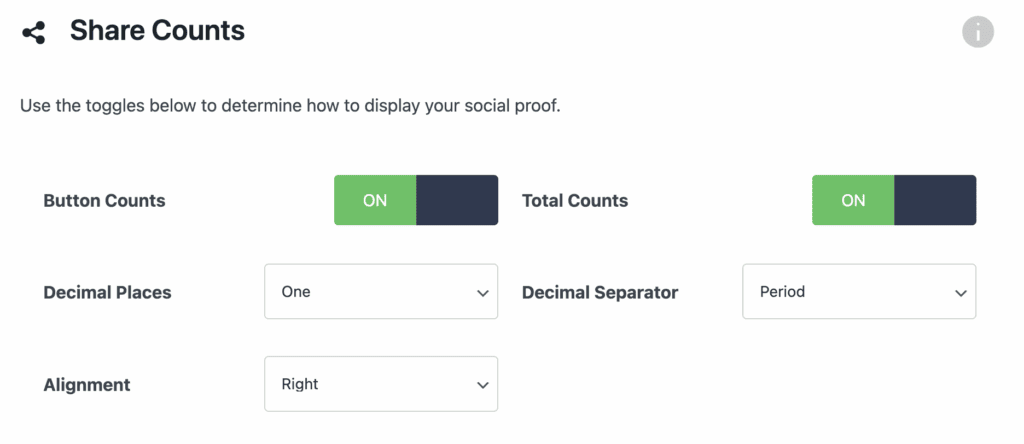
- Share Count Recovery: An essential tool that recovers “lost” share counts when you switch to HTTPS or change domains.
- Minimum Share Threshold: Lets you hide counts until they reach a set number, a feature designed to avoid “negative social proof.”
- Total Share Display: Shows an aggregated “Total Shares” count to maximize the perception of popularity at a glance.
Content Optimization Tools
Generic sharing is useless. To win on social media, you need precise control over how your content appears on each platform. A superior plugin must provide dedicated fields for custom images, titles, and descriptions, turning every share into a perfectly crafted marketing asset.
- Pinterest-Specific Images: Upload a hidden, perfectly optimized vertical image that gets pinned instead of your standard blog images.
- Custom Social Descriptions: Write unique, compelling descriptions for Facebook and X (Twitter) to maximize click-through rates.
- Frame Buster: A critical security feature that stops content thieves from hijacking your pages with their own ads.
Privacy & Compliance
In the age of GDPR, privacy is not optional. A plugin handling external connections must prioritize user consent and data protection. We demand features like “click-to-load” scripts as a baseline for compliance; anything less is a demonstration of negligence.
- No Tracking Pixels: It does not inject its own tracking scripts by default, which is the bare minimum expectation.
- No Personal Data Storage: Claims not to store any personal data from your visitors, only tracking anonymous button clicks.
- Compliance Gap: Fails to provide a “click-to-load” function, meaning scripts may fire without user consent, risking GDPR fines.
Support & Stability
Trust is everything. A plugin installed on your site must be secure, stable, and reliably maintained. A history of severe vulnerabilities or a pattern of releasing buggy updates is an immediate disqualification, regardless of its features.
- Historical Stability: Suffered a widely-publicized, severe security breach in 2019 that completely eroded user trust.
- Update Frequency: Updates are inconsistent, lagging behind competitors and raising concerns about its commitment to proactive security.
- Support Channels: Pro support is available, but it’s worthless if the updates themselves are what break your site.
Pricing & Value
Value is a simple equation: features and reliability versus cost. A free version should be functional, and Social Warfare’s pricing breakdown is as follows:
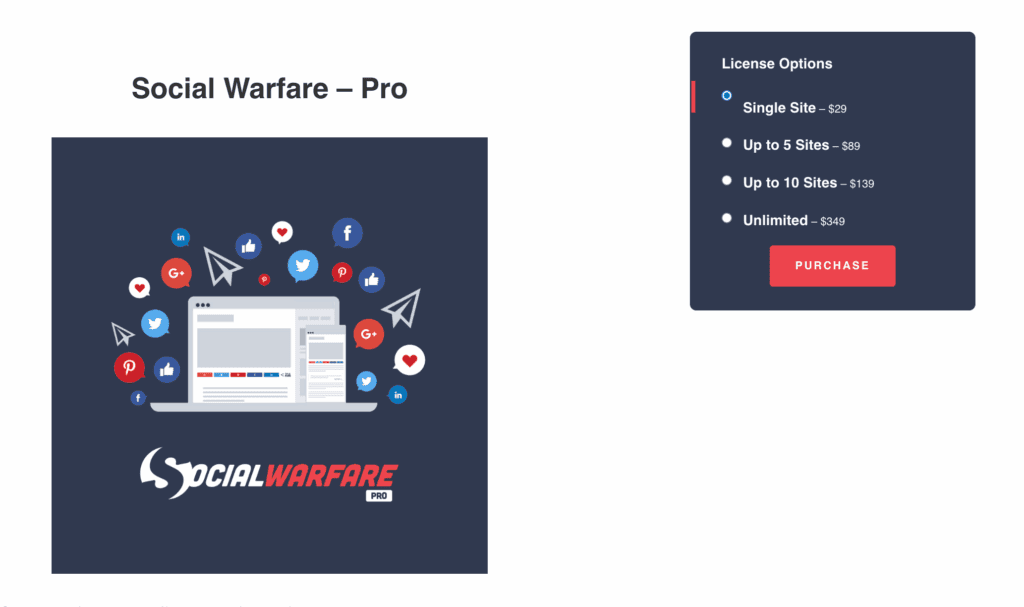
- Free Version: Serves as a barely functional demo, with nearly all valuable features removed.
- Pro Version: Starts at $29/year, a steep price for features that should be standard, like Share Recovery.
- Feature Gate: The plugin’s best tools, like Pinterest Optimization, are held hostage in the Pro version.
Limitations of this Plugin
No plugin is without flaws, but Social Warfare’s are particularly damning. They range from a restrictive business model to inherent vulnerabilities that undermine its core purpose. Understanding these limitations is critical before you even consider installing it.
- Aggressive Feature Gating: The free version is effectively a demo. Essential, high-impact features like Share Count Recovery and Pinterest Optimization are held hostage behind the Pro paywall, making the free plugin functionally useless for serious marketers.
- API Reliance: The plugin’s share counts are entirely dependent on the whims of third-party social media APIs. When platforms like X (formerly Twitter) change or remove access, the feature breaks, and there is nothing the plugin can do about it.
- Potential Plugin Bloat: By bundling features like “Click-to-Tweet” and link shorteners, Social Warfare forces redundant code onto users who already have dedicated, superior tools for these tasks. This demonstrates a lack of focus and respect for a lean plugin ecosystem.
Social Warfare Alternatives
Given its history, exploring alternatives is not just recommended; it’s a necessity. Several plugins offer similar or superior functionality without the baggage of a catastrophic security record.
- Novashare: A modern, lightweight competitor built from the ground up with a laser focus on performance and clean code. It offers many of the same features as Social Warfare but with a better reputation for stability and security.
- Social Snap: A more feature-heavy alternative that goes beyond sharing to include social auto-posting, content lockers, and advanced analytics. It’s a more complex tool but offers a much broader range of social media marketing capabilities in one package.
Final Thoughts
Social Warfare is a paradox: a high-performance engine strapped to a dangerously unreliable chassis. Its speed and powerful marketing features, particularly for Pinterest, are undeniable. However, they are completely overshadowed by a history of unforgivable security breaches and a pattern of instability that makes it an unacceptable risk for any professional website.
You must never install this plugin—or any plugin with a similar history—directly on a live site. Use a staging environment to rigorously test every update. This is your only line of defense against the site-breaking bugs and vulnerabilities that have defined Social Warfare’s troubled past. Proceed with extreme caution.
FAQs
Is Social Warfare safe to use after its past security breach?
The developers patched the major vulnerabilities from the 2019 incident. However, the plugin’s history demonstrates a past failure in maintaining secure code. While it may be safe now, its track record demands extreme caution. You should always use a firewall and test every update on a staging site before deploying it to your live environment.
How does the Share Count Recovery feature work?
When you change your domain name or switch your site from HTTP to HTTPS, your URLs change, and social networks see them as new pages, resetting your share counts to zero. Social Warfare’s Pro tool allows you to map your old URLs to your new ones, reclaiming and combining the old share counts to preserve your social proof.
Will Social Warfare slow down my WordPress site?
No, Social Warfare is one of the fastest social sharing plugins available. It is built for performance, using lightweight SVG icons instead of bulky font libraries and loading share counts asynchronously so they don’t block your page from rendering. From a pure speed perspective, it has a minimal impact on site performance.
What is the difference between Social Warfare Free and Pro?
The free version is extremely limited. It provides basic sharing buttons for a handful of networks but lacks any advanced features. Social Warfare Pro unlocks all the powerful tools: share count recovery, advanced Pinterest image optimization, more social networks, and greater design customization. The free version acts as a demo; you need Pro for the plugin to be truly effective.

Shreya has been a writer for as long as she can remember. Now, she writes articles that help WordPress users manage the sites that they're proud of, with little to no coding


