
A WordPress SMTP plugin is essential when your site’s emails start failing.
You’ve likely felt the sting of the consequences, and now you’re trying to see if Post SMTP is the right plugin for your site.
This Post SMTP review gives you the clear, honest verdict you need. We’ll cover what matters so you can make the right decision and fix your email problems for good.
Post SMTP provides a feature-rich, free solution for WordPress email deliverability, though it prioritizes raw power over a simple interface. We recommend using a backup plugin to create a restore point before you install it, just in case of conflicts.
A glance at our Post SMTP review
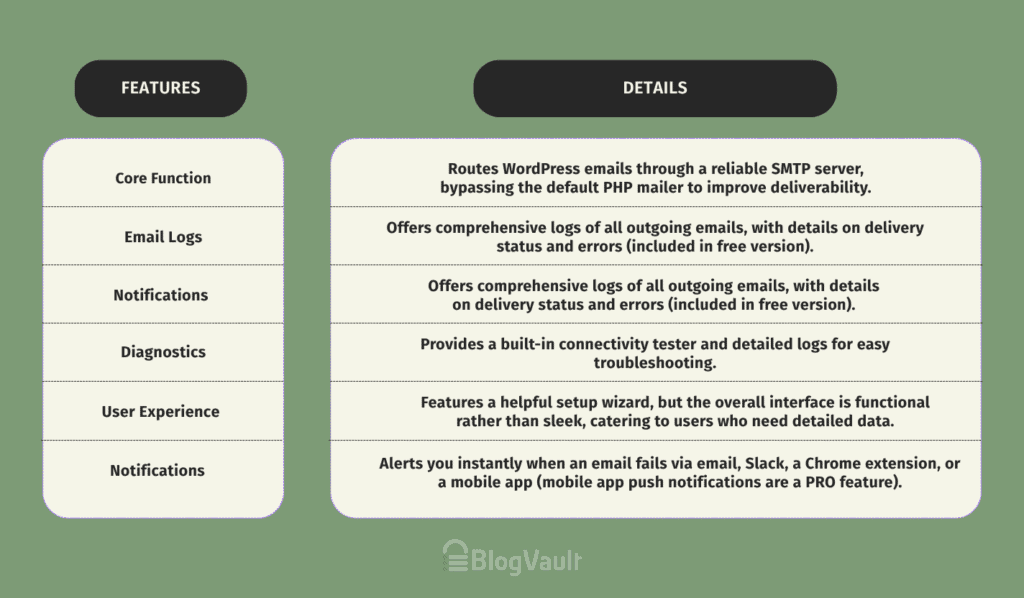
Our first impressions of Post SMTP
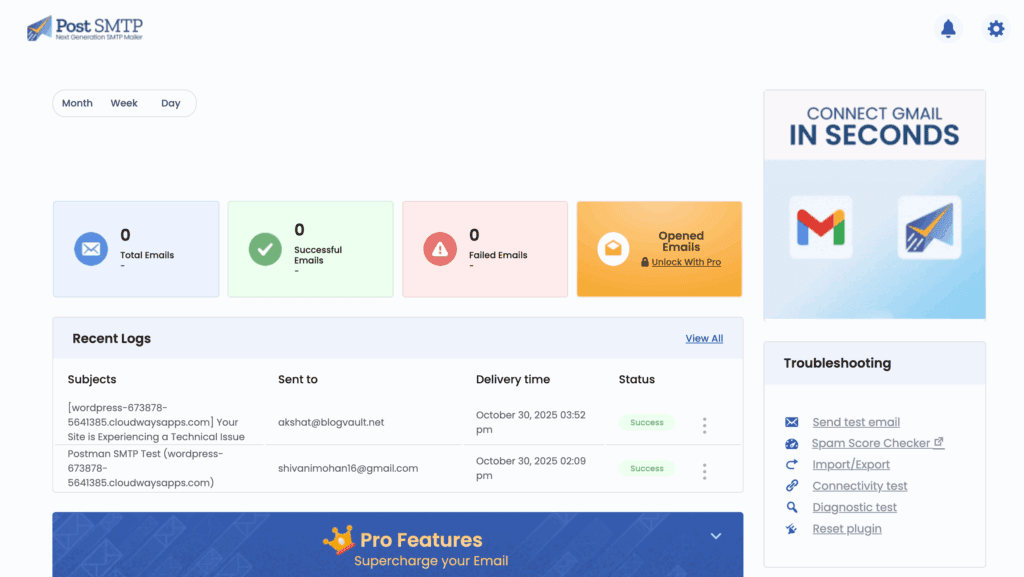
Our first impression of Post SMTP is that it’s all business. The setup wizard is detailed and helpful, guiding you through what could be a confusing process. we always recommend running a complete WordPress backup so you have a safe restore point if a conflict occurs.
When you get to the main dashboard, you’re met with a ton of data, which feels incredibly powerful.
While the interface looks dated, Post SMTP prioritizes function. The most important feature, a full email log, is immediately available for free, making it clear this is a powerful tool for control, not a “set it and forget it” solution.
Post SMTP’s key features & how they solve your problems
A feature list is just a list. Let’s talk about what these features actually do for you.
Email Logging & Diagnostics
This is the plugin’s killer feature. As part of a regular website maintenance routine, checking these logs can help you spot delivery problems before your customers do.
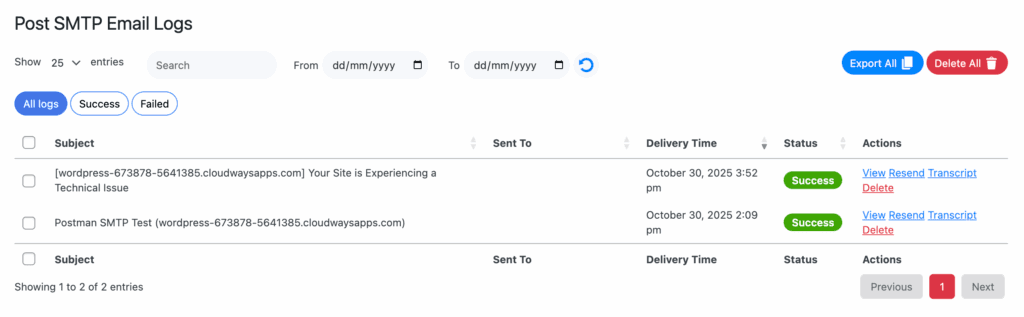
It keeps a record of every single email your site tries to send. Why should you care? Because when a customer says, “I never got the receipt,” you can look at the log and see if the email was sent, if it failed, and why.
It ends the guesswork. You can even resend failed emails with one click or automate it.
Secure SMTP Connections
The plugin uses a modern security method called OAuth 2.0 for services like Gmail and Microsoft. This means you connect your account without ever storing your actual password in WordPress.
This is a huge security win and a key part of a complete WordPress security strategy, as it reduces the risk of your email account being compromised if your site has a problem.
Email Failure Alerts
Post SMTP can send you a notification via email, Slack, or a Chrome extension the moment an email fails to send. This lets you be the first to know there’s a problem, so you can fix it before your users or customers even notice.
Pro-Level Tools (PRO)
The pro version adds a mobile app for monitoring your sites on the go. You get push notifications for failures and can even resend emails from your phone. It also includes tools like a fallback mailer (a backup email service) and auto-retry, which are essential for business-critical websites.
How easy is the configuration process?
The word “SMTP” sounds technical, but Post SMTP makes the setup surprisingly straightforward. We found the process to be logical and well-guided. Here’s how to go about it:
- Launch the Setup Wizard. The moment you activate the plugin, it prompts you to start. No digging through settings pages.
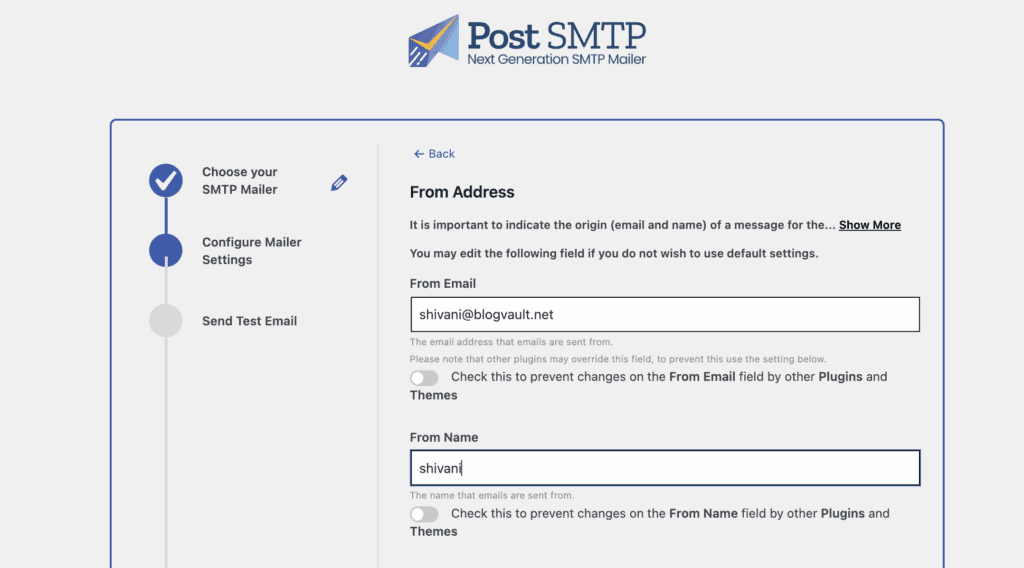
- Enter Sender Details. You’ll put in the “From Name” and “From Email” you want your site’s emails to come from. Simple enough.
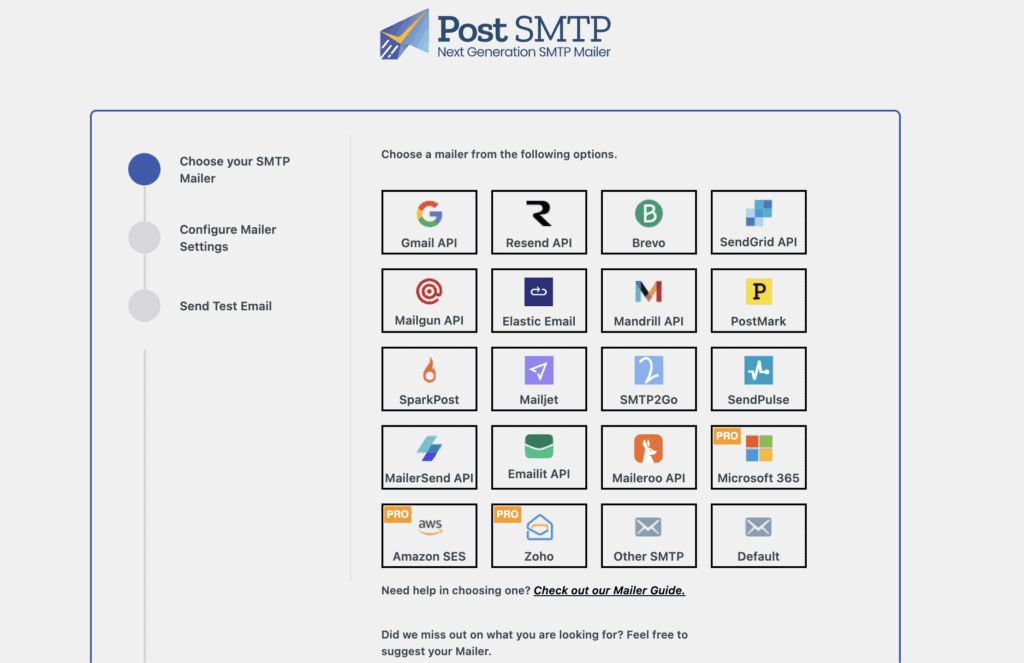
- Choose Your Mailer. This is the service that will actually send your emails. Post SMTP supports providers like Brevo, Gmail, and Microsoft 365 for free.
- Authenticate Your Account. This is the most technical part, but the wizard holds your hand. If you choose Gmail, it will walk you through the secure OAuth 2.0 process. You’ll be taken to Google to grant permission, and that’s it.
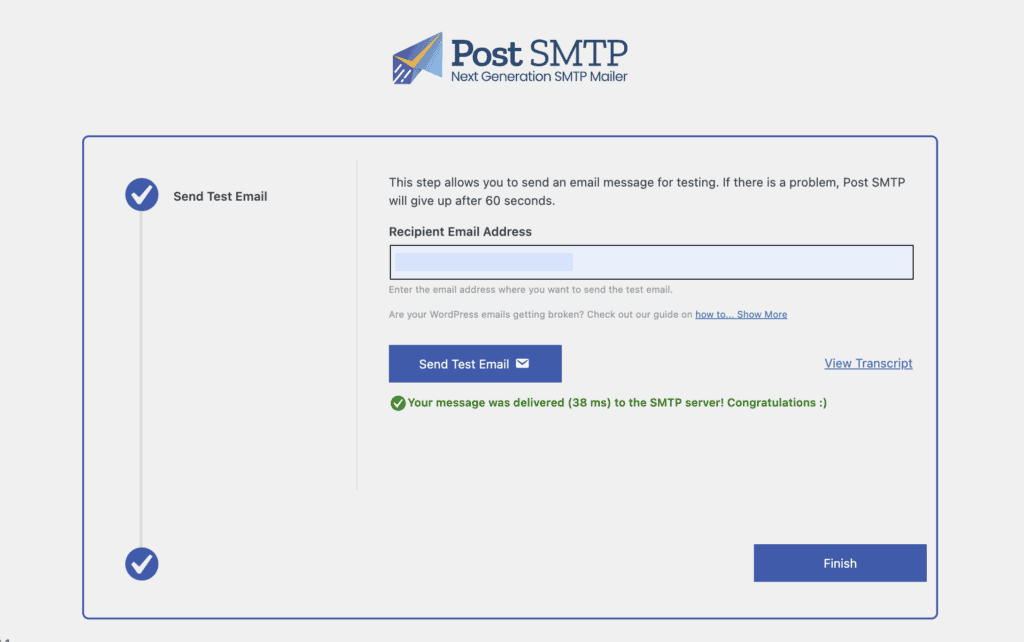
- Send a Test Email. Before you finish, the plugin sends a test email. You get an immediate success or failure message. This is crucial because it confirms everything is working before you walk away.
The whole thing takes about 10 minutes, and the wizard prevents the common mistakes that can make SMTP setup a nightmare.
How does free compare to pro?
This is where Post SMTP really shines. The free version is incredibly generous.
You get the full email log, which functions something like an activity log, but it’s focused exclusively on your site’s emails. The connectivity tester, failure alerts, and secure OAuth 2.0 connections without paying a dime. For most solo site owners, bloggers, or small businesses, the free version is likely all you’ll ever need.
So, why go pro? You should consider the Pro version if:
- Reliability is critical. Features like the fallback mailer and email batching are for businesses where a failed email means lost revenue.
- You manage multiple sites. The MainWP integration and the mobile app are huge time-savers for agencies and freelancers.
- You need deeper insights. The Pro version offers open tracking and more detailed analytics on your email performance.
The pricing structure is also flexible. You can choose a plan that covers anywhere from a single site up to 1,000 sites, and each is available as either an annual subscription or a one-time lifetime payment.

Is Post SMTP the right plugin for you?
You should use Post SMTP if:
- You want powerful diagnostic tools to troubleshoot email issues. The free email log is the best in its class.
- Security is a priority. The free OAuth 2.0 support is a major advantage.
- You are technically comfortable and value function over a flashy interface.
This might not be for you if:
- You are a complete beginner and want the absolute simplest interface possible.
- You need multi-mailer functionality but are not ready to pay for a pro plan.
Other alternatives for you to consider
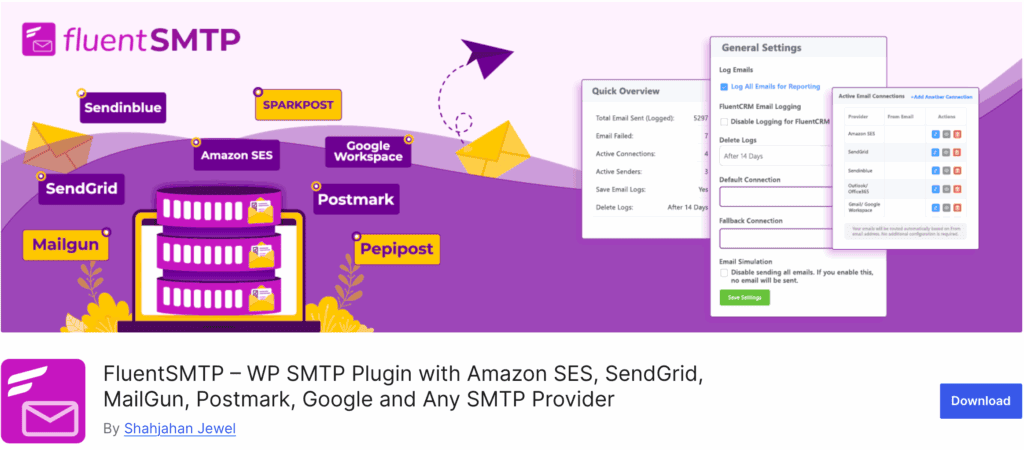
- FluentSMTP. This is Post SMTP’s biggest rival in the free space. It offers some pro-level features, like connecting to multiple mailers at once, for free. It is a fantastic option if you need that specific functionality.
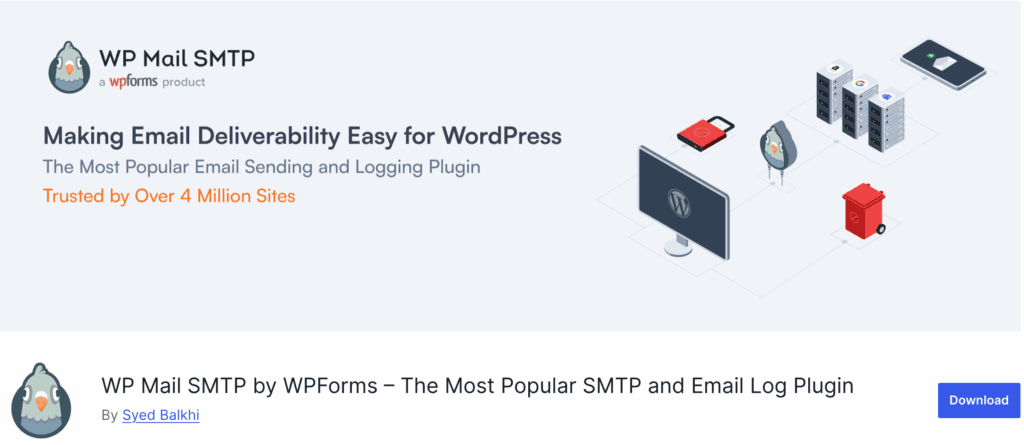
- WP Mail SMTP. The most popular SMTP plugin for a reason. Its interface is cleaner and perhaps more beginner-friendly. However, its free version is much more limited; you have to pay for email logging, which is a big drawback for us.
- Easy WP SMTP. A very basic, lightweight plugin. It gets the job done but lacks almost all of the diagnostic tools like email logging. It’s fine for a simple personal blog but not for a business site.
Final verdict
After extensive use, our verdict is clear: Post SMTP is the gold standard for troubleshooting WordPress email. Its free version is more powerful for diagnostics than many paid competitors.
The email log alone is a game-changer, and while the interface isn’t the most modern, it’s a small price to pay for the professional-grade tools you get. For developers, agencies, and any site owner who values data and control, Post SMTP is the right choice.
FAQs
Is post smtp free?
Yes, Post SMTP has a very powerful free version. It also offers a Pro version with advanced features like fallback mailers and a mobile app.
Which SMTP is the best?
The “best” depends on your needs. For free diagnostics, Post SMTP is arguably the best. For the slickest interface, many prefer the WP Mail SMTP plugin. For advanced free features like multiple connections, FluentSMTP is a strong contender.
How to use post smtp?
You install it like any other WordPress plugin. Then, you run the Setup Wizard, which guides you through connecting it to your email service provider and sends a test email to confirm it’s working.
Is the SMTP server safe?
Yes, using a proper SMTP server is much safer and more reliable than WordPress’s default mail function. Post SMTP enhances this by using secure OAuth 2.0, so you do not have to store passwords on your site.
What is the best free SMTP server?
Brevo offers a generous free plan with up to 300 emails per day. Gmail is also a great free option for lower-volume sites, and it works perfectly with Post SMTP.

Shivani enjoys crafting guides that make every aspect of using WordPress simple and easy to follow. When she's not glued to her laptop, you can find her buried in a good book or occasionally, painting.