

Building a course on a tight budget? This LearnPress review unpacks if the popular free WordPress plugin is the right choice for you. It promises a full toolkit without an upfront cost, but picking the wrong foundation can waste time and frustrate students. We will show you the real pros, cons, and hidden costs.
An LMS plugin is the engine for your entire online school. While LearnPress is free to start, you need to know how it stacks up against paid rivals when you need to scale. This guide helps you decide if its model is a smart, budget-friendly solution or a future technical roadblock.
LearnPress is great if you are on a tight budget or just testing a course idea. Its free core plugin is functional for basic courses, but be prepared to pay for individual add-ons for every advanced feature.
We strongly recommend testing it thoroughly on a staging site first to ensure compatibility and performance before deploying on a live website.
The plugin’s entire philosophy is modular. Think of it this way: LearnPress gives you a free, basic car chassis. To make it a functional vehicle, you must buy the engine, wheels, and seats separately as individual add-ons.
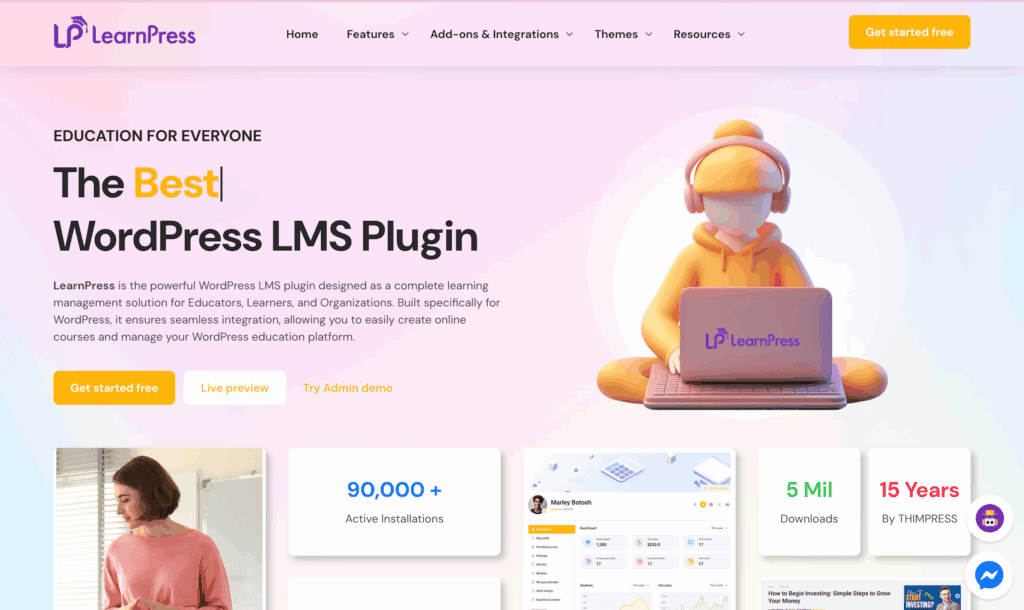
We installed LearnPress on a WordPress test site to see how it performs in a real-world setting. Our review focused on the features that matter most when evaluating this freemium LMS:
- Course Builder: How intuitive is the course creation process?
- Quizzing & Assessments: What features are free versus locked behind a paywall?
- Monetization: How easily can you sell courses with popular payment gateways?
- Student Engagement: Are tools like certificates and assignments included or extra?
- Content Control: How does it handle content dripping and course prerequisites?
- True Cost: What is the total investment to build a fully functional academy?
- Performance: What is the impact of multiple add-ons on your site speed?
Student Learning Experience
A student’s learning environment directly impacts their success. A great LMS provides a distraction-free, intuitive interface that keeps learners engaged with the material, not the website’s quirks. We tested for core features that create this environment.
- Focus Mode: Hides sidebars and site navigation during lessons, providing a cleaner, more immersive view for students.
- Interface: The entire look and feel depend heavily on your theme’s quality. It has no strong native design.
- Self-Paced Learning: Students can leave and return to a lesson, with the plugin saving their exact progress automatically.
Quizzing And Assessments
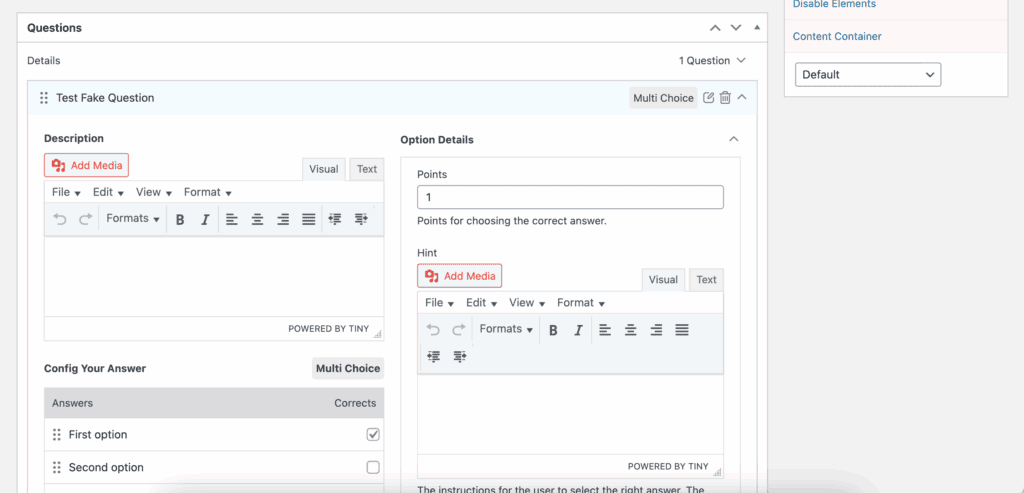
Quizzes are the backbone of assessment. A robust system must offer diverse question types and anti-cheating measures without nickel-and-diming you for every feature. LearnPress fails this fundamental test by paywalling critical functions.
- Question Types: Basic options like multiple choice, true/false, and fill-in-the-blanks are available in the free version.
- Randomization: You must pay for the Random Quiz Add-on to shuffle question and answer order, a critical anti-cheating feature.
- Advanced Controls: Core functions like timers, retake limits, and passing grades are included, providing essential administrative control.
- Question Bank: Lets you create a central repository of questions to reuse across multiple quizzes and courses efficiently.
Content Control
How you deliver your content is as important as the content itself. A professional LMS gives you granular control over the learning path. LearnPress withholds these fundamental controls, forcing you to buy them separately.
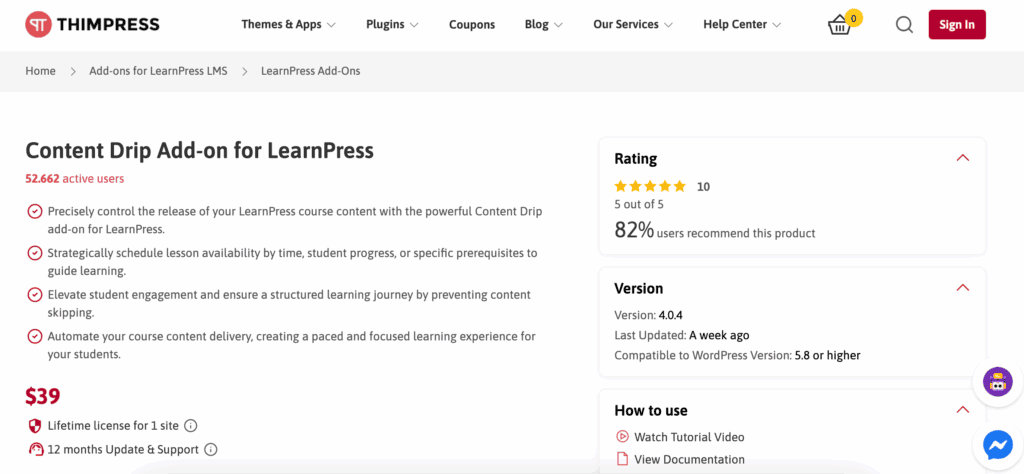
- Drip-Feeding: The Content Drip Add-on is a mandatory purchase for scheduling content release by date or enrollment period.
- Prerequisites: Force students to complete prior lessons or courses, ensuring a structured learning path.
Payment Flexibility
Getting paid should be the easiest part of your business. A modern LMS must support major payment gateways natively. LearnPress’s free options are archaic and unprofessional, forcing an immediate and costly upsell.
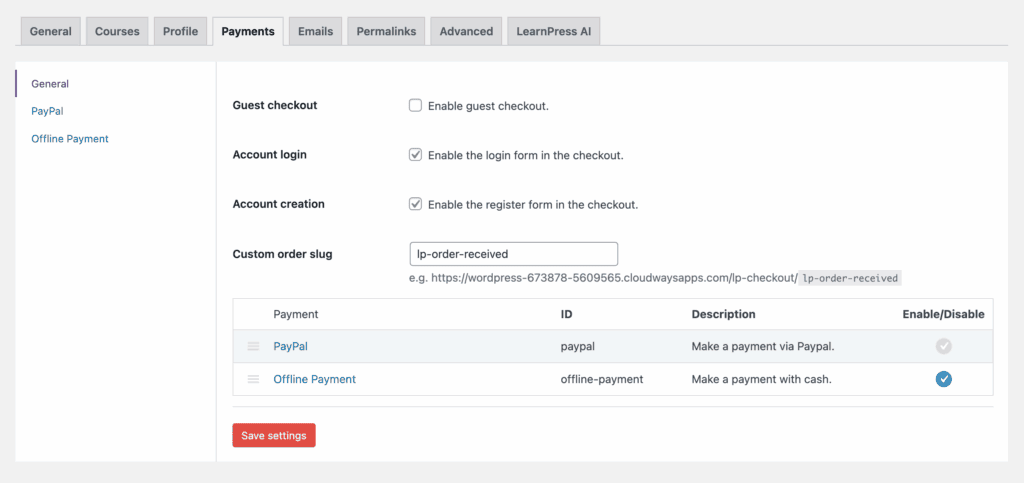
- Built-in Support: Only supports PayPal and offline payments for free, which is severely limiting for global or serious e-commerce operations.
- Direct Add-ons: Requires separate purchases to integrate with modern gateways like Stripe, 2Checkout, or Authorize.Net.
- WooCommerce Integration: The most robust option requires yet another paid add-on, adding cost and technical complexity to your stack.
Student Engagement Tools
Student engagement separates a static content library from a dynamic learning community. Tools like certificates and badges are critical for motivation. LearnPress provides none of these for free, crippling your ability to build a community.
- PDF Certificates: A basic expectation for any course platform, yet this requires a premium add-on to automate and deliver.
- Gamification: Relies entirely on third-party plugins like GamiPress, offering no native point or badge system.
- Interactive Quizzes: You can add questions to videos, but this capability is another feature locked behind a separate purchase.
Mobile Experience
Students learn on the go. A fluid, touch-friendly mobile experience is not optional—it’s mandatory. Don’t confuse basic responsiveness with a truly optimized mobile learning platform, which LearnPress is not.
- Responsiveness: The front-end display adapts to mobile screens, but performance and usability are entirely dependent on your theme’s quality.
- Native App: Offering a native iOS/Android app is a separate, premium service, not an integrated feature of the plugin.
Data Reporting
Data is how you improve your courses and track student success. An LMS must provide deep insights. LearnPress offers a uselessly vague overview for free, hiding actionable analytics behind a paywall.
- Instructor Dashboard: Provides only high-level vanity metrics like total student count and enrollment numbers in its free version.
- Gradebooks: Accessing detailed student quiz scores and individual progress requires buying the dedicated Gradebook add-on.
Ecosystem Integration
An LMS shouldn’t be an island. It must integrate with tools for community building and marketing. LearnPress plays well with other WordPress plugins, but this is a standard feature, not a standout strength.
- Social & Forums: Natively integrates with bbPress and BuddyPress for building course-specific forums and social communities.
- Automation: Lacks built-in automation; relies entirely on third-party services like Zapier, which come with their own subscription costs.
Site Performance
A slow learning platform is a dead learning platform. The claim that LearnPress is “lightweight” is only true for the useless core plugin. Performance is a direct casualty of its add-on-heavy business model.
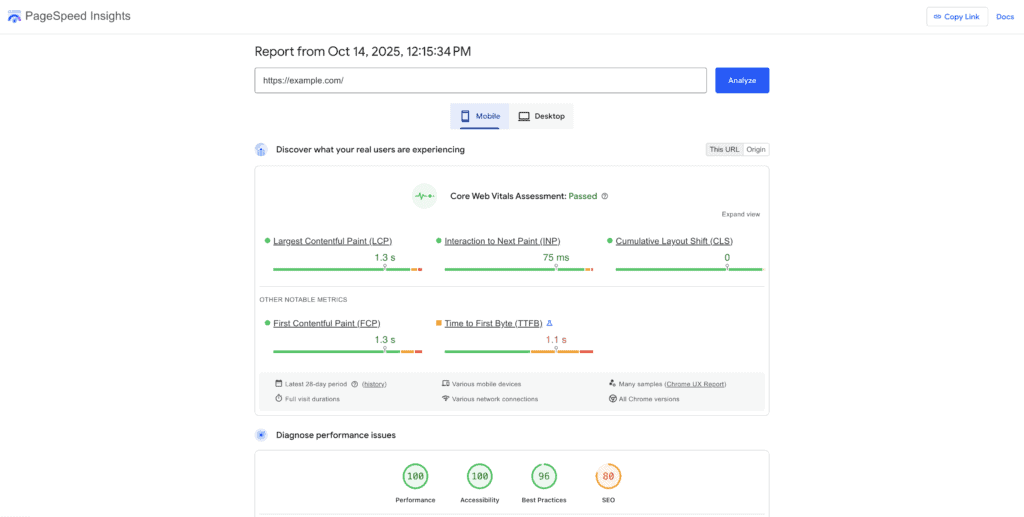
- Lightweight Core: The base plugin is light, but this is irrelevant since it lacks the features to run a real course website.
- Database Impact: Performance suffers significantly as you add the necessary premium add-ons, creating database bloat and slow load times.
Real Cost & Limitations
LearnPress’s pricing works on a freemium model. The free plugin feels intentionally crippled to force the purchase of numerous add-ons. This fragmented approach is not just expensive but also a support and maintenance nightmare.
- Fragmented Setup: You will manage 10+ separate plugins to get features that are standard in other single, premium LMS plugins.
- Support Delay: Free support is nonexistent. Premium support is notoriously slow and unhelpful, leaving you stranded with a broken system.
LearnPress Alternatives
If LearnPress’s modular approach and potential for hidden costs don’t align with your needs, several powerful alternatives offer a different experience:
- Thrive Apprentice: Thrive Apprentice is an excellent choice for creators focused on marketing and conversions. It’s part of the Thrive Suite, offering deep integration with sales funnels, landing pages, and marketing automation tools, making it an all-in-one solution for building and selling courses.
- LifterLMS: LifterLMS is a direct competitor with a similar freemium model but often considered more robust for building complex learning communities. It has strong features for coaching, memberships, and advanced quizzing, making it a powerful platform for serious educators who want to scale.
- TutorLMS: TutorLMS is known for its beautiful, modern user interface and strong feature set right out of the box. It offers a generous free version and competitively priced premium plans, striking a great balance between functionality, user experience, and cost, making it a popular all-around choice.
Final Thoughts
LearnPress is a solid entry point into the world of WordPress LMS plugins. It’s perfect for budget-conscious users or those just testing a course idea, thanks to its functional free core. However, building a professional, feature-rich academy will require purchasing numerous premium add-ons, increasing both cost and complexity.
Before committing, always test LearnPress on a staging site. Its modular nature means you will be adding multiple plugins to your site, which increases the risk of conflicts with your theme or other plugins. A staging environment lets you find and fix these issues without breaking your live website.
FAQs
Is LearnPress free?
Yes, the core LearnPress plugin is free and allows you to create and sell unlimited basic courses. However, most advanced and professional features, such as content dripping, certificates, assignments, and popular payment gateways like Stripe, require you to purchase individual premium add-ons or a Pro Bundle.
How does LearnPress work?
LearnPress is a WordPress plugin that transforms your website into a Learning Management System (LMS). Once installed, it adds a new menu to your dashboard where you can build a curriculum with courses, lessons, and quizzes using a user-friendly, drag-and-drop interface, all without any coding knowledge.
What is the difference between LearnDash and LearnPress?
The main difference is their business model. LearnPress is “freemium”—it has a free core plugin with paid add-ons for extra features. LearnDash is a “premium” plugin, meaning you pay an annual fee for an all-in-one product that includes all its features and dedicated support from the start.
Is LearnPress open source?
Yes, LearnPress is an open-source plugin listed on the WordPress.org repository. This means its source code is publicly available, allowing developers to review, modify, and extend its functionality to create highly customized learning platforms.

Shreya has been a writer for as long as she can remember. Now, she writes articles that help WordPress users manage the sites that they're proud of, with little to no coding


