WordPress booking plugins are the simplest way to stop the scheduling chaos on your site. The Simply Schedule Appointments plugin turns your WordPress website into a 24/7 booking machine.
Manually managing appointments costs you time and leads. This plugin automates it all, letting clients book instantly based on your real-time availability.
This guide will show you how it works, why it’s a top choice, and how to set it up to get your time back.
Appointment plugins like Simply Schedule Appointments can help you organise and manage appointments and booking with your clients. I recommend you test it all out on a staging site first.
What is Simply Schedule Appointments?
Simply Schedule Appointments is a booking plugin that transforms your website into a self-service booking hub. It’s designed to replace the back-and-forth of manual scheduling with a streamlined, automated system.
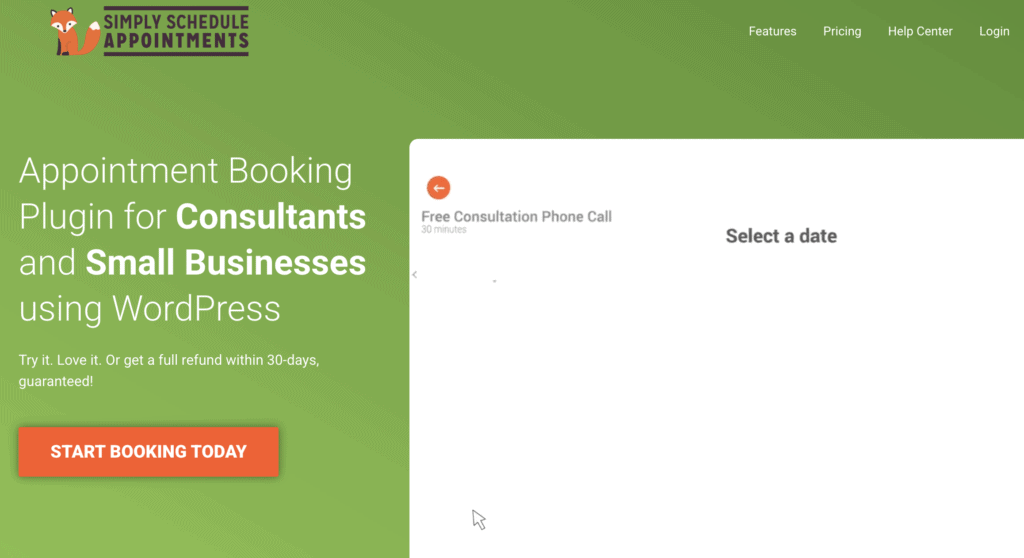
A key advantage is its generous free plan, which is ideal for solopreneurs or small businesses to test core functionality. This free version allows you to create a fully functional booking calendar, manage your availability, and let clients book appointments directly from your site without any cost.
For businesses that need more power, paid upgrades add features like accepting payments, group appointments, and syncing with multiple team members’ calendars. This tiered structure makes it a scalable solution, starting with a solid and completely free foundation.
What I Tested For in Simply Schedule Appointments
When I decided to test Simply Schedule Appointments on my own site, I went in with a clear set of criteria. These weren’t just arbitrary boxes to check; they were the real-world factors that determine whether a booking plugin actually solves problems or creates new ones. Here’s exactly what I looked for and why it mattered to me:
- Booking & Appointment Management: I needed to see if it could truly replace my manual process. My top priority was testing how it handles the core function of managing time—preventing double-bookings, respecting buffer periods, and sending reminders automatically. This is the entire reason you get a booking plugin, so it had to be rock-solid.
- Client Experience & Autonomy: I put myself in my clients’ shoes. It was crucial that the booking process felt professional and was effortless to navigate on any device. If it’s confusing for them, they simply won’t book, defeating the whole purpose of adding this functionality.
- Usability & Setup: As a site owner who isn’t a developer, I tested how much of a headache the setup would be. I judged it based on how quickly I could go from installation to having a live, functional booking form without needing to watch tutorials or contact support
- Pricing & Value: Finally, I scrutinized the cost against the features. I was looking to see if the free plan was a truly functional tool or just a teaser that immediately pushed me toward a paid upgrade. Understanding the value proposition at each tier was essential for making a long-term decision.
Appointment Management
Effectively managing appointments means more than just displaying a calendar; it’s about automating the entire workflow to save time and prevent errors.
Expert Advice: I’ve tested complex booking plugins like MotoPress Hotel Booking plugin. In contrast, this plugin is designed for simple services and appointments. So, keep that in mind before you choose the plugin.
After testing Simply Schedule Appointments, here are the key details I discovered about its management capabilities:
- Manual Time Zone Setup: The plugin does not detect time zones by default. This is one of the first settings you must configure manually to ensure your availability is displayed correctly for your location.
- Seamless Calendar Sync: I found the sync with external calendars like Google Calendar to work flawlessly, automatically blocking off time to prevent double-bookings.
- Integrated Video Meetings: It offers direct integrations with platforms like Zoom and Google Meet, making it easy to set up and manage virtual appointments.
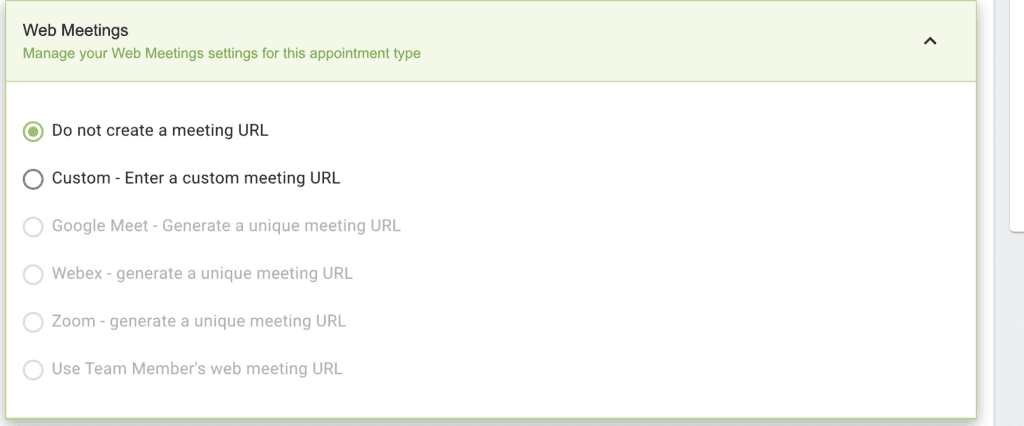
- Payment Gateways are a Premium Feature: While you can see the option to connect Stripe or PayPal in the settings, activating any payment gateway requires a premium upgrade.
- CRM & Marketing Integrations: I haven’t personally tested these connections, but the plugin’s feature set lists integrations with various CRM and marketing tools, suggesting extended functionality for sales and email marketing.
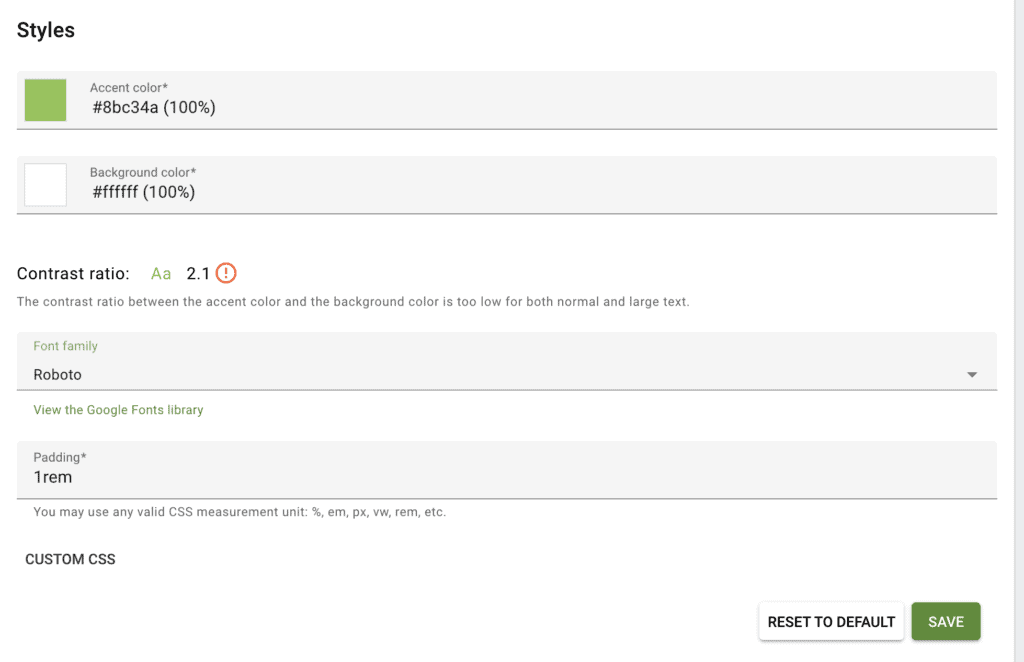
- Limited Design Customization: The free version offers basic customization, allowing you to change colors and fonts, but does not provide deep design control over the booking form’s appearance.
- Highly Customizable Booking Rules: This is a major strength. You have extensive control over your availability, scheduling rules, buffer times, and the form fields clients fill out, allowing you to tailor the experience precisely to your service.
Customer Self-Service
A true self-service booking system empowers customers to manage their entire appointment lifecycle independently, without requiring your direct involvement. During my testing, I focused on how effortless the process was from the customer’s perspective:
- Streamlined Booking Process: I found the actual appointment booking to be incredibly straightforward. The interface is clean and intuitive, allowing customers to select a service, choose an available time slot, and confirm their booking in just a few clicks.
- Customer Control via Email: After booking, the customer automatically receives a confirmation email. Crucially, this email includes links that allow them to reschedule or cancel the appointment on their own, which significantly reduces administrative back-and-forth.
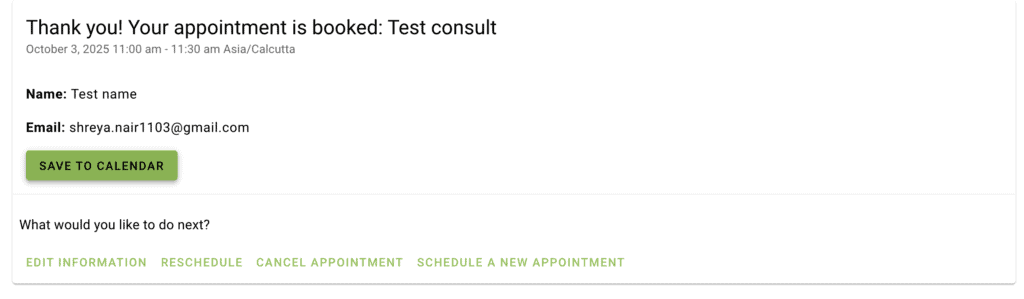
- Easy Calendar Integration: The confirmation email also provides a simple option for customers to add the appointment directly to their own calendar (such as Google or Outlook). This feature helps reduce no-shows by ensuring the appointment is logged in their personal schedule.
Free vs. Premium: Is the Upgrade Worth It?
The generous free version of Simply Schedule Appointments is powerful enough for many solopreneurs to get started. However, the decision to upgrade ultimately comes down to one question: do you need to get paid or work with a team? The premium plans are essentially what transform the plugin from a simple scheduling tool into a complete business management system.

Simply Schedule Appointments Pricing
While the free version is a great starting point for basic scheduling, the plugin’s real power for a growing business is unlocked in its premium plans.
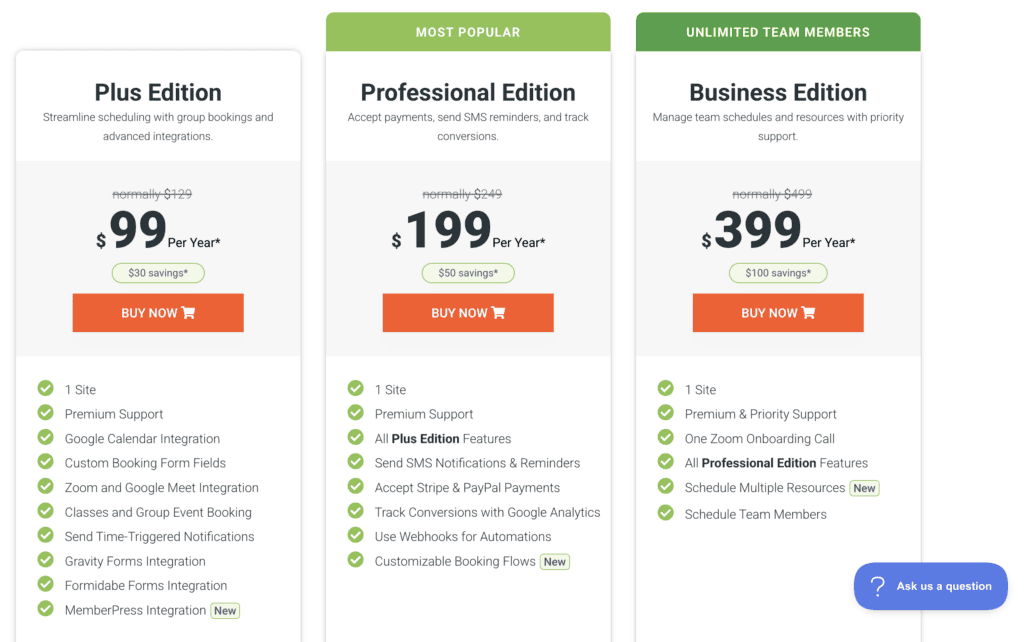
Paid plans for SImply Schedule Appointments start at $99 per year for a single site license. This initial step-up is what gives you access to the most critical business features, such as accepting payments through Stripe and PayPal, sending custom email and SMS reminders, and integrating with tools like Zoom.
As your needs become more complex, the plans scale up to $399 per year, adding more advanced integrations, team scheduling capabilities, and premium support. The pricing model is straightforward: you pay when you need to automate crucial business functions beyond just booking a time slot.
Usability
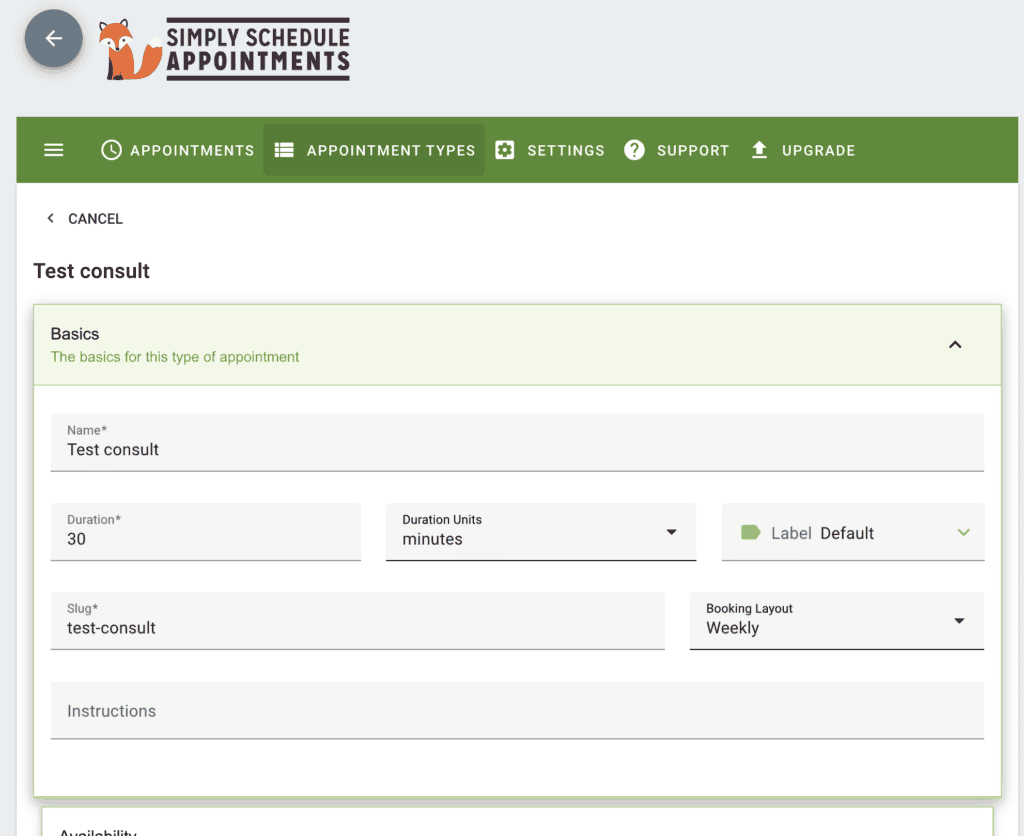
Getting started was impressively fast. The entire process, guided by a setup assistant, involved creating my first appointment type and then pasting the generated shortcode onto a page. It felt intuitive and required zero technical knowledge to get a live booking form up and running.
The result is a clean, uncluttered booking form for the client. The entire experience, both for the admin and the customer, is simple. The free version is fundamentally a no-frills tool; it gives you the essentials to get a booking system online quickly without overwhelming you with options you may not need.
What I Was Missing in Simply Schedule Appointments
For all its simplicity and ease of use, I did run into a few limitations during my testing that are important to consider, especially as your business grows.
- Free Plugin Limitations: The free version is excellent for basic scheduling, but it’s fundamentally limited. Crucial business features like taking payments, sending SMS reminders, or integrating with your tech stack are locked behind the premium plans.
- Lack of Deep Customizability: While you can tweak colors and fonts, the overall design and layout of the booking form are quite rigid. If you need a booking experience that is deeply integrated with your brand’s unique design, you might find the options restrictive.
- No Multi-Location Support: One of the most significant missing features, especially for businesses with more than one physical office or service area, is native multi-location support. Managing different schedules and services across multiple locations isn’t what this plugin is built for.
Better Alternatives to Simply Schedule Appointments
If these limitations are deal-breakers for you, the good news is that the WordPress ecosystem has powerful alternatives designed for more complex needs.
Amelia
Amelia is a powerhouse in the booking plugin space, making it a great alternative for those who need more advanced functionality.
- Powerful Features: It’s a comprehensive solution with features for managing multiple staff members, complex service durations, and various online payment processors right out of the box.
- Modern and Responsive Design: Amelia is known for its modern, mobile-first design, providing a sleek and highly professional booking experience for your clients.
- Designed for Larger Operations: This power comes at a higher price point, making it a better fit for larger businesses or those with complex scheduling logic.
BookingPress
BookingPress stands out for its incredibly feature-rich free version and its focus on multi-location businesses.
- Generous Free Offering: Its free version is one of the most generous available, including features like recurring appointments and even PayPal integration, which are typically premium in other plugins.
- Feature-Rich Dashboards: The admin and staff dashboards are packed with functionality. A standout feature is the ability to send custom booking links directly to clients, offering a level of personalization that often costs extra elsewhere.
- Support for Multiple Locations: Crucially, it offers native support for businesses with multiple locations, directly addressing a key limitation of Simply Schedule Appointments.
Final Thoughts
Overall, Simply Schedule Appointments is an excellent plugin that truly delivers on its promise of simplicity. While the free version is a fantastic starting point, I would highly recommend viewing the premium plans as an essential investment for any serious business. The ability to accept payments, manage a team, and integrate with other business tools transforms it from a simple calendar into a core part of your operations. Try the plugin on a test site before you commit to it.
FAQs
Is Simply Schedule Appointments free?
Yes, Simply Schedule Appointments has a free version available in the WordPress repository. It covers all the basic scheduling needs, but more advanced features like payment gateways and team scheduling require a premium plan.
How to install Simply Schedule Appointments?
You can install it directly from your WordPress dashboard. Just navigate to Plugins > Add New, search for “Simply Schedule Appointments,” and click Install Now followed by Activate. The setup wizard will then guide you through the configuration.
Is the Amelia plugin free?
Amelia is primarily a premium plugin. While there is a very basic free version (Amelia Lite), its functionality is significantly limited, and most users will need the paid version to access the features it’s known for.
Is the Bookly plugin free?
Yes, Bookly has a popular free version. However, like most booking plugins, many of its most powerful features and add-ons (like payment processing and advanced form fields) are only available in the premium Bookly Pro version.

Shreya has been a writer for as long as she can remember. Now, she writes articles that help WordPress users manage the sites that they're proud of, with little to no coding