

Struggling with messy, untrackable affiliate links? This WordPress PrettyLinks review explores if this popular plugin is the simple solution you need. For bloggers and business owners, turning long URLs into clean, branded links is essential for building trust and tracking performance. We’ll analyze its core features to see if it truly delivers on its promise to simplify your workflow.
WP affiliates tools are crucial for managing your online revenue. We’ll show you exactly where PrettyLinks stands out—and where it might fall short—so you can manage your links with confidence and get back to creating great content.
PrettyLinks is an excellent, user-friendly tool for shortening, tracking, and managing affiliate links directly in WordPress, making it a powerful asset for bloggers and marketers who need a simple, effective solution for their site.
Test the plugin on a staging site to confirm its compatibility with your theme and other plugins, preventing any potential conflicts or downtime.
PrettyLinks is a versatile WordPress affiliate plugin for shortening and managing any URL. Unlike affiliate tools focused solely on affiliates, its unique strength is turning messy links into clean, branded ones using your own domain, making link management simple and powerful for everyone.
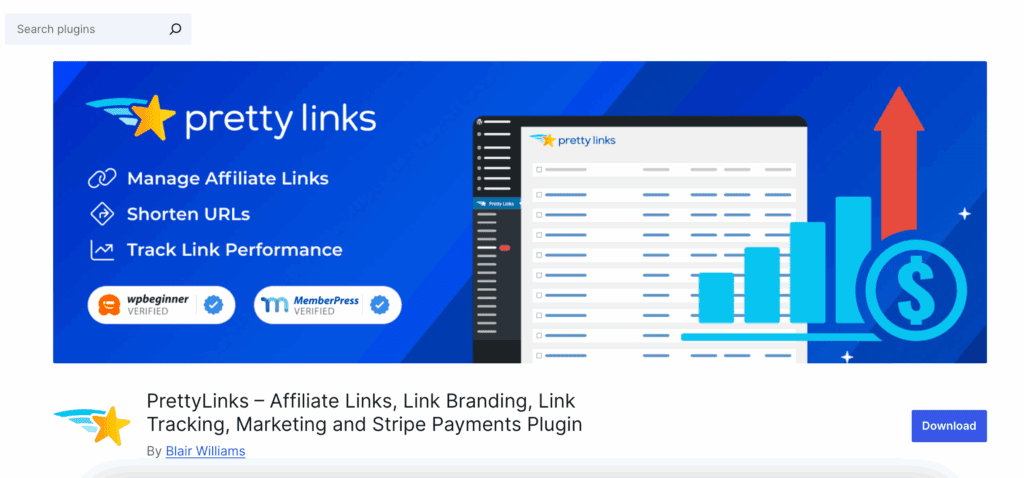
To provide a clear and honest review, we installed PrettyLinks on a fresh WordPress test site. This allowed us to test its features in a real-world setting, moving beyond marketing claims to see how it actually performs.
Our evaluation focused on the six areas that matter most to bloggers and site owners:
- Integration: How well it fits into the standard WordPress dashboard and content editor.
- Tracking Accuracy: Its ability to report clicks accurately while filtering out bot traffic.
- Link Management: The tools provided for creating, organizing, and updating links site-wide.
- Marketing Tools: Features designed to help present links professionally to an audience.
- Automation: Time-saving functions like automatic keyword linking.
- SEO & Operations: How it helps maintain site health and follow search engine guidelines.
Platform Integration and Compatibility
Seamless integration is crucial for an efficient workflow. This involves how well a plugin works within the WordPress admin area, its compatibility with the content editor, and its ability to interact with other plugins. Users look for tools that feel like a natural extension of the platform.
- WordPress Native The plugin is built to be installed and managed directly within the WordPress dashboard, requiring no external platforms.
- Gutenberg Integration A dedicated block is included, allowing users to search for and insert their created links directly into posts and pages.
- WooCommerce/MemberPress Compatibility It can create redirects for shop or membership URLs, though it does not track sales or conversion data from these platforms.
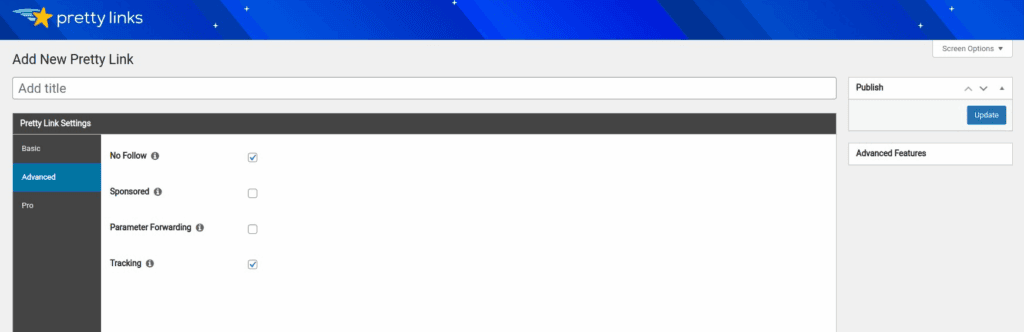
- Simple Toggle Setup Features such as click tracking and “NoFollow” tags are generally enabled or disabled using checkbox toggles in the link settings.
Click Tracking and Data Analytics
Effective link management relies on accurate data. Tracking features should provide clear insights into link performance, audience sources, and engagement patterns. The quality of this data helps users make informed decisions about their marketing and content strategies.
- Real-Time Click Tracking Captures click data as it occurs, logging the date, time, and the IP address associated with the click.
- Robot Filtering Includes a feature designed to identify and exclude clicks from known bots and spiders to provide more accurate human engagement data.
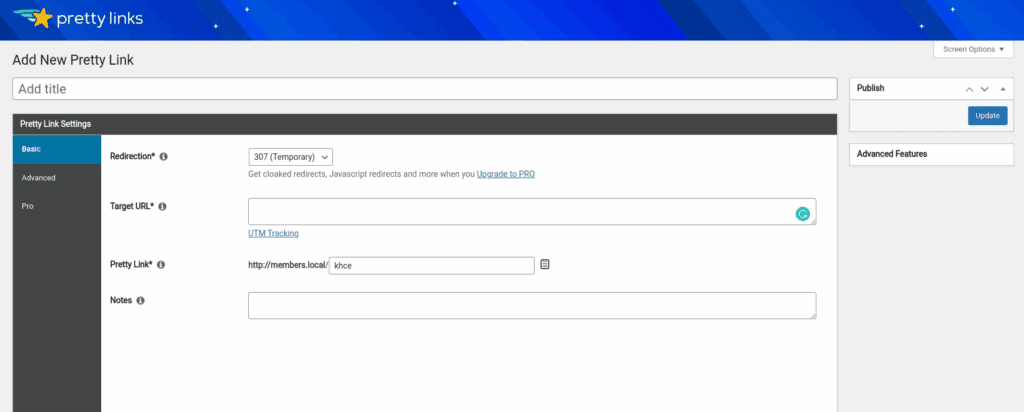
- Customizable Redirects Supports standard 301 (Permanent), 302, and 307 (Temporary) redirects, allowing users to specify how browsers and search engines handle the link.
- Referrer Data Reports the source URL from which a visitor arrived before clicking the link, helping to identify traffic sources.
Evaluation of Commission Management Capabilities
For affiliate marketers, commission management involves tracking successful conversions, calculating payouts, and managing rates. While some plugins handle this, others focus specifically on the “top-of-funnel” action of managing and tracking the initial click. This distinction is important when choosing a tool.
- Commission Management This plugin does not contain functionality for setting or tracking monetary commissions, sales data, or affiliate payouts.
- Link Health Notifications The system can be configured to send alerts if a link’s destination URL becomes broken or results in a 404 error.
- Centralized Updates Updating a destination URL once within the plugin’s dashboard automatically applies that change to every instance of the link across the website.
Link Presentation and Marketing Tools
The presentation of an affiliate link can impact user trust and click-through rates. Tools that create clean, branded links and visually appealing product promotions are designed to improve the user experience and encourage engagement with the affiliate content.
- Branded Links Turns long affiliate URLs into short, clean links using the website’s own domain name (e.g., yoursite.com/product).
- Product Displays A “Pro” feature that generates formatted display boxes with product images, text, and call-to-action buttons for promotional purposes.
- Coupon Tracking Allows for the creation of unique links for specific coupon codes, enabling users to track the click activity on those offers.
- Social Media Friendly The shortened links are concise and easily shareable on platforms with character limits, such as X (formerly Twitter).
Automation and Targeting Functionality
Advanced features aim to save time and increase conversion opportunities through automation and targeting. These tools can automatically deploy links, create new marketing assets like QR codes, and deliver tailored content to different audience segments.
- QR Code Generator Automatically creates a scannable QR code for every link generated within the plugin, suitable for print or digital marketing.
- Automatic Keyword Linking A feature that scans site content and automatically converts specified keywords or phrases into designated affiliate links.
- Header Scripts Allows for the insertion of tracking pixels (e.g., Facebook Pixel) into the header of specific links for retargeting purposes.
- Geographic Redirection A “Pro” feature that can send users to different destination URLs based on their country, directing traffic to regional storefronts.
Data Management and SEO Compliance
Proper operational tools are essential for managing a large volume of links efficiently while maintaining site health and SEO best practices. Features for organization, data maintenance, and compliance help ensure the system remains scalable and secure over time.
- Link Categories & Tags Provides an organizational structure using categories and tags, allowing users to filter and manage large numbers of links.
- NoFollow/Sponsored Tags Offers simple checkbox options to add rel=”nofollow” or rel=”sponsored” attributes to links, aligning with Google’s SEO guidelines.
- Database Maintenance Includes an option to prune or delete old click-tracking data to help manage the size of the WordPress database.
- Import/Export Supports the bulk import and export of links via a CSV file, facilitating migration or backup of the link library.
Pricing Structure
PrettyLinks’s pricing is a freemium model. It offers both a free version and several premium plans to suit different user needs. The pricing is based on an annual subscription model, with higher tiers offering more features and use on more websites.
- Lite Version: Available for free from the WordPress plugin directory, it includes basic link shortening and click tracking.
- Beginner Plan: Approximately $99 per year for use on a single website.
- Marketer Plan: Approximately $149 per year for use on up to two websites.
- Super Affiliate Plan: Approximately $199 per year for use on up to five websites.
Key Limitations to Consider
While powerful for its core purpose, it’s important to understand what PrettyLinks is not designed to do.
- No Outbound Payouts: The plugin is designed to manage your outgoing affiliate links. It cannot be used to create your own affiliate program or pay commissions to people promoting your products.
- WordPress Dependency: Your shortened links are processed by the plugin on your website. If your website goes down or the plugin is deactivated, your links will stop working.
- Basic RPrettyLinkseporting: It provides excellent data on clicks, but it does not natively track the entire customer journey, such as whether a click resulted in a sale on the destination site.
Final thoughts
For bloggers and marketers seeking a simple yet powerful way to manage links, PrettyLinks is an outstanding choice. It excels at creating branded, trackable URLs directly within WordPress, simplifying a crucial part of online business management.
Before installing it on your live website, always test PrettyLinks on a staging site. This crucial step ensures compatibility with your theme and other plugins, preventing potential conflicts that could disrupt your business or user experience.
FAQs
Is PrettyLinks free?
Yes, there is a free version of PrettyLinks available on the WordPress.org plugin repository. This “Lite” version includes essential features like creating branded short links and basic click tracking, which is enough for many beginners.
What is the alternative to PrettyLinks?
The most direct alternative to PrettyLinks is a plugin called ThirstyAffiliates. Both plugins specialize in managing affiliate links within WordPress, and the choice between them often comes down to user interface preference and specific feature needs.
What is the best affiliate plugin for WordPress?
The “best” plugin depends on your goal. For managing and cloaking the affiliate links you place in your content, PrettyLinks and ThirstyAffiliates are top choices. If you want to create your own affiliate program for others to join and promote your products, you would need a different tool like AffiliateWP or Solid Affiliate.
Is WordPress.com trustworthy?
Yes, WordPress.com is a highly trustworthy platform. It is a hosted service run by Automattic, the company co-founded by one of the original creators of WordPress. However, it’s important to note the difference: WordPress.com is a hosting service with some limitations on plugins, while WordPress.org provides the free, self-hosted software that allows you to install any plugin, including PrettyLinks, on your own hosting account.

Shreya has been a writer for as long as she can remember. Now, she writes articles that help WordPress users manage the sites that they're proud of, with little to no coding


