You need to build a new website or migrate your existing site and your shortlist has come down to Webflow and WordPress. You’ve heard the success stories and horror tales surrounding both platforms.
But which one will cater to your needs?
We’ve tested and researched both platforms extensively to answer that question. This comprehensive Webflow vs WordPress guide covers everything you need to know.
Webflow offers design freedom with managed hosting for users who want visual control without technical headaches, but costs more and has scaling limitations. WordPress provides unlimited flexibility and customization at lower starting costs, but requires technical management and separate hosting decisions.
Webflow at a glance

Webflow is an all-in-one platform that handles your website design, building, and hosting in one place. You work with a drag-and-drop interface that requires no coding skills, making it accessible even if you’ve never built a website before.
Unlike WordPress’s open-source approach, Webflow’s core software remains private. You’re basically locked into their ecosystem.
Since everything runs on Webflow’s servers, you don’t have to deal with separate hosting headaches. The platform automatically handles updates, security patches, and backups while you focus on your content.
You can manage blog posts, portfolios, and product listings directly within the same interface where you design your site. This approach appeals most to designers and businesses who are leaning towards visual control over their site’s appearance.
The interface lets you see changes in real-time, though the UI can feel overwhelming when you first start. Tutorials and the built-in AI feature help bridge this initial learning curve.
Webflow offers a free version, but most users need the subscription-based services for full functionality. These subscriptions cost more than basic WordPress setups, but you’re paying for professional-grade hosting and maintenance without technical headaches.
However, this convenience comes with trade-offs. Transferring your Webflow site to another platform (eg, WordPress) proves difficult, especially for dynamic content like blogs. You’ll also find less flexibility for complex content types and miss native features like comment sections that other platforms offer by default.
WordPress at a glance

WordPress is free, open-source software that powers over 40% of all websites on the internet. Unlike Webflow’s all-in-one approach, you’ll need to invest in a good hosting provider and domain name separately before you can launch your site.
The platform gives you access to a vast library of free and paid themes that control your site’s appearance. You can modify HTML and CSS code directly for complete customization control, and over 60,000 free plugins extend functionality from online stores to contact forms and SEO tools.
WordPress excels at content management once you’re set up. The free WooCommerce plugin transforms your site into a scalable online store without transaction fees, making the platform ideal for everything from small blogs to large business applications with unlimited users.
You are in charge of handling all updates, security patches, and backups yourself, while site speed and security depend entirely on your hosting choices and optimization efforts. The technical demands make WordPress less beginner-friendly than visual builders, requiring more initial effort to understand hosting options and plugin management.
A massive global community provides extensive support through forums and resources, filling the gap left by WordPress’s lack of official customer support. Sometimes you’ll need basic coding knowledge for specific customizations, but this complexity delivers unlimited scalability.
WordPress grows with your business without platform restrictions, and you’re never locked into a single provider’s ecosystem.
Which platform is more beginner-friendly?
Webflow gets you started fast. The AI assistant asks basic questions and builds a working site automatically. But the visual designer can overwhelm newcomers with its crowded interface full of buttons and settings you don’t recognize yet.

You’ll need time to understand what each tool does, and tutorials become essential for most features.
Once you grasp the basics, Webflow becomes intuitive for building complex layouts. The visual approach clicks, especially if you have design experience or use visual software. The best part is that this platform lets you create completely custom designs without writing code.

Most importantly, Webflow handles all technical maintenance. No hosting headaches, security updates, or backup worries.
WordPress requires an extra step before you even start building. You must choose hosting and set up a domain name. While hosts offer 1-click installs, this creates an initial hurdle for complete beginners.
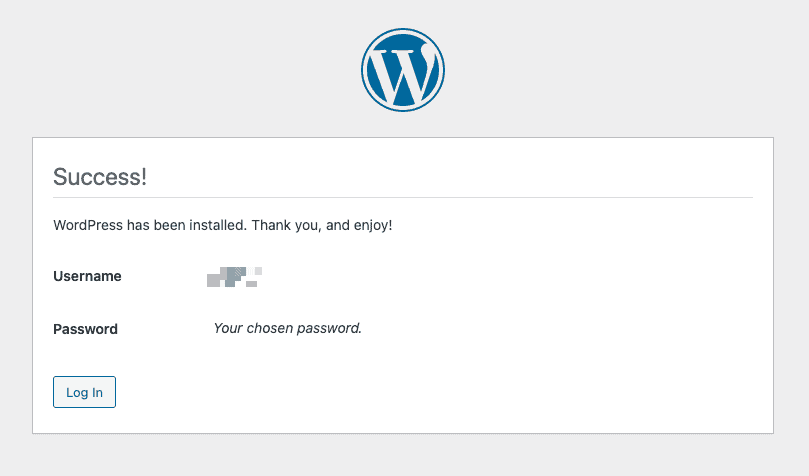
WordPress excels at content creation. The editor works like a familiar word processor, making blog posts and pages straightforward to publish.

WordPress also puts technical responsibility on your shoulders. You handle all the maintenance tasks. When issues arise or your site goes down, you’ll have to contact hosting support or finding developers.
The verdict
If you prioritize ease of content creation and don’t mind managing technical aspects, WordPress is the way to go.
If you prefer streamlined maintenance and powerful design capabilities, Webflow is the winner. Your choice depends on your specific needs and comfort with technical tasks.
How much design flexibility do you have?
Webflow gives you a blank canvas with pixel-perfect visual control. You can use AI to generate initial layouts, then customize every element precisely. Customizable templates provide solid starting points when inspiration runs low.

This approach suits design-focused users who want custom code freedom without actually coding. You control typography, spacing, animations, and layouts with visual tools that rival professional design software.

WordPress takes a theme-based approach. All you need to do is pick a theme and customise it according to your needs, but keep in mind that these customisation options are quite limited.

For visual design control similar to Webflow, you’ll need page builder plugins like Elementor or Divi. These plugins offer flexibility but lack Webflow’s precision and often require separate subscriptions.
If you want to customise your site beyond the basic theme modifications, you will require some custom CSS or HTML knowledge.
The verdict
For design flexibility and control without coding, Webflow is the winner, offering professional-grade tools.
WordPress provides flexibility through themes and plugins, but often requires extra costs or technical skills for precise control.
Can the platform expand with your needs?
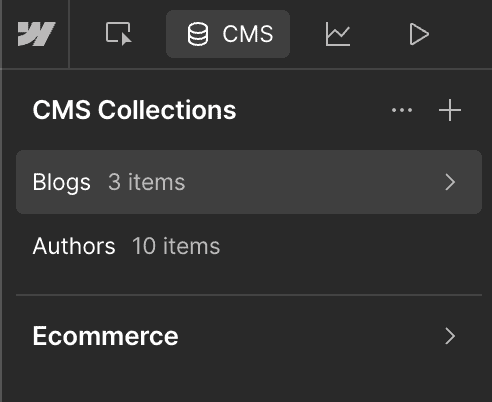
Webflow handles performance and traffic automatically with scalable hosting. You can easily update your site design using the visual editor without coding knowledge. As your business grows, upgrading your plan increases limits on visits, bandwidth, and content items.
The CMS lets you add content without having to redesign your entire site. Third-party integrations expand functionality as needed, while built-in responsive design ensures your site works across all devices.
But Webflow has clear boundaries. Standard plans cap CMS items, and you’re limited to 100 static pages per project. The built-in e-commerce features can’t match dedicated platforms like Shopify for complex online stores.
WordPress takes a different approach entirely. It supports everything from small blogs to large enterprise sites with virtually limitless expansion.
Traffic and content scalability depend on your chosen hosting, which you can upgrade as your needs grow. The vast plugin ecosystem lets you add any feature imaginable, handling massive content volumes with unlimited users.
The verdict
WordPress wins on pure scalability. Its unlimited growth potential and massive plugin ecosystem make it the clear choice for businesses planning significant expansion.
Webflow offers easier scaling within its plan limits, but can’t match WordPress’s virtually limitless capabilities.
Which platform provides better SEO features?
Webflow provides solid SEO capabilities built directly into the platform. You get easy access to all the essentials:
- Page titles
- Meta descriptions
- Image alt text
- Automatic sitemaps
- 301 redirects
These fundamental tools are integrated and straightforward to use, reducing the chance of user error.

Webflow’s hosting automatically optimizes code for fast loading times, which directly impacts your search rankings. The approach is simpler because many SEO best practices are baked into the platform. However, advanced SEO integrations come at an additional cost.
WordPress takes a different approach through its vast ecosystem of SEO plugins like Yoast SEO and Rank Math. These plugins offer incredibly powerful, granular control over almost every aspect of your SEO strategy.

You get detailed content analysis, sophisticated schema markup that helps search engines understand your content better, advanced redirect management, and much more.
The catch? Your WordPress site’s SEO performance also depends on how well you optimize your hosting, choose your theme, and manage your plugins. A poorly configured WordPress site can be slow despite using powerful SEO plugins, which hurts your rankings.
The verdict
Webflow provides reliable, built-in SEO suited for most businesses without needing technical expertise. However, WordPress wins in SEO flexibility and power through plugins, offering unmatched customization for those with technical knowledge.
Which platform is more suited for e-commerce?
Webflow’s e-commerce lets you design your store exactly how you want. Customize everything, from product pages to checkout. It handles physical and digital products and supports secure payments through Stripe, PayPal, Apple Pay, and Google Pay.
Integration with social media, analytics, and email marketing tools is also straightforward. You can even create and sell Webflow e-commerce templates to add to your revenue.

However, Webflow doesn’t offer all the features you’d find in platforms like Shopify. If you need multi-currency support, advanced product filtering, or subscription models, it might fall short. Plus, lower plans have transaction fees that can add up.

You can build a WooCommerce store in WordPress for online stores, offering limitless possibilities with various plugins and extensions.
It supports complex products like memberships, subscriptions, and multi-vendor setups. Payment gateways are extensive, with no WordPress transaction fees—only processor fees like Stripe or PayPal.
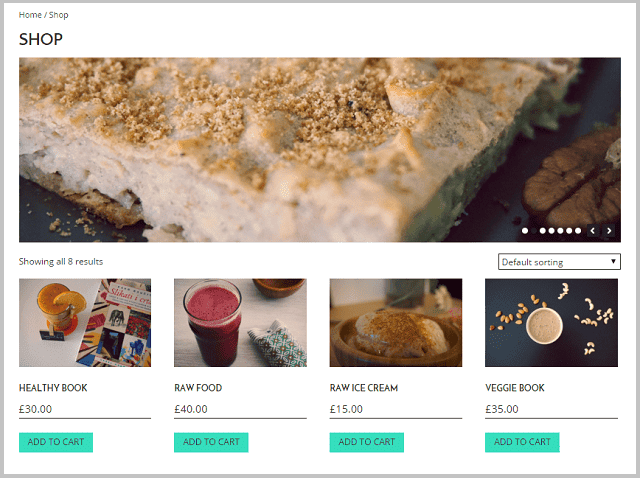
The platform lets you scale from small shops to large businesses, providing detailed sales analytics and powerful SEO tools to optimize performance.
The verdict
Webflow is great for small to medium stores focusing on visual design with straightforward needs. However, WordPress with WooCommerce wins for complex e-commerce requirements, offering unlimited scalability and cost-effectiveness at higher volumes.
What is the pricing like?
Webflow uses a tiered subscription model with discounts on yearly plans. You pay one predictable fee that covers hosting, security, and features.
General plans:
- Starter (Free): Limited features for testing
- Basic ($14/month): Simple sites with a custom domain
- CMS ($23/month): For blogs and marketing sites
- Business ($39/month): High-traffic and team sites

E-commerce plans:
- Standard ($29/month): Entry-level online stores
- Plus ($74/month): Higher volume stores, no transaction fees
- Advanced ($212/month): Scaling businesses

The pricing is transparent and predictable, but higher recurring costs can add up compared to WordPress. WordPress.org is free to download and use, but you’ll pay for several components separately.
Required costs:
- Hosting: $3-10/month for shared, $20-50+/month for managed
- Domain: $10-15/year
- Themes: Free options available, premium $50-$100+
- Plugins: Many free, premium $30-$200+/year each
- Maintenance: Optional security services $30-$100+/month
- WooCommerce charges no transaction fees – you only pay processor fees to companies like Stripe or PayPal.
The verdict
Webflow offers predictable all-in-one pricing, but it may still be expensive. WordPress wins by starting cheaper with flexible budgeting, letting you control expenses as you grow, but it requires managing multiple vendors.
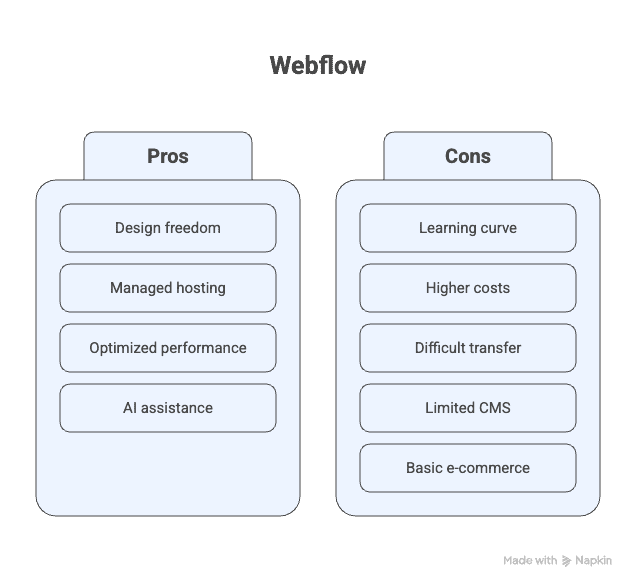
Webflow vs WordPress: Pros and cons
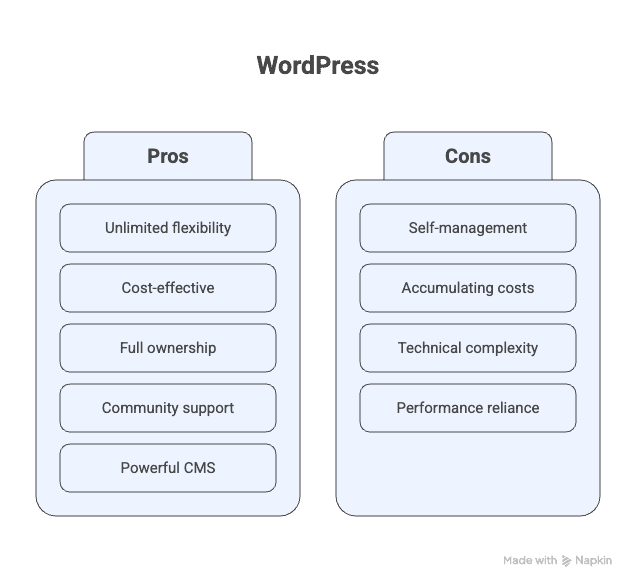
Which platform is best for YOU?
Deciding between Webflow and WordPress depends on your needs. Are you looking for design simplicity or flexibility with responsibility?
Choose Webflow if:
- You want design freedom without coding.
- All-in-one management is appealing.
- You like predictable monthly pricing.
- Speed and reliability are priorities.
- You’re ready to learn a visual editor.
- Your focus is on creating polished, design-centric sites.
Choose WordPress if:
- You need flexibility and advanced features.
- You want full ownership of your website data.
- Starting costs need to be minimal.
- You have technical skills or support.
- You’re building large blogs or complex apps.
- Extensive e-commerce customization is essential.
Parting thoughts
Webflow delivers design freedom with managed hosting for those who want visual control without technical headaches. WordPress offers unlimited flexibility and ownership for users comfortable with technical management and growth complexity.
Your choice between predictable simplicity and unlimited customization will determine your website’s long-term success.
FAQs
What are the disadvantages of Webflow?
The disadvantages of Webflow are that it can have a steeper learning curve and higher costs than basic WordPress setups. It also has CMS limits and fewer extensive e-commerce features compared to specialized platforms like Shopify.
Should I switch from WordPress to Webflow?
You should consider switching from WordPress to Webflow if you prioritize design flexibility and want a managed solution. However, evaluate if Webflow’s features align with your needs compared to WordPress’s flexibility.
Do professional web designers use Webflow?
Yes, many professional designers use Webflow for its design capabilities and visual control. It’s popular for creating custom sites without coding.
Is Webflow better for SEO?
Webflow offers solid built-in SEO features suitable for most users. While it’s effective, WordPress with plugins can provide more advanced SEO options.
Which platform is better than WordPress?
No single platform is universally better; it depends on what you need. Some platforms are ideal for beginners seeking ease of use, while others excel for designers needing precise visual control. Dedicated e-commerce solutions are superior for online stores, offering specialized features ready to go.

Shivani enjoys crafting guides that make every aspect of using WordPress simple and easy to follow. When she's not glued to her laptop, you can find her buried in a good book or occasionally, painting.