
Finding the right WordPress newsletter plugin feels more like an investigation. You have likely waded through complex options and expensive third-party tools. Dealing with frustrating plugin conflicts has probably been part of the experience.
That is likely how Noptin landed on your radar. Now you are at the final stage: verification. We did the hands-on work to provide the information you need.
This Noptin newsletter plugin review is the balanced evaluation to help you close the case.
Noptin is an excellent, lightweight plugin for sending newsletters and post notifications directly from your WordPress dashboard. Just remember to configure a separate SMTP service for sending, and always use a backup plugin to protect your self-hosted list.
Noptin newsletter plugin review at a glance
Here’s a quick breakdown of what you really need to know about Noptin:
| Feature | Our Verdict |
|---|---|
| Primary Use | Managing newsletters and automated emails directly inside WordPress. |
| Ease of Use | Excellent. A clean dashboard and a helpful setup wizard make it very beginner-friendly. |
| Free Version | Very Generous. Includes core automation and unlimited subscription forms. |
| Site Performance | Excellent. It’s lightweight and designed to not slow down your website. |
| Key Requirement | Must configure a separate SMTP service for reliable email delivery. |
| Best For | Bloggers, WooCommerce stores, and users who want a simple, self-hosted solution. |
Core features offered
Noptin’s main appeal is its simplicity. It lets you manage subscribers and newsletters directly within your WordPress dashboard. This means you can automate new post notifications without relying on an external service. Everything lives on your site.
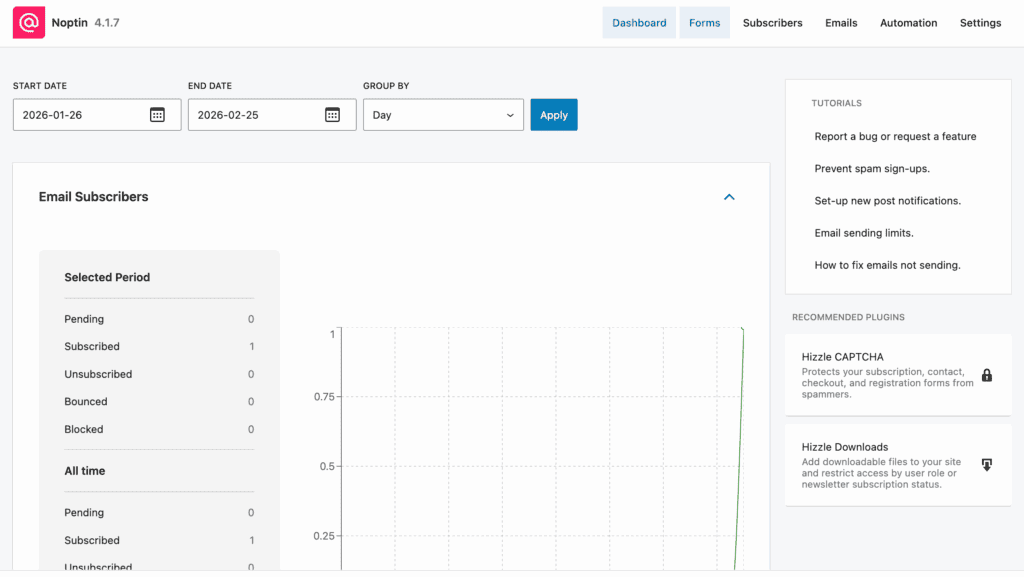
For many of us, this unified workflow is exactly what we need.
It comes with a built-in analytics tracker. It monitors campaign opens, clicks, and subscriber performance. The data isn’t deeply detailed, but it gives you the vital signs of your email efforts. You can also import existing subscribers from a file, so you aren’t starting from scratch.
A key feature we value is its modular design. You can selectively install integrations to keep your site lightweight. For advanced users, the pro version lets you send data to external tools like Google Sheets.
Best of all, the free version works right out of the box. No license keys are needed to get started.
Ease of use and setup
All those features sound great, but what are they like to use? The initial setup is guided by a wizard. It walks you through the basic configuration so you are never left guessing.
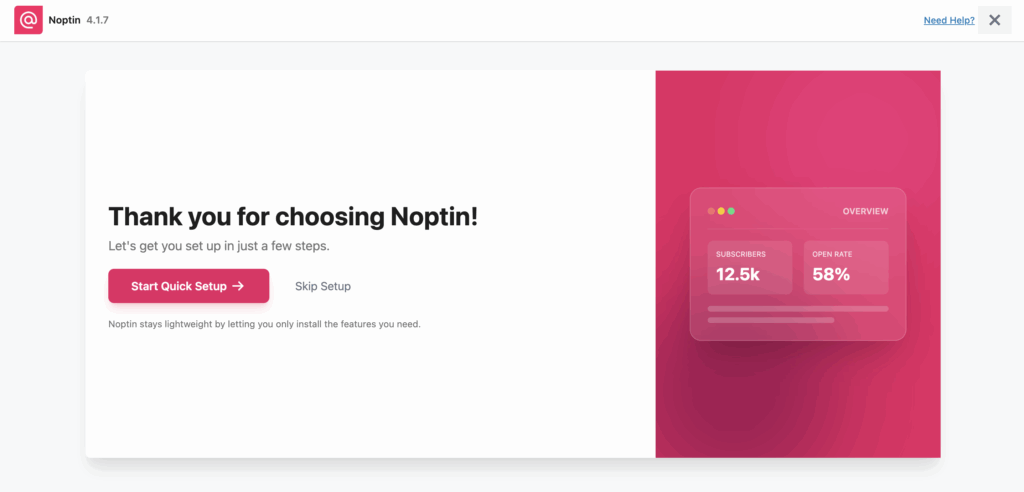
The dashboard itself is much cleaner and more intuitive than alternatives like The Newsletter Plugin. During the setup, you get to choose between internal or external data handling, which is a nice touch.
The workflow is so simple that you can send your first newsletter within minutes.
We found that even non-technical users can navigate the interface with ease. It also works seamlessly with page builders like Elementor, so you won’t have to worry about site conflicts.
List building and form features
A newsletter plugin is only as good as its ability to get you subscribers. This is an area where Noptin does very well.
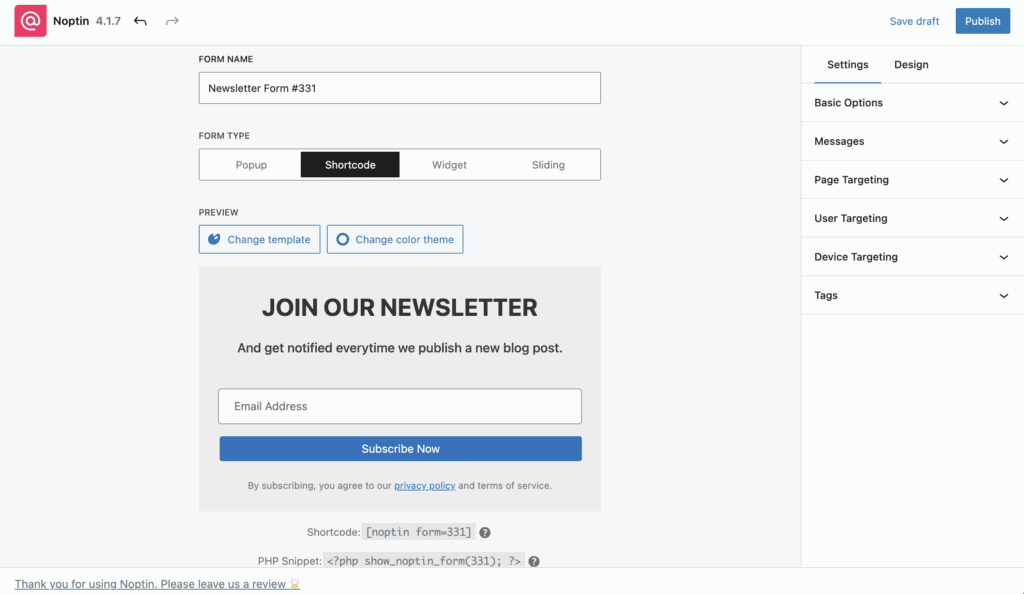
You can create unlimited subscription forms with zero restrictions. This is a huge benefit in the free version. It gives you flexible options for pop-ups and in-line forms, which you should always test on a staging site first.
The plugin also includes advanced segmentation tools. This allows you to group subscribers for targeted messages. It even has built-in GDPR compliance features, helping you meet legal requirements.
You get access to multiple form templates, though some of the more stylish variants are locked behind the pro version. For those with online stores, the WooCommerce integration lets you add custom registration fields.
Email creation and design
This is where you will notice the biggest difference between the free and premium versions. The standard built-in editor handles basic newsletter designs perfectly well. It’s ideal for simple, text-focused emails.
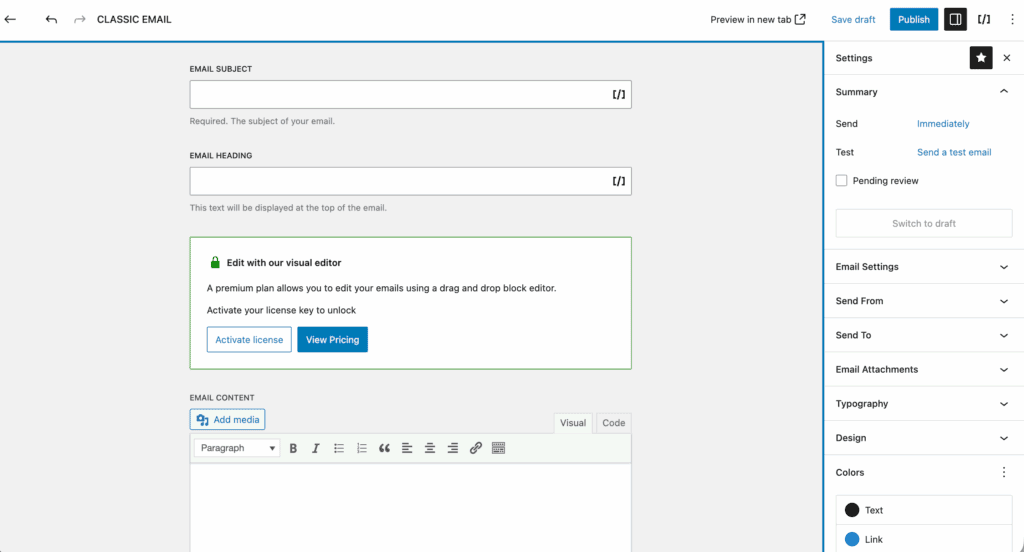
If you want more creative control, you’ll need the drag-and-drop block editor, which is a pro feature. It simplifies creating complex layouts.
Still, the free version covers the fundamentals. You can use personalization tags to tailor emails to individual subscribers. You can also set up automated welcome emails for new sign-ups and automated post notifications to keep your readers updated instantly.
Performance and reliability
Noptin is extremely lightweight and fast. It was clearly designed to avoid slowing down your website, which is a critical factor for SEO and user experience. The free version allows you to send up to 1000 emails per month.
Now, for a crucial warning. Noptin requires SMTP configuration to ensure high deliverability. It does not send emails on its own. You must connect it to a service like SendGrid or Amazon SES.
If you skip this step, your emails will likely go to spam. Because it is self-hosted, you are not reliant on an external platform’s uptime. The performance is reliable, though we have seen forum reports of occasional bugs after major updates.
Integrations and ecosystem
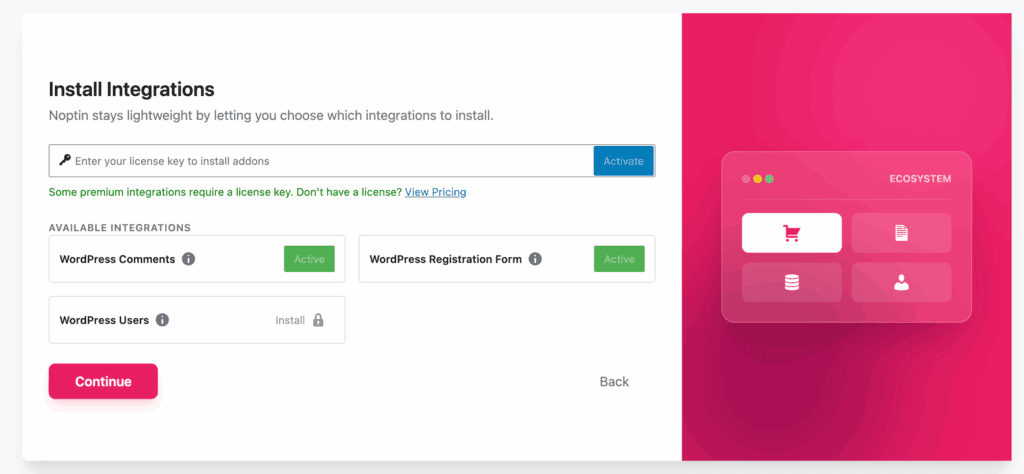
The plugin works well with other tools. It has native WooCommerce support for e-commerce automated emails. It also connects with LearnDash and Gravity Forms without any issues.
The pro version lets you forward data to services like Mailchimp or connect with third-party tools via Zapier or webhooks.
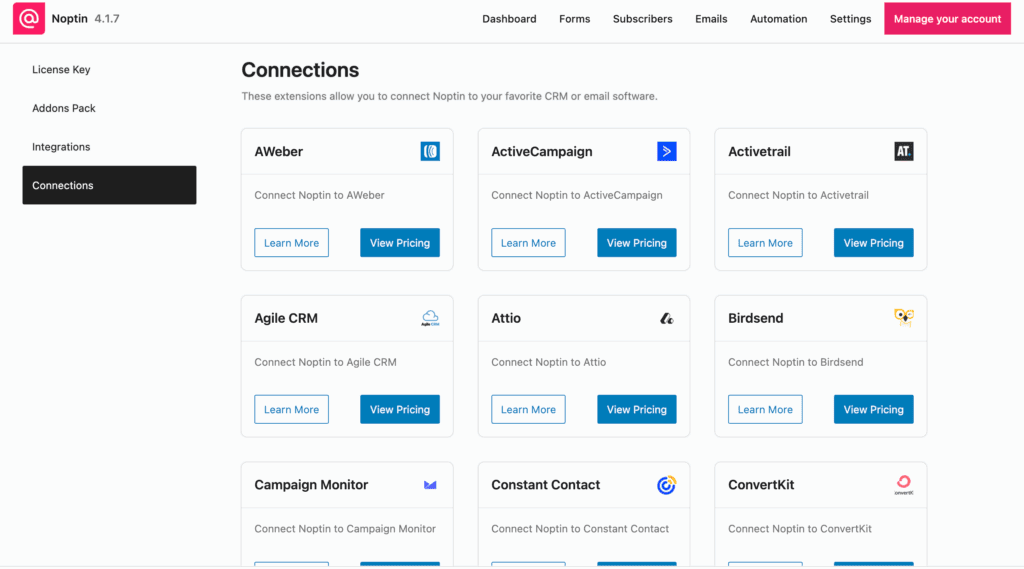
We really like the modular integration system. It lets you choose exactly what to install. This is how Noptin stays so lightweight. Be aware that most of these premium integrations require a paid license key.
Support and documentation
The support for Noptin is consistently praised. Users report receiving fast, high-quality, and genuinely helpful responses. This excellent support is offered to both free and premium users alike.
The official documentation is comprehensive. It covers all plugin functions with clear tutorials to assist with setting up more complex automations. You will not feel stranded if you run into a problem.
Pricing and value transparency
The free version of Noptin is very functional. It includes the core automation features you need, but be wary of nulled plugins that illegally promise pro features for free.
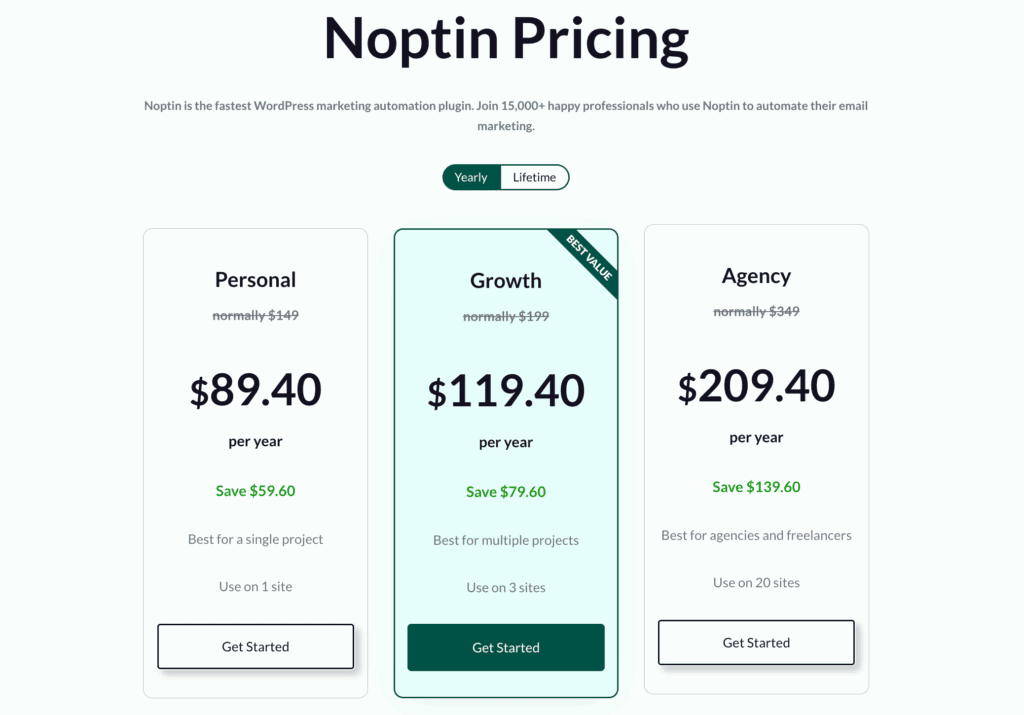
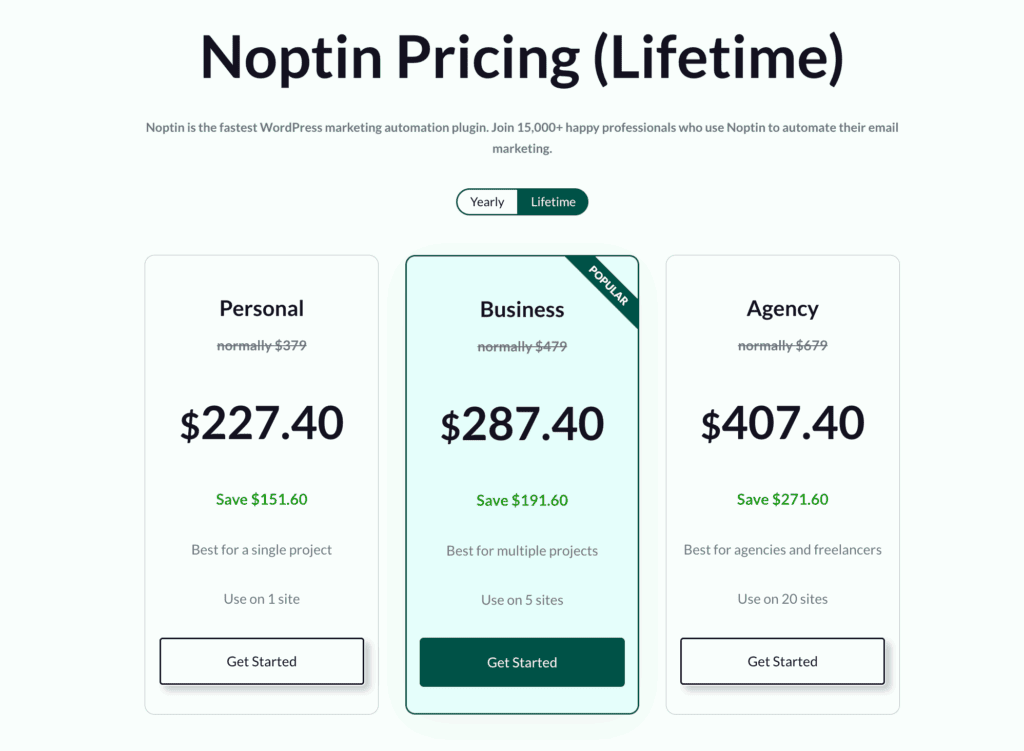
The premium plans are a cost-effective alternative to expensive monthly SaaS subscriptions. For a single annual fee, you get the advanced editor and powerful external integrations.
When you do the math, Noptin offers high value for growing businesses that want to avoid recurring monthly bills.
Is Noptin right for you?
This is the most important question. Here is a simple breakdown to help you decide.
Choose Noptin if you want to…
- Send simple, fast, and automated new post notifications to your list.
- Manage e-commerce marketing directly through a WooCommerce integration.
- Keep all your subscriber data securely inside your WordPress installation.
- Avoid the high costs of monthly email marketing platforms.
- Prioritize a lightweight plugin that keeps your site speed fast.
- Create unlimited subscription forms without paying for an add-on.
Avoid Noptin if you…
- Lacks the technical comfort to properly configure an SMTP service.
- Require a built-in email delivery service, which a tool like MailPoet offers.
- Need a free drag-and-drop editor, as Noptin’s is a pro feature.
- Manage a massive email list that might strain a shared hosting environment.
- Want a native CAPTCHA without needing to use an external extension.
Other alternatives to consider
For those who need something different, here are two other solid choices worth considering:
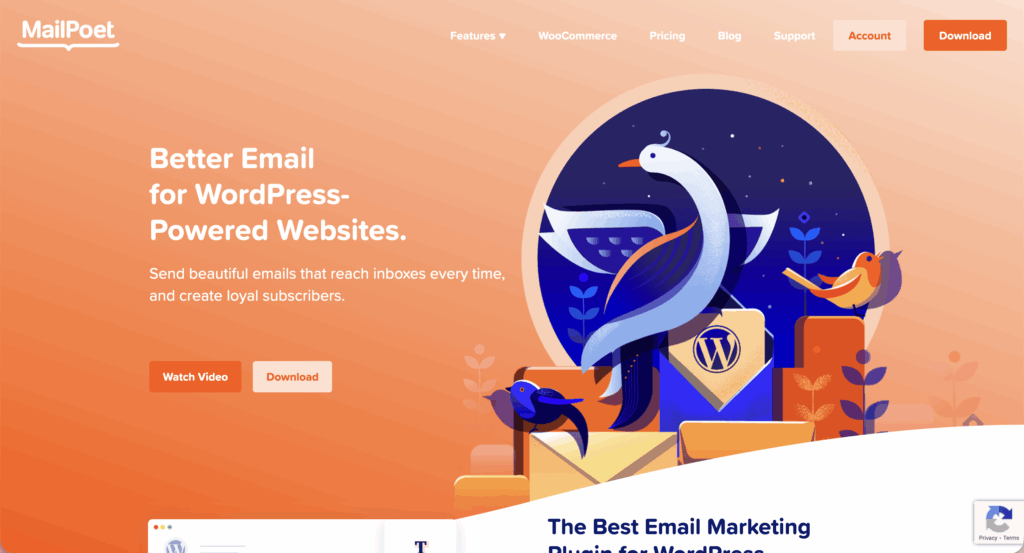
MailPoet: This is an excellent choice if you want a powerful, all-in-one solution that includes its own built-in sending service. It’s especially good for those managing larger lists who want to avoid configuring a separate SMTP.
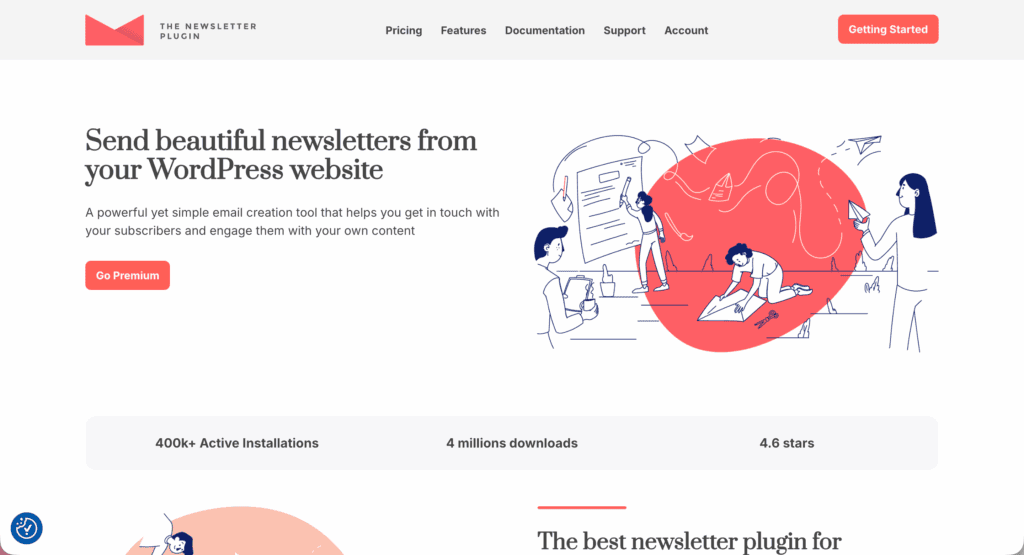
The Newsletter Plugin: A long-standing and reliable option if you’re looking for a different user interface and dashboard experience. It has a massive user base and a feature set that appeals to those wanting deep customization.
Parting thoughts
Noptin delivers a powerful, bloat-free email marketing experience. The balance of simplicity and effective automation is impressive. We highly recommend it for performance-conscious WordPress site owners who want control over their email marketing without leaving their dashboard.
FAQs
How does Noptin compare to MailPoet for WordPress users?
Noptin is more lightweight and requires an external SMTP service. MailPoet, on the other hand, includes its own built-in sending service. Noptin is better for performance-focused users, while MailPoet is simpler for those wanting an all-in-one solution.
Do I need an SMTP plugin to use Noptin?
Yes, you must use an SMTP service or plugin with Noptin for reliable email deliverability. The plugin itself does not send emails. It hands them off to a dedicated sending service to avoid spam folders.
Is the Noptin drag-and-drop email editor available for free?
No, the drag-and-drop email editor is a premium feature included only with Noptin Pro. The free version comes with a standard editor. It is suitable for simple text-based emails and notifications.
Will Noptin slow down my WordPress website performance?
No, Noptin is known for being very lightweight. It is designed specifically not to slow down your WordPress site. Its modular build keeps it fast and efficient by only loading the components you use.
Can I import my existing Mailchimp list into Noptin?
Yes, you can import an existing list from Mailchimp. You first need to export your subscribers to a CSV file. Noptin has a straightforward import function to add those subscribers to your self-hosted list.
What are the main differences between Noptin Free and Pro?
The main difference is that Noptin Pro includes a drag-and-drop editor, advanced external integrations, and higher sending limits. The free version offers core automation. The Pro version is for users who need more design flexibility and power.

Shivani enjoys crafting guides that make every aspect of using WordPress simple and easy to follow. When she's not glued to her laptop, you can find her buried in a good book or occasionally, painting.