

You’ve narrowed your website options down to Wix and WordPress. Now you need a definitive answer on which one is right for you.
Choosing the right platform involves considering several key factors, including ease of use, scalability, and e-commerce features, etc. Most importantly, you need to consider your ability to migrate your website if your needs change.
This Wix vs WordPress comparison examines every critical factor, helping you make an informed decision confidently.
Choose Wix if you prioritize speed, simplicity, and a hands-off experience for small to medium websites. Choose WordPress if you need control, advanced features, and plan to scale significantly, but are willing to handle more technical complexity.
Wix in a nutshell

Wix delivers on its promise of simplicity and works straight from your browser. The all-in-one approach is genuinely convenient, bundling hosting, security, and customer support so you’re not managing multiple vendors.
The template selection is impressive with over 1,000 options, though the inability to switch templates later feels unnecessarily restrictive. The AI features are a nice touch, automatically generating content to get you started faster.
The one-click app system makes adding functionality almost too easy, which partially makes up for the very limited custom code customisation abilities. Having Wix handle all the technical maintenance is a real advantage if you want a hands-off experience.
For basic e-commerce, it handles essential features like abandoned cart recovery and inventory management well, but struggles with large product catalogs, complex variants, or multi-currency support.
Where Wix stumbles is in long-term value and flexibility. The monthly pricing consistently runs higher than WordPress alternatives for comparable features. Additionally, the vendor lock-in is concerning.
Moving your Wix site elsewhere becomes a major headache. Performance issues with larger sites and content-heavy themes are noticeable drawbacks. Overall, Wix excels for beginners and small businesses, prioritizing simplicity over scalability, but serious growth plans require looking elsewhere.
WordPress in a nutshell

WordPress offers a free, highly flexible platform, though you’ll need to understand the difference between WordPress.com and WordPress.org first. If you choose WordPress.org, you will be required to get your own web hosting and domain name.
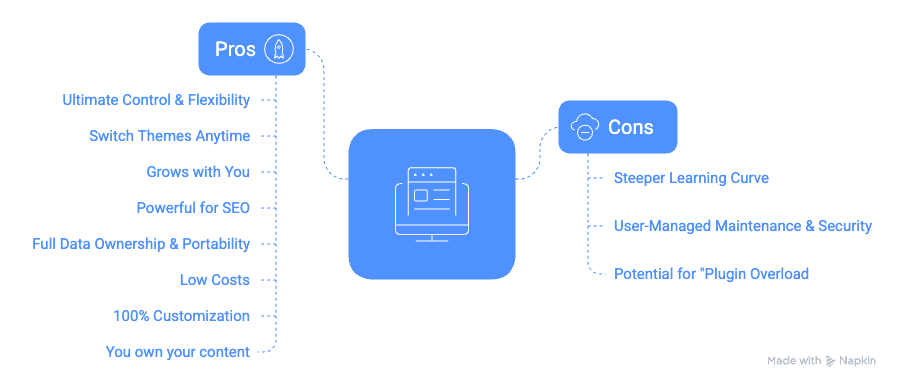
The advantage of WordPress.org is that you get 100% control over design, functionality, and maintenance. You can modify all code, switch between themes, and access over 59,000 plugins.
The platform excels at e-commerce through the free WooCommerce plugin, creating highly customizable online stores.
However, you’re responsible for all updates, backups, and security, typically handled through plugins or managed hosting services. You own all your site’s files and content, making migrating your WordPress site to any host straightforward.
WordPress requires more initial effort to learn the platform, hosting setup, and plugin management. The learning curve can feel steep, but extensive community support helps bridge the gap.
WordPress works best for users who need full control, serious scalability, or advanced e-commerce capabilities.
Which platform is more beginner-friendly?
Wix dominates in the ease-of-use category. Everything happens in your browser with no software downloads or complex setup. The drag-and-drop editor makes editing easy, and going from template selection to a live website is genuinely fast.
Site and post history let you roll back mistakes effortlessly. The bundled hosting and technical support mean you never touch server settings or security updates.
WordPress requires more initial steps with web hosting and domain registration that Wix users get to skip entirely. The abundance of options can confuse beginners, though the visual editors now provide drag-and-drop functionality that rivals Wix’s simplicity.

The key difference is technical troubleshooting. WordPress problems often need programming knowledge, hosting support, or developer assistance. This contrasts sharply with Wix’s managed approach.
While WordPress offers superior long-term control, Wix wins decisively for anyone prioritizing immediate simplicity.
How much control do you have over your site’s looks?
Wix starts you off with over 1,000 free templates designed for different website types. These include businesses, stores, portfolios, and blogs.

You can move elements like images, text, and social bars around easily. Additionally, customizing colors, fonts, and backgrounds within the template’s framework is easy. Wix also provides a dedicated mobile editor, letting you fine-tune how your site appears on phones.

However, Wix has one major limitation that catches many users off guard. Once you choose a template and start building, you cannot switch to a different design. This becomes problematic when your brand evolves or you want a fresh look later.
WordPress takes a completely different approach with themes instead of templates. Thousands of free and premium themes are available online, offering immense variety for any website type.
Unlike Wix, you can switch between WordPress themes anytime without rebuilding or breaking your site. Your content adapts automatically to the new design.

Where WordPress truly shines is in customization freedom. If you know your way around coding, you can modify themes entirely. This allows for truly unique, bespoke designs that Wix simply cannot match.
While WordPress offers superior design control, mastering themes, plugins, and potentially code requires more initial effort than Wix’s streamlined approach. WordPress wins decisively in this category.
Can your website grow alongside your business?
Wix excels for static websites, portfolios, and small business sites with up to 50-100 pages.
However, the editor becomes noticeably slow with high page counts or content-rich themes, and specialized features often hit walls that apps cannot overcome.
WordPress is designed to handle vast content and complex structures, powering everything from simple blogs to massive e-commerce sites. Over 60,000 free plugins allow you to add virtually any feature as your needs evolve.
While performance varies by hosting provider, WordPress gives you tools to optimize for speed and scalability manually. It’s ideal for businesses anticipating significant growth, complex integrations, or highly customized features. When it comes to scalability, WordPress is the clear winner.
Which platform offers better control for SEO?
Wix includes essential on-page SEO tools, automatically makes sites mobile-friendly, and generates sitemaps. The AI Visibility Overview feature shows how often your website appears in AI-generated responses compared to competitors.

For local businesses, portfolios, or basic blogging in non-competitive niches, Wix provides sufficient tools to rank for common keywords.
Wix falls short with granular control over advanced technical SEO. You can’t easily redirect old pages to new ones in specific ways or adjust technical settings that make your site faster.
You can’t even add special code that helps Google understand your content better, or organize website addresses properly for different languages.
WordPress dominates with its massive ecosystem of SEO plugins like Yoast SEO and Rank Math, providing detailed control over virtually every SEO aspect. Built for content management, it excels at organizing content with categories and tags that support strong internal linking.
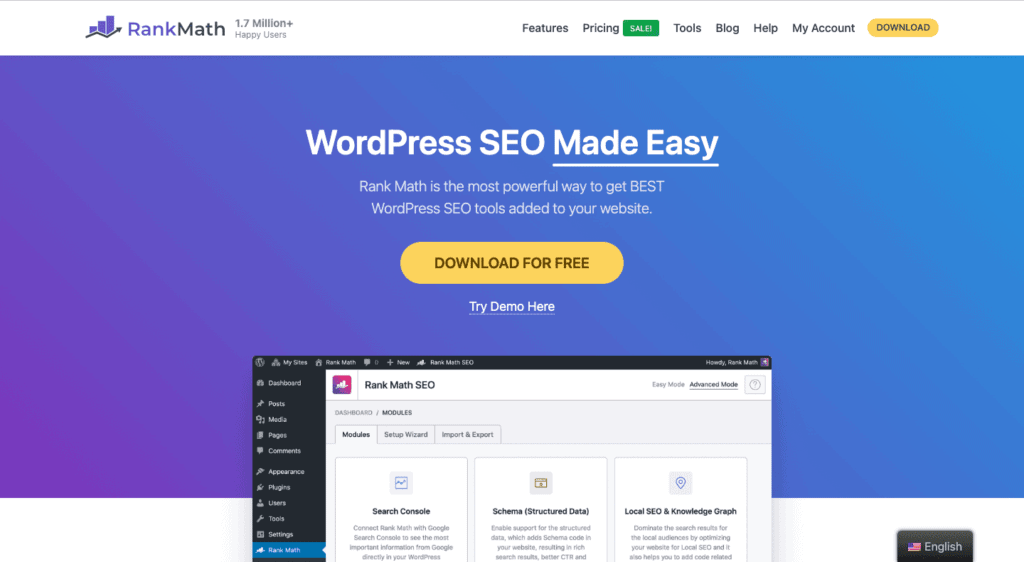
For larger websites or e-commerce stores, WordPress handles sophisticated SEO strategies that manage massive content volumes and competitive keywords. WordPress wins for serious SEO control.
Which platform is better for selling online?
Wix integrates e-commerce directly into your site with simple product management and pre-built store templates. Key features include abandoned cart emails, discount codes, inventory notifications, and Point of Sale for in-person sales.
It supports physical and digital products with automatic tax calculations. Store plans cost more than regular Wix sites but remain affordable for beginners.

Wix struggles with larger stores. It’s not ideal for big inventories, offers limited product catalog navigation, and has restricted multi-currency support. Content-heavy stores can also experience slower loading times.
With WordPress, you can create a WooCommerce store that serves millions of businesses. You get complete control over design and functionality, supporting all product types with extensive plugins for shipping, taxes, and marketing.
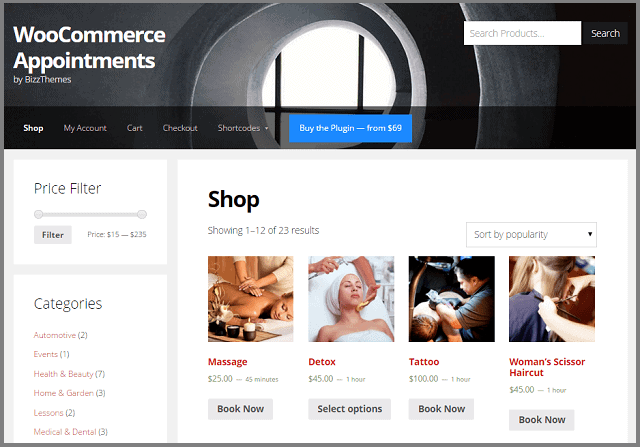
It works with payment gateways globally without multi-currency restrictions and connects easily with business tools like CRMs and email marketing. Neither WordPress nor WooCommerce charges transaction fees.
WordPress wins in terms of serious e-commerce, offering a long-term growth potential.
Who manages the ongoing maintenance?
Wix operates as a fully managed service requiring zero effort from you. Security features come integrated, including SSL certificates for secure connections, two-step verification, fraud prevention, and secure customer login areas. Everything happens automatically in the background without any action required on your part.
WordPress takes the opposite approach. Because it’s an open-source, self-hosted platform, maintenance responsibility falls primarily on you unless you choose managed WordPress hosting.
You must keep the core WordPress software updated, update your chosen themes, update all installed plugins, manage website backups, and implement security measures. Using poor hosting or unreliable plugins can leave your website vulnerable to attacks.
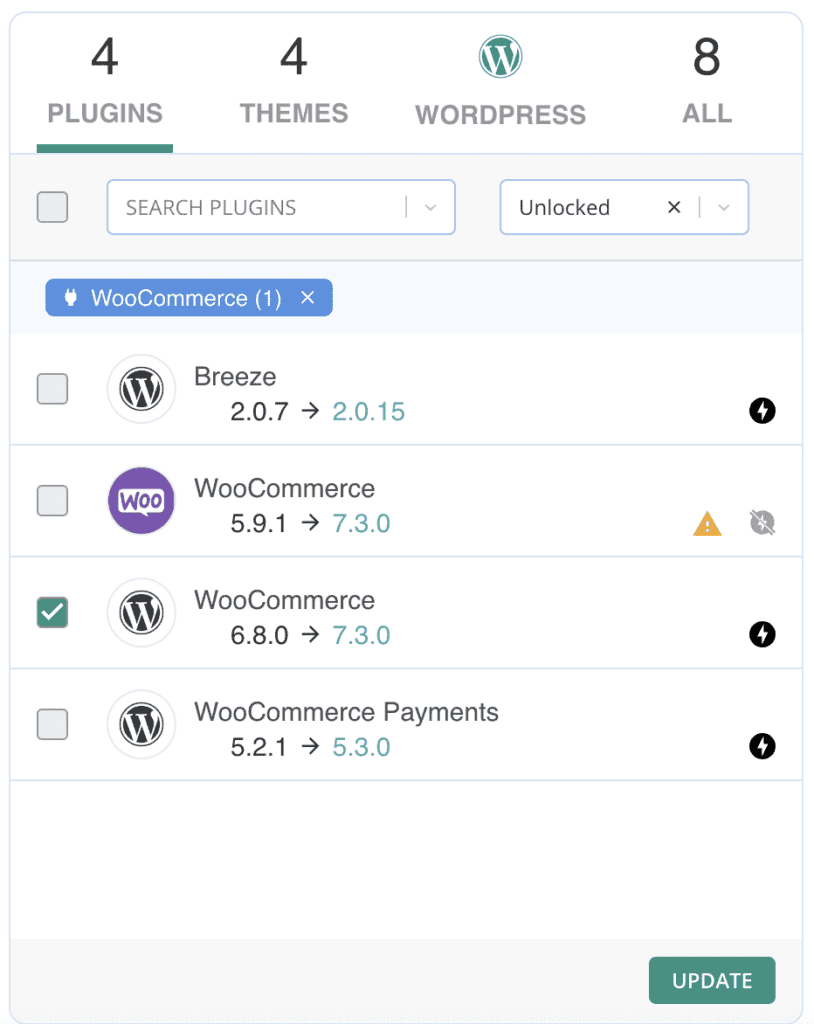
This technical responsibility often makes WordPress not recommended for beginners uncomfortable with ongoing technical tasks. While the self-managed approach requires more initial effort and ongoing vigilance, it gives you complete control over your site’s security and maintenance tasks.
For maintenance simplicity, Wix wins. It’s especially recommended over WordPress for beginners who want a hands-off approach to website security and technical upkeep.
What is the pricing like?
Wix offers a free plan with Wix branding, then paid plans ranging from Light ($17) to Core ($29), Business ($39), and Business Elite ($159) per month. These bundles include the builder, hosting, security, and often a free domain for a year.

Costs are predictable, though additional apps incur separate fees and higher-tier plans are needed for increased storage or full e-commerce functionality.
WordPress core software is completely free, but you’ll pay separately for: web hosting ($3-50+ per month), domain names ($10-15 per year), and potentially premium themes ($50-100+) or plugins ($30-200+ per year each).

Maintenance and security may require additional services ($30-100+ per month). WooCommerce charges no transaction fees beyond payment processor rates.
WordPress offers lower starting costs with flexible budgeting based on your hosting, themes, and plugin choices, giving you cost control but requiring more decisions. Wix provides predictable pricing at a premium.
WordPress wins for budget flexibility, while Wix wins for cost simplicity.
Wix vs WordPress: Pros and cons
WIX:
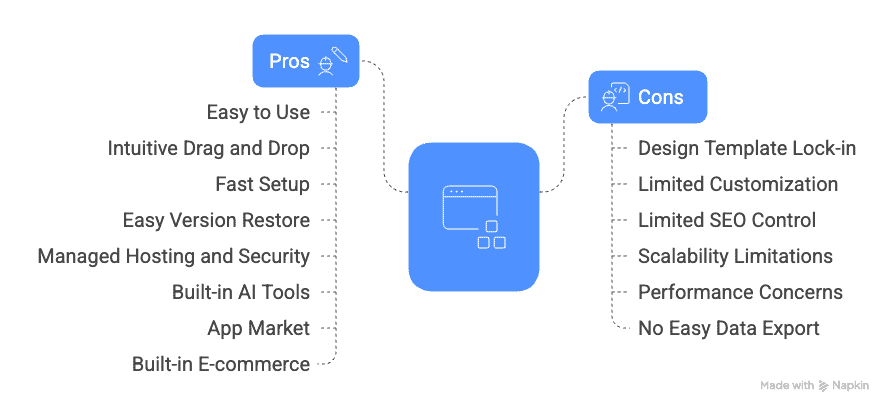
WordPress:
Which is the best pick for you?
The right platform isn’t about one being universally better, but which fits your unique situation, goals, and comfort level with technology.
Choose Wix if you prioritize speed and simplicity:
- Launch in hours with zero technical setup
- Fully managed experience with automatic maintenance
- Excellent template customization with drag-and-drop editing
- Perfect for portfolios, small business sites, or blogs under 100 pages
- Basic SEO tools handle local searches effectively
Choose WordPress if you want flexibility and complete control:
- Comfortable with a slightly longer setup for much more power
- Anticipate significant growth like complex e-commerce or memberships
- Need advanced SEO control for competitive search rankings
- Want pixel-perfect design control and theme switching ability
- Require access to the underlying code for unique customizations
The ownership factor matters too. Wix keeps your site on their servers with a difficult migration, while WordPress gives you full ownership and freedom to move anywhere.
Parting thoughts
Wix delivers simplicity and speed, while WordPress offers power and control. The winner is whichever platform matches your skills, budget, and long-term business goals—think years ahead to avoid costly rebuilds later.
FAQs
What are the disadvantages of Wix?
The disadvantages of Wix include design “template lock-in” and limited customization. It also has scalability limitations and performance concerns. Additionally, it offers no easy data export.
Do professionals use Wix?
Yes, professionals use Wix for projects requiring quick setup and ease of use. It’s popular for small businesses and personal portfolios. However, it may not be ideal for large, complex sites.
Is Wix good for SEO?
Wix is sufficient for basic SEO needs but lacks advanced features. It provides essential tools like meta tags and alt text options. For more complex SEO strategies, platforms like WordPress are better suited.
Is WordPress getting outdated?
No, WordPress is not getting outdated and continues to evolve. It receives regular updates and new features. Its extensive ecosystem keeps it relevant for modern web development needs.
What are the disadvantages of WordPress?
The disadvantages of WordPress include a steeper learning curve and user-managed maintenance. It can also suffer from “plugin overload” if not managed well. Costs can vary depending on premium themes and plugins.

Shivani enjoys crafting guides that make every aspect of using WordPress simple and easy to follow. When she's not glued to her laptop, you can find her buried in a good book or occasionally, painting.


