Every broken link pushes visitors away and tells Google your site is unmaintained. There are hundreds of WordPress redirect plugin options to choose from.
Picking the right one is critical to avoid wasting hours or risking your SEO.
We’ve put the leading plugins to the test to save you the trouble and help you make the right choice.
If you want a redirect manager that’s part of a larger site management toolkit, choose Rank Math. For a powerful, free tool that only handles redirects, install Redirection. Always back up your entire site with a backup plugin before making changes.
Our top 3 WordPress redirect plugin picks
(Add image)
1. Rank Math

A key takeaway from our Rank Math review is that you’re getting a comprehensive SEO suite. The redirection manager is an excellent component, but only one part of the larger package.
Rank Math’s redirection manager is a comprehensive tool, built for people who are serious about their site’s health. It’s best for users who need advanced redirection controls and want them integrated, avoiding the need to install a separate plugin for the task.
Key features
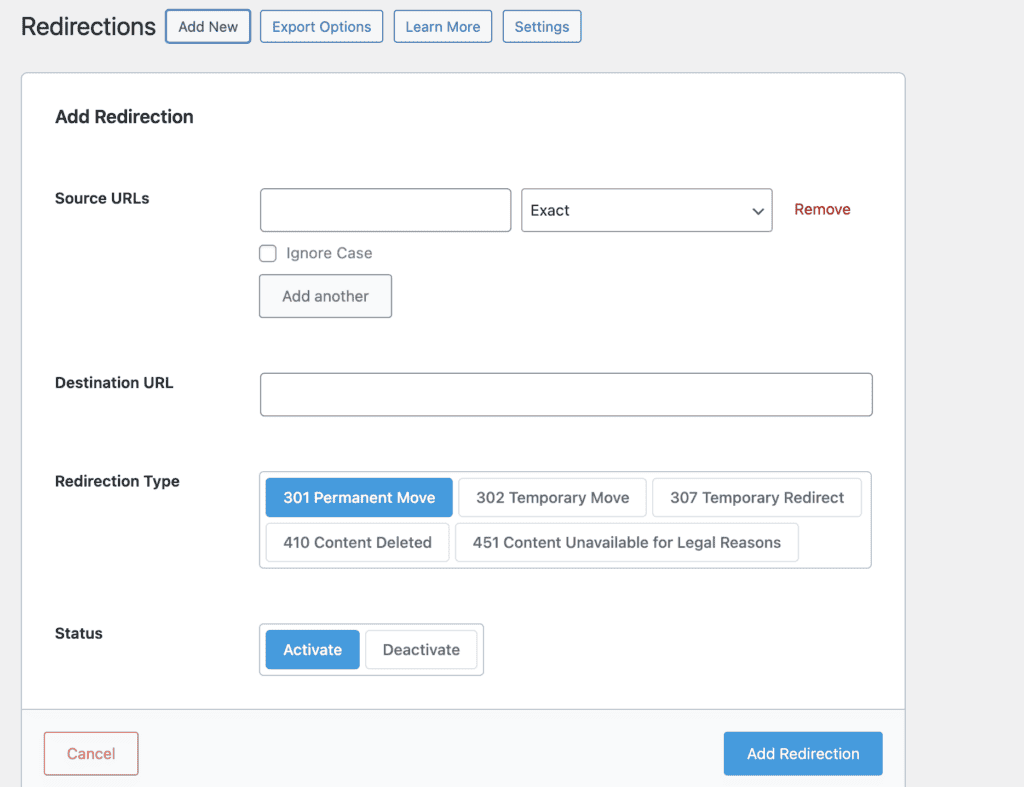
- It automatically creates a redirect for you when you change a post’s URL.
- The plugin logs all your 404 errors, showing you exactly which links are broken so you can fix them.
- For the tech-savvy, it supports complex redirect patterns using regular expressions (REGEX).
- You can import or export huge lists of redirects with a simple CSV file.
- It even allows for conditional redirects, sending different users to different places based on their login status or browser.
PROS:
- Powerful redirect module is free.
- Manage bulk redirects via spreadsheet.
- 404 monitor helps fix errors.
CONS:
- Overwhelming for simple redirect tasks.
- Advanced features require paid version.
2. All-in-one SEO
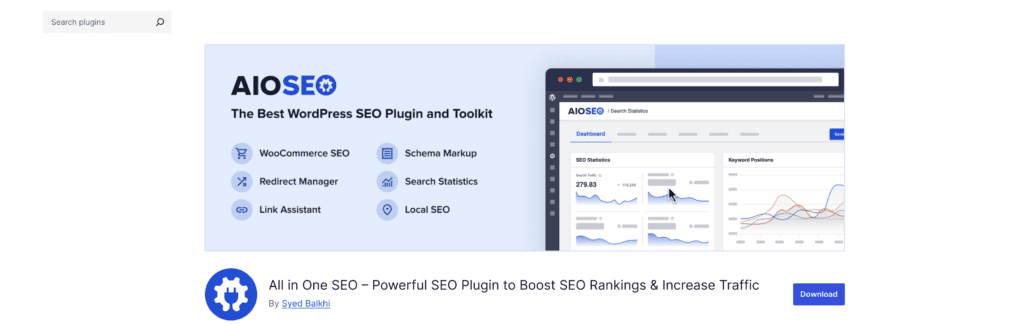
All in One SEO (AIOSEO) is another heavyweight in the SEO world, and its redirect manager is a core part of its premium offering. It’s designed to be a complete package that handles everything from on-page analysis to fixing broken links.
This plugin is great for bloggers and small businesses who want powerful automation without a steep learning curve. If you value a clean interface and a tool that just works, AIOSEO is a strong contender.
Key features
- Like other top tools, it automatically handles redirects when you change or delete content.
- The 404 and redirect logs are fantastic, giving you details about visitors who hit broken pages.
- It supports all the redirect types you’d expect (301, 302, etc.).
- Bulk management through CSV import and export is included.
- You can even perform a full site redirect, which is useful if you’re moving to a new domain.
PROS:
- Integrates seamlessly with other AIOSEO features.
- The user interface is clean and easy to use.
- Server-level redirects can offer a slight performance boost.
CONS:
- The redirection manager is a premium feature that requires a paid subscription.
- The entire package might be excessive for a very simple site.
3. Yoast SEO

Yoast has been a staple in the WordPress community for years, and its premium version includes a very capable redirect manager. It’s not a standalone plugin; it’s an integrated feature designed to work flawlessly within the Yoast environment.
This is a no-brainer for existing Yoast users who are ready to upgrade. If you’re a content creator who lives inside the WordPress editor, having your redirect tool right there is incredibly convenient.
Key features
- It automatically suggests a redirect when you move or trash a piece of content.
- It supports REGEX for setting up more advanced redirect rules.
- You can use all the common HTTP redirect types, from permanent 301s to temporary 307s.
- A neat bonus is the orphaned content tool, which helps you find posts with no internal links.
- Of course, bulk import and export via CSV is supported.
PROS:
- Extremely reliable and automates the most tedious parts of redirect management.
- Helpful prompts are integrated directly into the WordPress editor.
- Built to be a solid, dependable part of the larger Yoast system.
CONS:
- Requires a Yoast SEO Premium subscription; there is no free version.
- Cannot be purchased on its own. It’s an all-or-nothing deal.
4. Redirection by John Godley

This is the original. Redirection has been around forever, and for good reason. It’s a dedicated, feature-packed, and completely free plugin that does one thing and does it exceptionally well.
It’s the perfect choice for anyone who wants a powerful, standalone tool without the extra weight of a full SEO suite. Developers especially appreciate the granular control it offers. If you just need to manage redirects, this is arguably the gold standard.
Key features
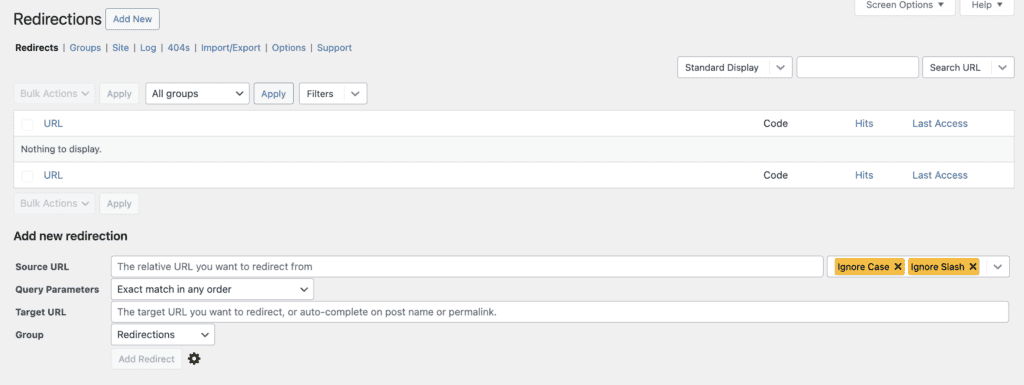
- It keeps a detailed log of every 404 error on your site.
- When you change a post’s URL, it can automatically add a redirect for you.
- It supports conditional redirects based on login status, browser, IP address, and more.
- Full REGEX support is built in for those complex redirect patterns.
- You can import and export from various file types, including .htaccess files.
PROS:
- Completely free and packed with features you would normally pay for.
- Works perfectly without adding unnecessary bloat to your site.
- The simple interface gives you all the power you need for complex tasks.
CONS:
- The user interface can feel dated compared to premium plugins.
- Extensive 404 logs can grow large and take up space in your database over time.
5. 301 Redirects – Redirect Manager
Sometimes you just need a simple tool that gets the job done. That’s exactly what the 301 Redirects is. It’s a focused, no-frills tool for creating and managing redirects without any extra complexity.
This is a great starting point for beginners or for small to medium websites that don’t need fancy conditional rules. If you just want to fix a few broken links quickly, this is a solid choice.
Key features

- The interface is incredibly easy to use for setting up new redirects.
- It includes a simple log to track your 404 errors.
- It supports the main redirect types: 301, 302, and 307.
- Import and export options are available for managing redirects in bulk.
- You can target specific pages, posts, or even custom post types.
PROS:
- Simple and very easy to install and use within minutes.
- The free version is perfectly adequate for basic redirection needs.
- Doesn’t load your site down with unnecessary extra features.
CONS:
- Advanced features, like detailed 404 monitoring, require a premium upgrade.
- Not as powerful as a more comprehensive, dedicated t
6. Safe Redirect Manager
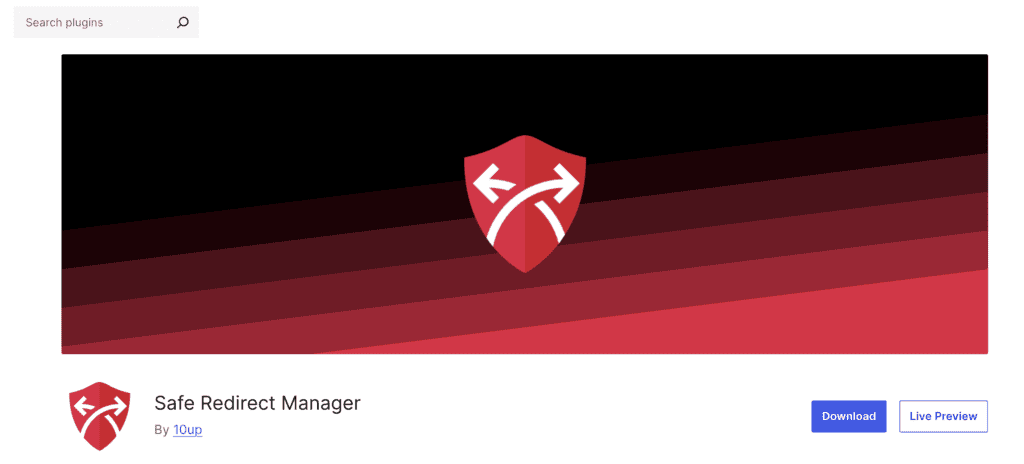
Safe Redirect Manager is built with one thing in mind: performance. It’s a lightweight, developer-friendly plugin that avoids bloating your database and keeps your site running fast.
This is the plugin for performance junkies and developers. If you’re concerned about every millisecond of page load time or need a tool that can be extended with code, this is your answer.
Key features
- It cleverly stores redirects as a custom post type, which is clean and efficient.
- It supports both wildcards and regular expressions.
- For extra speed, it includes its own redirection cache.
- Developers can manage redirects from the command line using WP-CLI.
- It’s highly extensible with standard WordPress hooks and filters.
PROS:
- Designed for speed with a minimal impact on your site’s performance.
- Stores redirects as custom post types, which is a smart and portable solution.
- Highly extensible for developers.
CONS:
- Does not have a built-in 404 logger by default.
- The interface is not as intuitive for non-technical users.
7. Simple 301 Redirects
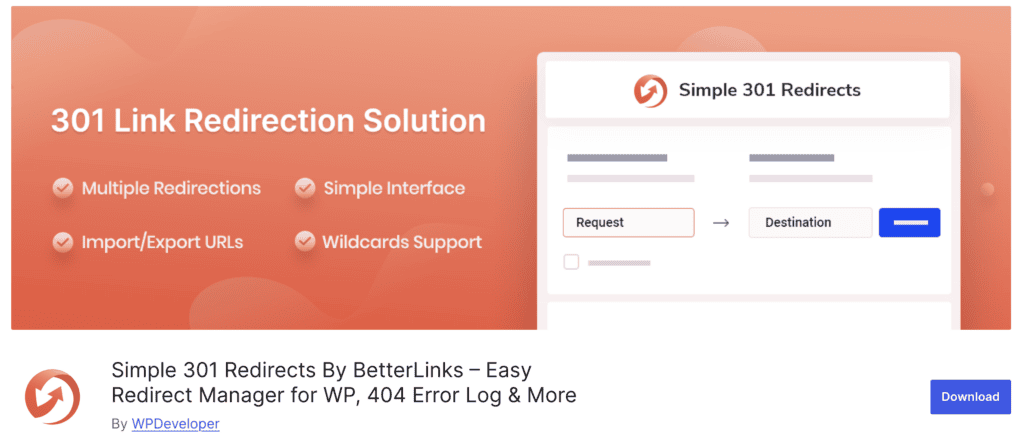
The name says it all. The Simple 301 Redirects offers a dead-simple way to create permanent 301 redirects. There are no bells, no whistles, just two boxes: one for the old URL and one for the new one.
This is truly for the beginner who feels overwhelmed by other options. If you have a handful of links to fix and want the quickest, most straightforward way to do it, look no further.
Key features

- It supports wildcards, which is handy for redirecting an entire folder of content.
- The setup and user interface are about as simple as it gets.
- You can still import and export your redirects using a CSV file.
- It works perfectly for both internal and external URLs.
- It’s free and compatible with WordPress multisite.
PROS:
- Exceptionally easy to use, making it a huge relief for beginners.
- Extremely lightweight with virtually zero impact on site performance.
- The wildcard feature is surprisingly useful for such a basic tool.
CONS:
- Only handles permanent (301) redirects, not temporary ones.
- Lacks key features like 404 monitoring or detailed logging.
How to choose the right plugin for you
So, how do you pick one? It really comes down to a few simple questions.
- What’s your skill level? Be honest. If you’re new to this, something like Simple 301 Redirects is a great start. If you’re comfortable with more options, Redirection or an SEO suite is better.
- What do you really need? Do you just need to fix a few broken links, or are you managing a site migration with thousands of URLs? Your needs determine if you need basic features or advanced rules like REGEX.
- Do you want an all-in-one tool? If you’re already using (or want to use) an SEO plugin like Rank Math, AIOSEO, or Yoast for your other SEO tasks, using their built-in redirect manager makes a lot of sense.
- What’s your budget? Many of the best options are free. Don’t feel like you have to pay unless you need the specific premium features or support that comes with a paid plugin.
Some good habits for redirects
Once you have a plugin, a few good habits will keep your site healthy.
- Use 301s for permanent moves. When a page is gone for good, use a 301. This tells search engines to pass all the SEO value to the new page.
- Point to the most relevant page. Don’t just redirect everything to your homepage. Send users to the next best page. It’s better for them and for your SEO.
- Avoid long redirect chains. Don’t redirect Page A to Page B, which then redirects to Page C. It slows down your site. Point A directly to C.
- Check your 404 log regularly. Your plugin will show you what’s broken. Make it a weekly or monthly task to review and fix these errors.
- Test your redirects. After you create a new rule, open a private browsing window and test it yourself. Make sure it works as expected.
Troubleshooting common redirect plugin issues
Okay, so you set up a redirect and it’s not working. What now? Don’t panic.
- Clear your cache. This is the number one culprit. Clear your website’s cache and your browser’s cache, then try again.

- Check for plugin conflicts. Temporarily deactivate your other plugins one by one to see if another tool is interfering.
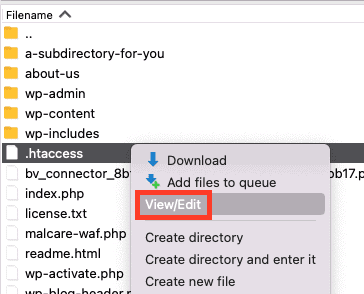
- Look at your .htaccess file. Sometimes, manual rules in this server file can override your plugin’s settings.
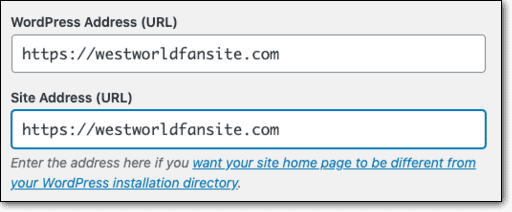
- Verify your WordPress settings. Make sure your WordPress Address (URL) and Site Address (URL) are correct in your general settings.
- Talk to your host. If nothing else works, a misconfiguration at the server level could be the problem. Your hosting provider can help check.
Parting thoughts
Redirects might seem like a small, technical detail, but they are a huge part of good website management. Choosing the right tool turns a confusing task into a simple one.
Whether you go with a free, dedicated plugin or a premium SEO suite, the goal is the same: create a better experience for your visitors and keep Google happy. Taking the time to manage your redirects and learn how to troubleshoot any errors that come your way will save you a world of headaches down the road.
FAQs
What is the Redirection plugin in WordPress?
Redirection plugin in WordPress is a tool that lets you forward one URL to another. This is used to fix broken links (404 errors), guide users to new content, and tell search engines that a page has moved.
How to do redirects in WordPress?
The easiest way to do redirects in WordPress is with a plugin. After installing one, you’ll typically get a menu where you can enter the old, broken URL (the source) and the new URL you want people to land on (the target).
What’s the difference between 301 and 302 redirects?
A 301 redirect is a permanent change of address. A 302 redirect is a temporary one, like forwarding your mail while you’re on vacation. For SEO, you almost always want to use a 301.
Is the Redirection plugin free?
Yes, the most popular standalone plugin, “Redirection” by John Godley, is completely free. Many other plugins also offer free versions with basic features.
Are URL redirects bad for SEO?
No, quite the opposite! Properly used 301 redirects are essential for good SEO. They pass ranking power from an old URL to a new one, preventing you from losing traffic when you change your site structure.
How to redirect in WordPress without a plugin?
You can redirect in WordPress without a plugin by editing your website’s .htaccess file on the server. However, this is for advanced users only. A small mistake in that file can take your entire website offline.
Can redirection improve user experience?
Yes. Nothing frustrates a user more than clicking a link and landing on a “Page Not Found” error. Redirects guide them seamlessly to the content they were looking for.

Shivani enjoys crafting guides that make every aspect of using WordPress simple and easy to follow. When she's not glued to her laptop, you can find her buried in a good book or occasionally, painting.