

You installed WordPress and built a site that worked great—at first. But now, you’re stuck with the sense that something is off.
Your site feels clunky, it looks dated on a phone, and competitors are pulling ahead.
That gap between your site’s reality and your business’s needs is why you’re here. A WordPress website redesign is the answer, and this guide provides a clear roadmap to get it done right.
A successful WordPress redesign is a step-by-step process that builds a valuable new asset for your business. To protect that new asset from day one, ensure a reliable backup plugin is installed immediately after launch.
Understanding the strategic redesign
A WordPress website redesign isn’t just about changing the theme and fonts. That’s a temporary facelift. A strategic redesign is about rebuilding your website so it works better as a tool for your business.
So, what makes a redesign strategic? It comes down to four key things.
- How it looks and feels. Your website must look good and be easy to use on a phone. This is not optional anymore. It also needs to match your current brand, not the one you had years ago.
- How it performs. A slow-loading website is a broken website. Over time, websites get cluttered with old software and clunky code that slows everything down. A redesign is your chance to clean all that out and make your site fast and secure.
- Making it accessible to everyone. Your website needs to be usable by people with disabilities.
- Making it help your business. Your website needs a job. Is it supposed to bring in new customer leads? Sell products? Book appointments? A redesign makes sure every part of your site helps it do its job better.
This is also the perfect time to think about your website’s hosting, which is the service that keeps your site online.
Using cheap, slow hosting for a brand new site is a waste of money. Moving to a quality company gives your new site the strong foundation it needs.
WordPress website redesign roadmap
A big project like this is much easier when you break it down into steps. This is a clear process that makes sure nothing gets forgotten.
Step 1: The checkup
Before you build anything, you need to know what you’re working with. This means doing a quick health check of your current site.
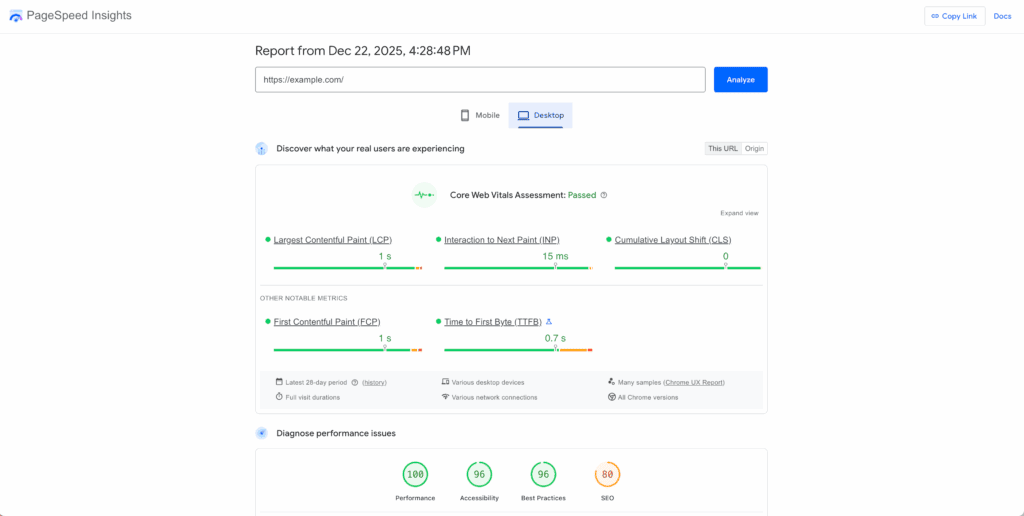
- Check the speed: Is your site fast or slow? A free tool like Google PageSpeed Insights can tell you.
- Check your content: Which pages are popular? Which ones are old and underperforming? You need to know what to keep and what to get rid of.
- Check the user experience: Is it easy for people to find what they need, like your contact info?
During this step, you must identify your most important pages. These are the pages that make you money or get the most traffic. Make a list of them. These pages are key and must be handled with care, especially if you are migrating your WordPress website.
Step 2: The blueprint
Now you plan. This is where you create a simple map of all your pages and sketch out the basic layout for each one.
You also need a plan for your website’s text and pictures.
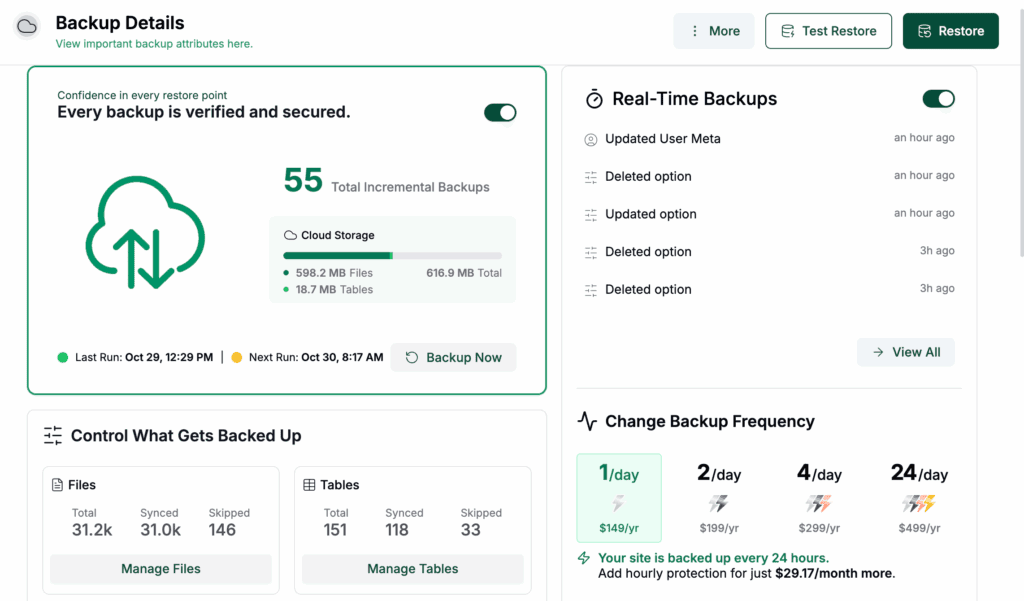
Most importantly, before you move to the next step, take a complete backup of your site.
Step 3: The build
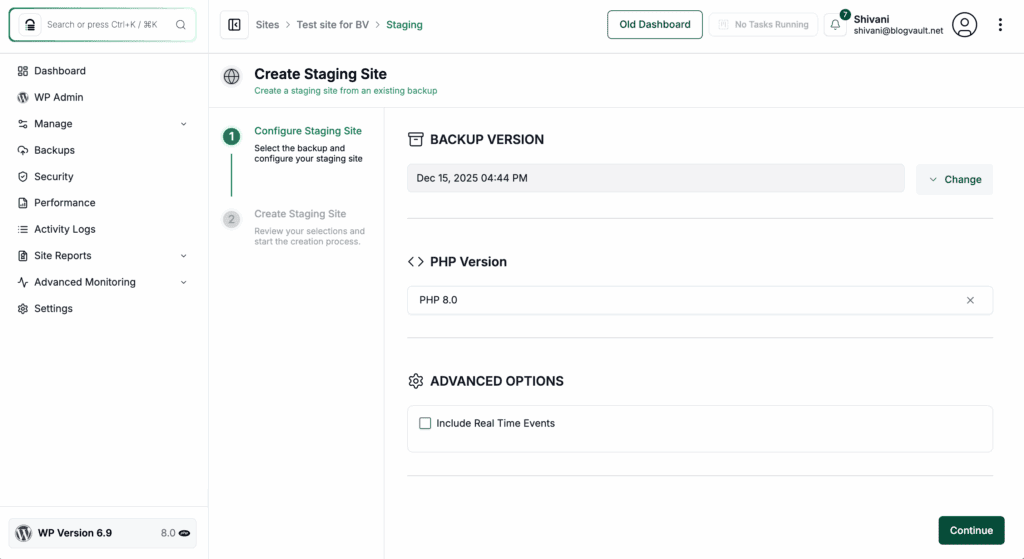
With a plan in hand, the new site is built on a staging site. This is simply a private, hidden copy of your website where all the work can happen safely without disrupting your live site.
Step 4: The safety check
Before the new site goes live, it must be tested completely. Two things are absolutely critical.
- Protecting your search rankings. This is where many redesigns go wrong. You must set up forwarding notes for Google, which is typically handled with a redirection plugin, that tell it where your old pages have moved. Without these, your site can disappear from search results; this step is not optional.
- Testing that everything works. It’s not enough that your contact form sends an email. Does the customer’s information go into your address book? Do online payments actually go through? You have to test the entire process from start to finish.
Step 5: Go-live
After all the planning, building, and testing on your staging site, the final step is to launch. This is when you’ll push all the changes to your live domain so everyone can see the new site.
Do it yourself or hire a professional?
The right choice depends on your budget, your timeline, and how complex your needs are.
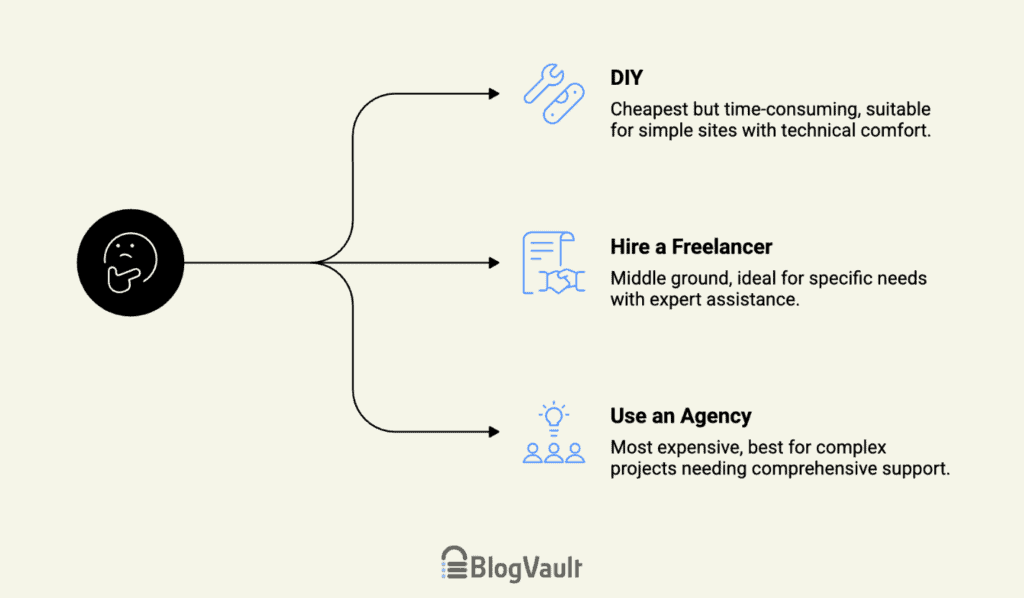
- Do it yourself (DIY): This is the cheapest option, but it will cost you a lot of time. It can work for very simple sites if you feel comfortable with technology and basic WordPress troubleshooting.
- Hire a freelancer: This is a great middle ground. It’s perfect when you know what you want but need an expert to build it for you.
- Use an agency: This is the biggest investment, but you get a whole team of experts. It’s the best choice for bigger projects where you need help with strategy, writing, and design.
No matter who you hire, you need to know how to spot a bad partner. A key part of their role is ensuring overall WordPress security, and these red flags often point to deeper issues. Watch out for:
- They won’t give you full control. If they refuse to give you full administrator access, walk away. It’s your website.
- They use too many plugins. A professional builds an efficient site, not one that is held together by dozens of different pieces of software.
- They are vague about protecting your Google rankings. A real expert will have a clear and confident plan for this.
Understanding the total cost
A redesign is an investment in your business. Instead of just asking how much it costs, it’s better to ask how much value it can bring.
Be sure to plan for “hidden costs” that can pop up. These often include:
- Yearly fees for premium themes and plugins.
- The cost of professional photos.
- The cost of hiring someone to write the text for your pages.
To put the cost in perspective, ask yourself this question: “How many new customers or sales does this new site need to bring in over the next year to pay for itself?” This helps you see it as a smart business decision.
Common problems and how to avoid them
Projects can get off track. Here are the most common reasons why.
First is adding more work along the way. These are the small “while you’re at it” requests that can delay your project, which is why a staging environment is so valuable for testing new ideas. It’s important to stick to the original plan and schedule future changes as part of a regular website maintenance routine.
Second is building a site that only one person knows how to update. You must be able to make simple changes yourself. Ask for a user-friendly site and simple instructions on how to use it.
Finally, avoid chasing a perfect speed score if it means removing important features. Instead, balance performance with user experience by using safe methods like image compression and caching plugins.
After the launch: what to do next
The work isn’t over when the site goes live. The first month is very important.
You need to keep an eye on your Google rankings. Use Google’s free tools to watch for any problems so you can fix them quickly.
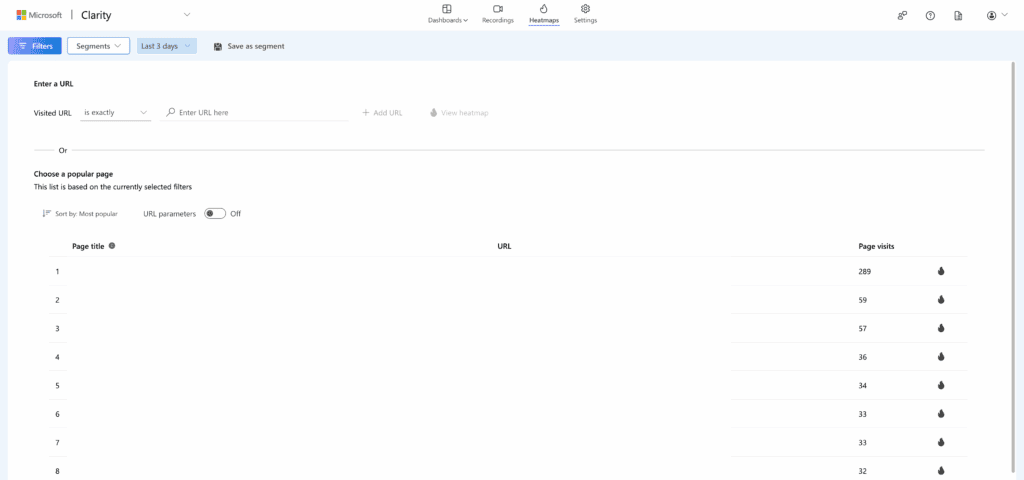
You can also use tools like Microsoft Clarity that show you exactly where people are clicking on your new site. This helps you see what’s working and what’s confusing for your visitors, so you can make small improvements based on real data.
Finally, set up a monthly checkup routine. A simple plan to backup your site and update its software will keep it running smoothly and securely for years to come.
Parting thoughts
You started this search to close the gap between your site and your goals. The first step is simple: spend one hour listing those goals and your most valuable pages. This is how you stop wrestling with an old site and start building a new one that works.
FAQs
How long does a typical WordPress redesign take from start to finish?
A typical WordPress redesign takes anywhere from 6 to 12 weeks from start to finish. The final timeline depends on the project’s complexity and how quickly content is ready.
Will a redesign cause my website to go offline or experience downtime?
No, a professionally managed redesign should not cause your website to go offline. The new site is built on a separate, private server, and the actual launch involves only a few minutes of downtime.
How do I ensure my search engine rankings (SEO) don’t drop after the redesign?
You protect your SEO by implementing a thorough 301 redirect map from old URLs to new ones. It’s also critical to migrate high-value content and submit a new sitemap to Google after launch.
What is the difference between a visual redesign and a host migration?
A visual redesign changes how your website looks and functions for visitors, focusing on design and user experience. A host migration is the technical process of moving your website’s files from one server company to another.
Can I still update my own content easily once the new design is launched?
Yes, you should be able to update your content easily if the site is built with a user-friendly system. A good partner will provide training and simple documentation so you can confidently manage your site.

Shivani enjoys crafting guides that make every aspect of using WordPress simple and easy to follow. When she's not glued to her laptop, you can find her buried in a good book or occasionally, painting.


