Finding the right membership plugin is a crucial step in building your online business, and this MemberPress review will determine if it’s the right tool for you. You’re looking for a simple, powerful way to sell subscriptions and protect your valuable content, but with so many options, making the wrong choice can be a costly mistake.
This decision directly impacts your revenue and your members’ experience. We’re here to cut through the marketing hype and give you an honest look at MemberPress. This article breaks down its features, pricing, pros, and cons, so you can confidently decide if it’s the key to growing your business or if you should look elsewhere.
We set up a test site with multiple membership plans to see how MemberPress performs in a real-world scenario. The verdict: it’s an incredibly powerful and user-friendly plugin that makes setup a breeze, but its high renewal cost and strict licensing can be a major hurdle for budget-conscious creators.
When you search for the best WordPress membership plugins, MemberPress consistently tops the list. Launched in 2013 by the team at Caseproof, it was designed to be a powerful, all-in-one solution that simplified the entire process of selling subscriptions, protecting content, and managing members.
I was eager to see if it truly delivered on this promise of simplicity without sacrificing power. To find out, I put it to the test, focusing on the key areas that matter most for anyone running a membership site:
- Membership plan management
- Member management
- Content restriction and dripping
- Design and customization
- Payment gateway integration
- Pricing and value
- Overall usability
Membership Plans and Access Control
At its core, a membership plugin needs to do two things well: create membership levels and control who can see your content. This is where MemberPress truly shines with its simplicity and power.
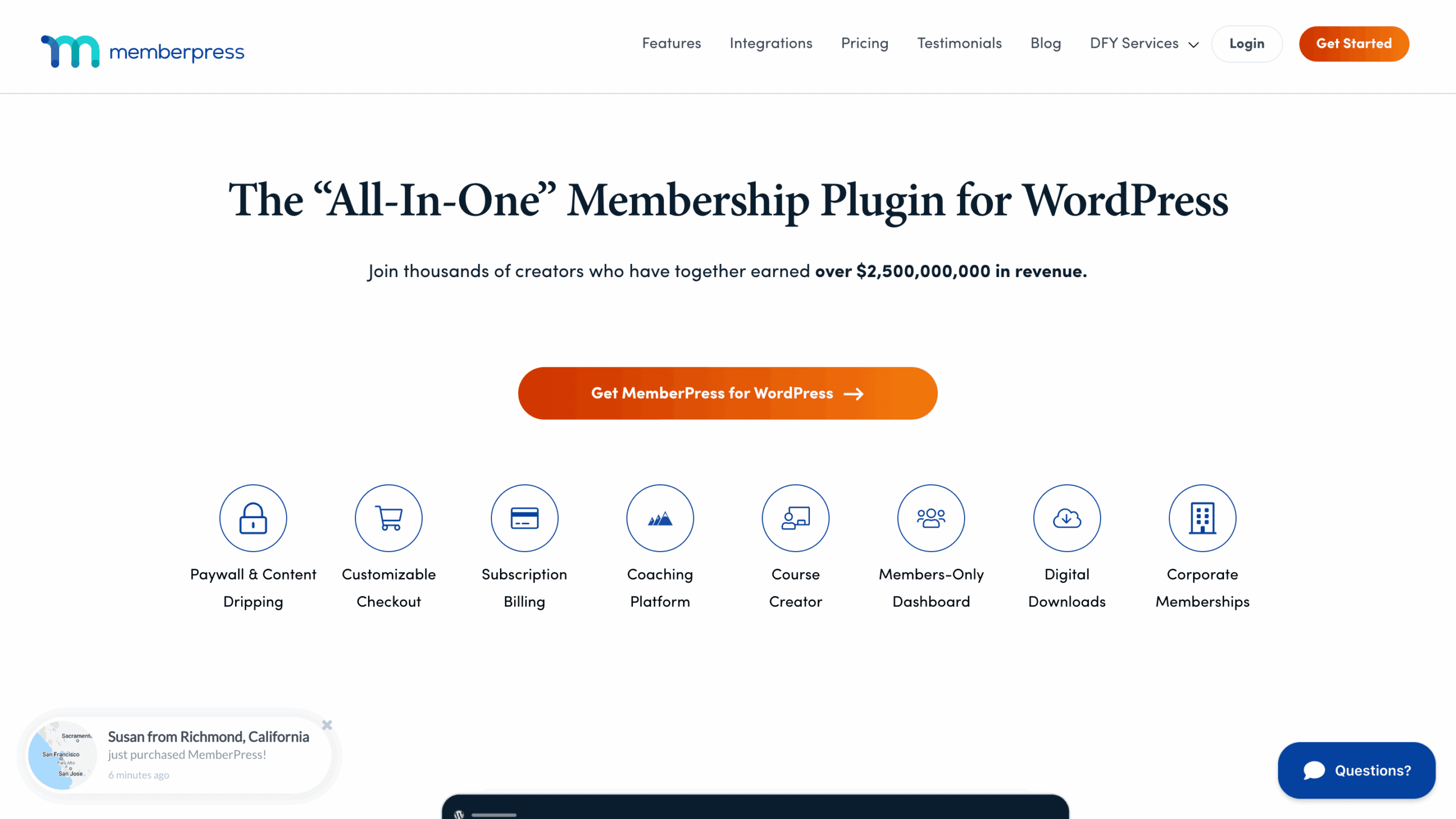
- Unlimited Membership Levels: You aren’t limited in how you structure your business. You can create as many membership tiers as you need. For example, you could offer a “Free” plan with limited access, a “Silver” plan with monthly recurring payments, and a “Gold” plan with a one-time lifetime payment. The setup is straightforward, allowing you to get your plans configured in minutes.
- Powerful Content Restriction Rules: The “Rules” engine is the heart of MemberPress. It lets you protect nearly any part of your WordPress site. With just a few clicks, you can restrict access to specific pages, entire categories of blog posts, custom post types (like “Events” or “Courses”), and even individual files like PDFs or videos. This granular control ensures your premium content stays locked away for paying members only.
- Partial Content Protection: Want to give visitors a sneak peek of your premium content to entice them to sign up? MemberPress allows you to create a paywall within a single post or page. You can show the first few paragraphs and then display a message like “To read the rest of this article, please subscribe!” This is a powerful marketing tool for converting visitors into members.
Manage Your Members
Once people start signing up, you need an efficient way to manage them. MemberPress provides excellent tools for both you and your members, creating a smooth experience for everyone.
- Comprehensive Member Dashboard: Your members get their own self-service account page. Here, they can easily update their profile, change their password, upgrade or downgrade their subscription, and view their payment history without ever needing to contact you for help.
- Admin Control: From the WordPress backend, you have complete control. You can manually add new members, edit existing ones, pause subscriptions, or cancel memberships. This is perfect for handling special requests or managing corporate accounts.
- Detailed Reporting and Analytics: To grow your business, you need data. MemberPress provides built-in reports that show you key metrics at a glance, including active members, sales, transactions, and which membership plans are most popular. These insights are crucial for making informed business decisions.
- Exporting Data: If you use external accounting software or a CRM, you can easily export your member lists and financial data to a CSV file.
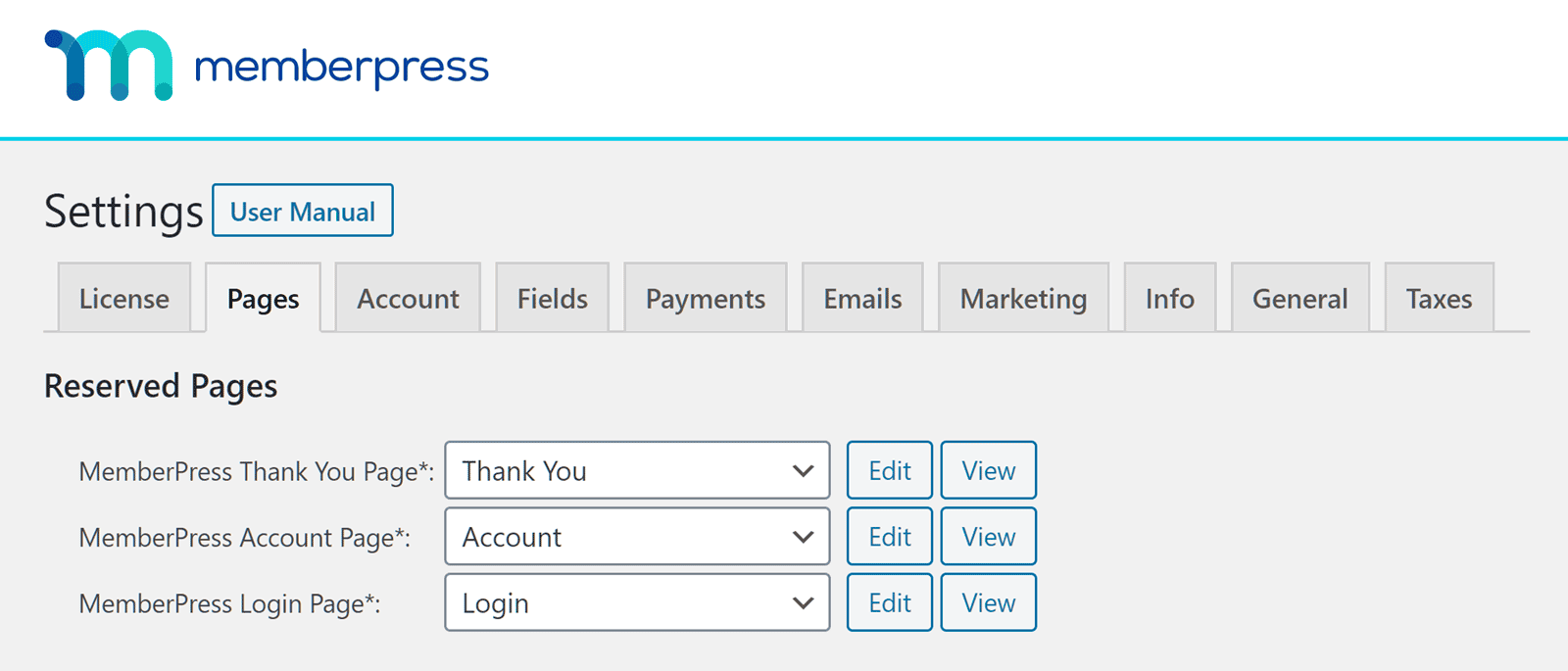
/Scheduling Content with Content Dripping
Content dripping is the feature of automatically releasing content to members over a set schedule. It’s perfect for online courses, weekly tutorials, or any situation where you don’t want to overwhelm new members with everything at once.
MemberPress makes this easy. You can set up drip rules that release a specific page or post a certain number of days after a member signs up. For example, “Week 1’s Lesson” becomes available on Day 1, “Week 2’s Lesson” unlocks on Day 7, and so on. This keeps members engaged and coming back for more, increasing the value of their subscription over time.
Payments and Subscriptions
Handling payments needs to be reliable and seamless. MemberPress integrates with the most popular payment gateways and automates the entire billing process.
- Major Payment Gateways: It offers native support for Stripe, PayPal, and Authorize.net, allowing you to securely accept credit card payments on your site.
- Flexible Billing: You can easily set up one-time payments or automated recurring subscriptions (e.g., monthly, quarterly, or yearly). The system handles the recurring billing automatically without you needing to lift a finger.
- Automated Reminders and Coupons: To reduce churn (members canceling), MemberPress can automatically send email reminders for things like expiring credit cards. You can also generate an unlimited number of custom coupon codes to run promotions and attract new members.
- Automatic Tax Handling: Taxes can be complicated, but MemberPress can integrate with services like TaxJar to automatically calculate the correct sales tax or VAT based on your customer’s location.
Design and Customization
MemberPress is designed to look good right out of the box and play nicely with your existing WordPress setup.
- ReadyLaunch™ Page Builder: For beginners, this feature is a lifesaver. ReadyLaunch™ is a built-in page builder that creates professional-looking and fully functional membership pages (like login, registration, and account pages) that are guaranteed to work without conflicting with your theme.
- Theme and Page Builder Compatibility: MemberPress is built to work with any standard WordPress theme and integrates smoothly with popular page builders like Elementor and Divi, giving you full creative control over your site’s design.
- Customizable Emails and Forms: You can customize the automated emails that get sent to your members to match your brand’s voice. You can also add custom fields to your registration forms to collect important information from your members when they sign up.
Privacy, Security, and Compliance
Keeping your site and your members’ data secure is non-negotiable. MemberPress includes several features to help with this.
- GDPR Compliance: MemberPress provides tools to help you comply with GDPR regulations, such as the ability to add a required consent checkbox to your registration forms.
- Secure File Protection: If you’re selling digital downloads like ebooks, software, or audio files, MemberPress protects them. It ensures that only active, paying members can access the download links, preventing unauthorized sharing.
- Works with Security Plugins: While MemberPress focuses on membership functionality, it is built to work alongside top WordPress security plugins. This allows you to add features like brute force protection and IP monitoring for an extra layer of security.
Usability
MemberPress is widely praised for its exceptional usability and I understand why. I had previously tested their competitors, MemberMouse and Wishlist Member. This plugin was far easier to use.
The setup wizard, for starters, can guide you through the initial configuration steps. If you’re new to membership sites, this can help you get a basic one running in minutes.
Once installed, I found the dashboard intuitive. The interface integrates seamlessly into the familiar WordPress dashboard. I’m typically not a fan of the native dashboard because I find it clunky and slow. This plugin didn’t slow anything. It was smooth and easy.
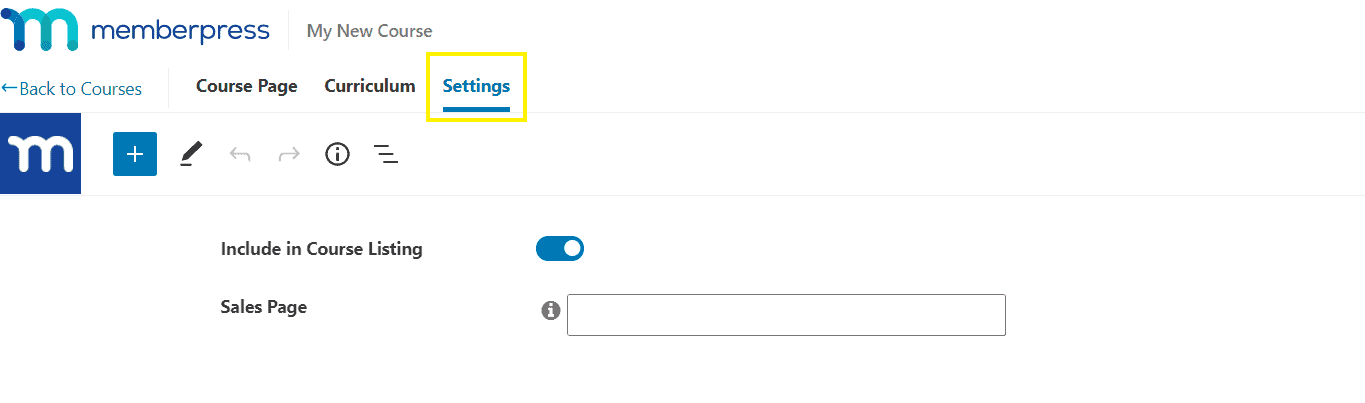
It also offers a really nice drag-and-drop course builder. It allows you to visually structure lessons and quizzes without writing any code. You might find it limiting, if you have no CSS understanding.
Lastly, this plugin offers a lot of documentation. So, if you have any questions, they can help answer them.
MemberPress Pricing
MemberPress’ pricing is structured in annual tiers. It’s important to note that the prices often displayed are introductory offers for the first year, with renewals costing more.
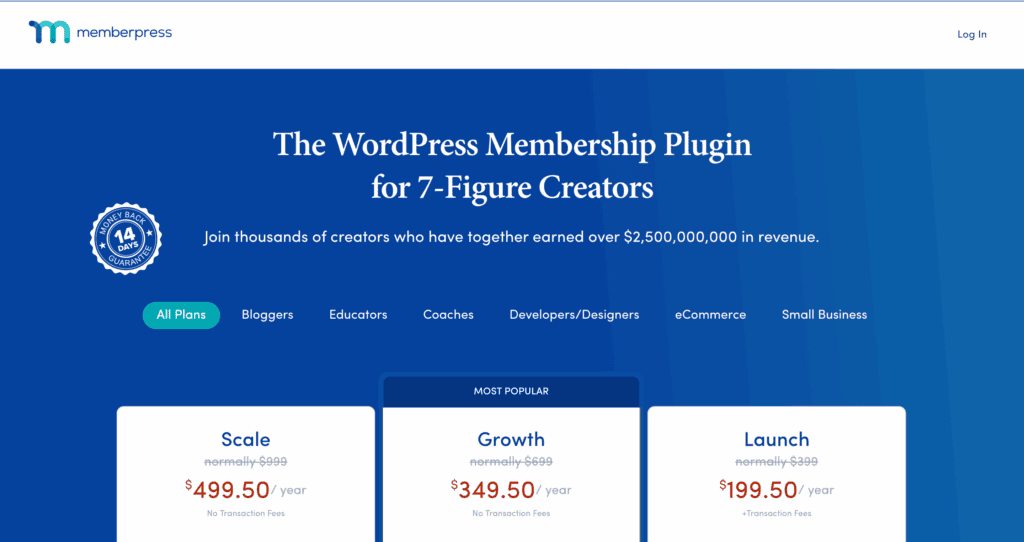
- Launch Plan (~$199.50/year intro): This entry-level plan is for a single site and includes the core features. However, it comes with a 4.9% transaction fee on all sales, which is a significant drawback for most businesses.
- Growth Plan (~$349.50/year intro): For up to 2 sites, this plan removes the transaction fees and adds key features like content dripping, more payment gateway options, and advanced course-building (LMS) features.
- Scale Plan (~$499.50/year intro): Designed for up to 3 sites, this tier includes everything in Growth plus advanced features like corporate accounts (selling group memberships), gifting, and support for the Authorize.net payment gateway.
- Elite Plan (~$999/year intro): The top-tier plan for up to 5 sites, adding specialized features like the CoachKit™ addon for building coaching programs and integrated community functions.
Keep in mind that while MemberPress charges an annual fee, you will still have to pay the standard transaction fees charged by your chosen payment processor, like Stripe or PayPal.
MemberPress Alternatives
While MemberPress is a powerful and popular choice, it’s not the perfect fit for every situation. Its premium price tag and the need for CSS skills for customization and branding can be a deterrent. Whatever your reason, here are our top alternatives:
- ARMember: If you’re looking for a more beginner-friendly option with a simpler interface, ARMember is a fantastic choice. It offers many of the same core features but is often praised for its ease of use and more affordable pricing model.
- MemberMouse: For those who need a powerful, feature-rich solution, MemberMouse is a direct competitor. It is loaded with advanced marketing and management tools and offers a different user experience that some may prefer over MemberPress.
Final Thoughts
MemberPress is a powerful, user-friendly, all-in-one solution for building a WordPress membership site. It excels at making complex features like content dripping and payment management simple. While its high renewal cost is a significant drawback for those on a budget, it remains a top-tier choice for serious creators.
If you’re still on the fence, build a staging site to test its features without any risk to your live website. Take advantage of their moneyback guarantee and explore it thoroughly.
FAQs
How much does MemberPress cost?
MemberPress is a premium plugin with annual plans. Introductory pricing starts around $199.50 for the first year, but be aware that renewal prices are higher. Plans scale up based on the number of sites and features you need, with higher tiers removing transaction fees and adding advanced tools like content dripping and corporate accounts.
What is the difference between MemberSpace and MemberPress?
The main difference is that MemberPress is a WordPress plugin, meaning it lives and operates entirely within your WordPress site. In contrast, MemberSpace is a separate, third-party platform (SaaS) that can integrate with any website builder, including WordPress, Squarespace, or Webflow.
What is MemberPress used for?
MemberPress is used to create and manage a membership website on WordPress. Its primary function is to restrict access to your content—such as premium articles, online courses, videos, or digital downloads—and sell subscriptions that grant users access to that protected content.
What is the difference between WooCommerce and MemberPress subscriptions?
MemberPress is an all-in-one system built specifically for creating membership sites. Its core focus is content restriction and member management. WooCommerce Subscriptions is an add-on for the WooCommerce e-commerce plugin. It’s best if you already run a store with WooCommerce and want to add a subscription option to your products, rather than building a membership site from scratch.

Shreya has been a writer for as long as she can remember. Now, she writes articles that help WordPress users manage the sites that they're proud of, with little to no coding