Plugins for gallery views can make or break your website. This Modula gallery plugin review is for you if you’re a professional photographer looking for the perfect portfolio tool or simply trying to switch from a clunky, outdated plugin.
Your gallery is your digital storefront. A slow or unprofessional-looking layout can turn potential clients away in seconds. You need a solution that is fast, looks great, and is easy to manage without causing you a headache.
We’ve tested Modula to see if it lives up to the hype. This review breaks down its features, performance, and ease of use, giving you a clear picture of whether it’s the right plugin to showcase your work.
We tested Modula on a test site and were impressed. We loved its intuitive drag-and-drop custom grid builder, which offers precise control over image sizes and placement. Galleries loaded quickly, were fully responsive, and looked highly professional out of the box. It’s a fantastic, user-friendly choice.
Choosing the right gallery plugin is key to showcasing your work without slowing down your site. A great plugin balances beautiful design with speed and usability. Before you install one, make sure it checks all the right boxes for your specific needs. Here are the most important factors to consider.
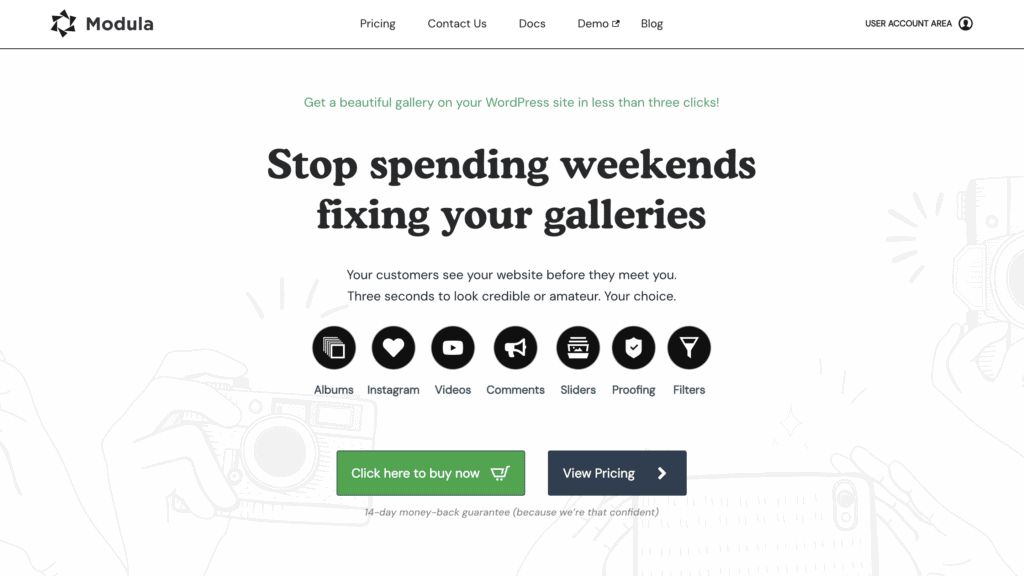
To check if Modula is a good gallery plugin, we tested it on the following criteria:
- Design & Customization: Choose plugins with multiple layouts and effects. Get creative control without needing to write any code.
- Image Security & Client Experience: Protect images with watermarks and right-click disable. Offer password-protected galleries for secure client proofing.
- Display Options: Go beyond static grids. Look for lightboxes, sliders, carousels, and video support for more dynamic galleries.
- SEO Support: Boost your site’s visibility. Easily add image alt text, titles, and captions to improve your SEO.
- Performance Optimization: Keep your site fast. Look for features like lazy loading, image compression, and CDN integration.
- Usability: Create galleries easily. A good plugin should have a user-friendly, drag-and-drop builder for fast setup.
- Pricing: Compare the free version’s limits against paid plans. Check features, site licenses, and subscription vs. lifetime deals.
Based on our testing, here is what we found:
Design and Customization in Modula Gallery Plugin Review

A gallery plugin needs to give you creative freedom. During our testing, this is where Modula truly impressed us. We found its customization options to be both powerful and incredibly intuitive, allowing us to move beyond standard grids and build genuinely unique layouts without touching a single line of code. Here’s what stood out.
- Custom Grids: The drag-and-drop grid builder is Modula’s standout feature. We loved that we could simply click and drag the corners of any image to resize it within the gallery. This gave us precise control to create dynamic, magazine-style layouts in minutes.
- Multiple Layouts: If you need to create a gallery quickly, Modula offers several preset layouts, including classic Masonry and a Slider. We found these to be great starting points that still looked clean and professional right out of the box.
- Aesthetic Controls: We were able to easily fine-tune the gallery’s appearance. Adjusting the margins between images, adding custom borders, and choosing from over a dozen different hover effects was straightforward, allowing us to match the gallery to our test site’s theme perfectly.
- Custom CSS: For advanced users who want total control, Modula includes a dedicated panel for custom CSS. We appreciated this feature as it allows you to apply unique styles without having to edit your theme’s files directly.
Image Security and Client Experience
For professional photographers and artists, protecting your work is non-negotiable. We tested Modula’s security and client-focused features to see how well it guards your images and streamlines your workflow. We found the options to be robust and easy to implement.
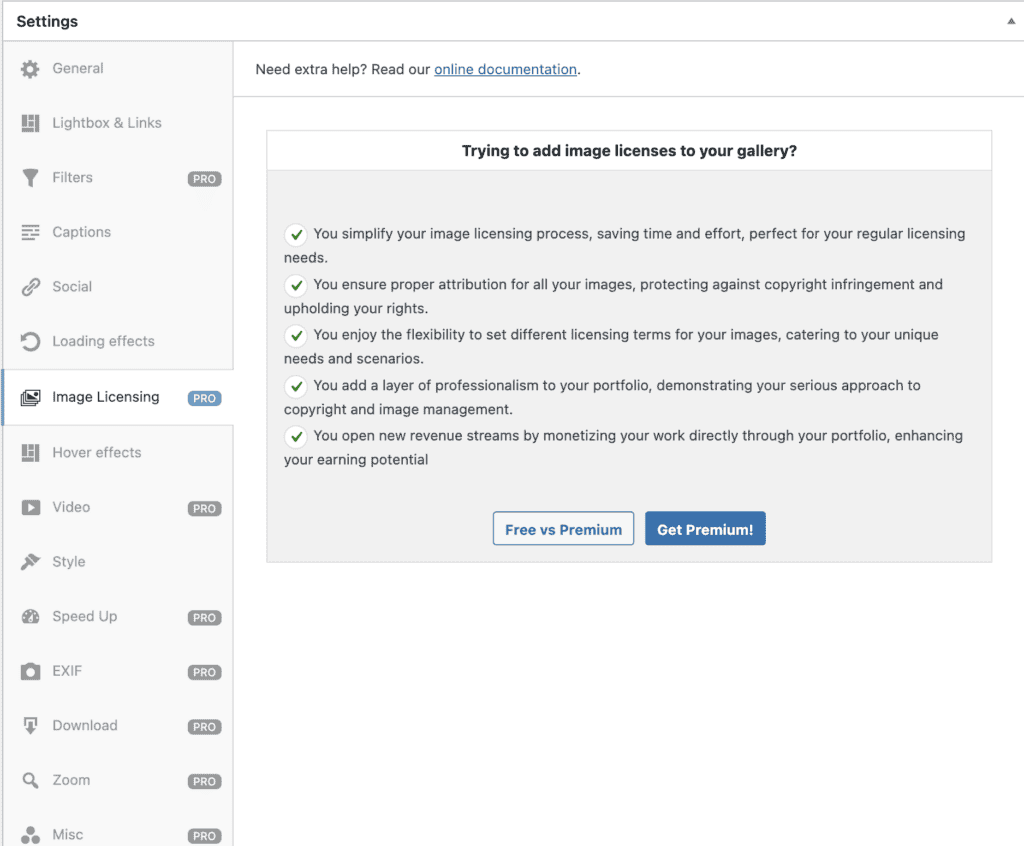
- Protection: We were able to secure a gallery in just a few clicks. The plugin offers straightforward options to add a password, disable right-click to deter downloads, and apply watermarks to all images. These essential features provide a solid layer of protection against image theft. However, they are pro features.
- Client Features (Pro): In the premium version, the client-proofing tools stood out. This feature allows clients to select their favorite images and even leave comments directly on the gallery. We found this to be a huge time-saver, streamlining the feedback and approval process for professional projects.
Display Options
A great gallery plugin should offer more than just a standard grid. We explored Modula’s various display options and were pleased with the flexibility it provided for creating engaging and interactive user experiences.
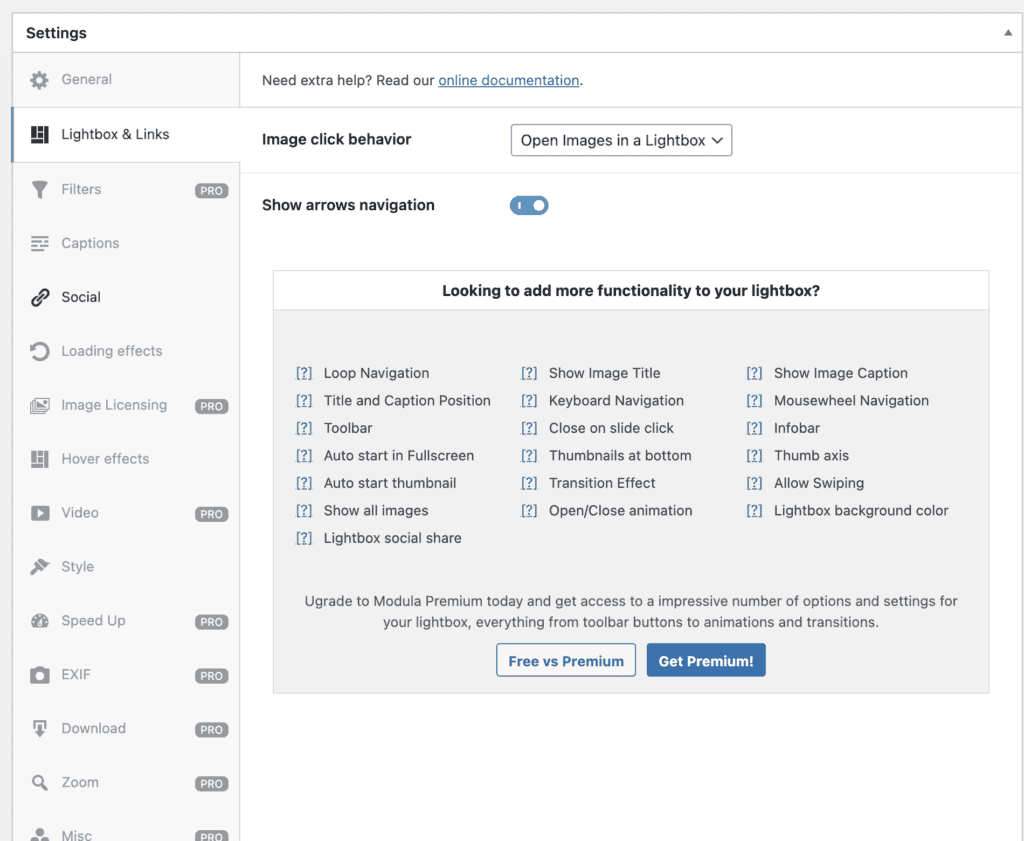
- Lightboxes and Sliders: We found the built-in lightbox functionality to be clean and effective, allowing visitors to view high-resolution images without leaving the page. We also tested the slider and slideshow options, which are great for creating featured showcases or portfolios.
- Video and GIF Support: Modula isn’t just for static images. We successfully created a mixed-media gallery by embedding videos from YouTube and Vimeo alongside our photos. The ability to include GIFs also adds a dynamic element that many other plugins lack.
- Organization: For larger portfolios, organization is key. We tested the filterable galleries by assigning tags to images. The result was a clean, sortable gallery that allowed visitors to easily find exactly what they were looking for, making for a much better user experience.
SEO Support
A beautiful gallery is only effective if people can find it. We dug into Modula’s SEO features to see if it helps your images get discovered by search engines. The plugin includes some smart tools designed to boost your visibility.
- Metadata Optimization: The Modula AI feature was a pleasant surprise. We used it to auto-generate image titles, captions, and alt text. This is a massive time-saver and ensures your images have the SEO-friendly metadata needed to rank in search results.
- Deep Linking (Pro): A powerful feature in the premium version is Deeplink. When we enabled it, each image in our gallery was assigned its own unique URL. This is a significant advantage for SEO, as it allows individual images to be indexed and discovered by search engines.
Performance Optimization
Image-heavy galleries can be a major cause of slow load times. We paid close attention to Modula’s performance during our testing, as speed is critical for user experience and SEO. The plugin is built with performance in mind.
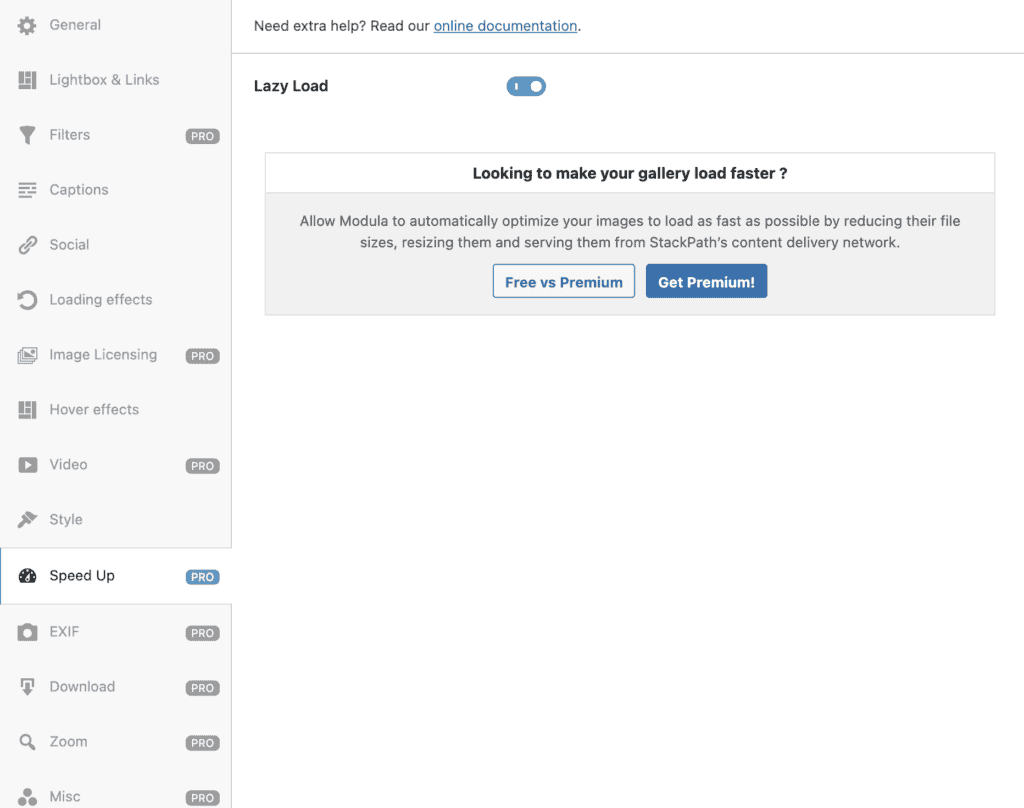
Here are the features that can help with performance optimization:
- Responsiveness: Right out of the box, every gallery we created was 100% responsive. We tested them on various devices, from wide-screen monitors to mobile phones, and the layouts adapted perfectly without any manual adjustments needed.
- Speed Up Extension (Pro): For sites with high-resolution images, the premium Speed Up extension is a game-changer. It automatically optimizes images and serves them through a fast content delivery network (CDN). We found this significantly improved loading times for larger galleries.
Usability
A plugin can have a million features, but if it’s frustrating to use, it’s not worth your time. We put Modula through its paces, focusing on the day-to-day experience of creating and managing galleries. We found its reputation for being user-friendly is well-deserved, making it one of the most intuitive gallery plugins we’ve tested.
From the moment we installed it, Modula felt like a natural part of the WordPress dashboard. The interface is clean and uncluttered, guiding you through the creation process without overwhelming you with options. The drag-and-drop builder is the star of the show; we were able to upload images and then simply click and drag to reorder them and resize them within the custom grid. We had a unique, professional-looking gallery published in under five minutes, without needing any instructions.
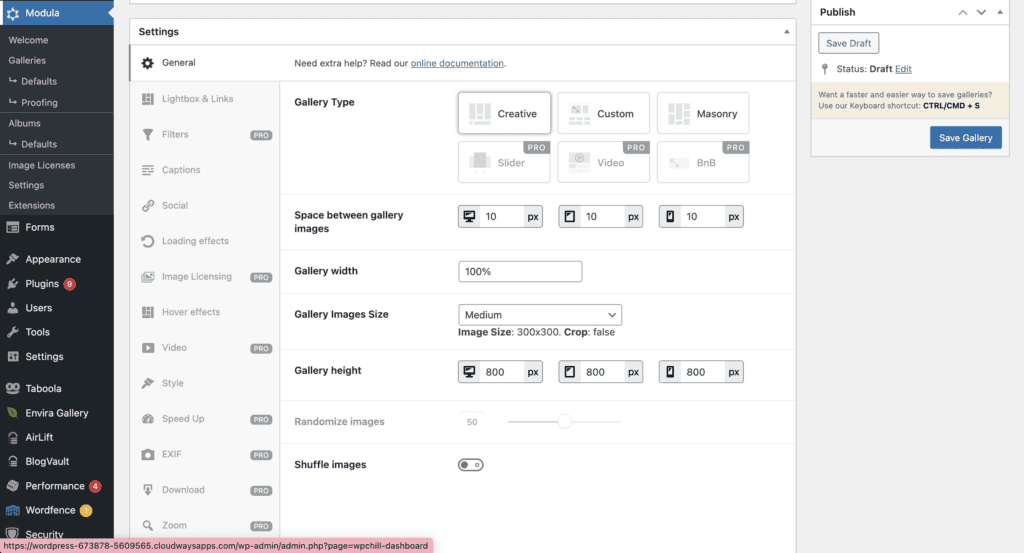
For those who build many galleries, the “Defaults” extension was a huge time-saver. We were able to save our preferred settings—like margins, hover effects, and lightbox options—as a preset. This meant every new gallery we created started with our custom look. We also tested Modula with popular page builders like Elementor and Divi, and it integrated seamlessly, allowing us to drop galleries into our layouts without any conflicts.
Pricing
Modula operates on a freemium model, offering a solid free version alongside several premium plans. We started with the free version to see if it was powerful enough for basic needs and were genuinely impressed with its capabilities.
The free version, available on WordPress.org, includes the signature custom grid builder, masonry layouts, and basic lightbox support. For bloggers, small businesses, or anyone needing a simple yet stylish gallery, the free version is more than sufficient.
If you’re interested in Modula pricing, here are your options:
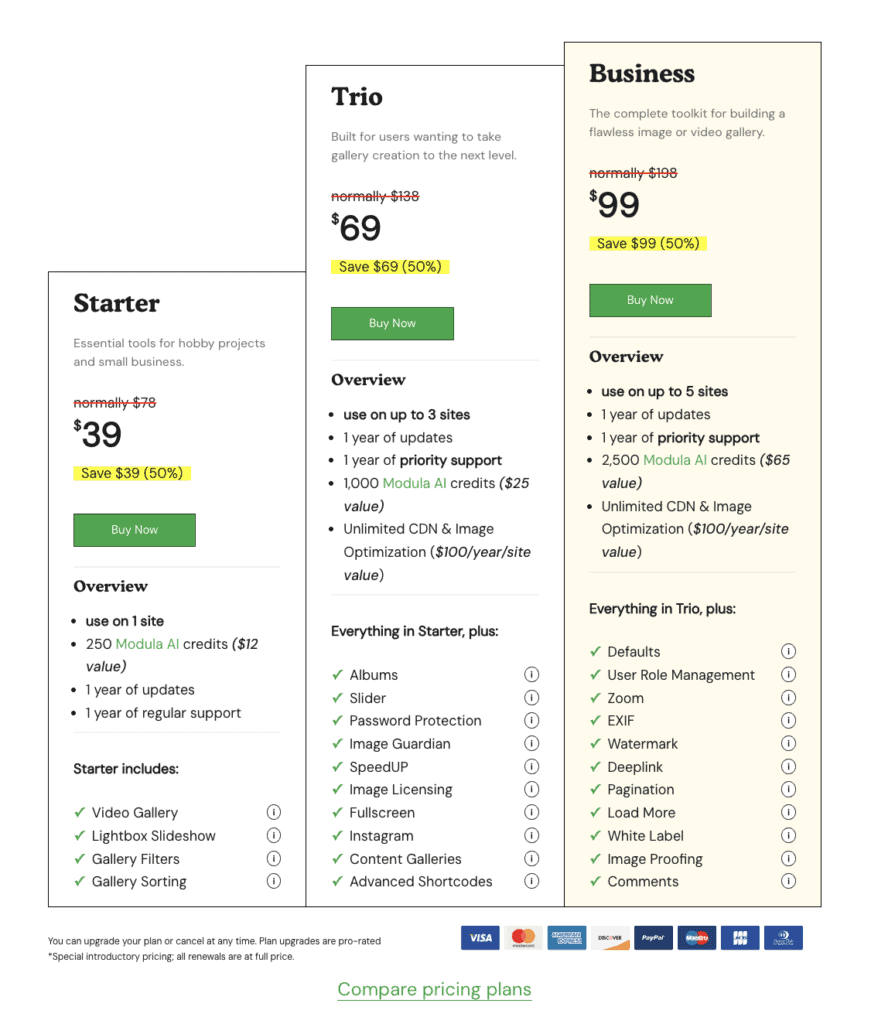
- Starter: Typically priced at $39 per year for use on a single website.
- Trio: Costs around $69 per year and supports up to three websites.
- Business: Priced at approximately $99 per year and allows for use on up to five websites.
- Agency: This higher-tier plan is for larger businesses and is priced at about $149 per year, supporting up to 99 websites.
What’s Missing?
No plugin is perfect, and in our review of Modula, we wanted to identify any potential drawbacks. While our experience was overwhelmingly positive, we did notice a couple of areas where users might face challenges, particularly based on older feedback and a common issue with all gallery plugins.
While digging through user forums, we saw some older reviews mentioning clunky integration with the Gutenberg block editor. However, in our testing with the latest version of Modula, this seems to be a thing of the past. We found that adding a Modula gallery with a dedicated block was smooth and worked exactly as expected, including options for full-width alignment.
The only other potential issue we encountered relates to performance with extremely large galleries. When we loaded a gallery with over a hundred high-resolution images, we noticed a slight increase in page load time. This is a common issue with any gallery plugin, not just Modula. The premium “Speed Up” extension with its CDN and image optimization largely solves this, but free users should be mindful to optimize their images before uploading to keep their site fast.
Modula Gallery Alternatives
While Modula is a fantastic plugin, it’s not the only great option on the market. Depending on your specific needs—whether you prioritize speed, professional selling features, or a different set of templates—another plugin might be a better fit. We tested some of the top contenders to see how they stack up.
- Envira Gallery: Often praised for being incredibly lightweight and fast, Envira Gallery is a top competitor. We found its drag-and-drop builder to be very intuitive, making it easy to get a gallery up and running in minutes. It’s an excellent choice for users who prioritize site speed and want a straightforward, reliable solution without too many complex settings. While it doesn’t offer the same free-form grid customization as Modula, its pre-built layouts are clean and professional.
- NextGEN Gallery: NextGEN is one of the oldest and most powerful gallery plugins available, and it feels like it. It’s less of a simple gallery plugin and more of a complete photo management system. During our testing, we noted its extensive features for professional photographers, including client proofing, print fulfillment, and e-commerce integration. The trade-off is a steeper learning curve, but it’s the go-to choice for serious photographers who need to manage and sell their work.
- FooGallery: FooGallery strikes a great balance between ease of use and flexibility. We were impressed with its library of pre-built gallery templates, which made it very fast to create different styles, from simple grids to Polaroid-style layouts. The interface is clean, and its free version is very capable. It’s a strong alternative for users who want beautiful, responsive galleries and a good selection of templates without the granular grid control that is Modula’s specialty.
Final Thoughts
We strongly recommend you explore this plugin on a staging site to see the results for yourself. We thought that Modula is one of the most intuitive and flexible gallery plugins available for WordPress, successfully striking a rare balance between powerful features and genuine ease of use.
Its standout feature is the drag-and-drop custom grid builder, which is a game-changer for anyone who wants precise control over their portfolio’s layout. For photographers, artists, and beginners who want to create stunning, responsive galleries without fighting with code, Modula is an outstanding choice.
The free version is impressively capable for many users, but for professionals who need advanced tools like video support, client proofing, and top-tier performance, the premium upgrade is a worthwhile investment. Modula delivers on its promise of beautiful, fast, and easy-to-manage galleries, making it a top contender in our book.
FAQs
Is the Modula Gallery plugin free?
Yes, Modula has a robust free version available on the WordPress.org plugin repository. It includes the core custom grid builder and basic effects. A premium version with advanced features like filterable galleries, video support, and social sharing is also available.
Is Modula Gallery good for performance and speed?
Generally, yes. Modula galleries are built to be responsive and fast-loading. For optimal performance, the premium “Speed UP” extension offers additional image optimization and a CDN. Some users report slower loads with very large galleries, so image optimization before upload is recommended.
What is the main difference between Modula Free and Pro?
The free version is great for basic, stylish grids. The Pro version unlocks advanced layouts (like mosaic and slider), filterable galleries, video support, social sharing, password protection, and a wider array of lightbox and hover effects.
Who is Modula Gallery best suited for?
Modula is an excellent choice for photographers, artists, and WordPress beginners who need fine-tuned control over their gallery layout without coding. It’s ideal for anyone prioritizing an easy-to-use, visually appealing, and responsive gallery.
What are the top alternatives to Modula Gallery?
Popular alternatives include Envira Gallery (lightweight and user-friendly), NextGEN Gallery (feature-rich for professionals), FooGallery (a solid freemium balance), and Photo Gallery by 10Web (easy for beginners with diverse layouts).

Shreya has been a writer for as long as she can remember. Now, she writes articles that help WordPress users manage the sites that they're proud of, with little to no coding