

A membership plugin for WordPress is the key to turning your website into a recurring revenue business, an exclusive community, or a premium online course. But managing payments, protecting content, and handling user accounts can be a technical nightmare without the right tool. This is likely why you’re looking for an Ultimate Membership Pro review.
This article will give you a straightforward, no-fluff breakdown of Ultimate Membership Pro. We’ll cover its features, usability, and the critical information about its current status that you won’t find on its sales page, helping you make a safe and informed decision.
We created a test site to try the Ultimate Membership Pro plugin. I had read reviews of users struggling with plugin conflicts. I wasn’t going to risk a live site. But, overall, the plugin is easy to navigate to full of useful features. Good balance between robust and beginner friendly.
Ultimate Membership Pro has been a major player in the WordPress membership plugin space for years, known as one of the best-selling plugins on the CodeCanyon marketplace. It was built to be an all-in-one solution, offering a massive feature set for a single, one-time payment, which set it apart from more expensive, subscription-based alternatives.

I wanted to see if this “buy-it-once” model could truly hold its own against the continuously updated subscription giants. To find out, I put Ultimate Membership Pro to the test, digging into the essential functions every membership site relies on:
- Membership plan management and access control
- Member management
- Content dripping
- Payments and subscriptions
- Design and customization
- Pricing and overall value
- Usability and support
Manage Membership Plans and Access Control
The foundation of any membership site is its ability to create distinct access levels and protect premium content. Ultimate Membership Pro was designed to give site owners precise control over who sees what, allowing for complex and tiered membership models. This granular control ensures that your valuable content is only accessible to paying members.
- Create Unlimited Levels: The plugin allows for the creation of unlimited paid or free membership plans, giving you the flexibility to build a simple or complex subscription model.

- Granular Content Restriction: You can restrict access to pages, posts, categories, URLs, specific content sections, images, and menu items based on a user’s membership level.
- WooCommerce and bbPress Integration: Restrict access to WooCommerce products, categories, or pages, as well as bbPress forums and topics, integrating your membership system directly with your e-commerce or community platforms.
- Subscription Types: It offers various access types, including one-time payments, recurring subscriptions, and limited-time access based on specific dates.
Manage Members
Once you have members, you need an efficient way to manage their accounts, track their status, and provide them with a positive user experience. Ultimate Membership Pro includes a comprehensive backend system for administrators to oversee the entire member lifecycle from a central dashboard.
- Member Management: Provides a central interface to manage members, including viewing profile details, payment history, and subscription status (active, pending, expired, canceled).
- Member Actions: Allows administrators to easily add, update, and cancel a member’s subscription with a few clicks, simplifying customer service tasks.
- User Synchronization: Automatically synchronizes members with all WordPress users, ensuring seamless integration with the core user system.
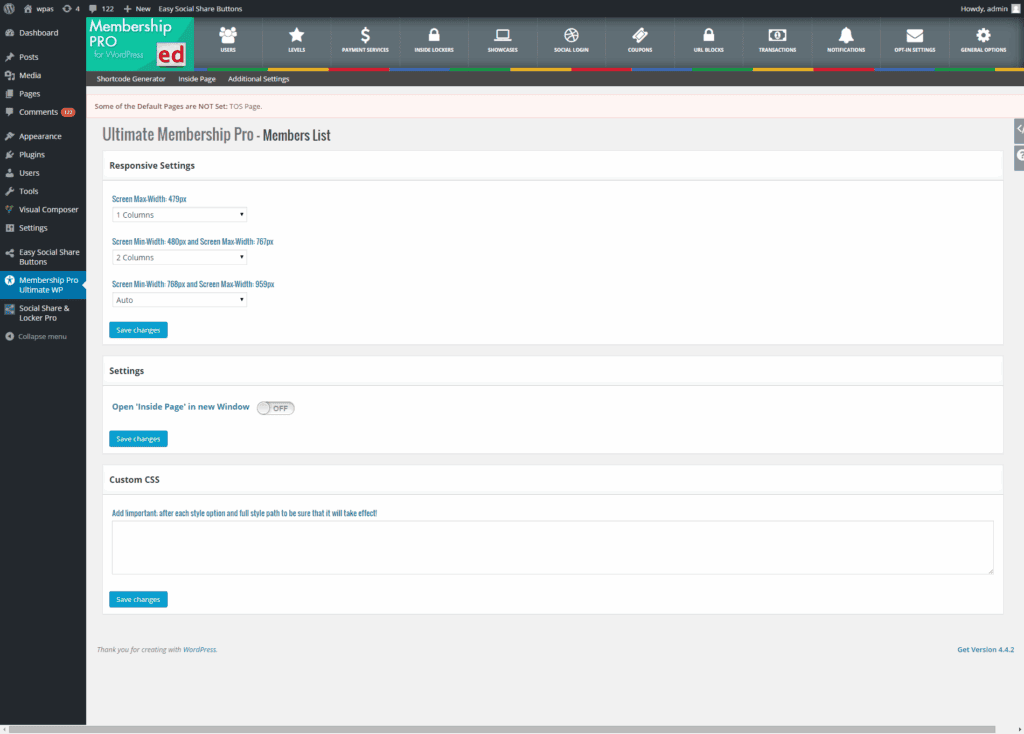
- Member Directory: Includes a feature to showcase a searchable and filterable member list on the front end, which is excellent for building community.
Content Dripping
To maximize member retention and value, it’s often best to release content over time rather than all at once. This “drip” method keeps subscribers engaged and prevents them from consuming everything and then canceling. UMP provides a robust content-dripping system to automate this process.
- Scheduled Content Release: Enables you to release content at set intervals, either a certain period after a member subscribes or on a specific date.
- Notifications: Supports drip content notifications to alert members via email when new content becomes available to them.
- Prevents Binge Access: This feature is strategically designed to prevent users from signing up, downloading all your content, and then immediately canceling their membership.
Payments and Subscription
Monetization is the engine of a membership site, and a good plugin must handle payments reliably and flexibly. Ultimate Membership Pro integrates with popular payment gateways and offers various tools to manage billing, discounts, and financial records.
- Multiple Payment Gateways: Integrates with several payment services, including PayPal, Stripe, Authorize.Net, and 2CheckOut, offering flexibility for your customers.
- Flexible Subscriptions: Supports various billing cycles (daily, weekly, monthly, yearly) and offers options for free or paid trial periods to attract new members.
- Invoices and Coupons: Automatically generates invoices for orders and allows you to create unlimited coupon codes with fixed or percentage discounts to run promotions.
Design and Customization
A membership system shouldn’t look out of place on your website. Maintaining brand consistency is key to building trust. UMP offers a range of tools to customize its front-end elements, from registration forms to member profiles, ensuring a seamless look and feel.
- Customizable Forms: Provides multiple pre-defined templates for login, registration, and subscription pages that can be customized to fit your site.
- Custom Fields: You can add and customize an unlimited number of registration and profile fields, including special fields like profile images, file uploads, and conditional logic.
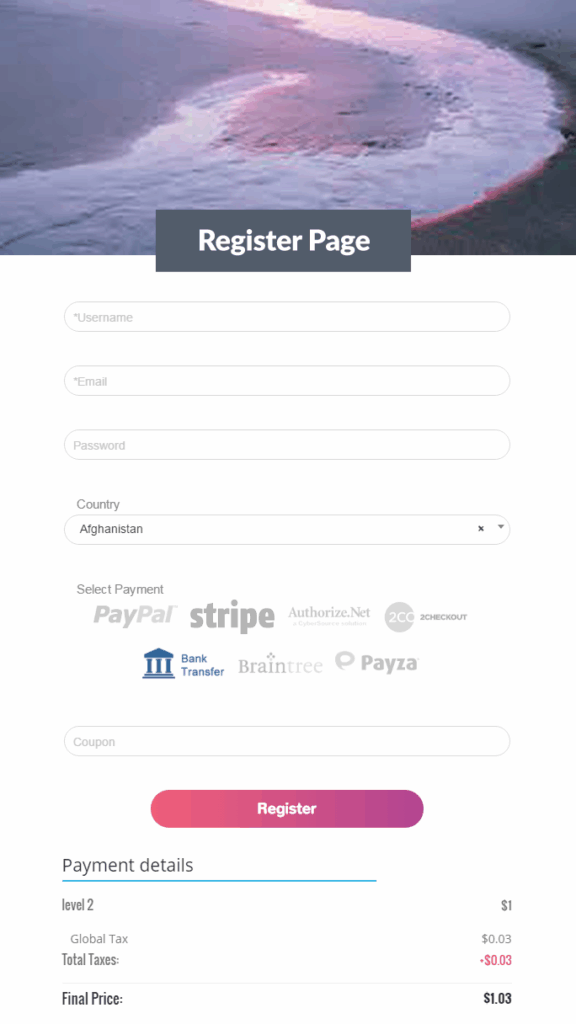
- Custom CSS: The plugin allows for custom CSS to further style any of the templates to perfectly match your site’s design.
- Page Builder Integration: It integrates with popular page builders like WPBakery Page Builder and Elementor, making it easier to embed forms and shortcodes into custom layouts.
Privacy, Security and Compliance
When you handle user data and payments, security and compliance are non-negotiable. Ultimate Membership Pro was built with features to help protect user accounts and align with data privacy regulations like GDPR.
- Email Verification: Features a double email verification option for new registrations to prevent spam and ensure valid user accounts.
- Login Security: Includes security measures to prevent brute-force attacks and protect user login credentials.
- Account Deletion: Members can manage their own accounts, including deleting them, which requires password re-entry for an added layer of security.
- GDPR Compliance: Supports GDPR requirements by providing features like a privacy policy checkbox on registration forms for user consent.
Usability
As someone who isn’t a developer, I’m always wary of plugins with a huge feature list. They can be a nightmare to set up. I was pleasantly surprised with Ultimate Membership Pro. When I opened the dashboard, everything was laid out logically. Even though it’s packed with options, I never felt overwhelmed. The initial setup process feels straightforward and I could create my first membership level in just a few minutes.
The plugin creates a fantastic, self-service ‘Account Page’ right out of the box. From here, my members could easily manage their own subscriptions, check their payment history, and update their profiles. This makes for a much more professional user experience.
Price
The Ultimate Membership Pro’s pricing model stood out in a market dominated by yearly subscriptions.
- One-Time Fee: The plugin is available on Envato for a one-time payment of around $69.
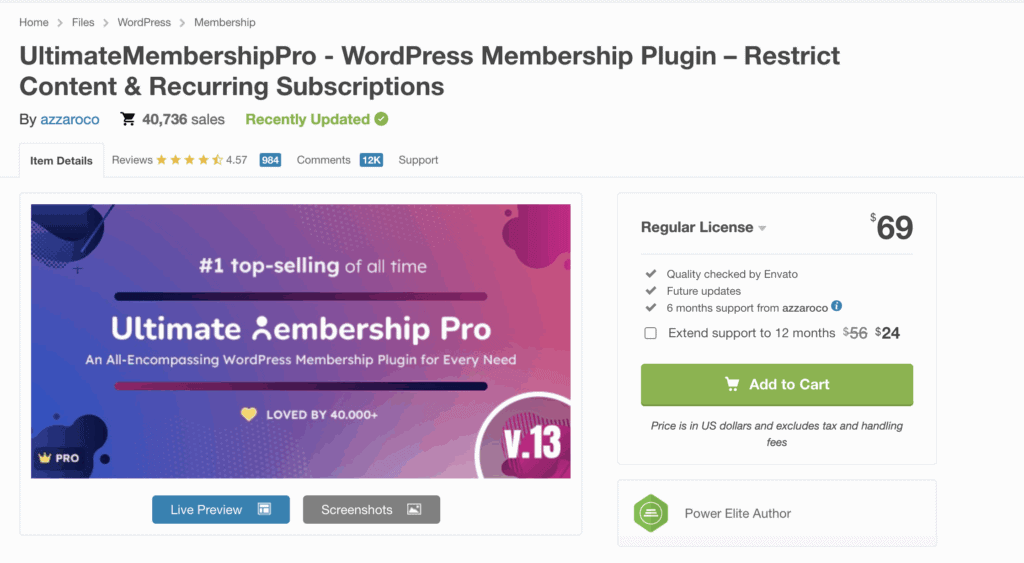
- Support and Updates: This one-time fee typically includes 6 months of support from the developer, which can be extended for an additional cost.
Alternatives to Ultimate Membership Pro
While Ultimate Membership Pro is an attractive option, it’s crucial to consider why you might need an alternative. Over time, users have reported an increase in plugin conflicts with other popular tools and WordPress updates. Furthermore, there are mixed reviews and recent widespread complaints regarding the responsiveness and effectiveness of their support team. If you’re looking for a more reliable and actively supported solution, consider these alternatives:
- MemberMouse: A powerful, feature-rich membership plugin known for its robust e-commerce capabilities, advanced reporting, and excellent customer support.
- MemberPress: Widely regarded as one of the best all-in-one membership plugins, MemberPress is known for its ease of use, solid reliability, and seamless integration with other WordPress tools.
Final thoughts
Ultimate Membership Pro was, for a long time, a powerhouse in the WordPress membership world. It delivered on a very appealing promise: to provide a complete, feature-packed solution for a single, one-time payment, cutting out the need for expensive yearly subscriptions. For years, it was a go-to choice for budget-conscious creators who needed powerful features without the recurring cost.
However, we recommend you take a WordPress backup first. This plugin is prone to bugs and plugin conflicts. So, be safe out there.
FAQs
Who are the developers of the Ultimate Membership Pro plugin?
The Ultimate Membership Pro plugin was developed by a team known as azzaroco on the CodeCanyon marketplace. They are the creators behind this and several other WordPress plugins sold exclusively on the platform.
What is the best alternative to UMP?
The best direct alternative to Ultimate Membership Pro is MemberPress. While UMP was known for its feature-rich, one-time fee model, MemberPress operates on a subscription basis. This ensures it receives constant updates, professional support, and long-term reliability, making it a safer and more robust choice for any serious membership site.
What are the top 3 membership plugins?
While the “best” plugin depends on your specific needs, three of the top-rated and most popular options in the market are:
- MemberPress: The best all-around premium choice for its ease of use, powerful features, and excellent reliability.
- ARMember: A strong competitor on CodeCanyon that also offers a rich feature set and a one-time payment option, similar to UMP.
- Ultimate Member: An excellent plugin focused heavily on community building and user profiles, with a strong free version that can be expanded with paid add-ons for full membership functionality.
Where can you buy UMP from?
Ultimate Membership Pro is sold exclusively on the CodeCanyon marketplace, which is part of the Envato network. However, due to the widely reported lack of recent updates and developer support, we strongly advise against purchasing it for any new project.

Shreya has been a writer for as long as she can remember. Now, she writes articles that help WordPress users manage the sites that they're proud of, with little to no coding


