When it comes to translation plugins, your search for a real solution probably started for one of three reasons:
1. A free plugin failed you, leaving you with the a crashed site.
2. A client requested a multilingual site.
3. Or you lost a deal to a competitor who already has one.
And in that search, WPML consistently appears as the powerful, all-in-one solution. But you’ve heard the whispers. Is it a robust tool or just a bloated system?
We wrote this WPML review to give you the unvarnished truth, so you can decide if it’s the right move for your website.
WPML is the most powerful tool for complex, professional sites needing total control, but its learning curve makes it overkill for beginners. Given its deep integration, always use a backup plugin before installation to avoid any potential conflicts.
WPML review at a glance
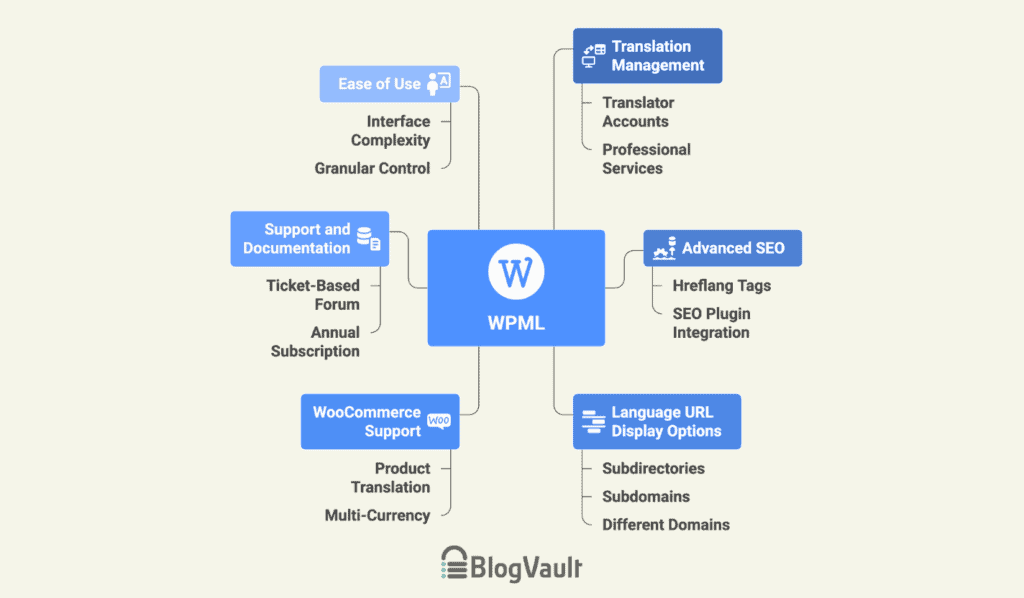
Key features and what they do
To understand if WPML is the right tool, we need to look past the marketing and examine its core functions. During our review, we focused on the features that have the biggest impact on a project.
Translation management for teams & translators
For teams, translation management is one of WPML’s strongest areas. It replaces chaotic email chains and spreadsheets with a centralized dashboard inside WordPress.
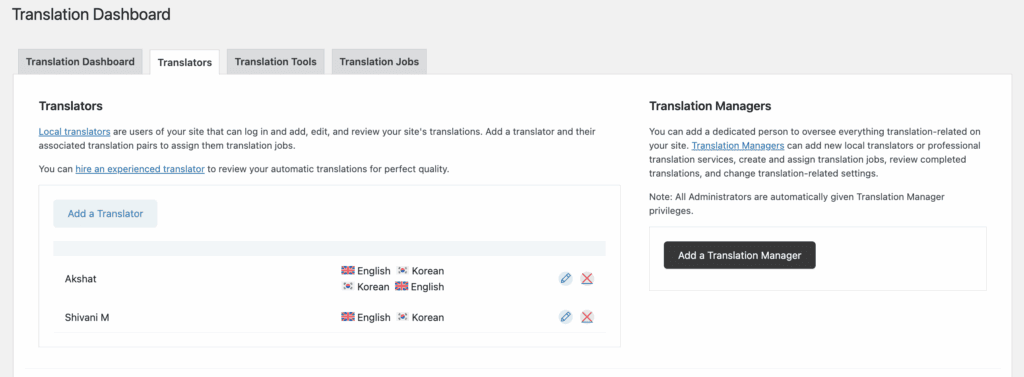
A core principle of website hardening is limiting user access, and WPML handles this well. We were able to assign the translator role to users. These restricted permissions offer a significant security advantage, but you should always have a recent WordPress backup as a safety net.
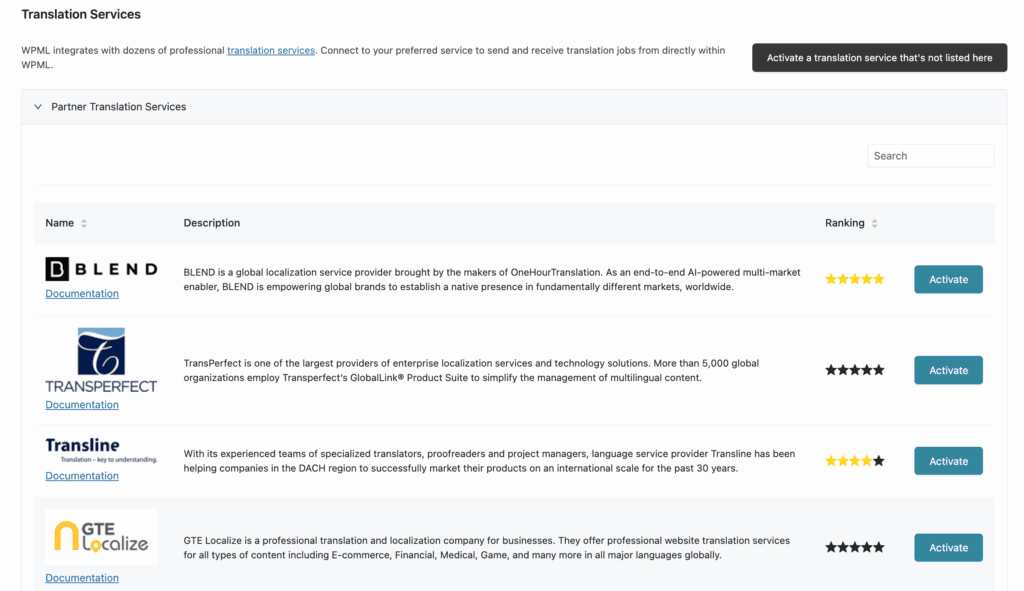
It also integrates directly with professional translation services, allowing you to send content for translation and receive it back within the dashboard.
Advanced multilingual SEO
For many users, this is the most critical feature set. A poorly handled multilingual setup can seriously damage your SEO.
WPML is built to manage the technical complexities. It automatically adds the correct hreflang tags to your pages. These are code snippets that tell search engines like Google about the different language versions of your content, ensuring the correct page ranks in the correct region.
It gives you full control to translate URL slugs, SEO titles, and meta descriptions. In our testing, it integrated seamlessly with SEO plugins, adding language tabs directly within their interfaces.
This prevents potential duplicate content penalties and helps search engines properly index your entire site structure.
Flexible language display options
WPML provides complete control over how language URLs are structured. The options are:
- Subdirectories: yoursite.com/es/
- Subdomains: es.yoursite.com
- Different domains: yoursite.es
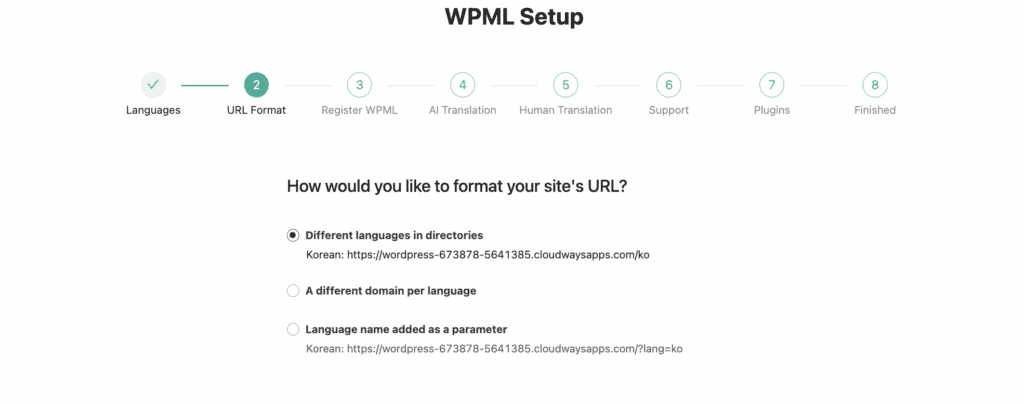
From an SEO perspective, subdirectories are generally the recommended structure, but having the other options is essential for specific corporate or server configurations.
We found that the plugin also includes a customizable language switcher that we could place in menus, widgets, or footers, with options for flags, language names, or both.
Deep theme and plugin compatibility
A common concern is whether WPML will cause conflicts. Based on its architecture and our experience, it’s one of the most compatible solutions available.
The plugin has been tested against popular themes and plugins. We found its integration with page builders like Elementor to be robust. This level of compatibility is crucial for maintaining good site speed.
Additionally, the included String Translation module scans theme and plugin files for hard-coded text (like in buttons or forms) and makes it available for translation.

While most well-coded products work without issue, we noted that some highly custom themes might require minor manual configuration.
WooCommerce multilingual support
For e-commerce, the WooCommerce Multilingual add-on is a standout feature. It allows for the full translation of products, categories, variations, and attributes.
The most powerful function we tested was its multi-currency capability. We were able to set up multiple currencies using a plugin based on either a live exchange rate or fixed manual prices.
The system also translates the entire user journey, including the cart, checkout pages, and transactional emails. It helps with providing a fully native shopping experience for international customers. This level of integration requires diligent WordPress maintenance and uptime monitoring.
Support and documentation
WPML’s documentation is extensive and well-organized, with clear tutorials that cover nearly every use case.
Support is delivered through a ticket-based forum system, operating six days a week; there is no live chat option. While we didn’t need to submit a ticket during our review, the general consensus from public forums and user reviews is that the support staff is technically proficient.
A common point of feedback, however, is that response times can take up to 24 hours. For critical issues, this potential delay is an important factor to consider. Access to support requires a valid annual subscription.
Ease of use and interface
It’s important to be clear: WPML has a considerable learning curve. The interface, while powerful, is embedded deep within the WordPress admin and can feel dated compared to more modern, SaaS-style solutions.
We found that mastering the interface takes time, as there are many configuration screens. It is not a visual, front-end editor translation plugin like Weglot. WPML prioritizes granular control and deep functionality over out-of-the-box simplicity.
How we got started with WPML
Getting WPML running involves a precise order of operations.
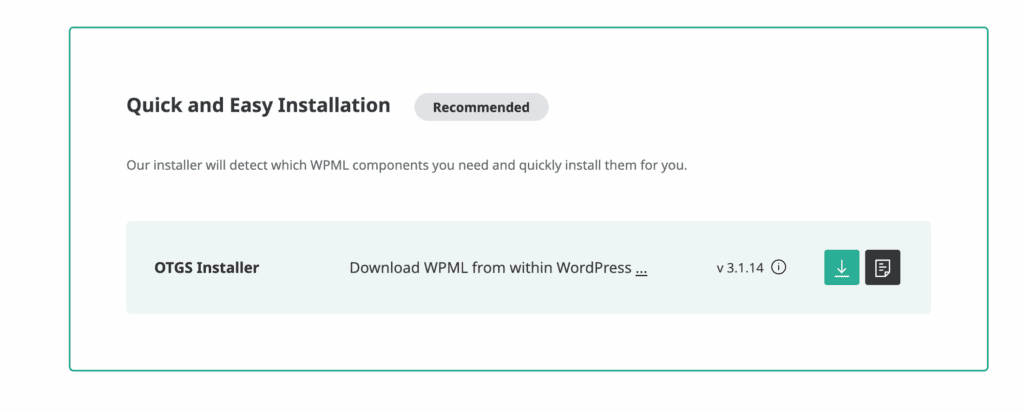
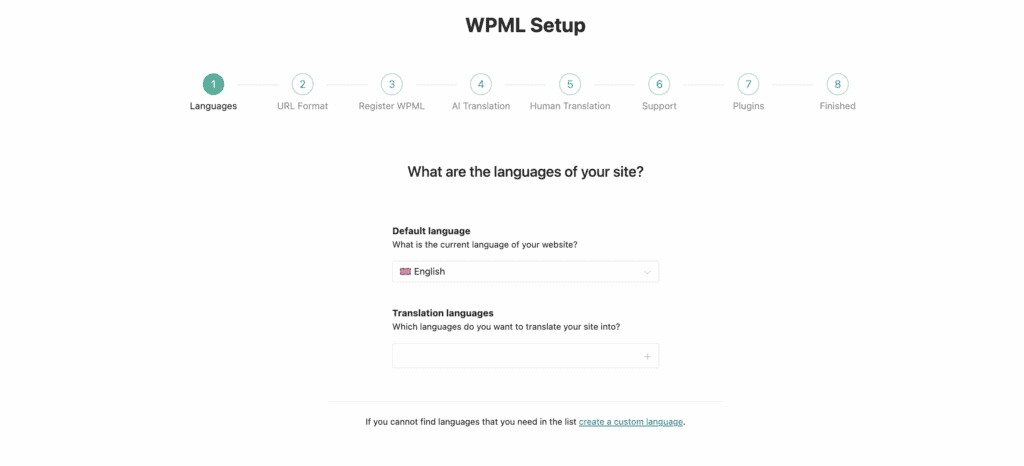
First, we purchased our plan and downloaded the essential plugins from our WPML account: the main WPML Multilingual CMS plugin. In WordPress, we installed and activated the main WPML plugin first. This immediately prompted us to register the site with our key, which is a required step.
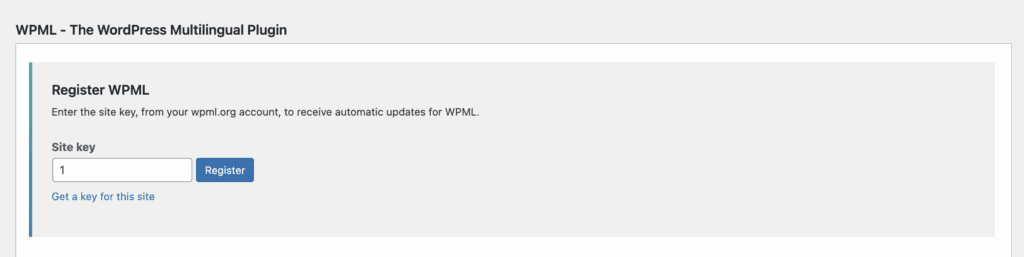
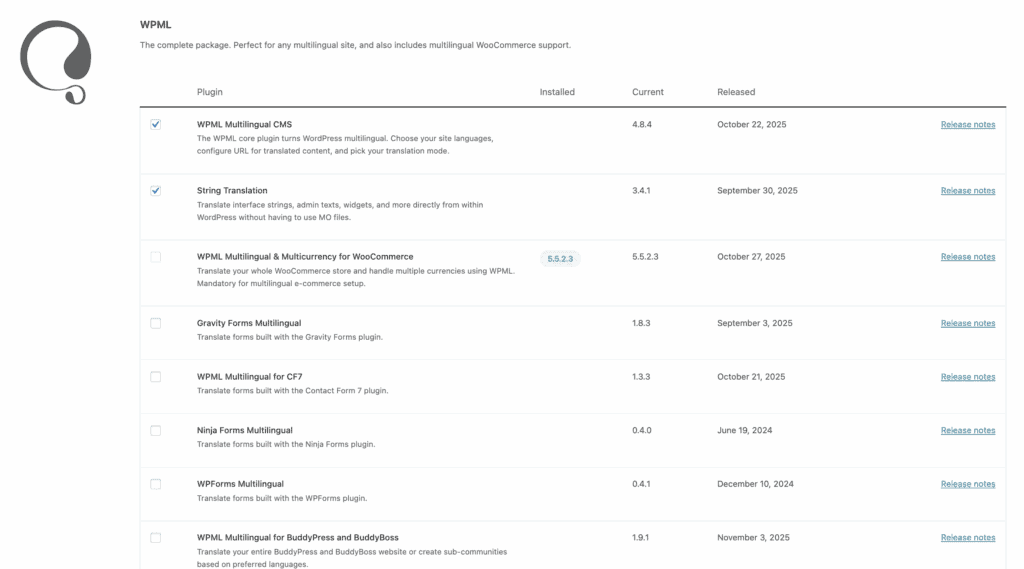
Only after registering did we install the add-on plugins and activate them. Because this involves multiple components, it’s a point where you might need to fix plugin conflicts. This is a critical step: the full WPML menu and its features don’t appear until you do this.
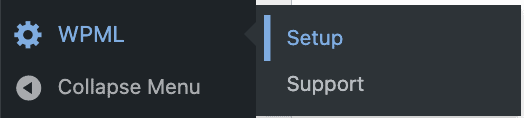
The setup wizard then launched. It’s a guided process that confirms your site’s languages and asks you to make the key decision between translating everything automatically or translating content manually. We chose the manual option for greater control. Once the wizard was complete, the core setup was done, and the site was ready for us to start translating.
Pricing breakdown
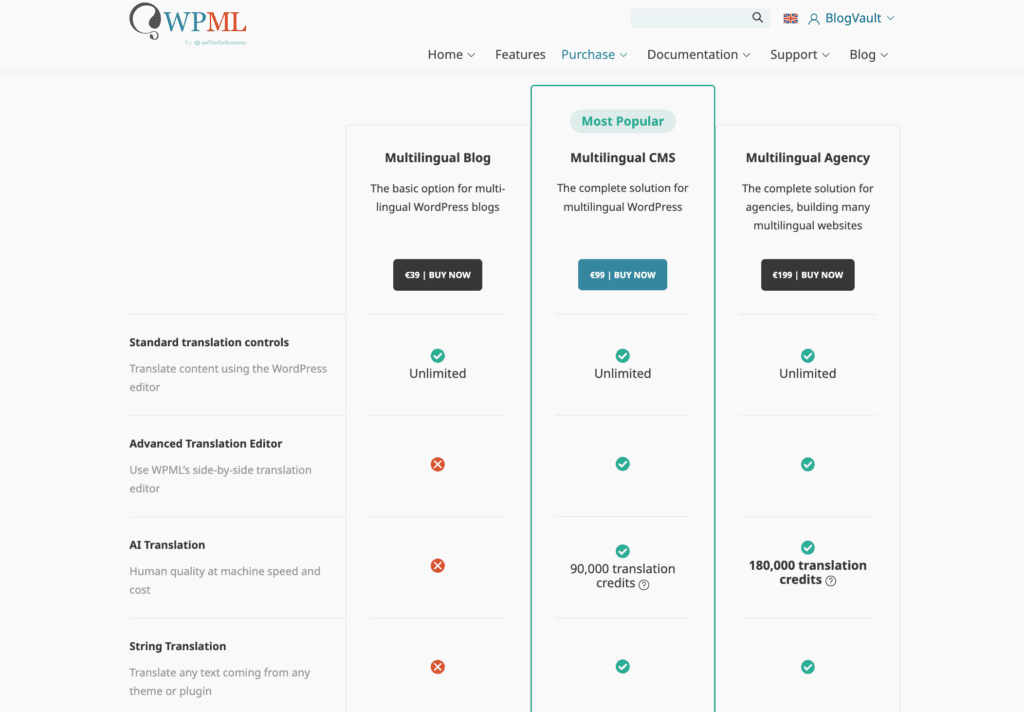
WPML is a premium-only plugin with no free version. The plans are structured as follows:
- Multilingual Blog (€39/year): approx. $42 USD/year For basic sites. Covers posts, pages, and custom fields.
- Multilingual CMS (€99/year): approx. $107 USD/year The most popular plan. This includes all features, such as support for page builders, WooCommerce, and the full translation management system.
- Multilingual Agency (€199/year): approx. $215 USD/year Identical to the CMS plan but for use on unlimited websites.
All plans include a 30-day money-back guarantee, which is the perfect window to use a staging site for a risk-free evaluation. This allows you to test for plugin conflicts and measure the impact on site speed. If anything goes wrong, the ability to restore a backup is your best safety net.
WPML pros and cons
| Pros | Cons |
| Extremely powerful and robust feature set. | Premium pricing only; no free version. |
| Deepest integration with WooCommerce available. | Steep learning curve for complex sites. |
| Excellent SEO control over every element. | Can impact site performance if not optimized. |
| Highly compatible with most themes/plugins. | Support is ticket-based, not live chat. |
| Reliable updates and strong forward compatibility. | Automatic translation requires buying extra credits. |
Is WPML the right plugin for you?
Our review concludes that WPML is an excellent fit for specific types of users.
WPML is the right choice for:
- Agencies and developers building complex, custom multilingual websites.
- Established WooCommerce stores that require robust multi-currency features.
- Large content sites with structured translation workflows and teams.
- Users who need deep, granular control over every translated element.
You should consider an alternative if:
- You are a beginner or need a very simple, fast setup.
- Your project is a small personal blog or a simple brochure site.
- Your primary constraint is budget, and you need to start with a free solution.
- You prefer a modern, visual, front-end translation experience.
No matter which tool you choose, remember that fundamental website security and a consistent WordPress maintenance plan are essential for any successful website.
Other top contenders to consider
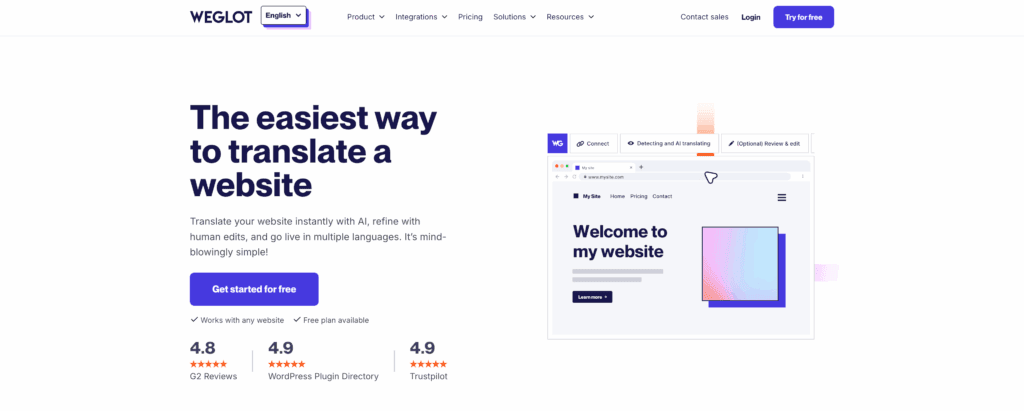
- Weglot: A superior choice for ease of use and quick setup. As a SaaS platform, it operates differently but can become costly for large sites.
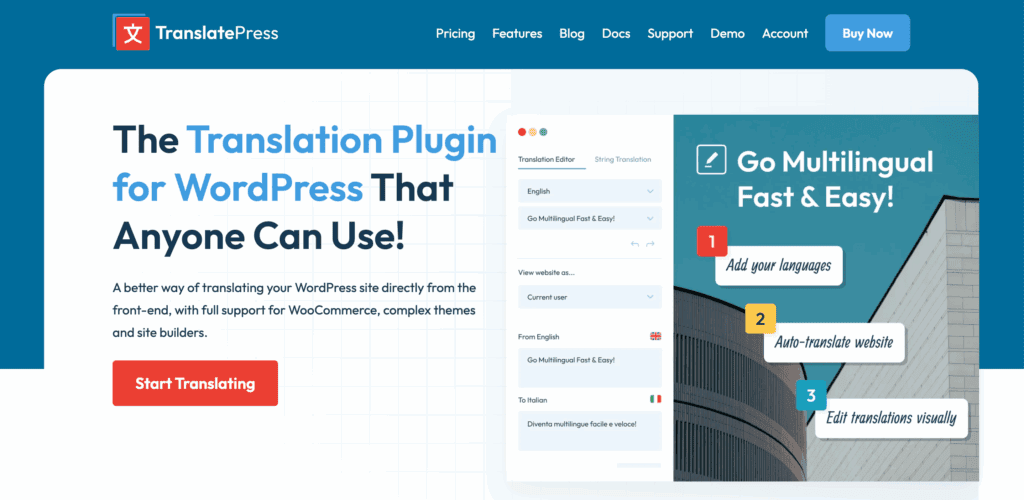
- TranslatePress: The best option for those who want to translate visually from the front end of their site. It is much more intuitive for non-technical users.
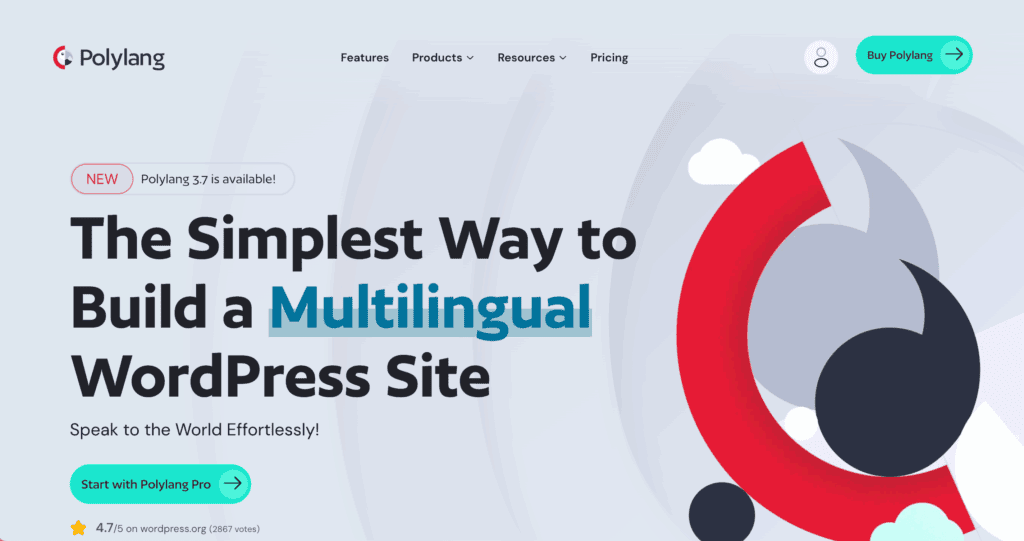
- Polylang: The leading lightweight and free alternative. It is less comprehensive than WPML but has a Pro version to add more functionality.
Parting thoughts
Our final take is that WPML is a professional tool for complex projects. While its power is unmatched, it requires a commitment to learn and is overkill for simple websites.
For technically demanding projects like e-commerce platforms or large corporate sites, its precision and control make it the industry standard. We strongly recommend testing it on a staging environment before deploying it on a live site.
FAQs
Is WPML worth the money?
For the right user, yes. The cost is justified for complex sites needing its deep feature set, especially for e-commerce and full SEO control.
Is WPML paid or free?
WPML is a premium-only plugin. It does not offer a free version.
What is the best alternative to WPML?
For ease of use, consider Weglot. For a visual, front-end experience, look at TranslatePress. For a capable free alternative, Polylang is the top choice.
Does WPML work with Elementor?
Yes, our tests confirm that WPML integrates very well with Elementor, allowing you to translate pages built with the page builder.
Is DeepL no longer free?
DeepL has a free web translator, but to use its technology within another application like WPML, you need a paid API subscription.
Which is the best multilingual plugin for WordPress?
There is no single “best” plugin for everyone. WPML is the most powerful. Weglot is the easiest. TranslatePress is the most visual. The right choice depends entirely on your project’s budget, complexity, and user needs.

Shivani enjoys crafting guides that make every aspect of using WordPress simple and easy to follow. When she's not glued to her laptop, you can find her buried in a good book or occasionally, painting.