

An analytics plugin is essential for understanding your website’s traffic, and this Analytify review will help you decide if it’s the right one for your site. Are you tired of logging into the confusing Google Analytics dashboard just to find a simple stat? Analytify promises to solve this by bringing your most important data directly into WordPress in a clean, easy-to-understand format.
Knowing who your visitors are and what content they love is crucial for growing your site. But before you install any new plugin, the immediate first step is to take a backup; we used BlogVault to create a one-click restore point just in case. This article provides a hands-on look at Analytify’s features, performance, and ease of use to help you make a smart, confident decision.
Analytify is one of the best analytics plugins for WordPress users who find Google Analytics overwhelming. Its biggest strength is its incredibly simple setup and intuitive dashboard. It displays essential stats right within your admin panel. However, for advanced marketing and e-commerce tracking, you’ll need its premium version.
Setting the Scene for Analytify Review
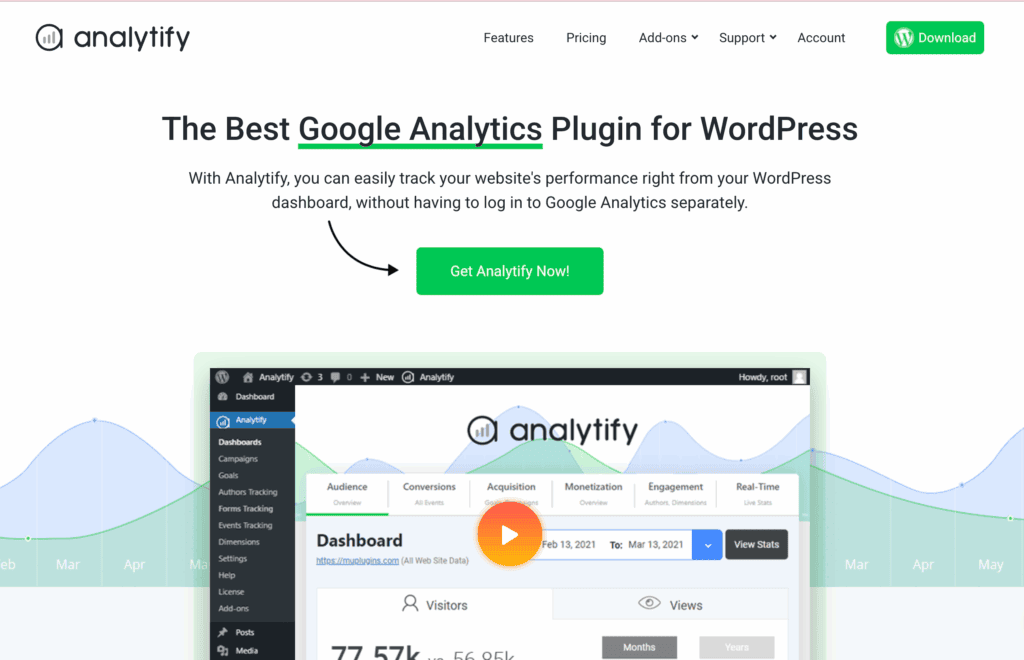
At its core, Analytify is a bridge. It connects your WordPress site to your Google Analytics account using a secure API and then fetches your data to display it inside your WordPress admin area. The goal is to replace complexity with clarity, offering a curated view of your most important metrics through simple charts and graphs.
When evaluating any analytics plugin, we focus on a few critical areas:
- Ease of Use: How simple is the setup? Is the dashboard intuitive?
- Tracking Capabilities: Does it track the metrics that matter for growth?
- Reporting: Are the reports clear, actionable, and accessible?
- Privacy & Compliance: Does it help with GDPR and other privacy laws?
- Performance Impact: Will it slow my site down?
- Value for Money: Do the features justify the cost?
Here’s what we found after putting Analytify to the test.
Tracking Capabilities
Analytify covers the entire spectrum, from fundamental metrics to sophisticated tracking, though the more advanced features require the Pro version. The plugin seamlessly tracks all standard Google Analytics data like sessions, users, pageviews, bounce rate, and traffic sources. Beyond that, its premium add-ons enable powerful automatic tracking without any code, including:
- Scroll Depth Tracking: See how far down users scroll on your pages.
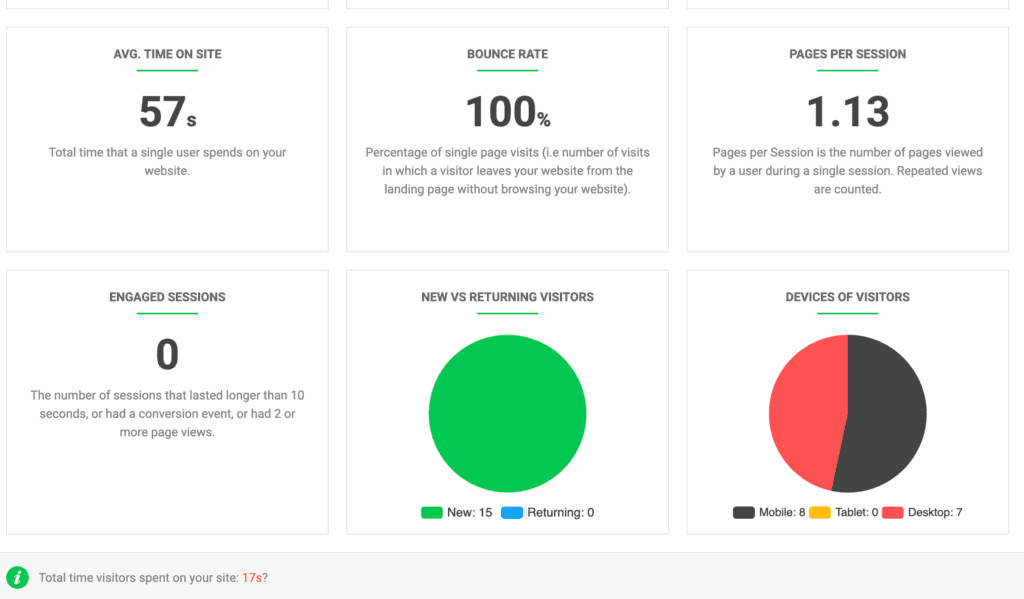
- Form Interactions: Track impressions, submissions, and conversion rates for forms.
- Video Engagement: Monitor play, pause, and completion rates for videos.
- File Downloads: Automatically track when users download PDFs, documents, and other files.
- eCommerce & WooCommerce Integration: For online stores, Analytify’s eCommerce tracking is robust. The premium version provides detailed WooCommerce and Easy Digital Downloads (EDD) integration. You can track total sales, revenue, and transactions. It helps you track average order value and product performance too.
- Custom Event Tracking: For unique user interactions that aren’t covered by automatic tracking, Analytify provides options to set up custom events, giving you the flexibility to track what’s specifically important to your business.
Reporting Capabilities: Beautiful Data, Zero Confusion
When we tested its reporting capabilities, we were evaluating it to see if the reports were easy for a beginner to understand at a glance and is the information available right where you need it. Here’s everything we learned:
- Dashboard Overview: A beautiful, at-a-glance summary of your key metrics right on your WordPress dashboard.
- Page/Post-Level Analytics: See individual page stats (sessions, average time) directly under the post editor. This is a game-changer for content creators.
- Frontend Stats Bar: A unique feature that shows a stats bar at the bottom of your site for logged-in users.
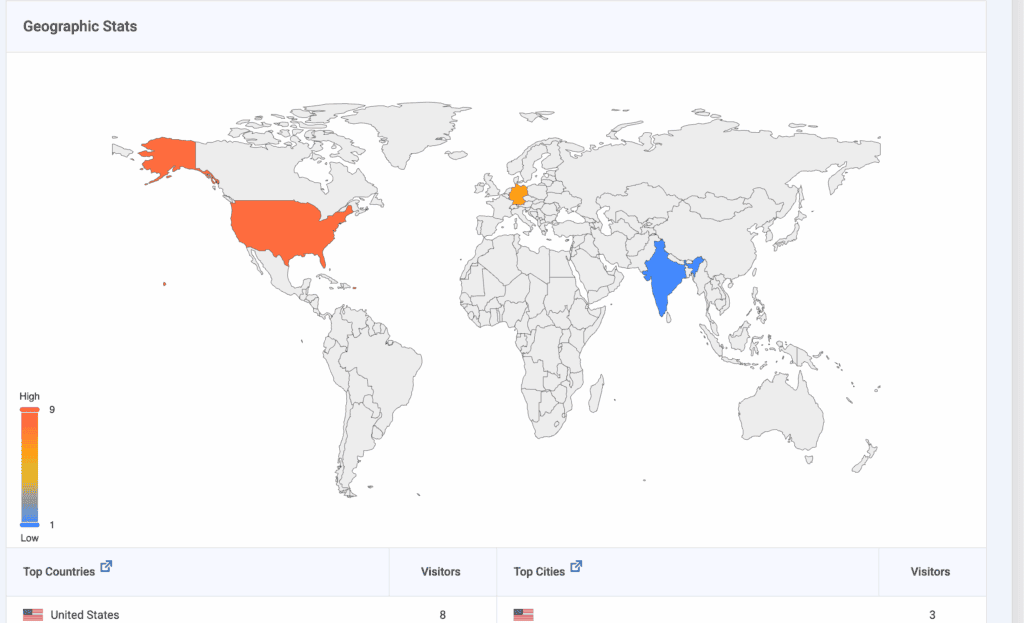
- Comprehensive Reports: Dive deep into acquisition channels, user demographics, technology used, and real-time visitor data.
- Automated Email Reports: Schedule PDF or CSV reports to be sent to your inbox weekly or monthly—perfect for busy site owners or for reporting to clients.
GDPR, Privacy, and Security
A modern plugin must not only provide insights but also help you comply with complex regulations like GDPR. We found that Analytify addresses these critical areas effectively.
Analytify is built with modern privacy standards at its core. Its standout feature is its full support for Google Consent Mode. This allows the plugin to integrate intelligently with popular cookie consent plugins. In practice, this means the tracking script will wait for a visitor to give their explicit consent before it loads, ensuring you collect data ethically and stay compliant with GDPR.
IP Anonymization is handled automatically for users in the EU to maintain GDPR compliance. The plugin also doesn’t store sensitive analytics data on your WordPress server. All data remains secure within your own Google Analytics account, with the plugin acting as a secure API connector.
Its Access Control settings are a key feature, allowing you as an administrator to precisely define which user roles (e.g., Editor, Author, Contributor) can view your analytics reports. This is essential for multi-user sites, as it prevents sensitive performance data from being exposed to team members who don’t need to see it. The plugin also adheres to WordPress security best practices, ensuring its connection to the Google API is secure and your site’s integrity is maintained.
Performance Impact
The short answer is that it doesn’t slow down your site.
Analytify’s assets primarily load in your WordPress admin area. It is unlikely that it will effect the front-end visitors’ experience. The plugin also offers an option to host the Google Analytics script locally, which can help improve load times and bypass some ad-blockers.
Pricing & Value for Money: Is Analytify Worth It?
Analytify’s pricing operates on a freemium model. It’s on the WordPress.org repository and provides a solid foundation. It’s a great starting point for bloggers.

If you want features like e-commerce tracking, advanced reports, form tracking, and email summaries, you need to upgrade. Pricing for Analytify Pro is tiered based on the number of sites. This makes it a cost-effective solution for agencies and developers.
Usability and Experience
After installing and activating the plugin, you simply connect it to your Google Analytics account.
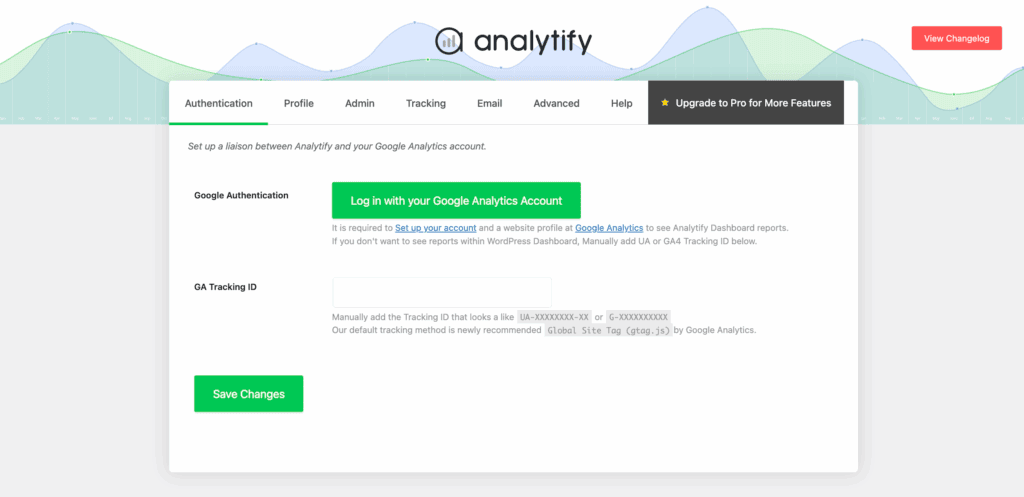
The best part is that you just have to click a checkbox to have the tracking code added to your site automatically. I didn’t have to make any code changes or deal with complicated settings. The entire connection process took less than two minutes from start to finish.
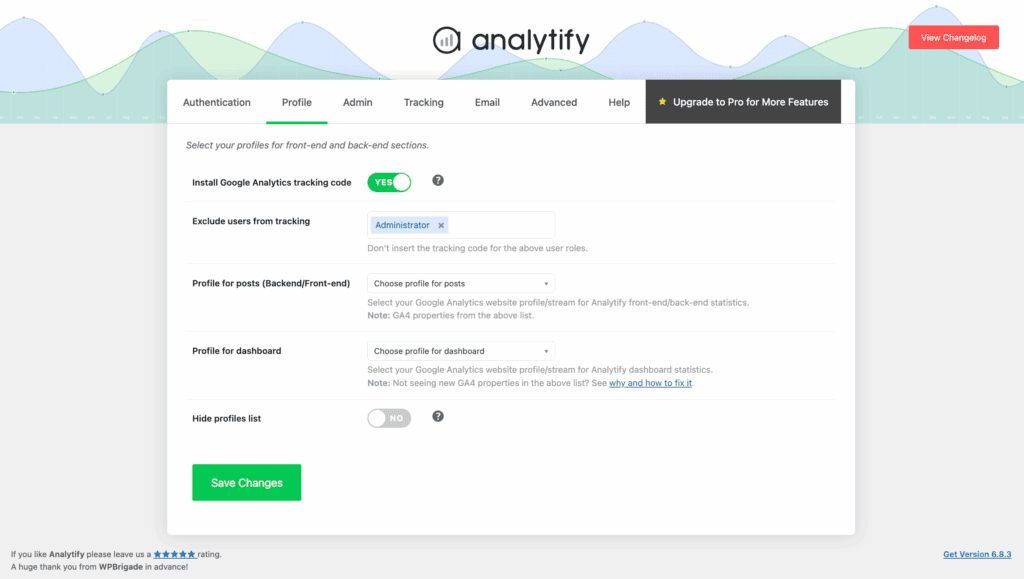
Once connected, I was immediately able to see all my key stats populated on the WordPress dashboard. I found it very beginner-friendly and incredibly easy to navigate. The data is presented in a clean, visual way that makes it instantly understandable, even if you’re not an analytics expert.
Expert Advice: We also tried MonsterInsights, which is another top-tier plugin in this category. In our experience, while both are great, we found Analytify’s dashboard to be slightly easier and more intuitive to navigate. The layout felt a bit more straightforward for finding specific reports quickly.
Alternatives to Analytify
You might be looking for a specific feature that Analytify’s premium plans don’t cover. Perhaps you’re on a tight budget and need a more powerful free solution. Maybe you want to move away from Google entirely for privacy reasons and own your data Whatever your reason for needing an alternative, here are two plugins you might want to consider:
- MonsterInsights: MonsterInsights is often praised for its incredibly streamlined setup and is the most popular plugin in this category. We tried the free version of the plugins and it was able to get reports I found useful. If you’re looking for a free plugin, this might for you.
- WP Statistics: WP Statistics is a self-hosted, privacy-first plugin that stores data on your server. If you want to completely “de-Google,” choose WP Statistics. If you want to leverage Google’s powerful analytics in a simple interface, choose Analytify.
Final thoughts
So, here’s my final verdict on our Analytify review. We loved how it completely demystifies Google Analytics. It takes what is often a cluttered and confusing interface and transforms it into clean, beautiful reports that you can actually use to make decisions. If you’re a blogger, a small business owner, or anyone who just wants to see what’s working on your site without getting a headache, this plugin is an absolute game-changer. It lives up to its promise of making analytics simple, and for that, it gets a strong recommendation from us.
Now, before you rush off to install Analytify, let’s talk about a crucial first step: taking a backup. While Analytify is a well-built and secure plugin. adding any new software to your WordPress site introduces a small risk of conflicts with your theme or other plugins. A reliable backup plugin ensures that if you run into any unexpected issues during testing, you can restore your site to its previous state in minutes.
FAQs
Is Analytify easy to set up for a beginner?
Yes, it’s one of its biggest strengths. The one-click Google authentication makes the setup process incredibly simple, with no coding or manual tracking code placement required.
How accurate is Analytify’s data?
It’s 100% accurate because it pulls data directly from your Google Analytics account via the official API. The data you see in Analytify is the same data in your GA4 property, just presented in a cleaner way.
What’s the difference between the free and pro versions?
The free version gives you a dashboard overview and basic page-level stats. The Pro version unlocks e-commerce tracking, advanced behavior tracking (forms, downloads, videos), email reports, and campaign tracking.
Does Analytify work with Google Analytics 4 (GA4)?
Yes, Analytify is fully compatible with GA4 and provides a straightforward process to connect and display your GA4 data.
If I delete Analytify, will I lose my analytics data?
No. Since Analytify is a connector and not a data storage tool, all your historical data remains safe in your Google Analytics account. Deactivating the plugin simply stops the display of that data within WordPress.

Shreya has been a writer for as long as she can remember. Now, she writes articles that help WordPress users manage the sites that they're proud of, with little to no coding


