

Cookie consent plugins are a confusing but necessary part of running a website, which is likely why you’re looking for a detailed Complianz review. That nagging feeling that you might be breaking privacy laws like GDPR is stressful, and you just need a reliable tool to make the problem go away.
Choosing the right plugin is critical. A bad one can fail to display the consent banner, leaving you legally exposed, or be so complex that you set it up incorrectly. This choice impacts your legal standing, your analytics, and the trust your visitors have in your site.
This article cuts through the noise. We’ve analyzed user feedback—the good, the bad, and the ugly—to give you an honest look at Complianz. By the end, you’ll know if it’s the right tool to protect your website.
We created a staging site to test Complianz and found it is a powerful, feature-rich plugin, but its significant reliability issues and inconsistent support make it a risky choice.
Putting Complianz to the Test
Complianz is a WordPress cookie plugin designed to make legal compliance easy for website owners. It promises to help you manage cookie consent for regulations like GDPR and CCPA with a simple setup wizard, all while keeping user data on your own server. It aims to be a complete, self-contained solution for your site’s privacy needs.
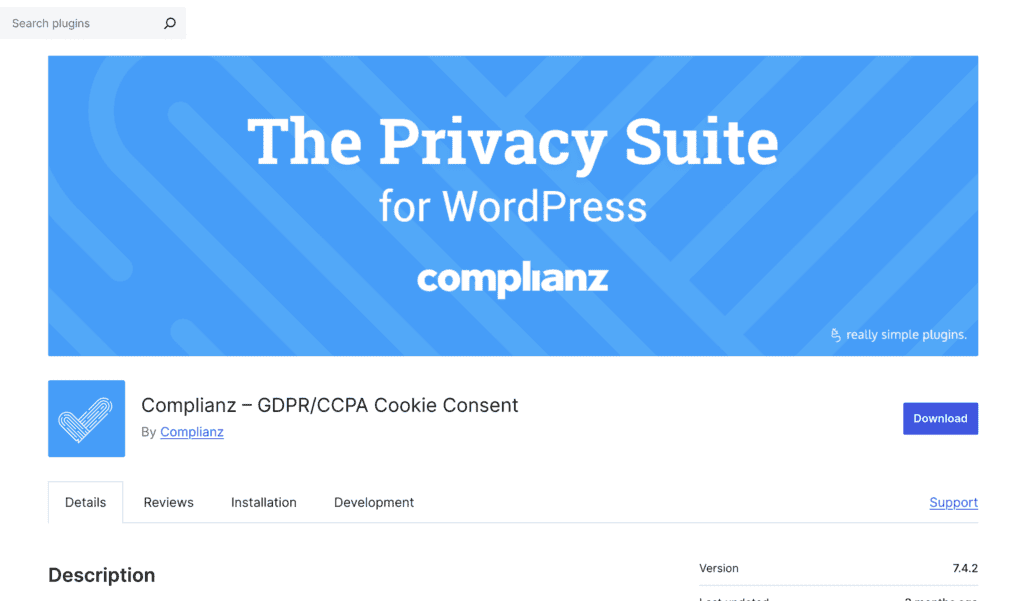
To see if it delivers, we installed Complianz on a clean WordPress test site. This allowed us to evaluate its performance without interference from other plugins or themes, giving us a clear, unbiased look at what a new user can expect.
During our review, we focused on the key features that matter most to a website owner:
- Legal Compliance: Does it cover the essential requirements for major privacy laws like GDPR and CCPA?
- Ease of Use: Is the setup wizard as beginner-friendly as it claims to be?
- Customization: How easy is it to change the cookie banner’s design to match your brand?
- Value: Is the free version powerful enough, or is the premium upgrade a necessity?
Core Compliance Features
A cookie consent plugin lives or dies by its compliance features. A fancy design or a low price is useless if the tool doesn’t actually help you meet legal requirements.
Here’s a breakdown of what I found:
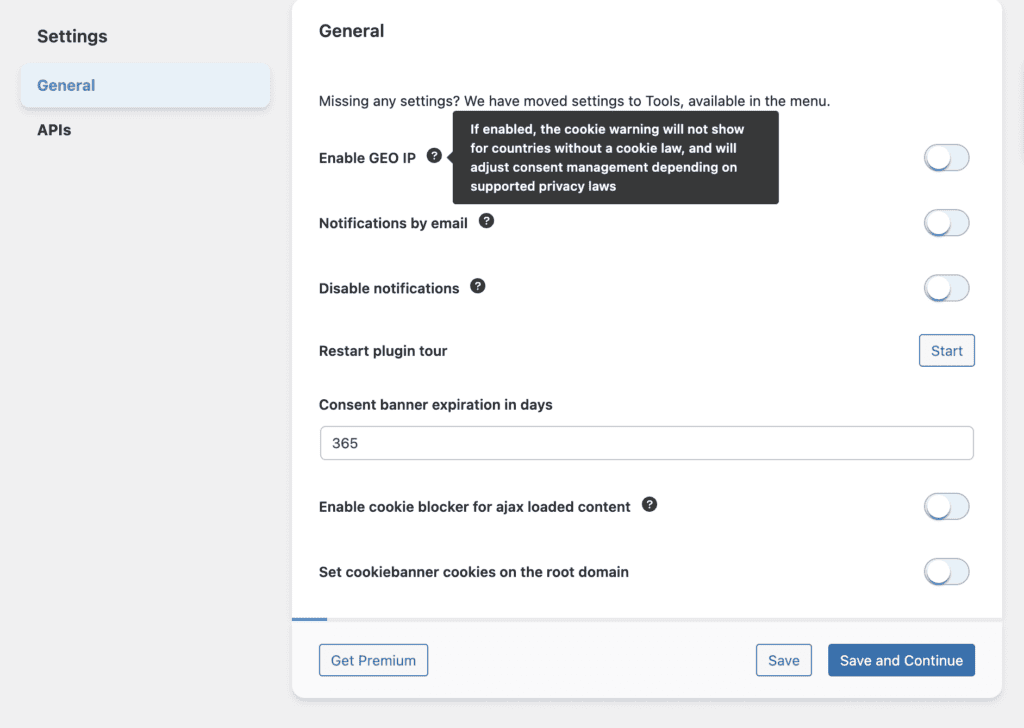
- Multi-Region Compliance: The plugin uses geo-targeting to automatically show the correct consent banner for visitors from different regions. This is a crucial feature if you have an international audience, ensuring you comply with laws like GDPR in Europe and CCPA in California.
- Automatic Cookie Scanning: Complianz scanned my test site and correctly identified the cookies in use. It categorizes them for you, which is a huge time-saver and a necessary step for creating an accurate cookie policy.
- Script Blocking: I was impressed with how effectively it blocked scripts from third-party services. I added a YouTube embed and a Google Map, and neither loaded until I gave explicit consent through the banner. This is a critical function that worked as advertised.
- Proof of Consent: The plugin keeps a log of user consents without storing personal data. This “proof of consent” is essential if you ever need to demonstrate your compliance to authorities.
- Granular Consent Options: Users aren’t just given a simple “accept” or “deny.” The banner allows them to provide consent on a per-service basis (e.g., accept analytics but deny advertising), which is a key requirement for GDPR.
- Google Consent Mode Integration: It integrates seamlessly with Google Consent Mode v2, which is vital for anyone using Google Analytics or Google Ads. This allows Google’s tools to adjust their behavior based on user consent, helping you maintain data insights while respecting privacy.
- Legal Document Generation: A standout feature is the ability to generate legal documents. Based on a wizard, it created a custom Privacy Policy and Cookie Policy for my test site, which is a massive help for anyone without a legal budget.
- Data Request Management: The plugin includes built-in tools to help you manage data access or “right to be forgotten” requests from your users, simplifying another complex part of GDPR.
- Accessibility Compliance: By default, the cookie banners are designed to be compliant with WCAG and ADA standards, ensuring they are usable for visitors with disabilities.
Design and Customization
While compliance is the priority, a clunky, ugly cookie banner can ruin your site’s design and user experience. It needs to blend in with your brand, not stick out like a sore thumb. I wanted to see how much control Complianz gives you over the banner’s appearance without needing to be a professional web designer.
Here’s what I discovered about its design and customization options:
- Customizable Templates: The plugin comes with several pre-made templates for different banner layouts, which is great for getting started quickly. You can choose styles like a simple bar at the bottom or a more prominent box in the center.
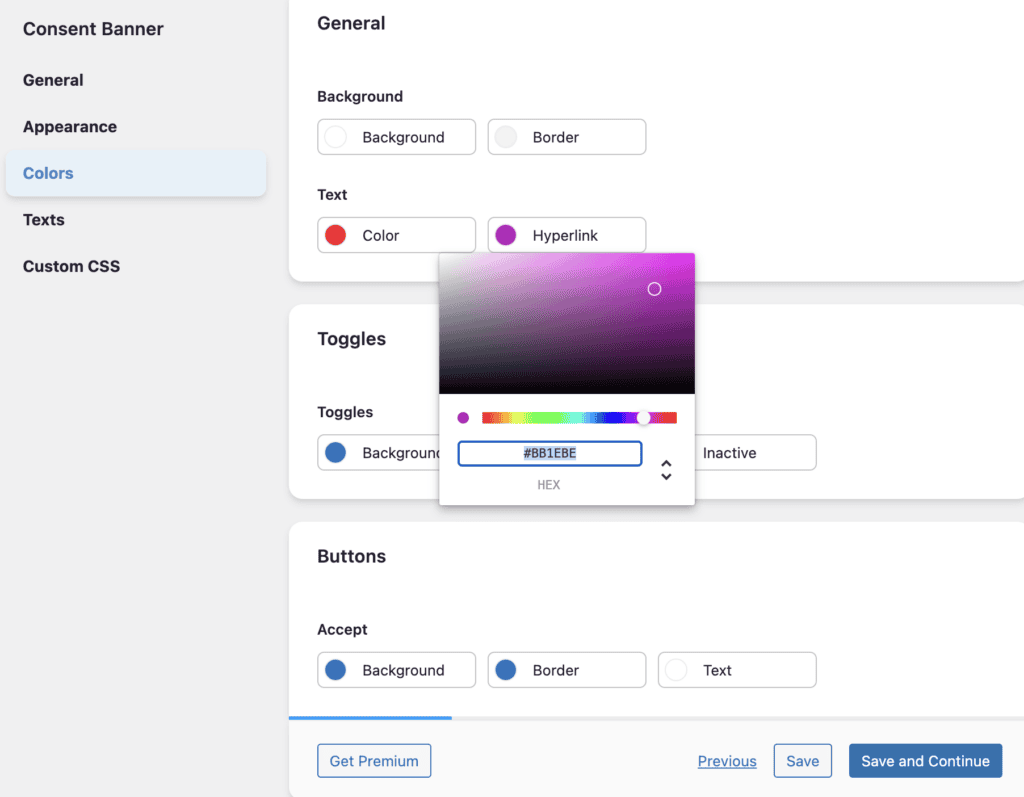
- Advanced Customization: I was impressed by the level of control here. You can easily change the banner’s position, colors, fonts, and button styles right from the settings menu to match your site’s branding. No coding was required for these adjustments.
- Mobile Responsive Design: I tested the banner on different screen sizes, and it was fully responsive out of the box. It looked clean and was easy to interact with on a smartphone, which is crucial for mobile visitors.
- Custom CSS: For users who want complete control, there’s a dedicated field to add your own custom CSS. This lets you override any default styling and achieve a truly unique look.
- Soft Cookie Wall: A neat feature is the “soft cookie wall,” which dims the rest of the site until a user interacts with the banner. You can customize the color and opacity of this overlay to make it less intrusive.
- Custom Placeholders: Instead of showing a blank space where a blocked YouTube video or Google Map should be, you can set up a custom placeholder. This could be an image or a message explaining that the content is blocked pending consent, which looks much more professional.
- Animations: You can add subtle animations to how the banner appears (e.g., slide-in or fade-in), which can help draw attention to it without being annoying.
- Multi-language Support: The plugin is fully translatable. For my multilingual test site, I found it straightforward to manage different banner texts and legal documents for each language.
Complianz Pricing
The Complianz pricing operates on a freemium model, offering both a capable free version and several premium tiers for those who need more power and flexibility.
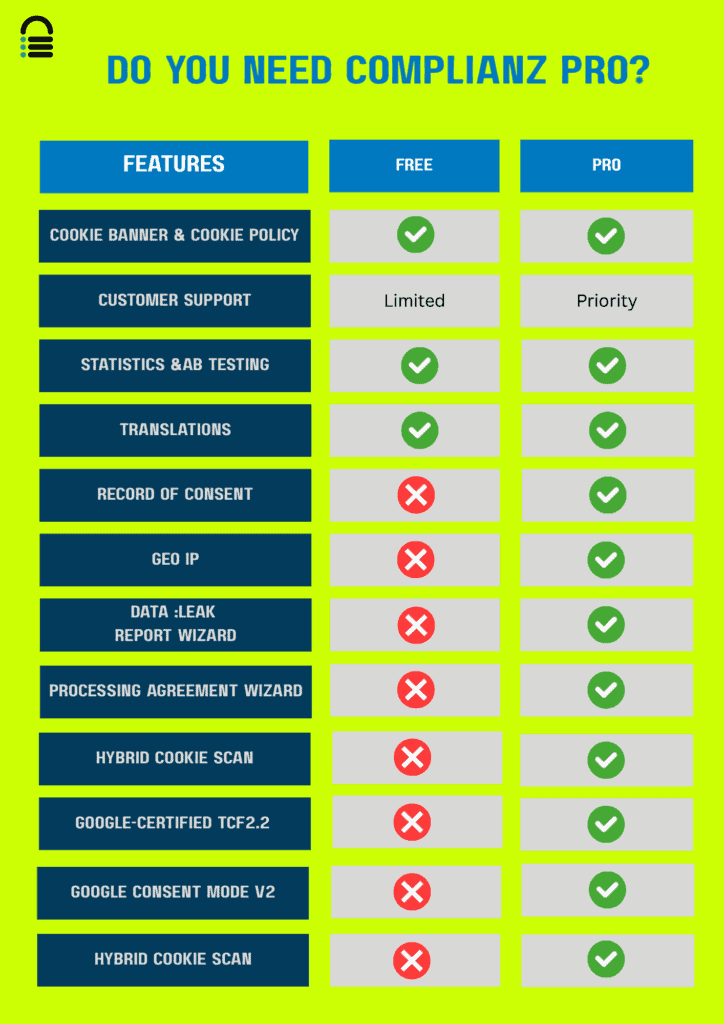
The free version, available on WordPress.org, is surprisingly robust and is often sufficient for small websites that only need to comply with a single privacy law like GDPR or CCPA. However, if you have an international audience or require advanced features, you’ll need to upgrade.
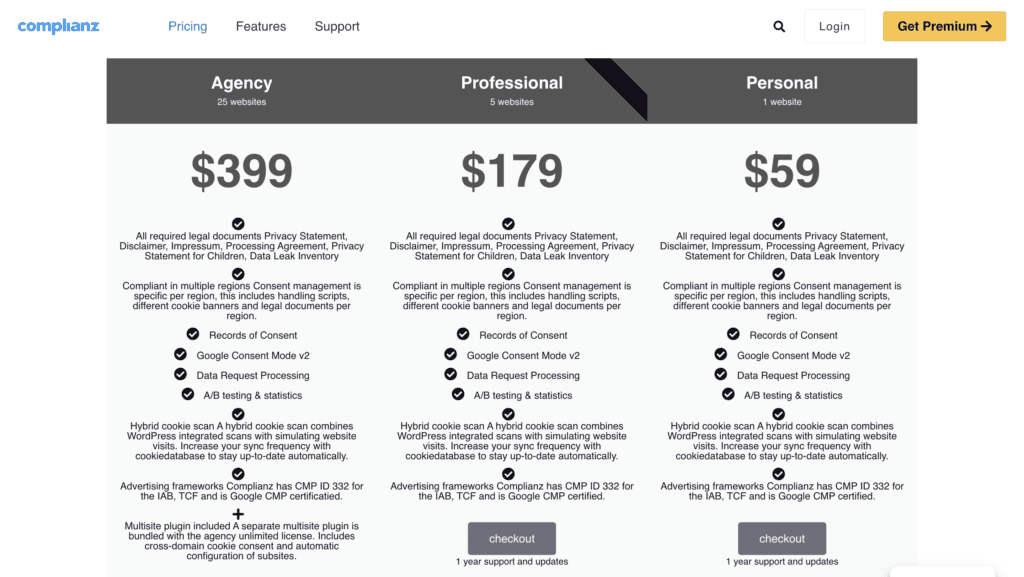
The premium plans are structured as follows:
- Personal: $59 per year for a single site.
- Professional: $179 per year for five sites, adding features like A/B testing and more frequent scans.
- Agency: $399 per year for 25 sites, designed for developers and agencies managing multiple client websites.
Usability: Is It Beginner-Friendly?
When I first activated the plugin, I was impressed by its setup wizard — a true lifesaver for beginners. It asked a few simple questions about my site and privacy needs, then automatically configured a compliant cookie banner in minutes. For most blogs or small business sites, setup couldn’t be smoother.
However, the good first impression faded once I reached the main dashboard. It’s packed with menus and toggles that can easily overwhelm beginners. The interface also felt clunky at times — slow to load, with occasional issues saving settings.
The cookie scanner worked well but wasn’t flawless; I still had to manually verify some results. Overall, it’s a capable tool with lots of power, but it demands careful attention to use effectively.
What’s Missing?
While Complianz is a powerful tool, it’s not the only player in the game. During my review, I noted a few areas where it falls short, especially when compared to some of its main rivals. If any of these are deal-breakers for you, it might be worth looking at an alternative.
- Clearer Documentation: Some of the plugin’s setup processes could be better documented. Competitors like CookieYes are often praised for their detailed, step-by-step guides with clear screenshots.
- A More Intuitive Interface: For users who find the number of settings in Complianz overwhelming, an alternative like Real Cookie Banner offers a sleeker, more modern interface that many find easier to navigate.
- More Built-in Translations: While Complianz is translatable, CookieYes offers a wider range of automatic, built-in translations for its cookie banner, which is a major advantage for multilingual sites.
- Cloud-Based Management: Complianz is proud to be a native plugin, but some users prefer a cloud-based service. Cookiebot, for example, handles everything from an external dashboard, offering a more hands-off, automated approach to scanning and management.
Alternatives to Complianz
Given that Complianz isn’t a perfect fit for everyone, especially for those who find its interface complex or prefer a more hands-off approach, it’s worth exploring other options. If you’re looking for a solution that excels in the areas where Complianz falls short, two major competitors stand out: Cookiebot and CookieYes.
- OptinMonster: In our review of OptinMonster, we loved that it is a cloud-based lead generation platform. It’s a great choice for users who want powerful marketing tools without heavy site load.
- CookieYes: When testing CookieYes, we loved its modern, intuitive, and beginner-friendly interface. If you found Complianz’s dashboard overwhelming, CookieYes offers a cleaner, more straightforward user experience with excellent documentation to guide you.
Final Thoughts
So, is Complianz the right cookie consent plugin for you? After thorough testing and analyzing user feedback, my verdict is that Complianz is a powerful but flawed tool. Its setup wizard is genuinely brilliant for beginners, and its deep feature set for handling multi-region compliance is impressive. For tech-savvy users who need that level of control, it can be an excellent choice.
Ultimately, maintaining a compliant and secure website is about more than just one plugin. A tool like Complianz is just one piece of the puzzle. To truly protect your site, you should always combine it with a reliable security and backup solution like BlogVault. If a plugin update goes wrong or a bug leaves you non-compliant, having an instant one-click restore from BlogVault can save you from legal headaches and costly downtime.
FAQs
Is the Complianz free plugin enough for GDPR compliance?
For many simple websites operating in a single region, yes. The free version provides the core features needed for basic GDPR compliance, including a consent banner, script blocking, and a cookie policy generator. You’ll need to upgrade to premium for multi-region support (like GDPR and CCPA simultaneously) and other advanced features.
How does Complianz compare to alternatives like CookieYes?
Complianz is a native WordPress plugin known for its powerful features and setup wizard. However, it is sometimes criticized for having a complex interface and inconsistent reliability. CookieYes is a popular alternative praised for its modern, intuitive design and excellent documentation, often making it a more user-friendly choice.
Is Complianz difficult to set up for a beginner?
The initial setup is very easy thanks to its excellent step-by-step wizard, which guides you through the whole process. However, once you move beyond the wizard, navigating the vast number of advanced settings can be confusing and overwhelming for beginners.
Are there any known conflicts with other plugins like Google Site Kit?
While Complianz is designed to integrate with Google services like Site Kit via Google Consent Mode, some users have reported conflicts, particularly in complex setups involving Google Tag Manager. As with any plugin, conflicts are possible, and it’s always recommended to test on a staging site first.
What are the most common problems users face with Complianz?
The most frequently reported issues are critical reliability problems where the consent banner fails to display, slow or unhelpful customer support, and a user interface that can be buggy, slow, or overwhelming to navigate.

Shreya has been a writer for as long as she can remember. Now, she writes articles that help WordPress users manage the sites that they're proud of, with little to no coding


