
A cookie consent plugin is non-negotiable for modern websites, and this CookieYes review will determine if it’s the right choice for you. Worried about navigating complex privacy laws like GDPR? Choosing the right tool is your first line of defense against hefty fines and losing visitor trust.
We’ve analyzed real user feedback to see if CookieYes lives up to its promises. This article breaks down its ease of use, performance, pricing, and compliance features, giving you the clear pros and cons you need. By the end, you’ll know if CookieYes is the simple, effective solution your website needs or if you should look elsewhere.
We used a test site to explore CookieYes and found it’s very easy to use, though it can slightly slow down your site.
Setting the scene for CookieYes Review
A cookie plugin was designed to help navigate the maze of online privacy laws like GDPR. Without the plugin, it can be daunting for any website owner and this is where CookieYes comes in. Created in 2018 by CookieYes Limited, it was designed to simplify this complex process. Today, it’s a leading solution powering over 1.5 million websites, famous for its user-friendly interface and robust free version that helps sites comply with laws like GDPR and CCPA.
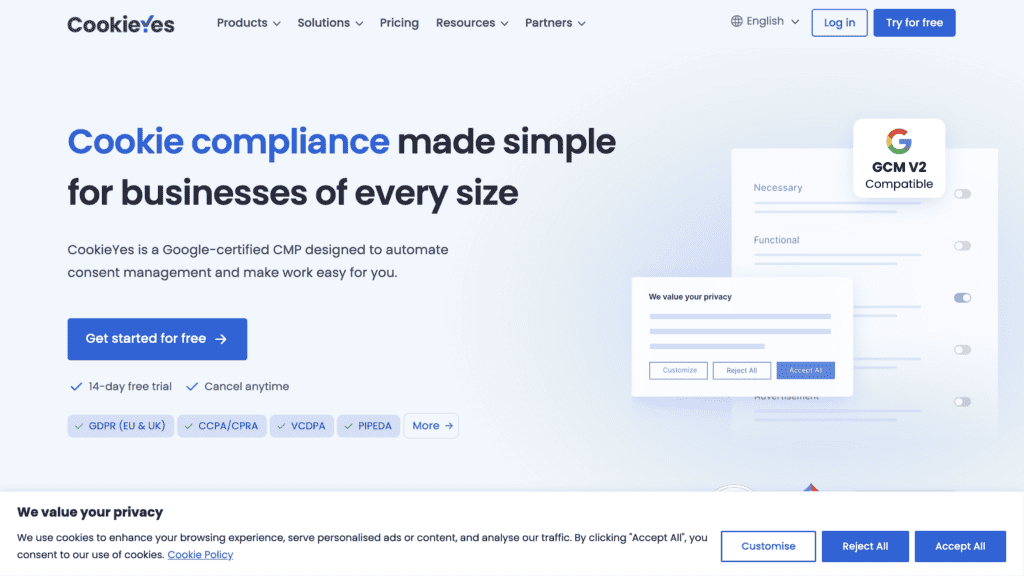
To see if it lives up to the hype, we installed CookieYes on a staging site. Our goal was to evaluate it against the essential features that any good cookie consent plugin should have. Here’s what we focused on:
- Compliance and Legal Coverage: Does it effectively support major privacy laws like GDPR and CCPA?
- Ease of Use: Can a non-technical user set up and manage the plugin without needing to write code or read extensive documentation?
- Customization and Branding: How easy is it to change the banner’s appearance to match our site’s design?
- Free Plan Value: Is the free version powerful enough for a small site, or are essential features locked behind a paywall?
How CookieYes Manages User Consent
A cookie plugin’s primary job is to effectively manage user consent. Without this, your site isn’t compliant, and you risk both legal trouble and losing visitor trust.
- Customizable Consent Banner: CookieYes immediately provides a banner with “Accept,” “Reject,” and “Customize” options. We found it simple to change the colors and layout to match our test site’s branding, ensuring a professional look.
- Granular Preference Center: The “Customize” button opens a secondary panel where users can toggle their consent for specific cookie categories like analytics or advertising. This transparency is key for building trust.
- Easy Consent Withdrawal: A standout feature is the “revisit consent” widget. It’s a small, floating button that lets users easily change their mind at any time, which is a core GDPR requirement.
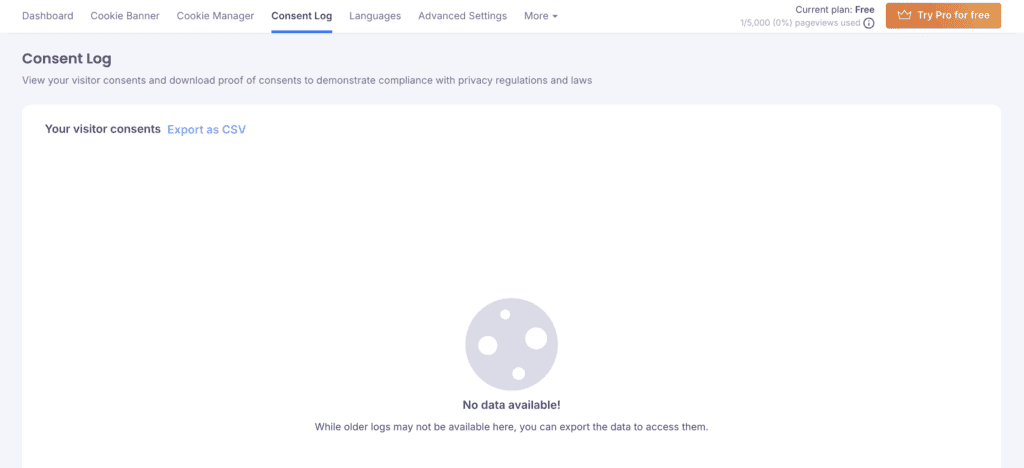
- Detailed Consent Logging: The plugin automatically logs every user’s choice. We tested this and struggled to get it to log any of our cookie consent attempts. We recommend that yout ry it for yourself.
- Automatic Script Blocking: In our tests, CookieYes successfully blocked third-party scripts (like Google Analytics) from loading until we gave consent. This auto-blocking is a crucial feature for ensuring compliance by default.
- CCPA/CPRA Compliance Link: For sites with California traffic, CookieYes adds a “Do Not Sell or Share My Personal Information” link, which is a specific requirement under these laws.
Automating Your Compliance Policies
Keeping your cookie list and privacy policies accurate is a constant chore, but falling behind can lead to non-compliance. CookieYes aims to solve this with a powerful set of automation features designed to keep your site’s legal documents up-to-date with minimal effort.
We found these tools to be some of the plugin’s biggest time-savers.
- Automated Cookie Scanner: We ran the initial scan on our test site, and it quickly identified and categorized the cookies in use. This list automatically populates the cookie policy, saving hours of manual work.
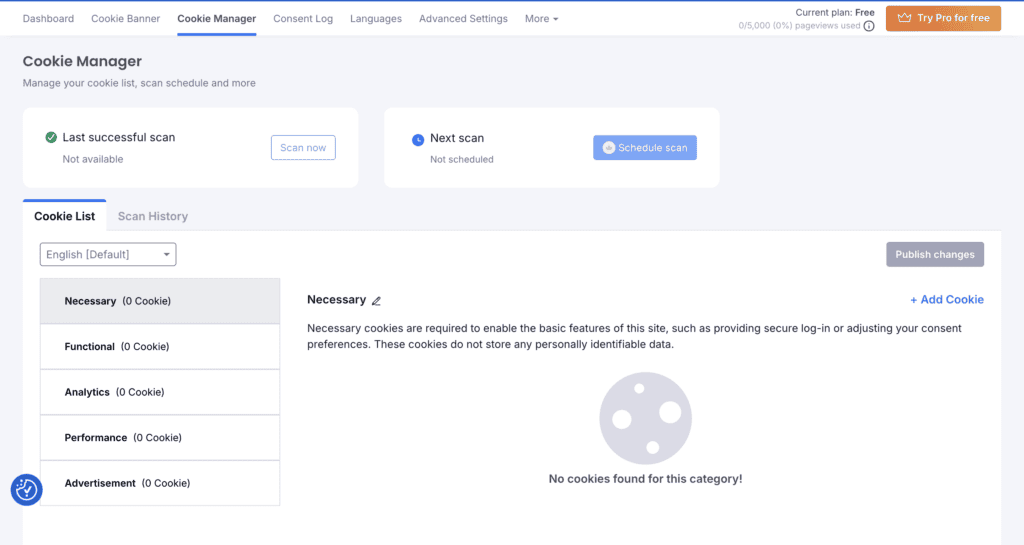
- Scheduled Scans: A key “set-it-and-forget-it” feature is the ability to schedule recurring scans. This ensures that any new cookies added by plugins or scripts are automatically detected and added to your policy.
- Legal Policy Generators: Instead of writing policies from scratch, we used the built-in generators. They created comprehensive, compliant cookie and privacy policies that we could then embed on our site.
- Geo-Targeting: This is a standout feature for global sites. We configured it to show a strict GDPR banner to visitors from the EU and a different CCPA-style banner to users from California, ensuring the correct consent mechanism is shown to the right audience.
- Multi-Language Support: The banner automatically detected our browser’s language setting and displayed the content in that language. With support for over 170 languages, this is crucial for providing a clear experience to an international audience.
Design and Customization
A cookie banner is often the first element a visitor interacts with on your site, making its design critical. A clunky, generic banner can look unprofessional and disrupt the user experience, while a well-integrated one builds trust.
We found the customization options to be comprehensive. You have full control over the banner’s appearance, with the ability to match your site’s color palette automatically or manually, and even add your own logo for a branded feel. The flexibility extends to its layout and positioning, allowing you to choose between a subtle bar, a corner box, or a more assertive center-screen popup, ensuring it doesn’t block important content.
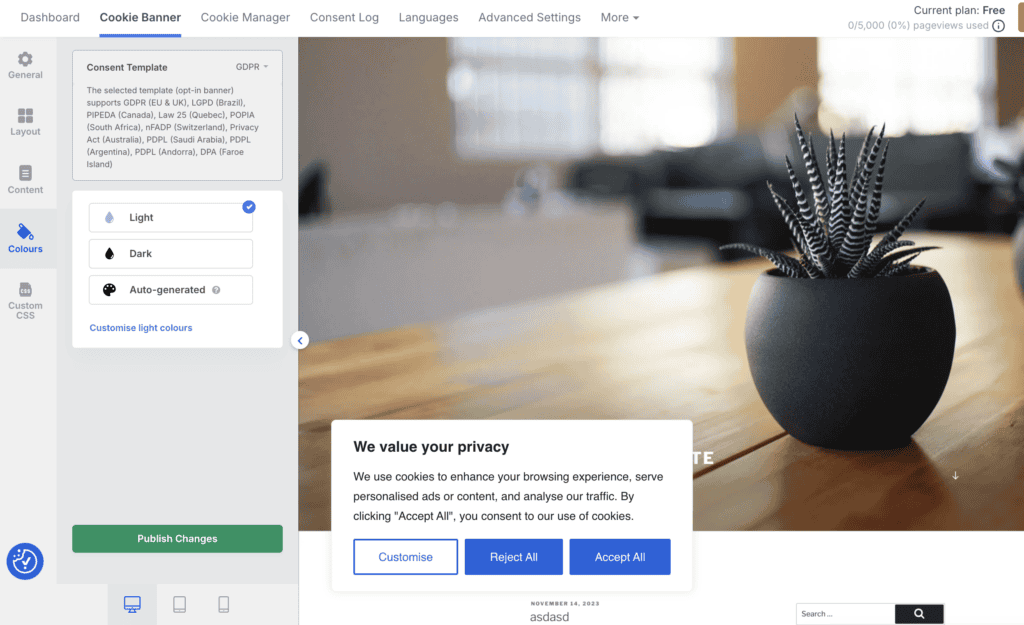
All messaging, from the main notice to the button labels, is fully editable, enabling you to match your brand’s tone of voice while including necessary compliance links and messages for frameworks like Google Consent Mode. For advanced users, higher-tier plans offer custom CSS and the ability to remove all CookieYes branding for a completely white-label experience.
Usability and Performance
A compliance tool should reduce complexity, not add to it. A plugin can have all the features in the world, but if it’s difficult to configure or slows down your site, it becomes a liability. With that in mind, we focused heavily on the day-to-day experience of using CookieYes, from its initial installation to its impact on our site’s performance.
Our experience fully supports its reputation for ease of use. The setup process was incredibly straightforward, and we had a compliant banner running on our test site in just a few minutes. The dashboard is clean and intuitive, making it easy to find settings without ever needing to consult documentation.
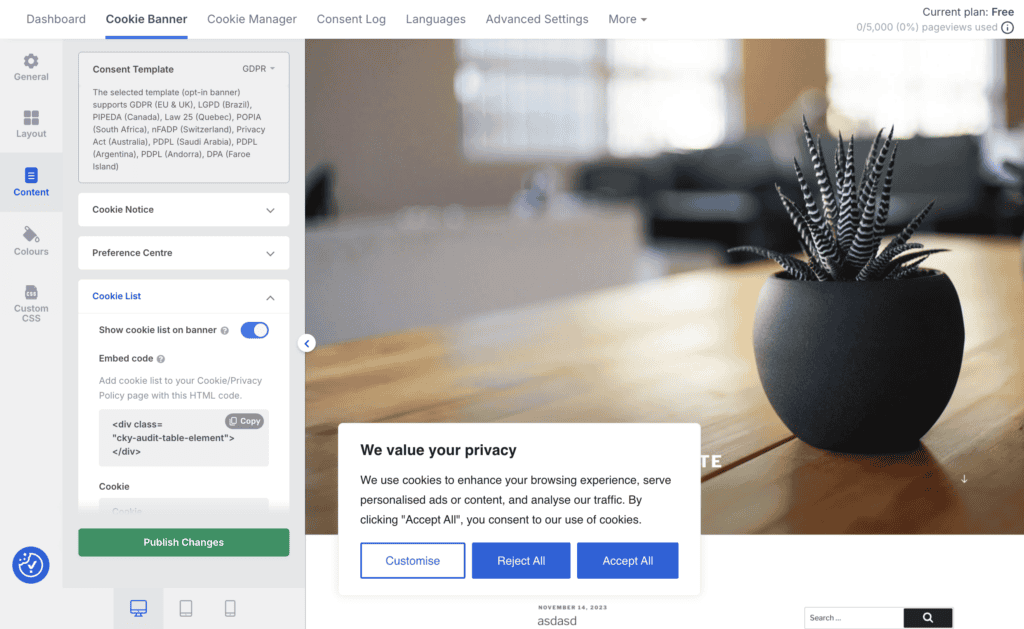
As a true plug-and-play solution for WordPress, it required zero coding on our part. However, the experience wasn’t flawless. We did notice a slight impact on our mobile site’s performance and scrolling smoothness. While it was minor on our simple test site, this confirms reports from some users who have experienced slowdowns, and it’s a critical factor to consider for any live website.
CookieYes Pricing Plans
CookieYes’ pricing is a flexible structure that scales with your website’s traffic and compliance needs, starting with a robust free plan that is genuinely useful for smaller sites. As you move up through the paid tiers—Basic, Pro, and Ultimate—you unlock more advanced capabilities. These premium features include powerful automation like scheduled cookie scans and geo-targeting, deeper design control with custom CSS, and professional touches like the ability to remove all CookieYes branding. All plans are billed monthly, with a discount available if you pay annually.
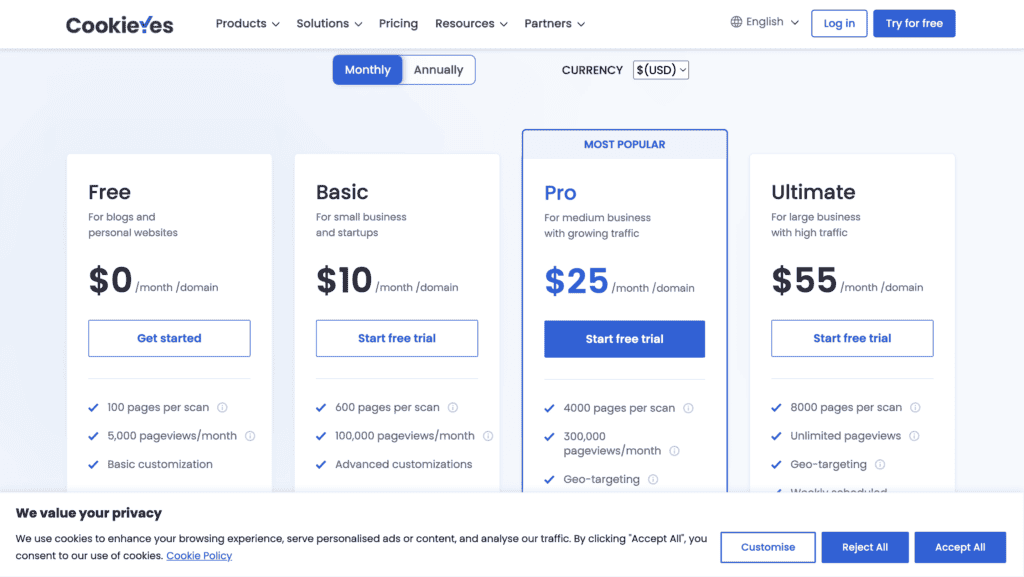
Here is a quick breakdown of the cost for each tier:
- Free: $0.00 per month
- Basic: $10.00 per month
- Pro: $25.00 per month
- Ultimate: $55.00 per month
What’s Missing?
While our experience with CookieYes was largely positive, no plugin is without its flaws. Based on our testing and user feedback, there are a few areas where it could improve — especially for users on lower-tier plans.
Here’s what we found:
- Limited customization on free plans: Features like adding a custom logo or removing the “Powered by CookieYes” label are only available on higher tiers.
- Manual translation required: The free version doesn’t offer automatic multilingual banner translation.
- Cookie scanner accuracy: Generally reliable but can occasionally miss certain cookies, requiring manual verification.
- Limited analytics and support: Consent log insights are basic, and direct phone support isn’t available.
Alternatives to CookieYes
If you’re looking for CookieYes alternatives,, we get it. It doesn’t seem like the right fit for your needs, the WordPress ecosystem offers several other excellent options:
- Complianz: A direct and powerful competitor, Complianz is known for its deep integration with WordPress and its legally-vetted policy documents. It offers a slightly different approach to script blocking and is a favorite among many developers.
- OptinMonster: While primarily known as a lead generation and conversion optimization tool, OptinMonster includes features to create GDPR-compliant opt-in forms and can be used to display consent messages. It’s a great option if you’re also looking for popup and marketing features.
Final Thoughts
Our experience with CookieYes confirms that it is a powerful, user-friendly, and highly effective solution for achieving cookie compliance, especially for WordPress users. Its free plan is one of the most generous on the market, and its intuitive interface makes a complex legal requirement feel simple. The only significant drawback we noted was a potential for minor performance slowdowns, which is a critical factor to monitor.
As a side note, to ensure this data is never lost and that your site remains secure, pair CookieYes with BlogVault. BlogVault provides automated backups, ensuring you can restore your site instantly if a plugin conflict ever occurs, safeguarding both your compliance records and your entire digital presence.
FAQs
What is the best cookie consent tool?
There is no single “best” tool, as the right choice depends on your specific needs. CookieYes is an excellent option for those who prioritize ease of use and a strong free plan. Alternatives like Complianz are also highly regarded and may offer features that better suit different workflows or technical requirements.
Is CookieYes free?
Yes, CookieYes offers a comprehensive free plan that is sufficient for many small websites and blogs. It includes a customizable banner, automatic script blocking, and consent logging for up to 5,000 pageviews per month. Advanced features like geo-targeting and scheduled scans require a paid plan.
What is the revenue of CookieYes?
As a private company, CookieYes Limited does not publicly disclose its revenue figures.
How does CookieYes work?
CookieYes works by first scanning your website to identify all the cookies and tracking scripts it uses. It then automatically generates a customizable consent banner that asks visitors for their permission before these scripts are activated. Based on the user’s choice (accept, reject, or customize), the plugin blocks or allows the corresponding scripts to run, ensuring your site complies with privacy laws like GDPR. All user consents are recorded in a log for proof of compliance.

Shreya has been a writer for as long as she can remember. Now, she writes articles that help WordPress users manage the sites that they're proud of, with little to no coding