Your project needs form plugins that do more than just collect emails. That’s why you’re looking at Everest Forms vs Formidable Forms.
Forget the endless feature lists; we’re focusing on the key differences that matter.
This breakdown will help you choose the right plugin without the guesswork.
Choose Everest Forms for simple, user-friendly forms with a great lifetime deal. Pick Formidable for powerful, data-driven applications that display entries on your site. Whichever you decide on, always use a reliable backup plugin to protect your work before installing anything new.
Everest Forms vs Formidable Forms: Key differences
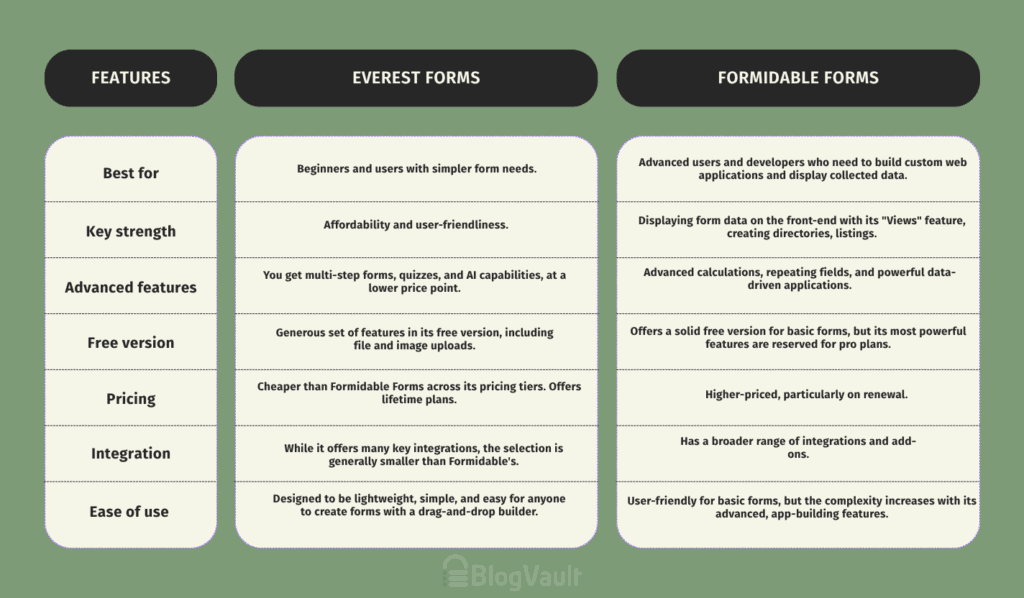
Key features comparison
Let’s get straight to what separates these two.
Pricing breakdown
Right off the bat, Everest Forms is the more budget-friendly option. They offer lower annual prices and have lifetime license options. This is huge if you hate recurring subscriptions. You pay once and you’re done.
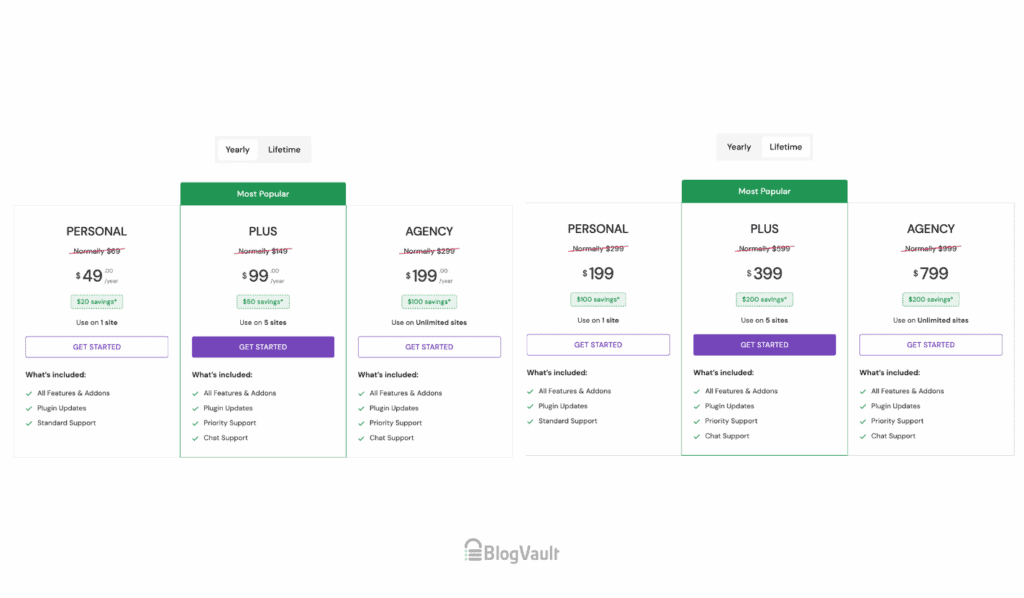
Formidable forms’ pricing is higher, especially when it comes time to renew your annual license. This isn’t necessarily a bad thing; you’re paying for a more powerful, developer-focused tool. Just be prepared for that yearly expense.

Why should you care? If you’re a small business or a blogger, a lifetime deal from Everest Forms can save you a lot of money long-term. If you’re a developer building complex client sites, the higher cost of Formidable might be a perfectly acceptable business expense.
Ease of use for beginners
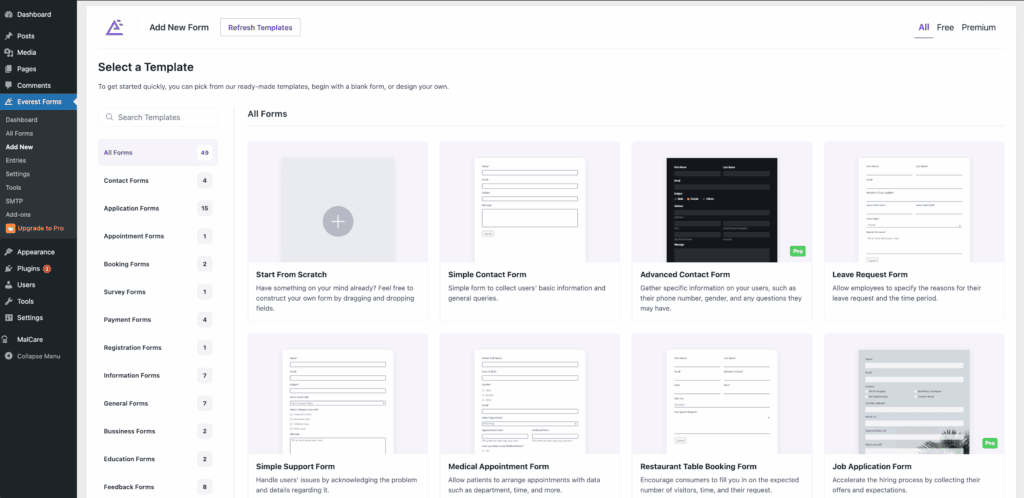
Everest Forms is incredibly user-friendly. Its drag-and-drop interface is clean and just makes sense. You can grab one of their pre-built templates and have a professional-looking form live in minutes. There’s almost no learning curve for the basics.
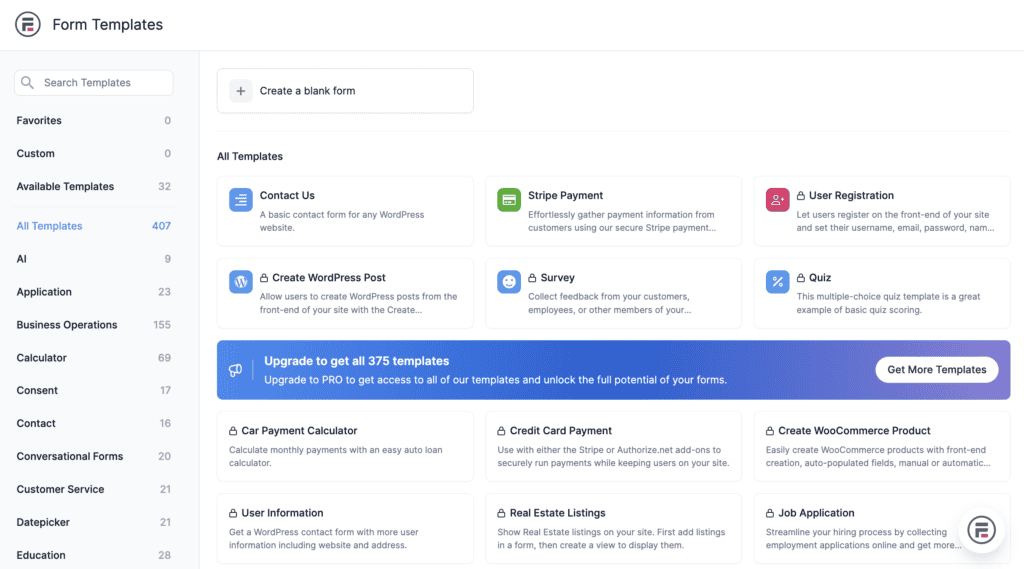
With Formidable Forms, it’s easy enough to create a simple contact form. But the moment you try to use its more advanced features, the learning curve gets steep. It’s less about dragging and dropping and more about understanding how the settings work together.
So what does this mean for you? If you want to get a form built and move on with your day, Everest Forms is your best bet. If you enjoy tinkering and have the time to learn a more complex system, Formidable won’t intimidate you.
Available features
Everest Forms has everything you’d expect for modern forms: multi-step layouts, conditional logic, and even a neat AI contact form feature. Its repeater fields are a standout, making it easy to collect multiple sets of the same information, like adding several team members in one submission.
Formidable also has advanced calculations and repeater fields. But its killer feature, the one that no one else does as well, is displaying form data on the front-end. They call this feature Views. Think directories, real estate listings, or event calendars, all powered by user submissions.
The takeaway? For most business needs like registrations or payment forms, Everest has you covered. But if your entire project revolves around collecting data and then displaying it publicly on your site, Formidable is in a league of its own.
Managing data entries
With Everest Forms, the entries dashboard is clean, visual, and easy to navigate. You can filter entries, perform bulk actions, and export everything to a CSV file without any fuss. It’s designed for straightforward data management.

With Formidable Forms, the back-end management is solid, letting you edit and delete submissions easily. But again, its strength is bringing that data to the front-end. You can allow users to edit their own submissions from the front of your website, which is a powerful feature for membership sites.
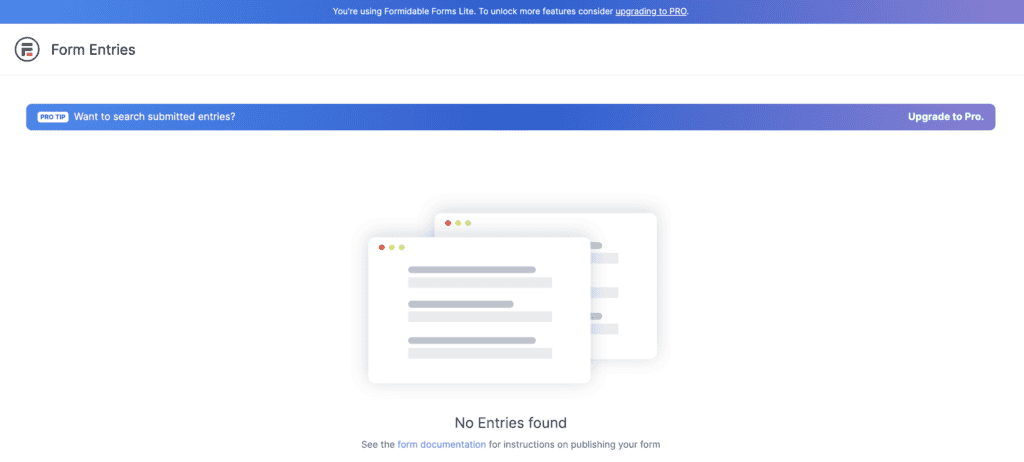
Why does this matter? For simple review and export, Everest is perfect. If you need to build a web application where users interact with their own submitted data, Formidable is the better choice here.
Integrations you can add
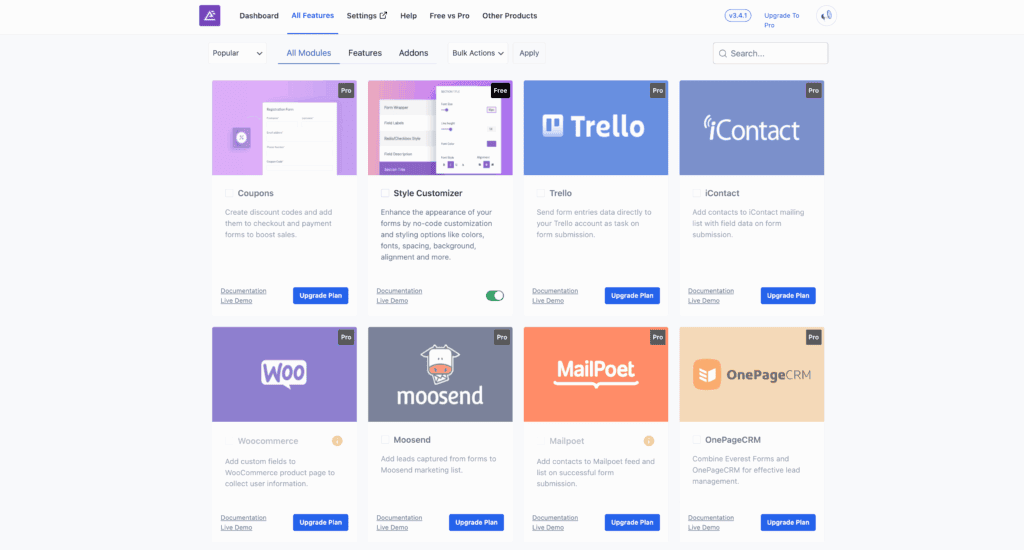
Everest Forms connects with the essentials. You’ll find add-ons for major payment gateways like PayPal and Stripe, plus popular CRMs and email marketing services. The library is good, but not massive.
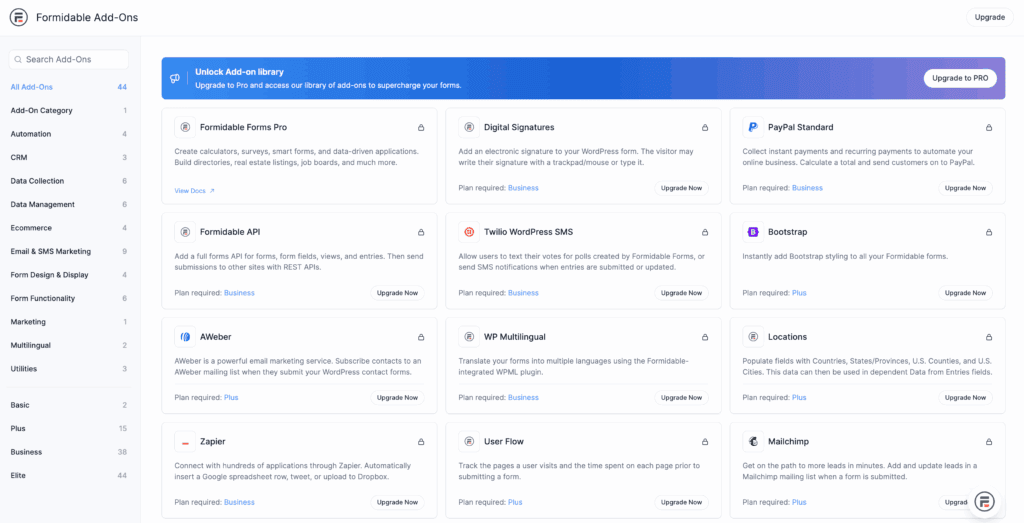
The Formidable Forms integration library here is extensive and built for serious business. It has a deep connection with WooCommerce, which is a game-changer for e-commerce sites needing custom product forms.
Customization capabilities
In Everest Forms, basic styling requires a premium plan. If you’re comfortable with code, you can use custom CSS classes to get the look you want. It’s functional, but not its strongest point.
Formidable Forms includes a built-in visual styler, which lets you change colors, spacing, and fonts without touching a single line of code. They’ve also put a lot of work into making their forms load quickly, which is great for your site’s performance.
If you just want a form that works, Everest is fine. If you’re a designer or a business owner who needs the form to perfectly match your brand, Formidable’s styler will save you a ton of time and frustration.
Spam protection capabilities
Everest Forms provides the standard defenses: a honeypot field, Google reCAPTCHA, and hCaptcha. It also has its own custom Captcha add-on for another layer of security.
Formidable Forms takes spam very seriously. On top of the basics, Formidable adds a JavaScript token, Cloudflare Turnstile integration, and even checks submissions against the built-in WordPress comment blacklist. It’s a more robust system.
Both plugins do a good job of stopping spam, but Formidable offers more layers of protection out of the box.
Which plugin is meant for your site?
Okay, let’s make this simple. Here’s a quick guide to help you decide.
You should choose Everest Forms if:
- You prioritize ease of use and a gentle learning curve.
- You’re a blogger or small business owner building registration, payment, or contact forms.
- A one-time payment for a lifetime license sounds much better than a yearly subscription.
- You need a reliable, straightforward tool without overwhelming options.
You should choose Formidable Forms if:

- You need to display submitted data on the front-end of your site (like a directory).
- Your forms require complex calculations or a deep integration with WooCommerce.
- You’re a developer or advanced user building a data-driven web application, not just a simple form.
- You value code-free visual styling and the most robust set of features available.
Other contenders we’ve reviewed
While Everest and Formidable are great, they aren’t the only players. It’s worth knowing about a few others:
1. WPForms
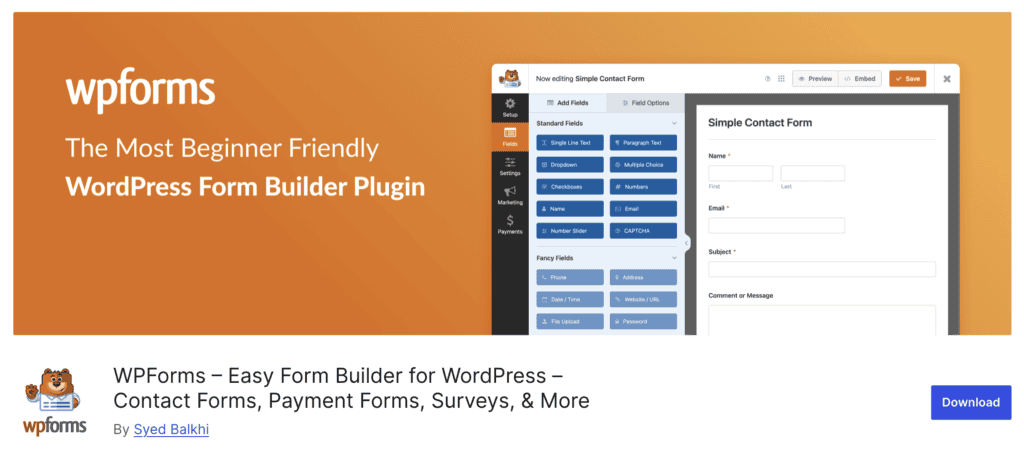
When we test form builders for sheer simplicity, WPForms consistently comes out on top. Its entire user experience is designed to prevent confusion, making it our go-to recommendation for anyone new to WordPress. While it does not have the deep features of Formidable, its focus on a smooth, guided workflow is unmatched for standard business forms.
2. Fluent Forms

Fluent Forms has been a standout in our tests for one main reason: it is incredibly responsive. We have often noticed that features locked behind expensive plans elsewhere are available at a much lower price point here. It has earned its reputation as a fantastic all-around performer.
3. Gravity Forms

For years, Gravity Forms was the industry standard, and it remains an incredibly reliable, developer-friendly workhorse. Its reliability is legendary, and its massive ecosystem of third-party add-ons makes it almost infinitely extendable.
4. Ninja Forms
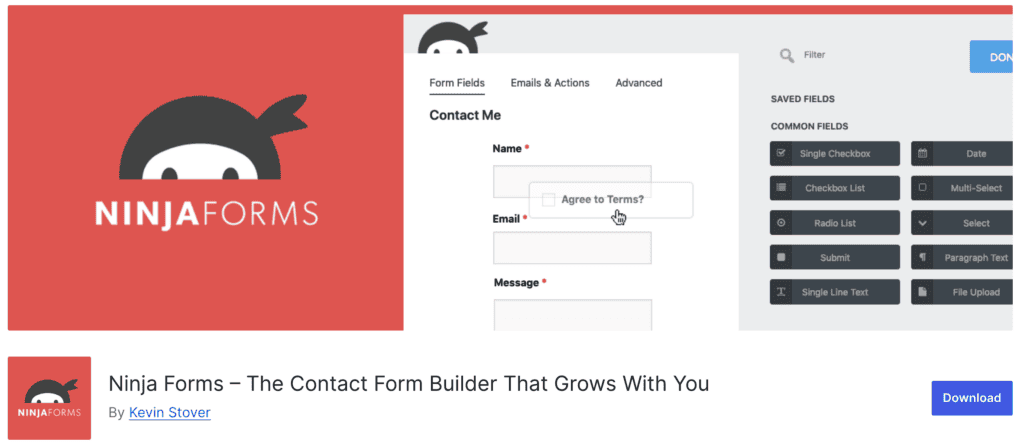
Ninja Forms offers a different, à la carte approach that we find interesting. Instead of buying a bundled package, you can often purchase just the specific add-on you need. This model can be a huge money saver for specific projects, but we always advise doing the math. If you need three or more add-ons, a bundled plan from another provider usually becomes the more economical choice.
Parting thoughts
Everest Forms is for building great forms. It is the simple, effective choice for most business owners and bloggers. Formidable Forms is for building applications. Its power to display data makes it a tool for developers and advanced projects.Before you commit, install the free version of both and test these forms by building a real form. See which interface feels more natural, and be mindful of renewal costs, as the second year price can be a surprise.
FAQs
Which is the best form builder?
There is no single “best” form builder for everyone. The best one is the tool that matches your specific project needs, technical skill, and budget.
What is the difference between WPForms and formidable forms?
The main difference is their target audience. WPForms is built for beginners who need simplicity, while Formidable Forms is for developers building complex, data-driven applications.
Which is better, contact form 7 or WPForms?
For the vast majority of users, WPForms is significantly better than Contact Form 7. WPForms has a modern drag-and-drop builder, while Contact Form 7 uses a less intuitive shortcode system.
Which form builder is best for taking payments?
Most top-tier form builders, including both Everest and Formidable, have excellent payment integrations. The “best” one depends on which specific payment gateway you need and how complex your payment form is.
Will a powerful form builder slow down my website?
A well-coded form builder will have a minimal impact on your site’s speed. Plugins like Formidable Forms and Fluent Forms are known for being performance-focused and lightweight.

Shivani enjoys crafting guides that make every aspect of using WordPress simple and easy to follow. When she's not glued to her laptop, you can find her buried in a good book or occasionally, painting.