

A WordPress quiz plugin is one of the best ways to make your website more engaging, but finding one that’s free, powerful, and easy for beginners is tough. You want to create fun, “Buzzfeed-style” quizzes to keep visitors on your site longer, but don’t want to pay for a premium tool or struggle with complicated settings.
This hd quiz wordpress plugin review dives into a popular, completely free solution that promises to solve that exact problem. It’s designed to help you build unlimited, beautiful quizzes in minutes, making it a top choice for bloggers and small businesses who want to boost engagement without a budget.
We’ll break down its key features, pros, and cons to help you decide if it’s the right tool for your site. You’ll learn what problems it solves and if it’s the simple, no-fuss quiz builder you’ve been looking for.
HD Quiz is an excellent free plugin for simple, engaging quizzes. While it’s one of the more basic options, it’s perfect if you have no budget.
We’ve also tested Thrive Quiz Builder. If you’re looking for more robust features, detailed analytics, and advanced logic, it’s a good option to try instead.
Setting the Stage for Our HD Quiz Review
Before we dive into the details, it’s crucial to understand what makes HD Quiz stand out in a crowded market. HD Quiz has built its reputation on being one of the most generous and user-friendly free quiz builders available. It’s known for creating modern, visually engaging quizzes that look great right out of the box.

We created a test site to experiment with HD Quiz without affecting our live site. Our goal was to focus on the following features:
- Ease of Use: How intuitive is the quiz-building process for a complete beginner?
- Visual Engagement: How easy is it to add images, GIFs, and timers to make quizzes fun and shareable?
- Customization: Can you easily style the quizzes to match your brand, or are the options limited?
- Core Features: How much functionality do you get for free? (e.g., question types, results pages, social sharing).
- Performance: Does the plugin feel lightweight, or does it slow down your site?
- Support & Add-ons: How responsive is the developer, and what extra functionality do the add-ons provide?
Here is our unfiltered take on where HD Quiz shines and where you might need something more.
Types of Quizzes You Can Build with HD Quiz
Before installing any quiz plugin, you need to know if it can actually build the quiz you have in mind. Here’s a breakdown of what you can create.
- Multiple-Choice Questions (MCQs): It handles text-based multiple-choice questions flawlessly, making it perfect for knowledge tests, trivia, and simple surveys.

- True/False Quizzes: Since a true/false question is just an MCQ with two choices, you can create them easily right out of the box.
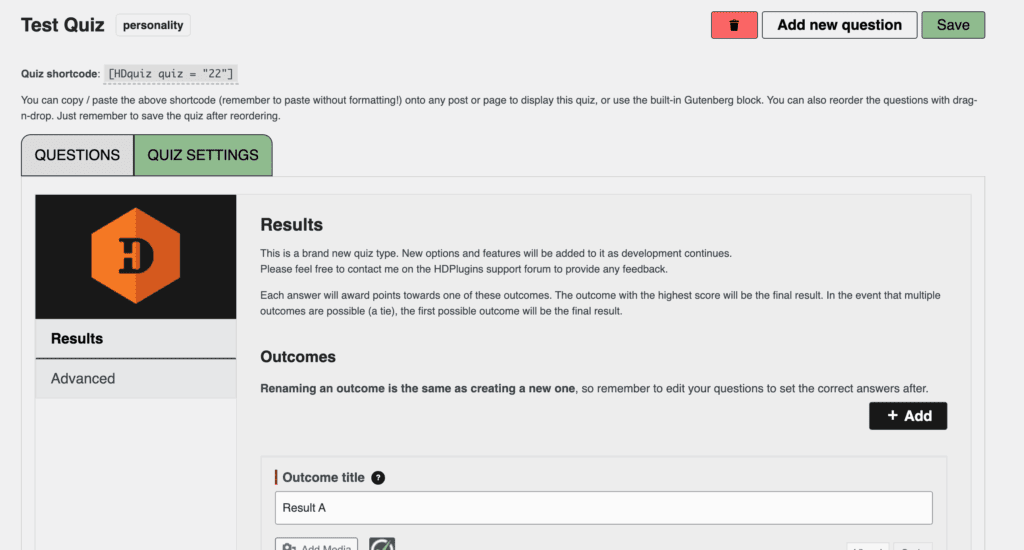
- Personality Quizzes: HD Quiz supports personality-type quizzes, allowing you to create engaging “Which type are you?” content that is great for social sharing and audience engagement. This is a fairly new feature. So, it’s not very robust yet.
- Image-Based Questions: You can add images and even animated GIFs to both questions and answers. This feature is perfect for creating visually appealing, “Buzzfeed-style” quizzes that capture user attention.
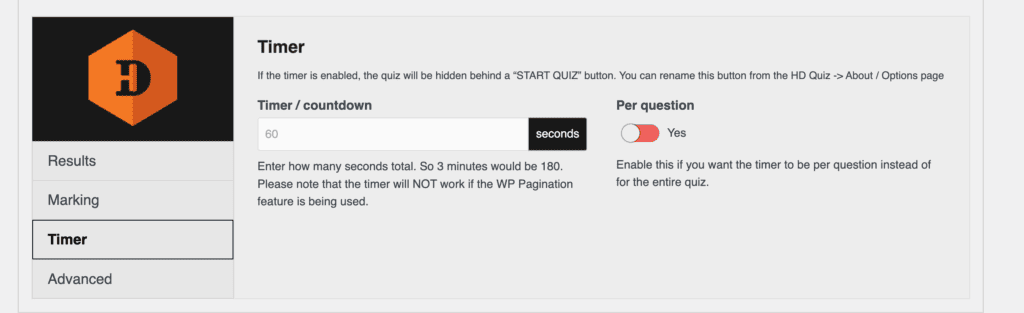
- Timed Quizzes: You can set a timer for the entire quiz (e.g., 5 minutes to complete) or even apply a timer to each individual question (e.g., 10 seconds per question), adding a sense of urgency.
Frontend Design & Customization
- Available Layouts, Themes, Colours, Fonts: HD Quiz cleverly inherits the fonts, colors, and general styling from your active WordPress theme. This ensures the quiz feels like a natural part of your site without any extra work. There are no separate “themes” to choose from.
- Mobile Responsiveness: Yes, this is a priority. Quizzes are fully responsive, touch-compatible, and look excellent on desktops, tablets, and smartphones.
- Custom CSS or Branding Options: Yes. For users comfortable with code, you can apply your own custom CSS to tweak the design. For easier, code-free styling, the developer offers a separate premium “Styler” add-on for more extensive control.
Scoring, Logic, and Flow Control
- Scoring Rules: The plugin uses a straightforward point-based system, perfect for right/wrong knowledge tests.
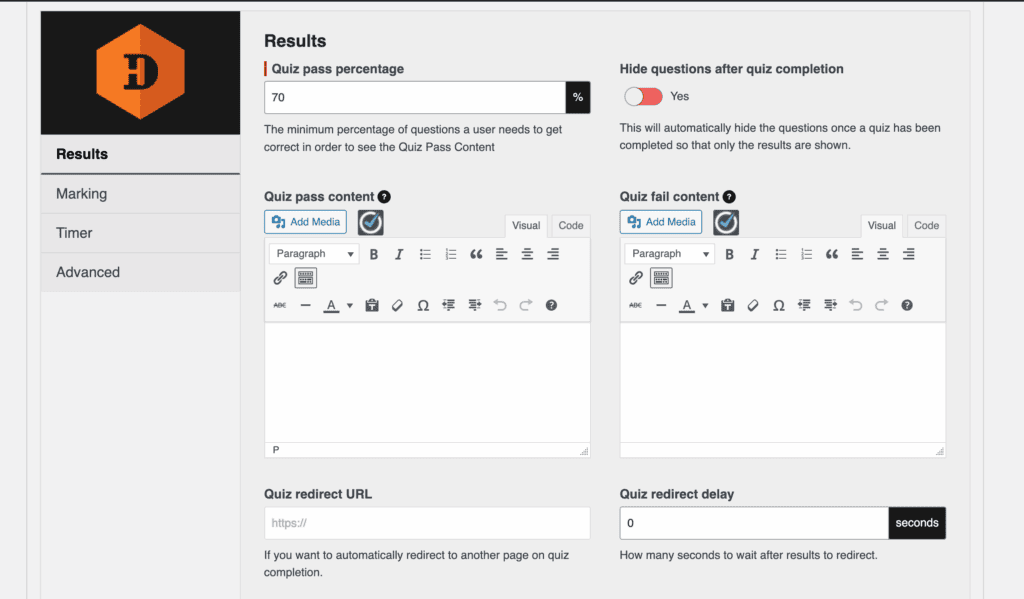
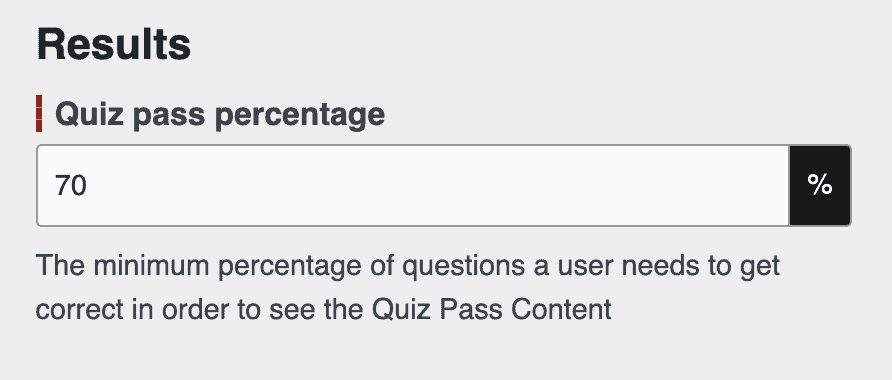
- Pass/Fail Conditions: Yes, you have full control. You can set a custom pass percentage (e.g., 75% to pass) and write different completion messages for users who pass versus those who fail.
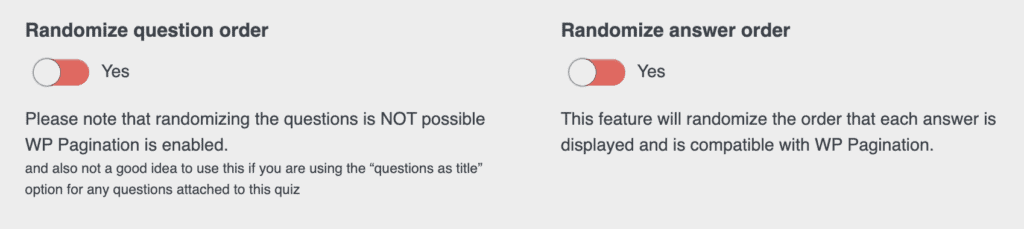
- Randomization: Yes, this is well-supported. You can randomize the order of questions presented to the user as well as the order of the answers for each question. It also has a “Pool of Questions” feature to pull, for example, 10 random questions from a bank of 50.
- Timers: Yes, this powerful feature is included for free, with options for both per-quiz and per-question time limits.
- Conditional Redirects: Yes. You can automatically redirect users to a specific URL (like a custom results page or a sales page) once they complete a quiz.
Analytics & Reporting
By default, the HD Quiz plugin does not track any user analytics. To save basic data like scores and completion details, you must install the free “HD Quiz – Save Results Light” add-on. However, even with this add-on, you cannot export your data to a CSV file. For detailed reporting and data exports, you will need to use a premium plugin.
User Management
HD Quiz does not offer any user management features. You cannot limit the number of attempts a user can make, track their progress over time, or restrict quizzes to logged-in members only. To limit access, you must use a separate membership or content restriction plugin.
Security & Anti-Cheating Options
- Timer Enforcement, Blocking Navigation, Preventing Copy/Paste: The plugin includes a timer, but advanced security measures like blocking copy/paste or preventing users from switching tabs are not included.
- Randomizing Questions: Yes, the ability to randomize both question and answer order is the primary built-in feature to help deter cheating.
- Tracking IP or Attempts: The free results add-on can capture basic information, but detailed IP tracking is not a core security function of the plugin.
Monetization Options
This is not possible out of the box. You cannot charge users to take a quiz or directly integrate it with platforms like WooCommerce. Its purpose is to add interactive content to your site, not to sell it.
Certificates & Completion Features
Bottom Line: It does not generate downloadable certificates or award badges.
HD Quiz is not designed to be a formal testing or certification tool. Upon completion, it displays results on-screen but does not create PDF certificates or digital badges.
Ease of Use
Out of all the quiz plugins I tested, HD Quiz was by far the easiest to use. From the moment you activate it, the dashboard is clean, well-structured, and not crowded. There is virtually no learning curve.
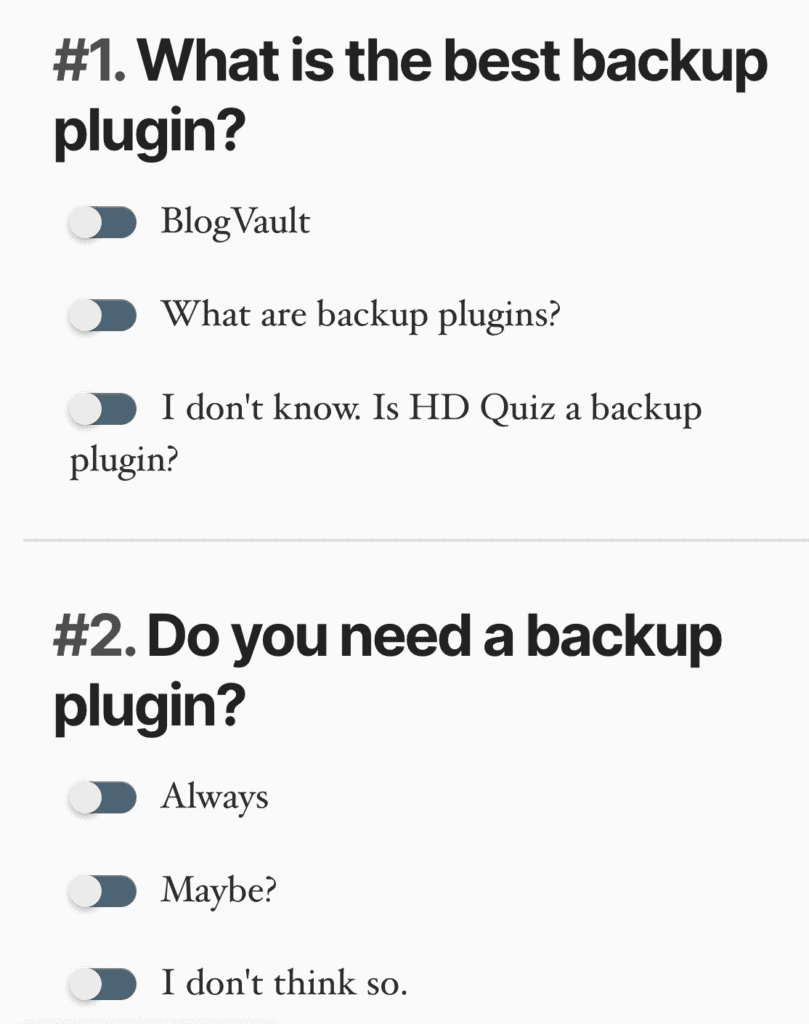
I was able to create a complete multiple-choice quiz in just a few minutes. Adding questions and marking the correct answer with a simple toggle was incredibly intuitive.
hd quiz wordpress plugin review
All the essential settings, like setting a timer, creating a custom congratulations message, and adding a required passing grade, were clearly laid out and easy to configure.
I think it’s an outstanding plugin for educational quizzes or knowledge tests. That said, it’s flexible enough to also handle personality quizzes, making it a surprisingly versatile tool for how simple it is.
Alternatives to HD Quiz
While HD Quiz is a fantastic free plugin, its strength in simplicity is also its main limitation. It lacks in-depth analytics, has no built-in marketing or lead-generation tools, and doesn’t support advanced conditional logic. If your quizzes are a core part of your business strategy, you’ll likely need a more powerful solution.
- Thrive Quiz Builder: If you need a serious marketing machine, Thrive Quiz Builder is the definitive upgrade. It is designed specifically for conversions, allowing you to create complex branching quizzes where a user’s answers determine the next question they see. If your goal is to generate leads, segment your email list, get detailed analytics, or guide users to a specific product, Thrive is for you.
- Quiz Cat: Quiz Cat is the perfect middle ground. It maintains a strong focus on being user-friendly and creating visually appealing quizzes quickly. However, its premium version offers built-in email capture and better analytics.
Final thoughts
Our final verdict on HD Quiz is that it’s an exceptional free plugin that perfectly masters the basics. While it is certainly limited and lacks the deep analytics or marketing integrations of premium tools, it includes all the essentials you need for a simple quiz. Features like timers, image support, and custom pass/fail messages make it an outstanding choice for educators, bloggers, or anyone needing to create an engaging knowledge test without a budget.
Since the plugin is 100% free, there’s no reason not to take it for a spin. We strongly recommend you test it out on a staging site first. This provides a safe environment to see how it works with your theme and other plugins, ensuring everything runs smoothly before you introduce it to your visitors. It’s the best way to decide if its straightforward approach meets your needs.
FAQs
How to make a quiz on WordPress?
The easiest way to make a quiz is to choose a quiz plugin like HD Quiz. Install and activate it from your WordPress dashboard under Plugins > Add New. Navigate to the plugin’s menu to create your quiz and add questions. Configure the settings, such as timers or pass marks. Finally, embed the quiz into any page or post using the provided shortcode or Gutenberg block.
What is the review plugin for WordPress?
There isn’t one single “review plugin,” but rather many popular options that help you add reviews to your site. These plugins allow you to display star ratings, collect customer feedback, and add schema markup for better SEO. Some of the most highly-rated review plugins include Site Reviews, WP Review Pro, and Starfish Reviews.
What is the best image optimization plugin for WordPress reddit?
According to discussions on Reddit and general community consensus, the best image optimization plugins are typically ShortPixel, Imagify, and Smush. All three are highly recommended for their powerful compression, ease of use, and generous free plans that are perfect for getting started.
How to choose the best WordPress plugin?
To choose the best plugin for your needs, consider these key factors:
Features: Does it do exactly what you need it to do?
Reviews and Ratings: Check the star rating and read recent reviews on the WordPress.org plugin page.
Last Updated: Ensure the plugin is actively maintained and compatible with the latest version of WordPress.
Support: Look at the support forum to see if the developer is responsive to user issues.
Performance: A good plugin should be lightweight and not slow down your website.

Shreya has been a writer for as long as she can remember. Now, she writes articles that help WordPress users manage the sites that they're proud of, with little to no coding


