
Looking for a newsletter plugin that brings marketing to WordPress? As a serious user, you’re past the basics.
You’re ready for a system that doesn’t penalize you for growing your list. That’s why Mailster is probably on your radar.
In this Mailster review, we’ll find out if its powerful integration is worth the setup and potential plugin issues. We cut straight to the point.
Mailster brings your entire email marketing system inside WordPress, giving you full control over unlimited subscribers. The trade-off for this power is data responsibility, which makes using a reliable backup plugin absolutely essential.
Mailster review: A quick overview
This table covers the important points to help you decide quickly:
| Feature | The Bottom Line |
|---|---|
| Price Model | Swaps high monthly fees for a predictable yearly license. This offers huge long-term savings as your list grows. |
| Ease of Use | Daily use is simple and feels like native WordPress. However, the initial SMTP setup requires some technical comfort. |
| Core Features | Includes a powerful drag-and-drop editor, capable automations, and clear analytics. It rivals expensive platforms. |
| Data Ownership | You own your subscriber list completely. Your data stays on your server, giving you full control and security. |
| Email Deliverability | Requires an external SMTP service (like Amazon SES) to ensure your emails reliably reach the inbox. You are responsible for this. |
| Support | Standard for a premium plugin. You get access to good documentation and a ticket system for active licenses. |
Email creation & management
The intuitive drag-and-drop editor allows you to quickly build newsletters. However, the true quality of your backend experience depends on having a fast WordPress site.
It feels familiar and works as you would expect. The plugin also includes a library of pre-designed templates. These provide a solid starting point, so you are not starting from scratch.
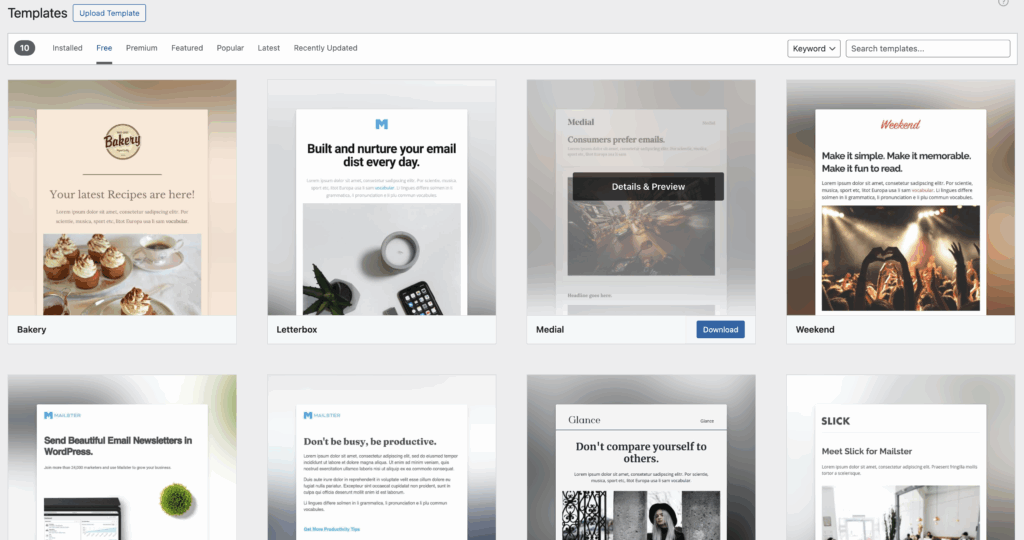
To save content creators significant time, the plugin includes dynamic tags. These automatically populate your newsletter with your latest WordPress posts, eliminating manual copy-pasting.
Always check the mobile preview. Over half of your audience will likely read your email on a phone, so this step is not optional. For advanced users, there are even CSS styling options, which are best tested first on a staging site to avoid breaking your live page.
Lists and subscribers
Mailster’s approach to subscribers is its biggest selling point. You get unlimited subscriber storage without any tiered pricing. Your cost does not increase as your list grows. This is a fundamental departure from the SaaS model.
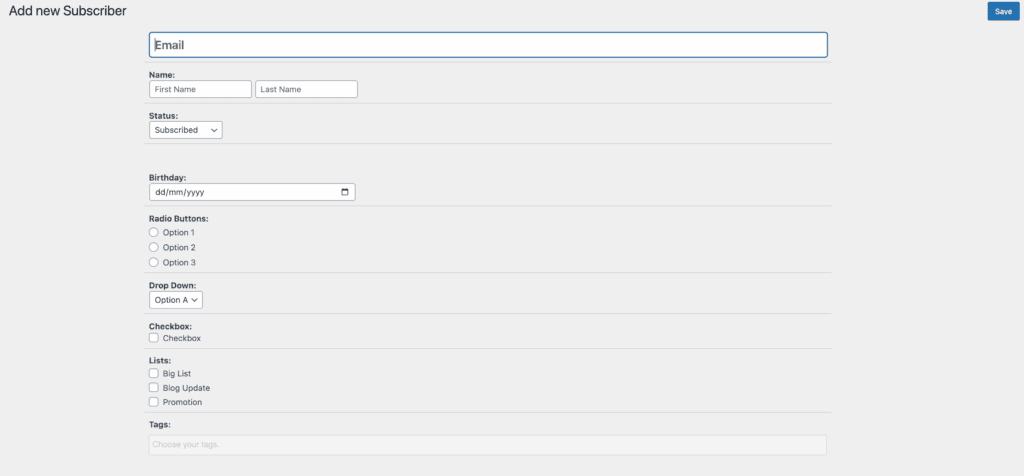
The system allows for granular segmentation. This means you can create targeted lists based on user behavior, like who opened a previous email or what they purchased.
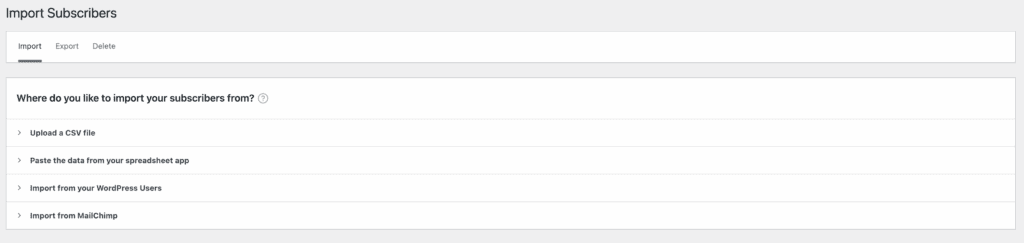
You can easily import existing subscribers with a CSV file after performing a WordPress backup to protect your data. You can also add subscribers from your WordPress user base and use the plugin’s tools to create and customize signup forms for your website.
Setting up automation
Mailster provides the essential tools to build automated email sequences. You can create autoresponders that trigger when a user subscribes or send time-based campaigns for events like birthdays.
But remember, these automations are only effective if they run on time, and that reliability depends on avoiding downtime with solid WordPress hosting.
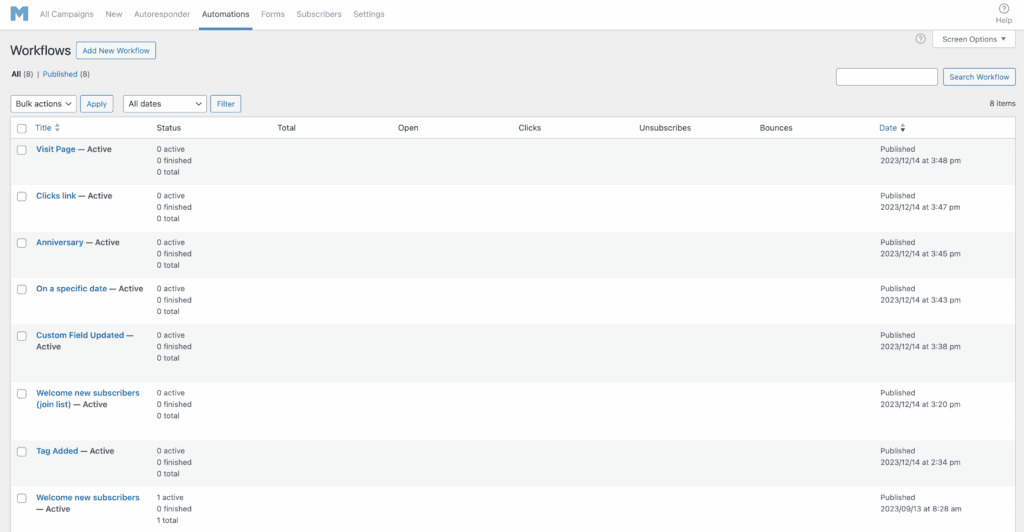
The workflow to set up new post notifications for your subscribers is especially useful for bloggers. You can also build conditional logic to personalize the user journey.
For instance, you can send follow-up emails based on which links a subscriber clicked in a previous campaign. The workflows are also very easy to establish.
Tracking your results
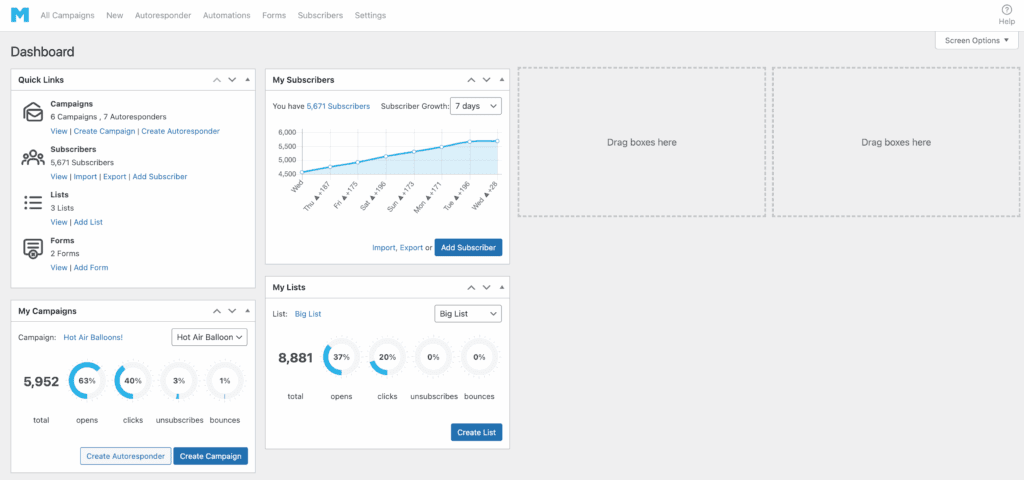
Mailster provides the data needed to understand campaign performance. The dashboard shows you real-time stats for opens, clicks, and unsubscribes. You can see where your subscribers are opening emails with geographical tracking.
More importantly, it has detailed bounce management. This process automatically cleans your list of invalid email addresses. A clean list is absolutely essential for maintaining good deliverability with your sending service.
You can also integrate with Google Analytics to see how your campaigns contribute to your business goals.
Apps and add-ons
The plugin integrates well with the wider WordPress ecosystem. It connects seamlessly with WooCommerce, which is a huge benefit for store owners. It also syncs with popular form builders like Gravity Forms.
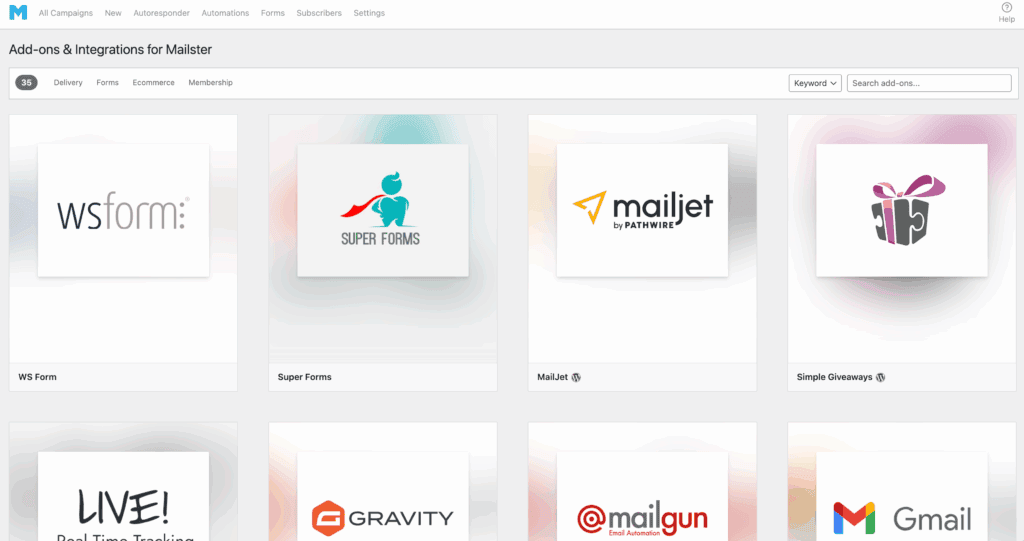
The most critical integration is its support for external SMTP providers. You must connect Mailster to a service like Amazon SES or Mailgun to send email reliably. It also supports multilingual sites through plugins like WPML and Polylang.
Ease of use
For daily tasks, Mailster is straightforward, provided your site has undergone regular WordPress maintenance. The interface is located inside WordPress, so it feels familiar. Managing your newsletters is much like editing a post.
However, the initial setup requires some technical comfort. Optimizing your server delivery means you will need to configure an external service. This is a one-time task, but it is more involved than simply creating an account on a web-based platform.
Getting help
You are not left without support. The plugin includes access to a documentation library that covers setup and common problems. For specific issues, you can submit support tickets as long as you have an active license.
There are also community forums for peer-to-peer advice. A pro tip: search the documentation before submitting a ticket. The answer to your question is often already there.
Pricing and plans
Mailster pricing plans are for one site and exclude taxes.
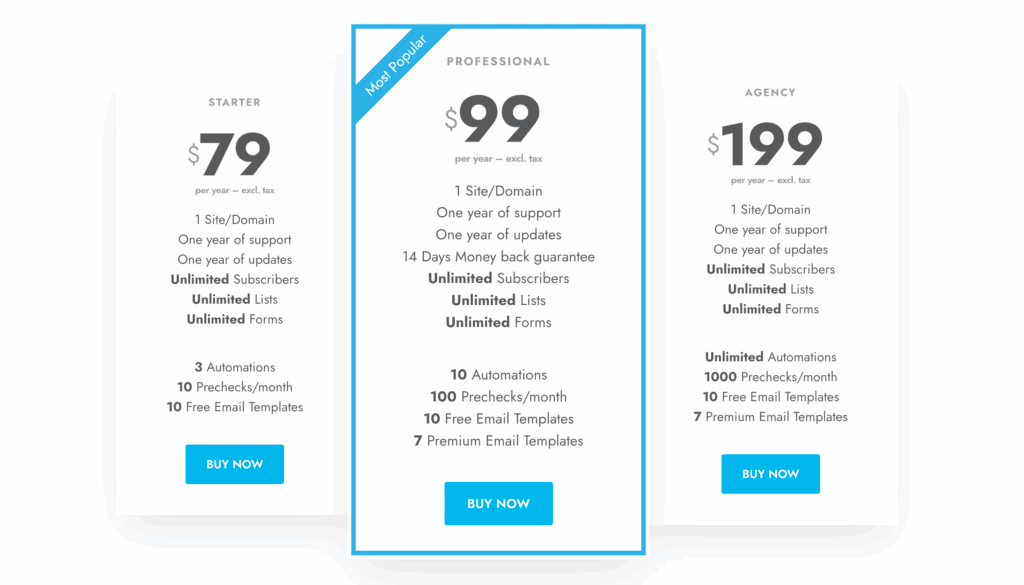
- Starter: $79 per year for one site. Limited to three active automations.
- Professional: $99 per year for one site. Includes a money-back guarantee.
- Agency: $199 per year for one site. Provides unlimited automations and 1,000 monthly prechecks.
Lifetime usage policy: While billed annually, Mailster offers lifetime usage:
- Renewal benefits: Your annual fee is required to receive automatic updates and personalized support.
- If you stop paying: You can keep using the version you have installed forever.
The ideal user
This plugin excels for a specific user. It is best for:
- WordPress site owners seeking total data ownership.
- Small businesses on a fixed marketing budget.
- Bloggers who want to automate new post notifications.
- Users comfortable configuring their own delivery server settings.
Competing plugins
If Mailster doesn’t sound quite right for your needs, here are two other popular options:
MailPoet: A strong alternative. It offers a free tier and has its own built-in sending service, which simplifies setup.

The Newsletter Plugin: A simpler, often free option best for very basic newsletter needs. It lacks Mailster’s polish and advanced features.

Parting thoughts
Mailster provides a robust feature set that rivals expensive platforms. It offers exceptional value. This requires using a solid SMTP provider for reliable delivery. This is a clear trade-off. You are trading convenience for significant savings and control.
It is best suited for those who prioritize budget and ownership. Our final recommendation is simple. Try the official demo before you buy.
FAQs
Is Mailster better than Mailchimp?
It depends entirely on your priorities. Mailster is better for long-term cost savings and deep WordPress integration, while Mailchimp is simpler for beginners who want an all-in-one service.
Does Mailster have a monthly fee?
No, Mailster itself is a yearly license, not a monthly subscription. However, you will pay a separate (and typically very low) monthly fee to the SMTP service that actually sends your emails.
Do I need an SMTP server for Mailster?
Yes, using a professional SMTP service is essential for good deliverability. Relying on your website’s server to send emails will likely land them in spam folders.
Can Mailster handle 100,000 subscribers?
Yes, Mailster can easily manage lists of 100,000 subscribers or more. The plugin does not limit your list size, so performance depends on your website’s server resources.
Is there a free version of Mailster?
No, Mailster is a premium plugin and does not have a free version. A yearly license must be purchased to use the software and receive updates.
Does Mailster integrate with WooCommerce?
Yes, Mailster integrates very well with WooCommerce. This allows you to segment your customers based on purchase data and send targeted campaigns.

Shivani enjoys crafting guides that make every aspect of using WordPress simple and easy to follow. When she's not glued to her laptop, you can find her buried in a good book or occasionally, painting.