Searching for Nitropack vs WP Rocket means you’re tired of a slow website and ready for a real solution. That sluggish loading speed isn’t just an annoyance; it’s actively hurting your site’s potential.
Choosing the right performance plugin is one of the most critical decisions you’ll make. A fast site ranks higher on Google and keeps visitors engaged, while a slow one sends them straight to your competitors.
This guide cuts through the technical jargon. We’ll break down NitroPack and WP Rocket head-to-head on features, cost, and ease of use so you can confidently choose the right tool and finally speed up your website.
Airlift by BlogVault is our preferred plugin, after all our testing. WP Rocket is affordable but incomplete—you’ll still need to buy and manage separate tools for image optimization and a CDN. NitroPack is a powerful all-in-one solution, but its aggressive automation can break your site. Airlift offered the best of both worlds and more.
Quick look at Nitropack vs WP Rocket
Before we dive into a detailed comparison, it’s essential to understand that NitroPack and WP Rocket are fundamentally different types of tools. One is a hands-on plugin that puts you in the driver’s seat of your site’s optimization, while the other is an automated, all-in-one service that handles everything for you.
NitroPack
NitroPack takes a completely different, hands-off approach to website performance. It is a cloud-based, all-in-one service that handles virtually every aspect of optimization automatically. Once connected to your site, it uses its own servers to implement aggressive caching, a built-in global CDN, automatic image optimization, and advanced code modifications. Its main goal is to deliver the highest possible scores on speed tests like Google PageSpeed Insights with minimal user input.
We’ve searched for alternatives to NitroPack. It was driven by its two major drawbacks: cost and risk. Its subscription price scales with your website traffic, which can become incredibly expensive as your site grows. Furthermore, its aggressive, automated optimization can frequently conflict with themes and other plugins, breaking visual elements or interactive features. For a non-technical user, diagnosing and fixing these issues can be a significant and stressful challenge.
WP Rocket

WP Rocket is one of the most popular and user-friendly performance plugins available for WordPress. Its biggest strength lies in its simplicity and the level of control it offers directly within the WordPress dashboard. With clear toggles and straightforward settings, it allows even non-technical users to enable powerful features like page caching, file minification, and database optimization. For users who want to understand and manage their site’s performance settings manually, WP Rocket provides an excellent, easy-to-navigate toolkit.
Our review of WP Rocket, based on extensive testing, shows that while it excels at caching, it is fundamentally an incomplete solution. To achieve the same level of performance as an all-in-one service, you must purchase and configure separate services for a Content Delivery Network (CDN) and advanced image optimization. This not only adds to the total cost but also increases complexity, as you now have multiple plugins and subscriptions to manage, which can lead to potential conflicts.
Caching
A good caching plugin can be a game changer for WordPress performance. Caching can create and serve static copies of your pages quickly, reducing the load on your web server and delivering a faster experience to your visitors.
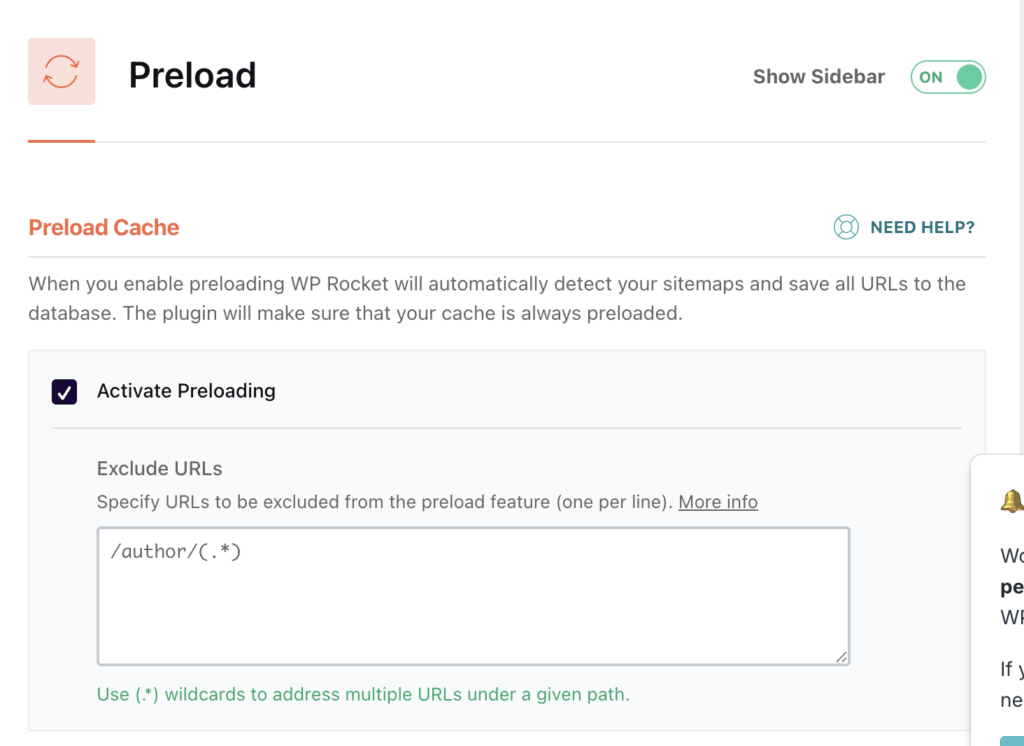
WP Rocket: WP Rocket gives you direct control over caching within your WordPress dashboard. It provides simple on/off toggles for essential features like page caching, browser caching, and cache preloading. This makes it very easy for a beginner to understand what’s happening and to disable a specific setting if you find a WordPress error. You can easily exclude certain pages or cookies from being cached, which is a lifesaver for e-commerce sites or pages with dynamic content.
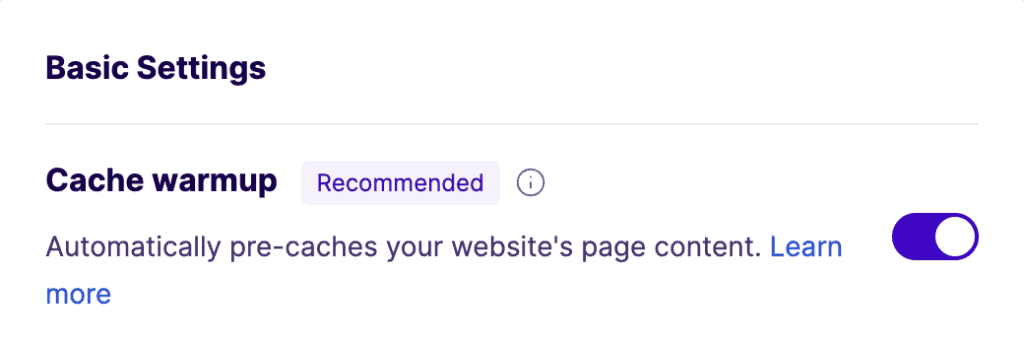
NitroPack: NitroPack takes a different, more hands-off approach. It handles all caching automatically on its own servers and through its global Content Delivery Network (CDN). There are very few settings to manage inside WordPress, as NitroPack’s system decides when to cache pages and how to serve them. While this is simpler to set up, it offers less visibility and makes it harder for a user to troubleshoot conflicts manually.
Expert Advice: There are free caching plugins that you can try, if you’re interested.
Image Optimization
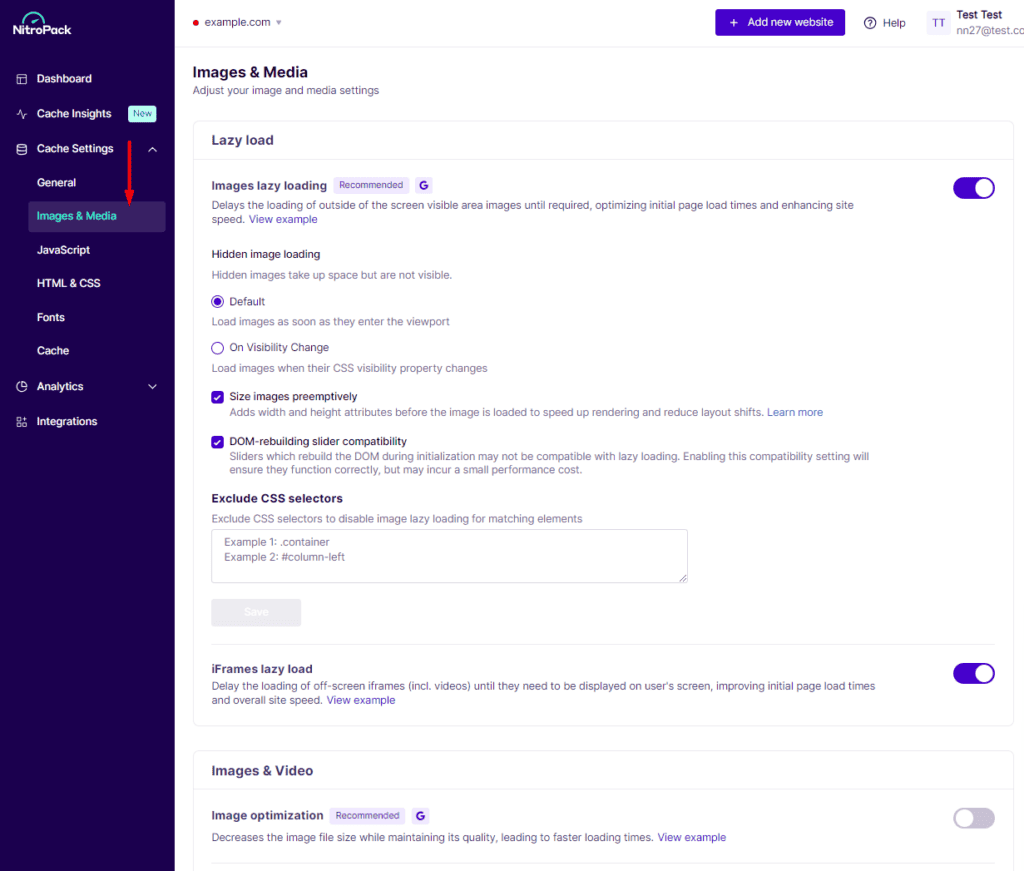
Images are often the heaviest part of a webpage and a major cause of slow load times. An ideal solution should not only compress images but also serve them in modern, fast-loading formats like WebP. We were looking for the most seamless and effective all in one wordpress optimization for images.
WP Rocket: WP Rocket does not optimize images itself. It includes a basic “lazy load” feature, which helps with perceived speed, but to compress and convert your images, you must purchase and install a separate plugin like Imagify or ShortPixel. While these tools integrate well, it means managing another service, another subscription, and another set of settings.
NitroPack: NitroPack includes comprehensive, automatic image optimization as part of its core service. It compresses images, converts them to modern formats on the fly, and serves them through its built-in CDN. This is all done without you needing to lift a finger, making it a far more integrated and convenient solution. The compressed images are served from a server close to the visitor, adding another layer of speed.
Asset Optimization
“Assets” are the code files (CSS and JavaScript) that control your site’s appearance and interactive features. Optimizing them is crucial, but doing it too aggressively can cause visual glitches or break functionality. We were looking for the best wordpress speed plugin for beginners, which means balancing power with safety.
WP Rocket: WP Rocket offers a safe, step-by-step approach. You can enable optimizations like minification (shrinking code) and deferring JavaScript one at a time using simple toggles. This allows you to check your site after each change and easily undo it if something breaks. This gradual process is much less intimidating for non-technical users and drastically reduces the risk of conflicts.
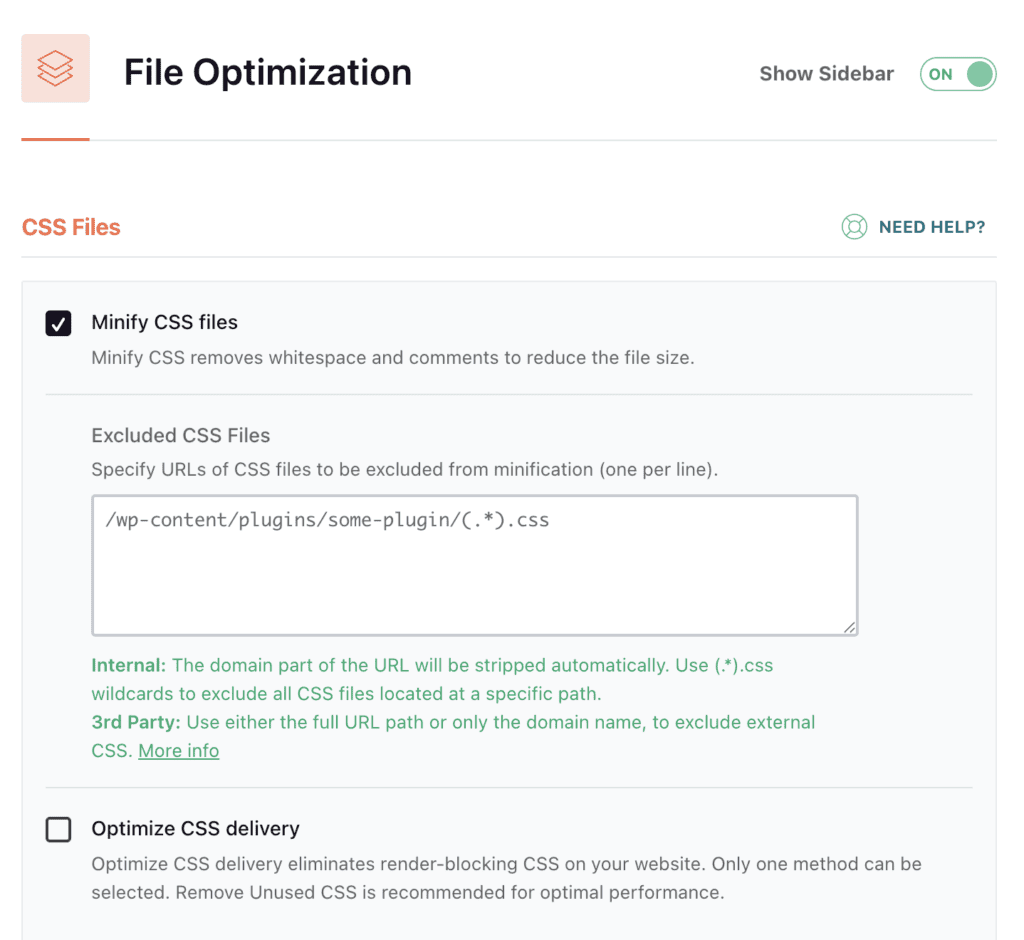
NitroPack: NitroPack applies aggressive, automated optimizations by default. It automatically creates critical CSS and reorganizes how your code files load to achieve the highest possible scores on speed tests. While this often produces fantastic results out of the box, this “all-or-nothing” approach has a higher chance of conflicting with complex themes or plugins, which can be difficult for a beginner to diagnose and fix.
Database Optimization
Your WordPress database is like your site’s brain and filing cabinet combined. Over time, it gets cluttered with old post revisions, spam comments, and temporary data that can slow it down. We were looking for a simple tool that makes this essential maintenance easy, which is a key part of wordpress speed optimization for dummies.
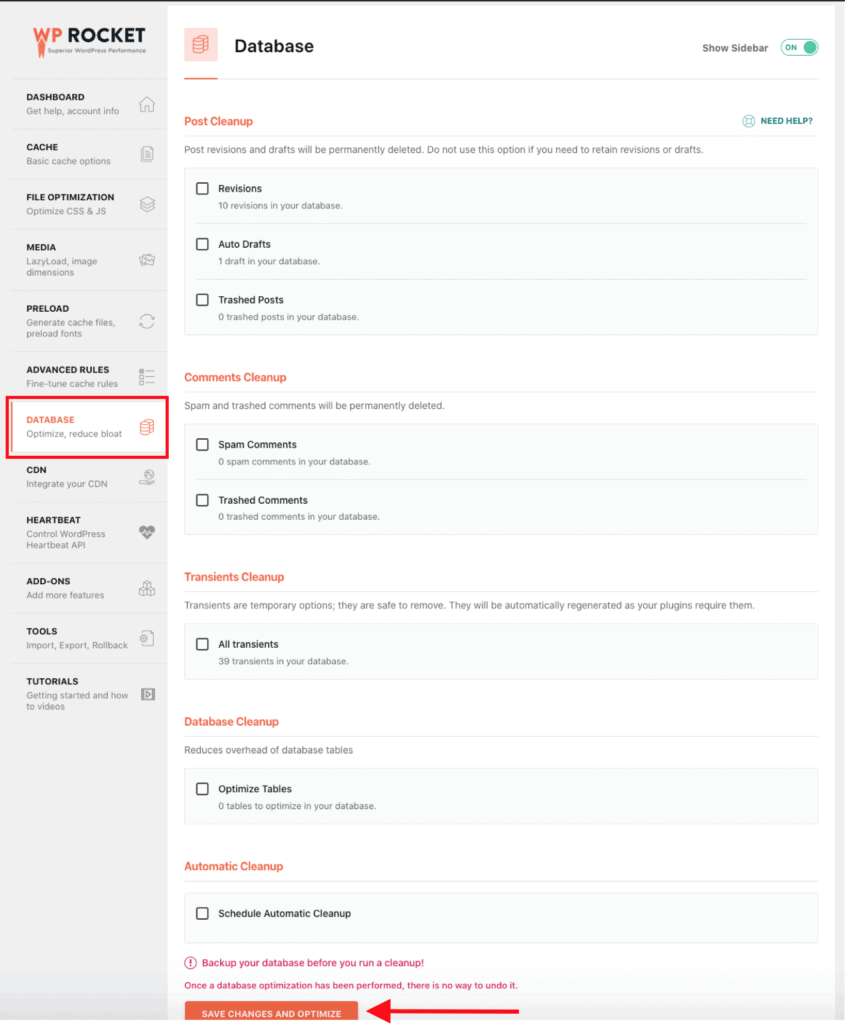
WP Rocket: WP Rocket comes with a dedicated Database Optimization tab. From here, you can clean up old post revisions, drafts, and spam comments with a single click. You can also schedule these cleanups to run automatically, keeping your database healthy without any ongoing effort. It’s a simple, valuable feature that’s included in the price.
NitroPack: NitroPack does not offer any database optimization features. Its focus is entirely on front-end performance and file delivery. If you use NitroPack, you will need to install and configure a separate database cleanup plugin to handle this important maintenance task, adding another item to your to-do list.
Pricing
When evaluating the nitropack vs wp rocket cost, we’re looking at two fundamentally different models: a simple annual license versus a scalable subscription based on traffic. Your choice here heavily depends on your budget and how much traffic your site receives.
WP Rocket: WP Rocket pricing offers a straightforward, flat annual licensing fee. You pay one price per year based on the number of websites you need to cover, and that’s it. This makes budgeting extremely easy.
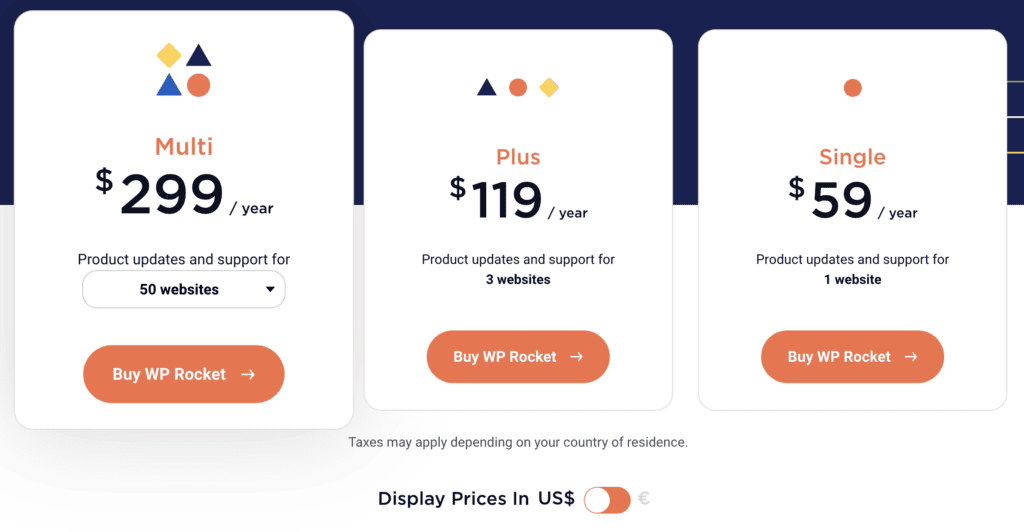
- 1 Website: $59 per year
- 3 Websites: $119 per year
- Unlimited Websites: $299 per year The major consideration is that this fee is only for the caching and optimization plugin. To match NitroPack’s feature set, you would need to pay for additional services like a CDN and image optimization, adding to your total cost.
NitroPack: NitroPack’s pricing uses a usage-based monthly subscription model. Your cost is directly tied to your website’s traffic (pageviews) and CDN bandwidth, and it includes all features (caching, CDN, image optimization).

- Starter: $7/month ($84/year) for 8,000 pageviews & 5GB CDN
- Plus: $18/month ($216/year) for 40,000 pageviews & 25GB CDN
- Pro: $83/month ($996/year) for 540,000 pageviews & 270GB CDN While the entry price is competitive, the cost scales with your success. A site with 100,000 monthly pageviews would need at least the Pro plan, costing nearly $1,000 annually—over three times the price of WP Rocket’s unlimited license.
What They Were Missing?
After comparing both plugins, it’s clear that neither offers a perfect solution. Both WP Rocket and NitroPack force you into a compromise, leaving a significant gap for users who want power, simplicity, and predictable pricing all in one package.
- It’s Not an All-in-One Suite: WP Rocket is an excellent caching plugin, but that’s all it is. To get a complete performance solution, you must purchase, install, and configure separate plugins for image optimization and a Content Delivery Network (CDN). This adds complexity, potential plugin conflicts, and extra costs.
- Requires Manual Tuning: While its controls are a benefit, achieving the best results often requires manual tweaking and testing. For a beginner, knowing which settings to enable can be a process of trial and error.
- Aggressive Automation Can Break Your Site: NitroPack offers powerful, automated optimizations that are a double-edged sword. They can produce amazing speed scores but also frequently cause conflicts with themes or plugins, breaking interactive elements on your site. For a non-technical user, debugging tese issues is a nightmare.
- Privacy Concerns: Both services, especially NitroPack, process your site’s data (like images and code) on their own servers. This raises valid privacy and data compliance questions for some businesses.
The Better Alternative – Airlift
After seeing the limitations of WP Rocket and NitroPack, it’s clear both force you into a frustrating compromise. You’re either stuck managing multiple plugins and still missing key features (WP Rocket), or you’re paying a fortune for a powerful tool that might break your site (NitroPack). That’s why we’re recommending Airlift.
- A True All-in-One Solution: Airlift combines every critical speed feature into a single, easy-to-use package. You get powerful caching, a built-in global CDN, automatic image optimization, and advanced code optimization. You don’t need to buy, install, or manage any other plugins to make your site fast.
- Intelligent, Page-by-Page Optimization: Instead of applying generic settings across your entire site, Airlift acts like a speed expert. It analyzes every single page individually to create a custom optimization plan that delivers the best possible performance without conflicts.
- Automated, Continuous Tuning: Your website is always changing. Airlift re-analyzes your site daily to automatically adapt to new content, plugin updates, or theme changes. This ensures your speed optimizations never become outdated or break your site, giving you true “set it and forget it” peace of mind.
Final Thoughts
After a detailed comparison, it’s clear that neither WP Rocket nor NitroPack is the perfect solution. WP Rocket is a great caching plugin but forces you to become a system integrator, piecing together other tools to finish the job. NitroPack offers immense power but at a high and unpredictable cost, with a significant risk of causing conflicts.
You shouldn’t have to choose between affordability and a complete feature set, or between power and stability.
For a truly modern, all-in-one solution that delivers incredible speed with predictable pricing and user-friendly controls, the clear choice is Airlift. It provides the comprehensive power you need without the compromises, making it the best performance plugin for most WordPress users.
FAQs
What’s better than WP Rocket?
For users seeking a complete, all-in-one solution, an integrated platform like Airlift is better than WP Rocket. Airlift includes a built-in CDN and automatic image optimization, eliminating the need to purchase and manage separate plugins, which saves time, money, and reduces complexity.
What is the alternative to NitroPack?
Airlift is the leading alternative to NitroPack for users who want similar all-in-one power without the high, unpredictable costs and the risk of site-breaking conflicts. Airlift offers predictable pricing and safer, more transparent optimization controls.
Is NitroPack legit?
Yes, NitroPack is a legitimate and very powerful speed optimization service. However, its aggressive automated approach can cause conflicts with some themes and plugins, and its usage-based pricing can become very expensive for high-traffic sites.
How do you improve WordPress performance?
Improving WordPress performance involves several key actions that work together to make your site faster. The most effective steps are:
Implement Caching: This is the most crucial step. A good caching system pre-builds your pages so they can be delivered to visitors instantly, reducing server load.
Optimize Your Images: Large, uncompressed images are the most common cause of slow load times. Compressing them and serving them in modern formats like WebP is essential.
Use a Content Delivery Network (CDN): A CDN stores copies of your site’s files on servers around the world, delivering them from a location physically closer to your visitors.
Optimize Your Code (Assets): Minifying and deferring CSS and JavaScript files prevents them from blocking your page from loading, making your site feel much faster.
Clean Your Database: Regularly removing old drafts, post revisions, and spam comments keeps your site’s database running efficiently.
The easiest way to accomplish all of this is by using a comprehensive, all-in-one performance solution like Airlift, which handles caching, image optimization, a CDN, and more in a single, automated package.
Which one is better? NitroPack or WP Rocket?
Neither NitroPack nor WP Rocket is definitively “better”—they are designed for different users with different priorities, and both come with significant trade-offs.
WP Rocket is better if: You are on a tight budget, want hands-on control over every setting, and don’t mind purchasing and managing separate services for a CDN and image optimization. It’s a great caching plugin, but it’s not a complete performance solution on its own.
NitroPack is better if: Maximum automation is your only priority and you have a large budget. It’s an all-in-one service that can produce incredible speed scores, but its high cost scales with traffic and its aggressive methods can often break parts of your website.
However, if you want the all-in-one power of NitroPack combined with the safety and predictable pricing of WP Rocket, the better choice is Airlift. It was designed specifically to provide a complete performance solution without forcing you to compromise on cost, control, or stability.

Shreya has been a writer for as long as she can remember. Now, she writes articles that help WordPress users manage the sites that they're proud of, with little to no coding