This Olark review helps you decide if it’s the right chat tool for your website. You want to connect with visitors in real-time to answer questions and stop them from leaving your site. Olark is a popular option, but is it the best fit for your specific needs?
A live chat plugin can be a game-changer for customer support and sales, but choosing the wrong one costs time and money. We’ve analyzed customer feedback, tested its features, and examined its pricing to give you a clear, unbiased look. This article will show you exactly who Olark is for—and if that includes you.
Olark is an outdated chat tool with a deceptive pricing model that locks essential features behind expensive monthly add-ons.
However, create a staging site if you want to test out the plugin. This can help you explore the plugin before deploying it live.
Quick Look at Our Olark Review
Olark is a user-friendly live chat software designed to help small and medium-sized businesses talk to customers on their website. It’s known for its simple setup, clean interface, and useful features like pre-chat forms, automated messages, and real-time visitor insights to help you capture leads and provide better support.
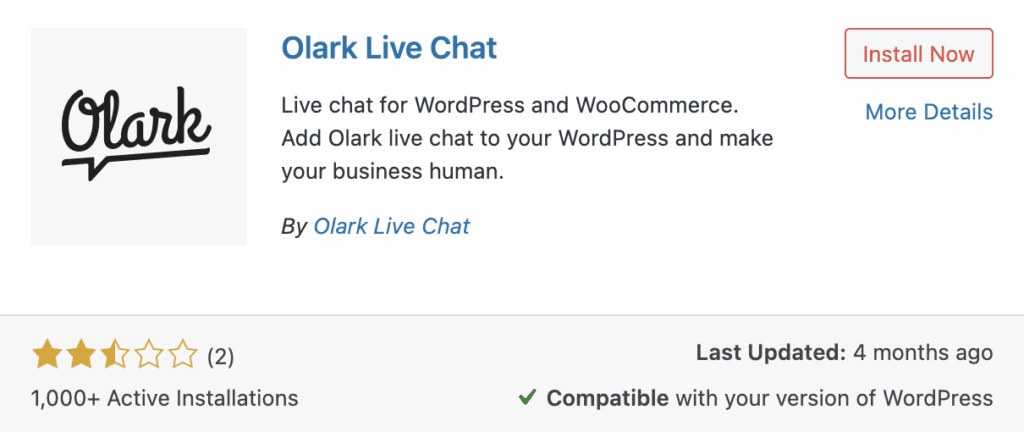
To give you the most practical and honest review, we’ve dived deep into Olark’s platform, analyzed real user feedback, and tested its functionality. Here are the key factors we’re considering:
- Ease of Use: How quickly can your team start using the dashboard?
- Core Features: What essential tools does it offer for support and sales?
- Performance: Are there any known glitches or notification delays?
- Integrations: How well does it connect with WordPress, CRM, and other tools?
- Customization: Can you easily change the chat widget to match your brand?
- Pricing: Does its value justify the monthly cost?
Lacking True AI
In today’s market, AI isn’t a luxury; it’s a core function for scaling support and answering questions instantly. We look for intelligent chatbots that can handle real queries, not just basic triggers. For a paid tool, a lack of accessible AI is a major red flag that impacts your team’s efficiency and ability to provide 24/7 support.
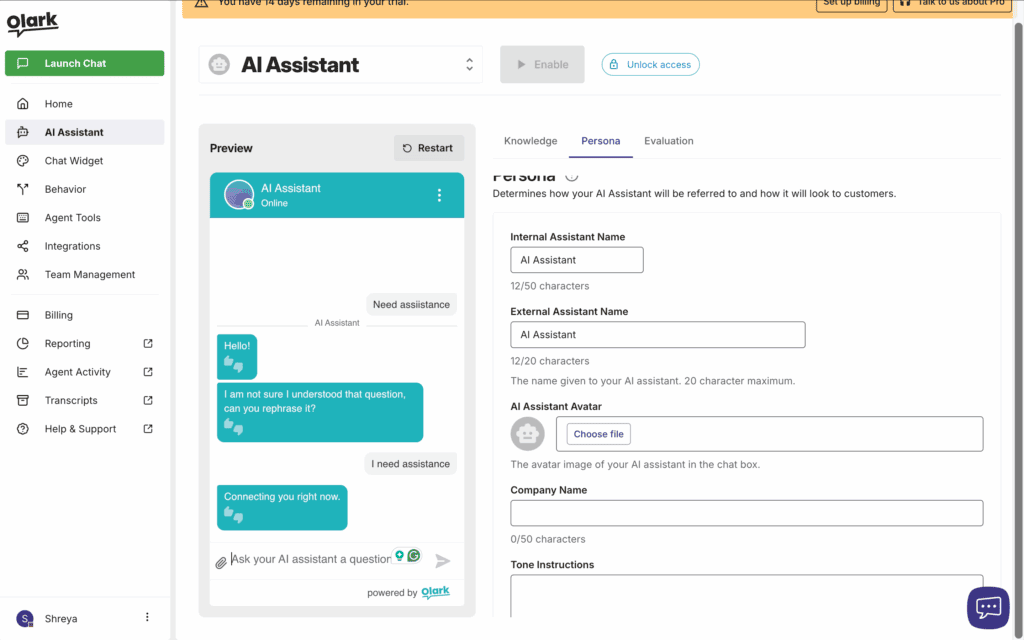
- Targeted Chat: Sends automated messages based on simple rules like time on a page or visitor location.
- Locked AI Chatbots: True AI for answering customer questions is exclusively available on the expensive Pro plan.
- CoPilot Automation: Advanced automation for routing and complex tasks is also restricted to the Pro tier.
Essential Business Connections
A chat tool that doesn’t connect to your other systems is a data silo waiting to happen. Seamless integration with your CRM and help desk is non-negotiable. It ensures chat transcripts become actionable tickets and leads are automatically funneled into your sales pipeline without manual data entry, saving your team critical time.
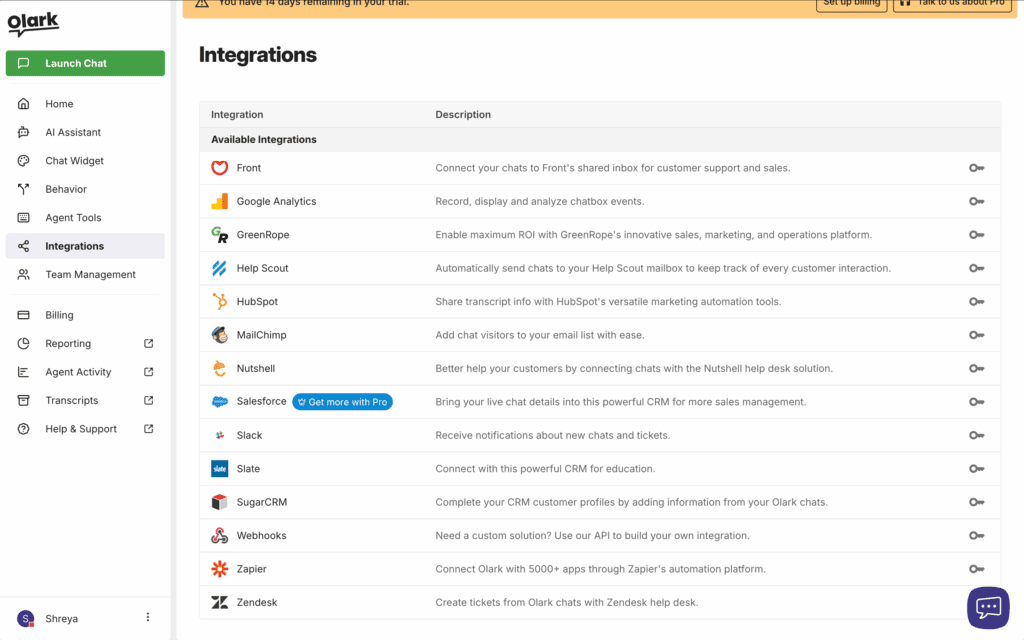
- CRM & Sales: Syncs chat data directly with Salesforce, HubSpot, and other popular CRM platforms.
- Help Desks: Converts conversations into support tickets in Zendesk, Help Scout, and Front.
- E-commerce: Shows agents the contents of a visitor’s cart on Shopify, WooCommerce, and BigCommerce.
- Marketing & Analytics: Connects to Mailchimp for lead capture and Google Analytics for conversion tracking.
Minimal Speed Impact
Any third-party script you add to your website is a potential performance bottleneck. A live chat plugin must be lightweight and load asynchronously to avoid dragging down your site speed and hurting your Core Web Vitals. We tested Olark’s impact to ensure it doesn’t compromise the user experience you’ve worked so hard to build.
- Cloud-Based: Olark processes chats on its own servers, protecting your site’s resources from overload.
- Lightweight Script: Loads externally with a minimal footprint, avoiding a significant impact on your site’s performance.
- Easy Installation: Add it via the dedicated WordPress plugin or by pasting a code snippet.
Solid Mobile Access
Your customers don’t just browse from a desktop, and your support agents aren’t always chained to their desks. Reliable mobile app support is crucial for managing chats from anywhere, ensuring you never miss a lead or a critical support query. We look for native, stable apps that deliver instant notifications and a seamless agent experience.
- Native Apps: Dedicated and fully functional apps are available for both iOS and Android devices.
- Third-Party Clients: Offers XMPP/Jabber support, allowing use with clients like Trillian for more flexibility.
- Responsive Widget: The customer-facing chat box works perfectly on mobile, though some visuals are hidden.
Meets Standard Requirements
In an era of data breaches and privacy regulations, compliance isn’t an optional extra—it’s a fundamental requirement. Any chat tool must be GDPR compliant to protect you from fines and offer robust security to protect customer data. We verify that these baseline protections are not just promised but are core to the platform’s architecture.
- GDPR Ready: Provides tools for data consent and deletion to meet European privacy regulations.
- Accessibility Certified: Complies with WCAG 2.1 AA standards, making it usable for all visitors.
- Secure Encryption: All chat conversations are protected with industry-standard AES encryption.
- Spam Prevention: Includes basic tools like IP address banning to block disruptive users.
Functional Team Tools
An effective chat tool must empower your support agents, not overwhelm them. We look for intelligent features that route conversations to the right department, manage agent availability automatically, and provide a clear, uncluttered interface. Without these, your team will drown in chats, and customer satisfaction will plummet.
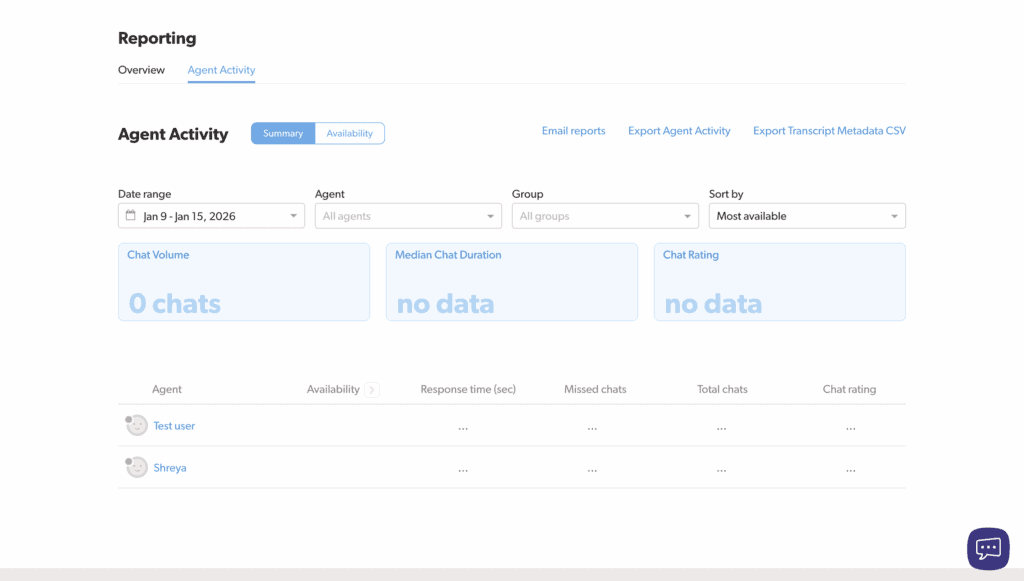
- Chat Routing: Use Agent Groups to send chats to specific departments like Sales or Support.
- Workload Limits: Automatically sets agents to “Away” when they reach their chat limit to prevent overload.
- Instant Notifications: Delivers desktop, browser, and mobile push alerts for every new chat.
- Offline Mode: Converts the chat widget into a contact form when no agents are online.
Effective Chat History
Your chat history is a goldmine of customer insights, training material, and legal records. A chat platform must provide permanent, searchable storage of all transcripts. We demand the ability to easily find past conversations, filter by agent or tag, and export data without restriction. Anything less is a critical failure in data management.
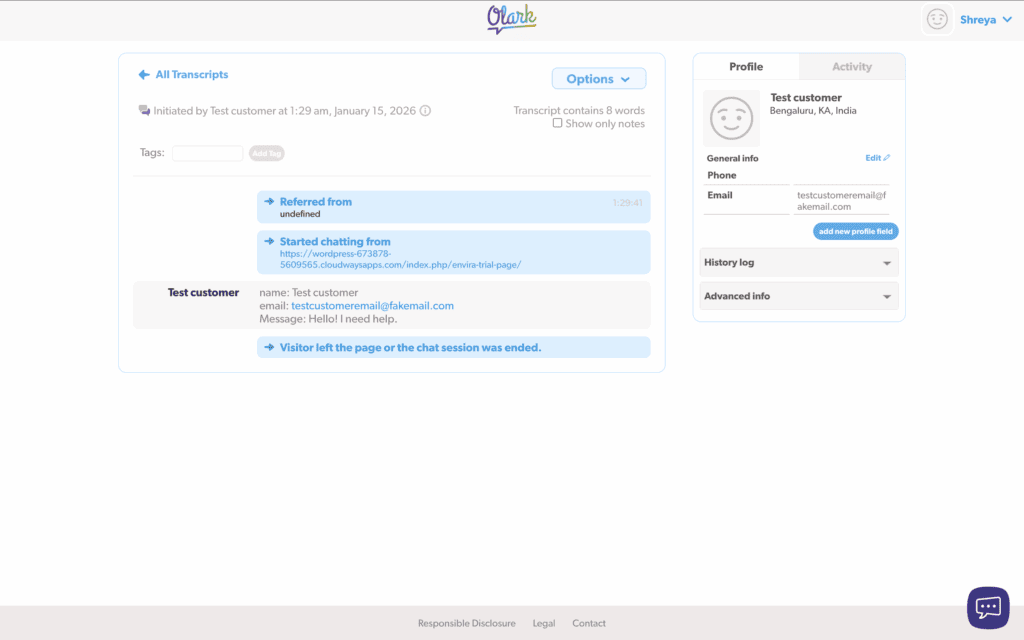
- Searchable Transcripts: Stores a complete history of all chats, searchable by keywords, tags, or agents.
- Simple Filtering: Quickly find conversations by date range, specific agent, or custom tags.
- Data Export: Easily export transcripts or have them automatically emailed for external storage and analysis.
Deceptive Pricing Model
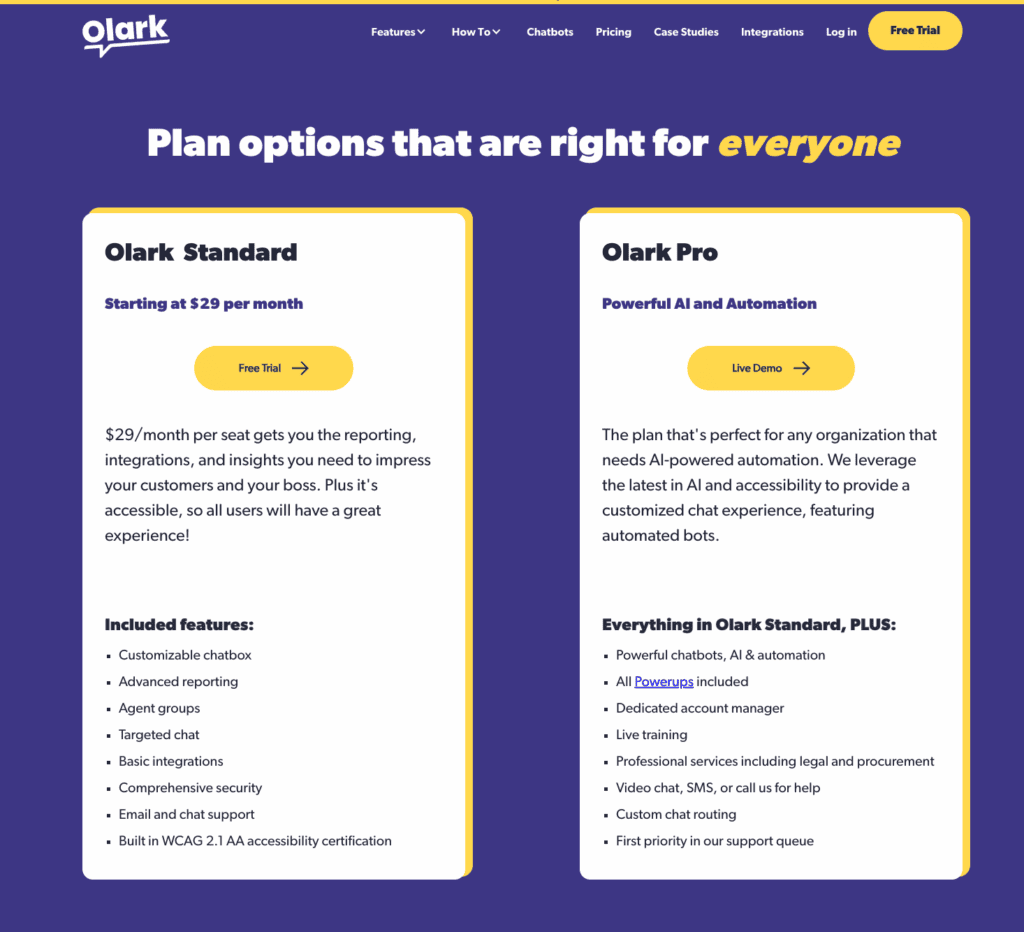
Olark’s pricing model is a little problematic. It forces you to pay extra for tools that should be standard.
- Useless Free Plan: The free offering is a demo, not a solution. Limited to one agent and a laughable 20 chats per month, it’s completely unviable for any real business.
- The Standard Plan Trap: The base price of $29/agent/month is just the beginning. This plan is stripped of critical features that its competitors include by default.
- The “PowerUp” Tax: This is where the real costs hide. Removing Olark’s branding, co-browsing, and live translation are treated as individual monthly add-ons, easily doubling your bill.
- Gated Pro Plan: True AI automation and an all-inclusive feature set are reserved for a custom-priced enterprise plan, effectively locking out small and medium businesses.
Critical Feature Gaps
The platform’s simplicity comes at a high cost. In this section, we break down the fundamental flaws and persistent user complaints that make Olark an incomplete and frustrating tool for any serious support team.
- The “PowerUp” Tax: The entire business model is a critical flaw. Forcing customers to pay a monthly fee to remove branding is an unprofessional and exploitative practice that holds your brand identity hostage. It signals a company that prioritizes its own marketing over its customers’ professionalism.
- Dated and Inefficient Interface: The agent dashboard and customer-facing chat widget are relics of a previous era. Compared to the sleek, modern interfaces of competitors like Tidio, Olark’s UI is clunky, unintuitive, and slows down agent workflow. A poor user experience is a direct drag on productivity.
- No Built-in Ticketing System: Olark completely fails at managing support issues beyond the initial chat. Without an integrated ticketing system, your team cannot track, manage, or resolve complex customer problems effectively, forcing you to pay for and integrate a separate help desk service.
Superior Chat Alternatives
Do not let simplicity fool you into accepting a subpar tool. The market offers more powerful, modern, and transparently-priced platforms that solve every one of Olark’s core weaknesses. The following plugins are for businesses that demand a complete, professional-grade solution.
- LiveChat: For teams that need an all-in-one customer service platform, LiveChat is the definitive choice. It offers a clean, modern interface, integrated ticketing, and powerful analytics without the hidden add-on fees that cripple Olark’s value.
- tawk.to: If your budget is the primary concern, tawk.to is the undisputed free champion. It provides unlimited agents, a built-in ticketing system, and a knowledge base at zero cost, making Olark’s restrictive plans and paid add-ons look indefensible.
- Tidio: Tidio delivers the modern, AI-powered experience that Olark lacks. It seamlessly combines beautiful design with accessible AI chatbots, providing a far more powerful and user-friendly platform for businesses that want to automate support effectively.
Final Thoughts
After a thorough evaluation, our verdict is clear: Olark is a simple tool trapped by a predatory pricing model and outdated design. While its core chat functionality is reliable, its crippling limitations—the “PowerUp” tax, a dated interface, and the absence of a ticketing system—make it impossible to recommend. It is a legacy tool that has been surpassed by more modern, feature-complete, and honestly-priced competitors.
However before you try this live chat tool, a WP staging plugin is essential for creating a safe, private copy of your site where you can build and test the ideal chatbox without affecting your customers.
FAQs
What is Olark?
Olark is a live chat software that allows businesses to talk with visitors on their website in real time. It’s known for its simplicity and targets small to medium-sized businesses. However, it’s an older platform with a dated interface and a business model that relies on expensive add-ons (“PowerUps”) for what should be standard features.
How much does Olark cost?
Olark’s pricing is deceptive. While it advertises a Standard plan for around $29 per agent per month, this price does not include essential features. Critical tools like removing Olark’s branding, co-browsing, and live translation are locked behind expensive “PowerUp” add-ons ($29-$99 each), which can easily double or triple your monthly bill. Its free plan is a non-starter, limited to just 20 chats per month.
Is Yola a good website?
Yola is a decent website builder for absolute beginners or individuals who need a very simple, free, or low-cost personal site. However, it lacks the advanced features, modern templates, and e-commerce capabilities of superior platforms like Squarespace, Wix, or WordPress.com. For any serious business, it is not a good choice.
Is CloudTalk reliable?
CloudTalk is generally considered a reliable cloud-based phone system for small and medium-sized businesses. It is known for good call quality and strong integrations with popular CRM and help desk software. However, like many VoIP services, some users report occasional glitches or inconsistent customer support experiences. Its reliability is solid for most business use cases but may not meet the demands of large enterprise call centers.

Shreya has been a writer for as long as she can remember. Now, she writes articles that help WordPress users manage the sites that they're proud of, with little to no coding