Our in-depth tawk.to review will help you decide if this popular free chat widget is the right fit for your website. You’ve probably heard it’s 100% free and are wondering, “What’s the catch?” Choosing the right tool is critical for customer support, but a bad choice can lead to missed sales and a frustrating user experience. We’ve analyzed real user feedback to get you the answers.
A live chat plugin can make or break your customer engagement. The right one boosts sales and satisfaction, while the wrong one can slow your site down and create a clunky experience. Let’s see if tawk.to truly delivers on its promise or if there are better alternatives for your business.
While tawk.to’s free plan offers incredible value, the platform is seriously hindered by an unreliable mobile app and a clunky user interface.
Use a staging site to test it out on because you must confirm if these critical flaws will lose you customers before deploying it on your live website.
Quick look at tawk.to review
Tawk.to is a free live chat platform that lets you monitor and chat with visitors on your website in real-time. It’s known for offering a surprisingly robust set of features at no cost, including a ticketing system, a knowledge base, and detailed visitor analytics to help you engage customers and increase sales.
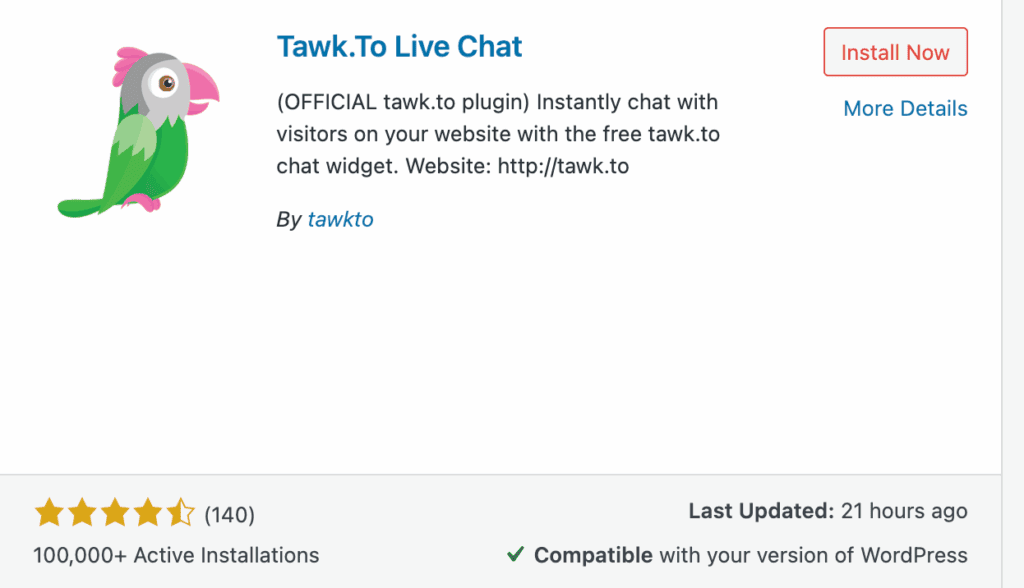
To give you the most practical and honest review, we’ve installed and tested tawk.to, focusing on the key areas that matter most to a website owner. Here are the factors we’re considering:
- Ease of Use: Is the dashboard easy for your team to navigate?
- Core Features: What essential tools are included for free?
- Performance: Does the widget impact your website’s loading speed?
- Mobile App Support: Can you effectively manage chats on the go?
- Integrations: How well does it connect with WordPress and other platforms?
- Privacy: Is your customer and chat data handled securely?
- Pricing: What are the actual costs for add-ons like branding removal?
AI & Automation
An effective AI chatbot must do more than just greet visitors; it should resolve common queries 24/7, qualify leads, and free up your team for complex issues. We’re testing if tawk.to’s AI is a genuinely useful tool that can handle real-world tasks or just a thinly veiled upsell that locks true automation behind a paywall.
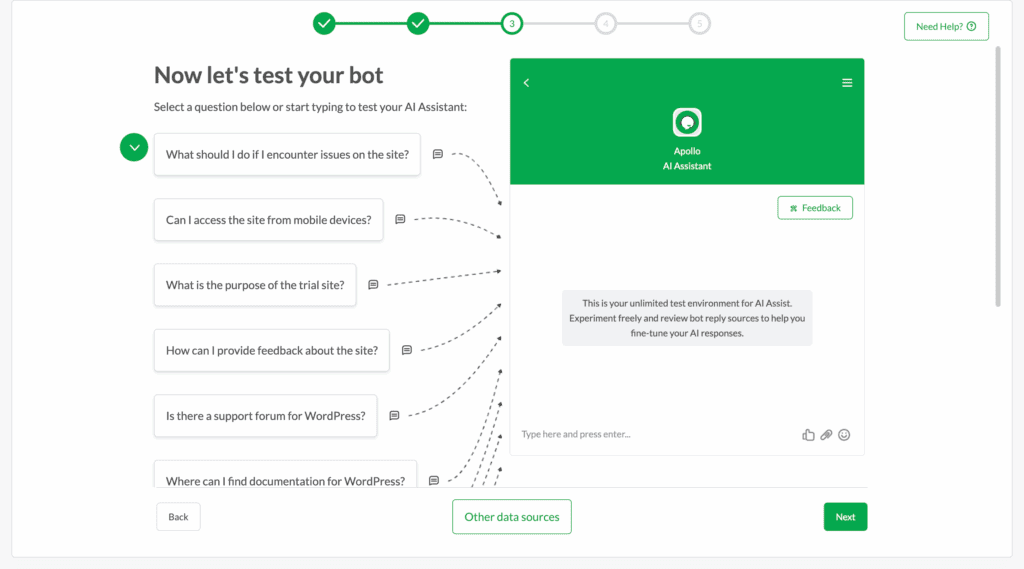
- Apollo AI Bot: Trainable on your own website data and knowledge base to provide automated, agent-free support around the clock.
- Smart Replies: Provides AI-generated response suggestions to human agents in real-time, drastically reducing typing time and improving consistency.
- AI Pricing: The free tier is minimal (100 messages/month). Real automation requires the paid “AI Assist” add-on, starting at $29/month.
Integrations & Connectivity
A chat tool cannot operate in a vacuum. It must integrate seamlessly with your existing workflow, especially your CRM and marketing platforms. We’re seeking robust, dependable connections that don’t necessitate ongoing manual adjustments or intricate configurations to operate effectively.
- Platform Support: Provides excellent native plugins for WordPress, Shopify, Wix, and Squarespace, ensuring a simple setup process.
- Workflow Connectivity: Connects to over 1,500 apps via Zapier, linking to CRMs like HubSpot and tools like Slack.
- Integration Depth: Users report that integrations are often basic, lacking the deep two-way data synchronization found in more expensive platforms.
Performance & Speed
A live chat widget is useless if it cripples your website’s loading speed. A slow site kills user experience and sinks SEO rankings. We tested tawk.to to see if its script adds significant bloat or if it truly loads without impacting core web vitals.
- External Hosting: The chat widget and data are hosted on tawk.to’s servers, not yours, preventing strain on your hosting resources.
- Asynchronous Loading: The script loads after your main content, ensuring it doesn’t block page rendering or hurt your performance scores.
- Custom Delays: You can configure the widget to appear after a set delay, further optimizing the initial page load for visitors.
Mobile App Experience
Your business doesn’t stop when you step away from your desk. A reliable mobile app is non-negotiable for managing chats on the go and capturing leads in real-time. We tested the iOS and Android apps for responsiveness, usability, and, most importantly, notification reliability.
- Native Apps: Offers dedicated, full-featured apps for both iOS and Android to manage chats and monitor visitors from anywhere.
- Modern Interface: The latest app version is intuitive and responsive, making it easy to navigate and handle multiple conversations.
- Unreliable Notifications: A common user complaint is that push notifications can be delayed or missed, leading to slow response times.
Security & Compliance
Handling customer data is a massive responsibility. Your chat tool must adhere to strict international privacy laws to protect both you and your users from legal risk. We’ve examined tawk.to’s compliance framework to see if it provides the necessary safeguards for your business.
- Privacy Standards: Fully GDPR and CCPA compliant, using SHA-256 SSL encryption to secure all data in transit and at rest.
- Data Protection: Provides a standard Data Protection Addendum (DPA) to ensure legal data processing for businesses serving European customers.
- HIPAA Status: It is not HIPAA certified by default and should not be used for protected health information without specific configurations.
Agent Management
A chat tool is only as good as the experience it provides your support team. Clunky interfaces and missing features lead to agent frustration and poor service. We assessed tawk.to’s agent dashboard for efficiency, collaboration tools, and its ability to manage customer flow under pressure.
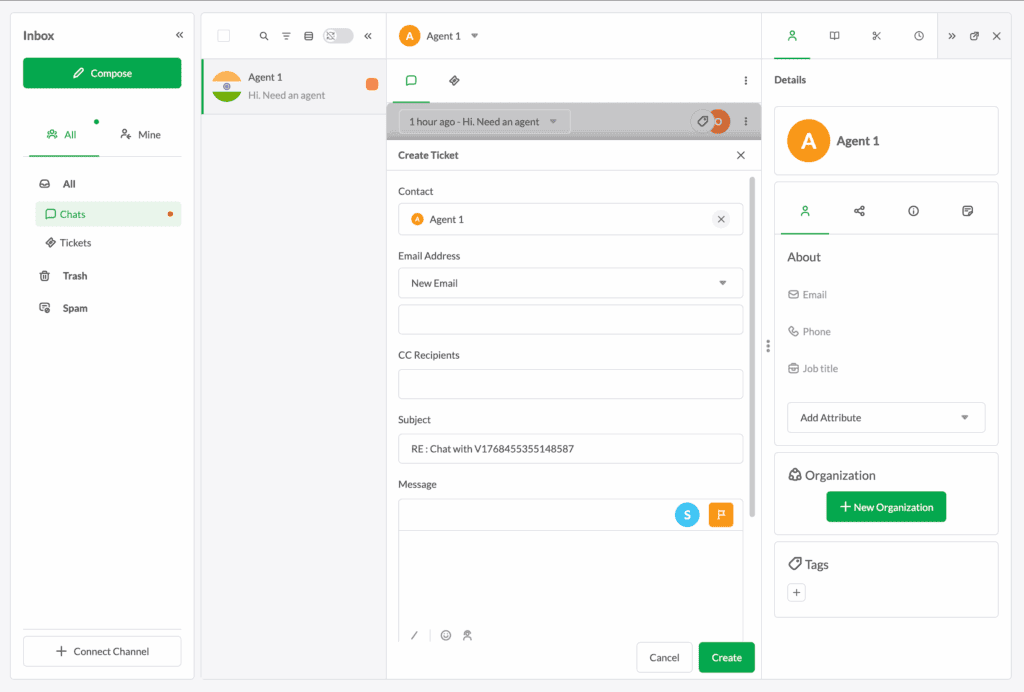
- Chat Routing: Create departments like “Sales” or “Support” to automatically or manually assign chats to the right agents.
- Whisper Mode: Allows agents to send private notes to each other within a live chat, enabling seamless team collaboration on complex issues.
- Agent Availability: The widget converts to an offline form when no agents are online, and AI can hand off chats to humans.
Data & Chat Storage
Your chat history is a goldmine of customer insights, training material, and a record for dispute resolution. A platform must store this data securely and make it easily accessible. We verified if tawk.to’s promise of unlimited storage holds up without hidden limitations or surprise fees.
- Unlimited History: Stores all chat transcripts and history for free, forever, with no data caps or time limits imposed.
- Searchable Archives: The dashboard allows you to easily search, filter, and review past conversations by keyword, agent, or date.
- Data Export: You can export chat logs or email transcripts directly to customers from the dashboard for permanent record-keeping.
Pricing Tiers
In our experience, tawk.to’s pricing is problematic. The free version is less than basic and critical features are behind a paywall.
- Free Core: This is the real deal. You get unlimited agents, chats, and websites at zero cost. It is a fully functional platform, not a crippled demo.
- Remove Branding ($29/mo): Your brand identity is held hostage. To remove the mandatory “Powered by tawk.to” link—a non-negotiable for any credible business—you must pay a monthly fee.
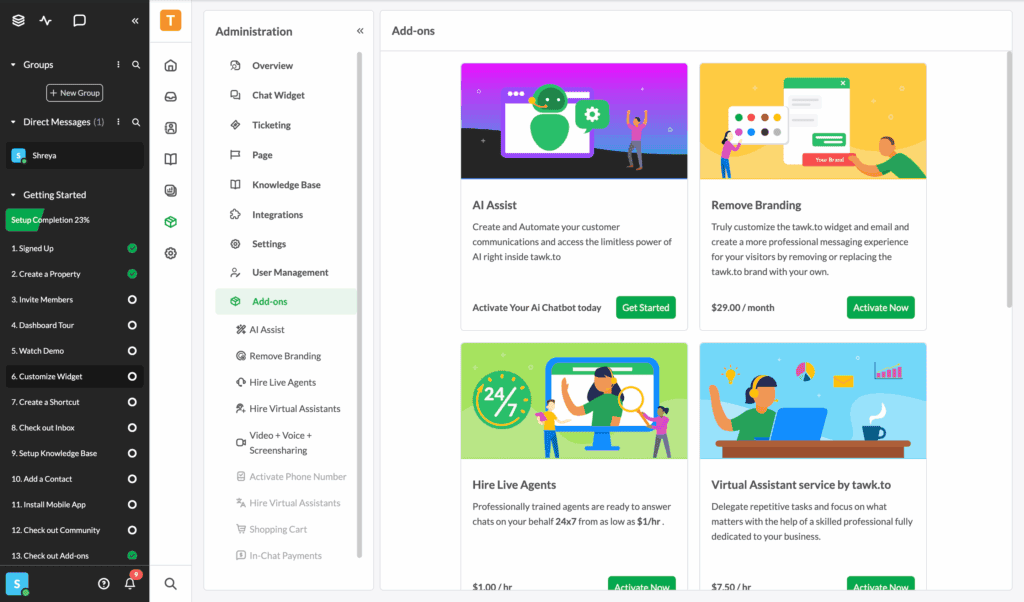
- AI Assist (Starts at $29/mo): Meaningful automation is a pay-to-play feature. The free AI tier is too small for any real traffic, forcing you into a subscription for 24/7 automated support.
- Hired Agents ($1/hr): This unique add-on outsources your support to their team. It’s an interesting feature but serves as another revenue stream built on top of the “free” platform.
Limitations of tawk.to
Is tawk.to tii giid ti ve true? In this section, we’ll break down the persistent flaws and user complaints that you should consider.
- Unreliable Mobile Notifications The mobile app’s notification system is fundamentally broken. The most common complaint across all review platforms is delayed or completely missed chat alerts. This isn’t a minor bug; it’s a critical failure that directly translates into lost leads, frustrated customers, and a reputation for poor service.
- Cluttered and Inefficient Dashboard The backend interface is a relic. It is overloaded with features and lacks an intuitive workflow, forcing a steep learning curve on new users. This complexity acts as a barrier to efficiency, slowing down your team and making simple tasks unnecessarily difficult. A clunky UI is a constant drag on productivity.
- Inconsistent Support Response Times For a company providing a communication tool, their own support is alarmingly inconsistent. While advertised as 24/7, users frequently report slow response times for technical issues. When your primary customer interaction tool fails, waiting hours for a resolution is not an option. This makes relying on them a significant operational risk.
Better Chat Plugin Alternatives
Do not let a free price tag blind you to superior alternatives. The market offers robust platforms that solve tawk.to’s core weaknesses in reliability and user experience. The following plugins are built for businesses that demand professional-grade performance and are willing to invest in it.
- LiveChat: For teams that need a dedicated, high-performance helpdesk, LiveChat is the superior choice. It offers a clean interface, reliable notifications, and powerful analytics built for scaling a professional customer service operation without the bugs.
- Olark: If your goal is proactive sales and deep customer intelligence, Olark is the better tool. It excels at collecting actionable data through pre-chat forms and detailed transcripts, providing insights that go far beyond what tawk.to’s basic analytics can offer.
- Tidio: Tidio provides a more modern interface and tightly integrated AI automation from the outset. For businesses that find tawk.to’s dashboard is clunky and wants a sleeker, more automated user experience, Tidio is a compelling, albeit pricier, alternative.
Final thoughts
After a thorough evaluation, our verdict is clear: tawk.to is an exceptional free tool that is ultimately undermined by critical professional flaws. Its generous free plan is unmatched, but the unreliable mobile notifications and a cumbersome dashboard make it a risky choice for any business where rapid response times are non-negotiable. It is a powerful starter tool that growing businesses will inevitably be forced to abandon.
If you decide to use it, do so with caution. A reliable staging tool gives you a risk-free sandbox to experiment with a new live chat plugin, ensuring you can perfect its setup and appearance before your visitors ever see it.
FAQs
Is tawk.to good?
Yes, tawk.to is an excellent tool for small businesses, startups, and anyone needing a powerful live chat solution without a budget. Its free plan offers features that many competitors charge for, such as unlimited agents and chat history. However, its clunky dashboard and unreliable mobile notifications can be significant drawbacks for businesses that require a polished, highly reliable system.
Is tawk.to really free to use?
Yes, the core live chat functionality of tawk.to is 100% free forever. This includes unlimited agents, unlimited chats, a ticketing system, and a knowledge base. You only need to pay for optional add-ons, such as removing the “Powered by tawk.to” branding ($29/month), using the AI features at scale, or hiring their chat agents.
Who is the owner of tawk.to?
Tawk.to is a privately held company with a global presence, including offices in the USA and Australia. It was founded by CEO Robert Castelo. It is not owned by a large public corporation, allowing it to maintain its focus on its core product and free pricing model.
What is tawk.to used for?
Tawk.to is primarily used as a live chat widget to provide real-time customer support and sales assistance on a website. Beyond live chat, it’s a comprehensive customer engagement platform used for:
Monitoring website visitors in real-time to see their location and browsing activity.
Creating a self-service knowledge base to answer common customer questions.
Managing customer queries through a built-in ticketing system.
Proactively engaging visitors with automated messages and triggers.

Shreya has been a writer for as long as she can remember. Now, she writes articles that help WordPress users manage the sites that they're proud of, with little to no coding