Tired of watching potential customers leave your website without a word? A clear Tidio review is crucial because while it’s a top name for engaging visitors, online feedback can be confusing. This article cuts through the noise, analyzing real user experiences to help you decide if Tidio is the right tool to turn your website visitors into happy customers.
A chat plugin is one of the fastest ways to build trust and increase sales on your site. Tidio promises powerful AI automation and an easy, no-fuss setup, but does it truly deliver on those promises for a busy business owner? Let’s dive in.
Our rigorous testing concludes that Tidio is a fundamentally flawed platform, combining a predatory business model with severe technical shortcomings that make it unsuitable for professional use.
However, try a staging site if you want to test the plugin out. It offers a free trial for a week with all its premium features and you will get a better sense of whether it’s a good fit for you.
Quick look at Tidio review
Tidio is a customer communication platform that adds live chat and AI-powered chatbots to your website. It lets you talk to visitors in real-time, automate answers to common questions, and manage conversations from your site, email, and social media all in one place to help drive sales.
To give you the most practical and honest review, we’ve tested Tidio across the key areas that matter most to a busy website owner. Here are the factors we’re considering:
- AI Automation: How effective are the chatbots?
- Third-Party Integrations: Does it connect with the tools you already use?
- Performance: Does it slow down your site?
- Mobile App Support: Can you manage chats on the go?
- Compliance: Is your data handled safely?
- Agent Management: How easy is it for you and your team to use?
- Data Storage: Are your chat transcripts saved and accessible?
- Pricing: Is it worth the investment?
AI & Automation
An AI chatbot must be a force multiplier, not a time sink. It should handle customer queries independently, allowing you to focus on your business. We are testing whether Tidio’s automation is genuinely autonomous or just another complex system demanding constant management and costly upgrades.
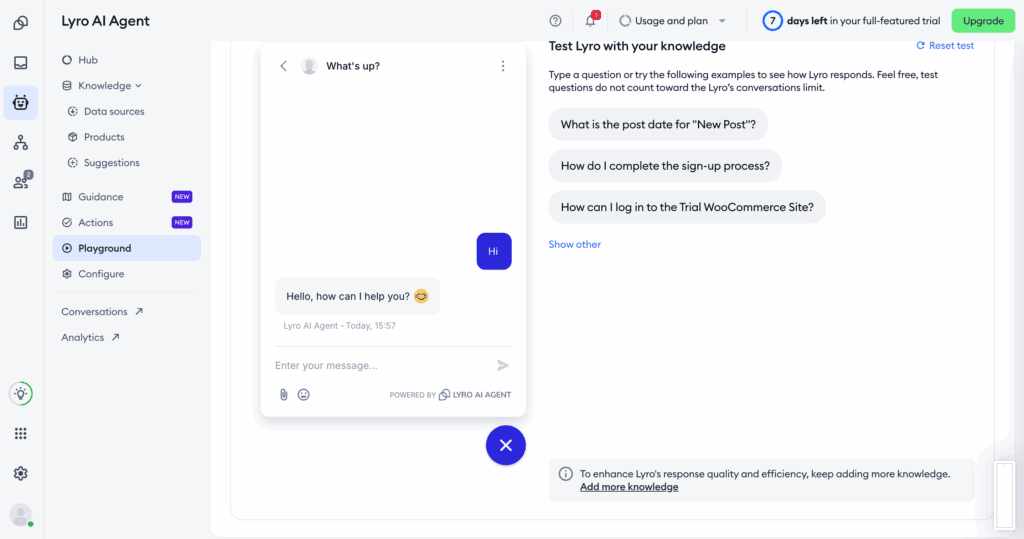
- Lyro AI Agent: A conversational AI that learns from your site to resolve issues. Requires significant initial setup and continuous monitoring.
- Visual Flow Builder: Creates automation with a drag-and-drop editor. Simple flows are easy, but complex ones become unmanageable fast.
- AI Copilot: Provides real-time response suggestions to human agents. A useful crutch, but it risks making your support feel robotic.
- Automated Triage: Routes tickets based on user intent. This only works for predictable queries and struggles with nuanced customer issues.
Flawed Integrations
Your chat tool cannot be an island; it must seamlessly connect with your CRM, e-commerce platform, and marketing software. We’re looking for deep, native functionality, not a patchwork of third-party connectors that can break or add hidden costs.
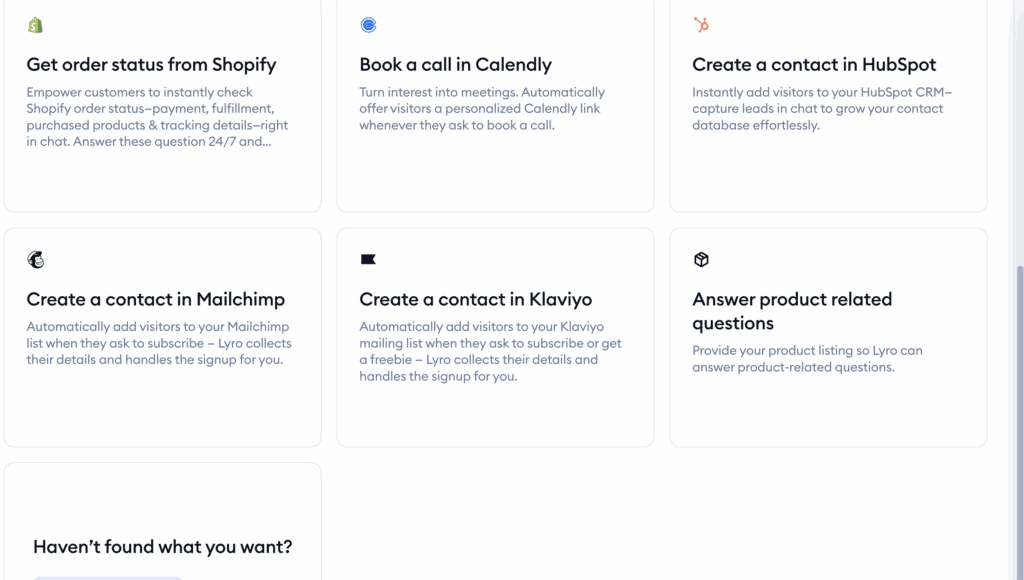
- E-commerce: Deep integrations with Shopify and WordPress are solid, but support for other platforms is noticeably lacking.
- Communication: Centralizes messages from social media, but syncing can be slow, and advanced filtering is nonexistent.
- CRM & Productivity: Connects with major CRMs, but the data syncing is often superficial and requires manual verification.
- Zapier & OpenAPI: Access to 1,000+ apps via Zapier simply passes the cost and development burden onto you for non-standard integrations.
Questionable Performance
A chat widget that harms your Core Web Vitals is a liability. It must load asynchronously and have a minimal impact on site speed, otherwise, it will drive away the very customers it’s meant to engage.
- Server Hosting: All processing is handled on Tidio’s AWS servers, which is expected but provides no guarantee against latency or downtime.
- Widget Loading: The script loads asynchronously, but can still cause noticeable delays if it conflicts with other plugins or is misconfigured.
- Resolution Guarantee: The “50% AI Resolution Guarantee” is a service-level promise on high-tier plans, not a technical performance benchmark.
Inconsistent Mobile App
Business doesn’t stop when you leave your desk. A reliable mobile app with instant, unfailing push notifications is non-negotiable. We are testing if Tidio’s app is a dependable business tool or just a frustrating afterthought.
- Cross-Platform Support: Dedicated apps exist for iOS and Android, but feature parity and stability are inconsistent between the two.
- Core Functions: It supports basic live chat and AI management but lacks many of the advanced settings available on desktop.
- Mobile SDK: Allows embedding Tidio into your own app, but this is a complex task requiring significant development resources.
Standard Compliance
Mishandling customer data is a catastrophic business risk. A chat tool must be fully compliant with major regulations like GDPR and employ robust encryption. Anything less is an immediate disqualification.
- Privacy Standards: It is fully GDPR, CCPA, and SOC 2 compliant, meeting the bare minimum requirements for handling user data.
- Security: Uses standard 256-bit SSL encryption, which is the expected protocol for any professional online service today.
Basic Agent Management
Your chat software must make your team more efficient. We need intelligent chat routing, seamless internal collaboration, and foolproof systems for when agents are offline. We are testing if Tidio is built for professional teams or just small-scale operations.
- Notifications & Routing: Provides real-time alerts and basic assignment rules but lacks the complex, skill-based routing needed for scaling teams.
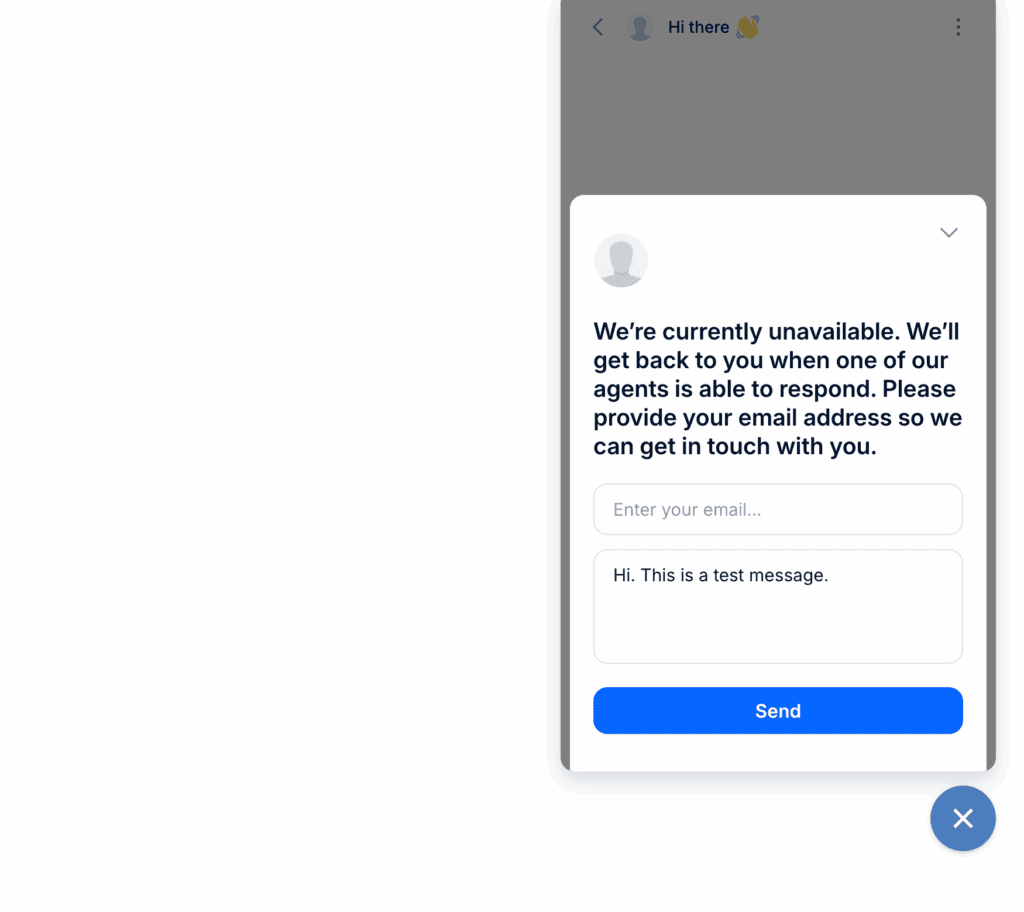
- Unavailability Handling: The widget defaults to a contact form or a bot when agents are offline—a standard, uninspired feature.
- Collaboration: Offers internal notes and @mentions, but it’s a far cry from the robust ticketing systems of dedicated helpdesks.
Paywalled Data Storage
Customer conversation history is a critical asset for quality control, training, and resolving disputes. This data belongs to you and should always be accessible. We are examining how Tidio restricts access to your own information.
- Chat History: Unlimited access to past transcripts is a key feature—but it is reserved for paying customers only.
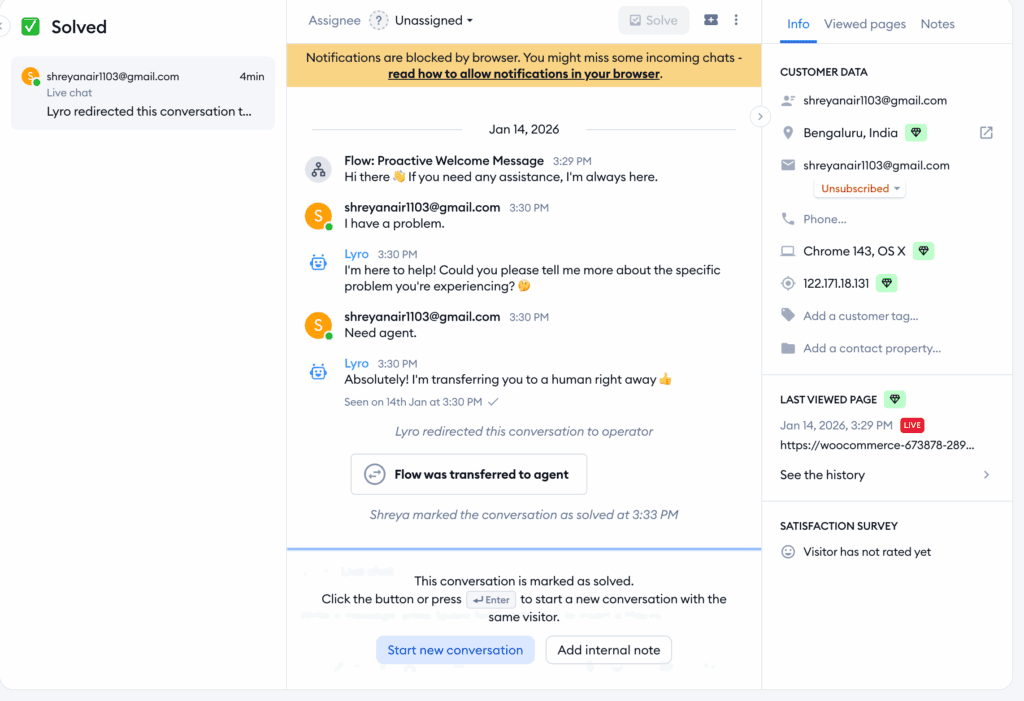
- Contact Management: Automatically stores basic visitor info and page history, but it cannot replace a dedicated CRM.
- Archiving: Provides “Solved” and “Archived” tabs to keep the inbox organized, a rudimentary feature for any communication tool.
Deceptive Pricing Tiers
We found Tidio’s pricing to be aggressive. Here’s a breakdown of what we mean:
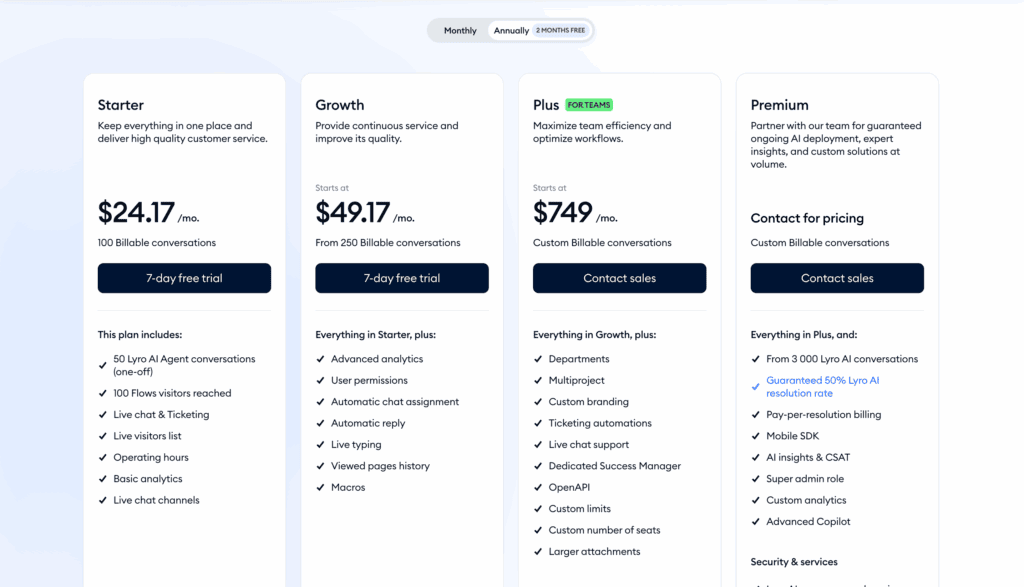
- Free: This plan is a bottleneck, not a starting point. With a meager 50 live chats per month and a one-time allowance of 50 AI conversations for life, it’s functionally useless for any active website.
- Starter ($29/mo): You pay to get basic, expected features like a live visitors list. This tier does little more than lift the severe restrictions of the free plan, offering minimal new value.
- Growth ($59/mo): This is where you pay to appear professional. Removing Tidio’s branding—a non-negotiable for any serious business—is locked behind this paywall, along with critical analytics.
- Plus ($749+/mo): The enterprise paywall. Custom AI limits and dedicated support are reserved for those willing to pay an astronomical fee, proving that scalable, high-level service is not for their average customer.
Limitations of Tidio
The Tidio review sounds almost perfect, right? Is it too good to be true? In this section, we’ll talk about some of the limitations we’ve come across or complaints that users have made.
- Restrictive Free Tier Limits The free plan’s 50-chat limit is a hostile cap designed to fail. It is not a functional starting point but a marketing gimmick engineered to force you into an immediate, costly upgrade the moment your website sees any traffic.
- Complex and Predatory Pricing Tidio’s pricing is intentionally deceptive. The advertised fee is a lie, as separate, hidden charges for AI and automation can easily double your bill. This predatory model makes budgeting impossible and punishes you for engaging more customers.
- Segmented Automation Systems The platform’s automation is fundamentally broken. Rule-based “Flows” and the “Lyro AI” are siloed, preventing you from creating a single, intelligent workflow. You’re forced to choose between a dumb script and an unpredictable AI, with no middle ground.
- Limited AI Knowledge Sources The Lyro AI is stuck in a walled garden, only learning from your website and FAQs. It cannot access real business data from internal platforms, rendering it useless for any question that requires more than a superficial, pre-written answer.
- Unreliable Mobile Performance The mobile app is fundamentally unreliable. It is slow, and widespread user reports confirm it suffers from delayed or missed push notifications. This is a core functionality failure that directly leads to lost sales and poor service.
- Customization and Branding Constraints Tidio holds your brand identity hostage. The inability to remove their mandatory branding on lower plans is an unprofessional imposition that forces you to act as their free advertiser. Essential customization is locked behind an expensive paywall.
- Technical Integration Gaps The advertised integrations are shallow and functionally useless for real automation. Data syncing with CRMs is often limited to basic contact creation, lacking the deep, bi-directional updates required for a professional workflow.
- Weak Native Analytics The reporting dashboard provides only vanity metrics. It lacks the depth needed for actionable business intelligence, tracking only basic data like chat volume. For any meaningful analysis, you will be forced to rely on external tools.
Better Chat Plugin Alternatives
Do not settle for Tidio’s limitations. The market is filled with superior alternatives that offer more transparent pricing, robust features, and greater respect for your business needs. The following platforms solve the specific problems Tidio creates, providing genuinely viable options for businesses that demand professional-grade tools.
- Tawk.to: Tawk.to offers unlimited live chat conversations and agent seats at no cost. Its value proposition is honest and provides a powerful, sustainable starting point for any business on a budget, without the aggressive upsell tactics.
- LiveChat: If your priority is a scalable customer service operation, LiveChat is the superior alternative. It is a dedicated helpdesk platform designed for serious teams that require structure and data to manage a high volume of interactions.
- Olark For businesses that view customer chat as a source of market intelligence, Olark is the best. It excels at collecting rich customer data through live transcripts, pre-chat surveys, and co-browsing.
Final thoughts
After rigorous testing, our verdict is clear: avoid Tidio. Its predatory pricing, useless free tier, and fragmented automation make it a liability for any serious business. The platform’s technical flaws, including an unreliable mobile app and superficial analytics, prove it’s not ready for professional use. It masquerades as a simple solution but introduces long-term problems of scalability and cost.
If you insist on testing it, we strongly recommend using a test site plugin to create a clone of your website; this provides a safe space to fully configure a new live chat tool without disrupting your live customer experience.
FAQs
Is Tidio worth it?
Honestly, no. While it looks good on the surface, the costs add up quickly and can become surprisingly expensive. The free plan is so limited that you’ll outgrow it almost immediately, forcing you into a paid plan that doesn’t deliver enough value for the price.
Is Tidio safe to use?
Yes, from a data security standpoint, Tidio is safe. It uses standard encryption and follows privacy laws like GDPR, so your customer data is protected. The real risk with Tidio isn’t your data; it’s your wallet, due to its confusing and unpredictable billing.
What are the cons of using Tidio?
The biggest problems with Tidio are its core features and business model:
- Confusing Pricing: The costs can get expensive fast, with hidden fees for different features.
- Limited Free Plan: The free version is extremely restrictive and not useful for a growing site.
- Clunky Automation: The AI and the basic chatbots don’t work together, which is frustrating.
- Buggy Mobile App: The app can be slow, and you might miss important customer notifications.
- Forced Branding: You have to display the Tidio logo on your site unless you upgrade to a pricey plan.
What are the pros of using Tidio?
To be fair, Tidio is very easy to set up and has a clean, modern design that’s simple to navigate. For a brand new user, it feels welcoming. However, these good first impressions are quickly overshadowed by the major downsides, like the restrictive limits and high costs that appear once you start using it seriously.

Shreya has been a writer for as long as she can remember. Now, she writes articles that help WordPress users manage the sites that they're proud of, with little to no coding