An analytics plugin is a must-have for understanding your website’s audience. Most plugins on the market use Google Analytics. But, maybe you’re looking for an option that respects user privacy and doesn’t slow down your site? This SlimStat Analytics review will help you decide if this popular, self-hosted plugin is the right choice for you.
Many WordPress users want to escape third-party tracking and own their data completely. SlimStat promises exactly that: simple, powerful analytics that live right inside your WordPress database. But, is there a catch?
This article provides a hands-on look at SlimStat’s features, performance, and privacy controls to help you make a confident decision.
We loved SlimStat. It offered robust reports on a stunning dashboard. It’s a self-hosted plugin that offered all the data you need without sacrificing data ownership.
On that note, install a backup plugin. With data ownership in your hand, you need proactive protection. Backups plugins like BlogVault will make sure you always have a copy of your data on a separate server.
Setting the Scene for SlimStat Review
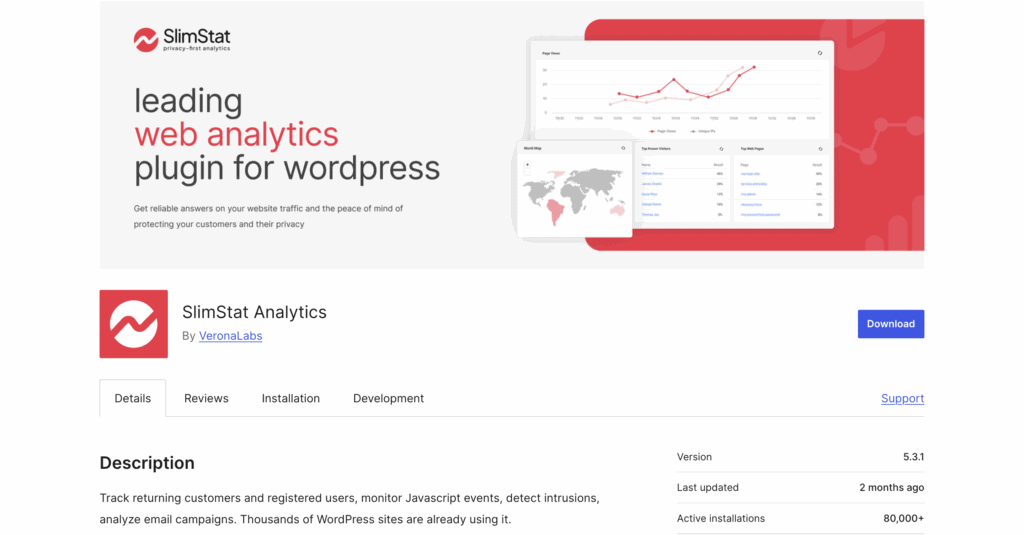
At its core, SlimStat is a standalone WordPress analytics solution. Unlike plugins that connect to Google Analytics, SlimStat collects, processes, and stores all visitor data directly within your WordPress database. The goal is to give you 100% data ownership and control, providing essential insights without sharing information with third-party corporatiWordPress ons.
When evaluating any analytics plugin, we focus on a few critical areas:
- Ease of Use: How simple is the setup? Is the dashboard beginner-friendly?
- Tracking Capabilities: Does it provide the essential metrics you need?
- Reporting: Are the reports clear, actionable, and easy to access?
- Privacy & Compliance: Does it help you comply with GDPR and other privacy laws?
- Performance Impact: Will it add extra load to your site or database?
- Value for Money: Do the features justify the cost of the Pro version?
Here’s what we found after putting SlimStat Analytics to the test.
Tracking Capabilities
The heart of any analytics tool is what it can actually track. This section is crucial because it determines whether SlimStat can provide the specific insights you need to understand your audience and grow your website.
SlimStat uses a server-side tracking method, which makes it both lightweight and reliable. However, its approach differs from JavaScript-heavy services like Google Analytics, which impacts the type of data it collects.
The plugin excels at tracking all the fundamental metrics you’d expect, including real-time visitor logs, page views, traffic sources etc. But, here are some of the highlights:
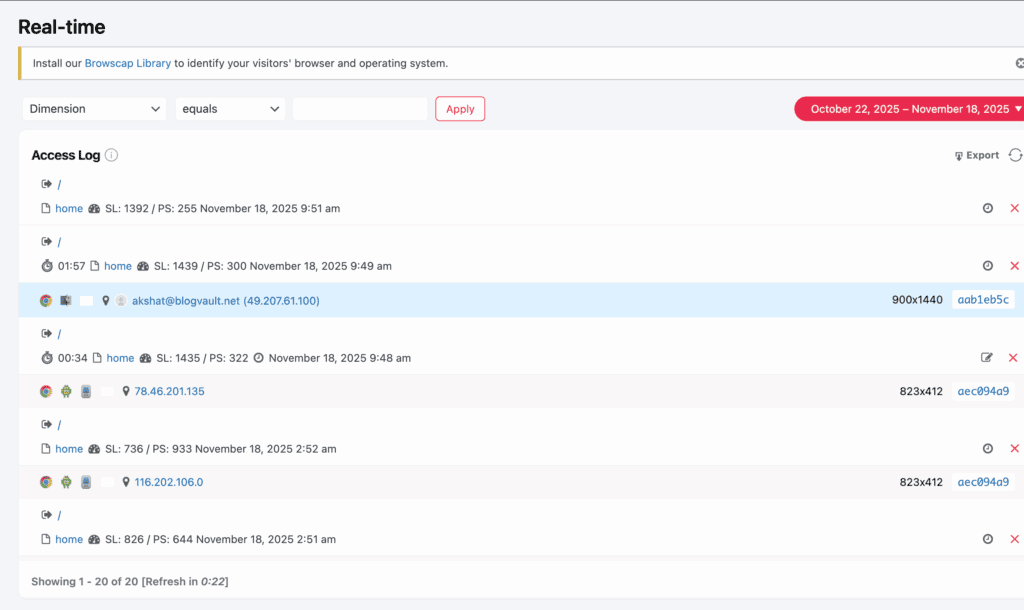
- Real-Time Visitor Logs: See who is on your site right now, including their location, IP address (anonymized), and the page they are viewing.
- Outbound Link Tracking: Automatically tracks when users click on links that lead away from your site.
- File Download Tracking: Monitors when visitors download files like PDFs or documents.
- Custom Event Tracking: While it doesn’t automatically track nuanced events like scroll depth or video plays out of the box, it can be configured to track custom events without writing any code.
It’s important to note that SlimStat does not have dedicated WooCommerce or e-commerce tracking features. If you run an online store and need to track revenue, transactions, and cart behavior, you will need a different solution.
Reporting Capabilities: All Your Data in One Place
This section is vital because it determines whether SlimStat can transform raw numbers into clear, actionable insights you can actually use to improve your site. After all, even the most accurate tracking is useless if the reports are cluttered or confusing. We tested its reporting to see if the data was presented in a way that a non-analyst could understand and use. SlimStat delivers beautifully on this front.
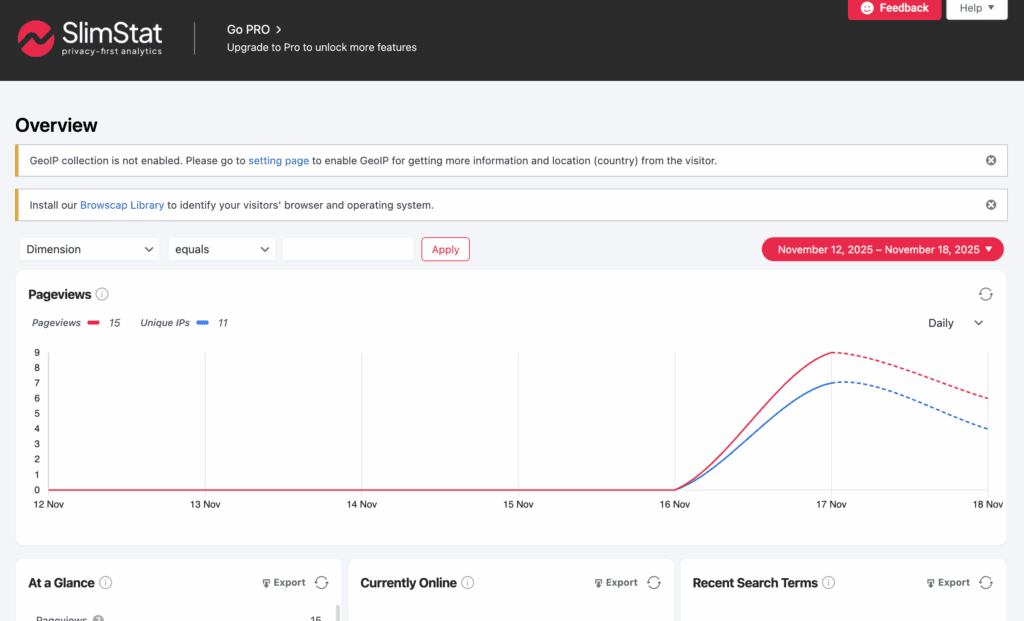
- All-in-One Dashboard: A clean, centralized dashboard gives you an at-a-glance overview of your most important metrics.
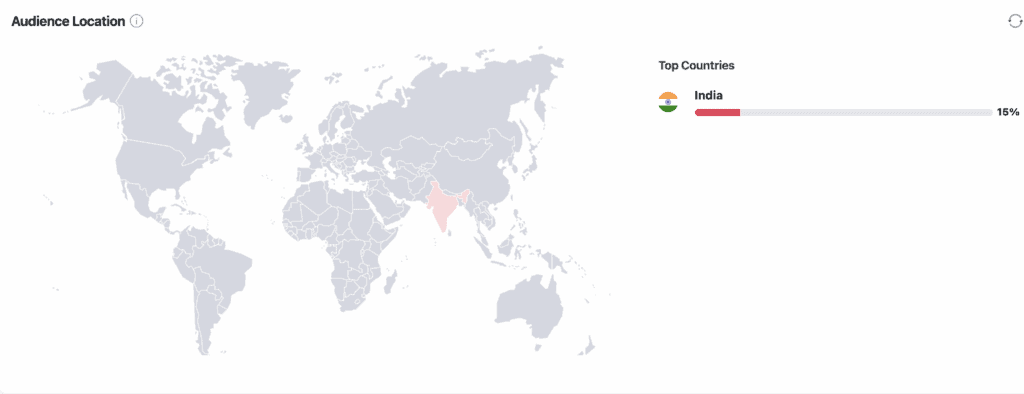
- Detailed Visitor Reports: Dive into visitor data including their geographic location (via GeoIP), browser, operating system, and screen resolution.
- Content Insights: Easily see your top-performing pages, categories, and even which authors are driving the most traffic.
- Traffic Source Analysis: Understand where your visitors are coming from with clear reports on referrers and search engine terms.
- Heatmaps (Pro Feature): The Pro version includes heatmaps, a powerful visual tool to see exactly where users are clicking on your pages.
- Email Reports (Pro Feature): Schedule automated email digests to be sent to your inbox, keeping you updated on your site’s performance without having to log in.
GDPR, Privacy, and Data Ownership
For any modern website owner, how you handle visitor data is no longer an afterthought—it’s a critical responsibility. This section dives into how SlimStat addresses complex privacy laws like GDPR and gives you full control over your information. Choosing the right tool here is essential for building trust with your audience and ensuring you stay compliant.
- 100% Data Ownership: All analytics data is stored in your own WordPress database. You own it, you control it, and it is never shared with a third party.
- Cookieless Tracking: By default, SlimStat can track visitors without using cookies, which means you often don’t need an annoying cookie consent banner for analytics purposes.
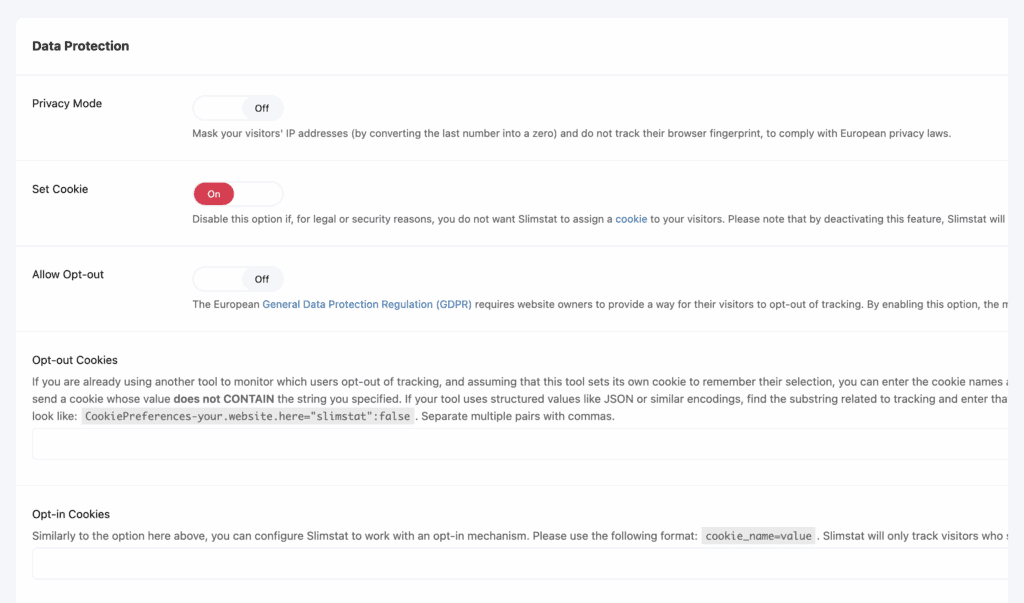
- IP Anonymization: The plugin automatically anonymizes visitor IP addresses to protect their privacy while still allowing for geographic reporting.
- Data Retention Controls: You can set a schedule to automatically purge old visitor data, helping you comply with GDPR and keep your database lean.
- “Do Not Track” Support: It respects the “Do Not Track” setting in users’ browsers, stopping data collection for those who have opted out.
- Access Control: You can control which WordPress user roles can view the analytics reports, keeping your site data secure from other team members.
Performance Impact
In our experience, it’s incredibly lightweight on the front end.
SlimStat is a server-side analytics tool. This means that it doesn’t add heavy JavaScript files to the front end of your website. This is a significant advantage, as it won’t slow down the visitor experience.
However, on websites with very high traffic, constantly writing data to the WordPress database can potentially cause “database bloat” over time. To manage this, it’s essential to use the built-in data retention scheduler to keep your database optimized.
Pricing & Value for Money: Is SlimStat Worth It?
SlimStat’s pricing operates on a freemium model. The core plugin is available for free on the WordPress.org repository and is packed with enough features to satisfy most bloggers and small businesses.
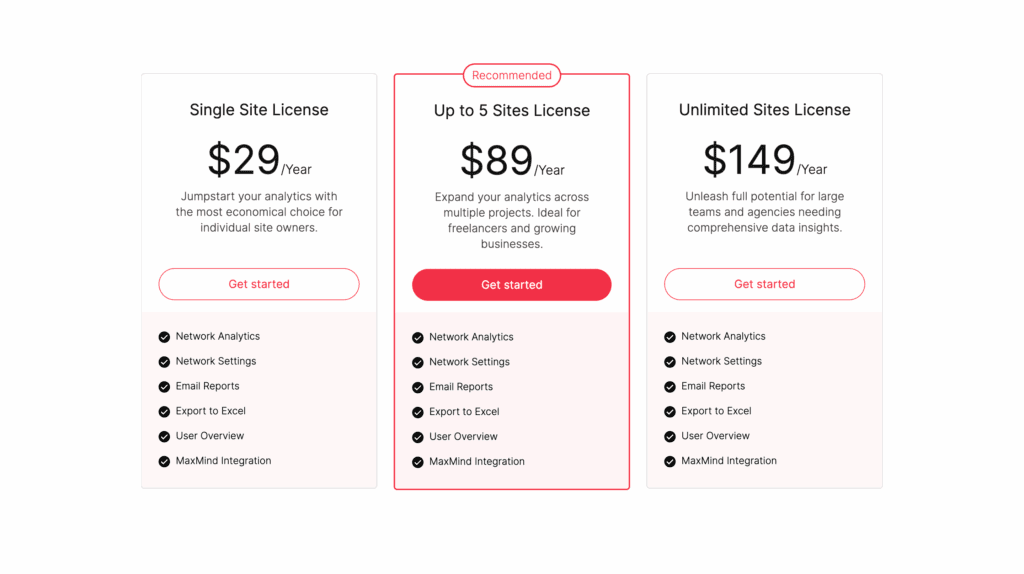
If you need more advanced insights, the SlimStat Pro Pack is available as a paid add-on. It unlocks powerful features like:
- Heatmaps
- Automated Email Reports
- Detailed User Activity Monitoring
- Advanced Data Export Options
The Pro Pack adds significant value and turns SlimStat into a much more robust analytics suite for those who need to dig deeper into their data.
Usability and Experience
From installation to daily use, SlimStat is designed to be incredibly straightforward.
Because there was no need to connect to an external service like Google Analytics, the setup was refreshingly simple. We just had to install and activate the plugin, and it immediately began collecting data—no extra steps required. The real-time data graphs were populated almost instantly, providing accurate information about current visitors. While we did notice that some reports, like the traffic sources page, took a little time to populate with meaningful data, the overall experience was seamless.
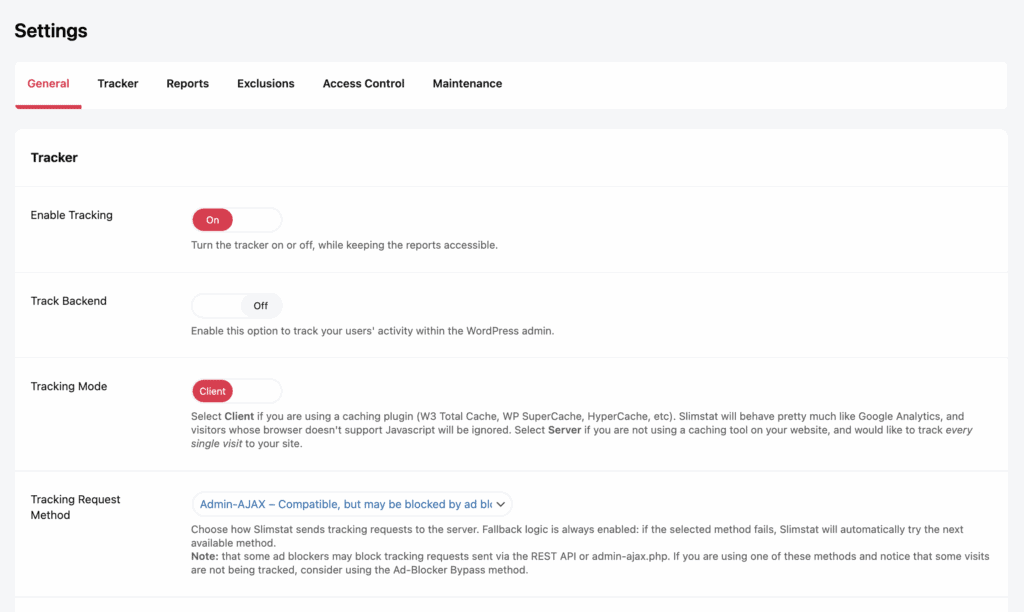
The dashboard itself is clean and intuitive, presenting information in a way that is easy to understand. We especially appreciated the helpful infoboxes that explain different metrics, making it a very beginner-friendly tool.
Alternatives to SlimStat
If you’ve decided that a self-hosted solution isn’t quite right for you, or if you want to explore other options, here are two excellent alternatives:
- Analytify: If your goal is to use Google Analytics but you hate the confusing interface, Analytify is the perfect bridge. It connects to your GA account and displays all your important data in beautiful, simple reports right inside your WordPress dashboard.
- WP Statistics: WP Statistics is another top-tier, self-hosted plugin that is very similar to SlimStat. It also stores data on your server and prioritizes privacy. The choice between the two often comes down to personal preference for the user interface.
Final Thoughts
So, here’s our final take on SlimStat Analytics. We love that it empowers site owners to take back control of their data. It completely removes the reliance on big tech for analytics and provides a fast, private, and simple way to understand your audience. If you’re a blogger, a small business owner, or anyone who values privacy and site performance, this plugin is an outstanding choice. It proves that you don’t need a complex, bloated tool to get meaningful insights about your website.
Now, before you rush off to install it, take a WordPress backup. While SlimStat is a stable and well-maintained plugin, adding any new software to your site introduces a small risk. A reliable backup ensures that if you run into any unexpected issues, you can restore your site to its previous state in minutes, risk-free.
FAQs
What is the best Google Analytics plugin for WordPress?
For simplifying Google Analytics data inside WordPress, plugins like Analytify and MonsterInsights are top contenders. They act as connectors, making GA4 data easy to understand for beginners.
How accurate are MonsterInsights?
MonsterInsights is highly accurate because, like Analytify, it pulls data directly from your Google Analytics account via the official API. The data it displays is the same data present in your GA property.
Is independent analytics safe?
Yes, independent or self-hosted analytics like SlimStat can be very safe, and often more private than third-party services. Safety depends on keeping the plugin updated and securing your WordPress site with strong passwords and a security plugin.
Does WordPress provide analytics?
WordPress.com (the hosted service) provides built-in stats. However, self-hosted WordPress.org sites do not come with a built-in analytics tool. You need to install a plugin like SlimStat, WP Statistics, or a Google Analytics connector to track your visitors.

Shreya has been a writer for as long as she can remember. Now, she writes articles that help WordPress users manage the sites that they're proud of, with little to no coding