

Taking your site global hinges on a single choice: your translation plugin. The final decision is usually between Weglot and TranslatePress, both with stellar reviews.
But their marketing claims sound identical, leaving you worried about making the wrong choice.
That’s precisely why we put them both to the test. This Weglot vs TranslatePress comparison cuts through the hype to give you the clear winner.
Weglot is our top choice for its effortless setup and guaranteed performance. But here’s our most important tip: always run a backup plugin first. This simple step ensures that any potential issue is a minor inconvenience, not a major disaster.
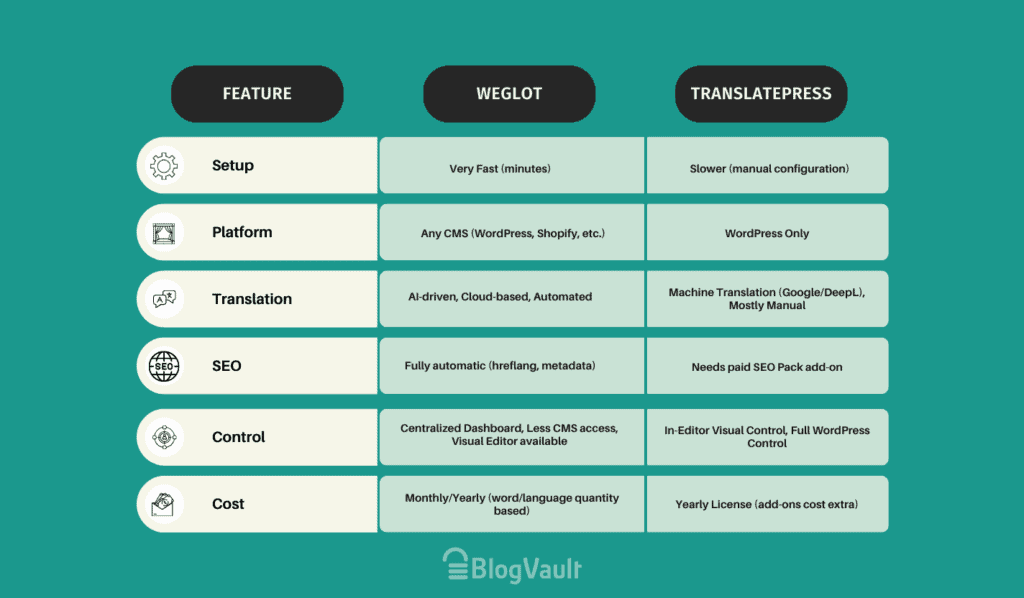
Weglot vs TranslatePress: At a glance
What’s the core difference
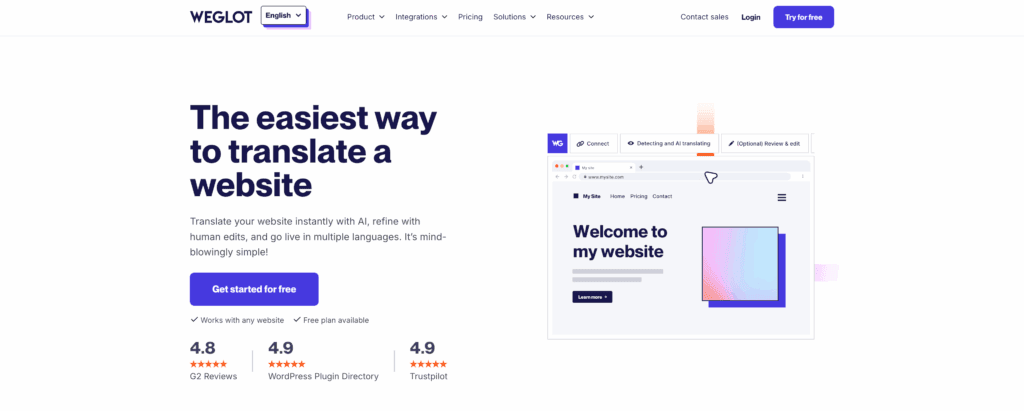
Weglot is an external cloud service (SaaS). It connects to your website, pulls your content, translates it, and serves the translated pages from its own global servers. Your translations live on your Weglot account, not on your website. This approach prioritizes speed and simplicity.
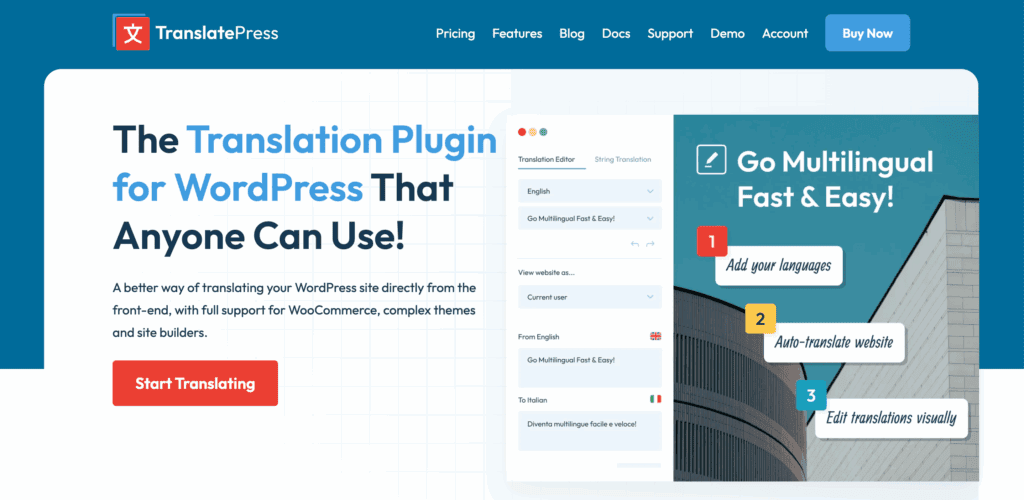
TranslatePress is a self-hosted WordPress plugin. It installs directly on your site, and all your translations are stored in your own database. You own and manage everything. This approach prioritizes data ownership and control.
Head-to-head feature comparison
Here’s the practical breakdown of how they compare on the features that matter:
Set up and ease of use
Weglot’s setup is the fastest in the industry. In our tests, we went from installation to a fully translated site in under five minutes.
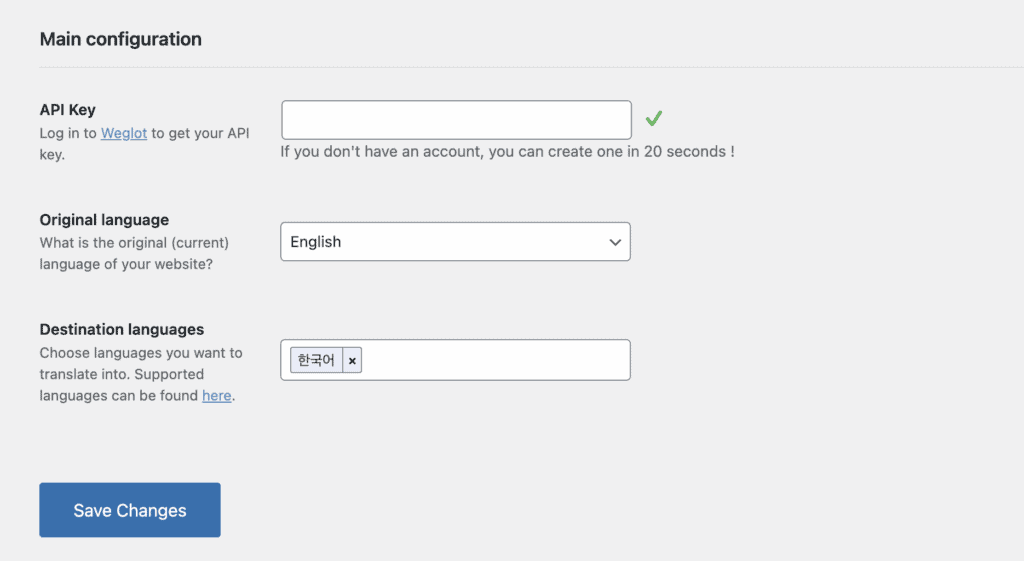
You install the plugin and connect it with an API key. Weglot then automatically detects and translates all your site’s content. It’s a hands-off process that feels seamless, especially for non-technical users.
TranslatePress uses the standard WordPress plugin installation. You configure settings in your dashboard, but the bulk of the work is done visually.
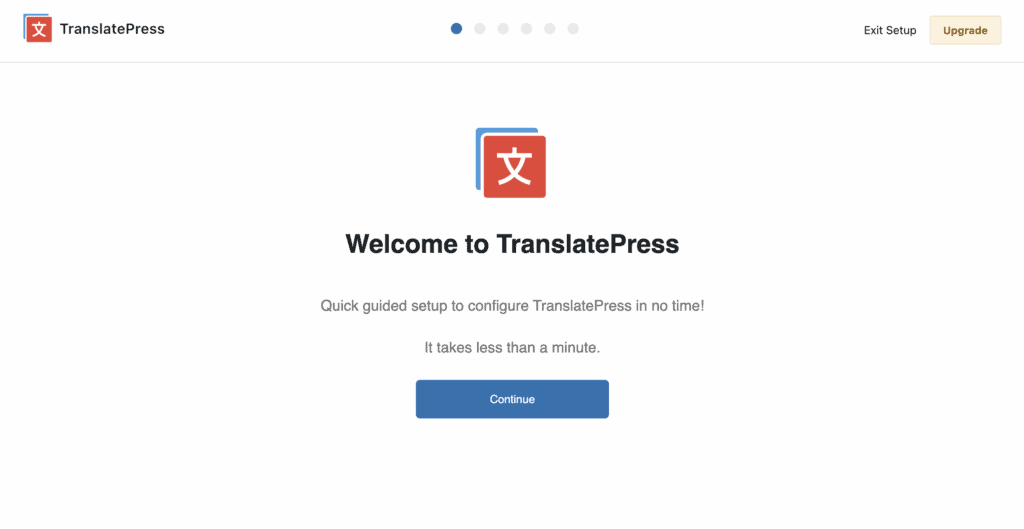
The process is straightforward if you’re familiar with WordPress. But it is undeniably more hands-on and takes more time to get fully configured than Weglot.
Translation workflow and management
With TranslatePress, the entire experience is built around its front-end visual editor. You work directly on a live preview of your site.
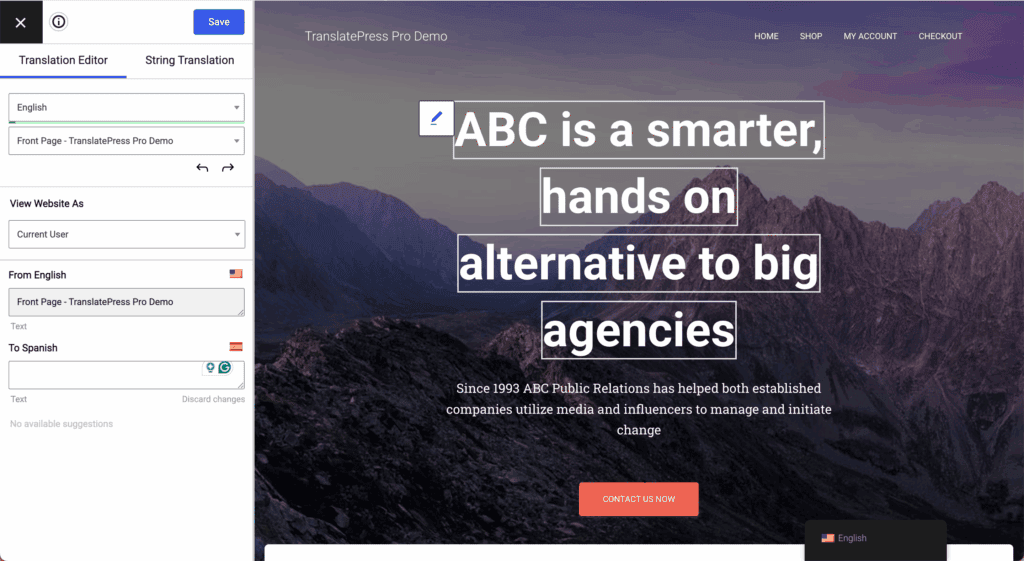
You can click on any text element. It can be a heading, a button, or a form field. Once selected, you translate it instantly in a sidebar. This method is incredibly intuitive because all edits are made in their final context, ensuring accuracy.
Weglot’s approach is different. It centers on an external dashboard. Here, you get a clean list of all your translated content. This list is efficient for managing large sites or finding specific text strings.
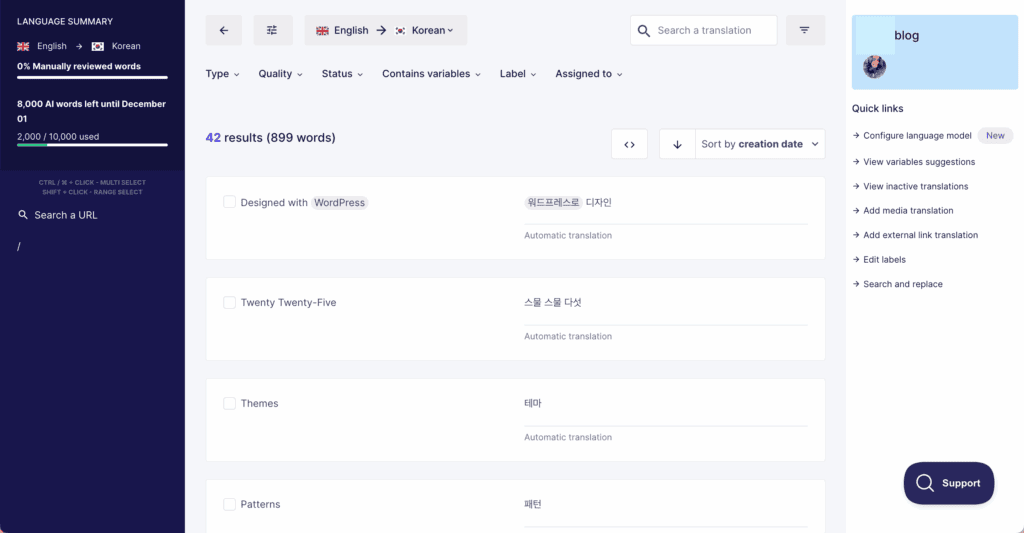
While it also provides a visual editor, its primary interface is this dashboard. A key advantage here is the direct integration for ordering professional human translations for high-stakes content.
Multilingual SEO
Weglot handles all crucial SEO elements automatically and by default. It implements hreflang tags, creates SEO-friendly URL subdirectories, and translates meta descriptions.
Its higher-tier plans add advanced options like full URL slug translation and the use of language-specific subdomains. This automation removes the risk of manual error and ensures your site is technically sound for Google from day one.
TranslatePress also has powerful SEO capabilities. But its most important features are part of the premium SEO Pack Add-on.
This is required to translate URL slugs and meta information. In our expert opinion, if you are serious about SEO, you must purchase a paid TranslatePress plan. The free version alone is not sufficient.
Performance and site speed
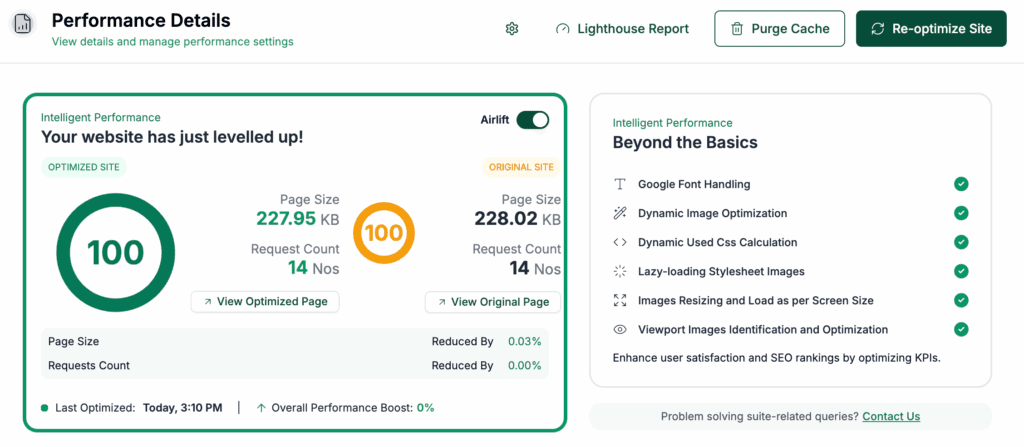
Because Weglot serves translations from its own global CDN, it places almost no extra load on your server.
Your WordPress database doesn’t grow, and your hosting doesn’t work harder. In our performance tests, this resulted in consistently fast load times with no noticeable impact on the original site.
With TranslatePress, performance is entirely your responsibility. Since translations are stored in your WordPress database, a large multilingual site can slow down if your hosting isn’t powerful enough.
You must use a good caching plugin to maintain optimal speed. On well-optimized hosting, the impact is minimal, but on shared hosting, it can be a concern.
Customer support
Weglot’s support reflects its service model; all plans, including the free one, get professional email and ticket support. Higher-tier plans add live chat for immediate help.
TranslatePress follows a traditional model with extensive documentation for self-service. Paid license holders receive priority email support, while free users can access the active community forums on WordPress.org.
Pricing models compared
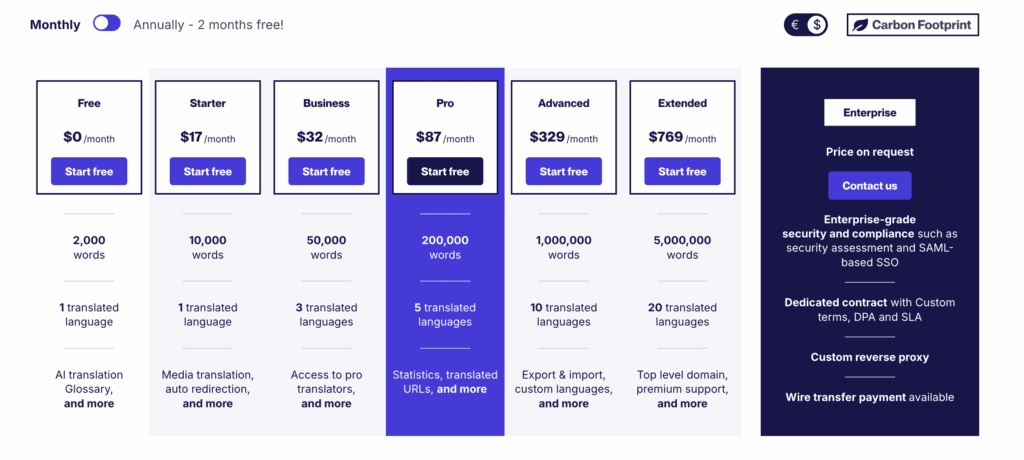
Weglot uses a subscription model tied to your word count and number of languages. A free trial offers 2,000 words, while paid plans start around $17/month. This all-inclusive fee covers the technology, hosting, and dashboard, and for many, the time saved on technical work justifies the recurring expense.
TranslatePress offers a predictable annual license fee, starting around $9/month. While its free version is functional, essential features like the SEO Pack are premium.

Its key advantage is that pricing is not tied to word count or traffic, providing a stable annual cost that is ideal for content-heavy sites.
Which one should you choose?
After extensive testing, the best choice is clear once you identify your priorities.
Choose Weglot if:
- You want the fastest, simplest setup possible.
- Site performance is a top priority, and you want to offload the work.
- You want automated, comprehensive SEO right out of the box.
- You need a solution that can work on other platforms besides WordPress.
Choose TranslatePress if:
- Complete ownership of your data on your own server is non-negotiable.
- You love the idea of an intuitive, front-end visual editing experience.
- You need a predictable, fixed annual cost that won’t grow with your content.
- You are committed to the WordPress ecosystem exclusively.
Not sold? Here are alternatives to pick from
If neither tool is a perfect fit, consider these established alternatives:
- WPML: A powerful, self-hosted solution for complex enterprise sites. Keep in mind that it comes with a significant learning curve.
- Polylang: A popular, developer-friendly free plugin that offers a great foundation for multilingual sites. Although it requires more manual setup than compared to automated alternatives.
- ConveyThis: A direct Weglot competitor using a similar cloud-based model and pricing structure.
Parting thoughts
Both Weglot and TranslatePress are robust solutions. Your choice depends on your priorities for technical control, budget, and scalability.
Our primary recommendation for most businesses and agencies is Weglot.
Its seamless setup, guaranteed performance, and automated SEO provide a superior, hassle-free experience. In our opinion, this operational simplicity is worth the subscription cost.
FAQs
Is Weglot faster than TranslatePress?
Yes, Weglot is generally faster. It serves translations from its own optimized servers, which places no extra load on your site. TranslatePress’s performance, on the other hand, depends entirely on your own hosting and caching setup.
Which plugin provides better SEO for multilingual sites?
Weglot provides better SEO out of the box. All of its essential features are automated and included by default. TranslatePress requires a paid add-on to achieve the same critical SEO functionality.
Do I own my translations with Weglot or TranslatePress?
You own your translations with TranslatePress. They are stored permanently in your own WordPress database. With Weglot, your translations are stored on your account and are dependent on an active subscription.
Does TranslatePress work with Shopify or only WordPress?
TranslatePress works exclusively with WordPress. It is a native WordPress plugin. Weglot is platform-agnostic and supports Shopify, Webflow, and other website platforms.
Does Weglot slow down my WordPress site?
No, Weglot does not slow down your WordPress site. It offloads the entire translation workload to its own CDN. This means your server’s performance is not affected by multilingual content.
Is there a free version of Weglot?
Yes, Weglot offers a free plan. It is suitable for very small sites or for testing the service. The plan is limited to 2,000 words and one translated language.

Shivani enjoys crafting guides that make every aspect of using WordPress simple and easy to follow. When she's not glued to her laptop, you can find her buried in a good book or occasionally, painting.


