Finding the right WordPress affiliate plugin is the key to automating your affiliate marketing, whether you’re trying to grow sales or earn commissions. The right tool eliminates manual tracking and messy spreadsheets, allowing you to build a scalable revenue stream directly from your dashboard.
WP plugins exist to solve specific business problems, and affiliate tools are a perfect example. They generally fall into two distinct categories: plugins for merchants running their own program, and plugins for publishers managing promotional links. This guide will clarify which type you need and highlight the best options for your specific goals.
We tried AffiliateWP and loved it because it’s a true powerhouse for creating your own affiliate program. The seamless, one-click integration with tools like WooCommerce is flawless, and its real-time tracking gives you complete confidence in your data.
To give you an authentic, hands-on review, we installed the plugins on a dedicated test site. This allowed us to put the plugin through its paces in a controlled environment and see exactly how it functions day-to-day, away from any marketing hype.
Our testing process focused on the six areas that are most critical for bloggers and site managers:
- Ease of Use: How seamlessly it integrates into the WordPress workflow.
- Click Reporting: The accuracy and detail of its tracking features.
- Link Organization: How easy it is to create, categorize, and manage links at scale.
- Link Presentation: Tools for branding and making links more clickable.
- Automation: Features like automatic keyword linking that save time.
- Technical Health: Its impact on SEO and site operations, including redirects and link checking.
1. AffiliatePress (Best for User-Friendly Management)
AffiliatePress is a top-tier WordPress affiliate plugin for merchants who want to manage their affiliate program directly within WordPress. It supports WooCommerce and 25+ other plugins, including ARMember, Easy Digital Downloads, LearnDash, and Tutor LMS, making it relevant for eCommerce, membership, and course-based sites.
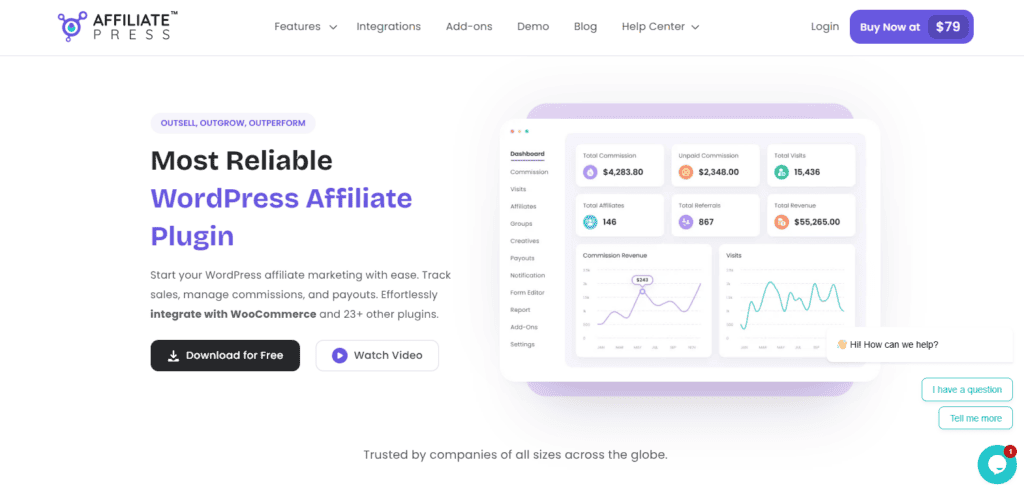
AffiliatePress includes a smart setup wizard that helps simplify the initial configuration, and the interface is relatively easy to navigate. The plugin supports multiple commission structures, including flat-rate, recurring, tier-based, and multi-level commissions, which gives users flexibility in how they structure their affiliate program.
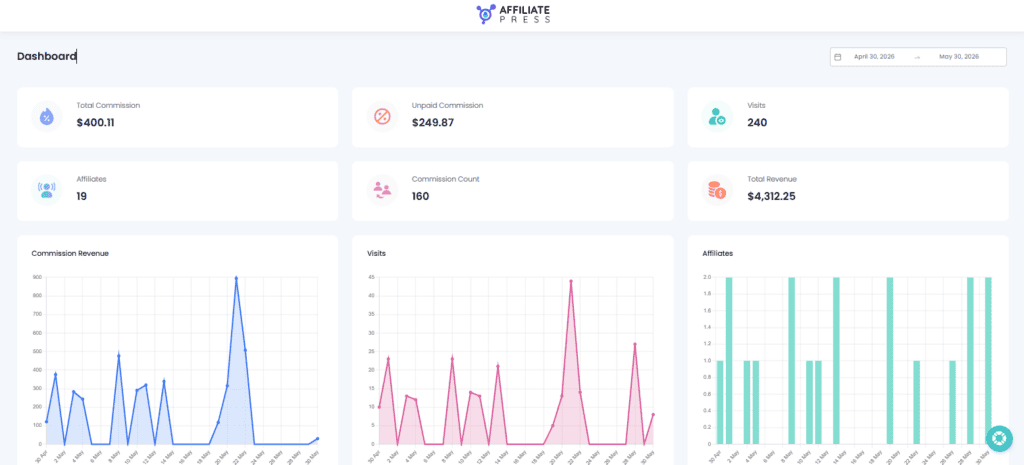
AffiliatePress also includes automation features, real-time referral and commission tracking, coupon-based tracking, built-in fraud detection, and a centralized dashboard for monitoring affiliate activity. These features make it a practical option for businesses that want a more flexible affiliate management system without relying on external platforms.
Key Highlight:
- Smooth Integrations: Connects and works with over 25+ WordPress plugins.
- Smart Commissions: Supports product-wise, group-wise, recurring, lifetime, tiered-based and multi-level commission structures.
- Accurate Tracking: Track all affiliate sales, referrals and commission in real time.
- Automatic Payouts: Pay your affiliates in 1-click or automatically via Stripe or PayPal.
Price: Offers a robust Free version; Premium plans start at ~$79 per year.
2. AffiliateWP (Best Overall for Merchants)
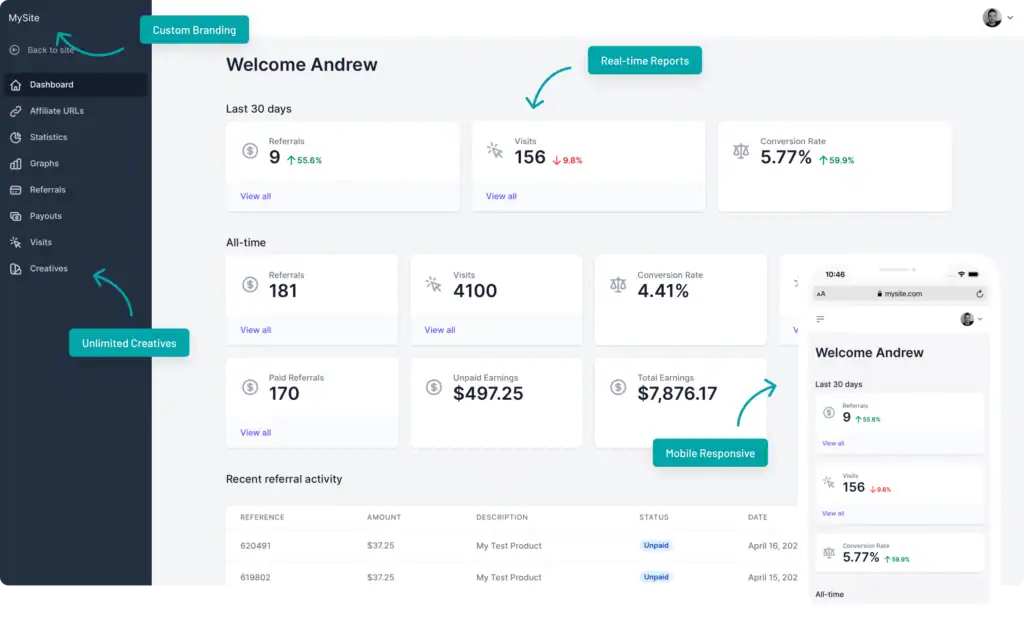
AffiliateWP is the gold standard for serious business owners who want to build a powerful, in-house affiliate program directly within WordPress. It is designed for merchants who need a reliable and scalable system to recruit, manage, and pay their own team of affiliates. If you sell products or memberships and want to empower others to promote them, this plugin provides the professional-grade infrastructure to run your program without relying on a third-party network, giving you full control over your data and commissions.
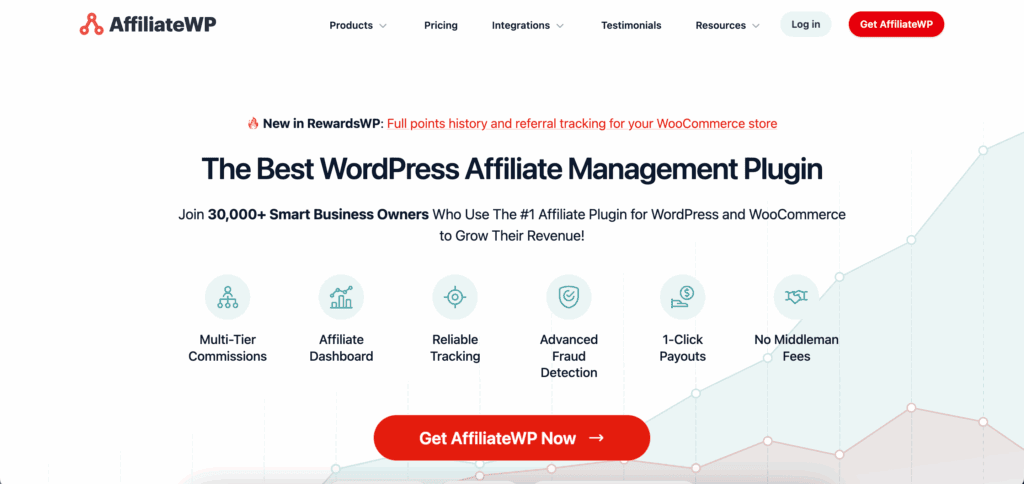
We tested AffiliateWP and loved its deep, seamless integrations. It features one-click connections for essential platforms like WooCommerce, MemberPress, and Easy Digital Downloads, making setup incredibly straightforward. Its real-time tracking is known for its accuracy, and a dedicated fraud prevention suite actively blocks suspicious activity to protect your bottom line. With unmatched flexibility, you can create complex commission structures, including recurring payments for subscriptions, while empowering top performers with custom landing pages and vanity coupon codes for link-free tracking.
Key Highlights:
- Seamless Integration: Connects instantly with over 20 major WordPress plugins.
- Advanced Tracking: Offers real-time, reliable referral tracking with built-in fraud prevention.
- Flexible Commissions: Supports multi-tier programs, recurring referrals, and per-product rates.
- Integrated Payouts: Pay your affiliates directly from your WordPress dashboard.
Price: Starts at ~$150 per year.
3. ThirstyAffiliates (Best for High-Volume Publishers)
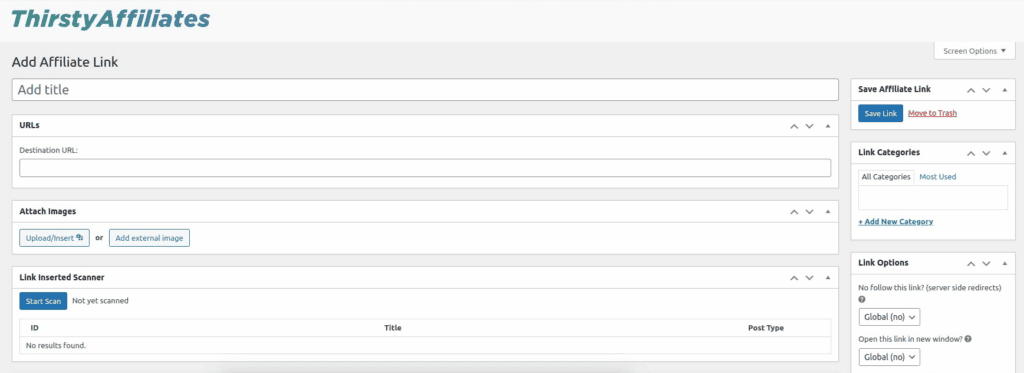
For content creators managing hundreds or even thousands of affiliate links, ThirstyAffiliates is an organizational powerhouse. It is built to solve the logistical nightmare of keeping track of countless URLs across a large website. The plugin allows you to centralize all your links in one dashboard and group them into categories, making it incredibly easy to find and insert the right link into a blog post without ever leaving the WordPress editor.

We reviewed ThirstyAffiliates and found that it truly shines in its revenue-optimization features. Its geolocation redirect capability is a must-have for Amazon affiliates, as it automatically sends international visitors to their local Amazon store (e.g., a visitor from the UK is sent to Amazon.co.uk), dramatically increasing the chances you get credit for the sale. It also protects your commissions by “cloaking” links, a process that hides your unique affiliate ID in the URL to prevent it from being hijacked or stolen by bad actors.
Key Highlights:
- Link Organization: Group links into categories for easy management.
- Geolocation Redirects: Maximize international earnings by sending visitors to their local storefront.
- Link Cloaking: Protects your affiliate IDs from being stolen or replaced.
- Amazon API Integration: Automatically keeps product links and details updated.
Price: Pro plans start at around $99 per year.
4. Pretty Links (Best for Link Management & Branding)
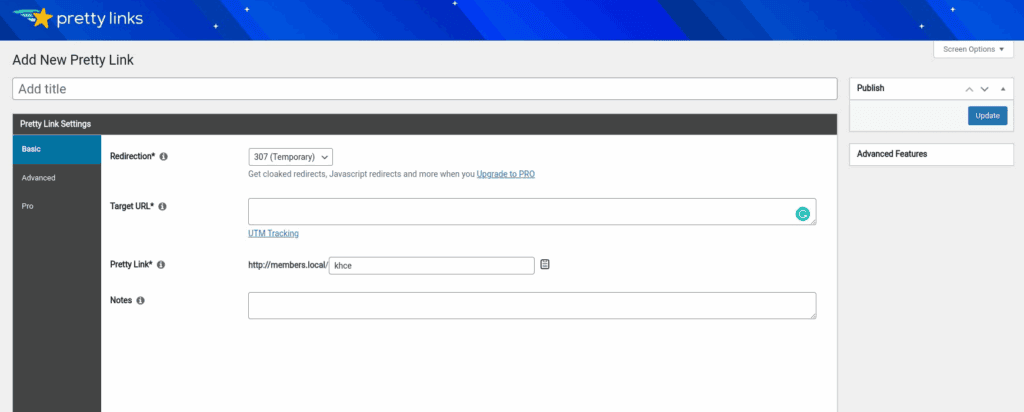
PrettyLinks is the essential tool for bloggers and marketers who need to manage and brand their affiliate links. Its primary job is to transform long, ugly, and untrustworthy URLs into short, clean, and memorable links using your own domain name. Instead of a messy link, you can share a professional link that builds reader trust and is far easier to share.
We tried PrettyLinks and found that it is a powerful automation machine. Its most valuable feature is “auto-linking,” which can scan your entire website and automatically turn specific keywords into affiliate links, saving you countless hours of manual editing. The plugin also provides detailed click reports to see what’s working and includes a broken link checker to ensure you’re never sending valuable traffic to a dead page, protecting your user experience and potential earnings.
Key Highlights:
- Link Branding: Creates short, “pretty” links using your own domain name.
- Auto-Linking: Automatically converts keywords across your site into affiliate links.
- Detailed Reporting: Tracks every click on every link to measure performance.
- Redirect Options: Uses various redirect types (301, 307, cloaked) for optimal tracking.
Price: Offers a robust Free version; Pro plans start at ~$100 per year.
5. Easy Affiliate (Best for Rapid Setup)
For those who want the power of a robust affiliate program without the technical complexity, Easy Affiliate is the perfect solution. Developed by the expert team behind MemberPress, it’s designed for a quick and easy launch, allowing you to get a sophisticated program running in just a few minutes. It strikes an ideal balance by including all the essential features you need while stripping away the overwhelming options that can slow down beginners.
The plugin’s user-friendly setup wizard is its standout feature, automatically detecting your e-commerce platform (like WooCommerce) and configuring the core settings for you. Once running, it provides built-in fraud detection, customizable cookie expiration, and a clean, simple dashboard on the front end of your site so affiliates never have to see your WordPress admin area. It also fully supports affiliate coupons, making it ideal for tracking referrals from influencers on social media platforms like Instagram or TikTok.
Key Highlights:
- Fast Setup: A step-by-step wizard gets your program live almost instantly.
- Fraud Detection: Automatically flags suspicious accounts to protect your revenue.
- Clean Affiliate Dashboard: Provides a simple, theme-neutral portal for your partners.
- Coupon Tracking: Allows for easy tracking of referrals from coupon codes.
Price: Ranges from ~$99 to ~$199 per year.
6. YITH WooCommerce Affiliates (Best for WooCommerce-Only Stores)
If your entire business is built on WooCommerce, the YITH WooCommerce Affiliates plugin offers an unparalleled level of integration. Unlike other plugins that work with WooCommerce, this one is designed to function as a native extension of it. This focused approach means every feature is perfectly tailored to the WooCommerce ecosystem, resulting in a seamless and unified experience for both you and your affiliates, with no compatibility issues or clunky workarounds.
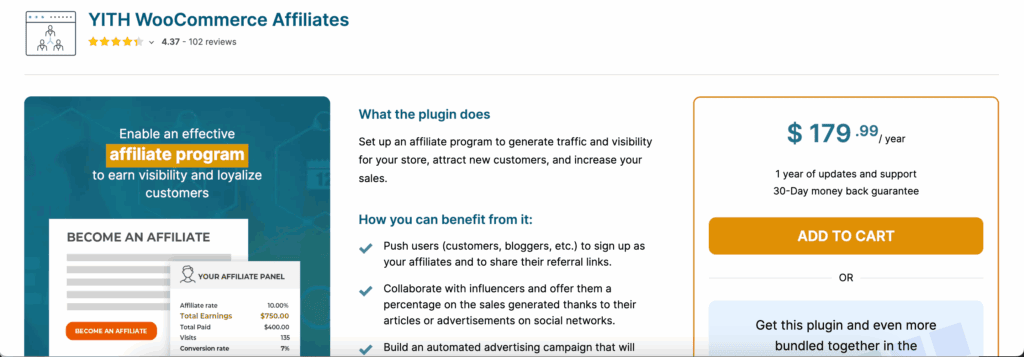
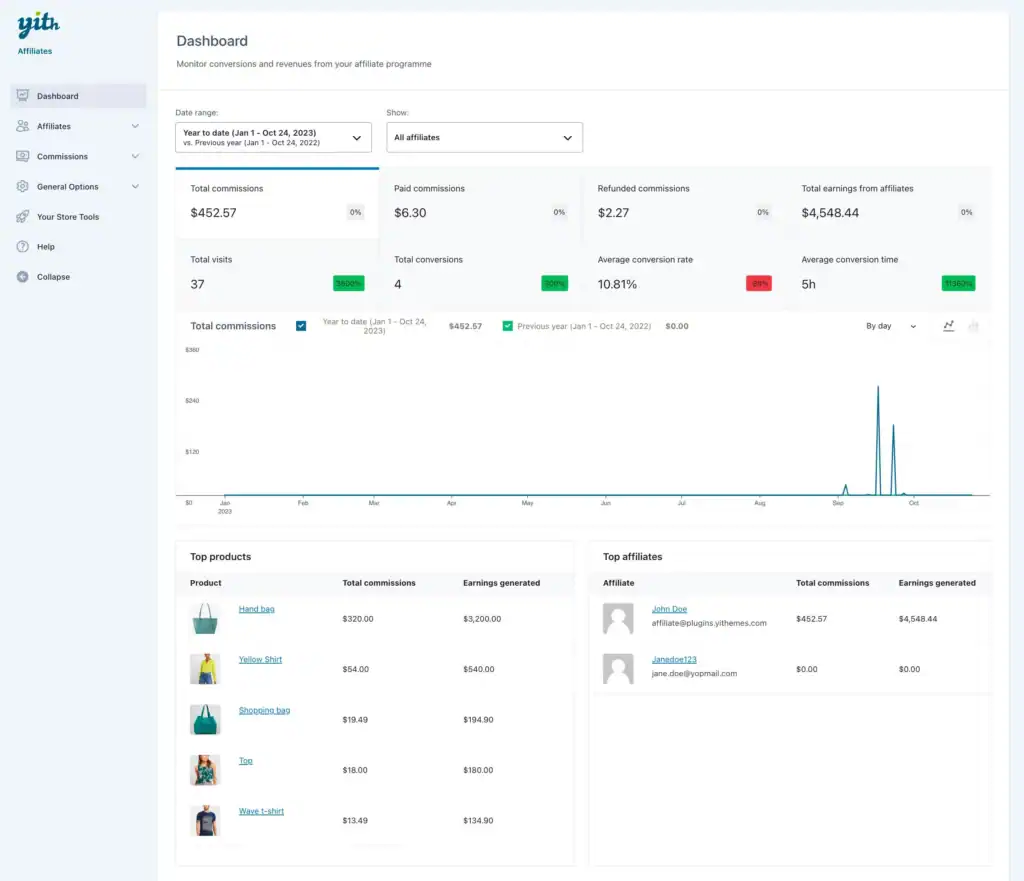
This tight integration delivers significant practical advantages. Referrals are tied directly to WooCommerce order IDs, ensuring 1:1 tracking accuracy that is simple to verify. It also allows you to set a commission “wait period” that aligns with your store’s refund policy, protecting you from paying out on returned orders. For your partners, the affiliate dashboard is conveniently located within the standard “My Account” page, creating a familiar environment for customers who become affiliates.
Key Highlights:
- Native WooCommerce Integration: Functions as a seamless part of your WooCommerce store.
- Accurate Tracking: Links referrals directly to order IDs for precise attribution.
- Commission Safeguards: A “wait period” feature holds commissions until the refund window closes.
- Familiar Experience: The affiliate dashboard is part of the standard customer account page.
Price: Approximately $179.99 per year.
7. AAWP (Best for Amazon Associates)
AAWP, or the Amazon Affiliate WordPress Plugin, is the ultimate specialized tool for anyone serious about earning from the Amazon Associates program. It is not a general-purpose link manager; instead, it’s a focused solution designed to do one thing exceptionally well: display Amazon products in a high-converting, policy-compliant way. The plugin connects directly to Amazon’s official API to pull real-time product information, prices, and images, ensuring your site is always accurate and never at risk of violating Amazon’s strict terms of service.

The magic of AAWP is its ability to create professional display elements with zero coding required. You can instantly generate beautiful product boxes with up-to-date pricing, dynamic bestseller lists for any category, and insightful product comparison tables that encourage readers to click. Because all data is pulled via the API and the plugin is optimized for speed, these displays are fast, reliable, and visible even to users with script blockers, ensuring you maximize every opportunity to earn a commission.
Key Highlights:
- Real-Time Data: Automatically updates prices and product info via the Amazon API.
- High-Converting Displays: Create product boxes, bestseller lists, and comparison tables.
- Amazon Policy Compliant: Ensures your site follows Amazon’s strict rules.
- Speed Optimized: Fast and lightweight to avoid slowing down your site.
Price: Starts at approximately €49 per year for a single site.
Best Practices for Using Any WordPress Affiliate Plugin
To get the most out of your affiliate plugin and keep your site running smoothly, it’s essential to follow a few best practices. These steps ensure your website remains secure, fast, and optimized for success.
- Backup your website regularly: Use a backup plugin like BlogVault to save copies of your affiliate data, links, and settings. If your site ever has an issue, you can restore it in minutes, protecting your income stream from being lost.
- Secure your site and links: Affiliate earnings are a target for hackers. Use a security plugin like MalCareto set up a firewall and scan for malware, preventing link hijacking and protecting your commissions.
- Keep your website fast: Click-tracking scripts can sometimes slow down a site. Install a performance plugin likeAirlift to cache your pages and optimize speed, ensuring a great user experience and better search rankings.
- Follow SEO guidelines for links: Google requires affiliate links to be marked with rel=”sponsored” or rel=”nofollow” attributes. Try an SEO plugin like Rank Math or Yoast to easily manage these settings across your site and stay compliant.
- Promote your affiliate content: Your links need traffic to generate revenue. Use a social media plugin like Social Snap to add share buttons to your posts, making it easy for readers to drive more visitors to your affiliate offers.
Final thoughts
We loved AffiliateWP because it’s a true powerhouse for creating your own affiliate program. Its seamless one-click integration with tools like WooCommerce is flawless, and the real-time tracking gives you complete confidence in your data.
Before committing to any plugin, use a staging site—a safe copy of your live website. This lets you test for compatibility or conflicts with your theme and other plugins without risking your actual site’s performance or data.
FAQs
What’s the difference between an affiliate program plugin and an affiliate link manager?
Think of it as being a shop owner versus a billboard advertiser. An affiliate program plugin (like AffiliateWP or SliceWP) is for merchants who sell their own products. It lets you recruit affiliates, track the sales they refer, and pay them commissions. An affiliate link manager (like Pretty Links or ThirstyAffiliates) is for publishers or bloggers. It helps you organize, shorten (“cloak”), and track the clicks on links you use to promote other companies’ products.
Do I need a plugin for Amazon affiliate links?
While you can manually copy and paste links from Amazon, a dedicated plugin is highly recommended. Tools like AAWP or ThirstyAffiliates use Amazon’s API to automate tasks, such as creating high-converting product boxes, ensuring prices are always up-to-date, and redirecting international visitors to their local Amazon store. This saves time and helps you stay compliant with Amazon’s strict policies.
Are these affiliate plugins compatible with WooCommerce?
Yes, absolutely. Affiliate program plugins like AffiliateWP, SliceWP, and Easy Affiliate are built with deep, one-click integrations specifically for WooCommerce. Affiliate link managers like Pretty Links and ThirstyAffiliates work at the content level, so they are compatible with any WordPress site, including those running WooCommerce.
Is it safe to “cloak” or shorten my affiliate links?
Yes, it is a safe and standard industry practice. Cloaking your links with a plugin like Pretty Links helps brand them with your own domain (e.g., yoursite.com/go/product), makes them easier to manage, and protects them from commission theft. However, you must always be transparent with your audience by including an affiliate disclosure on your site to comply with FTC guidelines.
Can I switch affiliate plugins later without losing data?
This is very difficult and generally not recommended. Each plugin stores link data and tracking information in its own unique database format, and there is usually no direct way to transfer everything automatically. Migrating would likely require a complex, manual process with a high risk of data loss. It’s best to research thoroughly and choose the right plugin for your long-term needs from the start.

Shreya has been a writer for as long as she can remember. Now, she writes articles that help WordPress users manage the sites that they're proud of, with little to no coding