

Choosing the right form plugin often feels like an impossible task. While being stuck within the Gravity Forms vs Fluent Forms debate, every review sounds the same.
We skipped the feature lists and put both through real-world, hands-on testing. This is our honest, unfiltered take on which form plugin actually deserves your money.
For most users, Fluent Forms offers better value and a modern experience, while Gravity Forms excels in complex, developer-heavy projects. Whichever you pick, always use a reliable backup plugin to protect your critical forms and site data.
Gravity Forms vs Fluent Forms: A quick comparison
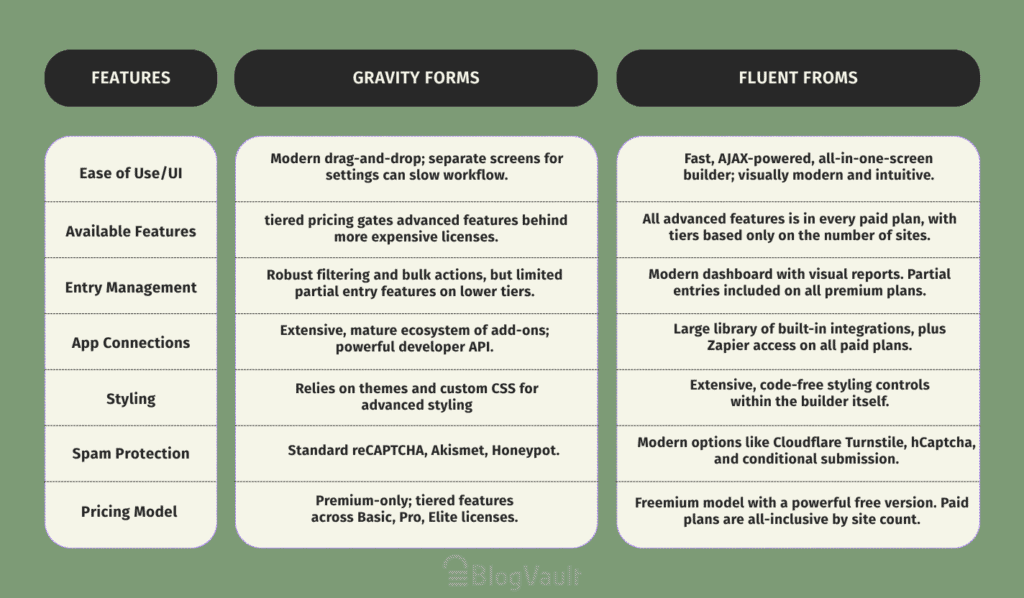
Detailed feature comparison
Here’s the real-world breakdown of where each one shines and where they fall short:
Ease of use and user interface
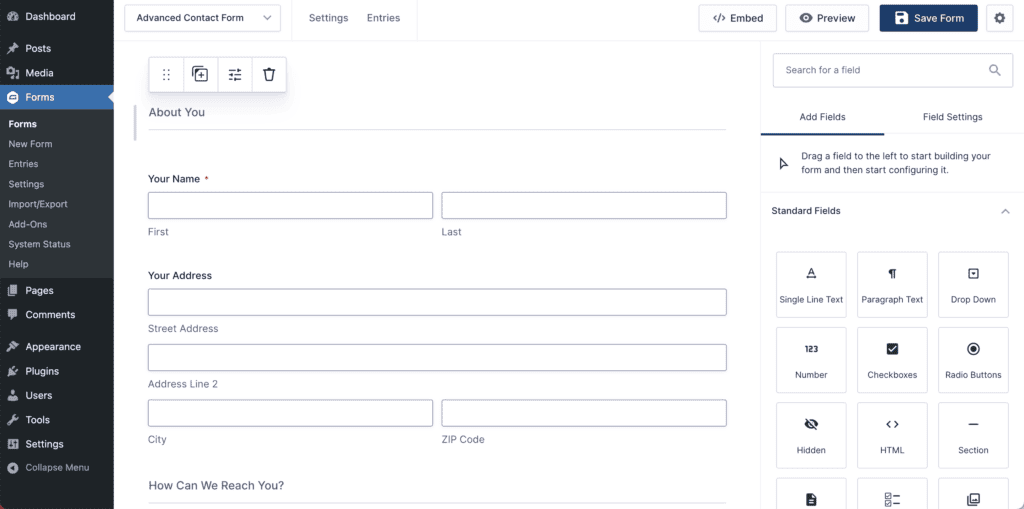
Arranging your form fields in Gravity Forms is a breeze thanks to its smooth and intuitive drag-and-drop system. But that ease of use doesn’t fully extend to styling. The builder only shows you the form’s structure, not a live preview, so your theme’s styling controls the final look.
You get stuck in a constant loop of making a change, saving, and then reloading your live page to see the result. While building the layout is easy, this trial-and-error process for styling can be incredibly time-consuming.

Fluent Forms, on the other hand, is built for speed. The editor is slick, and everything happens instantly on one screen; no page reloads. Simple things, like creating multi-column layouts, are just a drag-and-drop feature, not something you have to wrestle with.
Why should you care? You can build better forms in less time. With 65+ templates versus Gravity’s 15+, you’re also more likely to find a starting point that saves you a ton of work. For speed and a modern feel, Fluent Forms is the clear winner here.
Available features
Gravity Forms uses a tiered, add-on model where powerful tools like surveys, user registration, and especially the critical partial entry capture, are locked behind its more expensive licenses.
This creates a feature ladder forcing potential upgrades, making its true power best for developers who need its fantastic REST API for custom applications.
Fluent Forms is the opposite: an all-in-one toolbox where premium gets you everything. Features that cost extra in Gravity Forms, like partial entry saving, are standard on all paid plans. It also includes modern tools like native conversational forms and an AI builder. This model provides predictable pricing and immense value, giving you the full toolset without budget worries.
Managing form entries
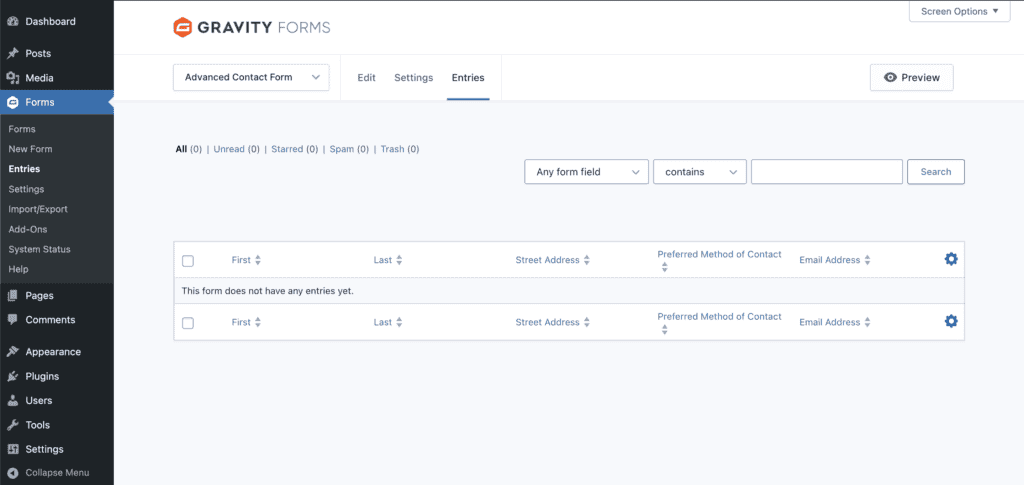
Gravity Forms is a premium-only plugin, and while all its paid plans offer solid entry filtering, it reserves its most critical marketing feature (partial entry saving) exclusively for the top-tier Elite plan. This means that even as a paying customer on a Basic or Pro plan, you’re still actively losing leads from abandoned forms.
If a potential customer gets distracted and leaves, that lead is gone unless you’ve invested in their most expensive package.
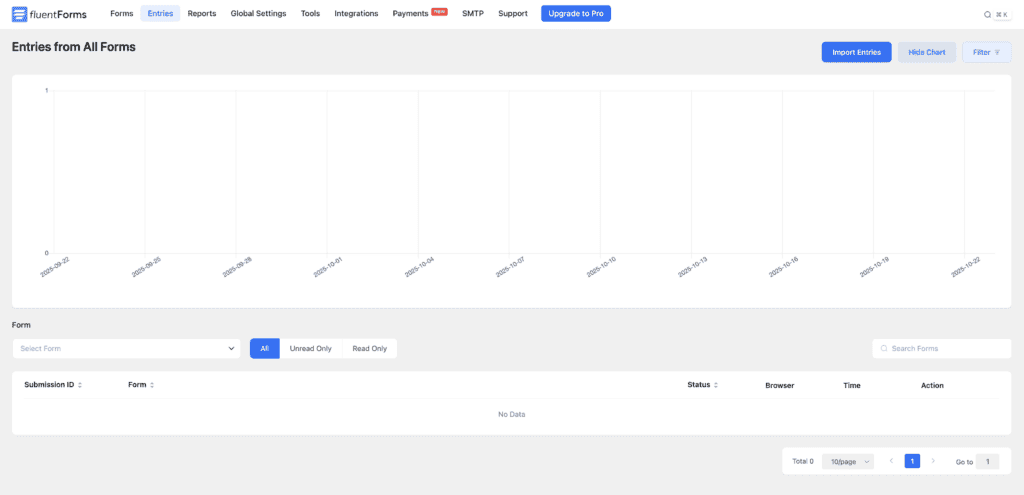
Fluent Forms includes partial entry saving on all premium plans, so you capture more leads automatically without the high cost. Its modern dashboard also provides visual reports, helping you understand your data at a glance and make smarter decisions faster.
App connections
Gravity Forms is the old guard. It has a massive, mature ecosystem of third-party add-ons and a powerful API that developers love.
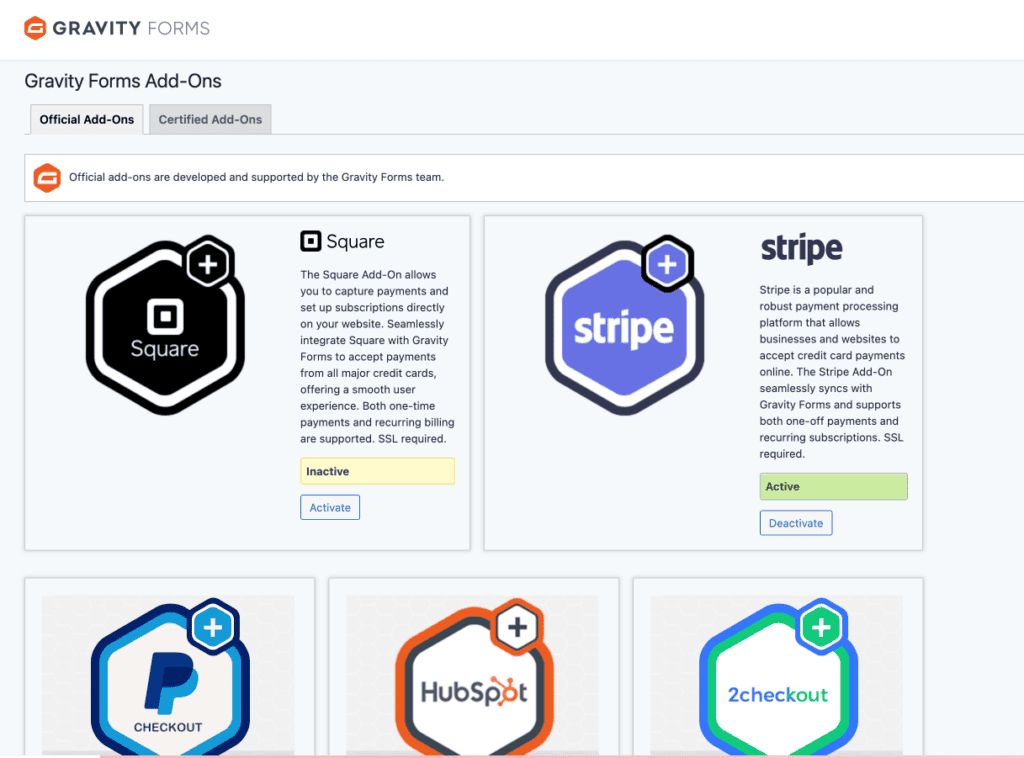
If you’re a developer or have a complex, custom-coded website, Gravity Forms gives you the raw power to build anything. It’s designed to be a foundation for custom work.
Fluent Forms focuses on built-in convenience. It connects directly to dozens of popular tools like ActiveCampaign and Mailchimp right out of the box. For everything else, there’s Zapier.
If you’re a business owner or marketer, you can connect your tools in minutes without hiring a developer. It saves you time, money, and a lot of headaches.
Styling and appearance
Let’s be honest, an unappealing form can kill your conversion rates. Gravity Forms looks much better than it used to, but getting it to perfectly match your site’s design often requires you to write custom CSS code.
If you can’t code, you might be stuck with a form that looks generic and doesn’t quite fit your brand.
Fluent Forms gives you much more styling control directly inside the form builder. You can change colors, fonts, and layouts with simple clicks.
Spam protection
Both plugins do a good job of fighting spam with basics like reCAPTCHA and honeypots. No one wants a contact form full of junk.
Fluent Forms just gives you more modern, user-friendly options built right in, like Cloudflare Turnstile and hCaptcha.
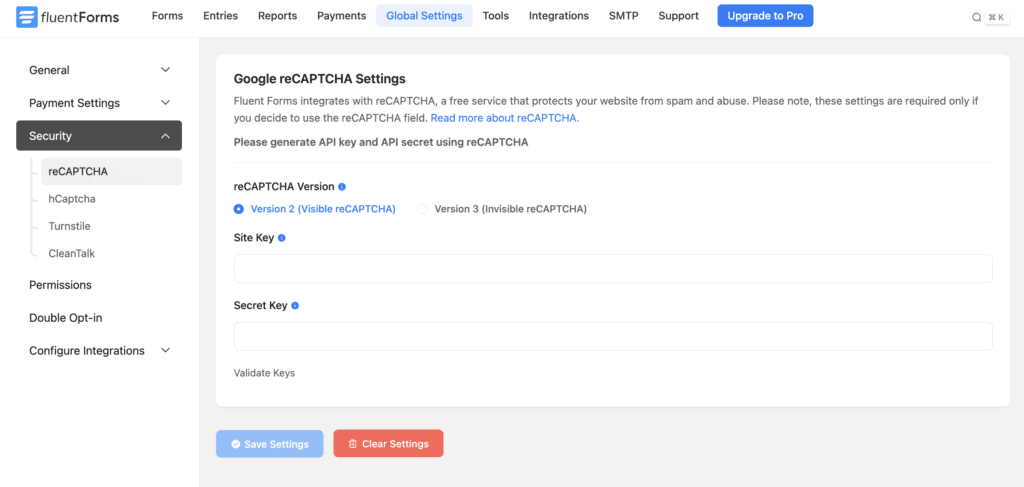
Options like Turnstile are often invisible to real users, so you can stop spam without making people solve a puzzle to contact you. It’s a better experience for your website visitors.
Pricing breakdown
Gravity Forms: It’s premium-only, with no free version you can install on your site. They do offer a free demo on their website to test their features in a sandbox environment. When you decide to buy, plans start at $59 and include a selection of basic add-ons.
However, many of the most powerful tools are reserved for the higher tiers, and you’ll need the $259/year Elite plan to get access to everything they offer.

Fluent Forms: It has a powerful free version you can use forever on your own site. When you upgrade, all premium plans get all features. They also offer lifetime deals, which are a game-changer.
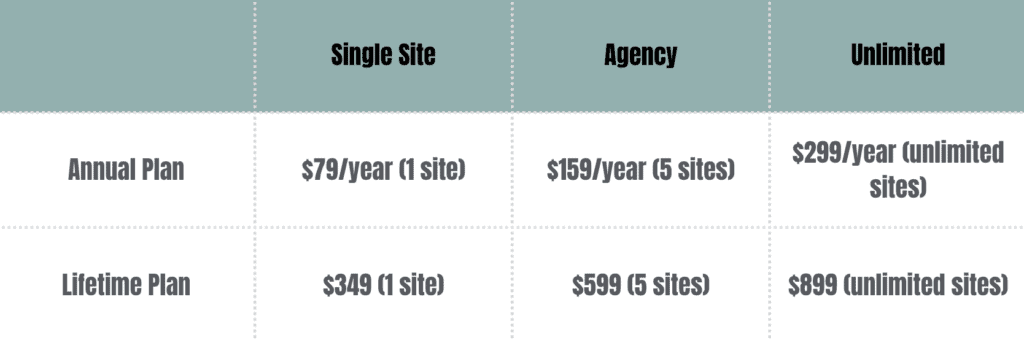
The bottom line for your wallet: With Fluent Forms, you can start for free on your live site, and the lifetime deal means you pay once and never worry about another yearly subscription. Over a few years, this can save you hundreds, if not thousands, of dollars.
Gravity Forms vs Fluent Forms: Which is best for you?
It’s not about finding the “best” plugin; it’s about finding the right one for your specific needs.
Choose Fluent Forms if:

- You want the absolute best value for your money.
- You love a fast, modern interface that respects your time.
- You want powerful features without being forced into an expensive plan.
- You prefer predictable pricing and want the option of a pay-once lifetime license.
Choose Gravity Forms if:

- You’re a developer building a deeply custom application.
- You need a specific, niche feature that’s only available through a third-party Gravity Forms add-on.
- Your project demands the rock-solid reputation of an industry veteran for complex workflows.
Not sold? A few other alternatives to consider
Maybe neither Gravity Forms nor Fluent Forms feels like a perfect fit. The WordPress form space is packed with excellent tools. If you’re still exploring, here are a couple of other heavy hitters worth a look.
WPForms
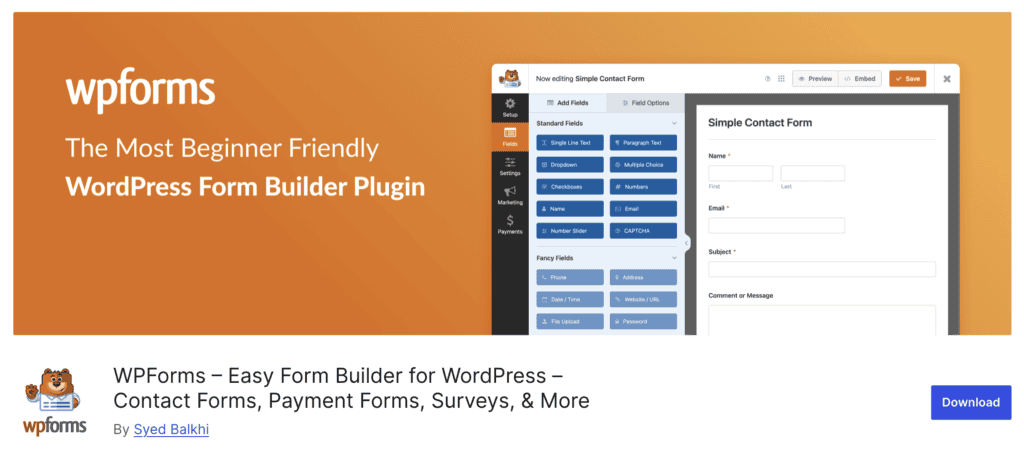
WPForms is arguably the most beginner-friendly premium form builder on the market.
So what does this mean for you? Its entire focus is on making the process as simple as possible. If you just need a solid contact form, a payment form, or a simple survey up and running in five minutes with zero confusion, WPForms is probably the fastest way to get there.
Formidable Forms

But what if your goal isn’t just to collect data, but to do something with it on the front end of your site? Think real estate listings, event calendars, or member directories, all populated by user submissions.
This is where Formidable Forms shines. It’s less of a form builder and more of a lightweight application builder. Why should you care? If your project involves displaying, searching, and editing submitted data publicly, Formidable is in a class of its own. It can save you from needing a bunch of other complex plugins.
Contact Form 7

We have to mention the original, Contact Form 7. Honestly? For most new projects, you should probably avoid it.
How does this help you? While it’s free and lightweight, it lacks a visual builder and requires other add-ons for even basic features. You’ll spend more time fighting with shortcodes and installing extra plugins than you would just building a great form in the free version of Fluent Forms or WPForms. It was great for its time, but modern tools have made life much, much easier.
Parting thoughts
Fluent Forms is the modern, all-in-one tool that has become the best choice for the vast majority of users. It’s easier to use and provides more features for less money.
Gravity Forms is still an incredible tool, but it now feels more like a developer’s framework. We reserve it for clients with complex projects that require deep custom coding. For about 90% of the websites we build, Fluent Forms is the faster, smarter, and more cost-effective choice.
Just remember, whichever plugin you go with, always test your forms to make sure submissions are actually being delivered.
FAQs
What is the difference between WPForms and Fluent Forms?
Both are great, but Fluent Forms typically packs more advanced features into its free and lower-priced plans, offering better overall value.
What is the difference between Fluent Forms and Forminator?
Forminator has a very strong free version, but Fluent Forms’ premium plans offer a more polished interface, more direct integrations, and a better overall user experience.
Is Fluent Forms free?
Yes, there is a very powerful and popular free version of Fluent Forms on the WordPress plugin directory.
How much does Fluent Forms cost?
Premium plans start around $79 a year, but keep an eye out for their lifetime deals, which offer the best long-term value.
Which is better, Contact Form 7 or WPForms?
WPForms is much better for almost everyone. Contact Form 7 is a bare-bones plugin that requires code for customization, while WPForms is a modern, user-friendly builder.

Shivani enjoys crafting guides that make every aspect of using WordPress simple and easy to follow. When she's not glued to her laptop, you can find her buried in a good book or occasionally, painting.


