

Ready to turn your expertise into an online course but overwhelmed by the options? This LearnDash review provides an honest, in-depth look at the popular WordPress LMS. We’ll break down its powerful features, potential drawbacks, and who it’s truly designed for, so you can confidently decide if it’s the right tool for your e-learning business before you invest a single dollar.
As a leading WP course plugin, LearnDash gives you unparalleled control over your content, branding, and student data. But this power comes with a learning curve and the need for other tools to build a complete online school. We’ll show you exactly what to expect.
LearnDash excels at creating structured, academic-style courses with a powerful quiz engine, but requires other plugins for marketing and advanced e-commerce.
A test site provides a safe, private environment where you can explore the plugin’s extensive settings and test for conflicts without any risk to your live website.
LearnDash is a premier WordPress LMS plugin, widely regarded as a top-tier choice for serious educators and organizations. It’s known for its robust, structured course builder and powerful quizzing engine, giving creators granular control over the learning path, though it relies less on front-end visual design.

To give you an honest LearnDash review, we installed and tested it ourselves. We specifically evaluated the core features that determine if a course platform succeeds or fails:
- Clean, distraction-free student interface.
- Advanced quizzes, timers, and questions.
- Reliable drip content and prerequisites.
- Direct Stripe or PayPal support.
- Certificates, badges, and points.
- Flawless mobile quiz experience.
- Detailed gradebooks and student analytics.
- Zapier and BuddyBoss connections.
- Plugin impact on site speed.
Student Experience
Verdict: Focus Mode is a competent, distraction-free interface that mimics SaaS platforms but lacks deep customization. It’s a functional, not revolutionary, feature.
The student interface is where your course lives or dies. A clunky, distracting environment guarantees high dropout rates. We’re looking for a clean, intuitive, and focused learning experience that keeps students engaged and on track without feeling trapped by poor design.
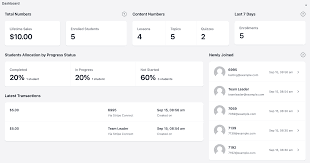
- Branding Control Apply a custom logo and color scheme, but this is surface-level and separate from your main WordPress theme.
- Progress Visualization A persistent progress bar and breadcrumb trail offer clear orientation—a standard but necessary feature for any serious LMS.
- Distraction Removal It successfully strips away sidebars and menus, creating a clean, SaaS-like container for your actual course content.
- Topic Toggling Learners can collapse and expand the lesson list, providing a simple but effective navigation structure within the course.
Quiz Complexity
Verdict: The quizzing engine is robust and versatile, offering advanced logic and question types far beyond simple assessments. It is a definitive strength.
Quizzes are more than just tests; they are critical tools for reinforcing knowledge. A weak quiz engine cripples your instructional design. We demand a system with diverse question types, adaptive logic, and strict controls to create meaningful assessments.
- Question Variety Supports eight distinct question types, including matching and fill-in-the-blank, offering solid pedagogical flexibility.
- Adaptive Testing Uses question banks and randomization to prevent cheating and ensure no two students receive the exact same test.
- Strict Timers Enforce hard time limits with automatic submission—a non-negotiable feature for formal assessments or certifications.
- Advanced Logic Provides detailed feedback on answers, moving beyond a simple “correct/incorrect” to enable real teaching moments.
Content Control
Verdict: LearnDash offers exceptional, granular control over content delivery, enforcing a structured learning path that many competitors fail to match. This is professional-grade functionality.
Simply dumping content on a page isn’t teaching. True instructional design requires precise control over the learning journey. We’re assessing the ability to schedule lessons, enforce prerequisites, and ensure students fully engage with material before advancing.
- Granular Drip-Feeding Schedule content release by a fixed date or on a rolling basis post-enrollment, a critical feature for cohort-based courses.
- Hard Prerequisites Lock future lessons until all prior requirements, including passing their associated quizzes, are fully met.
- Video Progression A standout feature that forces video completion before a lesson can be marked as complete, preventing students from skipping ahead.
Payment Flexibility
Verdict: Native payment options are simplistic and barely adequate. For any serious e-commerce functionality, a WooCommerce integration isn’t a choice—it’s a requirement.
Monetization is the goal. A capable LMS must handle payments smoothly without forcing you into a third-party ecosystem. We’re looking for flexible, native options for one-time sales, subscriptions, and essential tools like coupons. LearnDash falls short here.
- Native Gateways Direct integrations with Stripe and PayPal handle basic one-time or subscription payments, but nothing more complex.
- The WooCommerce Choice For “add to cart” functionality, coupons, or bundling products, relying on WooCommerce is mandatory, adding complexity and potential cost.
- Subscription Management While native recurring payments exist, they lack the sophistication for complex tax handling, again pushing you toward external plugins.
Engagement Tools
Verdict: The gamification tools are effective but fundamentally basic. They provide essential rewards like certificates and points but lack the depth for a truly dynamic community.
Student engagement is the key to high completion rates. We’re looking for built-in tools that go beyond the content—gamification and rewards that motivate learners and validate their achievements.
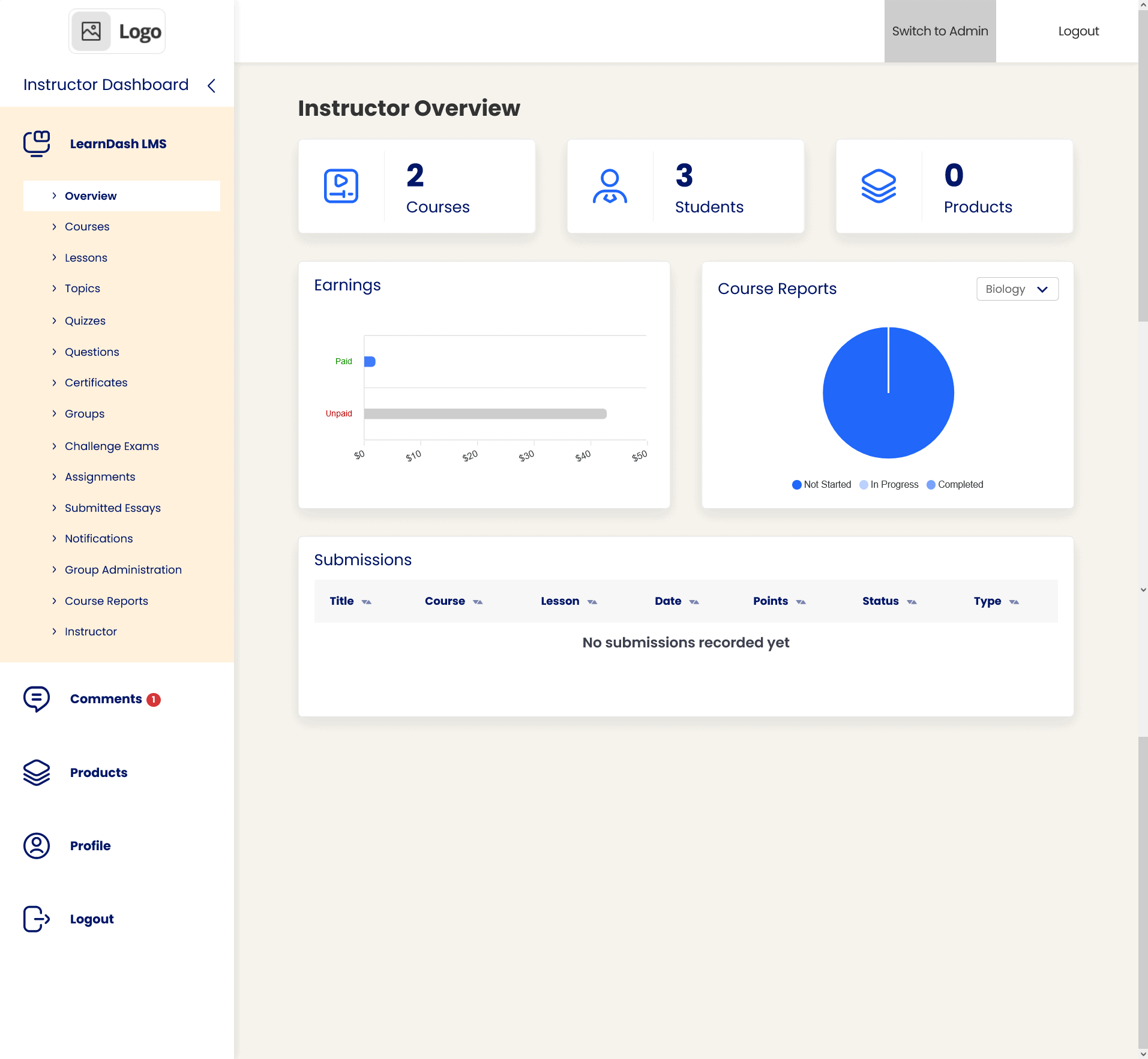
- Dynamic Certificates Automatically generates PDF certificates using shortcodes to pull in student names, dates, and scores—a standard, well-executed feature.
- Course Points Grants points that can be used to unlock other courses, creating a simple but effective internal currency system.
- Badges & Milestones The integrated “Achievements” add-on delivers pop-up celebrations for milestones, adding a necessary layer of positive reinforcement.
Mobile Fluidity
Verdict: The framework is fundamentally responsive, ensuring a usable experience on smaller screens. However, perfect rendering is still highly dependent on your theme’s cooperation.
Your students learn on the go. A non-responsive LMS is a non-starter. We’re testing for a seamless experience on phones and tablets where content is legible, navigation is intuitive, and all functionality remains intact.
- Responsive Framework Built on a “Mobile-First” philosophy with touch-friendly button sizes (~44px), ensuring core usability out of the box.
- Video Players Standard Vimeo/YouTube embeds resize correctly, but be prepared to write custom CSS for any non-standard HTML5 video players.
- Sidebar Behavior Focus Mode’s sidebar correctly collapses into a “hamburger” menu, maximizing content visibility on small viewports.
Data Reporting
Verdict: Core reporting is virtually nonexistent. Meaningful analytics are locked behind the Pro Suite add-on, making the base plugin’s capabilities woefully inadequate for any serious instructor.
You cannot improve what you cannot measure. Robust reporting is essential for understanding student progress and identifying curriculum weaknesses. We expect detailed, accessible analytics out of the box, not as a paid extra.
- Pro Idiom To get any detailed reporting, you are forced to purchase the Pro Suite. This is a clear and disappointing upsell.
- Student Activity The add-on provides real-time tracking down to individual quiz answers—critical data that should be standard.
- Gradebooks A centralized gradebook with manual override capability is available, but again, it’s not part of the core offering.
Ecosystem Integration
Verdict: LearnDash excels at integrating with the broader WordPress ecosystem. Its deep compatibility with key page builders, automation tools, and community plugins is its primary strength.
No plugin is an island. An LMS must play well with other tools for design, marketing, and engagement. We’re evaluating how reliably LearnDash connects to these essential third-party systems.
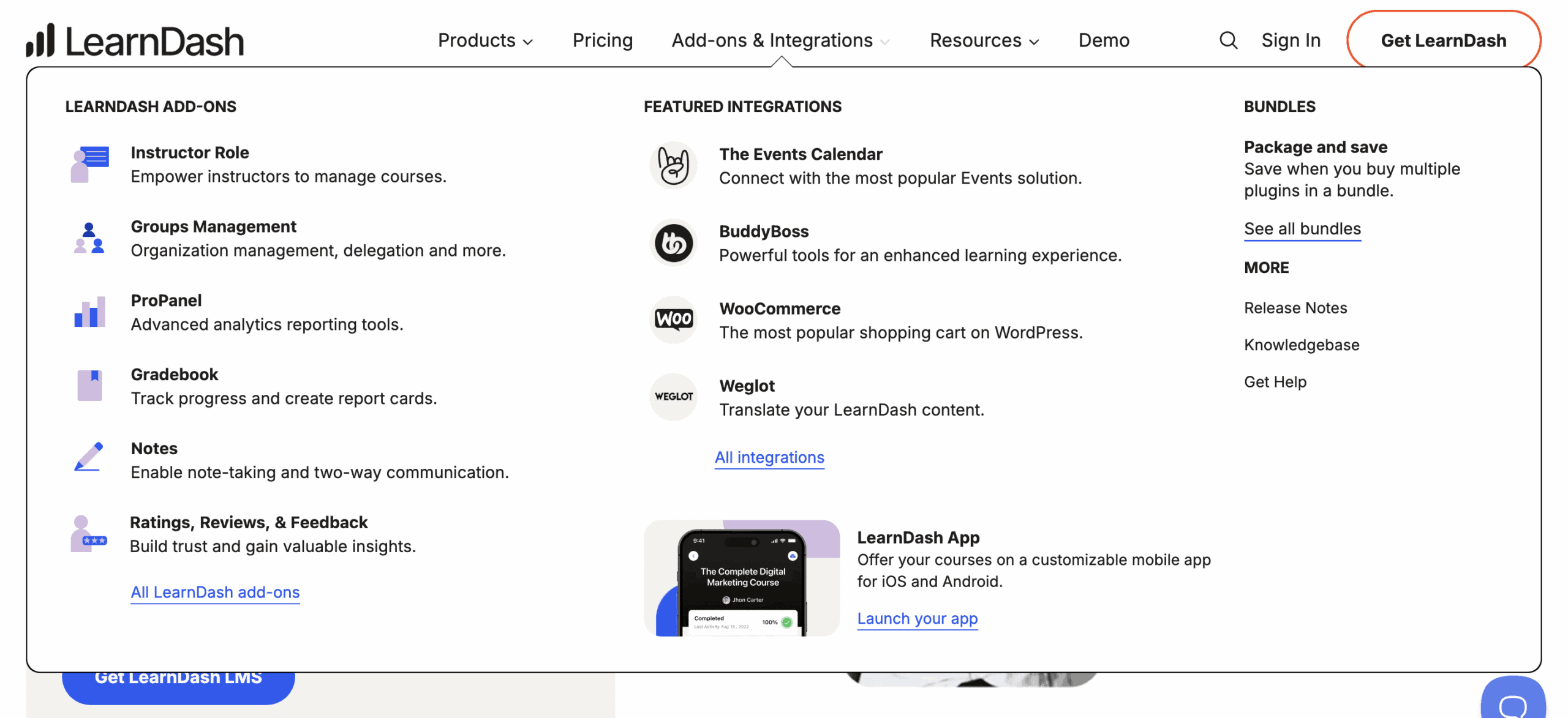
- BuddyBoss Synergy The integration with BuddyBoss is the “Gold Standard” for transforming a course site into a full-fledged social learning platform.
- Automation Deep hooks for Zapier and Uncanny Automator allow for powerful workflows, connecting course progress to your CRM or email service.
- Page Builders Dedicated widgets and blocks for Elementor, Beaver Builder, and Gutenberg make designing course-related pages straightforward.
Site Performance
Verdict: Performance is efficient and well-architected. The plugin avoids site-wide bloat, though admin-side operations on large sites will inevitably strain your server’s resources.
A slow learning platform is a dead learning platform. We analyzed how the plugin impacts database queries, script loading, and page speed for both student and admin.
- Database Efficiency It uses standard Custom Post Types, but be warned: large quiz and reporting tables will inflate your database over time.
- Query Monitor Results Front-end queries for students are lean. The admin dashboard, however, can generate slow queries when managing thousands of users.
- Asset Loading Scripts are loaded conditionally only on LearnDash pages, smartly preventing performance drag on your main site or blog.
Pricing Structure
LearnDash is a premium plugin with no free plan. LearnDash’s pricing is broken down as follows:
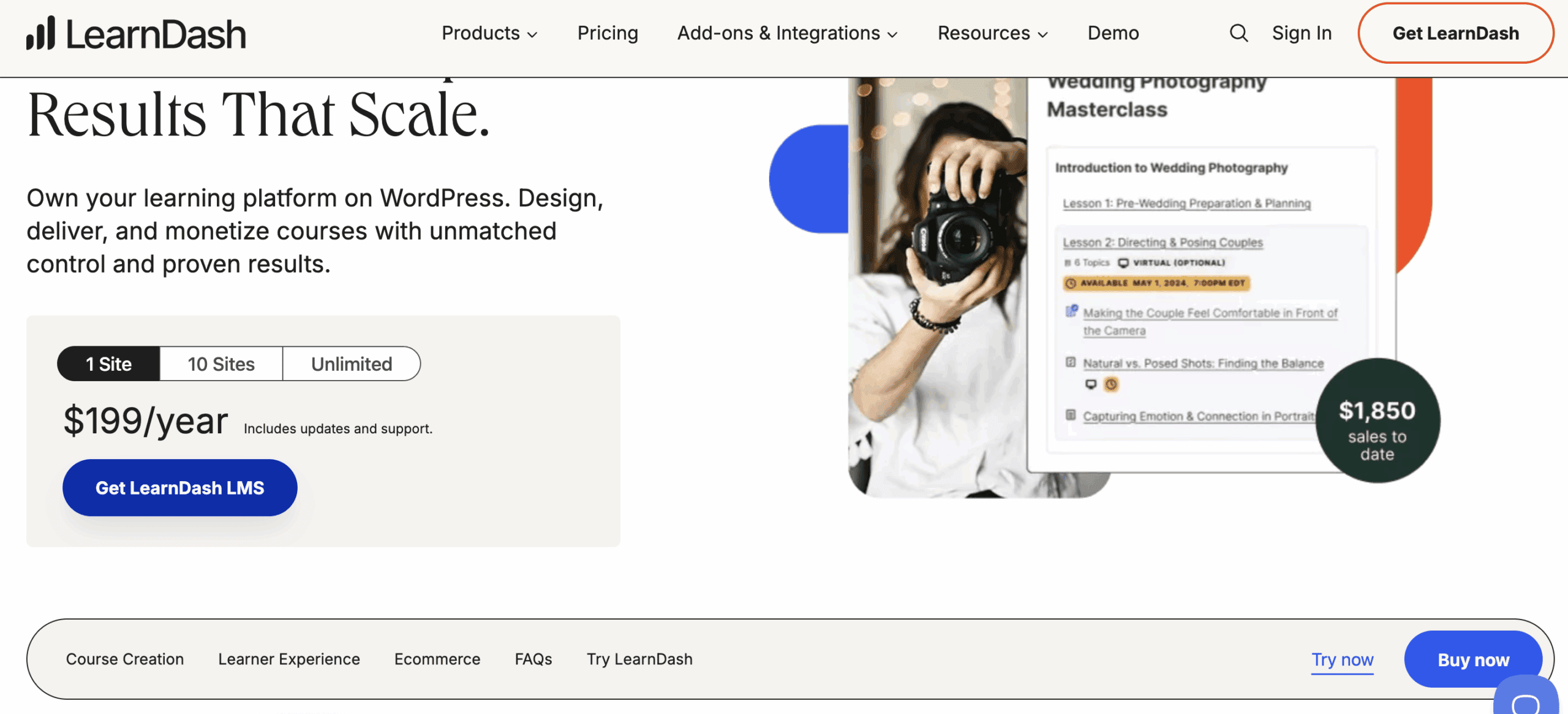
- 1 Site License At ~$199 per year, this is the standard entry point for a single course creator or small business.
- 10 Site License Priced at ~$399 per year, this tier targets agencies or prolific creators managing a portfolio of websites.
- LearnDash Cloud A ~$29 monthly subscription that includes hosting, but locks you into their managed environment, limiting advanced customization.
Critical Limitations
A premium price sets a high bar for quality. These aren’t minor inconveniences; they are fundamental flaws in design, support, and functionality that undermine the user experience and inflate the true cost of building a professional course platform.
- Design Constraints Without a page builder or a premium theme like BuddyBoss, the out-of-the-box styling is utilitarian and visually uninspired.
- Support Response Official support is ticket-based and notoriously slow. The Facebook community is the de facto channel for receiving timely assistance.
- Reporting Paywall The most critical reporting features are locked behind the Pro Suite, rendering the base plugin inadequate for data-driven instruction.
Alternatives to LearnDash
LearnDash does not operate in a vacuum. The WordPress LMS market is crowded with formidable competitors, many of which address LearnDash’s core weaknesses directly. They often provide better value, superior user experiences, or more integrated solutions out of the box.
- Thrive Apprentice: Thrive Apprentice is the superior choice for course creators who prioritize marketing and sales conversions above all else. Unlike LearnDash, which requires a patchwork of third-party tools for sales funnels and landing pages, Thrive Apprentice is natively integrated into the Thrive Suite ecosystem. This creates a seamless workflow from lead capture to course completion, making it a far more efficient, all-in-one solution for entrepreneurs focused on building a business, not just a curriculum.
- LifterLMS: LifterLMS is built for engagement and community, offering a more accessible entry point than LearnDash’s rigid paywall. Its core plugin is free, allowing you to build and launch a functional course without any initial investment. Its strength lies in its built-in membership and engagement features, reducing the need for expensive add-ons. For instructors who want to foster a vibrant learning community without immediately shelling out for BuddyBoss, LifterLMS presents a more logical and cost-effective starting point.
- TutorLMS: TutorLMS is arguably LearnDash’s most direct modern competitor, attacking its weaknesses head-on. It boasts a significantly cleaner, more intuitive user interface for both the admin and the student, immediately feeling less dated. Furthermore, its free version is remarkably feature-rich, offering functionality that LearnDash locks behind its premium license. For users who want LearnDash-like power but demand a superior user experience and a lower barrier to entry, TutorLMS is an unavoidable contender.
Final Verdict
LearnDash is a powerful, developer-centric LMS for users who demand absolute control and deep integration with the WordPress ecosystem. However, its dated design, essential features locked behind paywalls, and dependency on third-party tools make it a complex and costly system for beginners or anyone seeking a streamlined solution.
Crucially, you must test LearnDash on a dedicated staging site. Deploying it directly to your live website without thoroughly vetting it against your theme, plugins, and hosting environment is reckless. This step is non-negotiable for identifying the inevitable conflicts and performance issues before they affect your paying students.
FAQs
Is LearnDash a WordPress plugin?
Yes. It is exclusively a WordPress plugin and is not a standalone platform. It requires a self-hosted WordPress website to function.
Is LearnDash LMS free?
No. LearnDash is a premium-only product. There is no free version or trial period; access is granted only through a paid annual license.
What are the benefits of using LearnDash?
Its core benefits are complete ownership of your data, granular control over course structure, a powerful quiz engine, and deep integration with the WordPress ecosystem.
What is LearnDash?
LearnDash is a Learning Management System (LMS) built as a WordPress plugin. It provides the framework to create, deliver, and sell online courses from your own website.

Shreya has been a writer for as long as she can remember. Now, she writes articles that help WordPress users manage the sites that they're proud of, with little to no coding


