

WordPress membership plugins are essential for launching your community and you’re comparing SureMembers vs Wishlist Member. The right plugin makes managing members and protecting content feel effortless, while the wrong one can lead to technical headaches and a poor experience for your customers.
This article cuts through the confusion. We’ve personally tested both plugins to give you a straightforward, no-fluff comparison. We’ll break down the key differences in features, ease of use, and pricing so you can confidently pick the right one for your business and finally click “launch.”
Our review of SureMembers was more beginner friendly than that of Wishlist Member. We really liked the granular control it offers and the modern dashboard. However, Wishlist Member offered more features, out-of-the-box. SureMembers relied on other tools for features like accepting payments.
SureMembers Summary
While researching membership plugins SureMembers is a popular name. It comes from Brainstorm Force, the team behind the incredibly popular Astra theme. It’s known for being an incredibly lightweight, fast, and modern plugin that focuses exclusively on one thing: powerful content restriction. Instead of trying to be an all-in-one solution, its philosophy is to do its job perfectly and integrate seamlessly with other best-in-class tools, especially their own SureCart for payments.

. The affordable pricing, especially the availability of a lifetime deal, offers tremendous value. The modern features, like the ability to restrict individual content blocks and built-in spam protection, were significant pluses. The only trade-off is that it’s not an all-in-one solution. You must bring your own payment plugin to the table, and it lacks built-in reporting, as it relies on your e-commerce tool for that data.
Wishlist Member Summary
Wishlist Member is famous for its incredible flexibility and a massive library of third-party integrations. Its philosophy is to be a feature-rich powerhouse that can handle nearly any complex membership scenario you can imagine. From granular content control and multi-level access to connecting with dozens of payment gateways and email providers, Wishlist Member aims to be the central hub that connects all the different parts of your membership business.

In my experience of Wishlist Member, the greatest strength of Wishlist Member is its raw power and flexibility. The level of control it gives you is immense, and its “Login As A Member” feature is an invaluable tool for any admin. However, this power comes with complexity. The user interface, while functional, feels dated and can be overwhelming for new users, with a much steeper learning curve than modern alternatives. The reliance on shortcodes for some functions feels less intuitive than today’s block-based editors.
Membership Plans and Access Control
The absolute core of any membership plugin is its ability to lock down content. When I dove into this, I wanted to see who gave me more power and flexibility in a way that was easy to manage.
SureMembers: I could easily set up access groups (membership levels) and I appreciated that I could create an unlimited number of groups.
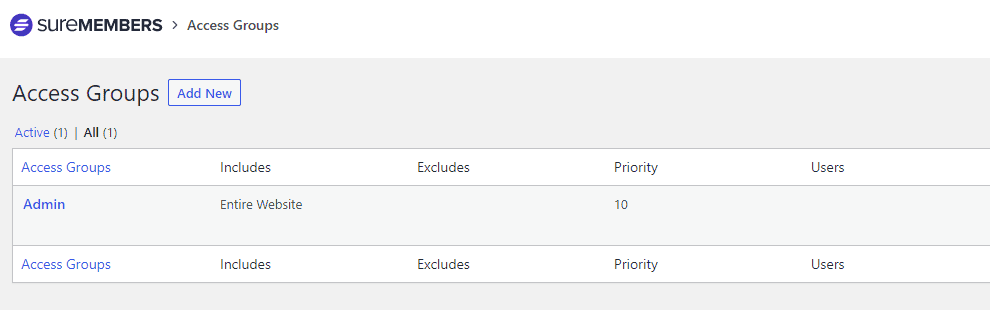
A feature I hadn’t seen in other plugins was the ability to protect a single paragraph or video right from the block editor. This is perfect for creating a paywall halfway through an article.
I also really liked the little professional touches, like being able to hide certain menu items from non-members.
Wishlist Member: Wishlist Member was pretty similar. Setting up unlimited membership levels was straightforward, and it could protect any type of content I threw at it.
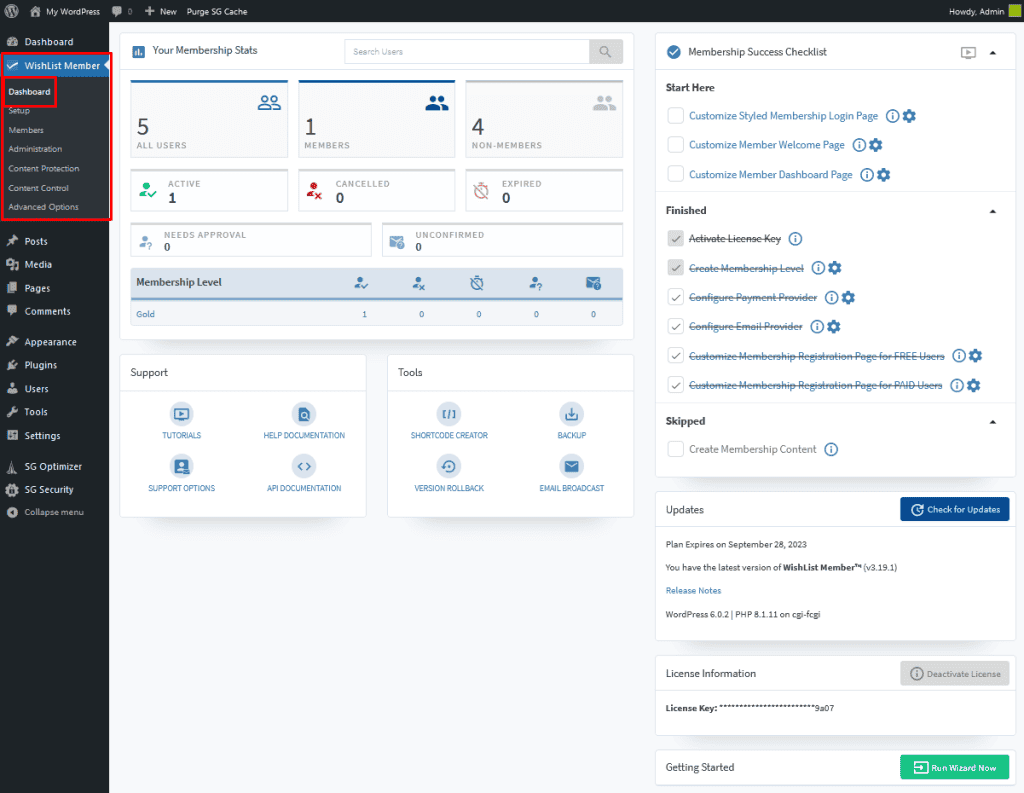
To show partial content, I had to use shortcodes, which felt a bit less intuitive than the block editor method. But, it’s only marginally more difficult.
What really stood out were its unique, powerful features like Multi-Level Access, which let members join several tiers at once, and a Content Archiver that’s designed to keep members subscribed longer.
Manage Members
Once you have members, you need an easy way to manage them. I looked beyond just a simple user list to see who offered better tools for tracking, support, and automation.
SureMembers: The user management dashboard in SureMembers is clean and straightforward. I could easily see all my members and perform bulk actions. Its real power, though, comes from its integration with automation tools. By connecting it to SureTriggers, I could create workflows like automatically adding a new member to my email list. While this is incredibly powerful, it does rely on another tool to unlock its full potential.
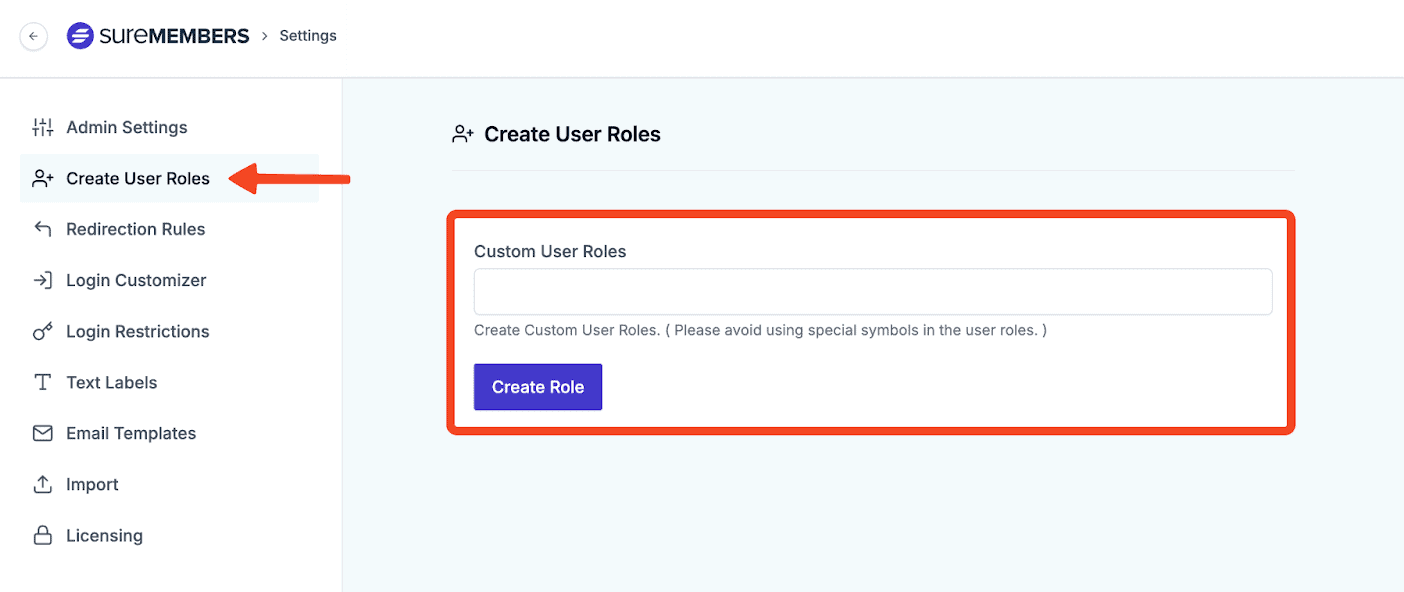
Wishlist Member: The member management area in Wishlist Member felt like a complete command center. I could see and filter members by specific statuses like “Active” or “Cancelled,” which is very useful.
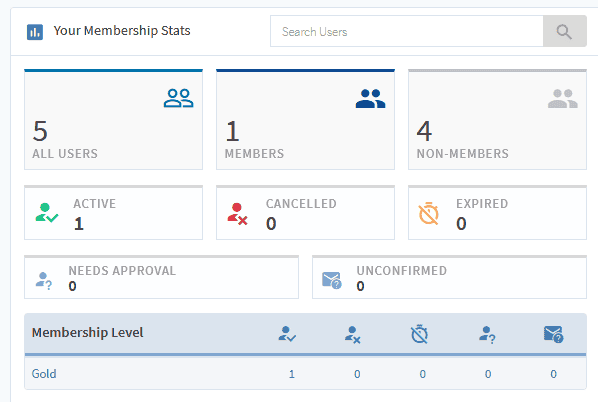
The standout feature for me was “Login As A Member.” I used it to see my site exactly as a specific member would, which makes troubleshooting access issues incredibly easy. It’s a tool that can save you hours of support time.
Content Dripping
Dripping content is essential for keeping members engaged. I tested how easy it was to set up a schedule to release content over time, preventing members from downloading everything and leaving.
SureMembers: The scheduling options in SureMembers felt very flexible. I could set content to release a specific number of days after a member signs up or even on a fixed calendar date. Where it really impressed me was its seamless integration with course plugins like LearnDash. Dripping out individual lessons felt completely native to the platform, making it a fantastic choice for course creators.
Wishlist Member: Wishlist Member has a rock-solid and proven “Content Scheduler.” I was able to easily set up a drip schedule that released new content every 7 days. A really powerful feature it has is “Sequential Upgrade,” which can automatically move a member to a higher tier after a set period. This is perfect for creating a structured, linear path through your content without any manual work.
Payments and Subscription
This is where the two plugins have a very different philosophy. I looked at how they handle the most critical part of the business: getting paid.
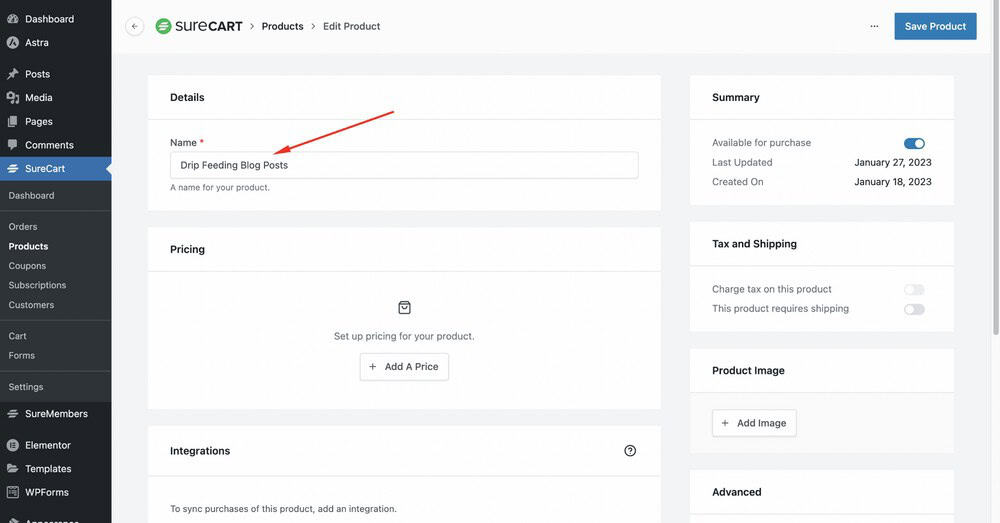
SureMembers: The first thing to know is that SureMembers doesn’t handle payments directly. You need additional ecommerce plugins like SureCart to accept payments. By pairing them, you will be able to create a modern checkout experience with advanced sales features like order bumps and one-click upsells, which is a huge advantage for maximizing revenue.
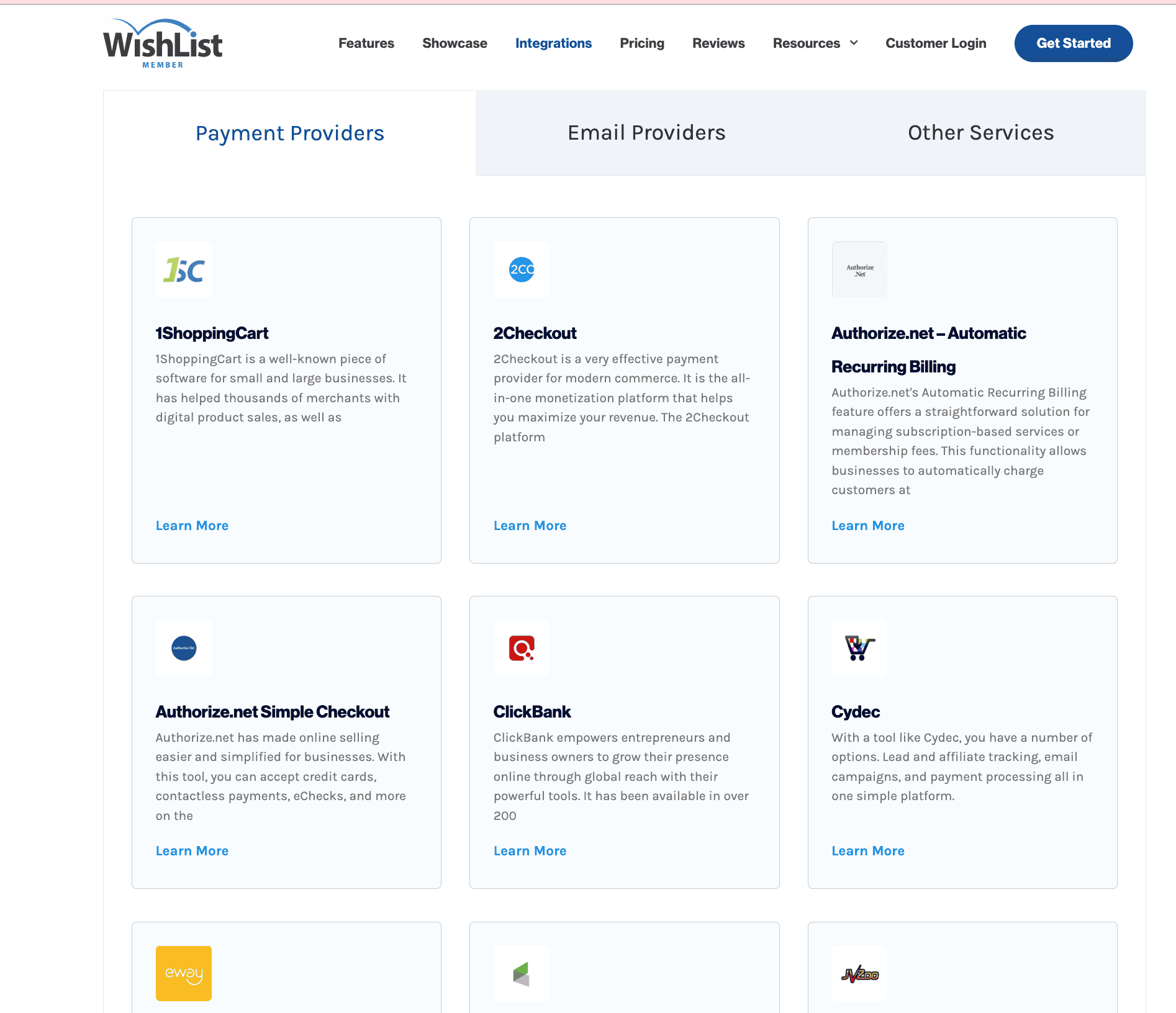
Wishlist Member: Wishlist Member’s biggest strength is its massive list of direct integrations. I saw options for Stripe, PayPal, Authorize.Net, ThriveCart, and dozens more. This means you can almost certainly connect it directly to your preferred payment processor without needing an extra plugin. It can automatically create a member’s account after a successful payment, making the entire process very smooth for the end-user.
Design and Customization
Your membership pages should look professional and match your brand. I tested how easy it was to customize things like login and registration pages without needing to write code.
SureMembers: The user interface of SureMembers itself is sleek and modern. It worked perfectly with my theme, and I was able to easily customize the login forms and the messages shown to non-members. The real win for me on the design front was being able to fully design the checkout page using SureCart’s builder, which is a massive benefit for brand consistency and conversions.
Wishlist Member: Wishlist Member works within your existing theme, so the look is very flexible. To create things like a member profile page, I had to use shortcodes. While this works perfectly fine, it’s a less visual process than what you get with modern page builders. It does, however, offer great control over customizing registration forms and redirecting members to specific pages after they log in.
Privacy, Security and Compliance
Protecting your content and your member data is critical. I looked for which plugin offered better out-of-the-box tools for security and GDPR compliance.
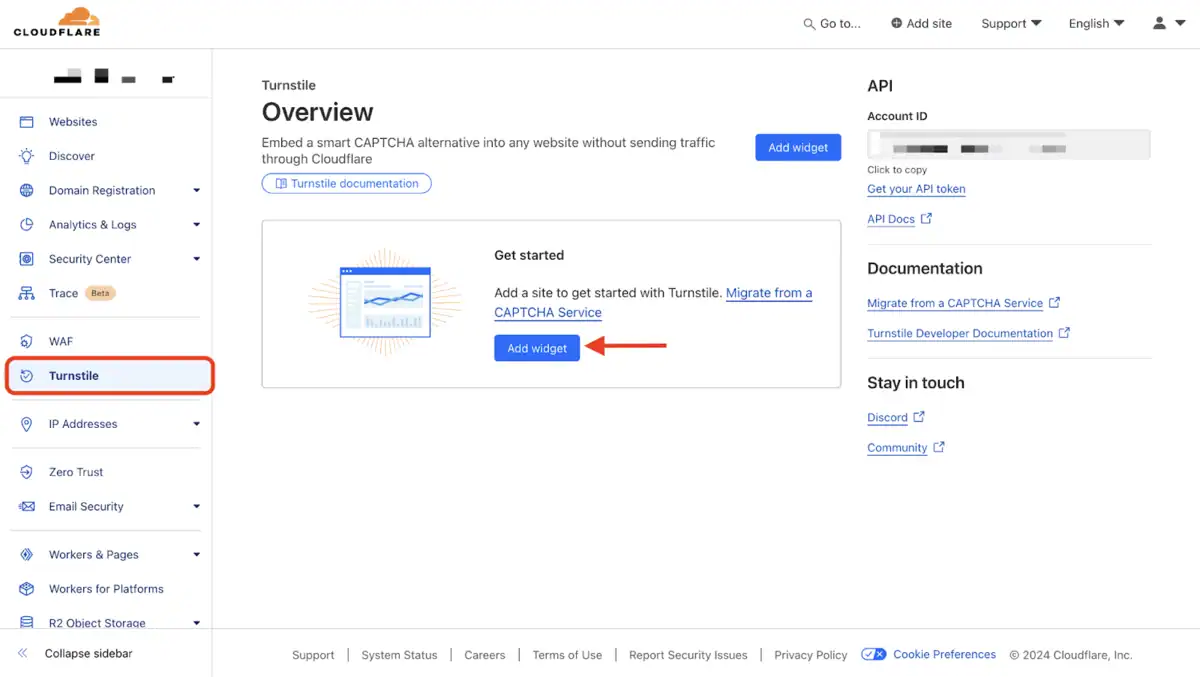
SureMembers: What I really appreciated with SureMembers were the built-in security tools. It includes spam protection using Google reCaptcha and Cloudflare Turnstile for its login forms, which meant I didn’t need a separate plugin for that. It also has a feature to limit concurrent logins, which helps prevent members from sharing their accounts. It feels like a plugin built with modern security needs in mind.
Wishlist Member: Wishlist Member handles the fundamentals of security well. It has tools like requiring email confirmation and manual admin approval for new members, which adds a strong layer of control. It also ensures your protected digital files are secure. For things like spam protection on forms, it relies on other tools rather than having the feature built-in, but it handles its core security responsibilities effectively.
Usability
A plugin can have all the features in the world, but if it’s confusing to use, it’s not the right tool. I looked at the entire experience, from initial setup to day-to-day management.
SureMembers: My experience with SureMembers was refreshingly simple. It’s a lightweight plugin that doesn’t slow down your site, and its entire interface is centralized in one logical place. I never found myself hunting through menus to find a setting. Honestly, the plugin is so intuitive that I had my first membership level set up and protecting content in under five minutes, barely needing to look at the documentation.
Wishlist Member: To help new users, Wishlist Member includes a helpful “Getting Started Wizard” that walks you through the initial setup. However, once I got into the main dashboard, the sheer number of menus and options felt a bit overwhelming. It is an incredibly powerful and capable plugin, but there is a definite learning curve required to understand and master all of its features.
Pricing and Overall Value
Finally, I looked at the investment. It’s not just about the price tag today, but the total cost of ownership over the years. I compared the pricing models to see which one makes more financial sense for a growing business.
SureMembers: The SureMembers pricing model is a breath of fresh air. It’s positioned as a highly affordable solution, but the real star of the show is the lifetime license. The ability to pay once and never worry about annual renewal fees is a massive advantage. From a business perspective, this removes a recurring expense and provides incredible long-term value. For freelancers, agencies, or any business owner conscious of their budget, this is a game-changer.
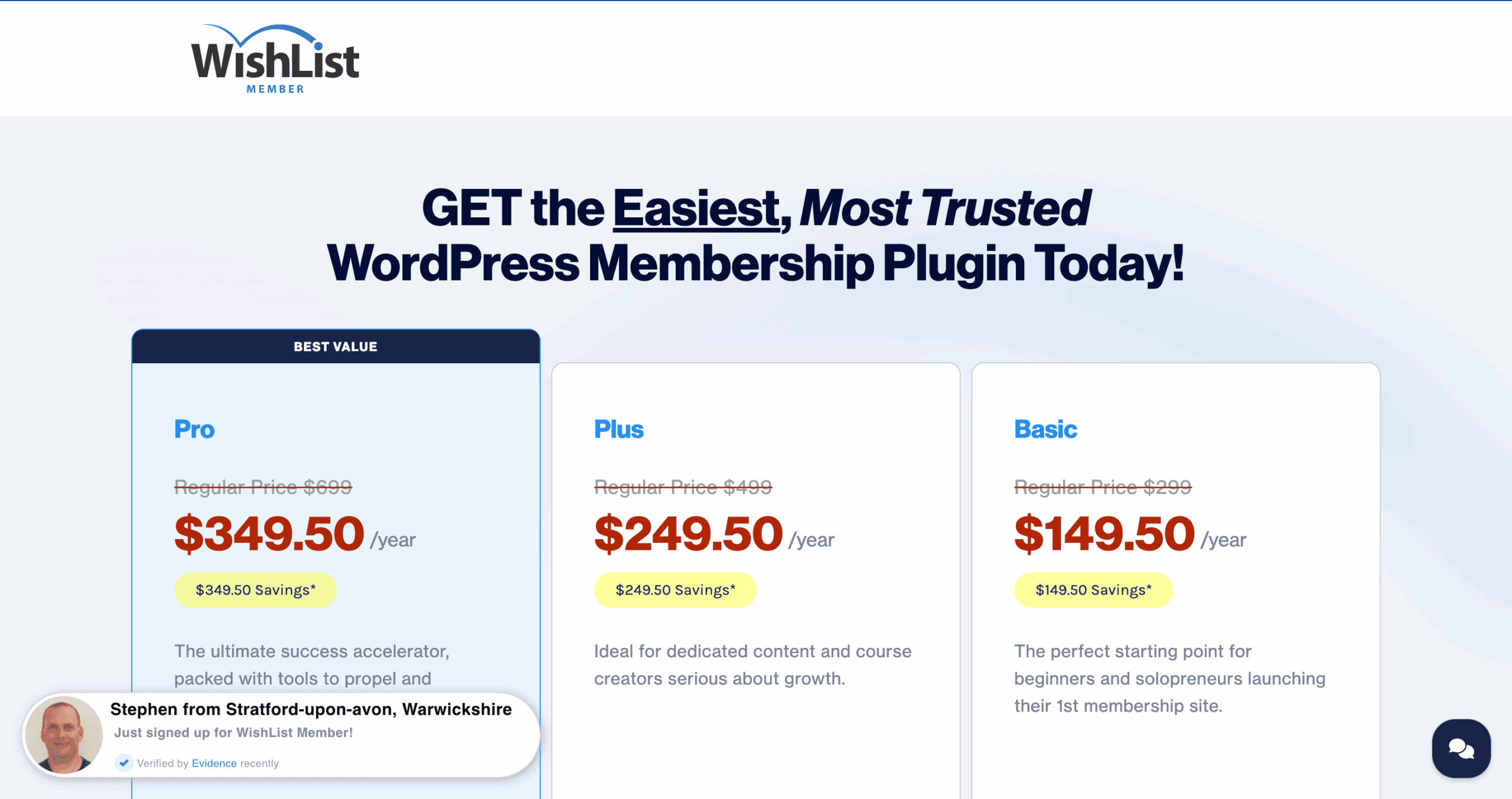
Wishlist Member: Wishlist Member pricing operates on an annual subscription model, and while it often has introductory offers, the renewal price is higher. I also noted that some features, like their Courses Add-On, are a separate purchase, which can increase the overall cost. While the plugin is feature-rich, the subscription-only model makes it a more expensive proposition over the lifetime of your business.
Alternatives to SureMembers and Wishlist Member
While SureMembers and Wishlist Member represent two very different but powerful approaches, they aren’t the only options out there. The WordPress membership space is full of excellent plugins, and if neither of these feels quite right, here are a couple of other industry leaders that I’ve tested and can highly recommend.
- MemberPress: In our experience, MemberPress is a single, powerful solution that handles content restriction, payment processing, subscription management, and even has a built-in course builder, this is it. It’s an excellent choice for users who want a complete business-in-a-box and are willing to pay a premium for that convenience.
- ARMember: Our tests showed that ARMember is built for the user who wants to avoid buying multiple add-ons at all costs. It’s a feature-packed powerhouse that includes tools for content control, payments, social sign-ups, and even profile building in its core offering. It’s the perfect fit for a solopreneur who needs a vast toolkit on a lifetime deal budget and doesn’t mind a steeper learning curve.
Final Thoughts
After extensive hands-on testing, it’s clear that the choice between SureMembers and Wishlist Member boils down to a core philosophy: do you want modern simplicity or established power?
SureMembers is the definitive choice for users who prioritize speed, an elegant and intuitive interface, and a modern, modular approach to building their site. It does one thing—content restriction—perfectly and lets you pair it with other best-in-class tools for a streamlined experience.
In contrast, Wishlist Member remains the go-to option for those who need maximum flexibility, granular control, and a massive library of integrations built over a decade. It’s a proven workhorse that can handle virtually any complex membership setup you can throw at it, as long as you’re prepared for its steeper learning curve.
Whichever plugin you choose, install a staging plugin and test the plugin on a test site first. This gives you a safe sandbox to test every feature and ensure it works perfectly with your theme and other plugins. And once your membership site is live and generating revenue, protecting your members’ data and your income with a reliable backup solution like BlogVault becomes absolutely essential.
FAQs
Which is better for a total beginner, SureMembers or Wishlist Member?
For a total beginner, SureMembers is the clear winner. Our testing showed its user interface is far more modern, clean, and intuitive. You can set up your first protected membership area in minutes without needing to consult documentation. Wishlist Member is much more powerful but comes with a steeper learning curve that can be overwhelming if you’re just starting out.
How do payments work? Do I need another plugin?
This is a key difference. SureMembers is a content restriction plugin that requires a separate e-commerce plugin like SureCart or WooCommerce to handle payments. This modular approach keeps it lightweight and lets you use a powerful, dedicated tool for checkouts. Wishlist Member has many direct integrations built-in, allowing it to connect to payment gateways like Stripe and PayPal on its own, offering more of an all-in-one feel.
Which plugin is better for selling online courses?
Both plugins are excellent for selling courses because they both offer content dripping. However, SureMembers has a slight edge due to its seamless and modern integration with popular LMS plugins like LearnDash and TutorLMS. The process of dripping out individual lessons feels more native and streamlined. Wishlist Member also works well and even has its own Courses Add-on, but the setup can feel less integrated.
Can I use my existing WordPress theme and page builder?
Yes, both plugins are designed to be compatible with all well-coded WordPress themes and popular page builders like Elementor, Divi, Beaver Builder, and Spectra. You will not be forced to change your site’s design to use either SureMembers or Wishlist Member.
Is SureMembers really cheaper in the long run?
Yes, for the vast majority of users, SureMembers is significantly more cost-effective over time. This is primarily due to its lower annual starting price and, most importantly, the availability of a lifetime deal. By purchasing a lifetime license, you eliminate recurring annual fees, making it a much smarter long-term investment compared to Wishlist Member’s subscription-only model.

Shreya has been a writer for as long as she can remember. Now, she writes articles that help WordPress users manage the sites that they're proud of, with little to no coding


