Plugins for WordPress memberships can be a minefield of complex add-ons, which is why this Paid Memberships Pro review breaks down one of the most flexible and powerful options available. If you’re looking for total control over your membership site but fear getting lost in a sea of confusing settings, you’re in the right place.
Choosing the wrong tool can stall your project before it even launches, costing you time and potential revenue. That’s why this article cuts through the noise to give you the facts. We’ll explore PMPro’s key features, its true cost, and its real-world pros and cons. By the end, you’ll know for certain if its legendary flexibility is the right engine for your subscription business.
I set up a test site to see how Paid Memberships Pro handles everything from basic content restriction to complex membership rules. It’s an incredibly powerful and flexible plugin, perfect for users who need deep customization and are comfortable using an add-on system to build their ideal site.
Paid Memberships Pro is one of the original and most established players in the WordPress membership plugins space. Unlike newer, “all-in-one” plugins, PMPro was built on a different philosophy: provide a lightweight but powerful core for free, and then allow users to add exactly the features they need through a massive library of add-ons.

To find out if Paid Memberships Pro was worth your time, I put it through its paces on a fresh WordPress install, focusing on the core functions every membership site owner depends on:
- Membership plan management and access control
- Member management
- Content dripping
- Payments and integrations
- Design and customization
- Pricing and value
- Overall usability and performance
Membership Plans & Access
The first thing we tested was the way the membership plans were managed. You can create them using the Setup Wizard, if your site is new. In my opinion, this plugin offered a lot of features for a free membership plugin. Some highlights are:
- Unlimited Membership Levels: Create as many free, paid, or trial membership tiers as you need, each with its own unique pricing, access rules, and duration.

- Iron-Clad Content Protection: Easily restrict access to specific posts, pages, categories, or even special content types like “courses” or “events.” You can also hide parts of a single post or page using a simple shortcode or a dedicated block in the WordPress editor.
- Flexible Pricing Models: Set up any payment structure you can imagine, including one-time fees, recurring subscriptions (daily, weekly, monthly, annual), and free or discounted trial periods.
- Boost Sales with Discount Codes: Generate coupon codes to run special promotions, reward loyal followers, and track the success of your marketing campaigns.
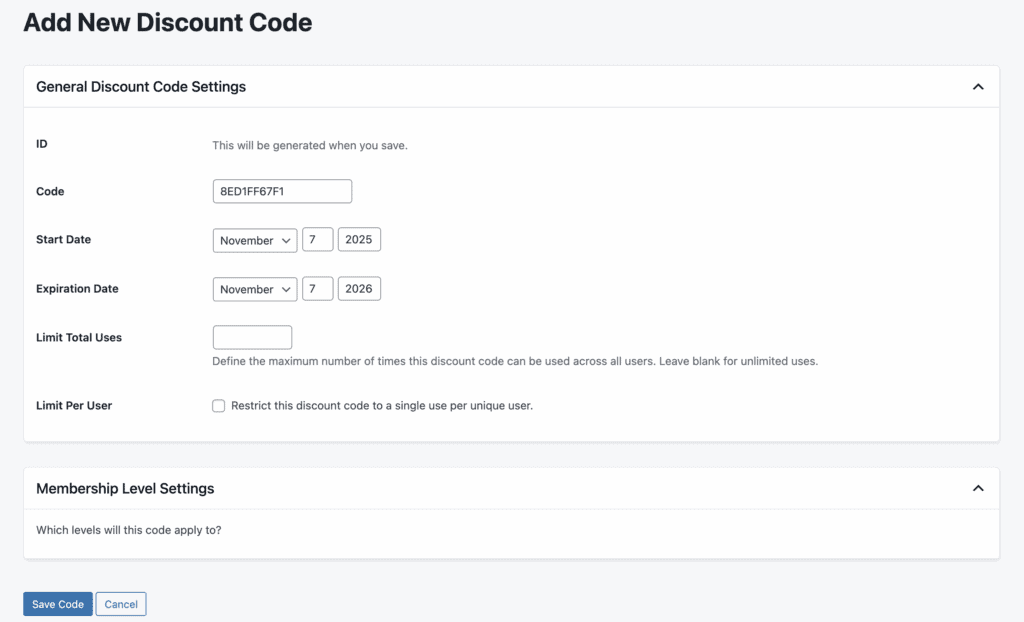
- Sell to Teams with Group Memberships: Offer corporate or team plans where one parent account can manage and pay for a group of linked child accounts—perfect for B2B offerings.
A Look at Member Management
A successful membership site shouldn’t create more administrative headaches. PMPro includes powerful tools that empower both you and your members, reducing your workload and creating a smooth, professional experience for your community.
- Full Admin Control: As the site owner, you can manually add new members, edit existing profiles, change a user’s membership level, or cancel their subscription at any time from the WordPress dashboard.
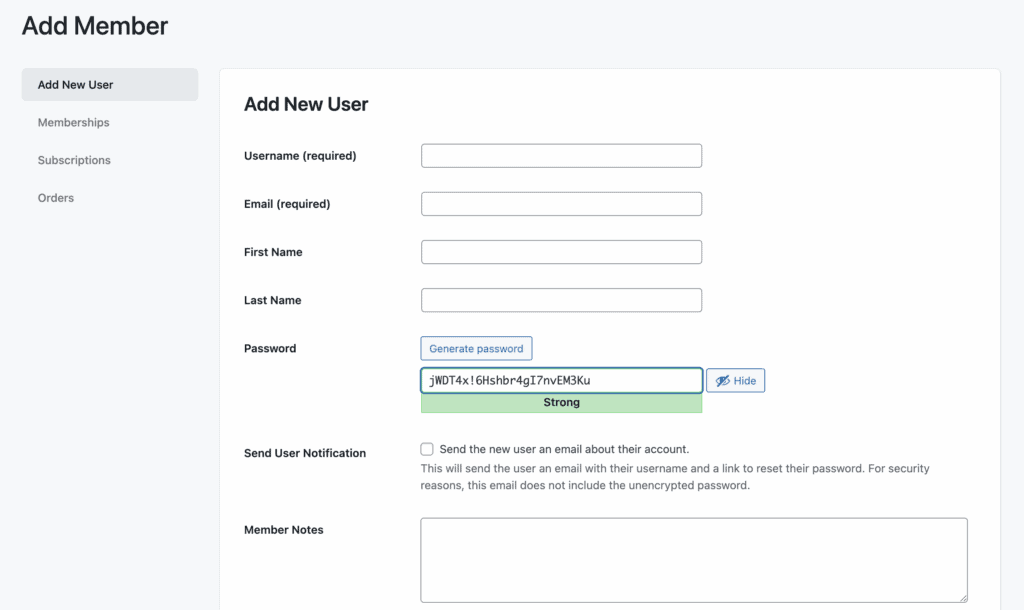
- Empower Members with a Self-Service Dashboard: Your members get their own front-end account page where they can update their profile, view past invoices, change their payment method, and upgrade or cancel their membership—all without needing to contact you for help.
- Custom User Roles for Your Team: Assign specific WordPress user roles to different membership levels to grant unique permissions. An available add-on also lets you create a “Membership Manager” role, allowing a team member to manage memberships without giving them full site administrator access.
- Effortless Data Import & Export: Easily import a list of members from a CSV file when migrating from another platform, or export your member data for use in email marketing or other systems.
Unlocking Content with Dripping
Want to keep members subscribed month after month? “Dripping” content by releasing it on a set schedule is one of the most effective ways to do it. This is a must-have feature for online courses, tutorials, and ongoing content series.
- Automate with the Series Add-On: This premium add-on is the primary way to “drip-feed” your content. You can set it to automatically release posts a certain number of days after a member signs up, keeping them engaged and eager for what’s next.
- Unlock on Specific Dates: For developers or those needing more control, the platform also supports custom code to unlock specific content on fixed calendar dates, perfect for event-based releases or seasonal material.
Payments and Subscriptions
A membership site is a business, and your payment system needs to be reliable, automated, and flexible. Paid Memberships Pro integrates with major payment gateways and includes smart features to ensure consistent cash flow and reduce failed payments.
- Connect to Popular Payment Gateways: The plugin directly supports Stripe, PayPal, Apple Pay, and Google Wallet, giving your members plenty of convenient ways to pay. You can also configure it for manual or offline payments like checks or bank transfers.
- Reduce Churn with Automated Renewals: The system automatically handles recurring subscription payments and will retry failed charges several times before canceling a subscription, helping you retain members who may have an expired card.
- Keep 100% of Your Revenue (No Platform Fees): Unlike many hosted solutions, Paid Memberships Pro does not take a percentage of your sales. The only fees you pay are the standard ones from your payment processor (e.g., Stripe, PayPal).
- Fair Upgrades with Proration: The plugin can automatically calculate a credit for a user’s existing plan when they decide to upgrade to a more expensive one, making the process fair and encouraging them to move to a higher tier.
Design, Branding, and Customization
Your membership area should feel like a seamless part of your brand, not a generic, third-party add-on. PMPro is built to integrate with your existing website design while giving you the tools to customize every aspect of the member experience.
- Plays Nice with Your Theme: The plugin’s core pages (like checkout, account, and levels) are designed to inherit styles from your WordPress theme, ensuring a consistent look and feel right out of the box.
- Built for Modern Page Builders: PMPro offers 15 dedicated blocks for the WordPress Block Editor (Gutenberg) and integrates well with popular page builders like Elementor and Divi, allowing you to design your membership pages with familiar drag-and-drop tools.
Security & Compliance
Your members need to know their data is safe, and you need to protect your premium content from unauthorized access. Some of this trust can be gained by using a familiar payment gateway. PMPro also includes other features that can help:
- Ready for GDPR: The plugin includes features to help you comply with GDPR, including privacy policy information and tools for a member’s “Right to be Forgotten,” allowing for the easy deletion of personal data upon request.
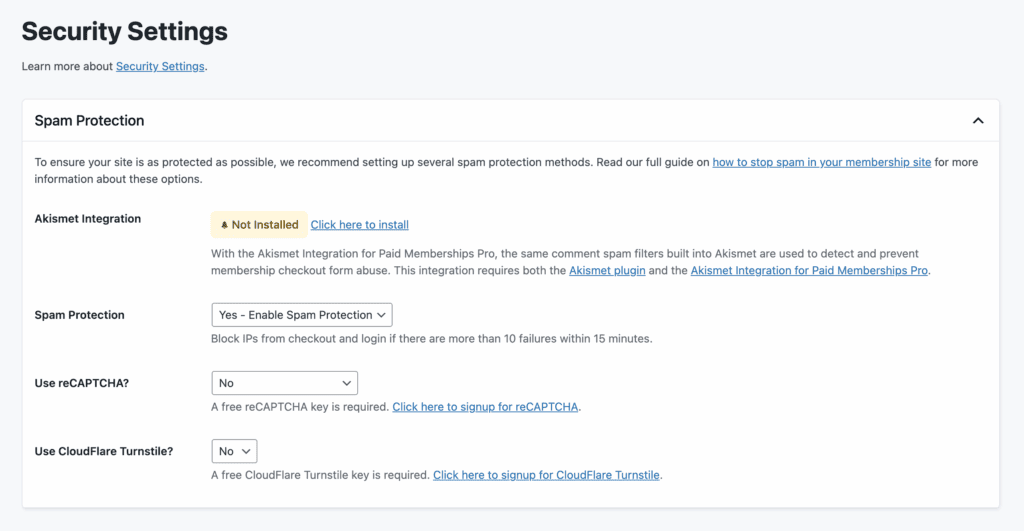
- Secure and Private Data Handling: PMPro’s own usage tracking is opt-in and does not collect sensitive personal or payment information. It also integrates with tools like Cloudflare Turnstile to protect your registration forms from spam bots.
- Premium File Protection: You can restrict access to uploaded files (like PDFs, ZIPs, or videos) to ensure only active, paying members can download your valuable resources.
Is Paid Memberships Pro Easy to Use?
The first thing you’ll notice is that you can’t just find Paid Memberships Pro on the official WordPress.org repository. Getting started requires a different first step. I had to register on their website to get access to the plugin folder. Once I downloaded the zip file, the rest of the process was standard fare—just upload the plugin to your WordPress site and activate it as you would with any other premium plugin.
There’s a huge warning at the top of your dashboard that tells you that another plugin, the “Update Manager,” is essential for receiving future updates. Clicking the link downloads another zip folder, which you have to go through the process of installing and activating all over again. It’s a slightly clunky extra step that you shouldn’t skip.

Once you’re through those initial installation hoops, the experience becomes much smoother. The setup wizard is a separate tab, It doesn’t get triggered immediately but I recommend you use it. It’s a clean, five-stage process that walks you through all the basics of creating membership levels, generating the necessary pages, and configuring payment gateways.
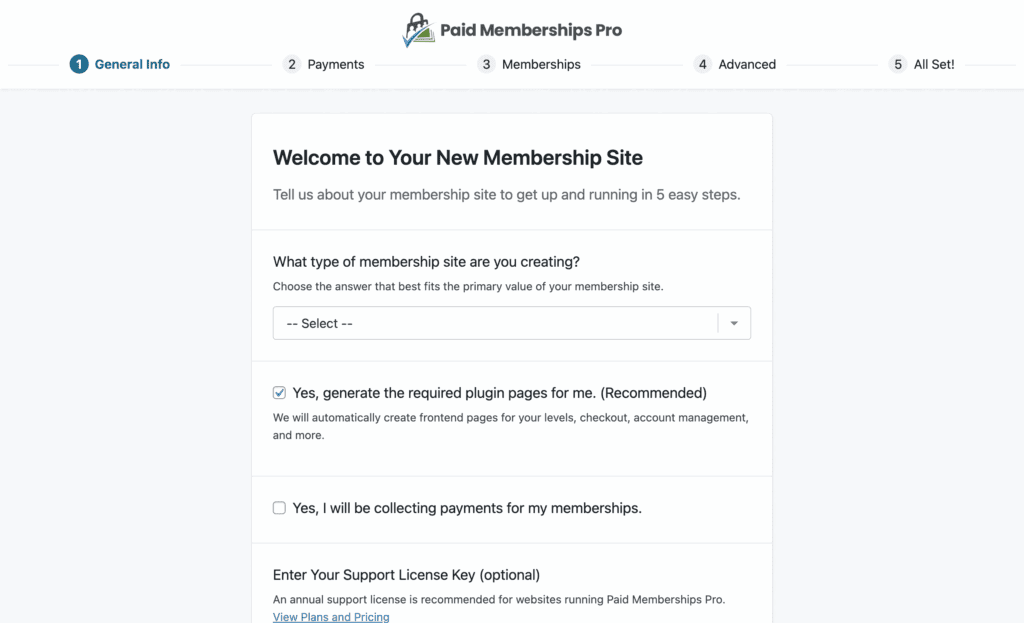
After the wizard, I started to explore the whole dashboard. I found that it was a really clean dashboard that’s incredibly easy to navigate. Everything is where you expect it to be, making the day-to-day management feel straightforward and intuitive.
What’s the Real Cost?
Paid Memberships Pro operates on a “freemium” model. The plugin is 100% free to download and includes unlimited membership levels, unlimited content restriction, and access to over 30 free add-ons to get you started.
Paid Membership Pro’s premium plans are for advanced features like content dripping, affiliate tracking, and priority support. Here’s the breakdown:
- Standard plan starts at $347/year
- Plus plan is $597/year.
When I was testing the plugin, they were offering lower prices for the first year. so, if you’re interested, look out for simillar discounted prices.

Top Alternatives to this Paid Membership Pro Review
No tool is perfect for everyone. While PMPro is a fantastic and flexible option, it’s good to know the other key players in the space. Here are some options that I appreciated after all my testing:
- ARMember: A freemium plugin that is designed for beginners with no technical know-how.
- MemberMouse: A powerful, feature-rich solution known for its robust reporting and marketing automation tools, though it is not open-source.
Final Thoughts
Paid Memberships Pro is a true workhorse of the WordPress membership world. It delivers on its promise of being one of the most flexible and powerful solutions available, allowing you to build almost any kind of subscription site you can imagine. Its add-on-based system is its greatest strength and its most significant weakness: it keeps the core plugin lean but means essential features like content dripping are locked behind a paywall. We highly recommend you try it on a staging site first to see if its powerful, modular approach is the right fit for your project.
FAQs
Is there a free version of Paid Memberships Pro?
Yes, the core Paid Memberships Pro plugin is 100% free. You can download it directly from their website. The free version is very generous, offering unlimited membership levels, unlimited content restrictions, and access to over 30 free add-ons. Premium features and priority support require a paid plan.
Can I drip-feed content with the free version of PMPro?
No, you cannot. Content dripping is considered a premium feature and requires the paid “Series Add On,” which is only available with their Standard or Plus plans. This is a common point of frustration for users who expect this functionality to be included in the core plugin.
Does PMPro work with WooCommerce?
Yes, it does. There is a dedicated “PMPro WooCommerce Add On” that allows you to integrate the two plugins. You can use it to sell memberships as a product in your WooCommerce store, give special product discounts to members, and require membership to view certain products.
What is the controversy around PMPro leaving WordPress.org?
In 2023, the PMPro team voluntarily removed their free plugin from the official WordPress.org plugin repository. They stated this was to gain more control over their release cycle and support channels. For users, this means you can no longer install it directly from your WordPress dashboard; you must download it from the PMPro website and use their separate “Update Manager” plugin to receive updates.
Is PMPro a good choice for a non-profit organization?
Yes, it can be an excellent choice for non-profits. The robust free version can handle member registrations, restrict access to supporter-only content, and manage different donation levels without any initial cost. For non-profits with a budget, the premium add-ons can add powerful functionality for managing events, directories, and more.

Shreya has been a writer for as long as she can remember. Now, she writes articles that help WordPress users manage the sites that they're proud of, with little to no coding