With popular SMTP plugin options available, the choice in the WP Mail SMTP vs Easy WP SMTP debate is tough.
On the surface, they look very similar. Both promise to fix WordPress email delivery, but their features and user experience differ significantly.
This definitive comparison gives you a clear, side-by-side breakdown. Let’s find the right tool to solve your email problems for good.
For the same $49 starting price, WP Mail SMTP Pro offers more features like analytics and email resending, making it the better value. Before you install either, protect your site by using a solid backup plugin.
WP Mail SMTP vs Easy WP SMTP at a glance
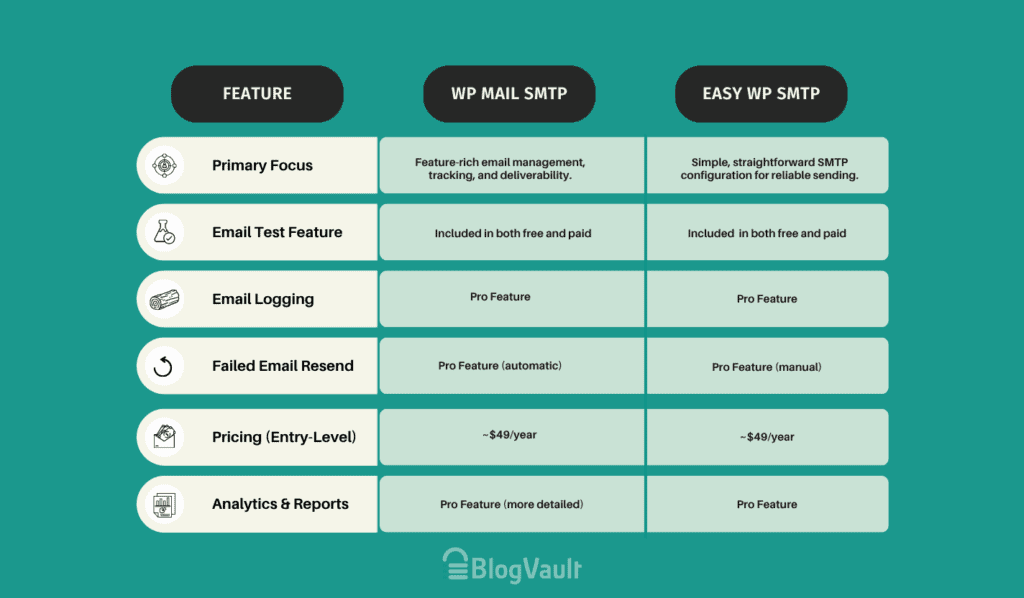
A comprehensive feature comparison
Both WP Mail SMTP and Easy WP SMTP are heavy hitters in the WordPress SMTP world. But when you get past the similar-looking dashboards, you start to see where they really differ. Let’s break down what you actually get with each one.
So, what do they actually do?
At their core, both plugins do the exact same job: they are designed to fix the default email deliverability issue inherent in WordPress.
Instead of letting your server send emails (which often land in spam), they route them through a proper email service like Gmail or SendGrid. This process dramatically improves email reliability.
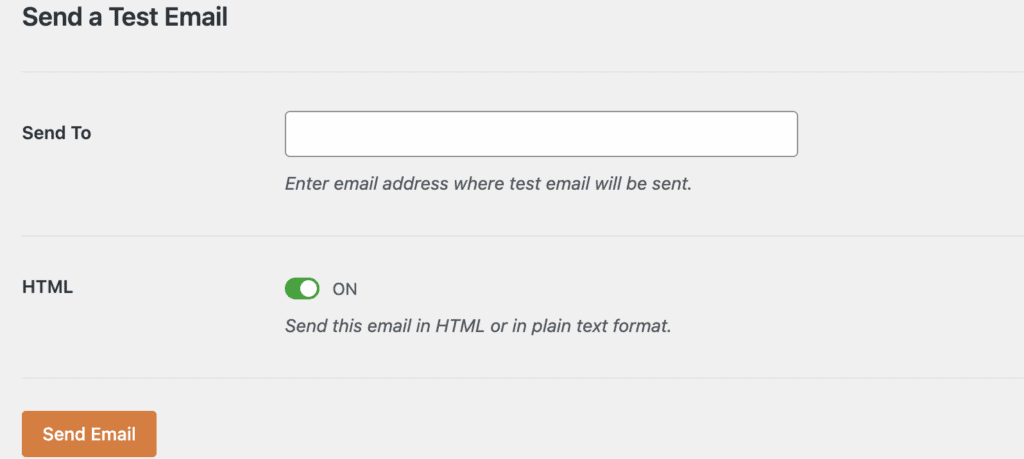
Both plugins give you an essential email test feature. This is non-negotiable. After setup, you click a button to send a test message. If you get it, you’re golden. If not, you know something’s wrong. It saves a ton of guesswork.
Now, here’s where things start to diverge, especially when you look at the Pro versions:
- Email Logging: Ever wonder if a specific email was actually sent? Both plugins offer email logs in their Pro versions. This feature keeps a record of every email your site sends, which is a lifesaver for troubleshooting.
- Analytics and Tracking: Want to know if customers are opening your receipts or clicking links? Both Pro versions offer this. WP Mail SMTP Pro, from our experience, offers more detailed analytics and visual reports.
- Failed Email Resending: This is a big one. If an email fails, WP Mail SMTP Pro can automatically try sending it again. This is huge for e-commerce sites where a lost order confirmation means an angry customer. Easy WP SMTP doesn’t have this.
Honestly, for a basic blog, the free features are often enough. But if your website’s emails are critical to your business, the Pro features are worth a serious look.
Which email services do they work with?
Both the SMTP plugins have you covered for the most popular options. They connect with services like SendGrid and Mailgun using secure APIs, which makes the connection more reliable and easier to set up. You just need to copy and paste a key.
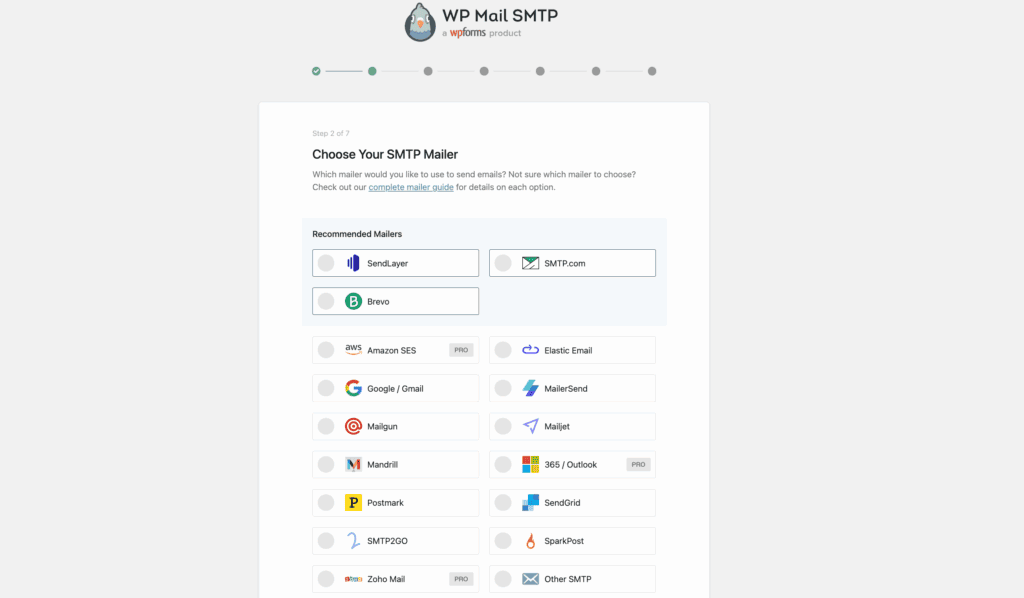
Here’s the key difference you need to know: WP Mail SMTP lets you connect to Gmail or Google Workspace for free. This is a massive advantage for small businesses.
Easy WP SMTP, on the other hand, puts the simple, one-click Gmail setup behind its Pro paywall.
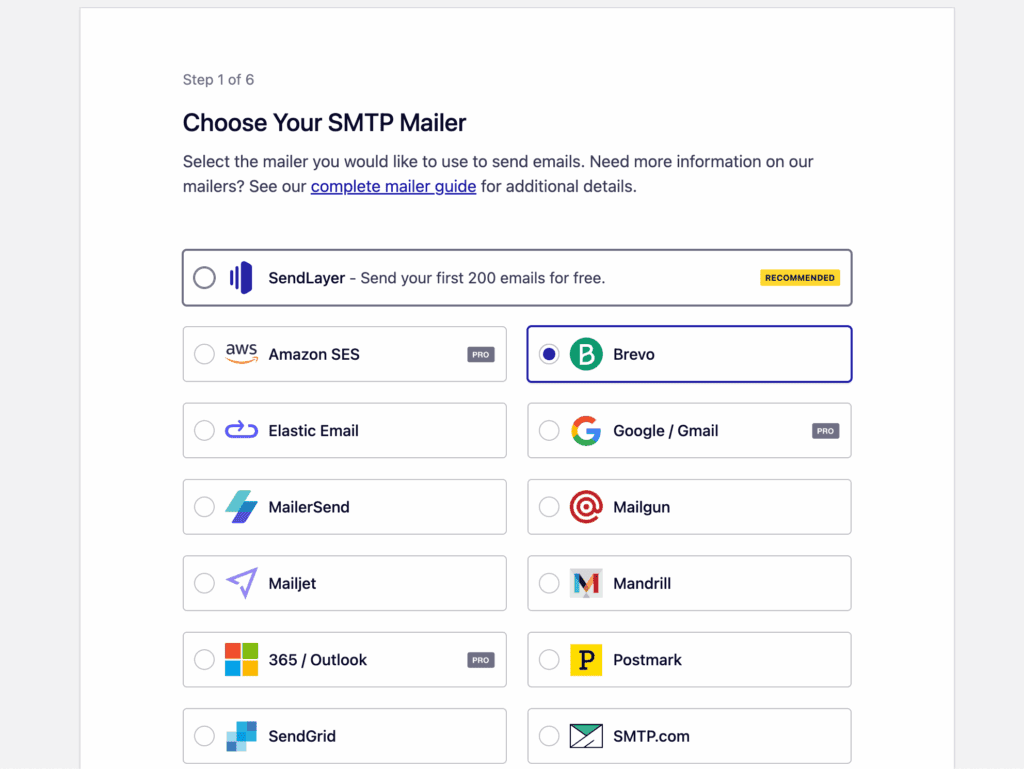
Of course, both have a generic Other SMTP option. Just be prepared to manually enter server details like the host, port, and password. It’s not hard, but it’s definitely not as smooth as the API methods.
What about support and updates?
A plugin is only as good as the team behind it. A plugin that isn’t updated is a security risk waiting to happen.
Thankfully, you’re in good hands either way, as both are backed by reputable developers with a strong track record.
WP Mail SMTP is from the creators of WPForms. We have reviewed WPForms, and it’s one of the best form builders on the market. That commitment to quality clearly carries over to this plugin.
What’s less known is that Easy WP SMTP is also backed by the same parent company, though it’s positioned under their SendLayer brand. This shared background explains why both plugins are so well-maintained and follow similar quality standards. You can expect reliable updates and solid code from either choice.
What this means for you:
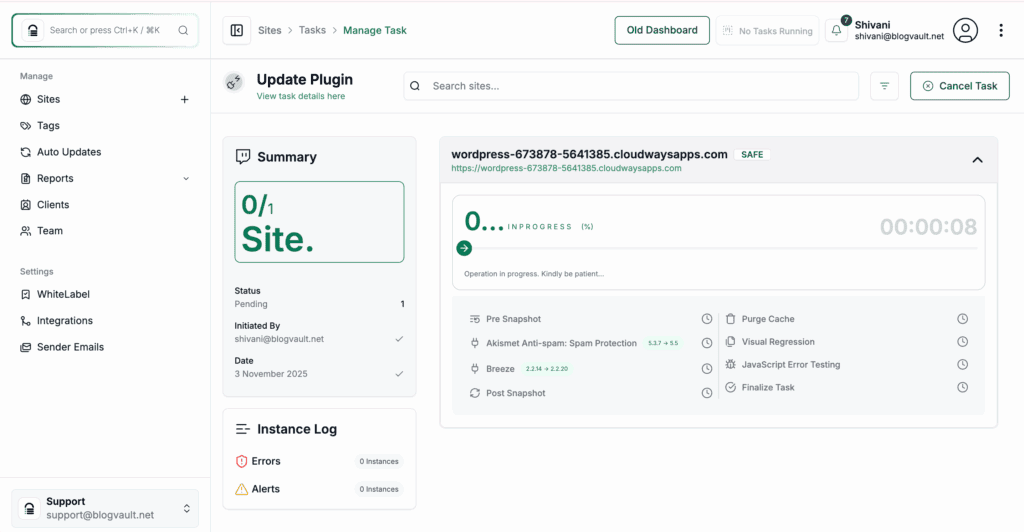
- Regular Updates: Both plugins are actively maintained and secure, but remember that safely updating plugins by testing them on a staging site is a crucial part of keeping your site healthy.
- Premium Support: If you buy a Pro version, you get access to dedicated ticket support. This is your direct line to experts for quick problem-solving. It’s peace of mind, especially when your business relies on email.

We’ve found that WP Mail SMTP has slightly more extensive documentation and tutorials. They even offer a White Glove Setup on their top plan, where their team will do the entire installation for you.
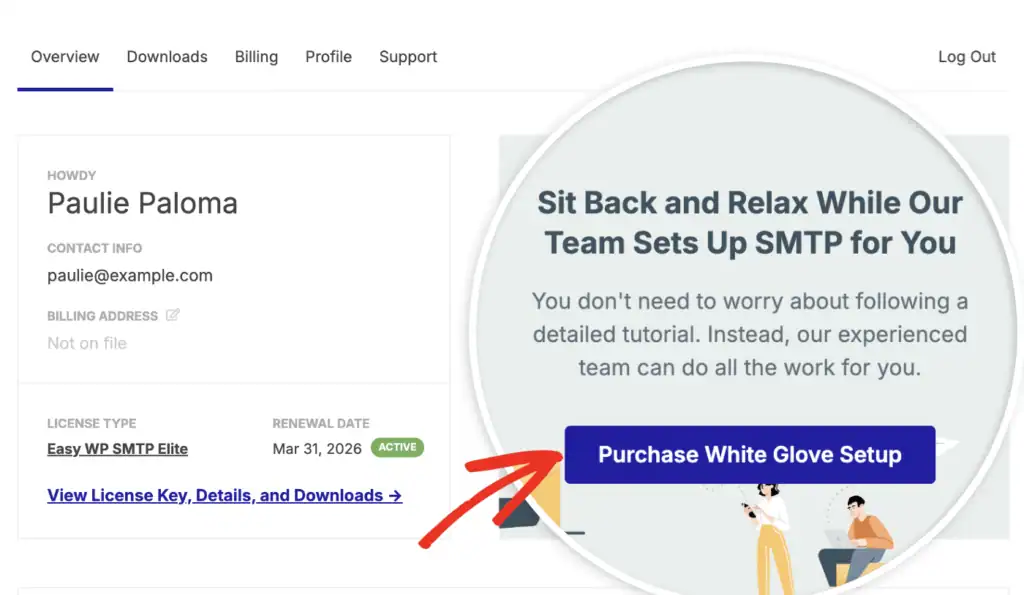
It’s important to note that Easy WP SMTP also provides this service for users who purchase their Elite license, but you’ll need to request the White Glove setup after purchase. So, regardless of your choice, there’s an option to have an expert handle the setup if you invest in their top-tier plans.
Which one is easier to set up?
When it comes to the actual setup process, there is no difference between the two. You will follow the same essential steps in both plugins to get your email working.
The only variation is in the interface: WP Mail SMTP uses a multi-step wizard, while Easy WP SMTP uses a single settings page.
This is a matter of presentation, not difficulty. The key differences are in the features and mailer options they offer, not in how you configure them.
Understanding the cost
Both plugins offer excellent free versions that will solve the core email delivery problem. No question. The difference comes when you need more power.
Interestingly, the Pro versions for both plugins start at the exact same price point: around $49/year. This makes the decision less about cost and more about what you get for your money.
At that entry-level price:
- Easy WP SMTP gives you email logging and access to premium mailers.
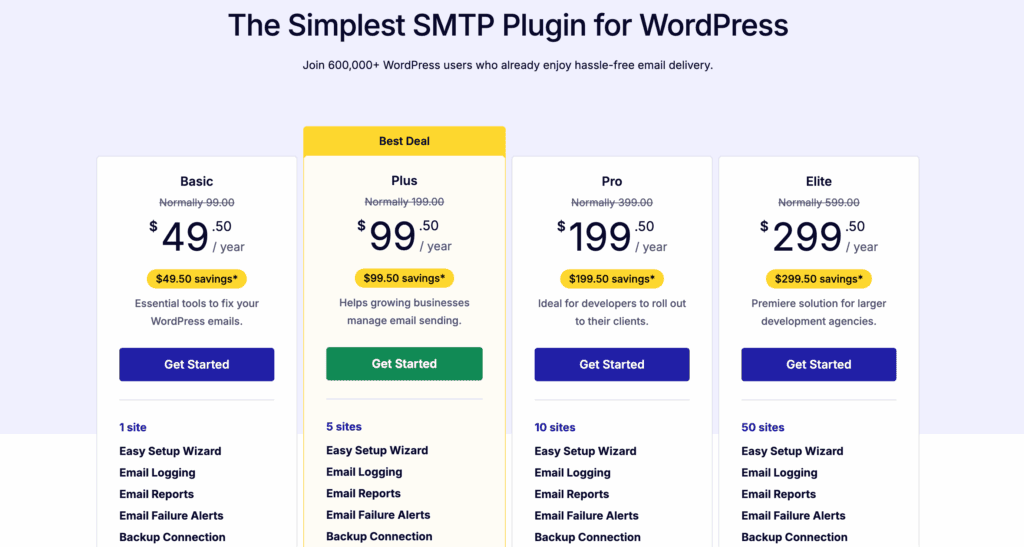
- WP Mail SMTP includes all that, plus detailed analytics and the crucial automatic email resend feature.

Making your choice
So, which one should you install? There’s no single right answer, but there is a right answer for you.
Choose Easy WP SMTP if:
- You just need a simple, free, no-frills plugin to get your emails working.
- You are price-conscious and need basic Pro features like logging.
- You value a super lean, fast interface without extra reports.
Choose WP Mail SMTP if:
- You’re a beginner and would benefit from the guided Setup Wizard.
- You want to use Gmail/Google Workspace for free without paying for Pro.
- You run a business or e-commerce site and need powerful features like detailed analytics and automatic resending of failed emails.
Honestly, for most personal blogs, Easy WP SMTP is perfectly fine. For any site where emails are tied to revenue, like an online store or a site relying on contact forms, WP Mail SMTP is the smarter, more robust investment.
Other notable SMTP plugin alternatives
While these two are market leaders, they aren’t your only options.
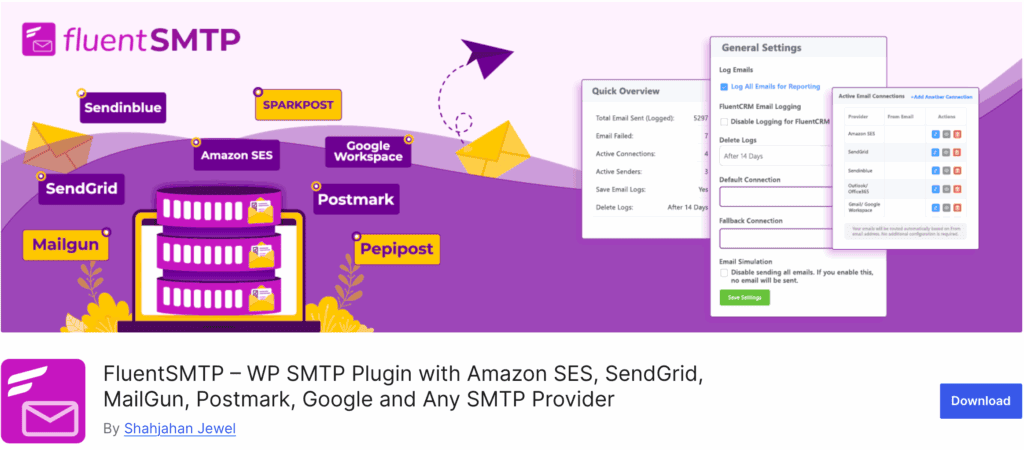
- FluentSMTP: A fantastic and completely free option that’s incredibly powerful.
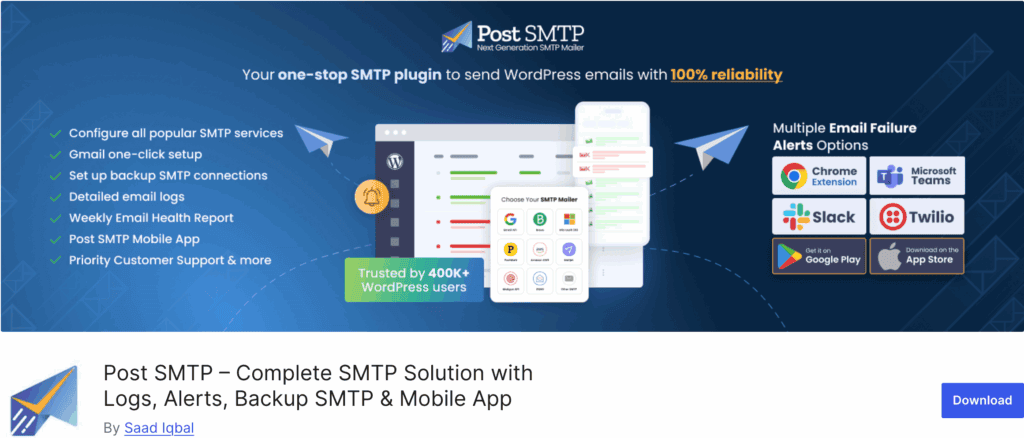
- Post SMTP Mailer: Another long-standing, reliable plugin with great debugging tools.
Crucial steps after installing your SMTP plugin
Your job isn’t done after you click “Activate.” To make sure your emails land in the inbox, do these things.
- Configure Your Mailer: Use the plugin’s instructions to connect your email service.
- Send a Test Email: This is the most important step! Confirm it works.
- Verify with a Real Form Submission: The plugin’s test only confirms the connection is live; you need to check the full process. While you can manually submit a test entry, using a dedicated form testing tool is the professional way to automatically verify that all notifications are being sent and received correctly.
- Set Your “From” Name and Email: Use a professional address your users will recognize.
Parting thoughts
Here’s the thing: both plugins are excellent tools that solve one of the most annoying problems in WordPress. You really can’t make a “bad” choice here.
Your decision simply comes down to what you need. Do you need a simple tool that just works? Go with Easy WP SMTP. Do you need a comprehensive system with detailed insights and safety nets? Then WP Mail SMTP is your answer. Just pick one, set it up correctly, and stop worrying.
FAQs
What is the best SMTP plugin for WordPress?
For most users, WP Mail SMTP is considered the best SMTP plugin because of its powerful features and ease of use. For pure simplicity and a great free option, Easy WP SMTP and FluentSMTP are also top contenders.
Is WP Mail SMTP free?
Yes, a very powerful free version is available on WordPress.org. The Pro version adds advanced features like detailed logging and analytics.
Is WP Mail SMTP safe?
Yes, it is very safe. It uses secure API connections to send emails, which is far more secure than the default WordPress method.
Why is my WP Mail SMTP not sending emails?
The most common reasons as to why your WP Mail SMTP not sending emails are incorrect credentials (like an API key or password) or a firewall blocking the connection. Use the built-in email test feature to see the specific error message.
How do I set up Easy WP SMTP?
You can set up Easy WP SMTP by going to its settings page, enter your SMTP host, port, username, and password from your email provider. Save, and then use the “Test Email” tab to verify it’s working.
How do I test if my SMTP mail server is working?
Both WP Mail SMTP and Easy WP SMTP have a built-in “Test Email” feature. Enter your email address, click send, and check your inbox. If the email arrives, it’s working.

Shivani enjoys crafting guides that make every aspect of using WordPress simple and easy to follow. When she's not glued to her laptop, you can find her buried in a good book or occasionally, painting.