

A membership plugin for WordPress sites can turn your blog into an exclusive community. If that’s what you’re looking for, this WP-Members review will determine if this popular free tool is the right choice for you.
Are you trying to create a private blog or a members-only newsletter without wrestling? Maybe you want to make sure only people that you approve of read the content you created. This plugin can help you do all that, with no load on your website and in minutes.
We’ll break down exactly what WP-Members can and, more importantly, cannot do. We’ll take an honest look at its features, usability, and ideal use cases. You can then assess if you need an alternative.
If you need a membership plugin that has tiered plans, accepts payments, offers content dripping, etc, this is not the plugin for you. The most it can do is restrict content from users that are not logged in. Use ARMember instead.
WP-Members is a free WordPress membership plugin for simple content protection. It’s an excellent fit for private blogs or newsletters where you only need to put content behind a login wall. However, critical features like payment gateways, tiered memberships, and advanced security all require purchasing separate, paid add-ons.
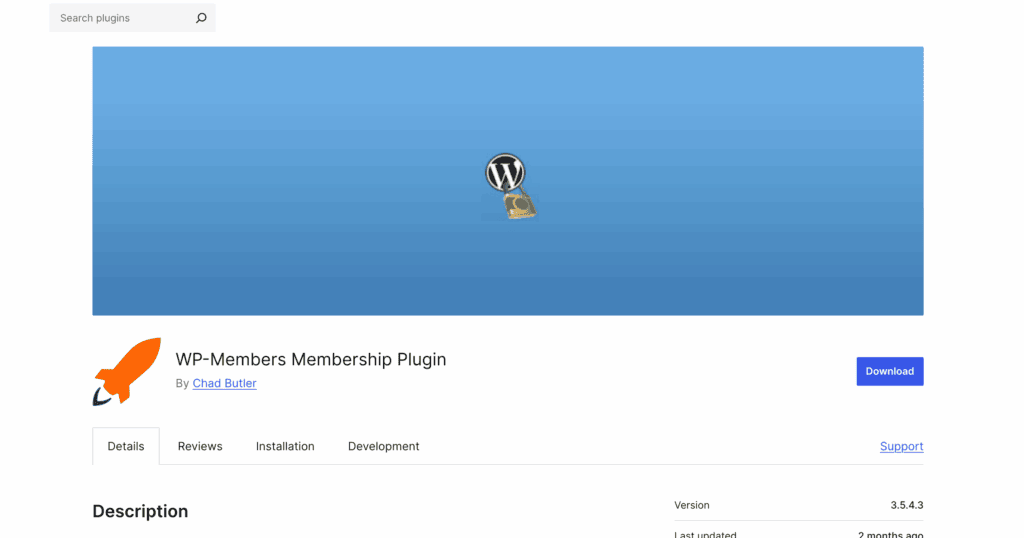
We created a test site with fake users and content. When we set out to test this plugin, we listed some questions we wanted answers to:
- Can you create and manage different tiers of users?
- Can you restrict content accordingly?
- Can you manage large groups of members easily?
- Is there any way to get paid for all the content you create?
- Can you customize the pages that the users interact with?
- Is it expensive?
- Is it beginner friendly?
In all honesty, I felt like it had little to none of the features I would look for in a membership plugin. Here’s a better look at what I found:
Manage Membership Plans and Access Control
At its heart, a membership plugin should give you total control over who sees what on your site. WP-Members handles the basics of this, allowing you to create a simple wall between public visitors and logged-in members. However, if you’re picturing a system with different membership levels, you might want to adjust your expectations.
- Content Restriction: The plugin does its primary job well. You can easily restrict access to posts, pages, and other content, making it visible only to registered and logged-in users. But, these are global restrictions. This means that if I restricted access to pages, all pages would be blocked from public visitors, including basics like my About Us page.
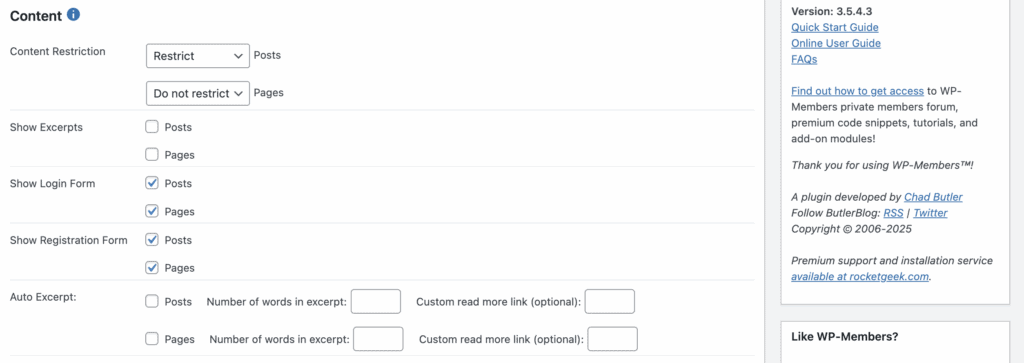
- No Native Membership Tiers: This was the first major surprise. The core plugin does not have a feature to create different membership plans like “Bronze,” “Silver,” or “Gold.” It treats all members as one group. To create tiered access, you must purchase a premium extension.
- Menu Item Control: A nice touch is the ability to hide or show specific items in your navigation menu based on a user’s logged-in status.
Manage Members
Once you have people signing up, you need tools to manage them. WP-Members provides a decent set of foundational features for user administration, giving you control over the registration process and the information you collect.
- Admin Approval: You can require new user registrations to be manually approved by an administrator before they become active, which is great for private communities. If you’re expecting a large number of visitors, this can get tiresome, pretty quickly.
- Custom Fields: The plugin allows you to add custom fields to your registration and user profile forms, so you can collect more than just a username and email.
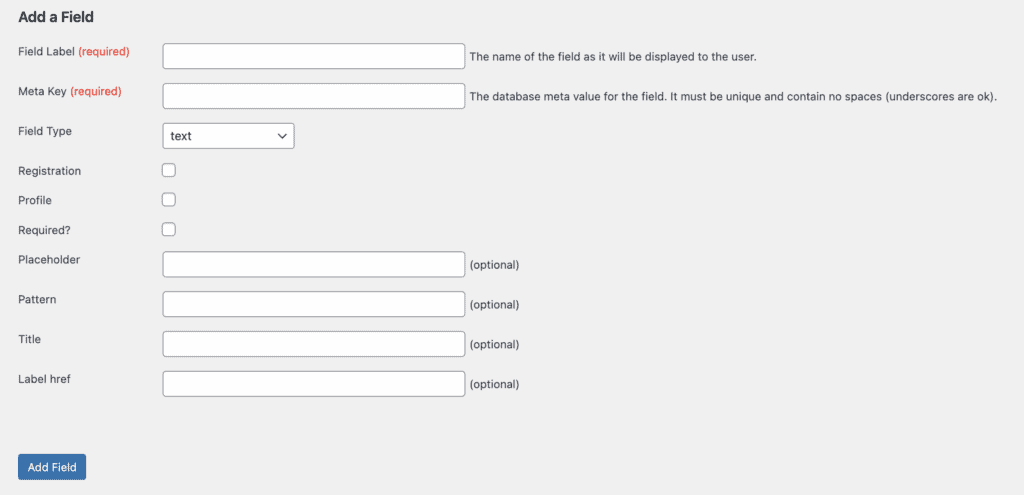
- Profile Management: Members get their own profile page on the front end of your site where they can edit their information without needing to access the WordPress dashboard.
Payments and Subscription
This is where the limitations of the free version become a serious roadblock. If your goal is to create a paid membership site, the free WP-Members plugin won’t get you there. It can register users, but it has no built-in way to charge them for access.
- No Payment Gateways in the Free Version: Out of the box, you cannot integrate a payment gateway and accept payments. . To sell memberships, you must purchase premium add-ons.
- Paid Add-ons Required for Commerce: Integrations for recurring payments and e-commerce, such as the PayPal Subscriptions add-on or a connection to WooCommerce, are all premium extensions that come at an additional cost.
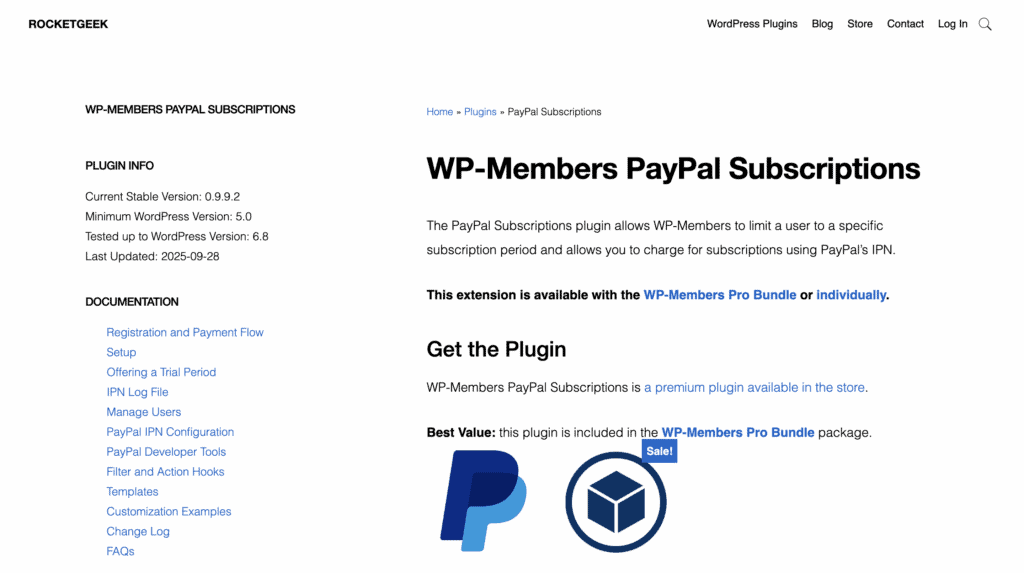
- No Native Refund Management: The core plugin does not have any features for managing refunds. This process must be handled directly within the payment gateway you use (like PayPal or Stripe), which you have to pay for separately.
Design and Customization
How your registration and login forms look is crucial for user experience. WP-Members is built to be a blank canvas, which is either a strength or a weakness depending on your technical skill.
- Theme Integration: The plugin is coded to work with most WordPress themes without causing conflicts, so its basic elements should blend in.
- Custom Forms: You can use a drag-and-drop interface to add, remove, and rearrange the fields in your registration and profile forms.
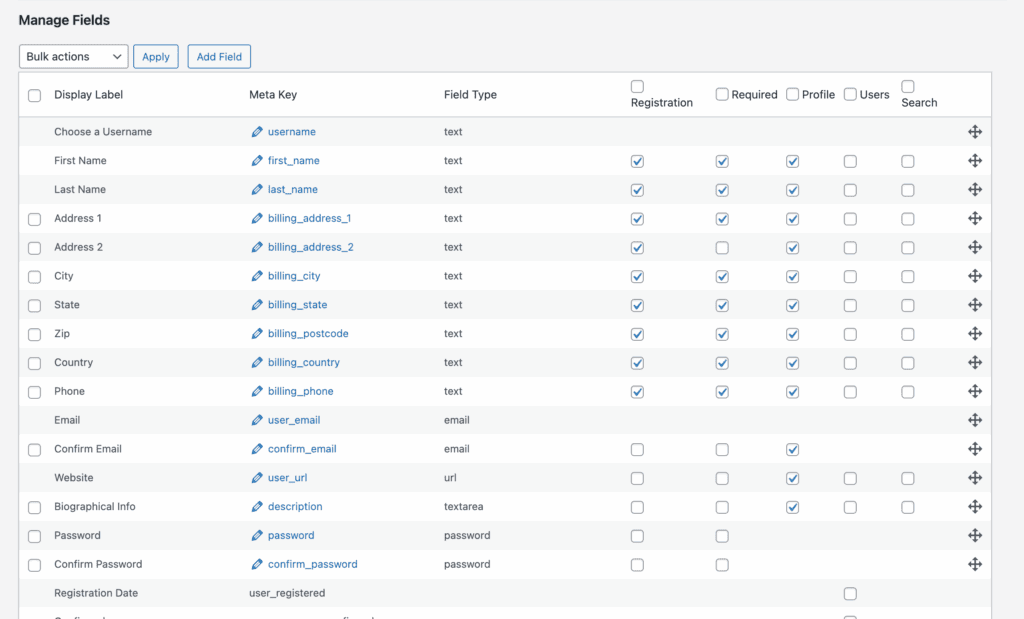
- Developer Friendly: For those who can code, the plugin is highly extensible with over 120 action and filter hooks. This means developers can build almost any custom functionality on top of it.
Privacy, Security and Compliance
Keeping your site and member data secure is non-negotiable. WP-Members offers some security-focused features, but the most robust tools are, once again, reserved for a premium add-on.
- Security Add-ons: Important security features like preventing users from logging in on multiple devices at once (concurrent logins), adding spam protection, and enforcing strong passwords are only available in the premium Security add-on.
- GDPR Compliance: The plugin provides tools that help with GDPR compliance, such as admin approval of users and management of user data, but achieving full compliance is ultimately the site owner’s responsibility.
Price
WP-Members operates on a freemium model. The core plugin is free, but it quickly became clear to me that almost any standard membership site function requires purchasing one or more add-ons.
- Free Plugin: The core plugin is available for free from the WordPress repository. It allows for basic content restriction and user registration.
- Premium Add-ons: Features for payments, security, and downloads are sold as individual WP-Members premium add-ons. For a more cost-effective option, you can purchase the “Pro Bundle,” which packages most of the add-ons together at a discount. A premium support membership is also available for an annual fee.
WP-Member Review Experience
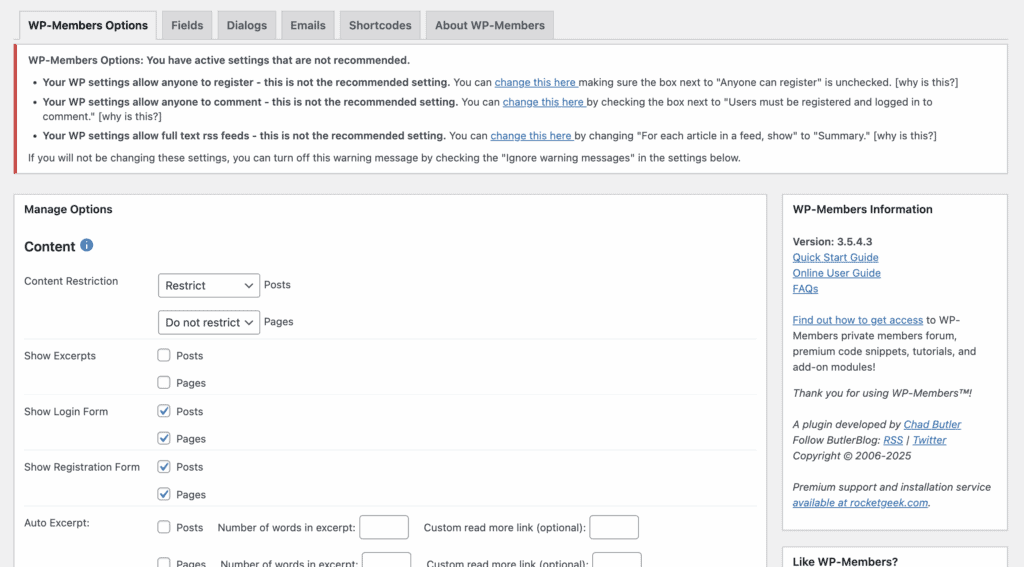
This plugin was unlike any other membership plugin that I’ve tested. For starters, there’s only one page of configurations that you can find in the Settings tab. You have to enable the settings for Membership products. New tabs appeared after that. You can then make changes like emails, shortcodes and the form fields. It’s a very easy plugin to use.
Alternatives to WP-Member
If WP-Member seems to be very basic, you and I are on the same page. This plugin has a very specific and narrow use case, and it’s understandable if you need something more robust. From al of my testing, here are my top picks.
- Ultimate Member: A popular choice for community-focused sites with more advanced user profile features.
- ARMember: A comprehensive membership plugin that includes many premium features like content dripping and multiple payment gateways in its core offering.
Final Thoughts
This plugin is unlike any other membership plugin that I’ve tested. It offers just a fraction of the features that most people would consider essential for a membership site, especially in its free version. The core functions for payments, tiered plans, and advanced security are all locked behind a paywall, which was incredibly frustrating to discover piece by piece. If you’d like to try it for yourself, I strongly recommend using a staging plugin to create a safe copy of your site. Then you can test out WP-Members there without any risk to your live website.
FAQs
What is WP used for?
WP, or WordPress, is a Content Management System (CMS) used to build and manage websites without needing to code them from scratch. It’s incredibly versatile and powers everything from simple blogs and business websites to complex e-commerce stores and membership sites. Its power comes from “plugins”—apps like WP-Members—that you can add to extend its functionality for specific needs.
Why are people moving away from WordPress?
While WordPress still powers over 40% of the web, some users explore alternatives for specific reasons. Beginners might find all-in-one builders like Squarespace simpler, while advanced developers may opt for other technologies. Often, frustration comes not from WordPress itself, but from choosing the wrong plugins or theme. A plugin like WP-Members, for example, is great for a simple private blog but would be the wrong choice for a complex course website, leading to a poor user experience.
How to use WP customer reviews?
When evaluating a WordPress plugin like WP-Members, customer reviews are a critical resource. You can find them on the official WordPress.org plugin directory. Look beyond the star rating—read both the 5-star and 1-star reviews to understand the plugin’s best features and its biggest frustrations. Pay close attention to recent reviews to see if the plugin is still actively supported by its developers.
What is your WP?
Every “WP” (WordPress site) is unique! A typical setup includes three core components: the WordPress software itself, a “theme” that controls the design and layout, and a set of “plugins” that add functionality. For a membership site, your setup might include a theme, a membership plugin like WP-Members, an SEO plugin, and a security plugin to protect your site and member data. The key is to choose components that fit your specific goals.

Shreya has been a writer for as long as she can remember. Now, she writes articles that help WordPress users manage the sites that they're proud of, with little to no coding


