

When you need a cookie plugin for WordPress, the choice often boils down to CookieYes vs Cookiebot. Worried about getting hit with a fine for non-compliance? You’re not alone.
Choosing the right tool isn’t just about ticking a legal box; it’s about protecting your business and respecting your visitors’ privacy without ruining their experience on your site. A bad banner can drive away customers just as fast as a slow-loading page.
This article cuts through the noise. We’ll compare both tools on ease of use, pricing, and features, giving you a clear, straightforward answer on which one is the best fit for your website.
We used a test site to try both plugins and found that Cookiebot was better than CookieYes. Its advanced automation and detailed consent logging are superior for businesses that require a comprehensive audit trail.
Both cookie plugins are comparable and we evaluated CookieYes and Cookiebot based on four key criteria crucial for any website owner:
- Compliance Needs: We checked how well each platform handles major privacy laws like GDPR in Europe and CCPA/CPRA in California.
- Customization: We looked at the flexibility to change the consent banner’s design to match a website’s branding.
- Free vs. Premium: We compared what you get in the free plans versus the paid tiers to determine the overall value.
- Ease of Use: We assessed how intuitive the setup and management process is, especially for users without technical experience.
Quick Look at CookieYes
CookieYes was launched in the UK in 2018, starting as a simple WordPress plugin designed to help website owners easily navigate the new GDPR regulations. It was created to provide a straightforward solution for cookie compliance and has since grown into a comprehensive, standalone consent management platform (CMP). Its primary goal remains to make compliance accessible for everyone, regardless of their technical skill level.
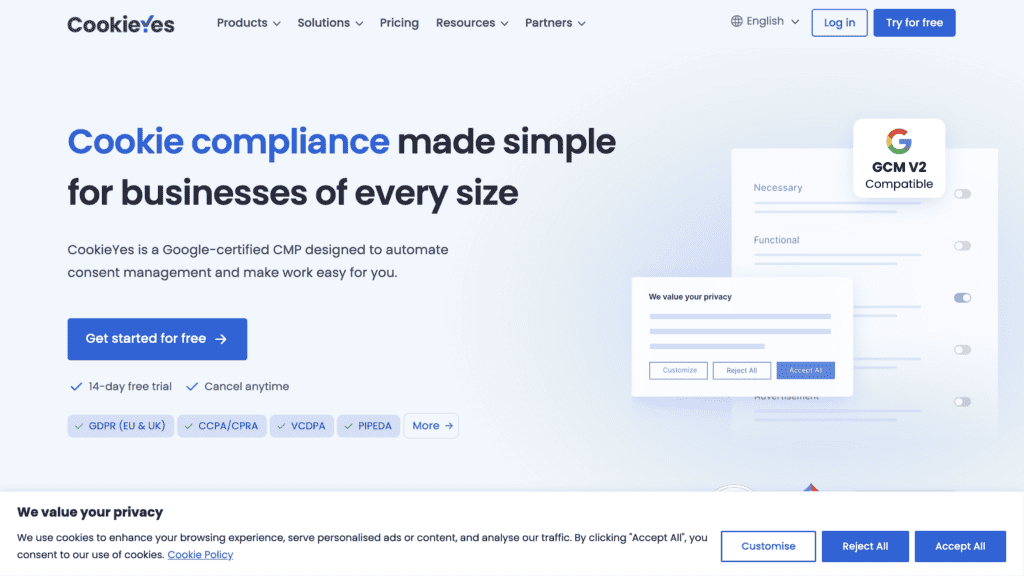
While testing CookieYes, we found that it is famous for being incredibly user-friendly, affordable, and effective. It is a top choice for small to mid-sized businesses, agencies, and individual website owners. Users consistently praise its intuitive dashboard, excellent customer support, and generous free plan. It’s a good plugin for basic websites.
Quick Look at Cookiebot
Cookiebot was developed in 2012 by the Danish ePrivacy company Cybot, which is now part of the Usercentrics group. It was built to provide an automated, powerful way for websites to comply with complex data privacy regulations like GDPR. The platform’s core mission is to enable businesses to protect user privacy through deep, automated scanning and transparent consent management.
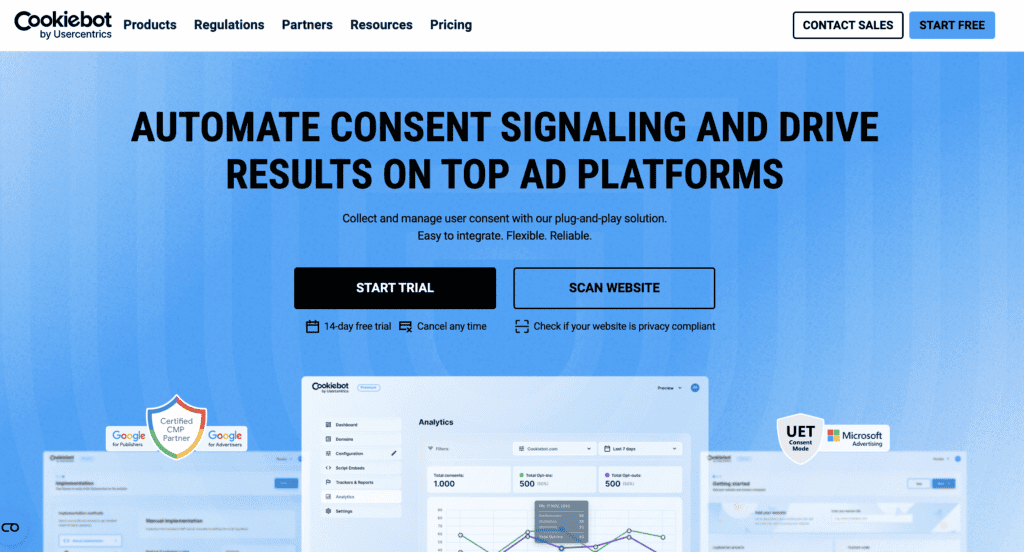
While reviewing Cookiebot, we liked the high-performance scanning technology that automatically detects and controls all cookies and trackers on a site. We liked that it offers a robust, enterprise-grade solution. However, its session-based pricing model can be less predictable and more expensive for smaller sites, making it a better fit for larger organizations with complex needs.
Cookie Consent Management: Who Handles It Better?
At its core, a consent management platform needs to automatically find cookies, block them until a visitor gives permission, and keep a record of that consent. We looked at how each plugin handles this entire process and here is what we found:
CookieYes
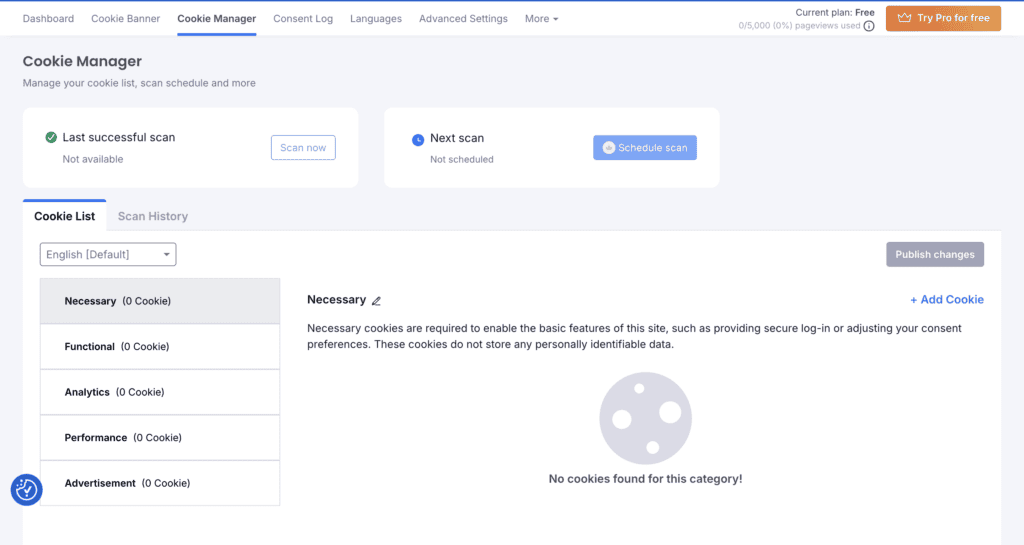
CookieYes makes consent management simple. It automatically scans your site, categorizes cookies, and blocks them until consent is given. The intuitive dashboard allows admins to easily customize banners and even includes built-in generators that create your cookie and privacy policies for you.
Cookiebot
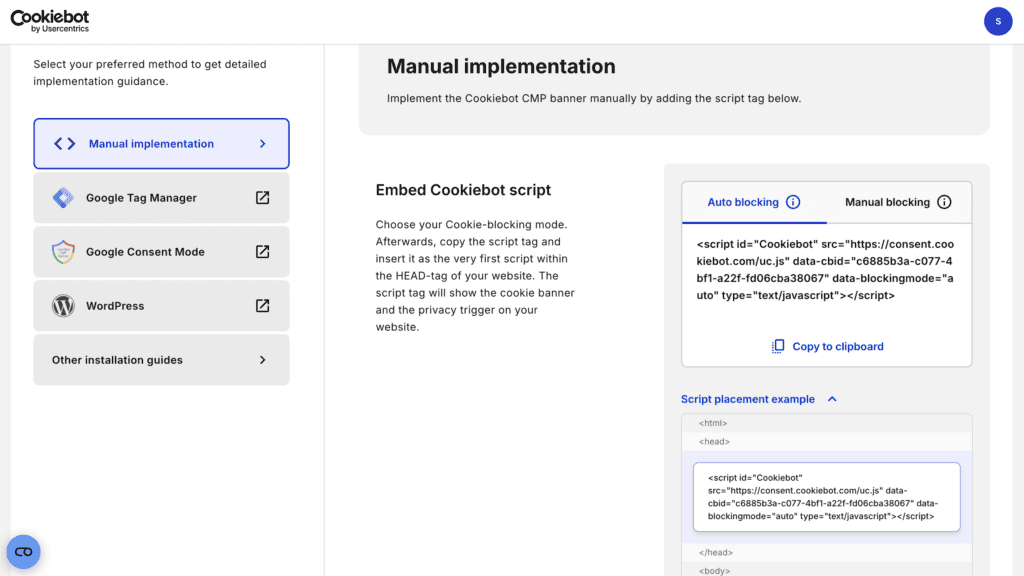
Cookiebot uses powerful, patented technology to perform deep scans, identifying and blocking every tracker on your site automatically. Its key strengths are its deep integration with Google Consent Mode v2 and its enterprise-ready features like cross-domain consent. While its automation is top-notch, customizing the banner is more technical and often requires manual coding.
Designing Your Cookie Banner: Which is More Flexible?
Your cookie banner is the first thing visitors see, so it needs to look good and match your brand. We looked at how easy it is to design a banner that is both compliant and visually appealing without needing to hire a developer. We wanted to find which tool offers the best balance of power and simplicity.
CookieYes
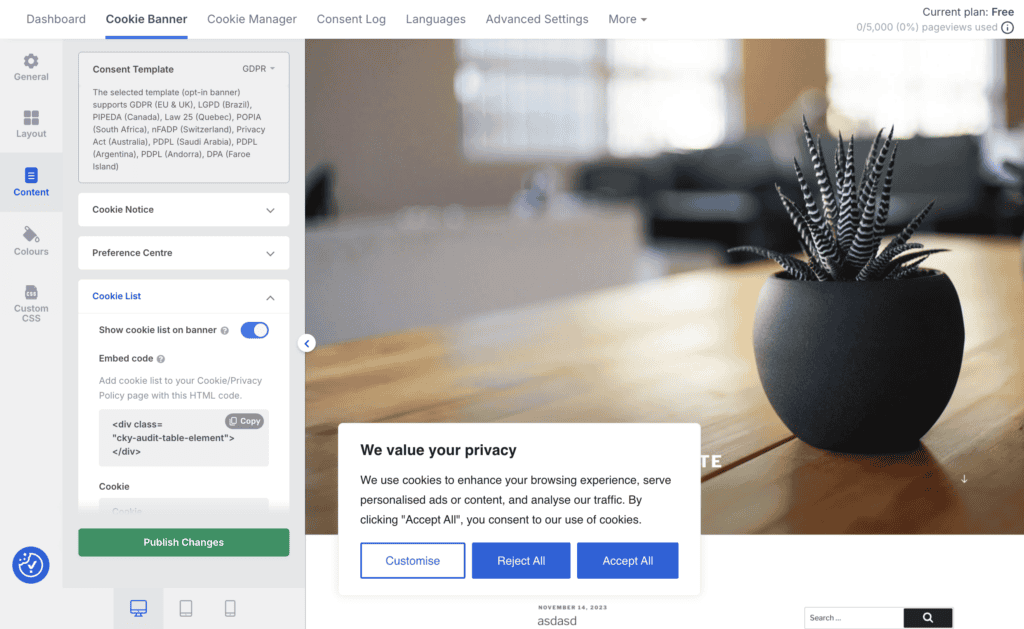
Users consistently praise CookieYes for its simplicity. The setup process is quick and requires no code, and the admin dashboard is clean and easy to navigate. A standout feature is its highly-rated customer support, which users report as being fast and helpful, even on the free plan. It also includes automatic policy generators that create and update your privacy and cookie policies, saving significant time and effort. While a few users have reported minor performance issues, the overall experience is overwhelmingly positive.
Cookiebot
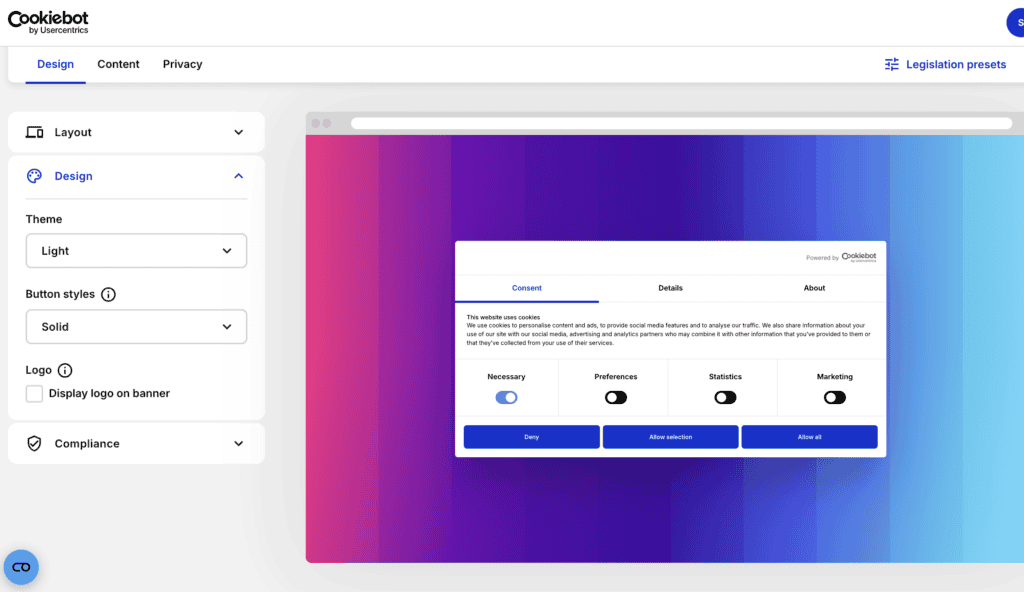
Cookiebot’s main strength is its powerful, automated scanning that you can largely “set and forget.” Its integration with Google Consent Mode v2 is also a major plus for marketers. However, its usability suffers in other areas. Many users dislike its unpredictable pricing and the technical skills needed for customization. The support is often described as less responsive than CookieYes, and some have reported conflicts with other plugins that require technical debugging, making it less friendly for non-developers.
Usability: Which Plugin is Easier to Manage?
A good plugin should be easy to set up and manage long-term. We assessed the day-to-day admin experience, from initial configuration to getting help when you’re stuck. We focused on which platform provides a smoother, less frustrating experience for the average WordPress site owner.
CookieYes
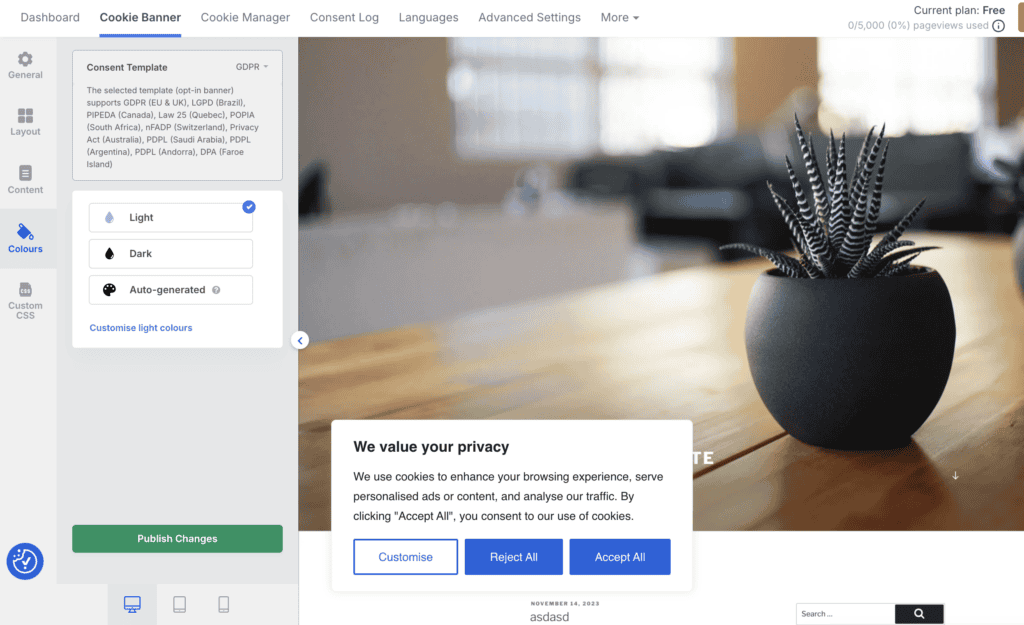
Users consistently praise CookieYes for its simplicity. The setup process is quick and requires no code, and the admin dashboard is clean and easy to navigate. A standout feature is its highly-rated customer support, which users report as being fast and helpful, even on the free plan. It also includes automatic policy generators that create and update your privacy and cookie policies, saving significant time and effort. While a few users have reported minor performance issues, the overall experience is overwhelmingly positive.
Cookiebot
Cookiebot’s main strength is its powerful, automated scanning that you can largely “set and forget.” Its integration with Google Consent Mode v2 is also a major plus for marketers. However, its usability suffers in other areas. Many users dislike its unpredictable pricing and the technical skills needed for customization. The support is often described as less responsive than CookieYes, and some have reported conflicts with other plugins that require technical debugging, making it less friendly for non-developers.
Pricing and Value: Which Offers a Better Deal?
When comparing CookieYes vs Cookiebot pricing, it’s crucial to look beyond the sticker price. We analyzed their pricing models, the features included in their free and paid plans, and the potential for hidden costs to determine which one provides a better return on your investment.
CookieYes
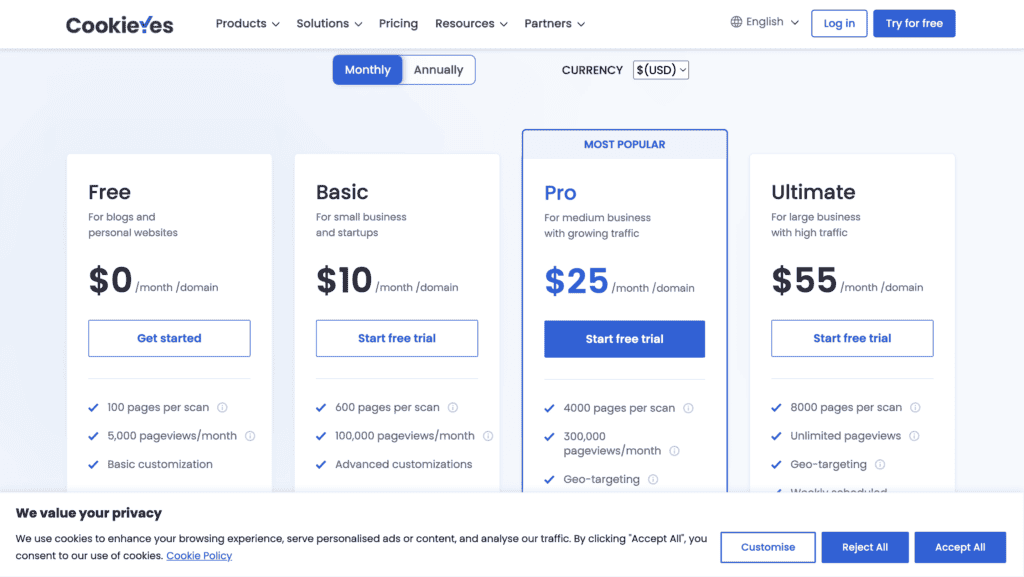
CookieYes’ pricing is straightforward and based on pageviews, which is easy to understand and predict. Its free plan is one of the most generous on the market, offering enough features for many small blogs and businesses to become compliant without paying anything. As you move up to paid tiers, the features scale logically, making it easy to choose a plan that fits your budget and needs without worrying about surprise charges.
Cookiebot
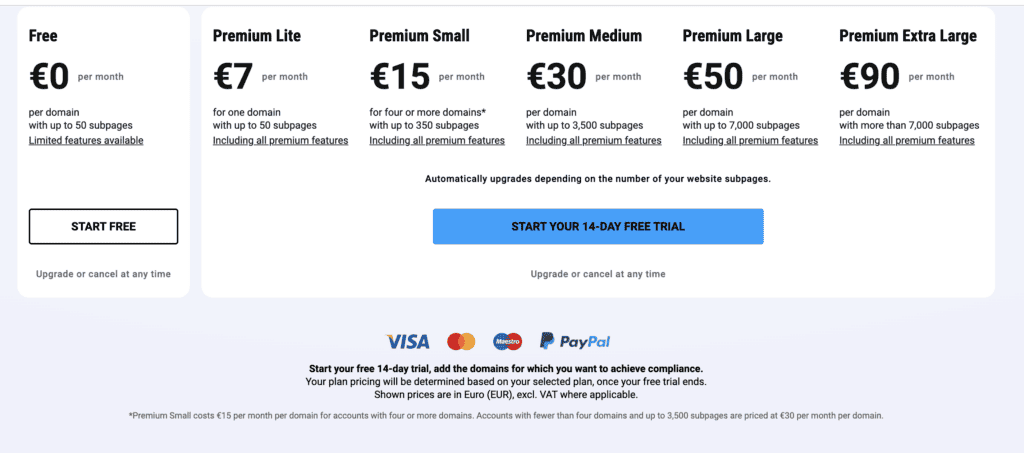
Cookiebot’s pricing is based on the number of subpages on your site, which can be less predictable. Its free plan is very restrictive, limited to just 50 subpages, making it more of a trial than a long-term solution. A major complaint from users is the “surprise upgrade” system, where your plan is automatically moved to a more expensive tier if a scan finds more pages than your limit allows. This makes it a better fit for large enterprises with stable budgets than for smaller businesses with fluctuating traffic or site size.
Complaints and Limitations: Where Do They Fall Short?
No plugin is perfect. Looking at common complaints and missing features helps you understand potential frustrations before you commit. We reviewed user feedback to identify the key limitations of each platform.
CookieYes
The most common complaint about CookieYes is its potential impact on site performance, with some users reporting slower page load speeds. Its built-in analytics are also considered basic compared to more expensive enterprise solutions. While its scanner is reliable, it can occasionally miss cookies, requiring manual checks. For users with very complex websites or those who need deep consent rate analytics, CookieYes might feel too simple.
Cookiebot
Biggest complaint of Cookiebot is its unpredictable pricing model, which can lead to unexpected bills. Users also dislike that advanced banner customization requires coding, making it inaccessible for non-developers. Other common issues include less responsive customer support and the lack of a built-in policy generator—a feature many Cookiebot alternatives offer. These limitations often drive smaller businesses to seek out more user-friendly and cost-effective solutions.
Top Alternatives to CookieYes and Cookiebot
While CookieYes and Cookiebot are market leaders, they aren’t the only options. If neither feels like the perfect fit, here are three other excellent plugins to consider, each with its own unique strengths.
- Complianz: This is a powerful, all-in-one privacy suite built specifically for WordPress. Its biggest strength is a guided setup wizard that walks you through a series of questions about your website and its audience to automatically configure your settings for GDPR, CCPA, and other global regulations. It’s a fantastic choice for users who want a deep, native WordPress integration and prefer to manage everything from within their WP dashboard.
- WP Consent API: If you’re looking for a simple, lightweight, and free solution, WPConsent (which uses the WP Consent API) is worth a look. It’s less of a full-featured platform and more of a foundational tool that helps other plugins become compliant. It provides a standardized way to manage consent within the WordPress ecosystem and is a great option for developers or users with basic needs who want a no-frills, performance-friendly way to handle consent.
- OptinMonster: Primarily known as a powerful lead generation and conversion optimization tool, OptinMonster also includes features for creating GDPR-compliant consent checkboxes on its pop-ups and forms. You would choose OptinMonster if you are already using it for marketing campaigns or if you want an integrated tool that handles pop-ups, lead magnets, and basic consent. It’s not a dedicated CMP, but it’s a great way to consolidate tools.
Final Thoughts
CookieYes and Cookiebot are two of the most popular cookie plugins on the market, and for good reason. They both offer robust, reliable solutions for navigating the complex world of data privacy. But, when it comes down to it, we like Cookiebot better of the two.
While CookieYes wins on user-friendliness, Cookiebot’s powerful, patented scanning technology and enterprise-grade automation provide a level of compliance assurance that is hard to beat. For a business that is serious about growth and needs a tool that will scale with its compliance obligations, Cookiebot’s deep, reliable features make it the more robust and future-proof choice.
FAQs
Is CookieYes or Cookiebot easier to use for a non-technical WordPress user?
CookieYes is widely considered easier to use. It is consistently praised for its intuitive interface and straightforward setup process, especially with its dedicated WordPress plugin. Cookiebot, while powerful, has a steeper learning curve and is often better suited for users with some technical knowledge.
Which offers a better free plan, CookieYes or Cookiebot?
CookieYes generally offers a more generous and usable free plan for small websites. Cookiebot’s free plan has session-based limits, which can be a constraint for sites with even moderate traffic, making CookieYes the better choice for those strictly on a free plan.
Do both CookieYes and Cookiebot automatically scan for cookies?
Yes, both platforms offer automatic cookie scanning. However, Cookiebot is often highlighted for its advanced automation in this area, including more detailed consent logging and record-keeping, which is a critical feature for larger businesses that need robust audit trails.
How do CookieYes and Cookiebot handle WordPress integration?
Both CookieYes and Cookiebot offer dedicated plugins that can be installed directly from the WordPress plugin repository. This makes integration simple for both. The main difference lies in the configuration within their respective dashboards, where CookieYes is noted for being more user-friendly for beginners.
Why would I choose the more expensive Cookiebot over CookieYes?
You would choose Cookiebot if you run a larger enterprise with multiple websites, have a technical team to manage the solution, and require advanced, automated compliance features like detailed consent logging. For most small-to-medium businesses, CookieYes provides all the necessary features at a better price and with greater ease of use.

Shreya has been a writer for as long as she can remember. Now, she writes articles that help WordPress users manage the sites that they're proud of, with little to no coding


