Picking a form plugin goes beyond comparing feature lists. In the Fluent Forms vs Contact Form 7 debate, you’re really looking for a reliable partner.
You need a tool that solves your problems without wasting your time or drowning your inbox in spam.
This guide shows which form plugin you can trust to get the job done right.
Pick Fluent Forms for a modern, all-in-one experience and Contact Form 7 only for the simplest free forms. And before you finish, remember to protect your entire site and its data with a quality backup plugin.
Fluent Forms vs Contact Form 7 at a glance
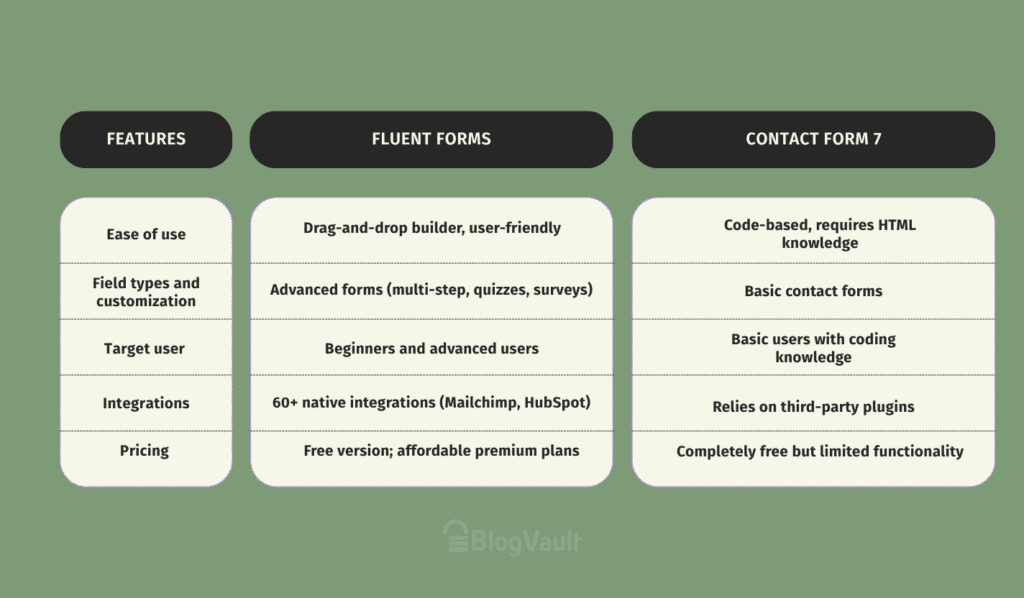
Ease of use

Right away, the Fluent Forms plugin feels like a modern tool. It uses a drag-and-drop builder, which means you can see exactly what your form will look like as you build it. You just click a field, drag it over, and drop it in place.
Need a two-column layout? Just grab a “container” element and start arranging fields inside it. The live preview means you’re never guessing what the final result will be. It’s welcoming for a total beginner but has the depth for advanced users who need to schedule forms or restrict entries.

Contact Form 7 is a different story. If you’ve ever used it, you know the screen we’re talking about: a plain text box filled with shortcodes. There’s no visual builder. You have to piece your form together with code-like tags and then save, switch tabs, and refresh your webpage just to see how it looks.
Any kind of layout customization requires you to write your own HTML and CSS. For anyone who isn’t a developer, it’s just not friendly.
Breaking down the costs
Fluent Forms has a seriously generous free version. You can build some pretty advanced forms without ever paying a cent. When you do need more power, their premium plans are affordable and straightforward. They even offer lifetime packages, which are great if you plan to stick with it. The best part? All the important add-ons are included in the premium plans, so you’re not getting nickel-and-dimed.
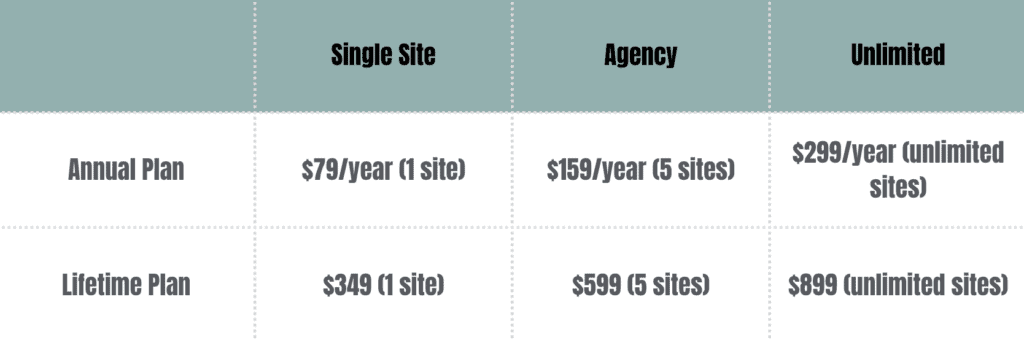
Contact Form 7 is completely free. Always has been, always will be. That’s its biggest drawback. But here’s the thing: that price tag is for the core plugin only. Need to save entries to your database or connect to Mailchimp? You’ll need other plugins for that.
These third-party add-ons can have their own costs, and managing a bunch of them can get messy. Plus, with no premium version, there’s no dedicated support team to help when things go wrong.
In-depth feature comparison
Let’s get into the nitty-gritty of what each plugin can actually do.
Types of forms you can build
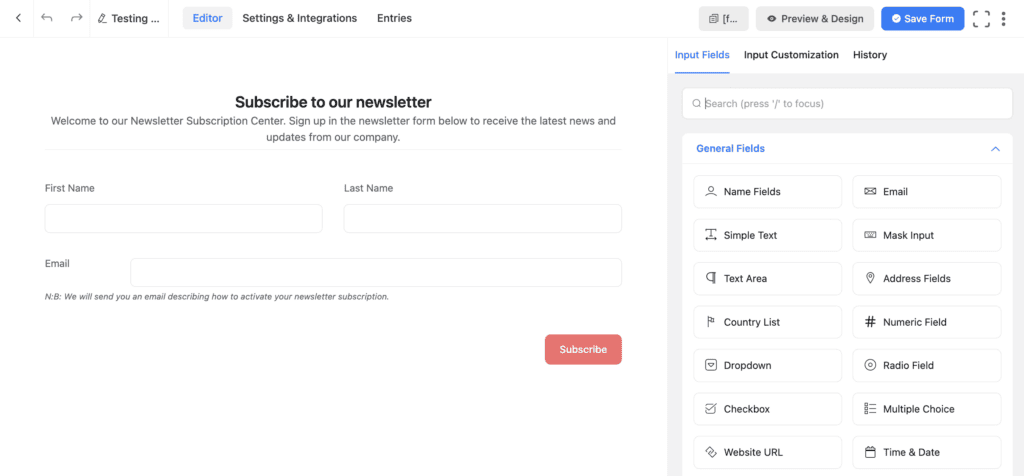
With Fluent Forms, you can build almost anything you can imagine. This includes multi-step forms that reduce user friction, conversational forms that feel like a chat, payment forms, surveys, and even quizzes.
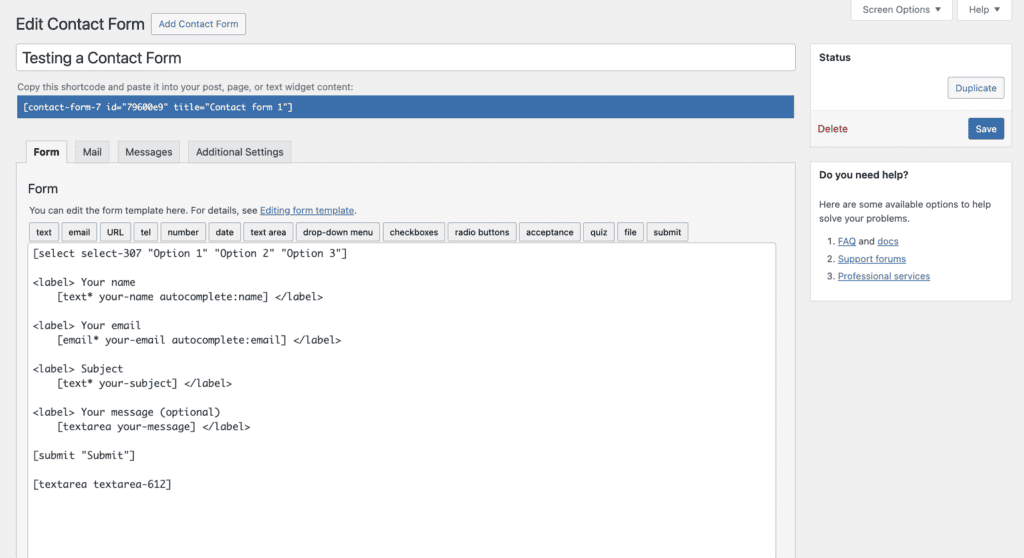
Contact Form 7, on the other hand, is built to do one thing well: create basic contact forms. Anything more complex requires custom code or extra plugins.
Entry management
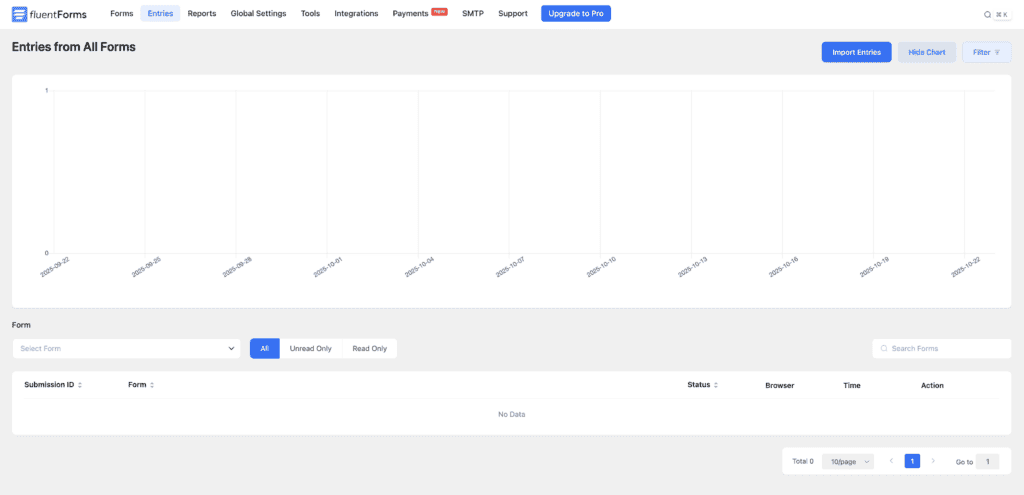
Fluent Forms has a built-in database, meaning every single submission is automatically saved in your WordPress dashboard. It’s a lifesaver if your email ever goes down.

Contact Form 7 doesn’t save entries by default. If your server has an email glitch, that lead is gone forever unless you’ve installed another plugin like Flamingo to catch it.
Notifications and confirmations
You get a ton of control with Fluent Forms. You can set up multiple, conditional email notifications—sending one email to sales and a different one to support, all based on a user’s selection.
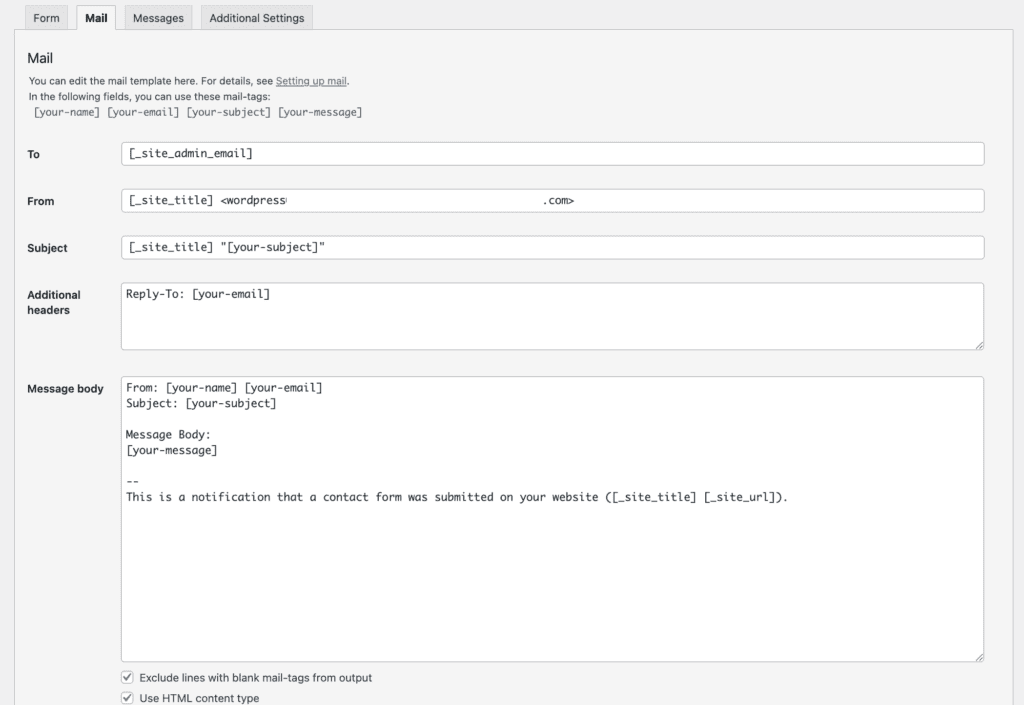
Contact Form 7 offers basic notifications for the admin and the user, but it’s a fixed setup with no smart logic.
Spam protection
Nobody wants spam. Fluent Forms makes it easy with built-in reCAPTCHA, a honeypot field (a trap for bots), and other smart spam filtering that you can turn on with a click.
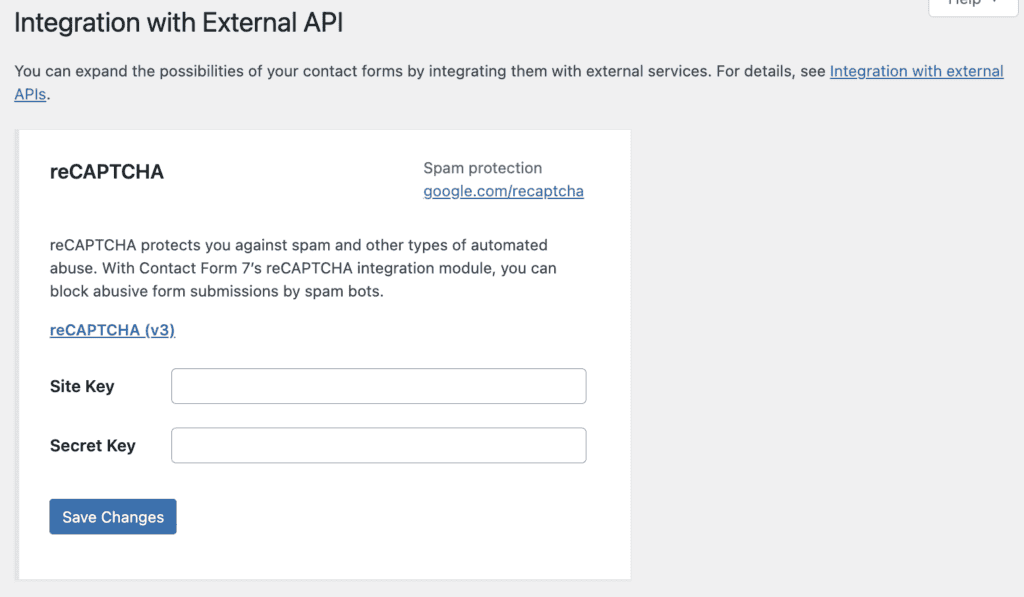
Contact Form 7 supports reCAPTCHA, but you have to go through the manual process of setting it all up yourself.
Payment integrations
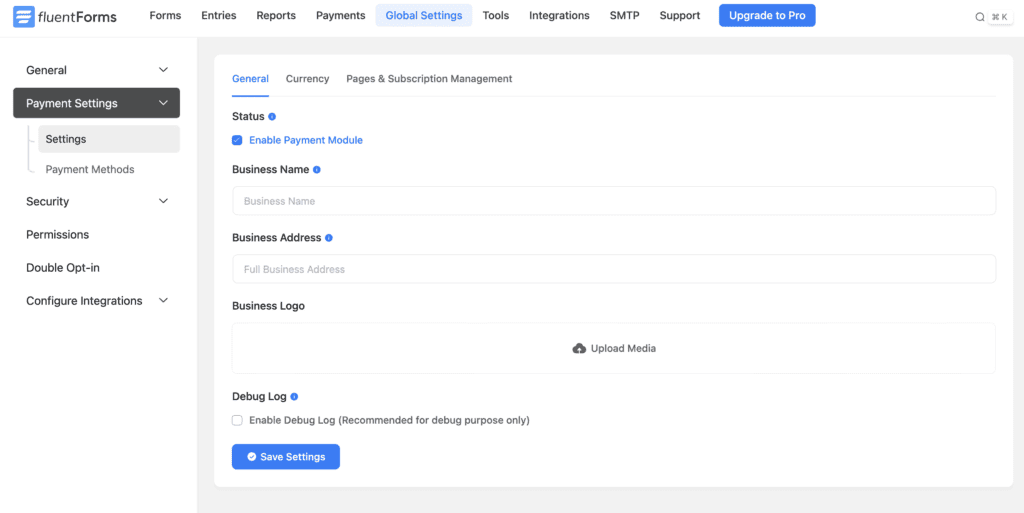
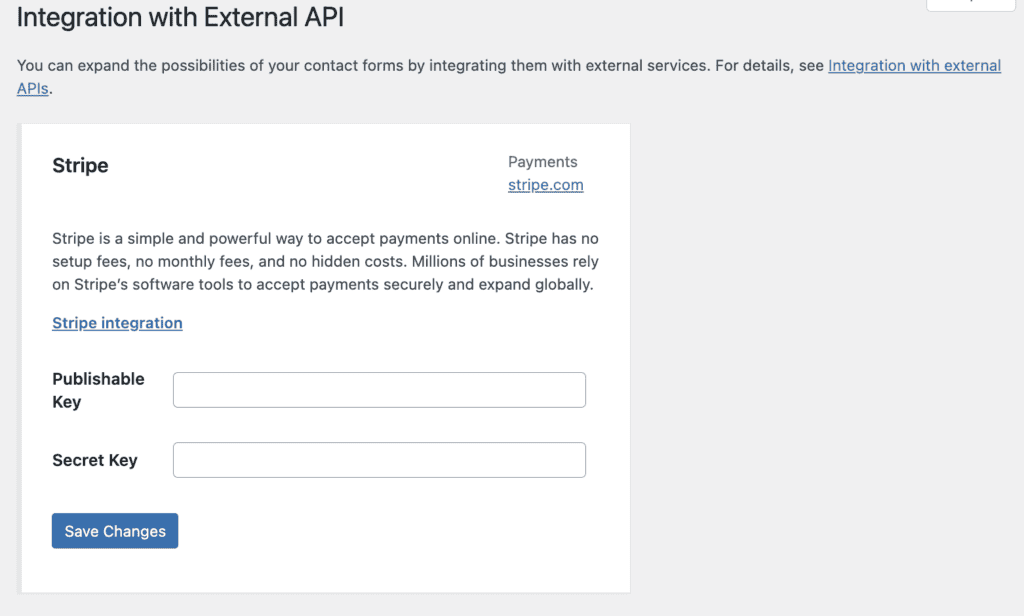
If you need to sell something or take a donation, Fluent Forms integrates directly with Stripe and PayPal in its premium versions. You can get paid right away.
Contact Form 7 has no native payment options, so you’ll have to find and install a third-party add-on to handle transactions.
Add-ons
The premium version of Fluent Forms includes over 60 native integrations with tools like Mailchimp and HubSpot, all built by the same team to work together seamlessly.
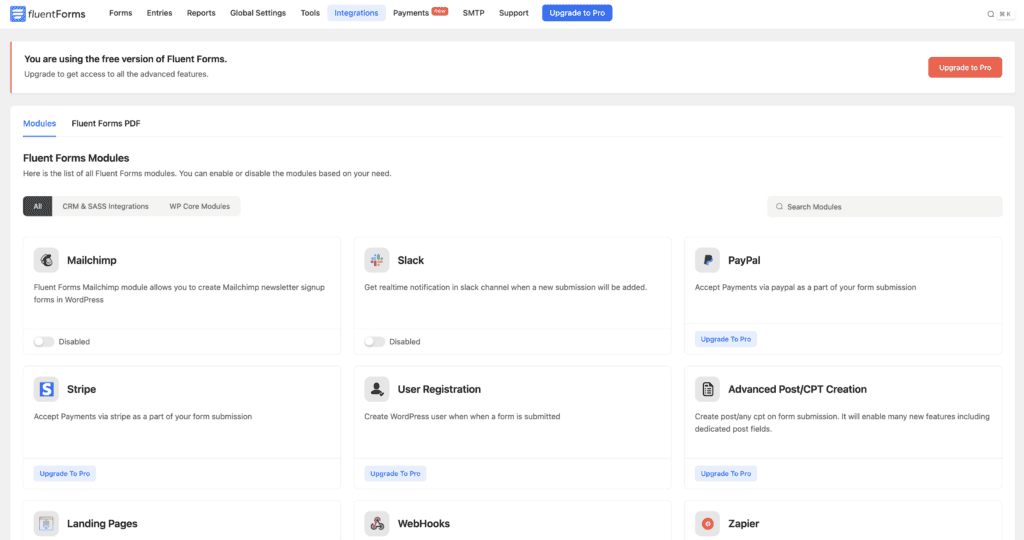
Contact Form 7 relies completely on a separate ecosystem of plugins made by other developers, which can work, but also risks compatibility issues down the road.
Support channels and resources
When you need help, a Fluent Forms premium license gets you access to a dedicated support team, plus extensive documentation.
With Contact Form 7, your support comes from free WordPress forums and its documentation. You’re largely on your own or relying on the community to solve your problems.
Which form plugin should you choose?
For most users, Fluent Forms is the better choice.
Choose Fluent Forms if:
- You want a visual, drag-and-drop builder that saves time.
- You need to automatically save form entries in your database as a backup.
- You want one plugin that can later handle payments, surveys, or multi-step forms.
Choose Contact Form 7 if:
- You only need a simple, basic contact form.
- You are a developer comfortable with a code-based workflow and writing CSS.
- Your budget is zero, and you don’t need dedicated support or advanced features.
Other form plugins to consider
The WordPress form plugin space is a big place. While this is a Fluent Forms vs. Contact Form 7 showdown, it’s worth knowing who else is out there.
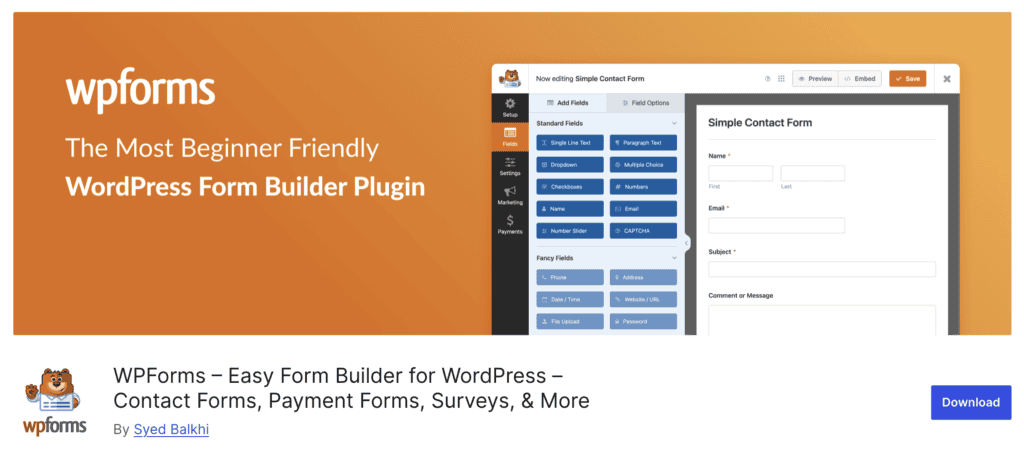
- WPForms plugin: Very beginner-friendly with a great drag-and-drop builder. It’s a strong competitor to Fluent Forms.

- Gravity Forms builder: The long-standing choice for developers. It’s incredibly powerful but might be overkill for simpler sites.

- Formidable Forms plugin: The best choice if you’re building data-heavy applications, not just forms. Think directories or listings.
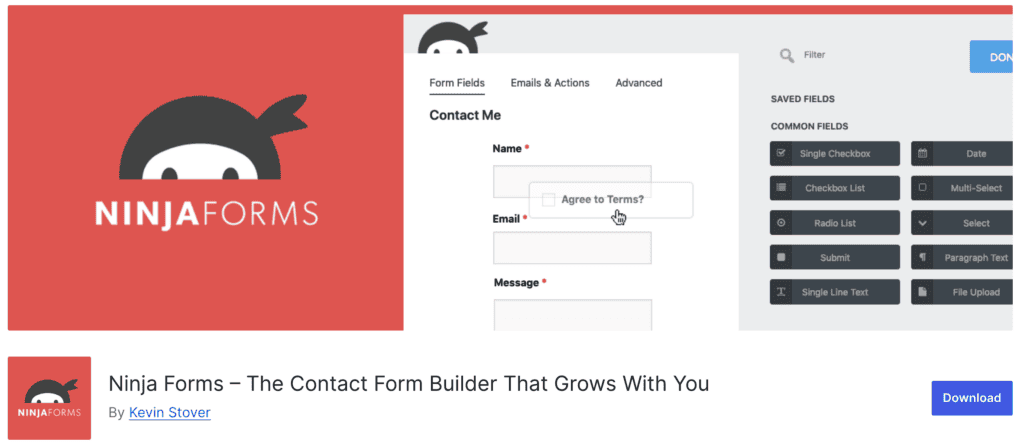
- Ninja Forms builder: Another user-friendly option that lets you buy add-ons individually, which can be cost-effective.

- Forminator form plugin: A solid option that packs a surprising number of features into its free version, including polls and quizzes.
Parting thoughts
For most users, Fluent Forms is the smarter choice. Its visual builder makes creating and testing forms simple, saving you tons of time and frustration. Contact Form 7 is still sufficient if you just need a free, basic form and don’t mind its code-based workflow.
Remember, no matter which plugin you choose, a form isn’t finished until you’ve tested the form yourself.
For a reliable tool that makes this entire process easier, Fluent Forms is the clear winner.
FAQs
What is better than Contact Form 7?
For most people, plugins like Fluent Forms, WPForms, or Forminator are better because they offer visual builders, more built-in features, and don’t require coding for customization.
What is the difference between Contact Form 7 and Forminator?
The biggest difference is the user interface. Forminator has a modern drag-and-drop builder, while Contact Form 7 uses a text-based, shortcode editor. Forminator also includes features like polls, quizzes, and payment fields in its free version.
What is the difference between Contact Form 7 and Formidable Forms?
Contact Form 7 is for creating simple contact forms. Formidable Forms is an advanced tool for building complex, data-driven applications like directories, event calendars, and real estate listings from the data submitted.
Is Contact Form 7 reliable?
Yes, for its core purpose of sending emails from a simple form, it is very reliable. Its simplicity is its strength. The reliability issues can come from conflicts with third-party add-ons.
Is Fluent Forms free?
Yes, Fluent Forms has a powerful free version available on the WordPress repository. It also offers premium plans for more advanced features and integrations.
Which form is best for WordPress?
There’s no single “best” form for everyone. Fluent Forms is an excellent all-around choice for its balance of power and ease of use. WPForms is great for beginners, and Gravity Forms is a top pick for developers needing maximum flexibility.

Shivani enjoys crafting guides that make every aspect of using WordPress simple and easy to follow. When she's not glued to her laptop, you can find her buried in a good book or occasionally, painting.