

When choosing between WordPress Directory plugins, you’ve done the hard work and narrowed it down. Now you face the final choice: HivePress vs GeoDirectory.
We know you’re at this critical step. And it’s a big one. This single decision feels like it will define your project’s future.
That’s why we’re here—to cut through the noise and give you the clarity to move forward.
Choose HivePress for modern, niche directories with a fast setup. For large, map-heavy sites that need to scale, choose GeoDirectory. Whichever path you take, use a backup plugin to safeguard your site during configuration.
HivePress vs GeoDirectory: An overview
Here’s a quick overview of the key differences to help you decide:
| Feature | HivePress | GeoDirectory |
|---|---|---|
| Best Use Case | Sleek, modern, and niche-specific directories (e.g., local artists, specific services). | Large, map-centric directories designed to scale to thousands of listings (e.g., a local Yelp). |
| Ease of Use | Gentler learning curve. The backend feels like a native part of the WordPress dashboard. | Steeper learning curve. A powerful but complex backend with many settings to master. |
| Design & Styling | Relies on its companion themes and the native WordPress block editor (Gutenberg). | Integrates deeply with page builders like Elementor and Divi, offering drag-and-drop control. |
| Custom Fields | Unlimited custom fields are included in the free core plugin. | Basic fields are included; advanced and custom field types require Pro add-ons. |
| Monetization | Basic monetization (paid listings) is included for free. Advanced features are via extensions. | Most advanced monetization features require purchasing Pro add-ons. |
| Performance & Scaling | Lightweight and fast for small to medium sites. Relies on standard WordPress database structure. | Built for high performance at scale. Uses custom database tables to handle massive data. |
| Ecosystem | Integrates with the standard WordPress ecosystem (Gutenberg, WooCommerce). | Has its own large ecosystem of specialized Pro add-ons for nearly every imaginable feature. |
Key features
To make it easy to compare, let’s look at the core differences:
- Field flexibility: HivePress offers unlimited custom fields for free. This is a huge deal. It lets you create unique, niche directories without paying extra. In contrast, GeoDirectory has hard-coded location fields. This is by design, for speed. It reserves its 40+ advanced custom field types for Pro add-ons.
- Monetization: HivePress lets you get started immediately. Basic paid listings are included in its free core plugin. GeoDirectory reserves most of its advanced monetization tools for its Pro add-ons. This means you’ll likely need a paid plan to start earning.
- Mapping: HivePress provides real-time filtering with geolocation. This feels modern and works well for smaller directories. GeoDirectory is engineered for massive, map-heavy scale. If you plan on having thousands of map pins, its superior server-side performance is practically a requirement. This is a Pro feature that helps you avoid slow load times.
Design control & styling options

HivePress is built to work best with its official companion themes. It uses the modern block editor for template building, and you can adjust global styles in the WordPress Customizer. This feels very native to WordPress.
We’ve noticed that using non-official themes can sometimes trigger alerts or require you to write custom CSS for a polished look.
GeoDirectory integrates deeply with popular page builders, especially Elementor and Divi. If you’re skilled with those tools, you’ll feel right at home, but even experts should use a staging site to test major design changes.
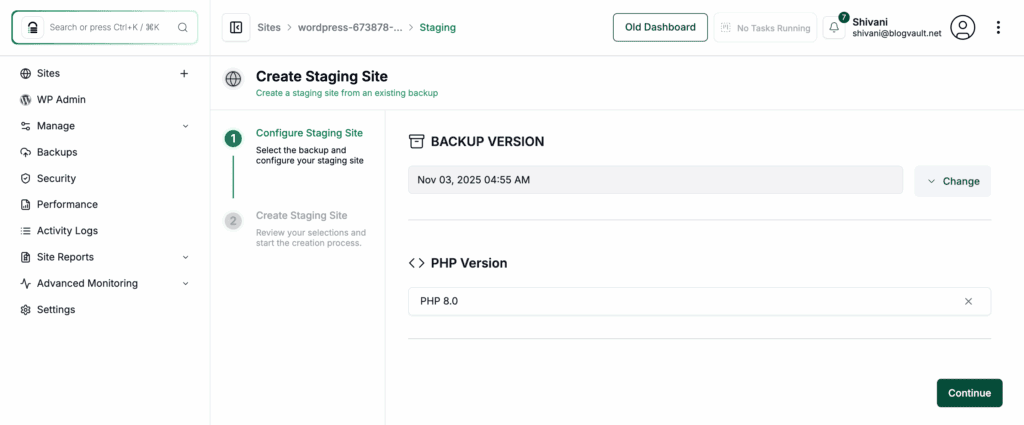
It gives you drag-and-drop form and tab builders, offering incredible control. The result is that your styling ability is directly tied to your page builder skills.
Ease of use for visitors and you
In our experience, HivePress has a gentler initial learning curve. The backend feels like a natural part of WordPress, not a complex application you have to learn separately. This makes the administrative side much simpler.
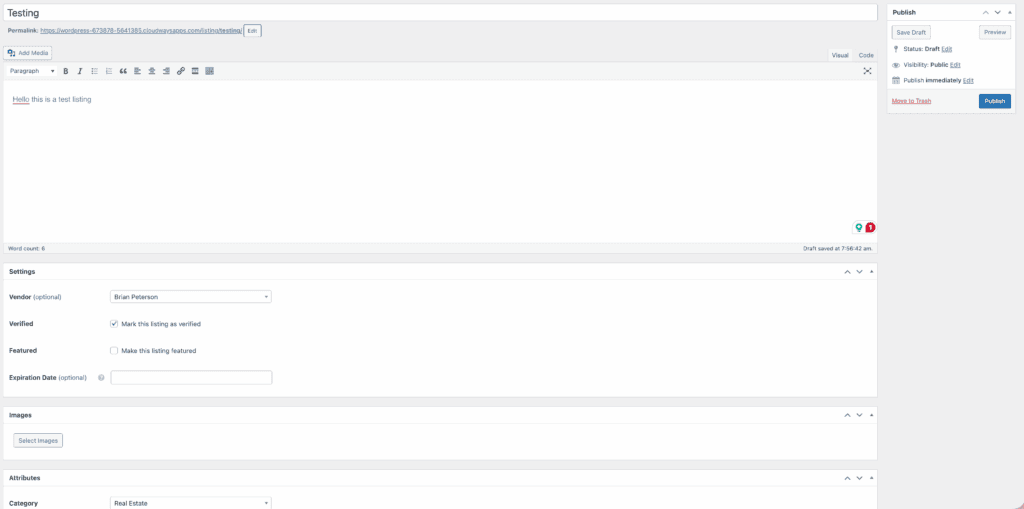
Both plugins allow front-end listing submission. The streamlined user dashboard in HivePress is clean and very intuitive for your visitors. This means that user data must be secured with robust WordPress security measures.
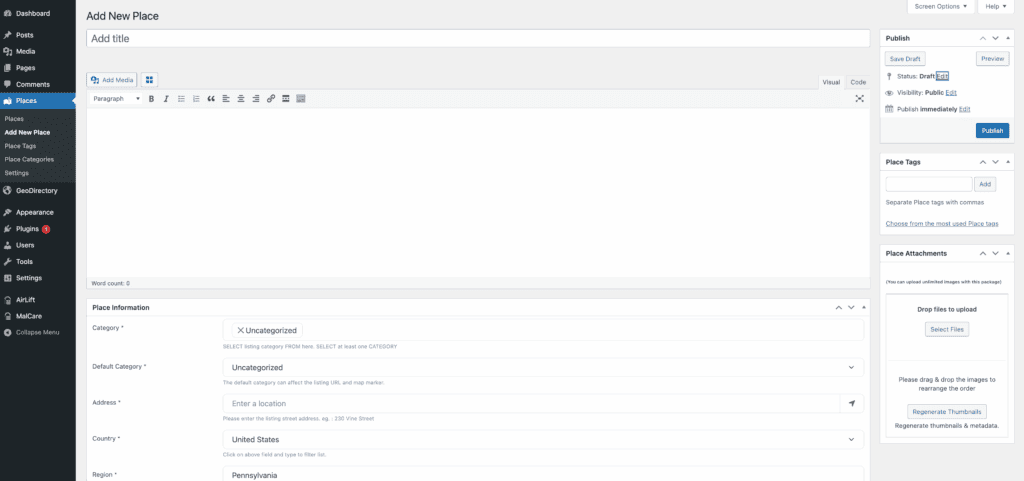
GeoDirectory is a beast, and with that power comes a steeper learning curve. This is where knowing how to restore WordPress can save you hours of frustration in the event of a mishap. Its setup wizard helps, but the backend menus are extensive and can overwhelm beginners.
Be prepared to invest significant time to master all its settings. It’s powerful, but that power demands more from you upfront.
Integrations & ecosystem
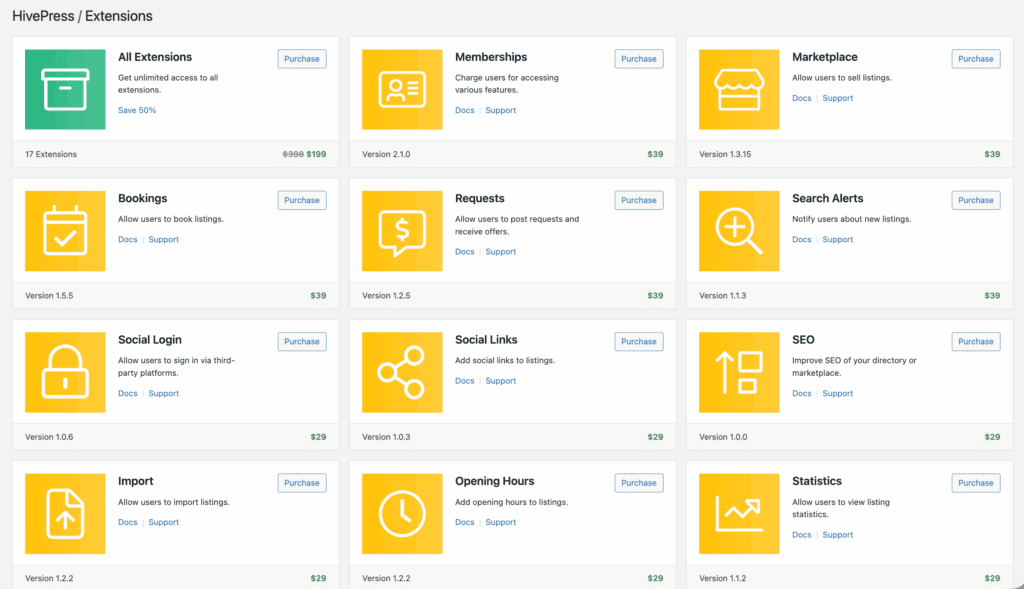
HivePress leans on the standard WordPress ecosystem. It offers seamless native integration with the Gutenberg block editor. It also uses WooCommerce for all payments. This gives you access to hundreds of gateways. It’s a smart approach. It leverages stable tools you might already be using.

GeoDirectory has built its own massive ecosystem. It has a vast library of specialized Pro add-ons for everything imaginable. Its integration with Elementor Pro is exceptionally deep. This is a major selling point.
Both plugins integrate with major SEO tools like Rank Math. They also support multilingual sites via WPML. However, GeoDirectory’s ecosystem offers more specialized, in-house solutions.
Speed & technical impact
A slow directory will lose visitors, period.
This is where GeoDirectory’s technical foundation shines for large sites. It uses custom database tables to store its data. While you can backup the database separately, this is only a partial backup and is not recommended.
This means it can handle high traffic and thousands of concurrent searches far more efficiently. Its Pro marker clustering is also essential for maps with many listings, a feature best tested on a staging site before deployment.
HivePress is very lightweight and follows WordPress coding standards perfectly. Its performance is excellent, but it relies on standard hosting best practices. As you add more plugins to any site, remember that each one can impact performance.
Cost structure
Both platforms have capable free plugins, but their premium models are very different.
HivePress uses a lifetime license model for its extensions. You buy an extension for a one-time fee, typically between $29 and $39 each. Since basic monetization is included for free, you can build a profitable site with a relatively small initial investment.

GeoDirectory uses yearly membership bundles for its Pro add-ons. To get features like advanced search filters or claimable listings, you’ll need a subscription. The true cost of GeoDirectory grows with each Pro add-on you need, so be sure to map out which features are essential for your project to estimate the annual cost.
Which plugin is right for you?
Let’s break it down into simple choices based on your project’s goals.
You should choose HivePress if…

HivePress is the ideal choice if you’re building a modern, niche-specific directory. It’s perfect if you want a fast, intuitive setup. It’s for you if you prefer working with the native WordPress block editor. It also provides a backend experience that feels simple and fully integrated.
A quick setup is more important to you than hundreds of settings. Finally, HivePress is the clear winner if you need maximum flexibility with custom fields. You get this right away without paying for premium add-ons.
You should choose GeoDirectory if…

GeoDirectory is the answer for a large, map-centric directory. It is the choice for projects that absolutely must scale to thousands of listings. You should choose it if you are an Elementor or Divi power user. It gives you deep, granular control over every aspect of your site’s design and functionality.
Is mapping performance the single most critical feature for your project’s success? Do you need to handle huge amounts of geographic data? Then GeoDirectory is the platform built for you.
Other notable options
If neither of these feels like a perfect fit, don’t worry. There are other excellent choices to consider:
Directorist: A strong competitor that offers a surprising number of features in its freemium model, making it a great middle-ground option.

Business Directory Plugin: A classic, veteran plugin. It is excellent for simpler, list-based directories where you don’t need heavy map functionality.

Our advice is to always test the free versions against your list of requirements before making a final decision.
Parting thoughts
HivePress is a sleek, flexible framework ideal for focused directories. GeoDirectory is an industrial-grade platform built for geographic scaling. Before you commit any funds, take the time to install the free version of your top contender on a test site.
The right tool will enable your project’s potential. It will also make the process of building it a lot more efficient.
FAQs
Is HivePress free to use?
Yes, the core HivePress plugin is completely free to use and includes basic monetization features. You can purchase optional paid extensions for more advanced functionality.
Is HivePress good for SEO?
Yes, HivePress is very good for SEO. It follows WordPress coding standards and outputs proper Schema.org markup. This helps search engines understand and rank your directory listings effectively.
What is the best alternative to GeoDirectory for WordPress?
HivePress is a fantastic alternative. It offers a more modern, lightweight, and block-editor-focused experience. Directorist is another strong option known for its generous free features.
How many listings can HivePress handle?
HivePress can comfortably handle thousands of listings on proper hosting. However, it’s best suited for small to medium-sized directories. For tens of thousands of listings, GeoDirectory is more efficient.
Which directory plugin is easiest to customize without coding?
For design, GeoDirectory is easier if you use a page builder like Elementor, as it gives you drag-and-drop control. For features, HivePress is easier because it offers unlimited custom fields for free.
Is GeoDirectory faster than HivePress?
For very large directories with thousands of map pins, GeoDirectory is generally faster. This is due to its custom database tables. On smaller sites, both plugins are fast, with HivePress being particularly lightweight.

Shivani enjoys crafting guides that make every aspect of using WordPress simple and easy to follow. When she's not glued to her laptop, you can find her buried in a good book or occasionally, painting.


