

A traffic analytics plugin is essential for growth and the MonsterInsights vs Analytify debate can be a good starting point. Both plugins are really popular in their own right. This choice is more important than you think.
The right plugin delivers clear, actionable insights that help you increase traffic and sales. The wrong one can leave you drowning in complex charts or, worse, missing critical information that could transform your business.
We’ve tested both plugins extensively. This article provides a clear verdict. We’ll compare MonsterInsights and Analytify on features, ease of use, and price. We’ll help you pick the perfect tool for your website.
Our review of Analytify proved that it wins because of its practical page-level reports, detailed e-commerce tracking, and budget-friendly price. It can make understanding your analytics simple and actionable.
Quick Look at MonsterInsights
MonsterInsights is one of the most popular and powerful Google Analytics plugins for WordPress, designed to bring comprehensive analytics insights directly into your dashboard. Its core mission is to make analytics “easy” for beginners through a guided setup, while also offering the robust tracking features that marketers and e-commerce stores need. It has become a go-to solution for its promise of delivering a complete analytics suite, from basic traffic reports to advanced e-commerce and form conversion tracking.
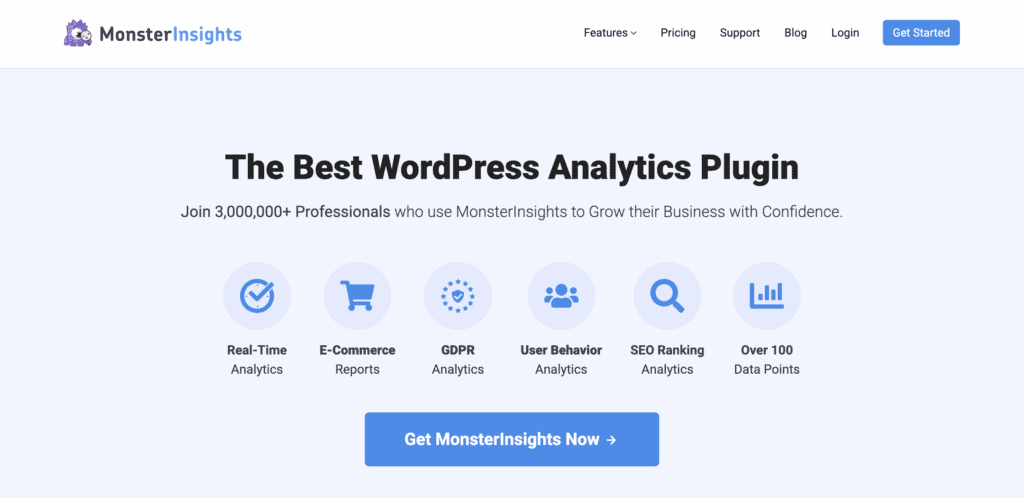
Our review of MonsterInsights shows that it excels at making a complex process simple. The setup wizard is the best in its class, guiding us through the connection to Google Analytics without a single hitch. Once running, the dashboard provided a wealth of information that was both detailed and easy to digest. We were particularly impressed by its dedicated e-commerce and forms tracking reports, which provided actionable data that businesses can use to increase revenue. It’s a true powerhouse, though many of its most valuable features are reserved for the premium versions.
Quick Look at Analytify
Analytify was developed with one clear goal: to make the powerful but often confusing data from Google Analytics simple and accessible for everyone. It’s a dedicated analytics plugin that pulls your most important stats directly into your WordPress dashboard. The plugin has become famous for its incredibly intuitive interface, beautiful charts, and practical features like page-level reports that show data where you need it most.
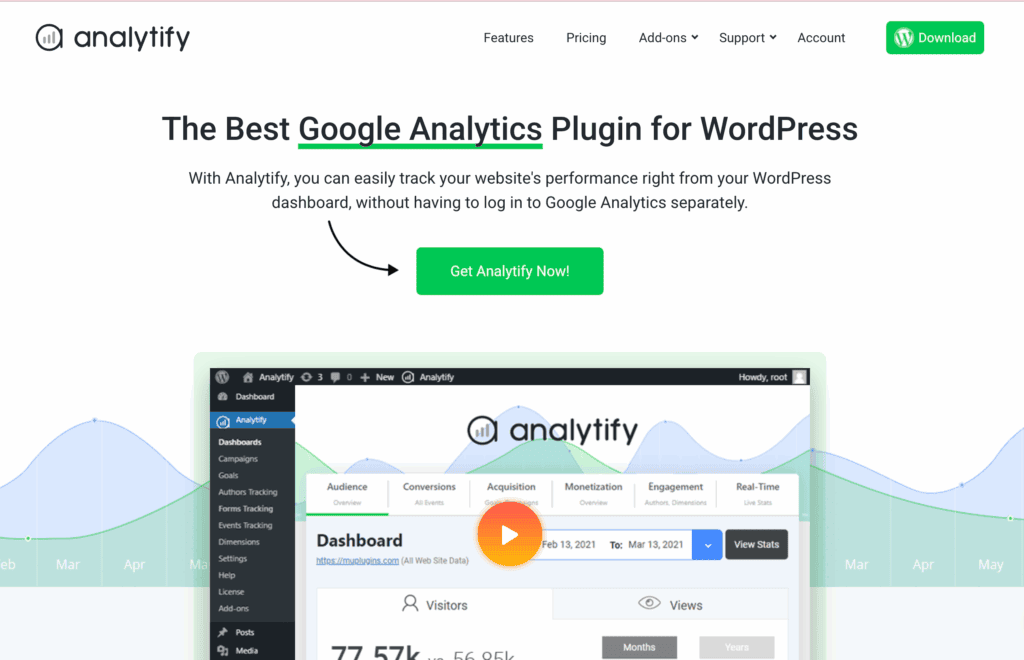
Our experience with Analytify was fantastic, and it quickly became our preferred tool on the test site. The 1-click setup was effortless, and the dashboard immediately presented data in a way that made sense. We found its ability to automatically track crucial business metrics like e-commerce sales and form submissions was a game-changer, turning our website data into a clear roadmap for growth rather than a puzzle to be solved.
Tracking Capabilities
Tracking capabilities refer to a plugin’s ability to measure more than just page views. We’re looking at how well it can track specific user interactions like clicks, downloads, form submissions, and sales. This deeper data is essential for understanding what’s working on your site and what isn’t.
MonsterInsights
I was impressed that right after setting it up, MonsterInsights began tracking key user interactions automatically. I could immediately see data on outbound link clicks, file downloads, and how far users were scrolling on my pages. Its dedicated e-commerce tracking integrated smoothly with my WooCommerce store, giving me a clear view of my sales, revenue, and top-performing products directly in the dashboard.

For tracking specific call-to-action buttons, the custom event tracking was straightforward, requiring just a simple HTML attribute.
Analytify
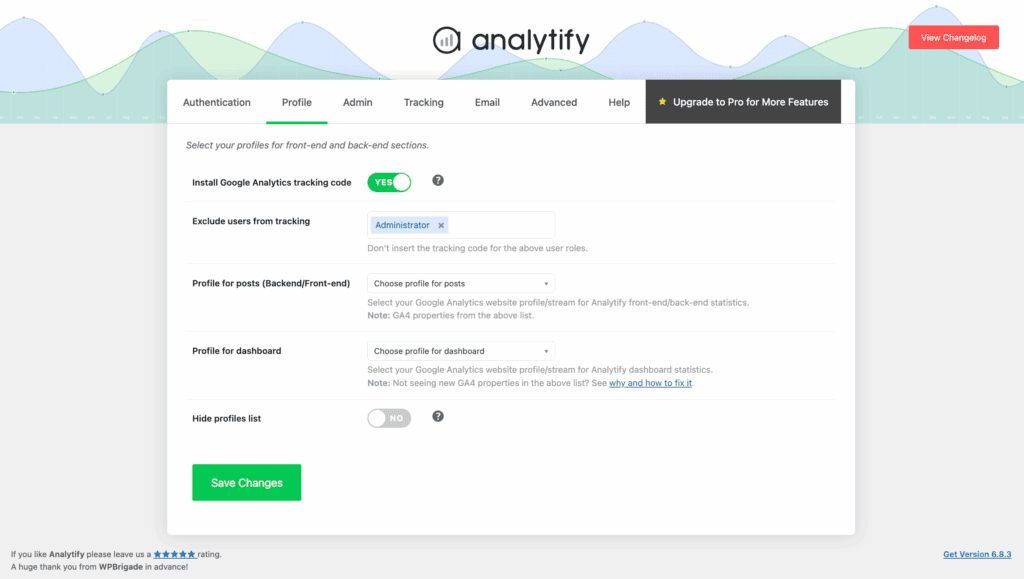
Analytify, however, took this a step further. Right out of the box, it delivered a more granular level of detail that was crucial for my business. The form tracking was a standout feature; I could see not just submissions, but also form impressions and conversion rates without any manual configuration. The real game-changer was the e-commerce tracking. Beyond standard sales data, Analytify gave me critical insights into cart abandonment rates and which items were being removed from carts, providing actionable data to help me recover potentially lost sales.
Reporting Capabilities
Reporting is the core function of an analytics plugin—it’s how raw data is transformed into understandable insights. We’re looking at not just the types of reports offered, but how clearly and effectively they present the information you need to make decisions.
MonsterInsights
MonsterInsights provided a comprehensive suite of reports right inside my WordPress dashboard. The real-time report was great for seeing immediate activity, while the Audience and Behavior reports gave me a solid overview of my visitors and top-performing content. I also appreciated the dedicated reports for things like Site Speed and Search Console terms, which consolidated key data from other Google services into one place.
Analytify
Analytify’s reporting felt more intuitive and built for action. The ability to see stats directly on individual pages and posts was a massive time-saver for my content strategy. The true standout feature, however, was the automated email reporting. Getting a PDF summary of my site’s performance delivered to my inbox every week meant I stayed on top of my key metrics without even having to log in. This simple, proactive approach made analytics feel less like a chore and more like a routine check-up.
GDPR/Privacy Features
In today’s web environment, respecting user privacy and complying with regulations like GDPR is non-negotiable. This section evaluates how well each plugin helps you meet these obligations without requiring a law degree.
MonsterInsights
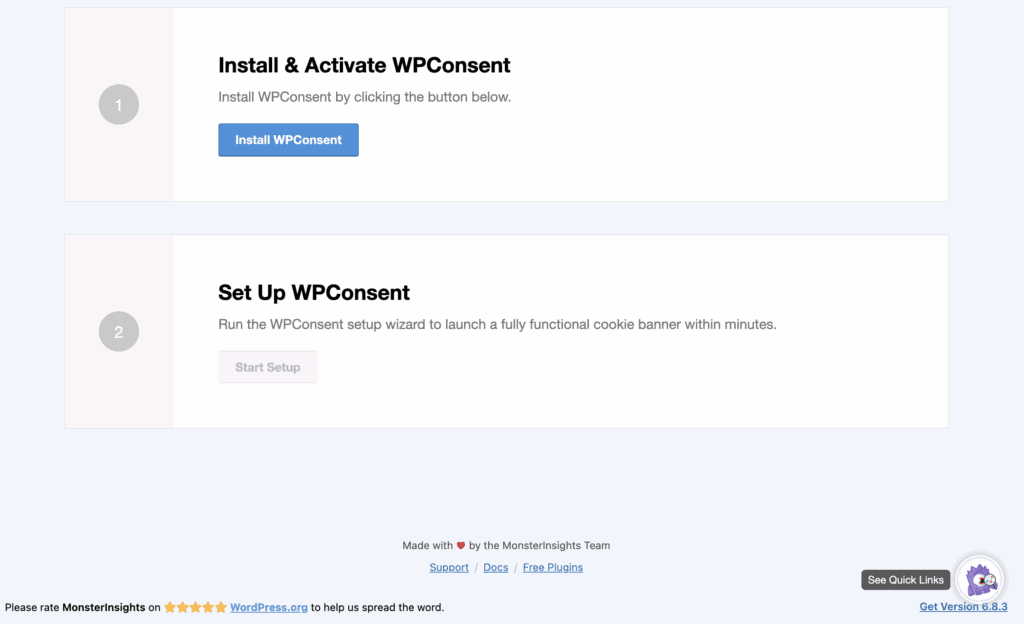
Navigating privacy felt incredibly straightforward with MonsterInsights. Its dedicated EU Compliance Add-on automated most of the technical requirements, like anonymizing IP addresses.
The best part was its seamless with my cookie consent plugin. It just worked, ensuring tracking scripts only fired after I had user consent, which gave me tremendous peace of mind.
Analytify
Analytify offers solid privacy features, including support for Google Consent Mode, which allows it to work with external consent management platforms. While this is effective, it relies on another tool to function. MonsterInsights’ all-in-one approach with its dedicated add-on felt more robust and easier to manage, providing a single, integrated solution for compliance right within the plugin itself.
Marketing Tools
A great analytics plugin should do more than just report traffic; it should help you measure the success of your marketing efforts. We’re looking for tools like UTM builders and conversion tracking that connect your marketing activities to real results.
MonsterInsights
MonsterInsights proved to be a powerful marketing ally. The built-in UTM builder made it easy to tag my social media and email campaigns for clear tracking. The game-changer, however, was the Ads add-on. It allowed me to set up conversion tracking for my Google and Meta Ads without having to touch a single line of code, which was a huge relief and provided invaluable data on my ad spend.
Analytify
Analytify has an excellent Campaign Tracking Add-On and a handy UTM builder right in the dashboard, making it great for tracking the performance of my content and email newsletters. It provided all the insights I needed for my organic marketing efforts. However, the lack of a simple, built-in solution for tracking paid ad conversions meant MonsterInsights had the definitive edge for anyone investing in PPC campaigns.
Data Ownership
Data ownership is critical. You need to know that your sensitive website and visitor data is secure and under your control, not stored on a third-party company’s servers.
MonsterInsights
MonsterInsights gave me complete confidence in my data’s security. It functions as a secure connection, sending all tracking information directly to my own Google Analytics account. At no point does MonsterInsights store my visitor data on its own servers. This means I retain full ownership and control, just as if I were using Google Analytics directly.
Analytify
Similarly, Analytify is built with data privacy at its core. It uses the official Google Analytics API to fetch and beautifully display my data within WordPress, but it never stores that information in my site’s database or on its own servers. My data remains safely in my Google Analytics account, and Analytify simply acts as the visualization tool. With either plugin, your data ownership is never in question.
Security & Access Control
If you have multiple people working on your website, you don’t want everyone to have access to sensitive performance data. Strong access control allows you to decide which user roles can view your analytics reports.
MonsterInsights
MonsterInsights made it simple to manage data access. From the settings, I could easily restrict who could see the analytics dashboard. I was able to give full access to Administrators while hiding the reports from Authors and Contributors, ensuring our performance metrics were only visible to the right people.
Analytify
Analytify offered the exact same level of granular control. Its access settings allowed me to check a box for each user role (Administrator, Editor, Author, etc.) that I wanted to grant viewing permissions to. Both plugins implement this essential security feature perfectly, making them equally strong choices for teams of any size.
Ease of Use
The main reason to use a plugin like this is to make Google Analytics simple. This means the setup process should be painless and the dashboard should be easy to navigate without a manual.
MonsterInsights
Getting started with MonsterInsights was a breeze. Its guided setup wizard held my hand through the entire process, asking simple questions and handling the technical connection to Google Analytics in the background. I never had to look at a piece of code. The dashboard itself presents the most important stats in a clean, graphical way that’s easy to understand at a glance.

Analytify
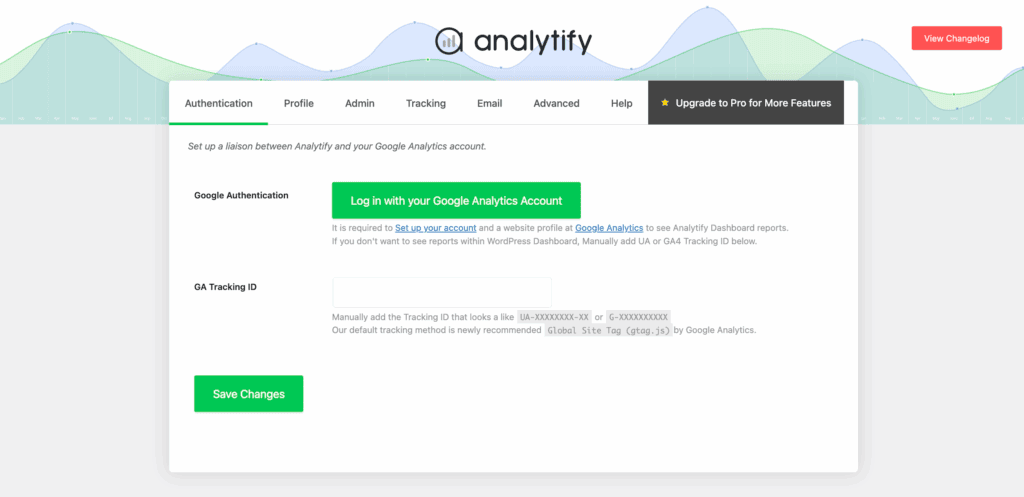
Analytify is also incredibly easy to use, featuring a simple 1-click authentication to connect your Google account. Its setup is fast and requires no technical skill. While its setup is nearly as simple, I found the MonsterInsights wizard to be a slightly more polished and guided experience, making it the perfect choice for someone who is completely new to WordPress and analytics.
Pricing: Which Offers Better Value?
Pricing is often the deciding factor. It’s important to look beyond the initial number and consider what features you get for your money and whether the plugin offers a plan that aligns with your specific needs and budget.
MonsterInsights Pricing
MonsterInsights pricing is positioned as a premium, comprehensive solution, and its pricing reflects that. The plans are structured in tiers, with more advanced features like e-commerce tracking locked into the higher-priced plans.
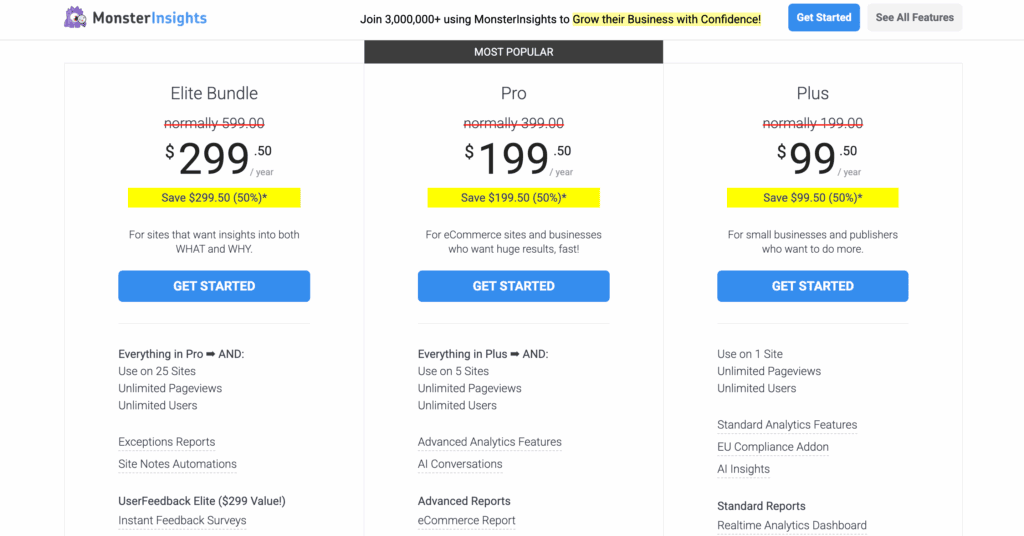
- Free Version (Lite): Covers the basics, allowing you to connect to Google Analytics and see simple reports in your dashboard.
- Plus Plan: Starts at $99.50 per year. This plan is aimed at small businesses and adds features like GDPR compliance and custom dimension tracking.
- Pro Plan: Starts at $199.50 per year. This is the most popular plan, designed for e-commerce stores, as it unlocks the crucial e-commerce, forms, and author tracking reports.
- Agency Plan: Starts at $399.50 per year and is built for professionals managing multiple client websites.
Analytify Pricing
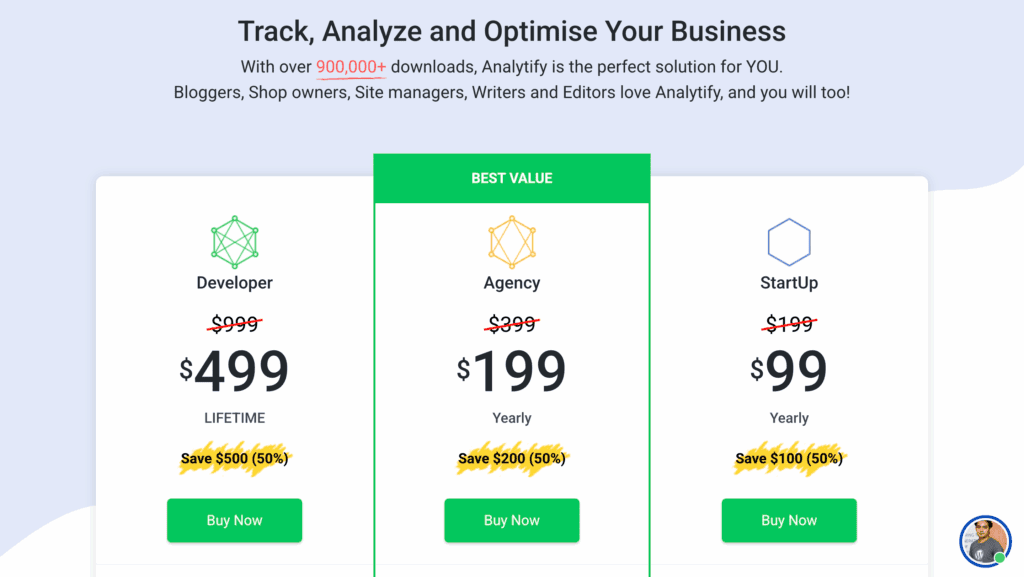
Analytify pricing is a more accessible and flexible pricing model, making it an excellent choice if you’re on a tighter budget or only need specific advanced features. You can start small and add functionality as you grow.
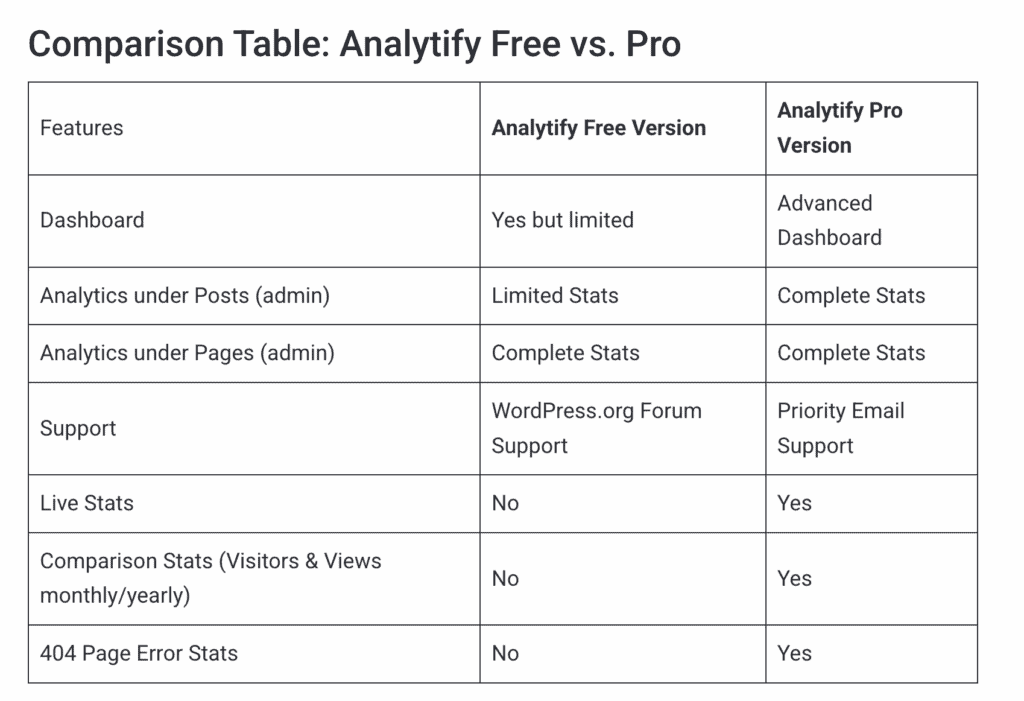
- Free Version (Lite): Provides basic integration and a simple stats overview.
- Premium Plans: Pro plans start at around $59 per year, giving you access to more detailed reporting and features.
- Add-ons: Many of its best features, like e-commerce and forms tracking, can be purchased as individual add-ons or as part of a bundle, giving you more control over what you pay for.
- Developer Plan: For a one-time payment of around $499, you can get a lifetime license, which offers incredible long-term value if you plan to use it for years to come.
Alternatives to MonsterInsights VS Analytify
While MonsterInsights and Analytify are two of the best analytics plugins on the market, they might not be the perfect match for every website owner. Perhaps you’re looking for a completely free solution without any premium upsells, or maybe data privacy is your top priority, and you’d prefer not to send visitor information to Google at all. If either plugin feels like overkill for your simple site, it’s worth exploring other options.
- Slimstat: Slimstat is a privacy-focused, open-source alternative that stores all of your analytics data directly on your own server, not Google’s. It’s an excellent choice if data privacy is your absolute top priority or if you want to avoid third-party services entirely. It offers a surprising amount of detail but requires more self-management.
- Google Site Kit: Site Kit is Google’s official, 100% free plugin for WordPress. Its biggest advantage is that it bundles not just Analytics, but also Search Console, AdSense, and PageSpeed Insights into a single, unified dashboard. It’s less powerful in its tracking capabilities than MonsterInsights or Analytify but is a fantastic, simple, and reliable starting point for anyone new to WordPress.
Final Thoughts
Ultimately, the best plugin is the one that fits your needs and budget. MonsterInsights is the undisputed champion for e-commerce stores and data-driven marketers who need a powerful, all-in-one solution. For bloggers, small businesses, and beginners who prioritize clarity and simplicity, Analytify’s user-friendly reports and lower price make it the winner.
Before installing any new plugin, it’s critical to take a complete backup of your website. A single incompatibility can cause serious issues. We recommend using a reliable service like BlogVault, which creates a secure backup in minutes, allowing you to restore your site with a single click if anything goes wrong.
FAQs
What is the difference between Google Analytics and MonsterInsights?
Google Analytics is the powerful, free service from Google that collects and processes your website’s data. MonsterInsights is a WordPress plugin that connects your site to Google Analytics and displays that complex data in simple, easy-to-understand reports directly within your WordPress dashboard.
Is MonsterInsights Pro worth it?
Yes, MonsterInsights Pro is worth it if you run an e-commerce store, need to track form conversions, or want advanced marketing insights. The Pro version unlocks the most valuable features for growing a business online. For a simple blog, the free version or a simpler alternative may be enough.
Which web analytics tool is best?
The “best” tool depends entirely on your needs. For advanced tracking and features inside WordPress, MonsterInsights is a top choice. For simplicity and clarity, Analytify is excellent. For a free, all-in-one solution that integrates multiple Google services, Google’s own Site Kit is a fantastic option.
Why use MonsterInsights?
You should use MonsterInsights to make Google Analytics simple. It eliminates the need to navigate Google’s complex interface by providing beautiful, actionable reports inside WordPress. Its guided setup wizard, powerful event tracking, and deep e-commerce integrations help you make data-driven decisions without needing to be a tech expert.

Shreya has been a writer for as long as she can remember. Now, she writes articles that help WordPress users manage the sites that they're proud of, with little to no coding


