

Choosing the right WordPress analytics plugin often comes down to the Google Site Kit vs Analytify debate. You know you need to track your website’s performance to grow, but it’s hard to tell which tool will give you clear insights instead of just a confusing pile of numbers.
These two plugins are so frequently compared because they represent two different approaches to the same problem. Google Site Kit is the official, free, all-in-one solution that connects you to Google’s entire ecosystem. Analytify is a specialized tool focused on making complex Google Analytics data simple and actionable, directly within your WordPress dashboard.
This article will break down the exact differences in features, reporting, and ease of use. By the end, you’ll know precisely which plugin is the right fit for your website and your goals.
We used a test site to experiment with both Google Site Kit and Analytify. Analytify was the clear winner for anyone needing more than a basic overview. It provides deep, actionable insights and powerful tracking features that Site Kit’s simple dashboard simply can’t match.
Quick look at Google Site Kit
Google Site Kit is the official WordPress plugin developed by Google itself. It was designed to be an all-in-one solution, acting as a central hub that seamlessly connects your website to essential Google services like Google Analytics, Search Console, AdSense, and PageSpeed Insights. Its popularity stems from its core promise: providing a simple, free, and authoritative way for site owners to view high-level performance data from multiple sources without ever having to leave their WordPress dashboard.
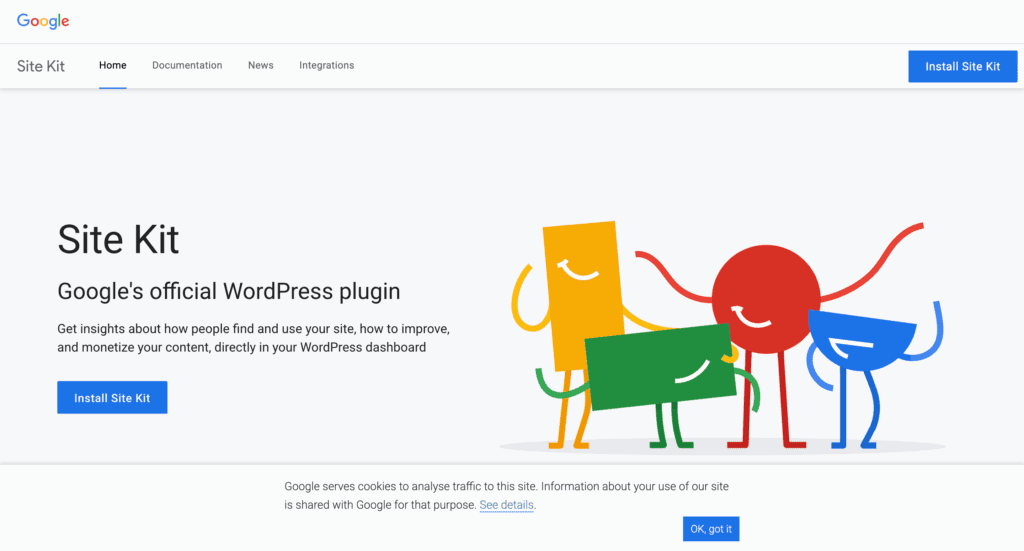
Our review of Google Site Kit confirmed that its biggest strength is its effortless setup. As an official plugin, the guided process of connecting our Google accounts was flawless and took just a couple of minutes. However, once we started using the dashboard, we found it to be quite basic. It successfully pulls in key metrics from different services into one place, but it functions more like a simple data container than an analytical tool. It showed us our top pages and search queries, but it didn’t help us understand the story behind the numbers or what actions to take next.
Quick look at Ananlytify
Analytify was developed by the team to make the powerful but often confusing data from Google Analytics simple and accessible for everyone. It’s a dedicated analytics plugin that pulls all your important stats directly into your WordPress dashboard. The plugin has become famous for its incredibly intuitive interface and easy-to-understand charts and reports. .
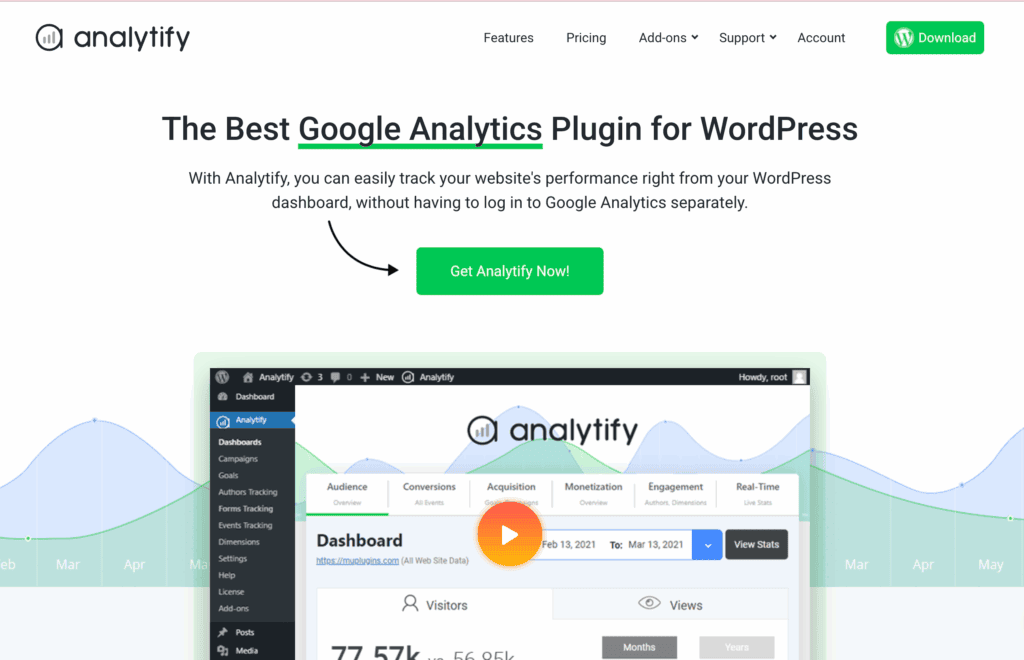
Our experience with Analytify was fantastic, and it quickly became our preferred tool on the test site. From the simple 1-click setup to the clarity of the dashboard, everything felt designed to provide actionable insights, not just raw numbers. We found its ability to automatically track crucial business metrics like e-commerce sales and form submissions was a game-changer, turning our website data into a clear roadmap for growth rather than a puzzle to be solved.
Tracking Capabilities
Tracking capabilities refer to a plugin’s ability to measure more than just page views. We’re looking at how well it can track specific user interactions like clicks, downloads, form submissions, and sales. This deeper data is essential for understanding what’s working on your site and what isn’t.
Analytify
Right after setting it up, it started tracking crucial events automatically, without any complex configuration. I could suddenly see how far people were scrolling on my pages, what files they were downloading, and even how they interacted with my videos.
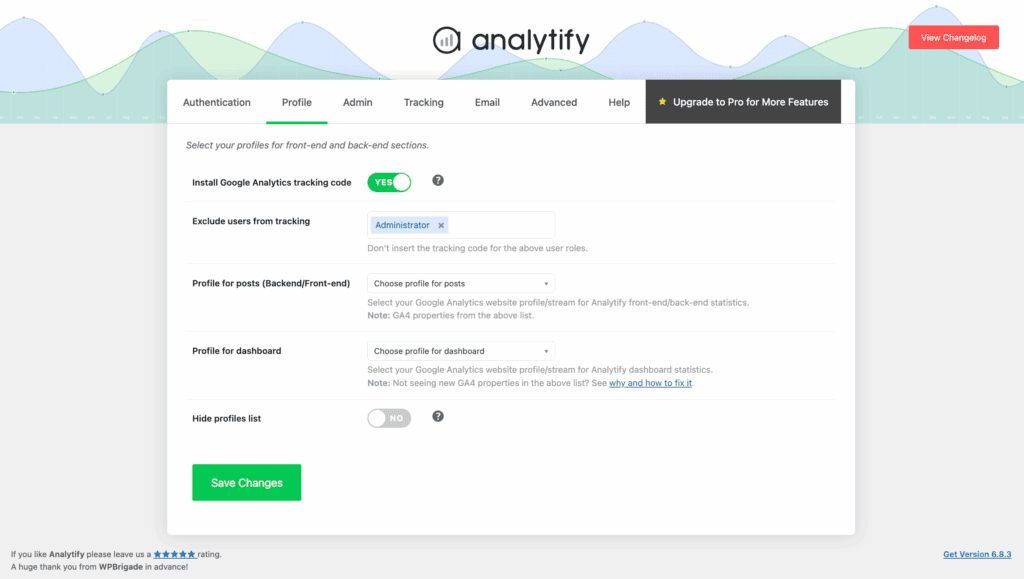
The best part was the WordPress e-commerce tracking. Seeing my sales data, top products, and revenue directly in my dashboard was a game-changer for my online store.
Google Site Kit
I was frustrated to see that it wasn’t tracking basic things like file downloads or form submissions automatically. To get that data, I would have had to learn and manually configure Google Tag Manager. Most importantly, the complete lack of built-in e-commerce tracking made it unsuitable for my business needs.
Reporting Capabilities
A plugin’s reporting capability determines how well it translates raw data into useful information. We’re looking for clear, detailed, and actionable reports that help you understand your audience and content performance without ever leaving your WordPress dashboard.
Analytify
Analytify is built to excel at reporting, and it shows. I used to find the standard Google Analytics interface overwhelming, but this plugin presents the same data in beautiful, easy-to-digest charts and graphs.
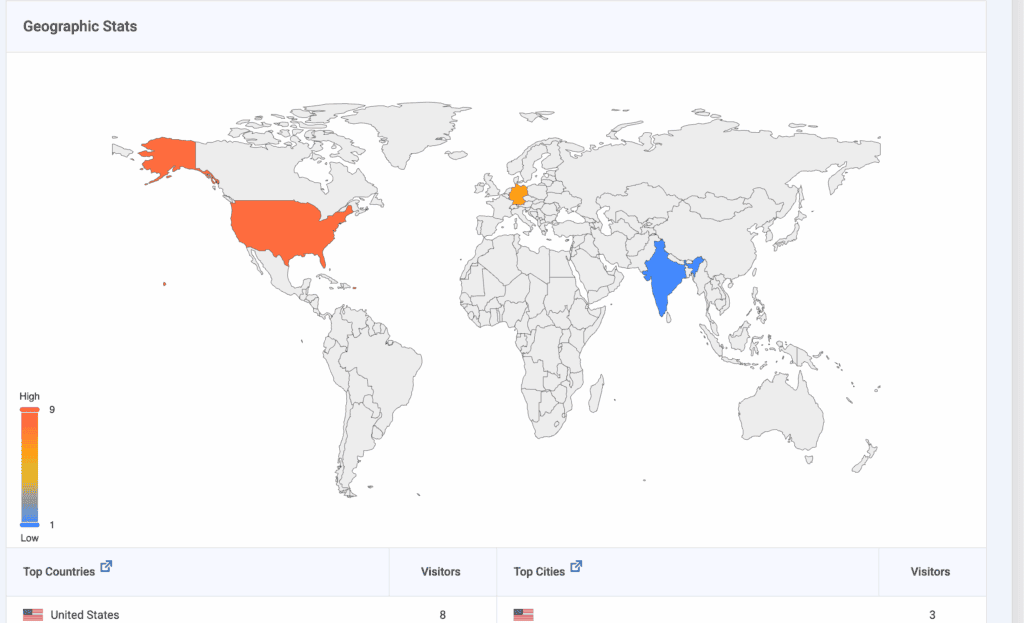
I love having a main dashboard overview, but also being able to see stats for individual posts right below the editor.
The advanced reports for e-commerce and goal tracking gave me actionable insights that helped me make real, informed decisions about my content and products.
Google Site Kit
My experience with Site Kit’s reporting was that it’s designed to be a very high-level summary. It was convenient to have a single dashboard to glance at my traffic from Analytics and keywords from Search Console.
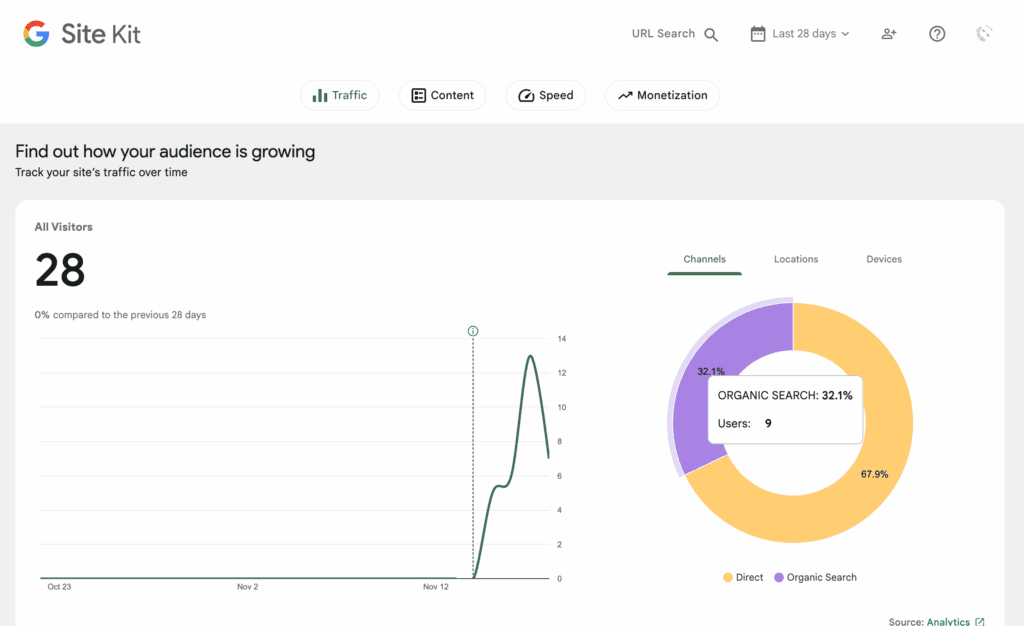
However, the reports are basic and lack any real depth. I found it tells you what is happening (like your top pages) but offers no insight into the why or how. It felt more like a quick summary than a powerful analytical tool.
GDPR/Privacy Features
In today’s world, respecting user privacy and complying with regulations like GDPR is non-negotiable. This section evaluates how each plugin helps you handle user consent and data anonymization.
Analytify
As a site owner, I take privacy seriously, and I was relieved to see that Analytify does too. It fully supports Google Consent Mode, which meant it worked seamlessly with the cookie consent plugin I was already using.
This ensured tracking scripts only fired after a user gave permission, making compliance much easier for me. The fact that it also uses GA4’s default IP anonymization for EU users was another big plus.
Google Site Kit
While Site Kit is an official Google product, I found its built-in privacy features to be pretty basic. It supports IP anonymization, but it lacked the robust consent management features I needed.
I had to configure a dedicated cookie consent plugin to handle the user opt-ins. It just felt like an extra, necessary step that Analytify already had covered.

Performance Impact
A good analytics plugin should give you data without slowing your website down for your visitors. We’re looking at how each plugin is built to ensure it has a minimal impact on performance.
Analytify
As someone who is obsessed with website speed, I love how Analytify is engineered. Its main strength is that all the heavy lifting—the reporting scripts and assets—are loaded only in my WordPress admin area.
This means it adds zero extra weight or loading time to the public-facing side of my site that visitors see. Plus, knowing it pulls data directly from Google’s API without bloating my own database gives me extra confidence.
Google Site Kit
I’ll give credit where it’s due: Google Site Kit is also designed to be lightweight and didn’t slow down my live site. Like Analytify, it connects via an API and doesn’t store bulky data on my server. However, I did notice that my WordPress admin dashboard sometimes felt a bit sluggish. My guess is it was working to fetch data from all the different services at once. It’s a minor issue that only affects me as the admin, but it’s a difference in user experience worth noting.
Data Ownership & Security
Your website data is valuable, so it’s crucial to know where it’s stored and who can access it. Here, we look at how each plugin handles data security and access control.
Analytify
I was impressed with how Analytify handles security. It operates as a secure data visualization tool, which means it doesn’t store any of my sensitive analytics data on my website’s database. Instead, it uses a secure API to fetch data directly from my Google Analytics account.
This gives me peace of mind knowing my data remains safely stored with Google. I also like that the premium versions offer role-based access, letting me control which users, like Editors or Authors, can view the reports.
Google Site Kit
Site Kit functions identically to Analytify in this regard. It uses a secure API to connect my site to my Google account, and all of my data remains on Google’s servers, not on my own.
By default, access to the reports is limited to Administrators, which is a sensible precaution that ensures only trusted users can see my site’s performance data.
Pricing & Value for Money
Value isn’t just about the price tag; it’s about what you get for your money. This section breaks down the cost and features to help you decide which plugin is a better investment for your needs.
Analytify
Analytify’s pricing uses a freemium model that I think is really smart. The free version alone is very capable and a significant step up from Site Kit in terms of reporting detail. But the true power is unlocked in the Pro versions.

For a yearly fee, you get essential business tools like WordPress e-commerce tracking, form conversion tracking, and custom dimensions.
For any business that relies on its website for leads or sales, I see this not as a cost, but as an investment that provides immense value.
Google Site Kit
Site Kit’s value proposition is its simplicity and, of course, its cost. It’s 100% free, which is incredible. For that price, you get a unified dashboard for four major Google services. If you’re a blogger, hobbyist, or a small business just starting out, the value here is unbeatable.
The trade-off, however, is its limitations. If you need to track sales, form submissions, or specific user events to grow your business, you’ll quickly outgrow what Site Kit can offer.
Ease of Use
A plugin is only useful if you can actually use it. We’re evaluating the setup process and how easy it is for a non-technical person to navigate the interface and understand the data presented.
Analytify
The Analytify setup was simple. A secure, 1-click authentication connected my Google account without any need for coding.
But where it truly shines is its dashboard. Honestly, it’s the plugin’s greatest strength. It takes all the overwhelming data from Google Analytics and transforms it into clean, beautiful charts and graphs that are immediately understandable.
For me, it was the tool that finally turned confusing metrics into clear, actionable insights, making it the best WordPress analytics plugin for anyone who feels lost in the standard GA interface.
Google Site Kit
From my own experience, getting Google Site Kit set up is incredibly easy. As an official Google plugin, the guided process for connecting services like Analytics and Search Console is seamless.
But honestly, once it was running, I found the dashboard itself underwhelming. It felt more like a basic container that just held my data, rather than a tool to help me understand it. It showed me the numbers, but it did little to explain what they meant.
The whole experience was functional, but it lacked the clarity and user-friendly presentation that I get from Analytify.
Alternatives to Site Kit vs Analytify
While Site Kit and Analytify are excellent choices, they might not be the perfect fit for everyone. You might find Site Kit too basic, or perhaps you’re looking for a privacy-first solution that doesn’t rely on Google at all. If you’re exploring other options, here are two popular alternatives.
- MonsterInsights: MonsterInsights is one of the most popular analytics plugins, offering a user-friendly dashboard that makes Google Analytics data easy to understand. Its free version provides great basic reports, while premium plans unlock powerful e-commerce tracking and form conversion analysis, making it a strong competitor for growing businesses.
- SlimStat Analytics: If data privacy is your top priority, SlimStat is a fantastic choice. It’s a self-hosted analytics tool that keeps all your data on your own server, completely bypassing Google. This makes it GDPR compliant by design and gives you full ownership over your analytics without any external tracking.
Final thoughts
After thoroughly testing both plugins on our site, our experience points to a clear winner depending on your goals. Google Site Kit is a fantastic starting point for anyone new to WordPress or analytics. It’s free, official, and does an excellent job of putting your basic vitals in one convenient place. However, if you’re serious about using data to make decisions, Analytify is the superior tool. It transformed our confusing metrics into a clear strategy, providing actionable insights into sales, user engagement, and content performance that Site Kit simply couldn’t offer.
Before you install Analytify, Site Kit, or any other new plugin, we strongly recommend taking a full backup of your website. The WordPress ecosystem is complex, and sometimes a new plugin can conflict with your theme or another plugin, causing unexpected errors. A reliable backup acts as your safety net, giving you a one-click restore point to instantly revert your site to its working state if anything goes wrong. It’s the single most important step you can take to protect your hard work.
FAQs
Why Google Site Kit?
Google Site Kit is the best choice for beginners or anyone who wants a simple, free, and official way to connect their WordPress site to multiple Google services at once. Its main benefit is convenience, allowing you to see a high-level summary of your Analytics, Search Console, AdSense, and PageSpeed data in a single dashboard without any complicated setup.
Is there anything better than Google Analytics?
While Google Analytics is the most powerful free analytics tool available, whether something is “better” depends on your needs. For simpler reporting, plugins like Analytify are better because they make GA data easier to understand. For privacy, alternatives like SlimStat or Matomo are better because they are self-hosted, giving you full ownership of your data and avoiding sending anything to Google.
What is a site kit in Google?
“Site Kit” is the official name of the WordPress plugin created by Google. It acts as a connector or a “kit of tools” that links your website to essential Google services like Google Analytics, Search Console, AdSense, and PageSpeed Insights. Its purpose is to simplify the setup process and display your key performance metrics directly within your WordPress admin area.
Is a Google Site Kit necessary?
No, Google Site Kit is not necessary. It is a tool of convenience. You can add the Google Analytics tracking code to your site manually or use another plugin like Analytify to connect it. Similarly, you can verify your site with Google Search Console through other methods. Site Kit simply streamlines this process into a single plugin for beginners.

Shreya has been a writer for as long as she can remember. Now, she writes articles that help WordPress users manage the sites that they're proud of, with little to no coding


