

When looking for a quiz plugin for WordPress sites, a Quiz and Survey Master WordPress plugin review keeps coming up. You’ve probably heard it’s one of the most popular options, but is it genuinely powerful and easy to use.
Choosing the right quiz plugin can skyrocket your user engagement and capture valuable leads. This review cuts through the noise. We’ll break down Quiz and Survey Master’s features, pros, and cons to give you an answer to the question: Should you use QSM?
Quiz and Survey Master is a powerful but often complicated plugin. Frankly, it’s not our favorite.
Alternatively, we’ve tested HD Quiz and we would recommend it. It’s incredibly easy to use and delivers great-looking quizzes without the steep learning curve.
Setting the Scene: Our Quiz and Survey Master Review
Think of Quiz and Survey Master (QSM) less as a simple tool and more as a giant toolbox. Its reputation is built on this immense flexibility. It offers granular control that’s perfect for complex projects like marketing funnels, detailed student assessments, and in-depth user feedback forms.
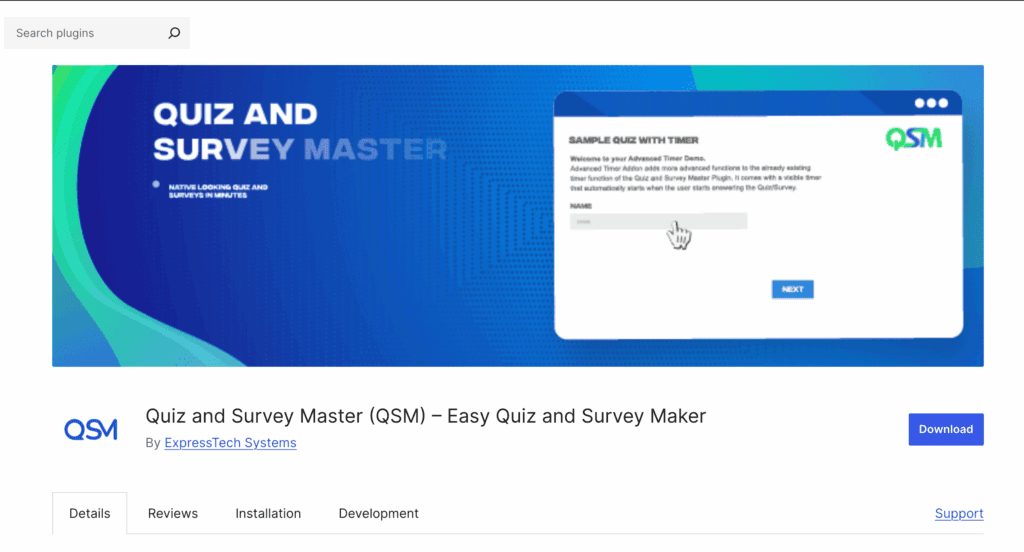
We created a test site to experiment with QSM. We wanted to see if its power is accessible to the average user or reserved for developers. Our review focuses on answering these key questions:
- The Learning Curve: Is the interface intuitive, or will you get lost in the settings?
- Customization & Control: Just how deep can you go with question logic, result pages, and email notifications?
- Making It Look Good: Can you easily style quizzes to fit your brand, or are you forced into a generic look?
- Analyzing the Results: What kind of actionable data can you pull from user submissions?
- The Real Cost: How much can you accomplish with the free version before needing to buy paid add-ons?
Types of Quizzes You Can Build with QSM
One of QSM’s biggest selling points is its versatility. But can it actually build the specific type of quiz you have in mind? We dug into its features to see what’s possible with the core plugin and what might require an add-on.
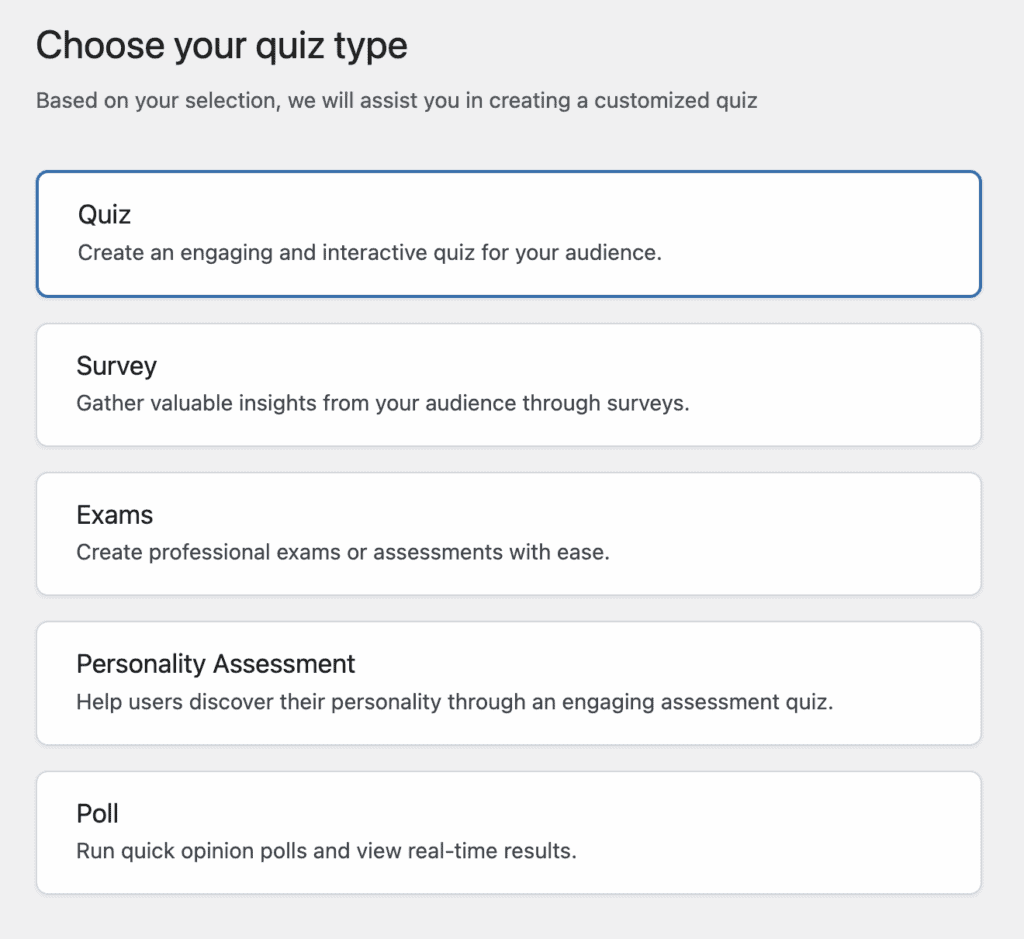
Here’s a breakdown of what QSM supports.
- Multiple-Choice Questions (MCQs): Yes, absolutely. This is the bread and butter of any quiz plugin, and QSM offers extensive options for MCQs, including various layouts, rich content answers, and flexible scoring methods.
- True/False Quizzes: Yes. Just like any standard quiz tool, creating a simple true/false question is fully supported and easy to set up.
- Personality Quizzes: Yes, this is a major strength. Using its category and points system, you can create sophisticated personality quizzes (like “What’s your work style?”) where answers map to a final outcome or personality type. This is a feature often reserved for premium plugins.
- Image and Video-Based Questions: Yes. QSM integrates with the WordPress media library, allowing you to easily add images and videos to both your questions and your answer choices, making your quizzes much more engaging.
- Timed Quizzes: Yes, the free version includes a global timer. You can set a time limit for the entire quiz, which adds a sense of urgency for exams or challenges. More advanced timing options may require a premium add-on.
- Branching/Conditional Logic: Yes. QSM supports conditional logic, allowing you to show or hide specific questions based on a user’s previous answers. This lets you create dynamic, interactive quizzes that adapt to the user—a powerful feature not found in many free alternatives.
Frontend Design & Customization
The way a quiz looks is just as important as the questions it asks. A clunky design can turn visitors away before they even start. We tested QSM to see how much control you have over the visual presentation.
- Mobile-Responsive: Right out of the box, quizzes are mobile-responsive and will adapt to fit any screen size, which is essential.
- Default Design: The standard style is simple and functional. It won’t clash with most themes, but it also won’t stand out. It’s a blank canvas more than a finished design.
- Premium Themes*: For those without coding skills, the easiest way to get a professional look is by purchasing one of QSM’s premium themes.
- Custom CSS: QSM gives you a field to add your own CSS, offering complete control over styling for those comfortable with code.
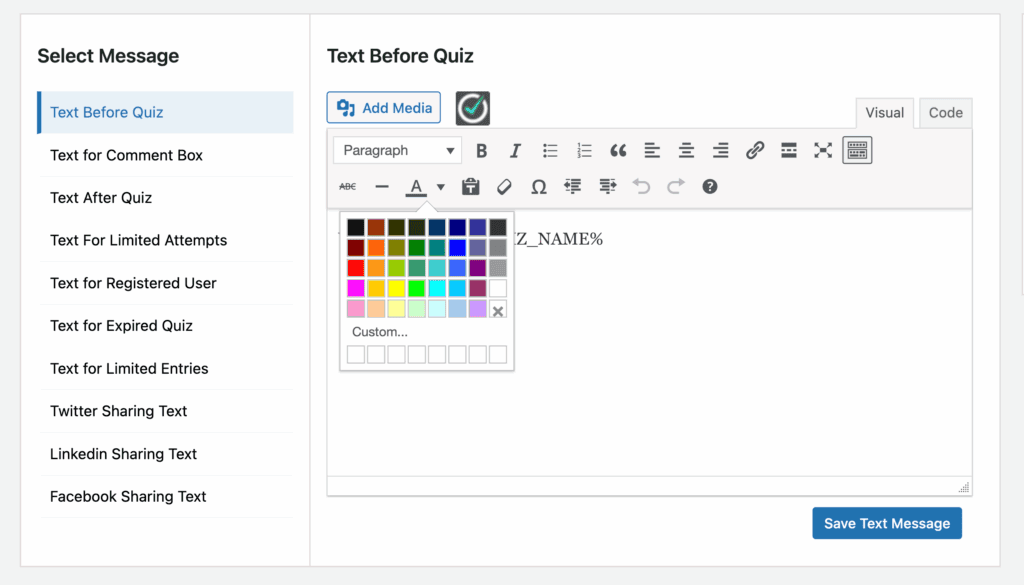
- Customizable Text: You can easily change the text on buttons, progress bars, and result messages to match your brand’s voice and language.
Scoring, Logic, and Flow Control
How a quiz behaves is crucial for user experience. QSM provides a deep set of tools to dictate the quiz-taking journey from start to finish.
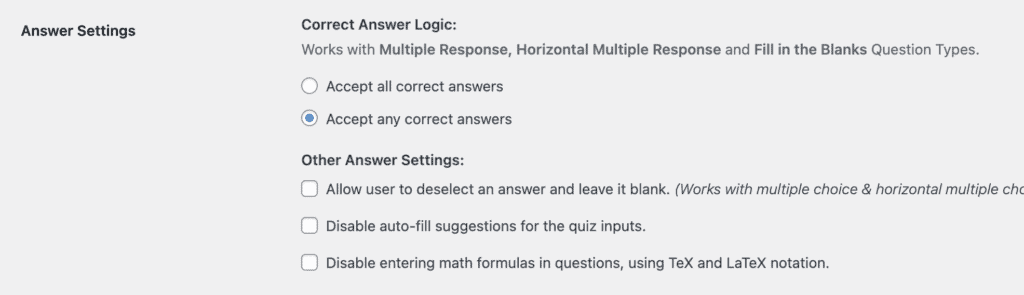
- Flexible Scoring: You can assign different point values to answers, use a correct/incorrect system, or even assign negative points.
- Pass/Fail Conditions: Easily set a score threshold that users must meet to pass the quiz.
- Randomization: You can randomize the order of questions within a quiz and the order of answers within a question, which is great for preventing cheating.
- Progress Bar: For multi-page quizzes, QSM can display a progress bar to show users how far they’ve come.
- Countdown Timer: You can add a global timer that limits the total time a user has to complete the quiz, adding a layer of challenge.
- Conditional Redirects*: A powerful premium feature that allows you to send users to different URLs after completion based on their score. For example, you can send high-scorers to a special offer page and others to a “learn more” page.
Analytics & Reporting
A quiz is only as valuable as the data you get from it. We looked at how QSM helps you track and understand user performance.
- Basic Result Tracking: The plugin saves every user’s attempt in your WordPress dashboard, showing their answers and final score.
- Advanced Reporting Dashboard*: The premium reporting add-on unlocks a visual dashboard with charts, graphs, and deep analytics, like seeing the average score over time or how long users spend on each question.
- Export to CSV*: With an add-on, you can export all quiz results into a CSV file to analyze the data in Excel or Google Sheets.
- Google Sheets Integration*: For real-time data collection, a premium connector can automatically send all quiz results directly to a Google Sheet as they come in.
User Management
Managing who can take your quiz and how they interact with it is key, especially for formal training or membership sites.
- Limit Attempts: You can easily set a limit on how many times a single user can take a quiz.
- Require User to be Logged In: Restrict quiz access to registered and logged-in users on your WordPress site.
- Track User Progress: For logged-in users, you can see a history of the quizzes they’ve taken and their scores.
- Save and Resume*: The “Save and Resume” add-on allows users to save their progress on a long quiz and come back to finish it later—a crucial feature for lengthy assessments.
Security & Anti-Cheating Options
If you’re running formal exams or certifications, ensuring the integrity of your results is paramount.
- Timers and Time Limits: Enforcing a strict time limit is a simple and effective way to prevent users from having time to look up answers.
- Randomization: Randomizing questions and answers makes it difficult for users to share answers with each other.
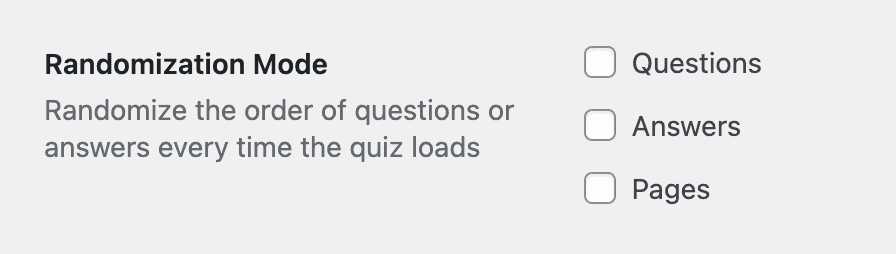
- IP Address Tracking: The system logs the IP address of each attempt, helping you identify suspicious patterns.
- Quiz Proctor Features*: This premium add-on provides robust security by blocking users from copying/pasting text, automatically failing them if they switch browser tabs, and more.
Monetization Options
Quizzes can be more than just an engagement tool—they can be a product. QSM facilitates this through several key integrations.
- WooCommerce Integration*: Sell access to a quiz just like any other digital product in your WooCommerce store.
- PayPal and Stripe Integration*: Charge a one-time fee to take a quiz directly via these popular payment gateways.
- Membership Plugin Integration*: Use an add-on to connect with plugins like Paid Memberships Pro, making your quizzes exclusive content for paying members.
Certificates & Completion Features
What happens after a user clicks “submit” is a critical part of the experience. QSM offers great tools to provide feedback and rewards.
- Customizable Certificates*: With a premium add-on, you can automatically generate and email users a professional, downloadable PDF certificate upon passing a quiz.
- Email Notifications: Automatically send customized emails to both the user and the site admin with the quiz results.
- Customized Results Pages: This is one of QSM’s strongest free features. You can create different result pages with unique messages, images, and calls-to-action based on the user’s score or personality type.
Pricing
Quiz and Survey Master operates on a freemium model, with its powerful core plugin available for free from the WordPress.org repository. This allows anyone to get started without an initial investment. For users who need more advanced functionality, QSM offers a modular approach where you can purchase individual premium add-ons for specific features like PDF certificates or advanced reporting. Alternatively, for a more cost-effective solution, QSM provides tiered pricing bundles (Basic, Plus, and Pro) that group popular add-ons together at a significant discount compared to buying them one by one.
Ease of Use
Getting started with QSM is straightforward. You can choose the type of content you want to build, such as a quiz, survey, exam, or personality assessment. We chose the quiz option and were able to create a basic multiple-choice quiz.
I found the process of adding and editing questions to be less unintuitive. The user interface was a little frustrating. I found that it creates a clunky workflow. It took more steps than needed to edit a question.
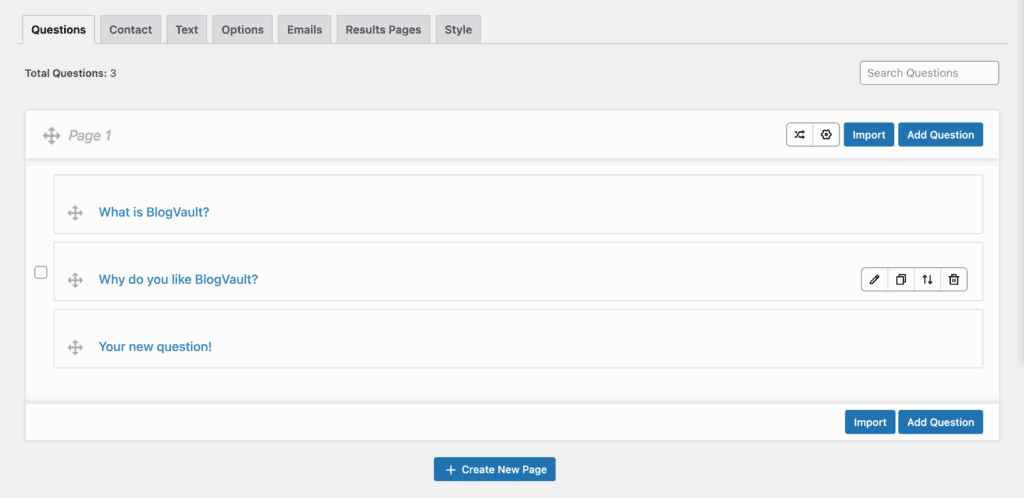
I also felt that the dashboard was not very accessible. It was very easy to miss buttons and text because they tend to get lost in the background design.
The most frustrating part of our test came after publishing the quiz. When we tried to view it, the page kept throwing a “Page Not Found” error, making it impossible to see a preview of our work on the frontend.

Alternatives to Quiz and Survey Master
While Quiz and Survey Master is powerful, its biggest drawback is its freemium model. Many essential features, such as conditional logic and detailed analytics, are locked behind individual premium add-ons, which can quickly become expensive and complicated to manage. If you find its interface clunky or its pricing model frustrating, here are two excellent alternatives to consider.
- HD Quiz: If QSM’s complexity and pricing feel overwhelming, HD Quiz is the perfect antidote. It’s a completely free plugin focused on one thing: helping you create beautiful, straightforward quizzes with minimal effort. The user interface is far more intuitive, allowing you to get a modern-looking quiz live in just a few minutes.
- Thrive Quiz Builder: For users serious about using quizzes for lead generation, Thrive Quiz Builder is a top alternative. It is designed from the ground up to help you build your email list, segment your audience, and display dynamic results to drive conversions.
Final Thoughts
Quiz and Survey Master stands apart as a deeply flexible framework, designed for customization and control above all else. For marketers, developers, and website owners who need to build highly specific quizzes or in-depth surveys, few free plugins offer this level of granular power. Its core strength lies in its immense customization, allowing you to configure everything from complex scoring rules to dynamic result pages right out of the box.
However, this power comes with a trade-off: a steeper learning curve and a reliance on premium add-ons for many advanced features. While it can do almost anything you want, achieving a polished, feature-rich result often requires more time and investment than simpler alternatives.
We always recommend using a staging site to test QSM. This allows you to explore its vast settings, configure your quiz logic, and ensure the user experience is exactly what you want without any risk to your live website.
FAQs
Is Quiz and Survey Master free?
Yes, Quiz and Survey Master offers a comprehensive free version available directly from the WordPress plugin directory. This core plugin allows you to build functional quizzes with a variety of question types, timers, and custom result pages. However, the plugin operates on a freemium model, meaning many of its most powerful features, such as PDF certificates, advanced reporting dashboards, and payment gateway integrations, are only available by purchasing individual premium add-ons or subscribing to a bundled plan.
What is the best plugin for a quiz?
The “best” quiz plugin really depends on your specific needs. For users who require deep customization and a vast array of features, Quiz and Survey Master is a strong contender, provided you are prepared for its learning curve. If your priority is simplicity and ease of use, a free alternative like HD Quiz is an excellent choice, as it allows you to create beautiful quizzes quickly with no complexity. For those focused on marketing and lead generation, a premium tool like Thrive Quiz Builder is often a better investment, as it’s designed from the ground up to convert visitors into subscribers.
How do you get started with QSM?
Getting started with Quiz and Survey Master is a simple process. First, you install and activate the plugin from your WordPress dashboard by navigating to “Plugins” and searching for it. Once activated, you can create a new quiz from the QSM menu in your sidebar. From there, you’ll use the various tabs to add your questions and answers, configure settings like timers and text, and design the result pages. When you are finished, the plugin will provide you with a shortcode that you can copy and paste into any page or post on your site to make the quiz live.
What does a quiz master do?
In the context of the Quiz and Survey Master plugin, the “quiz master” refers to the website administrator—the person who creates, manages, and analyzes the quizzes. It is not a specific role or feature within the software itself. In a broader sense, a quiz master (often abbreviated as QM) is the host of a trivia event or quiz game. Their role is to ask the questions, keep score, verify answers, and ensure the game runs smoothly for all participants.

Shreya has been a writer for as long as she can remember. Now, she writes articles that help WordPress users manage the sites that they're proud of, with little to no coding


