When choosing a membership plugin this Ultimate Member vs MemberPress review will be helpful.. The two plugins are built for fundamentally different types of sites. One can help you build a social community hub and the other helps with revenue-generating machines. This choice will define your site’s core functionality, how you engage with your audience, and your potential for growth.
We’ve tried both plugins extensively. This hands-on review will break down their strengths, weaknesses, and ideal use cases to help you pick the perfect foundation for your project.
We created a test site to create some fake users and fake membership levels. We found that MemberPress is a powerful, all-in-one system for selling access to content and courses. Ultimate Member, in contrast, is a flexible foundation for building interactive communities with rich user profiles
Before we dive into the detailed comparison, here is a quick look at both plugins:
Ultimate Member Summary
Ultimate Member has carved out a niche as the go-to solution for adding sophisticated user profiles and community features to WordPress. Its biggest draw is a remarkably powerful free version that lets you create front-end registration, login, and member directories without a financial commitment.

In our testing of Ultimate Member, I was impressed by how much community functionality is available for free. The drag-and-drop form builder and customizable profiles worked seamlessly. The main trade-off is that the WordPress admin interface feels cluttered and less intuitive than some competitors, and essential features like payments require a paid upgrade.
MemberPress Summary
MemberPress is engineered as a premium, turnkey solution for monetizing your website. It’s designed to be the single plugin you need to launch a paid membership site, sell online courses, or distribute digital downloads, with a strong emphasis on a seamless user experience.
In my review of MemberPress, it felt like a polished product. The setup process was straightforward, and the ReadyLaunch™ feature created beautiful, functional pages in seconds. However, this convenience and power come at a higher price point, and there’s no free version to experiment with.
Manage Membership Plans and Access Control
The ability to control who sees what is the heart of any member-based site. I tested how each plugin handles gating content and defining user permissions.
MemberPress: Setting up membership tiers was a breeze. The interface made it simple to configure free, one-time, or recurring subscription plans. The rule-based content protection system is where it truly shines—I could lock down entire categories, specific posts, or even individual files with just a few clicks.
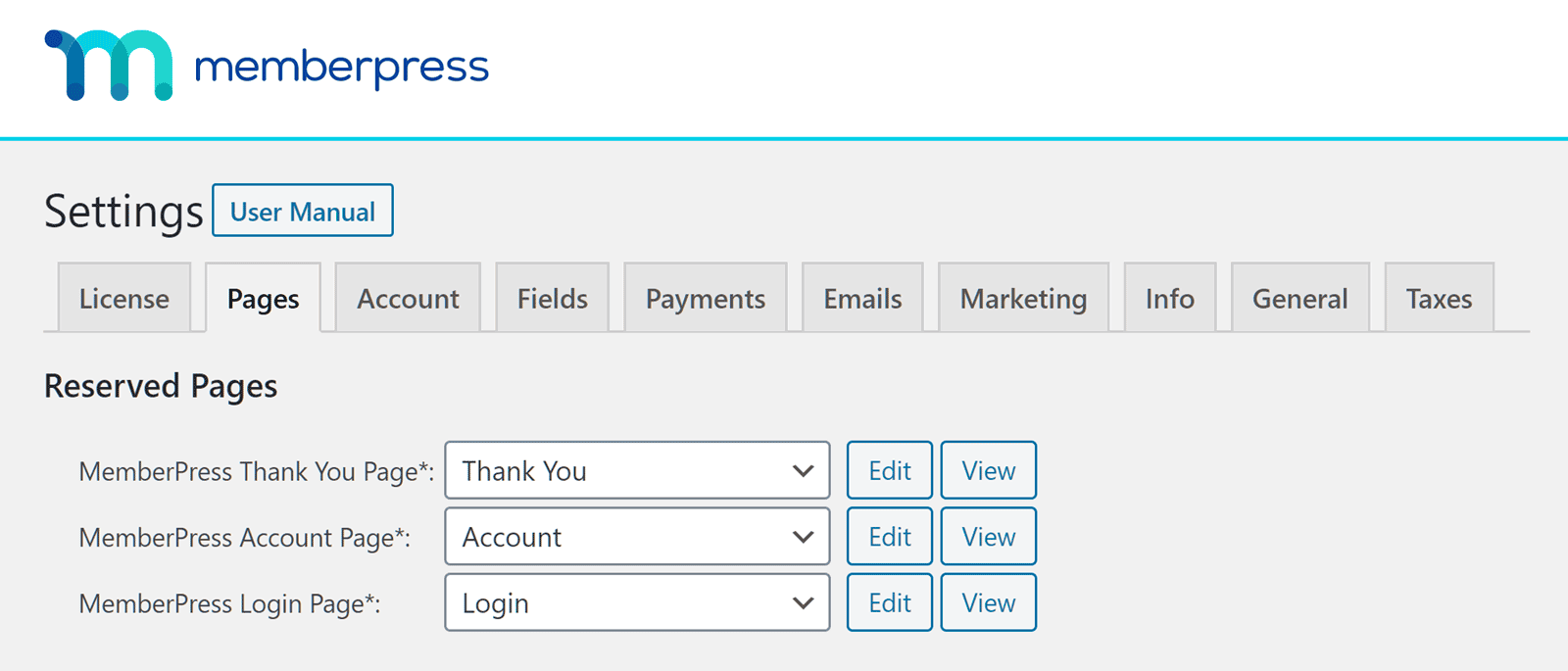
The partial content protection feature was particularly effective for creating “teaser” paywalls, and the ability to set content expiration dates is perfect for running timed promotions or serialized content. The level of control is comprehensive yet accessible.
Ultimate Member: This plugin takes a different approach, focusing on user roles rather than complex subscription plans. The free version allows you to create custom roles and restrict your entire site or individual pages/posts to logged-in users or specific roles.
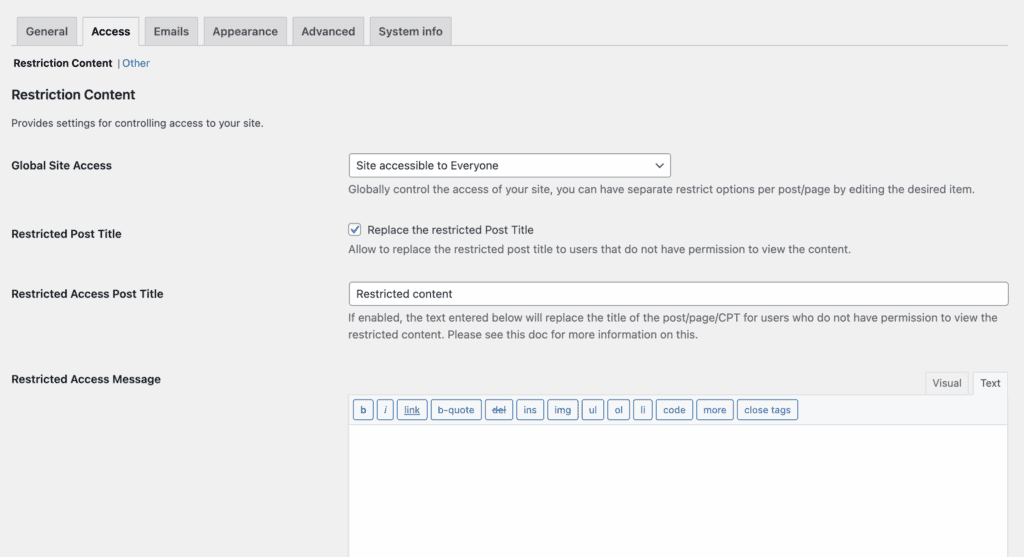
I found the Gutenberg block restriction feature clever, allowing me to lock just a single piece of content within a page. Its integration with WooCommerce (via a paid add-on) also opens up possibilities for member-only products. However, advanced features like content dripping are not part of the core offering.
Manage Members
Once people join your site, you need effective tools to manage them. I looked at both the admin and member-facing experiences.
MemberPress: MemberPress provides a sleek, self-service dashboard for your subscribers. Members can easily update their profiles, view payment history, and manage their billing information without needing to contact you. From the admin side, the built-in reporting gives you immediate, valuable insights into your revenue, member growth, and sales trends.
Ultimate Member: This plugin excels at creating a community feel. The front-end member directories are searchable and filterable, encouraging connection between users.
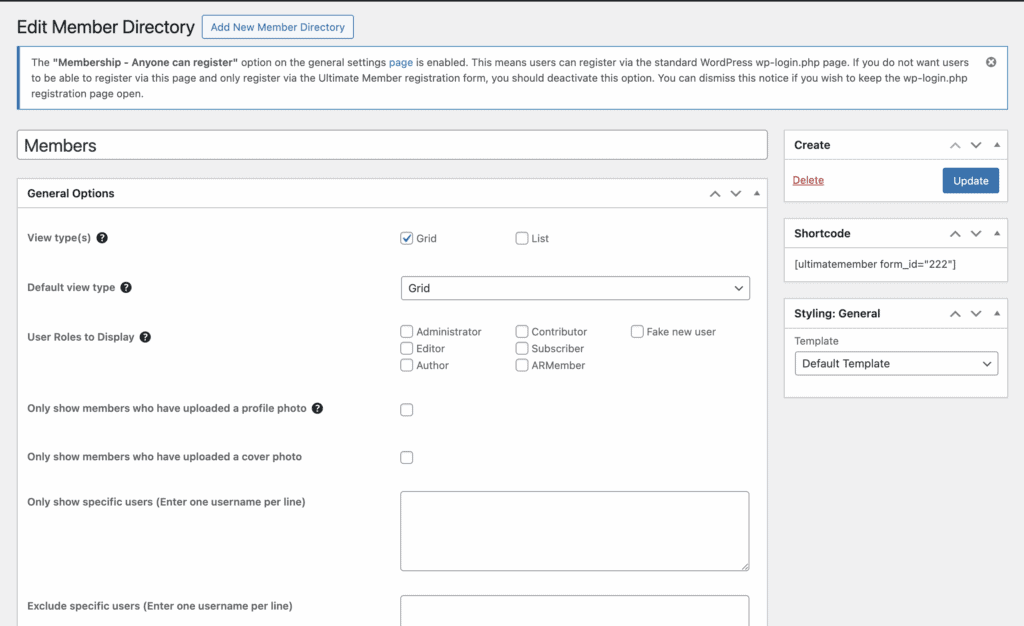
The free core includes robust profile and account management pages for users.
Where it truly expands is with its Pro extensions, which add features like private messaging and a social activity feed. From an admin perspective, the backend feels less refined than MemberPress’s for viewing financial data, but it’s sufficient for managing user accounts.
Content Dripping
Releasing content over time is crucial for course creators and membership sites to maintain engagement.
MemberPress: Content dripping is built directly into MemberPress. I could easily schedule lessons or posts to become available a certain number of days after a user signs up. The system is flexible, allowing you to drip entire sections or individual items on their own schedules, which is perfect for structuring a coherent learning path.
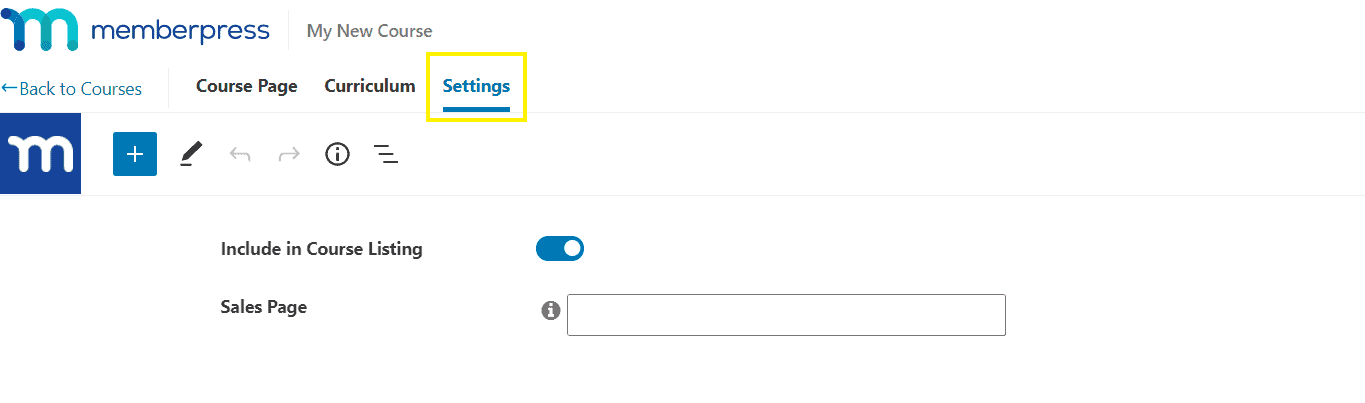
Ultimate Member: The standard Ultimate Member plugin does not have content dripping capabilities. Achieving this functionality requires integrating with a separate plugin, which adds complexity and cost. This makes it a less suitable choice if a structured content release schedule is a core requirement for your site.
Payments and Subscriptions
How you get paid is critical. I examined the native payment handling of each platform.
MemberPress:
MemberPress makes payments simple. It supports major gateways like Stripe, PayPal, and Square directly within the plugin, allowing for easy setup of recurring subscriptions and one-time payments. The automated billing and coupon system is robust, helping to maximize revenue. It’s important to note that the entry-level “Launch” plan includes a 4.9% platform fee, which you can avoid by upgrading.
Ultimate Member:
The core Ultimate Member plugin is completely free because it doesn’t handle payments at all. To accept money, you must purchase a Pro extension for Stripe or rely on a WooCommerce integration. This means monetization is a modular add-on, not a built-in feature, which can be a barrier for users looking for an all-in-one solution.
Design and Customization
Your member areas need to look good and function well.
MemberPress: The ReadyLaunch™ feature is a significant advantage. With one click, it generates polished, mobile-responsive membership pages that are guaranteed to work with your theme. This is a huge time-saver for non-developers. The plugin also offers deep customization through custom fields and email templates for those who want more control.
Ultimate Member: This plugin is inherently front-end focused. All forms, profiles, and directories are designed to blend with your active theme. The drag-and-drop form builder is excellent for creating custom registration fields without code. For developers, it offers extensive actions and filters for deep customization, making it a very flexible canvas.
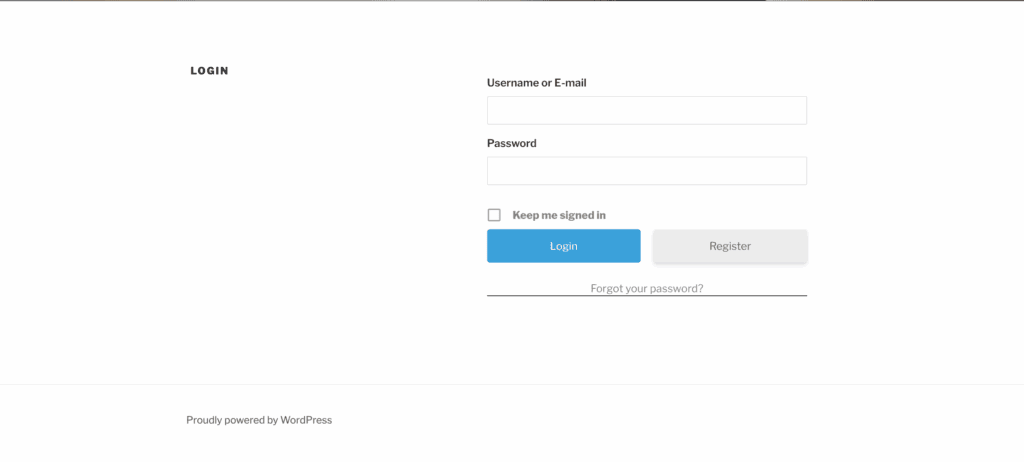
In my experience, this can mean that it’s a lot of work to set up a beautiful page, depending on the theme you use. I used the default WordPress theme for my test site. Here is the registartion form that was generated out of the box.
Privacy, Security and Compliance
Protecting your members’ data and your content is non-negotiable.
MemberPress: It includes important GDPR compliance tools, like consent checkboxes on registration forms. Its secure file protection feature is essential for anyone selling digital downloads, ensuring that files hosted on your server can’t be accessed by non-members. It also strongly encourages HTTPS for all secure pages.
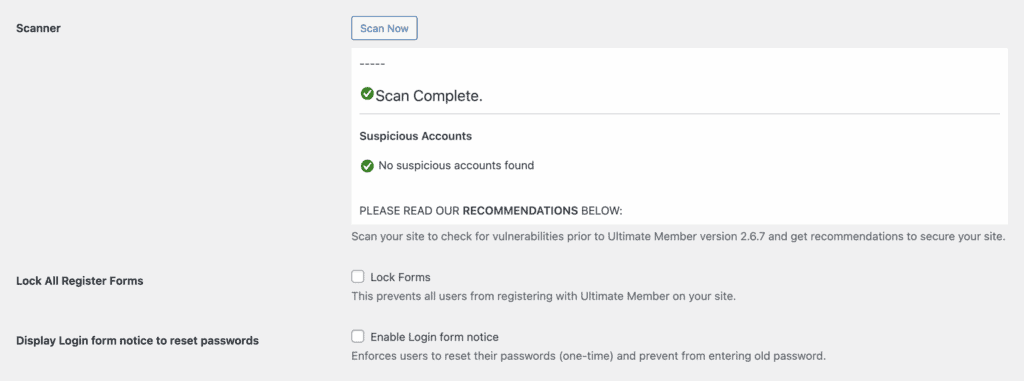
Ultimate Member: The free core includes several nice security touches for its forms, including honeypot anti-spam measures and an extension for Google reCAPTCHA. It also gives users control over their own privacy, allowing them to make their profiles private or hide from directories. There’s also a Scan feature that scas your site for suspicious users.
Usability
Ease of use can determine whether you actually launch your site. Is it easy to setup, manage and scale with your website?
MemberPress: The plugin feels intuitive from the start. A setup wizard guides you through the initial configuration, and the dashboard is clean and logically organized. It’s clear that user experience was a top priority in its design, making it accessible for beginners.
Ultimate Member: There’s no setup wizard. You install it and are immediately faced with a dense settings panel with multiple tabs and sub-menus. In our testing, I found the backend interface to be cluttered and less intuitive than MemberPress’s.
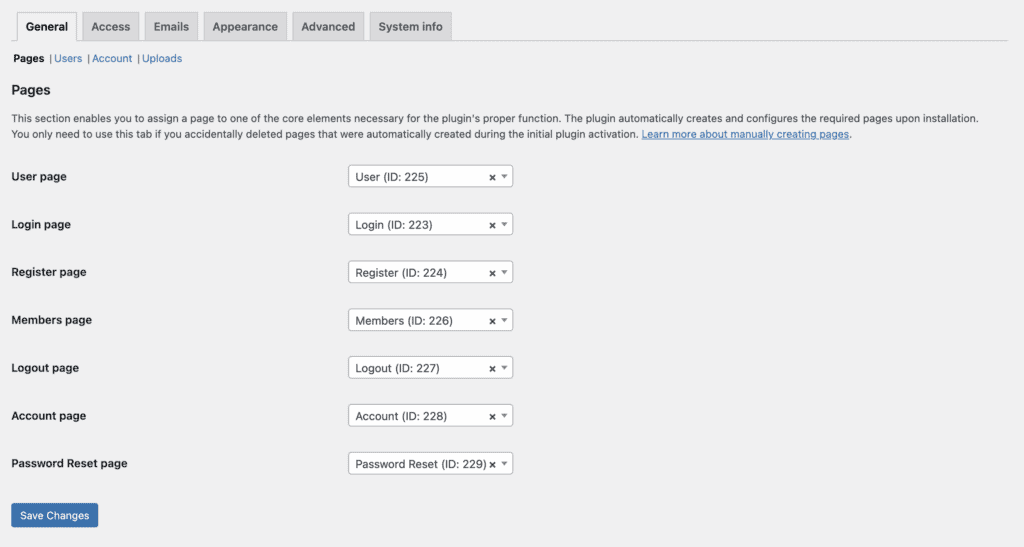
It feels like a powerful toolkit best suited for users who are comfortable with WordPress or have developer resources.
Pricing and Value
Let’s talk numbers, as this is often the deciding factor.
Ultimate Member: The core plugin is 100% free, which is an incredible starting point for community sites.

You’ll need to consider Ultimate Member pricing for its extensions. These are necessary for payments and advanced social features and are available through an annual Extensions Pass for $249, which includes unlimited site usage. This freemium model is perfect for bootstrapped projects.
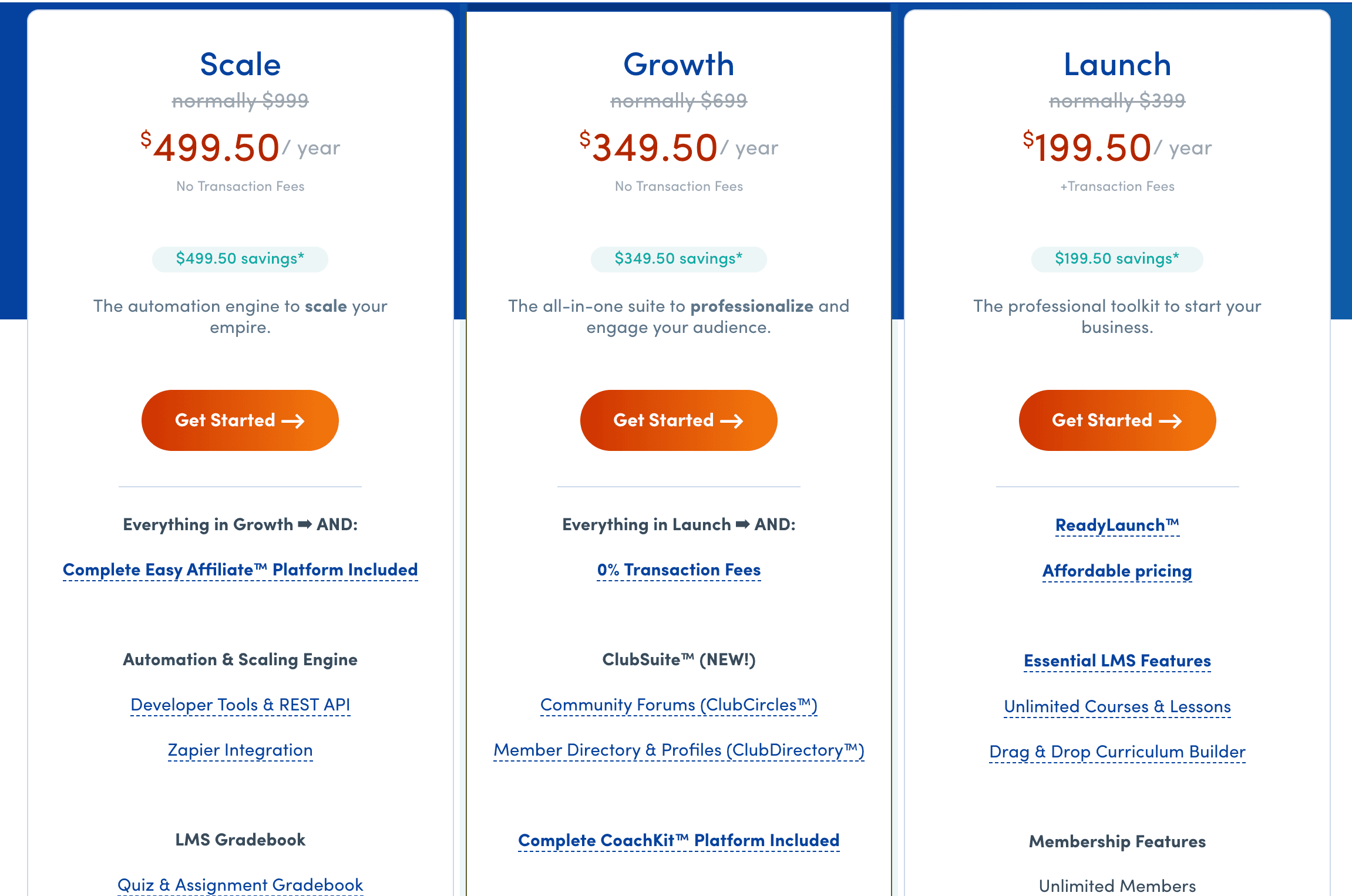
MemberPress: The MemberPress annual pricing starts at approximately $199.50 for the first year (Launch plan). To remove the 4.9% transaction fee and unlock crucial features like content dripping, you need the Growth plan at $349.50/year. The cost is higher, but it bundles a comprehensive set of monetization tools that would otherwise require multiple separate plugins.
Alternatives to Ultimate Member and MemberPress
If neither plugin seems like the perfect fit, here are other notable options:
- MemberMouse: A high-end solution built for established businesses needing advanced marketing features like one-click upsells and detailed analytics. It’s a significant investment but offers powerful tools for maximizing customer value.
- ARMember: A freemium plugin that packs a vast number of features—from membership levels and form builders to drip content and discount codes—into a single package. It’s a strong alternative for users who want an all-in-one solution with a different interface and feature set than MemberPress.
Final Thoughts
Your decision ultimately comes down to a simple question: Are you building a social community or a subscription business?
Choose Ultimate Member if your primary goal is to create a network of users with rich profiles, directories, and social interaction. It’s a fantastic, cost-effective foundation for forums, niche communities, or any site where user connection is the primary value.
Choose MemberPress if your main objective is to generate revenue by gating premium content, selling online courses, or managing digital product subscriptions. It’s a premium product that delivers a polished, all-in-one experience for entrepreneurs and creators who want to launch and scale a business quickly.
Whichever you choose, we strongly recommend testing it on a staging site first. This allows you to verify that all features work as expected with your specific theme and plugin setup before going live.
FAQs
What is the difference between BuddyPress and Ultimate Member?
BuddyPress is a full-scale social network plugin that adds features like friends lists, groups, and activity streams. Ultimate Member is more focused on enhanced user profiles and registration forms. They can be used together, but Ultimate Member is often sufficient for sites that don’t need the full “Facebook-like” social experience.
Is Ultimate Member good?
Yes, it is excellent for its intended purpose: creating community-focused websites with front-end user profiles and directories. It is not, however, designed to be a robust, out-of-the-box solution for complex paid membership sites with advanced content dripping and reporting.
What is the best membership plugin?
The “best” plugin is entirely dependent on your goal. For creating a paid content library or online courses, MemberPress is a top-tier choice. For building a free or socially-driven community, Ultimate Member is one of the most powerful starting points available.
What is the difference between MemberMouse and MemberPress?
Both are premium monetization plugins, but MemberMouse is geared more towards data-driven marketing and e-commerce, with features for split testing and advanced analytics. MemberPress focuses on being a user-friendly, all-in-one solution for memberships and courses, often with a gentler learning curve.

Shreya has been a writer for as long as she can remember. Now, she writes articles that help WordPress users manage the sites that they're proud of, with little to no coding