

Tired of watching visitors leave your site without a word? A WordPress chat plugin provides an instant connection, turning questions into conversions. It’s a simple way to offer real-time support and capture leads. This guide compares the best options, focusing on free plans, ease of use, and AI features to help you choose wisely.
WordPress plugins can be essential for growing your business online. In this case, we’ll show you which tools help you offer on-the-go support and how to avoid common performance pitfalls.
Our experience of Tidio highlights why it’s considered the best chat plugin, combining powerful AI chatbots with an exceptionally user-friendly interface.
Most “best of” lists just repeat marketing claims. We think you deserve better. We built a test site and tried each of these plugins. We were looking at the following factors to make our decisions:
- Intelligent AI and chatbot effectiveness.
- Seamless integrations with key tools.
- Site speed impact and performance.
- Reliable mobile app for agents.
- Agent experience and offline handling.
- Data storage and GDPR compliance.
- True cost and free plan value.
- Real user feedback and complaints.
Based on the testing, here is what we thought about them:
1. Tidio
Tidio has rapidly become one of the most popular WordPress chat plugins, famous for making powerful AI automation accessible to everyone. It masterfully combines a clean, modern interface with a sophisticated automation engine that works right out of the box. While many plugins treat AI as a complex add-on, Tidio places it at the very core of its product, allowing even non-technical users to build effective chatbots with a simple drag-and-drop builder.
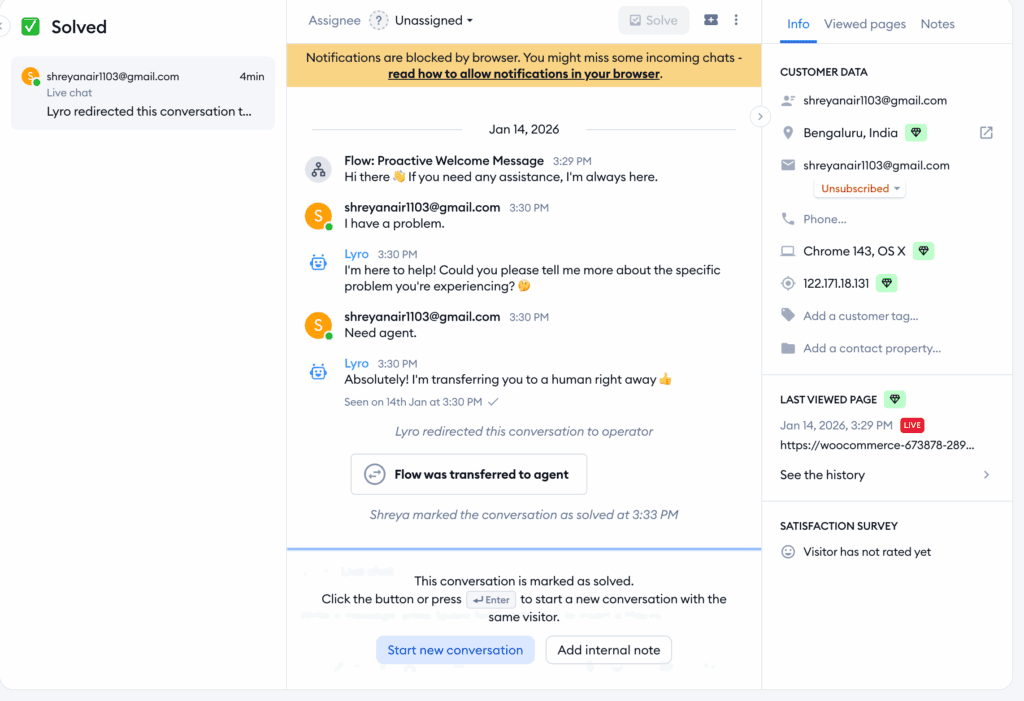
During our review of Tidio, we found that Tidio’s real strength lies in how it empowers small businesses to compete with larger ones. Its Lyro AI is surprisingly capable of understanding context and resolving common customer questions without human intervention. The key thing to understand is that while the free plan is excellent for live chat, the affordable paid plans unlock the true automation potential, effectively giving you an AI-powered team member that works 24/7 to capture leads and support customers.
Key Features:
- Conversational AI: Lyro AI resolves up to 70% of customer queries.
- Visual Automation: A drag-and-drop builder for creating custom flows.
- Omnichannel Inbox: Manage website chat, Messenger, and Instagram in one place.
- E-commerce Tools: Pre-built bots for cart recovery and product recommendations.
- Full Mobile App: Dedicated iOS and Android apps with instant notifications.
Potential Downsides to Consider:
- The most powerful AI features are locked behind a subscription.
- “Powered by Tidio” branding is present on the free plan.
- The number of features can feel overwhelming for absolute beginners.
2. LiveChat
LiveChat is an industry-leading platform that has evolved into a complete, professional customer service solution. It is famous for its scalability, reliability, and an extensive suite of tools designed specifically for managing and optimizing large support teams. Businesses choose LiveChat when they are serious about their support operations and need a robust system that can handle high chat volumes and integrate deeply with their existing software stack.
In our testing of LiveChat, it proved to be a powerhouse for agent management. Its dashboard is polished and packed with features that empower support teams, such as advanced chat routing, agent performance reports, and a “message sneak-peek” to see what users are typing in real-time. The key thing to understand is that LiveChat is less of a simple plugin and more of a central command center for customer communications, backed by an ecosystem of over 200 integrations with tools like Salesforce and HubSpot.

Key Features:
- Advanced Agent Tools: Chat routing, agent groups, and message sneak-peek.
- Extensive Integrations: Connects with 200+ apps including HubSpot and Salesforce.
- Detailed Analytics: In-depth reports on chat volume and agent performance.
- High Security: HIPAA and PCI compliance for handling sensitive data.
- Full White-Labeling: Complete customization to match your brand identity.
Potential Downsides to Consider:
- There is no free plan available.
- The per-agent pricing model can become expensive as your team grows.
- May be too complex if you just need a basic chat widget.
3. Crisp
Crisp is a modern customer messaging platform that has carved out a niche by focusing on a beautiful, minimalist design and unique features for SaaS and tech companies. It’s famous for being more than just a live chat tool; it’s a unified communication platform that includes a shared inbox, helpdesk, and CRM features. Its reputation is built on providing a seamless user experience and solving specific technical support challenges.
When we compared Crisp and Tidio, we loved the Co-browsing feature. This allows support agents to securely view and interact with a user’s screen in real-time, letting them visually guide the user through complex software or troubleshoot issues.
Key Features:
- Real-Time Co-browsing: See and interact with the user’s screen to provide support.
- Unified Team Inbox: Manage chat, email, Messenger, and more in one place.
- Lightweight Performance: A tiny 60KB script with lazy-loading to protect site speed.
- AI-Powered Replies: Uses your knowledge base to suggest automated answers.
- Modern, Minimalist Design: A clean and intuitive interface for both agents and visitors.
Potential Downsides to Consider:
- The free plan is very limited, supporting only two agents.
- The minimalist interface may lack some of the detailed reporting found in competitors.
- Advanced features are gated in the higher-priced Unlimited plan.
4. tawk.to
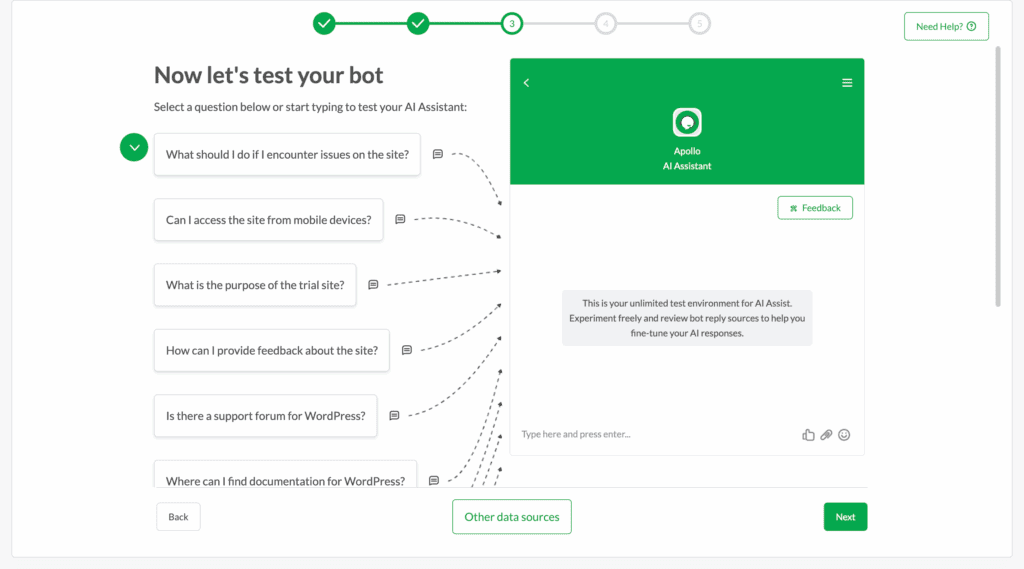
tawk.to is a phenomenon in the live chat market, famous for one simple and unbeatable promise: a premium, full-featured live chat platform that is 100% free, forever. It has built a massive user base by completely removing the cost barrier to entry, offering a solution that is not a limited trial but a perpetually free service. Its entire business model revolves around providing the core software for free and monetizing optional services.
In our analysis of Tawk.to, we were consistently impressed by how much value it provides. It doesn’t skimp on the essentials; you get a knowledge base, ticketing, detailed reporting, and robust mobile apps without paying a cent. The key thing to understand is their business model: they make money by offering optional services like removing their branding or hiring their agents to staff your chat. This makes the free core product sustainable and trustworthy, not “too good to be true.”
Key Features:
- Unlimited Free Agents: Add your entire team without any per-seat costs.
- Full Chat History: All conversations are stored and searchable for free.
- Built-in Ticketing: Create a help desk directly within the platform.
- Video & Voice Add-on: Initiate video calls and screen sharing directly from the chat.
- Feature-Rich Mobile Apps: Manage conversations on the go from any device.
Potential Downsides to Consider:
- Prominent “Powered by” branding on the chat widget.
- The AI and automation features are very basic compared to paid competitors.
- The user interface feels slightly less modern than some premium alternatives.
5. Olark
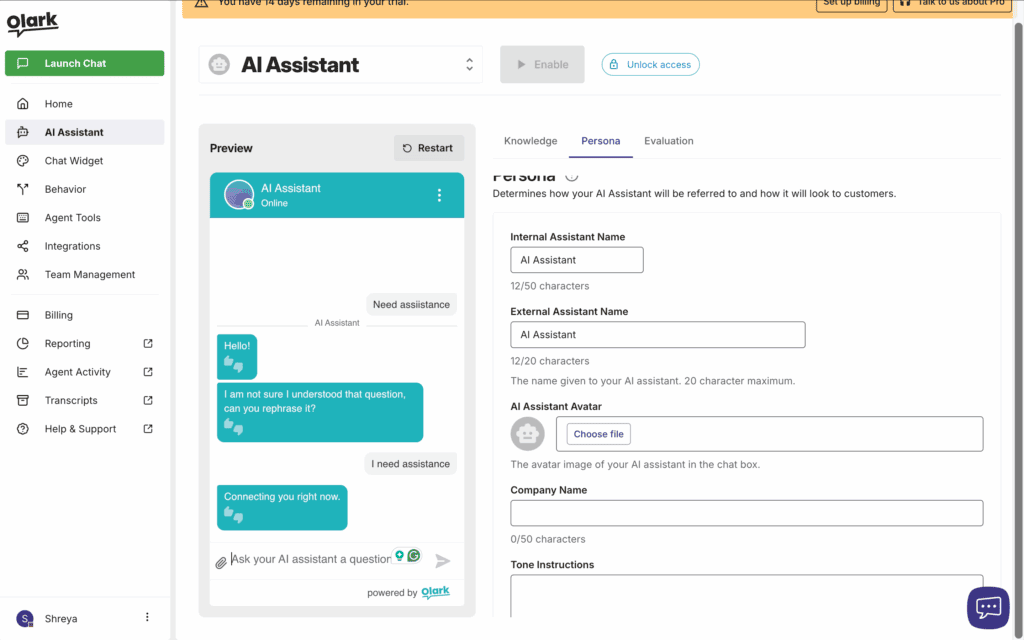
Olark is one of the original and most respected names in live chat, famous for its unwavering focus on empowering sales and support teams with actionable data. It has built its reputation not on flashy AI, but on providing simple, reliable tools that help human agents have better conversations. Olark is the choice for businesses that believe in the power of direct human connection and want to analyze those interactions to improve their processes.
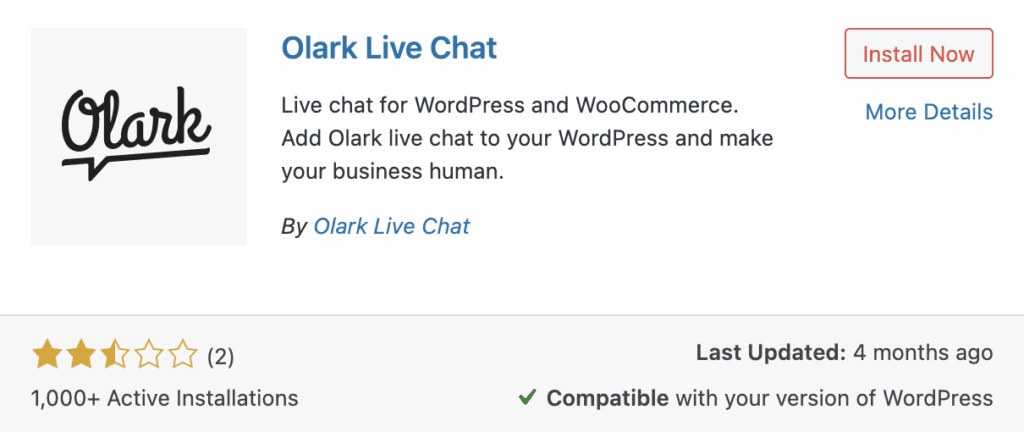
During our review of Olark, we found that its real value lies in its data and reporting features. The ability to create detailed, real-time reports on agent performance and easily search through past chat transcripts is a game-changer for team managers. The key thing to understand is that Olark treats every conversation as a learning opportunity; it’s designed to give you the insights needed to train your team, refine your sales pitch, and understand your customers on a deeper level.
Key Features:
- Sales Team Analytics: Detailed reports on agent performance, chat volume, and customer ratings.
- Searchable Transcripts: Easily review past conversations for sales training and quality assurance.
- Deep CRM Integrations: Connects directly with Salesforce, HubSpot, and Mailchimp.
- Proactive Chat Triggers: Automatically engage visitors based on their on-site behavior.
- Customizable Design: Use CSS to fully match the chat widget to your brand identity.
Potential Downsides to Consider:
- No free plan is available.
- The per-agent pricing model can be expensive for larger teams.
- Lacks a dedicated mobile app for agents, focusing instead on a mobile-optimized web experience.
6. JivoChat
JivoChat is a comprehensive communication platform famous for being a true omnichannel solution. While most competitors focus primarily on website chat, JivoChat was designed from the ground up to unify all the ways a customer might contact a business—including phone calls, email, and social media—into a single, manageable agent application.
During our testing of JivoChat, we found that its standout capability was its seamless integration of VoIP phone support. Agents can receive and make calls directly within the JivoChat app, and you can add a “call back” button to your website that instantly connects a visitor with your team. The key thing to understand is that this feature allows agents to effortlessly escalate a complex chat to a voice call, drastically improving the customer experience. This makes JivoChat a powerful hub for companies whose support process often involves multiple channels.
Key Features:
- Omnichannel Inbox: Unifies website chat, phone calls, email, and social media.
- Built-in CRM: Basic customer relationship management tools for tracking leads.
- Phone & Callback Features: Offers VoIP calling and callback requests.
- Typing Insights: See what visitors are typing in real-time before they send.
- Team Collaboration: Internal chats and easy chat transfers between agents.
Potential Downsides to Consider:
- The user interface can feel cluttered due to the vast number of features.
- The free plan is limited to the first 5 agents.
- Call quality can be dependent on the user’s and agent’s internet connection.
Best Practices for Using a WordPress Chat Plugin
Installing a chat plugin is the easy part; using it effectively is what drives results. Simply activating a widget without proper configuration can slow down your site and frustrate visitors. Follow these best practices to ensure your chat plugin boosts conversions and improves customer satisfaction without creating new problems.
- Schedule Regular Backups: If you haven’t already, install a backup plugin. Before updating your chat plugin, always perform a full site backup. This protects you from potential software conflicts or data loss.
- Install a Speed Plugin: Chat widgets can impact site performance. A speed plugin like Airlift can optimize how scripts load, ensuring a fast experience for every visitor.
- Provide a Human Escape Hatch: Never trap a user in an endless chatbot loop. Always provide a clear and immediate option to connect with a live agent.
- Personalize Your Engagement Triggers: Engage visitors on high-value pages, like your pricing or checkout pages, with custom messages to answer questions and prevent cart abandonment.
- Refine Your Bot’s Knowledge: An AI chatbot is only as smart as its training data. Regularly update its knowledge base with new FAQs and common customer questions.
- Test Your Mobile Layout Thoroughly: On mobile, a chat bubble can easily cover an “Add to Cart” button. Test on multiple devices to ensure it’s helpful, not intrusive.
- Add Data Privacy Consent Boxes: Use a cookie plugin to gain consent to stay compliant with laws like GDPR and CCPA. Also, include a mandatory consent checkbox in your pre-chat form before collecting any user data.
- Verify Data Encryption Standards Protect your customers by confirming that your chat provider uses secure, end-to-end SSL encryption for all conversations and stored data.
Final thoughts
Tidio stands out as the best WordPress chat plugin by making powerful AI automation accessible to everyone. Its Lyro AI resolves up to 70% of customer queries, while the intuitive visual builder lets anyone create custom chatbots. This perfect balance of advanced features and user-friendly design makes it unbeatable.
However, use a staging site to test these plugins out, as it’s the smartest way to handle this because it allows you to see the full impact on your site’s speed and design without any risk to your live visitors.
FAQs
What are the best WP chat plugins?
The best plugin depends on your needs. For powerful AI and automation, Tidio is the top choice. For a completely free solution with unlimited agents, tawk.to is unbeatable. If you’re a growing support team that needs professional tools and deep integrations, LiveChat is the industry standard.
What is the WP chat app plugin for WordPress?
Most modern chat plugins are also “chat apps,” meaning they offer dedicated mobile applications for iOS and Android. This allows you and your team to receive notifications and respond to customer chats directly from your phones, no matter where you are. Plugins like Tidio, LiveChat, and tawk.to all have excellent, full-featured mobile apps.
What is the chat plugin for WordPress support?
For dedicated customer support teams, LiveChat is an excellent choice due to its advanced agent routing, detailed reporting, and built-in ticketing system. If you want to automate a large portion of your support queries, Tidio’s powerful AI chatbot can handle up to 70% of common questions, freeing up your live agents for more complex issues.
Yes, WordPress has many powerful chatbot plugins. While WordPress doesn’t offer a native chatbot, plugins like Tidio specialize in this area. Tidio provides a sophisticated conversational AI called Lyro and a user-friendly visual builder that allows you to create custom automation flows to qualify leads, answer FAQs, and support customers 24/7.

Shreya has been a writer for as long as she can remember. Now, she writes articles that help WordPress users manage the sites that they're proud of, with little to no coding


