

When you’re researching WordPress Directory plugins, it’s easy to get lost in the details. You’ve probably read a dozen feature comparisons by now.
After a while, they all start to blur together. That’s what makes the GeoDirectory vs Business Directory Plugin choice feel so high-stakes. It feels like a decision you really have to get right.
We’re here to offer some clarity. Instead of another feature list, let’s move beyond the surface-level details and look at what truly sets these two tools apart.
GeoDirectory is best for custom, map-based sites, while Business Directory Plugin excels at simple, monetized directories. Whichever you choose, be sure to use a reliable backup plugin to protect your settings and listings.
GeoDirectory vs Business Directory Plugin at a glance
Here’s a quick breakdown of the key differences between the two plugins:
| Feature | GeoDirectory | Business Directory Plugin |
|---|---|---|
| Best For | Map-first discovery sites with complex, custom data. | Classic, monetized business directories that need a fast setup. |
| Design Approach | Deep integration with page builders like Elementor & Divi. | Relies on your active theme; requires custom CSS for a modern look. |
| Ease of Use | Comprehensive but has a steeper learning curve for beginners. | Very intuitive and easy to manage for core directory tasks. |
| Pricing Model | Free core plugin with premium add-ons sold individually or bundled. | Free core plugin with premium features in tiered subscription plans. |
| Performance & Scalability | Engineered for massive scale, but requires good server hosting. | Lightweight and runs efficiently on most standard hosting environments. |
Core features offered
The feature list for both plugins can look similar. But how they work is completely different. Here’s a quick breakdown of what you need to know:
GeoDirectory is built for deep customization.
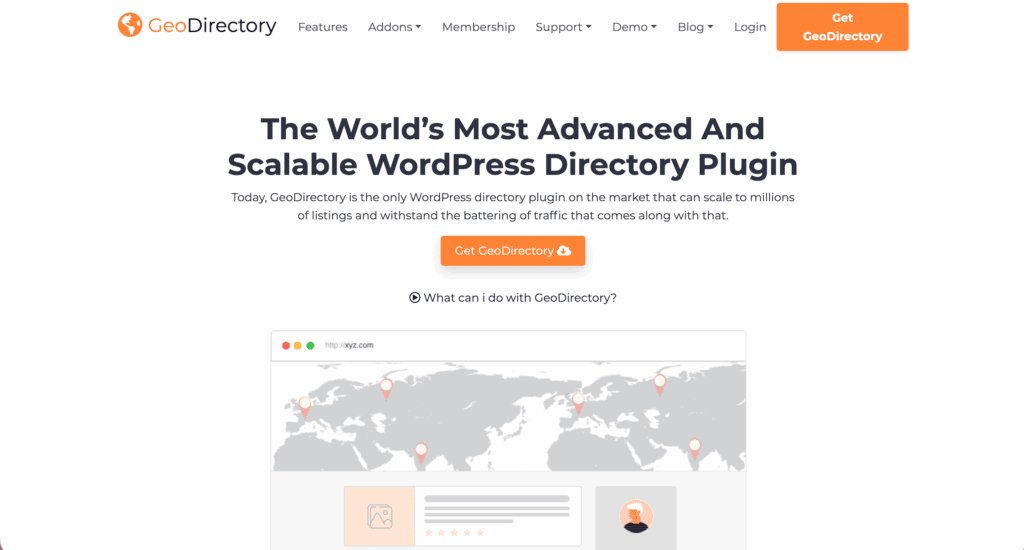
- It excels with custom post types and fields. This is perfect for niche directories that need specific information, like adding “Wheelchair Accessible” as a filter option.
- The integration with Google Maps is native and powerful, making it the clear choice for any project where the map is the main feature.
- It includes a built-in, advanced review system to encourage user engagement.
- It integrates natively with page builders like Elementor and Divi, allowing for detailed design control.
Business Directory Plugin is built for efficiency.

- It provides an efficient and straightforward way to create a classic directory. Its guided setup wizard really helps get you started fast without confusion.
- It handles both free and paid listings out of the box, which is essential for monetization.
- It comes with a reliable CSV import tool. We’ve all been there, fighting with a spreadsheet for an hour.
Both plugins output SEO-friendly schema markup. This helps search engines understand your content, a critical feature for any directory.
Design and controlling appearance
GeoDirectory offers deep page builder integration. It is designed to give you maximum control if you use tools like Elementor or Divi. When we opened a template in our testing on a secure staging site, we found the level of control over the listing layouts to be very thorough.
But there’s a trade-off. Styling GeoDirectory effectively often requires solid page builder skills, and without them, you might struggle to get the custom look you want.
Business Directory Plugin’s appearance relies mostly on your active WordPress theme. This approach is simpler and can be faster. However, its frontend user interface, while functional, can look dated.
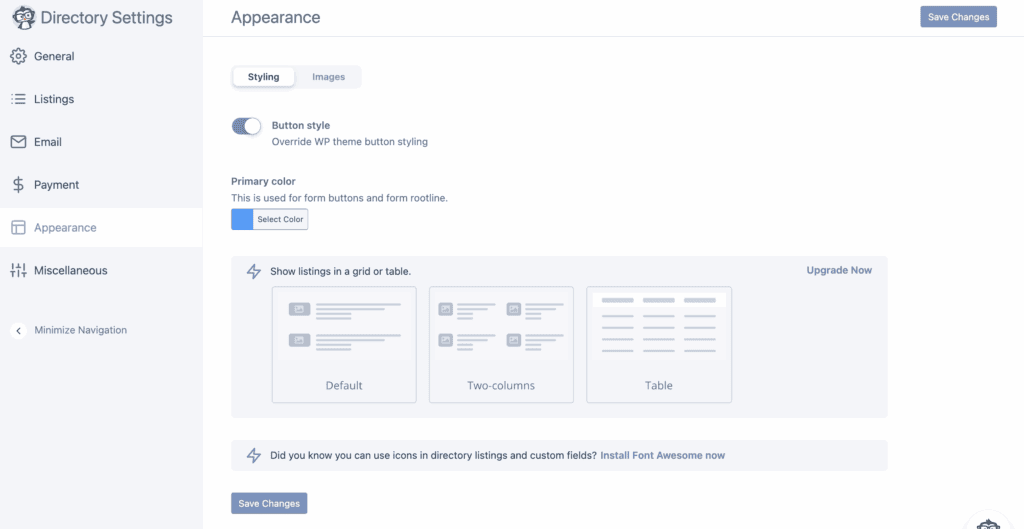
We spent a good afternoon trying to modernize its search form with just theme options. We realized pretty quickly that to get the sleek look we wanted, we had to write custom CSS.
The plugin lacks a native drag-and-drop template builder, so your design options are more limited without code.
Experience for visitors and site managers
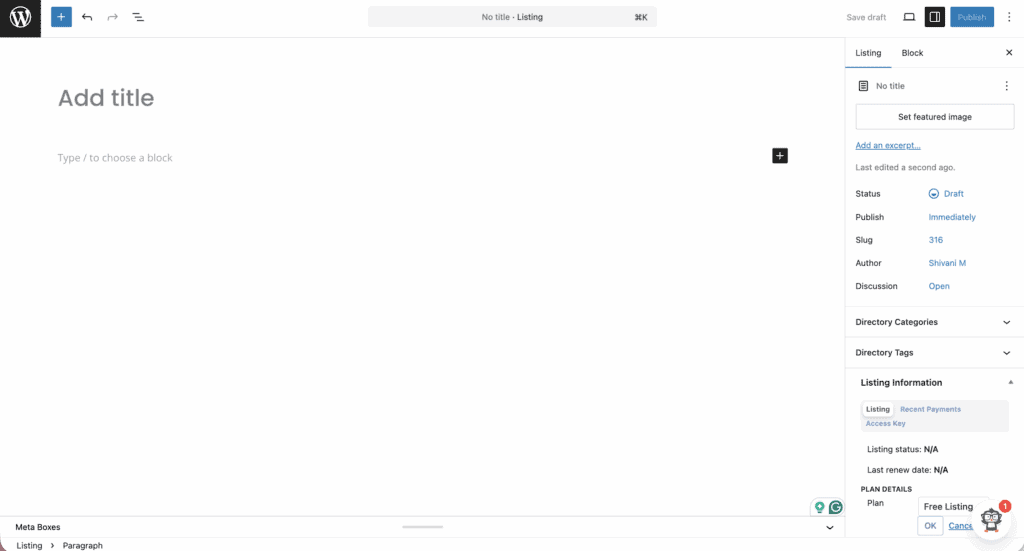
The admin dashboard in Business Directory Plugin is unified and very intuitive. It’s clean, simple, and you can get started managing listings right away. It really lives up to its reputation as one of the easiest to use for basic directory tasks.
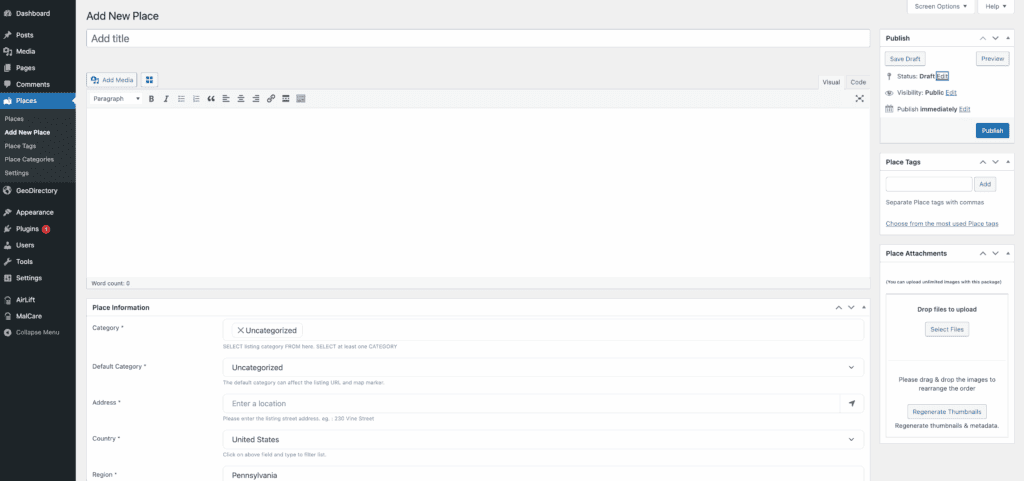
GeoDirectory’s admin area is much more comprehensive. Honestly, when we first installed it, the sheer number of settings felt a bit overwhelming. We had to sit down with the documentation just to get our bearings. This power comes with a learning curve, so don’t expect to master it in ten minutes.
For your visitors, the search function is key. GeoDirectory offers a powerful search with proximity filters, like “show results within 5 miles.” This is essential for map-based discovery.
Business Directory Plugin’s search is solid and reliable for standard queries, but it is simpler. Both plugins allow front-end submission and offer user management dashboards, which are standard, necessary features.
Available add-ons and connections
GeoDirectory sells its add-ons individually or in membership bundles. This lets you pick and choose the specific features you need, such as advanced search or monetization tools. The ecosystem is specialized for expanding directory functions.

Business Directory Plugin bundles its features into tiered subscription plans. For example, its Google Maps integration is a premium module included in its paid plans.
The higher-tier plans include all premium features for a set number of sites. This can be a better value if you know you will need many advanced features.
Performance
Business Directory Plugin is known for being lightweight with clean code. It scales well to handle thousands of listings and has no major performance drawbacks. It is a solid, reliable choice that won’t bog down your server.
GeoDirectory is engineered for huge, scalable sites with its optimized database tables. However, this comes with a serious warning based on our experience: avoid running it on cheap, shared hosting.
The demands of rendering large maps and filtering many listings will quickly slow down a basic server. Investing in better hosting isn’t just a suggestion; it’s a requirement for a fast user experience with this plugin.
Pricing structures and plans
You can start with either plugin for free. Both GeoDirectory and Business Directory Plugin have robust free versions on WordPress.org. We always suggest you install the plugin and test the free version first. You can learn a surprising amount about which workflow you prefer in just an hour of hands-on testing.
For any serious project, you will need to invest in a paid plan.
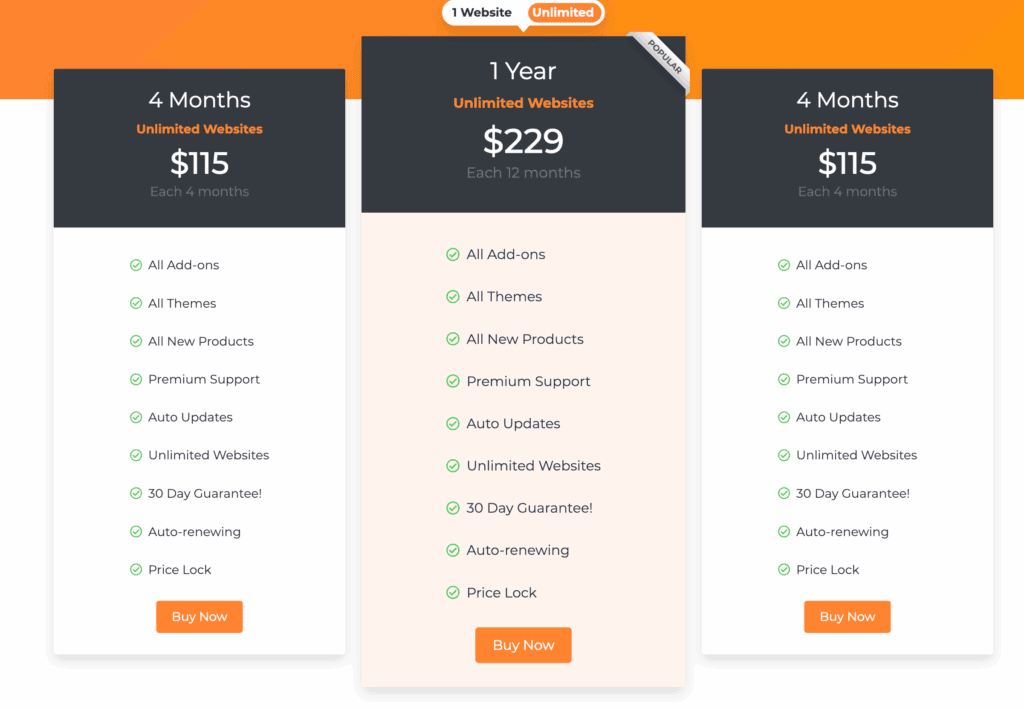
GeoDirectory’s true cost grows as you add its Pro add-ons. You can buy them one by one or get a membership that includes all add-ons and themes.
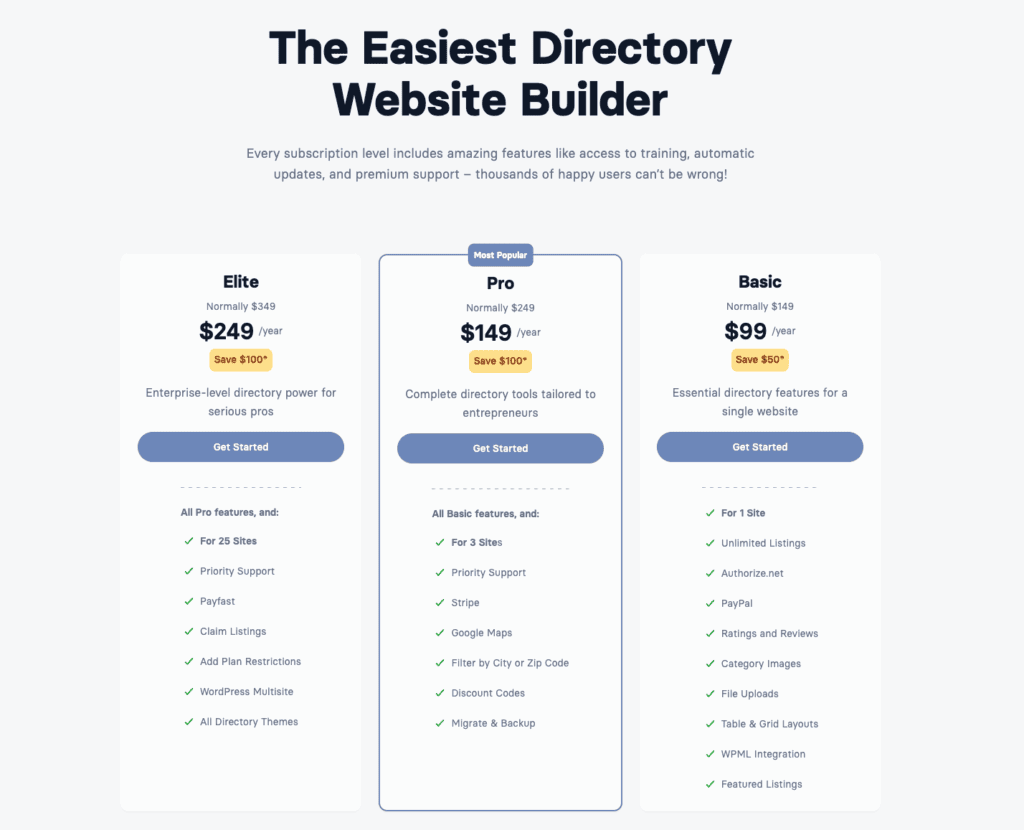
Business Directory Plugin uses yearly subscription plans. These plans are tiered by the number of sites you can use them on. Features are bundled into the Basic, Pro, and Elite plans.
The good news is that neither plugin charges transaction fees on payments you collect through your site.
Choosing the right tool for your project
This is the most important part. Let’s make the choice simple by focusing on your project’s main goal.
Choose GeoDirectory if…
- You want to build a map-centric discovery site where users will primarily search by location.
- You plan to design every detail in a page builder and demand deep Elementor or Divi customization.
- You need complex custom fields and data for niche directories with unique information.
Choose Business Directory Plugin if…
- Your goal is a classic business directory and you want to create a straightforward, monetized listing portal.
- You need to get your directory live quickly and prioritize a fast, simple setup with a minimal learning curve.
- You need reliable, business-ready tools that work effectively right out of the box.
Avoid GeoDirectory if you just need a simple, out-of-the-box solution. And avoid Business Directory Plugin if you demand a modern, design-first frontend without writing CSS.
Other directory solutions to explore
While these two are top contenders, they aren’t your only choices. If your needs fall somewhere in the middle, you might want to look at these.
Directorist: A popular alternative with a very modern interface and a strong feature set.

HivePress: A lightweight and highly flexible option that is ideal for building niche-specific directories from scratch.

Evaluate these based on their specific design controls and feature sets to see if they are a better fit for your project.
Parting thoughts
The right choice between GeoDirectory and Business Directory Plugin comes down to your primary goal. Use GeoDirectory if you’re building a complex, scalable framework for discovery. Choose Business Directory Plugin if you need an efficient, mature tool for business listings.
Making the correct decision now saves a lot of headaches later. Your directory is a significant investment of time and data, so ensure you have a great backup strategy in place from the very beginning.
FAQs
What is the best directory plugin for WordPress?
There is no single best directory plugin for WordPress plugin. The right one depends on your specific project goal. GeoDirectory excels at map-based discovery sites. Business Directory Plugin is ideal for simple, monetized listing portals.
What is the alternative to GeoDirectory?
A great alternative to GeoDirectory is Business Directory Plugin. It’s a perfect choice if you need a more straightforward, non-map-centric solution. Other popular alternatives include Directorist for its modern interface and HivePress for its lightweight flexibility.
What is the GeoDirectory plugin?
GeoDirectory is a powerful WordPress plugin for creating large-scale, map-based directories, similar to Yelp or TripAdvisor. It is designed to handle thousands of listings. It also has custom fields and deep integration with page builders.
What is the difference between GeoDirectory and HivePress?
The main difference is their approach. GeoDirectory is a comprehensive, feature-rich solution. HivePress is a lightweight and flexible framework. Think of GeoDirectory as an all-in-one system, while HivePress is a foundation you build upon with extensions.
Is GeoDirectory free?
Yes, GeoDirectory has a powerful free core plugin on WordPress.org. This version works well for basic projects. However, its most advanced features, like monetization and advanced search, require premium add-ons.

Shivani enjoys crafting guides that make every aspect of using WordPress simple and easy to follow. When she's not glued to her laptop, you can find her buried in a good book or occasionally, painting.


