

This definitive WP Courseware review answers one critical question: is this veteran plugin a wise investment or a frustrating relic? Choosing the wrong foundation for your online course can cost you time, money, and student trust. We’ll show you exactly where it shines and, more importantly, where it fails the modern course creator.
A WordPress LMS plugin is the engine of your online school, and it must be powerful yet simple to manage. We put WP Courseware through rigorous, hands-on testing, analyzing its student experience, quiz engine, performance, and payment flexibility. This is the data you need before you commit
In our experience with WP Courseware, choose it if you prioritize stability and core features over a modern user interface. Its all-in-one system is reliable for standard courses, but it lacks the polish and advanced tools of its competitors.
We strongly recommend testing it thoroughly on a staging site first, as its appearance is heavily dependent on your theme, which can cause design conflicts.
The plugin’s entire philosophy is ‘all-in-one’. Think of it this way: WP Courseware gives you a complete, reliable older car. It has the engine, wheels, and seats included and will get you from A to B, but it lacks the modern navigation, sleek design, and advanced features of a brand-new model.
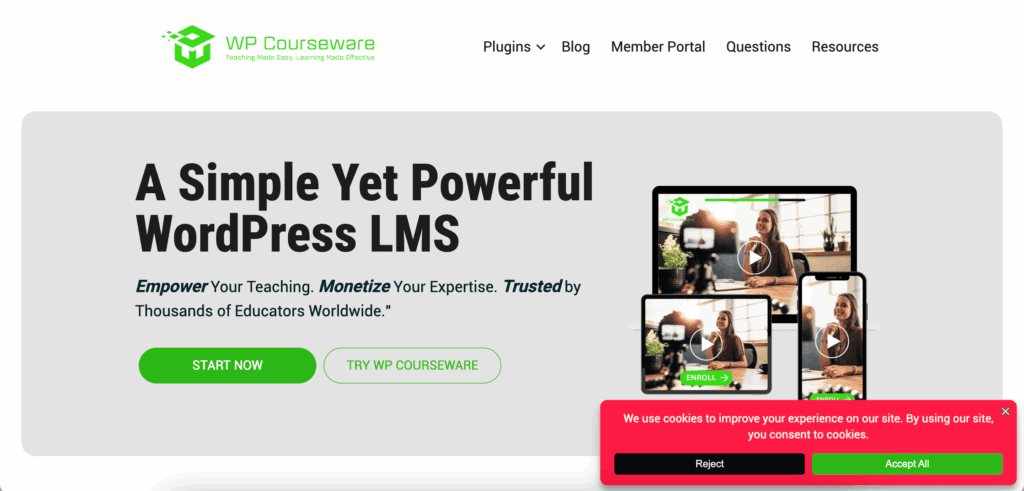
We installed WP Courseware on a WordPress test site to see how it performs in a real-world setting. Our review focused on the features that matter most when evaluating this veteran LMS:
- Course Builder: How intuitive is the course creation process?
- Quizzing & Assessments: How powerful are the built-in quizzing tools?
- Monetization: How easily can you sell courses with popular payment gateways?
- Student Engagement: What tools like certificates and assignments are included to motivate learners?
- Content Control: How does it handle content dripping and course prerequisites?
- Performance: What is the plugin’s impact on your site speed?.
Student Experience
A student’s learning environment is paramount. A clean, distraction-free interface keeps them engaged and on task. We are specifically looking for a native “Focus Mode” that hides unnecessary site elements. WP Courseware fundamentally fails this test, forcing students to learn within your theme’s standard, cluttered layout.
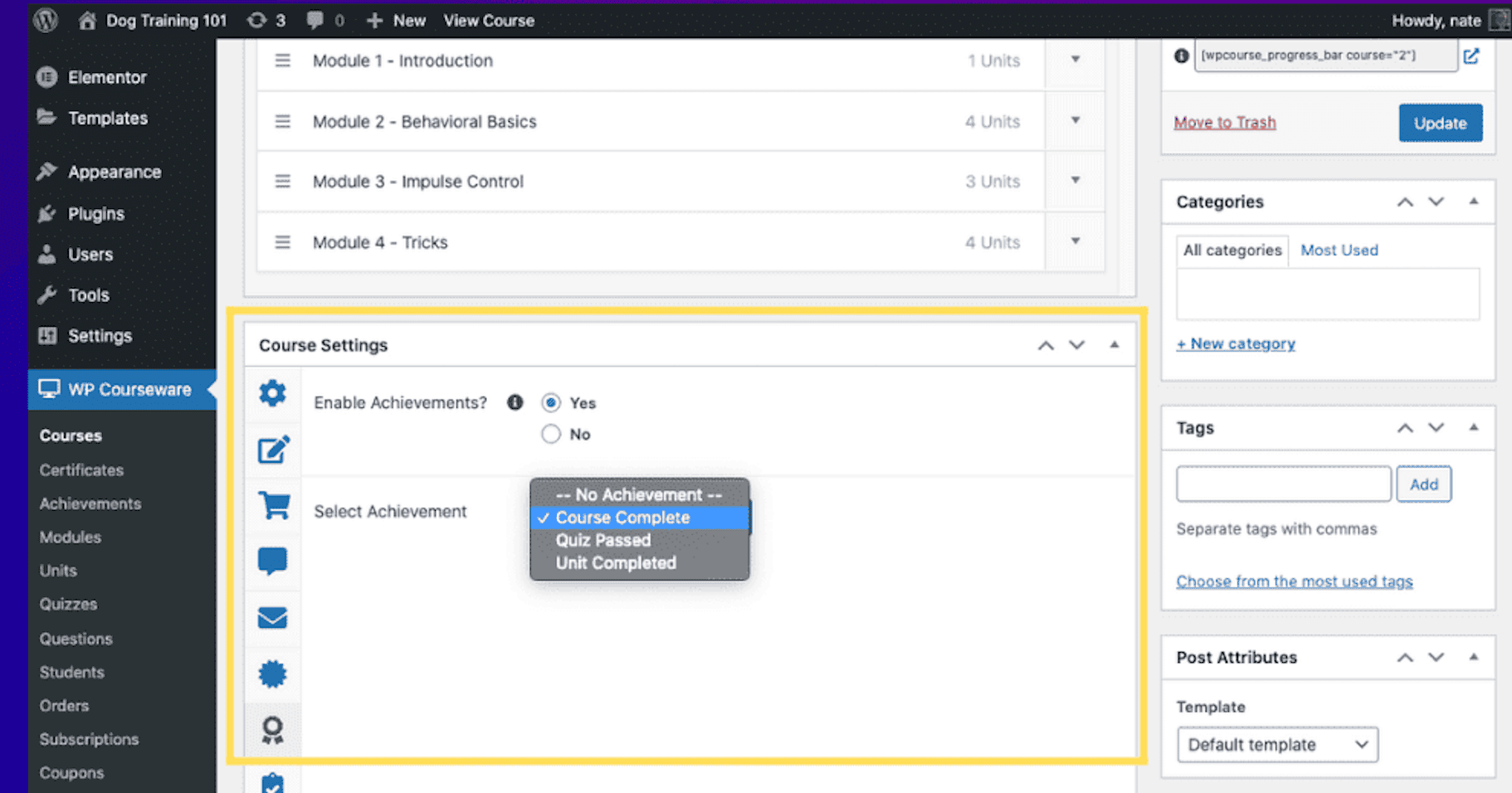
- No Focus Mode: Lacks the dedicated, distraction-free layout found in modern competitors, forcing students to navigate sidebars, headers, and other theme elements.
- Absolute Theme Dependency: The entire student view is at the mercy of your active theme, offering no independent styling or minimal layout options.
- Requires Manual Coding: Achieving a clean look requires you to manually write CSS or use a page builder to hide theme elements—a significant technical burden.
Quiz Complexity
The quiz engine is the core assessment tool of any serious LMS. It must be robust, flexible, and engaging. We need diverse question types, powerful randomization, and reliable timers to create meaningful evaluations. WP Courseware delivers the bare minimum, falling drastically short of sophisticated testing tools.
- Question Randomization: Can pull questions from a bank or by specific tags. This is a standard, baseline feature, not an advanced one.
- Limited Question Types: Provides only seven basic types, a paltry offering that misses the interactive and complex options found in dedicated quiz builders.
- Basic Timers: Includes a simple timer that auto-submits. This is functional but lacks advanced features like pausing, extensions, or granular warnings.
Content Control
Precise control over content delivery is fundamental. Students must get the right lesson at the right time, and progress must be enforceable. We need reliable drip schedules and mandatory prerequisites. WP Courseware executes these core functions competently, meeting industry-standard expectations but
offering no innovation.
- Reliable Drip-Feeding: Allows content release based on specific calendar dates or intervals from enrollment. The system is proven and dependable for scheduled delivery.
- Mandatory Prerequisites: Effectively mandates a passing grade on a “Blocking Quiz” before a student can advance, ensuring a structured and enforceable learning path.
Payment Flexibility
Getting paid should be seamless and robust. A modern LMS must offer strong native payment options for one-time and recurring sales. We are testing for direct Stripe and PayPal integration that doesn’t require extra plugins. WP Courseware’s approach creates unnecessary complexity and potential points of failure.
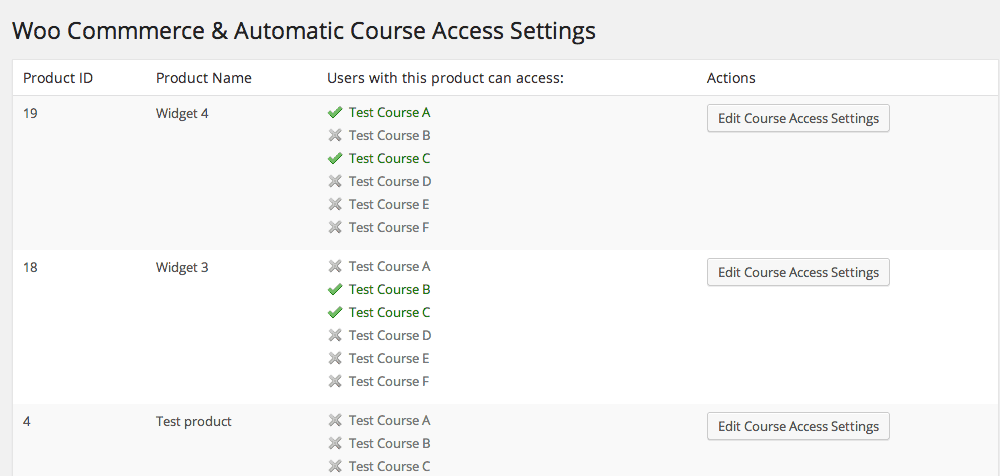
- Weak Built-in Cart: Includes native Stripe and PayPal, but it is too simplistic for anything beyond basic one-off sales.
- Forced WooCommerce Reliance: For essential functions like subscriptions or advanced tax handling, you are forced to install and configure WooCommerce, adding another layer of management.
Engagement Tools
Student motivation is key to course completion. Engagement tools like certificates, badges, and points systems are critical for creating an incentive structure. We are looking for these features to be built-in. WP Courseware offers one piece of the puzzle while ignoring the rest entirely.
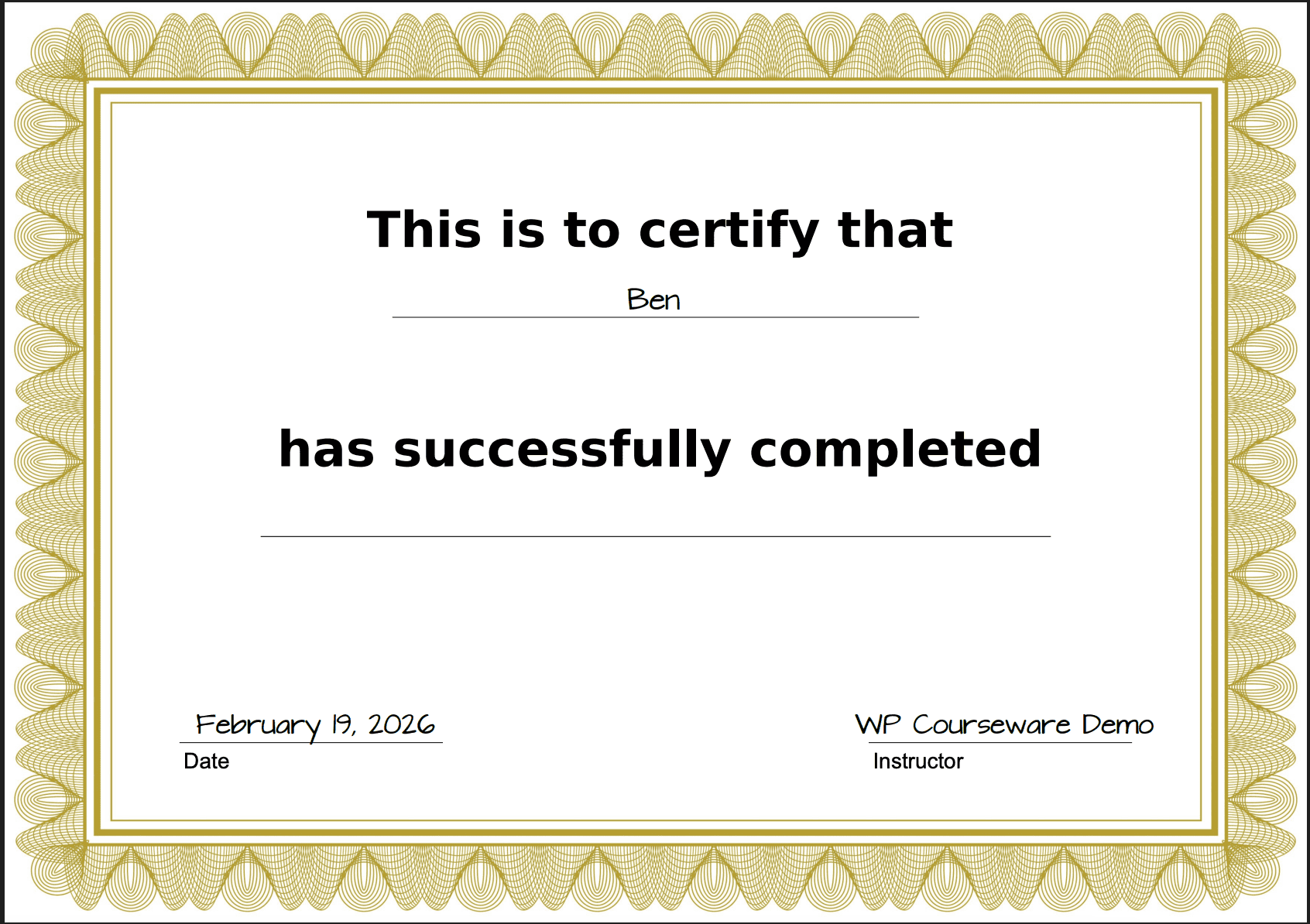
- Native PDF Certificates: Includes a drag-and-drop PDF certificate builder without an extra add-on. This is a useful and well-executed feature.
- No Gamification: Lacks any native points or achievement badge system, forcing you to integrate a third-party plugin like GamiPress for essential engagement features.
Mobile Fluidity
A seamless mobile experience is not optional; it is essential. We are testing for a consistent, polished interface that works flawlessly on a smartphone. WP Courseware’s mobile implementation is a significant and undeniable failure, delivering a frustrating user experience that feels ten years out of date.
- Visual Inconsistency: The responsive layout often breaks or looks jarringly different from the desktop view, creating a confusing experience for students.
- Unpolished Interactions: Quizzes and interactive elements are difficult to tap accurately on small screens, betraying a complete lack of mobile-first design philosophy.
Data Reporting
Data is power. A strong LMS provides deep, actionable insights into student performance. We need detailed gradebooks and progress analytics to identify where students struggle. WP Courseware’s reporting is rudimentary and offers little strategic value, acting as a simple status monitor, not an analytical tool.
- Basic Gradebook: Provides a simple overview of student performance and quiz details but lacks the deep analytical tools for identifying learning trends.
- Superficial Dashboard: The instructor dashboard shows basic metrics like progress and active users but offers no real insight for course improvement.
Ecosystem Integration
Integrations should extend an already strong core, not serve as a life-support system. We are checking how well the plugin connects with essential services. WP Courseware leans on these connections to delegate core functionality that should be native, patching its own deficiencies at the user’s expense.
- Zapier Reliance: The Zapier connection is standard fare, used to offload automation tasks that more mature platforms handle internally.
- BuddyBoss Compatibility: Requires you to purchase and manage an entirely separate, complex system just to add community features that should be more tightly integrated.
Site Performance
Site performance cannot come at the cost of reliability. An LMS must be fast without compromising critical background tasks. Using Query Monitor, we analyze its database load and scheduling. WP Courseware’s speed is a direct result of its limited features and its use of an unreliable scheduling system.
- Low Query Count: The plugin avoids feature bloat, which keeps the database load low—a positive side effect of an otherwise anemic feature set.
- Unreliable WP-Cron: Uses WP-Cron for scheduled emails, a major liability. Critical notifications are only sent when your site has active traffic, which is unacceptable.
Price
Price must be evaluated against the features, user experience, and market alternatives. A yearly subscription demands continuous innovation and a premium product. We are testing whether the cost is justified by what is delivered.
WP Courseware’s pricing model is a relic of its past glory, not a reflection of its current state.
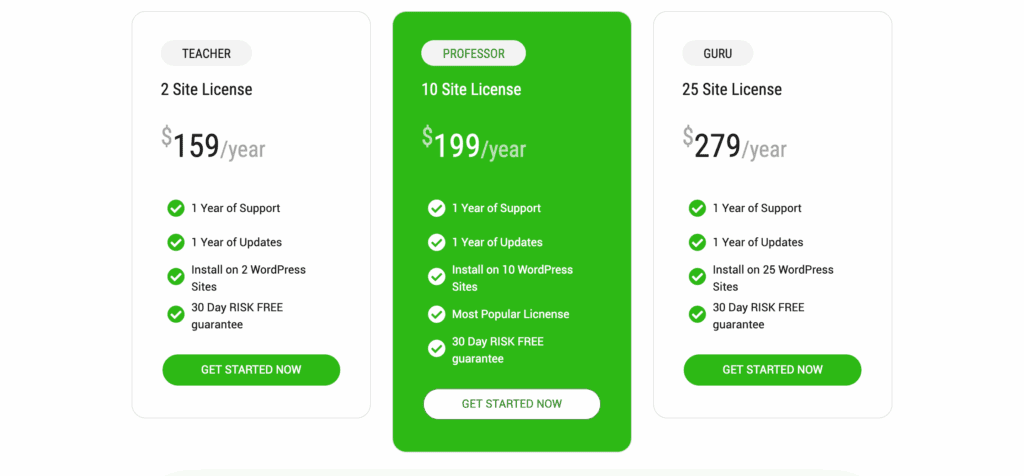
- Teacher: $129/year for an underwhelming feature set on just 2 sites.
- Professor: $149/year for 10 sites.
- Guru: $199/year for 25 sites.
Limitations of WP Courseware
Every plugin has limitations, but WP Courseware has some that are significant gaps in expected functionality for a premium LMS. We are documenting the critical features that are completely absent, forcing users into complex workarounds or reliance on third-party tools.
- No “Focus Mode”: Critically fails to provide a native distraction-free layout, directly harming the student learning experience by forcing them into cluttered theme templates.
- No Community Features: Lacks any built-in marketplace or advanced social learning tools, isolating students and limiting sophisticated monetization models.
- Requires Custom Code: Styling options are so limited that basic aesthetic changes to courses and quizzes almost always require manual CSS.
Alternatives to WP Courseware
A review is useless without context. We must compare WP Courseware against its direct competitors to establish its true market position. The following alternatives systematically outperform WP Courseware in key areas, making them a smarter investment for nearly any use case.
- Thrive Apprentice: Thrive Apprentice offers a vastly superior visual course builder, deeper theme integration, and a focus on conversion-oriented design that WP Courseware completely lacks.
- LifterLMS: LifterLMS is a more comprehensive all-in-one solution with stronger membership and engagement tools built directly into its core, eliminating reliance on other plugins.
- Tutor LMS: TutorLMS delivers a more modern interface, a feature-rich free version, and advanced quizzing and certificate builders that surpass WP Courseware’s dated tools.
Final thoughts
Before committing to any LMS, especially one with as many red flags as WP Courseware, a staging site is non-negotiable. It is a complex system that integrates deeply with your site.
Testing on a staging site allows you to witness its theme conflicts, performance issues, and clunky interface firsthand without breaking your live website. It is an essential step to validate our findings and prevent a costly mistake.
FAQs
What is WP Courseware LMS?
It is a WordPress plugin for creating and selling online courses. It is one of the oldest LMS plugins, known for its stability but criticized for its dated interface and lack of modern features.
How much does Wplms cost?
This is a different product. WPLMS is a separate, competing LMS theme and plugin system, and its pricing is distinct from WP Courseware. Always verify you are evaluating the correct product.
What is LMS full form?
Learning Management System. It is software designed to create, manage, and deliver educational courses and training programs online.
Is Tutor LMS only for WordPress?
Yes. Like WP Courseware, Tutor LMS is a plugin that operates exclusively within a self-hosted WordPress environment. It does not function as a standalone platform.

Shreya has been a writer for as long as she can remember. Now, she writes articles that help WordPress users manage the sites that they're proud of, with little to no coding


