

This Tutor LMS review cuts through the technical jargon to give you a clear answer. Launching an online course can feel overwhelming, and picking the wrong tool can waste valuable time and money. We’ll examine its features, ease of use, and pricing to see if it’s the right fit for your project.
An LMS plugin is the engine of your e-learning website, so your choice matters. Tutor LMS promises a simple, beginner-friendly experience for creating and selling courses on WordPress. This guide tests that promise, showing you exactly what it can do and helping you decide if it’s the best platform to start with.
Tutor LMS excels with its modern, user-friendly interface ideal for beginners, but it has fewer advanced integrations than competitors and requires quality hosting for best performance.
A test site provides a safe, private environment where you can explore the plugin’s features and test its performance without any risk to your live website.
Tutor LMS is a WordPress course plugin by Themeum, a developer known for creating clean, user-friendly themes and plugins. It’s highly regarded for its intuitive drag-and-drop course builder and modern interface, which makes creating professional-looking courses simple for beginners without any coding knowledge.
To give you an honest review, we installed and tested Tutor LMS ourselves. We specifically evaluated the core features that determine if an LMS plugin is powerful, reliable, and easy for both you and your students to use.
- Clean, modern student and instructor dashboards.
- Advanced quizzes and assignment options.
- Reliable content drip and course prerequisites.
- WooCommerce integration for easy monetization.
- Automated certificates and course completion triggers.
- Responsive, mobile-friendly design.
- Detailed analytics and earning reports.
- Compatibility with popular themes like BuddyBoss.
- Plugin impact on site speed.
Student Experience
Verdict: The “Focus Mode” and minimalist design create a professional, easy-to-navigate learning environment that meets modern standards, though it’s more functional than revolutionary.
The student experience can make or break your online course. If the interface is confusing or full of distractions, students will drop off, leading to poor reviews and refund requests. We tested Tutor LMS to see if it provides an intuitive and engaging environment that keeps learners focused on the content.
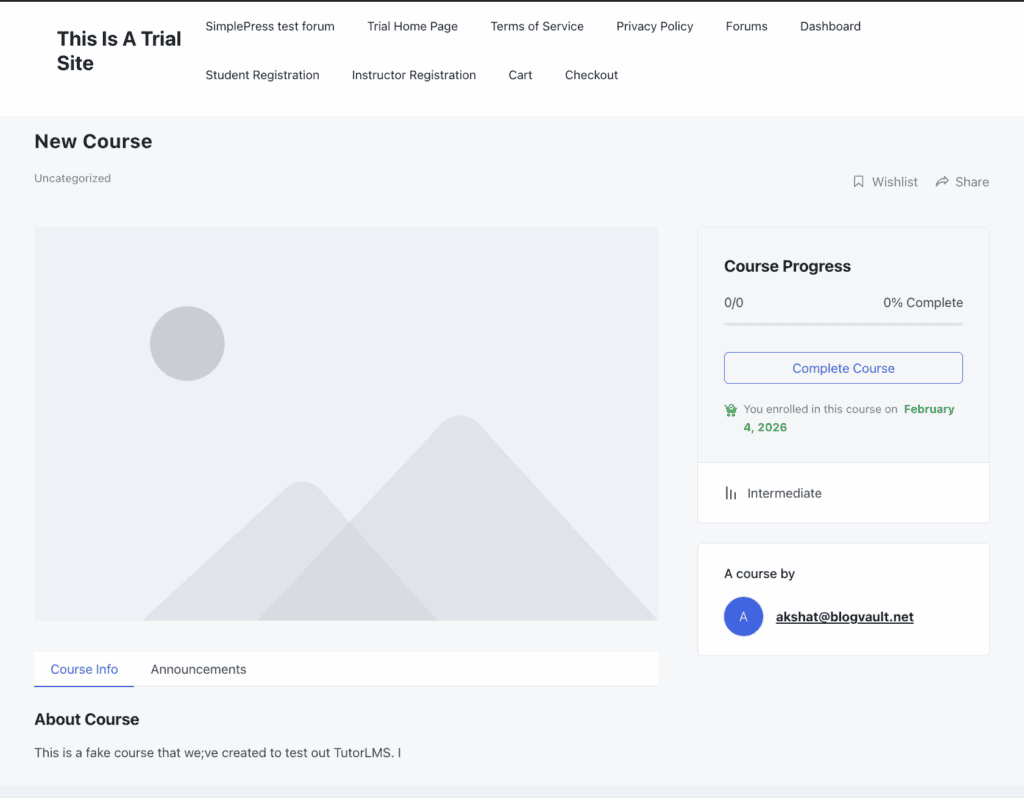
Upon testing, we found the Focus Mode to be highly effective. It hides distracting site elements like menus and sidebars, immersing the student completely in the lesson. The overall UI is consistently praised for its minimalistic and uniform design, which is a huge benefit for non-technical students who can navigate without feeling overwhelmed. Recent updates have also improved accessibility, a critical addition that makes the platform more usable for all learners.
Quiz Complexity
Verdict: Tutor LMS offers a powerful and diverse quiz engine that rivals dedicated quiz plugins, providing robust options for serious assessments.
Quizzes are more than just knowledge checks; they are vital tools for reinforcing learning and measuring comprehension. A limited quiz builder restricts your ability to create engaging, effective assessments. We evaluated the depth and flexibility of Tutor LMS’s quiz engine to see if it meets the needs of serious educators.
We were impressed by the 10 different question types, which include interactive options like matching, ordering, and image answering that go far beyond simple multiple-choice. Advanced controls like randomized question banks and customizable timers allow for creating unique and challenging assessments for each student. The ability to control feedback—showing answers immediately or after submission—gives instructors complete pedagogical control.
Content Control
Verdict: It provides reliable and flexible content scheduling and security features, giving instructors complete command over their course progression and intellectual property.
How and when you release your course content is a critical part of your teaching strategy. You need a system that can lock lessons, schedule their release, and protect your videos and text from theft. We tested Tutor LMS’s content control features to ensure they are robust, reliable, and easy to manage.
The drip-feeding functionality is exceptionally flexible, offering four distinct scheduling modes, from a specific date to completion of prerequisites. The lesson prerequisite system worked flawlessly in our tests, effectively locking future content until students completed required modules. For security, we noted the inclusion of hotlink prevention and copy protection, essential features that help safeguard your valuable content from unauthorized use.
Payment Flexibility
Verdict: With strong native eCommerce and full WooCommerce support, Tutor LMS offers versatile and powerful monetization options suitable for both simple sales and complex storefronts.
Selling your course should be straightforward. Being locked into a single payment gateway or a complicated setup can hurt your bottom line. We assessed Tutor LMS’s payment options to see how easily you can start earning revenue and whether it can scale with your business.
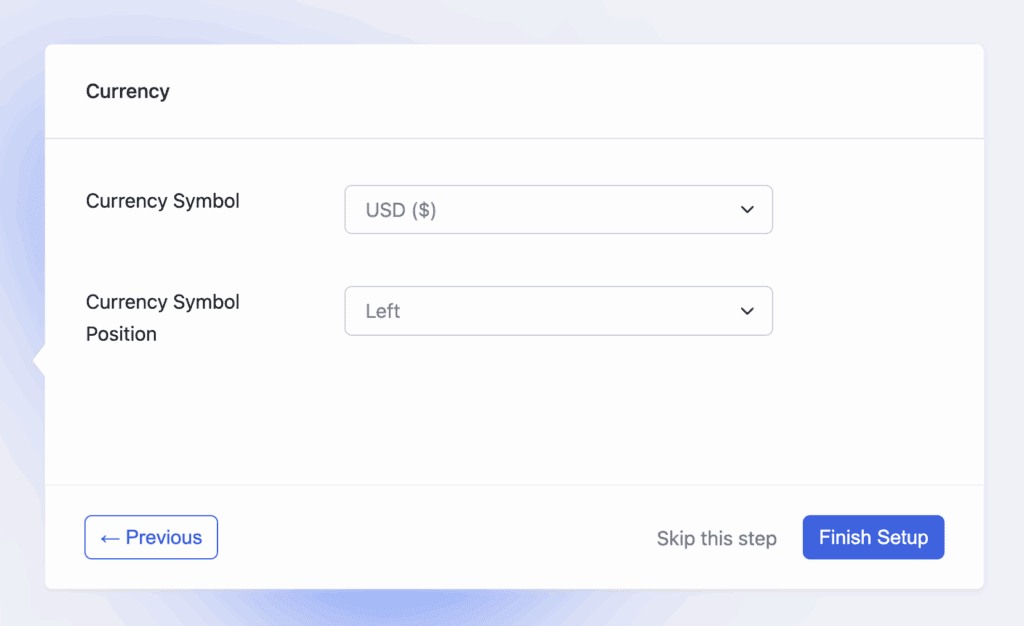
The plugin’s native eCommerce capabilities are a major advantage, allowing direct sales via Stripe and PayPal without needing a separate plugin.
For those needing more advanced features like complex tax rules or product bundles, the full WooCommerce integration is seamless. We also confirmed its built-in subscription support, making it easy to create recurring revenue models from day one.
Engagement Tools
Verdict: The native certificate builder and Q&A system are solid engagement drivers, but creating a true gamified experience requires third-party plugins.
Keeping students engaged beyond the core content is key to high completion rates and building a community. Tools like certificates and Q&A forums transform passive learning into an interactive experience. We looked at how well Tutor LMS helps you motivate and connect with your students.
The drag-and-drop certificate builder is a standout feature, allowing for the creation of professional, shareable certificates that act as both a reward and a marketing tool. The interactive Q&A section functions like a dedicated support forum for each lesson, which is excellent for student-instructor communication. While it integrates with GamiPress for gamification, these advanced features aren’t built-in, requiring an extra plugin for points and badges.
Mobile Fluidity
Verdict: Tutor LMS delivers a reliable and responsive mobile experience, ensuring students can learn effectively on any device without frustration.
Today, students expect to learn on the go. A poor mobile experience is no longer acceptable and can alienate a significant portion of your audience. We tested the Tutor LMS interface on smartphones and tablets to ensure the learning experience remains seamless and functional, regardless of screen size.
Our testing confirmed that the responsive design is well-executed. Key elements like the course player, quizzes, and progress bars adapt cleanly to smaller screens. We were pleased to see that recent updates have improved touch optimization, resolving past issues and making features like the course builder much easier to use on a tablet—a crucial fix for instructors who work on the move.
Data Reporting
Verdict: Provides clear, actionable insights through its dashboards and gradebook, though it may lack the deep-dive analytics of enterprise-level systems.
You can’t improve what you don’t measure. Strong reporting is essential for tracking student progress, identifying popular courses, and understanding your business’s financial health. We examined the analytics tools within Tutor LMS to see if they provide the data you need to make informed decisions.
The instructor dashboard features a centralized “Gradebook,” which is excellent for tracking individual student performance across quizzes and assignments. The main analytics section provides clean, visual graphs for key metrics like enrollment trends and total earnings, giving a quick overview of your business. The ability to export data to CSV is a crucial feature for anyone needing to perform deeper analysis or maintain external records.
Ecosystem Integration
Verdict: It integrates smoothly with essential marketing, community, and video hosting tools, making it a flexible hub for a complete e-learning ecosystem.
An LMS plugin doesn’t exist in a vacuum. Its ability to connect with other tools for marketing automation and community building is critical for creating a scalable business. We evaluated how well Tutor LMS plays with other popular WordPress plugins and third-party services.
We verified its strong marketing and automation capabilities through integrations with Zapier and FluentCRM, allowing for sophisticated email funnels. For community building, it pairs seamlessly with BuddyBoss, a popular combination for creating social learning platforms. Critically, it’s optimized for services like Vimeo and Bunny.net, ensuring your video hosting won’t slow down your site.
Site Performance
Verdict: Tutor LMS is a relatively lightweight and well-performing plugin, but its speed is highly dependent on quality hosting and a clean theme setup.
A slow, laggy course website is a recipe for frustration and high bounce rates. Your LMS plugin must be efficient and not bog down your server. We analyzed its code and cross-referenced user reports to gauge its impact on site performance.
The core plugin is generally considered lightweight and well-coded. However, real-world performance is heavily influenced by your choice of hosting and theme. Pairing it with a bloated theme on cheap hosting will lead to slowdowns. For best results, it’s crucial to use a high-quality host, as Tutor LMS is fully compatible with caching and CDN tools to maximize speed.
Pricing of Tutor LMS
Verdict: Tutor LMS’s pricing is transparent and fair, with a genuinely useful free version that provides real value from day one, unlike competitors who offer crippled entry-level tiers.
Here’s a breakdown of TutorLMS’ pricing:
- Free Version: This is not a limited demo; it’s a functional LMS. Our tests confirmed you can build and launch a complete course, create lessons, and even run basic quizzes without paying a cent. For anyone starting on a tight budget, this free offering is one of the most robust on the market.
- Pro Version: This is the logical upgrade for serious businesses. It unlocks the features essential for monetization and student engagement, like the certificate builder, content drip, assignments, and advanced reporting. Starting at ~$199/year, it’s a single, clear purchase that completes the platform without needing a “suite” of other plugins.
Limitations of TutorLMS
Every product has limitations, and Tutor LMS makes calculated trade-offs, prioritizing simplicity over some power-user features. These aren’t critical flaws but important considerations that might make it the wrong fit for specific, advanced use cases.
- Fewer Advanced Integrations: While it connects to essentials like Zapier and major page builders, its library of third-party add-ons is smaller than LearnDash’s. If your business relies on a niche marketing tool or a specific CRM without a Zapier connection, you may need to find a workaround.
- Can Be Resource-Intensive: The modern interface and rich features can be demanding. Users on cheap, underpowered shared hosting may experience slowdowns. To ensure a smooth experience for your students, investing in quality WordPress hosting is highly recommended.
- Limited Code-Free Customization: The out-of-the-box design is clean and professional. However, deeply branding the platform to match a unique visual identity often requires custom CSS. This presents a potential hurdle for users who want granular design control without touching any code.
Alternatives to Tutor LMS
While Tutor LMS is a fantastic all-rounder, it’s not the only option. Depending on your specific needs for power, design control, or all-in-one functionality, one of these alternatives might be a better fit.
- LearnDash: LearnDash is the industry heavyweight, known for its immense power, deep feature set, and extensive library of third-party add-ons. It’s more flexible than Tutor LMS for complex scenarios like continuing education credits but comes with a significantly steeper learning curve and a less intuitive user interface.
- LifterLMS: LifterLMS aims to be the complete engine for your online business, with strong built-in membership and payment gateway support. This integrated approach can simplify your setup, but its pricing model, which relies on individual paid add-ons, can become expensive quickly. Tutor LMS is more modular, relying on WooCommerce for more flexible (and often cheaper) eCommerce functionality.
- Thrive Apprentice: Thrive Apprentice offers a powerful drag-and-drop visual editor that gives you complete control over the look and feel of your course pages. While visually superior, it lacks the robust, dedicated LMS features of Tutor LMS, such as native multi-instructor support and a comprehensive student gradebook.
Final Thoughts
Tutor LMS is a top-tier choice for anyone prioritizing ease of use, a modern interface, and strong core features. It strikes an ideal balance between simplicity for beginners and power for growing businesses, making it one of the best all-around WordPress LMS plugins on the market today.
Before committing, you should always test the plugin on a staging site. This gives you a private, risk-free environment to explore all its features, check for conflicts with your theme, and ensure it meets your exact needs without disrupting your live website.
FAQs
Is TutorLMS good?
Yes, especially for beginners and educators who value a clean, user-friendly interface. The free version is great for starting, while the Pro version is a worthwhile investment for serious creators who need advanced features like certificates, content drip, and robust monetization tools.
Is Tutor LMS safe?
Yes, Tutor LMS is a safe and reliable plugin. It is developed and maintained by Themeum, a reputable company known for regular updates, security patches, and responsive support, ensuring the platform remains secure and up-to-date.
How much does Tutor LMS cost?
Tutor LMS operates on a freemium model. It has a powerful free version available on WordPress.org. The Pro plans, which unlock all features, start at approximately $199 per year for a single-site license, with lifetime deals also available starting around $499.
Is Tutor LMS mobile-friendly?
Yes, Tutor LMS is fully mobile-friendly. Its responsive design ensures that the course player, student dashboard, quizzes, and all other front-end elements adapt perfectly to smartphones and tablets, providing a seamless learning experience on any device.

Shreya has been a writer for as long as she can remember. Now, she writes articles that help WordPress users manage the sites that they're proud of, with little to no coding


