

Sorting through LMS plugins is overwhelming, and by now, LifterLMS has likely caught your eye as a possible solution.
Well, you’re in the right place.
This LifterLMS review is designed to do one thing: give you the honest, clear-eyed assessment you need to move from consideration to a confident decision. Let’s get into it.
LifterLMS has a strong free tier for building and running your courses. When it’s time to grow, the paid plans handle automated sales and add deeper features. Before you install anything, it’s wise to set up a backup plugin. It’s a simple step that protects your work.
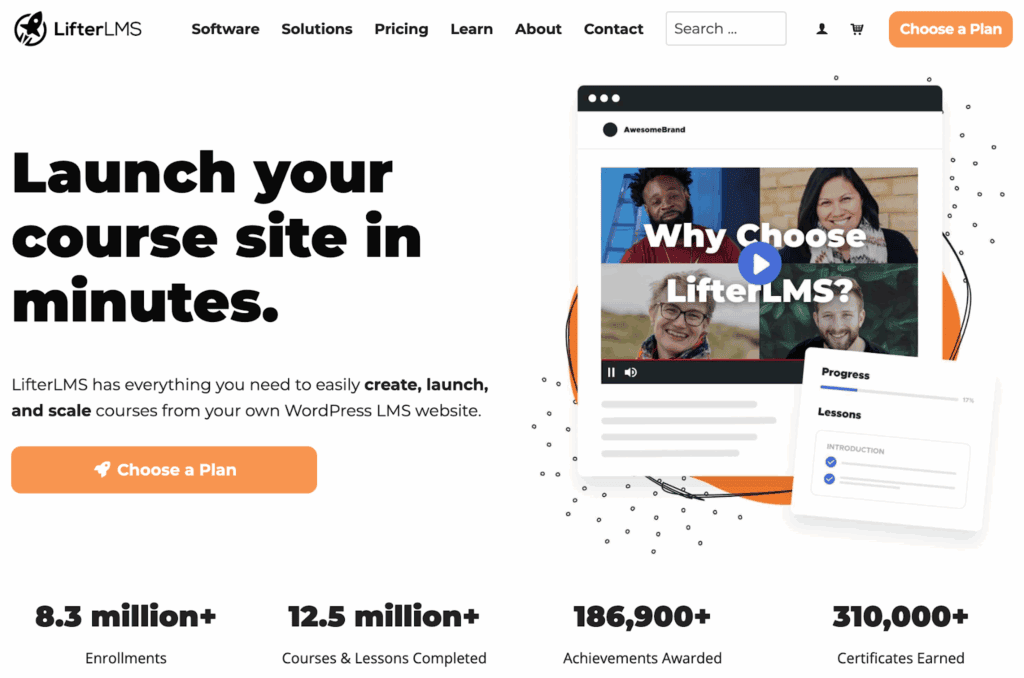
LifterLMS is an all-in-one WordPress plugin for creating and selling online courses and memberships. It bundles the core tools you need into a single system.
- Build your course content. Create lessons, add videos, quizzes, and text using a standard editor.
- Manage memberships and access. Set up membership levels that automatically grant access to specific courses.
- Handle payments. Sell one-time purchases or subscriptions. Note: automated payments need a paid add-on.
- Engage and track students. Use features like certificates, drip content, and progress tracking.
This integrated approach is its biggest strength. It’s efficient for running a full course membership site. For a single, simple course, it might be more than you require.
Who is LifterLMS best for?
Here’s an honest look at who we think will be happiest with LifterLMS.
LifterLMS is a strong fit for:
- You’re a creator who wants one complete system. If you’re a coach or expert who just wants to teach, not spend your days fighting plugin conflicts, this is for you. It puts everything you need in one box.
- Small-to-medium online schools that need membership tiers, course tracks, and student reporting.
- WordPress site owners who prefer owning their platform rather than paying SaaS fees to Teachable or Kajabi.
- Developers and agencies building LMS sites for clients, thanks to its extensible architecture.
It’s less ideal for:
- Creators who need a dedicated native mobile app without third-party tools.
- Enterprise training teams needing deeply complex quiz logic (LearnDash’s quiz engine is stronger for this)
- Absolute beginners who want a fully hosted, no-WordPress solution.
Pricing
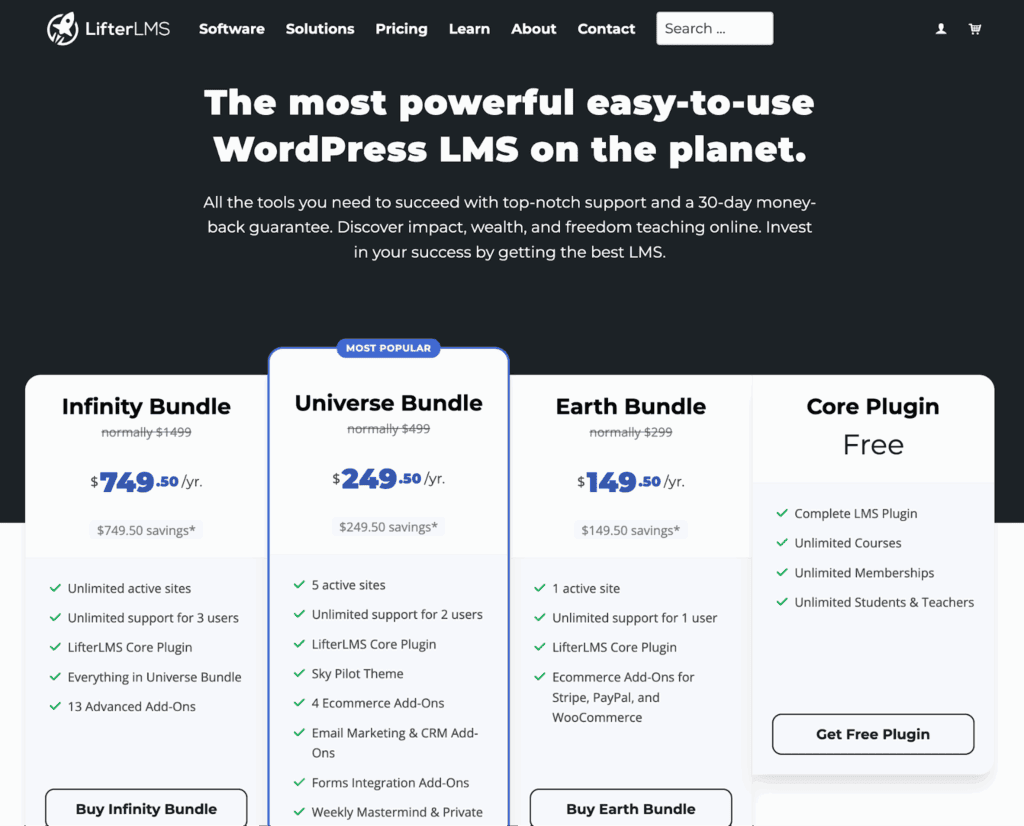
LifterLMS uses a “start free, scale as you grow” pricing model. Let’s translate what that means for your budget. Here is a practical breakdown of the costs to get the features you’ll need.
| Plan | Price | Sites | What’s Included |
| Core (Free) | $0 | Unlimited | Full LMS, courses, memberships, students, offline payments |
| Earth Bundle | $149.50/yr | 1 | Stripe, PayPal, WooCommerce gateways |
| Universe Bundle | $249.50/yr | 5 | Earth + advanced quizzes, certificates, and email marketing |
| Infinity Bundle | $749.50/yr | Unlimited | Universe + advanced reporting, cohort analytics, white labeling |
Core features
Here’s a breakdown of the core features that power the LifterLMS platform:
Student experience
From our testing, the student experience feels intentional and professional. It’s clear this was a priority.
- Learning with prerequisites. This isn’t just a content gate; it’s a teaching tool. It forces students to follow your intended path, which reduces their confusion and your support requests.
- Course builder. Using the standard WordPress block editor is a smart choice. There’s no new software to learn, so you can focus on creating content, not fighting with a clunky interface.
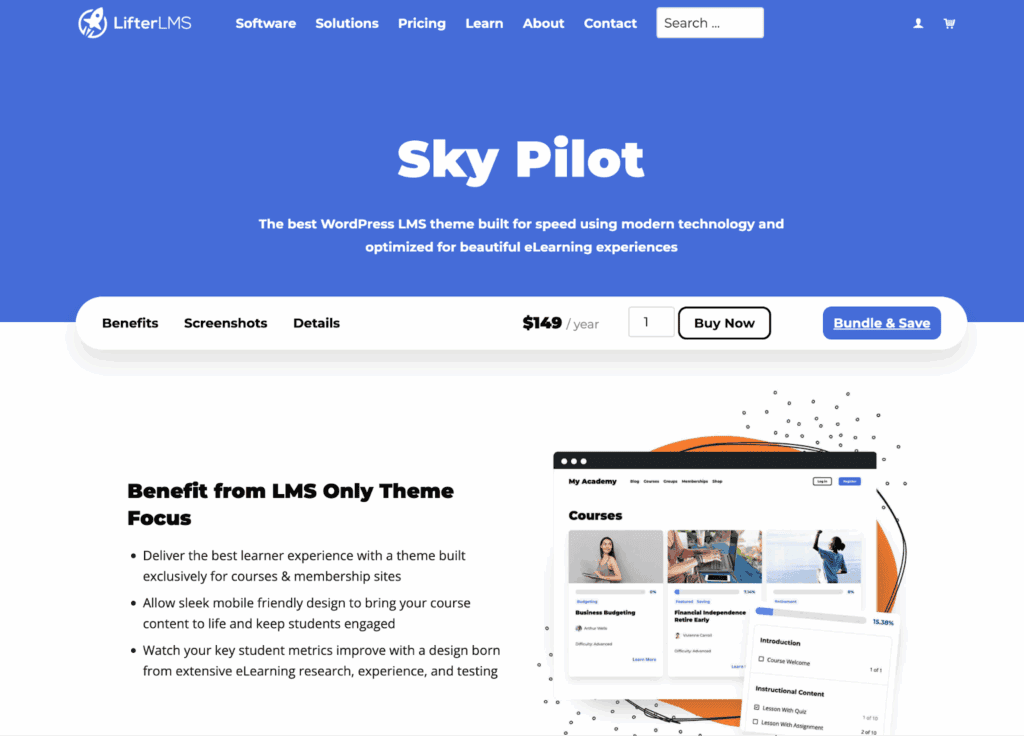
- Focused learning environment. The included Sky Pilot theme features a built-in “Focus Mode.” This feature strips away site distractions during lessons, directly addressing a primary reason students fail to complete courses.
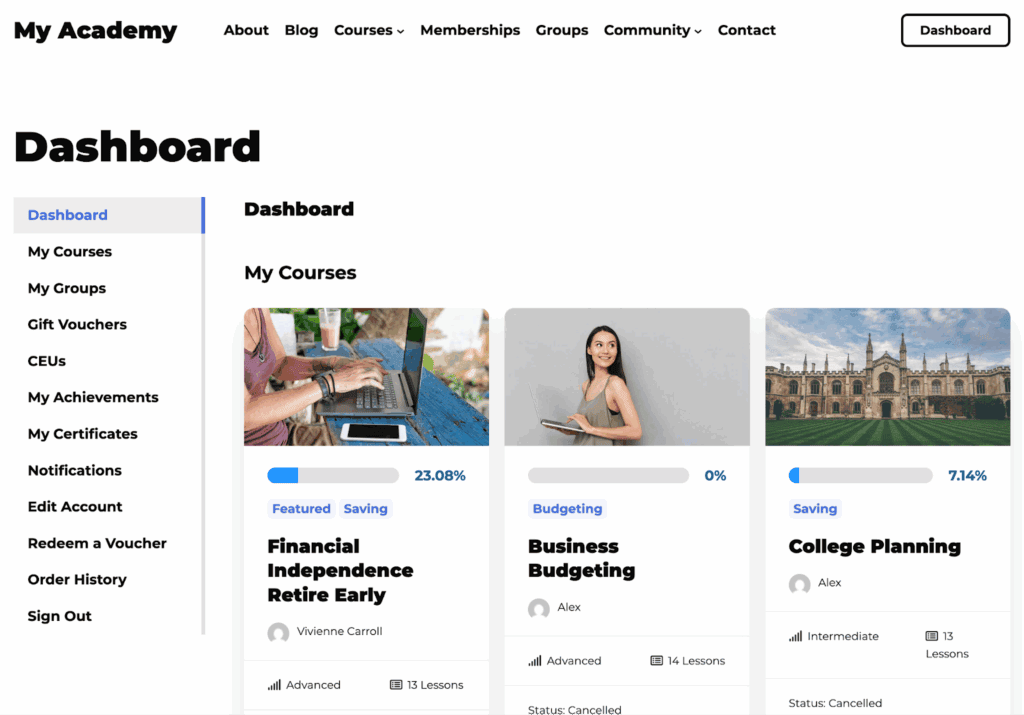
- Professional dashboard. The student dashboard gives your platform a polished feel without needing another plugin or custom development. It just works.
Simply put, it’s an experience designed to make both your students and your business successful.
Quiz and assessment tools
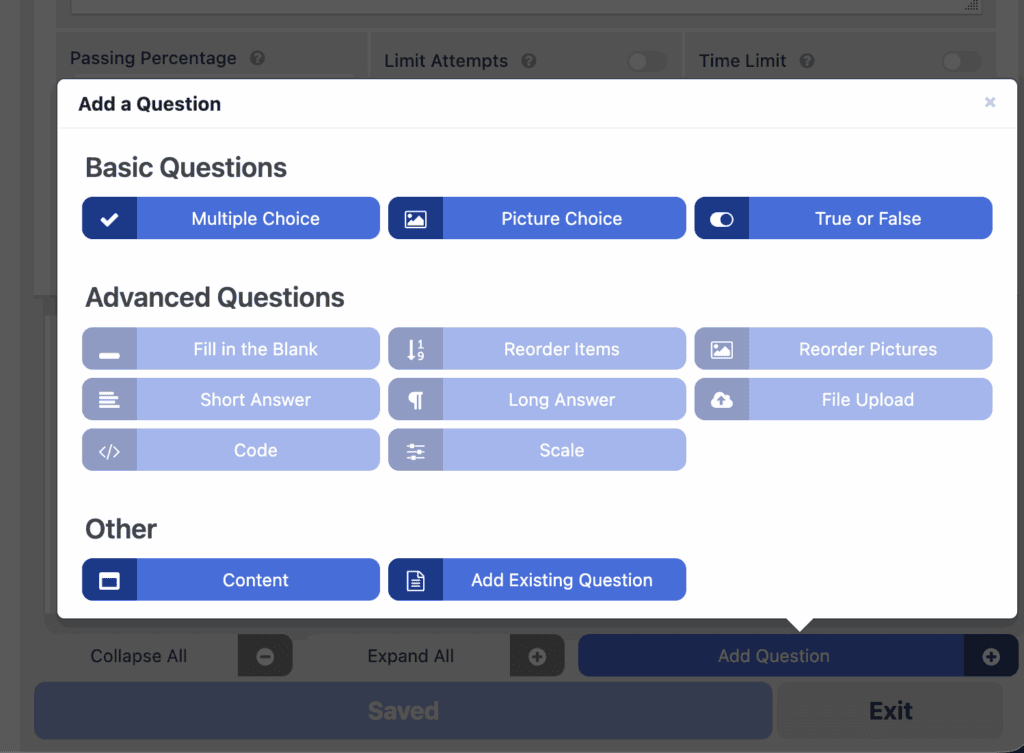
- What’s included free: Basic quiz types like multiple choice and short answer are available. Crucially, they integrate with prerequisites, letting you require a passing score to unlock the next lesson. This makes them excellent for checking comprehension.
- What’s in the paid add-on: The advanced quizzes add-on is for serious testing. It adds 11+ question types, timed exams, and question banks, which help reduce cheating. This is a must-have for certification programs or any formal assessment.
While specialized quiz plugins exist, LifterLMS offers a powerful and unified solution for course creators. Especially those who need robust assessment tools built directly into their platform.
Content control & course dripping
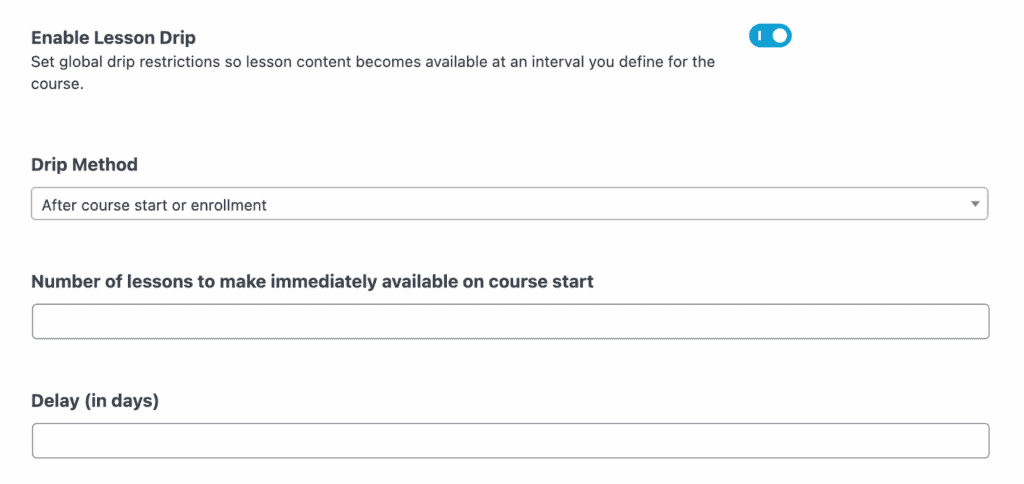
- Scheduled content dripping: This is a premium feature elsewhere, but it’s free here. You can release content on a fixed schedule for a group or drip it out over time for individuals. You can test your entire schedule on a staging site before launch.
- Prerequisites and linear paths: You can require students to complete a lesson or pass a quiz before the next one unlocks. This enforces a structured learning path.
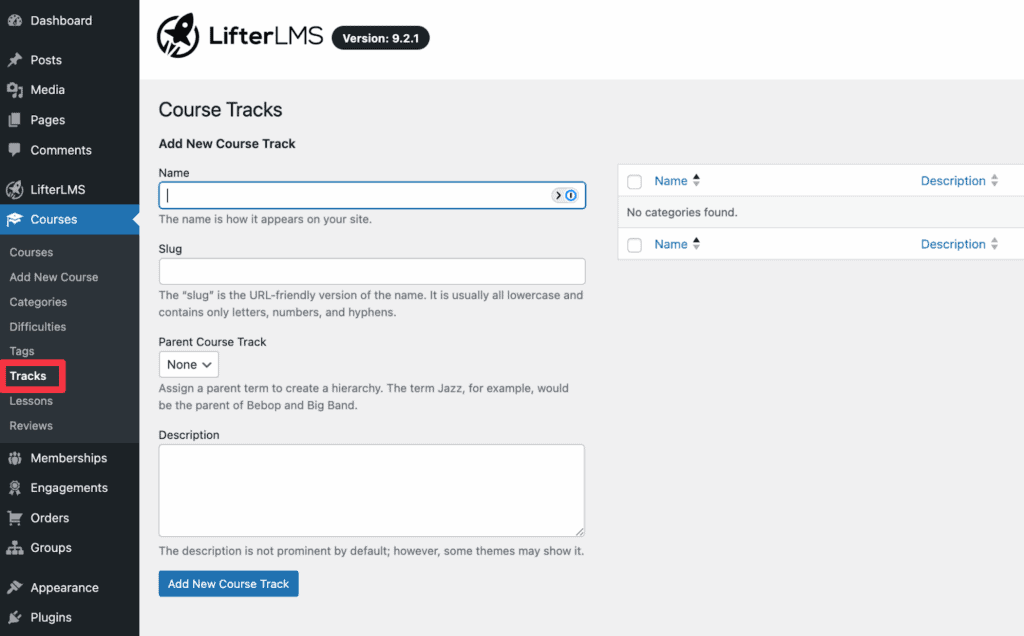
- Course tracks: This lets you bundle several courses into a full curriculum. It’s ideal for selling a complete certificate program or a specialized pathway.
Monetization
A huge advantage here is that LifterLMS handles pricing natively. This means you don’t need to bolt on WooCommerce just to sell courses, which eliminates a significant layer of potential complexity and plugin conflicts. Its free Access Plans support all the essential models:
- One-time purchases
- Recurring subscriptions
- Payment plans (installments)
- Course gifting
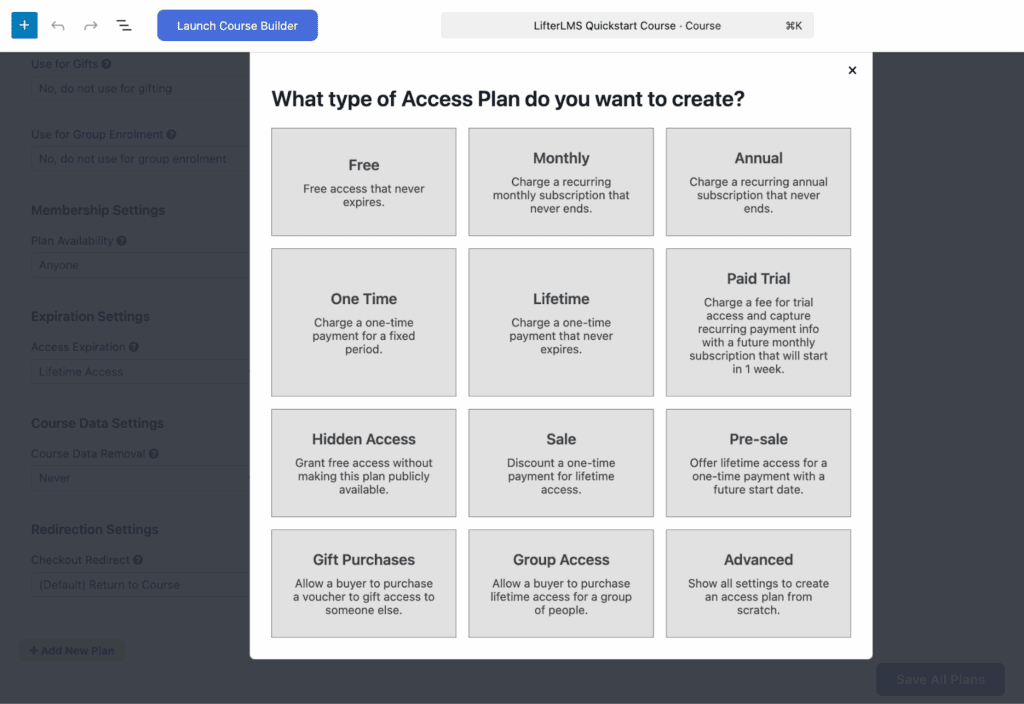
The gifting feature is something you don’t see often. It’s genuinely useful for corporate sales or promotions, showing they’ve thought beyond the solo creator.
Now for the most important part. While the free version handles manual payments (like bank transfers), you need a paid add-on for any automated payment gateway like Stripe or PayPal.
Payment gateways (Paid add-ons)
While the free version handles manual payments, you’ll need a paid add-on to automate sales with these gateways.
| Gateway | Individual | Bundle |
| Stripe | $99/yr | Included in Earth+ |
| PayPal | $99/yr | Included in Earth+ |
| WooCommerce | $99/yr | Included in Earth+ |
The Earth Bundle (around $149.50/yr) is the first tier that unlocks these. From our experience, you should consider this the true starting cost for a professional setup. It’s the investment that turns your course platform into a business engine.
Engagement tools and automation
LifterLMS includes a native automation system that lets you create “if this happens, then do that” workflows, but it’s only reliable if you choose good hosting.
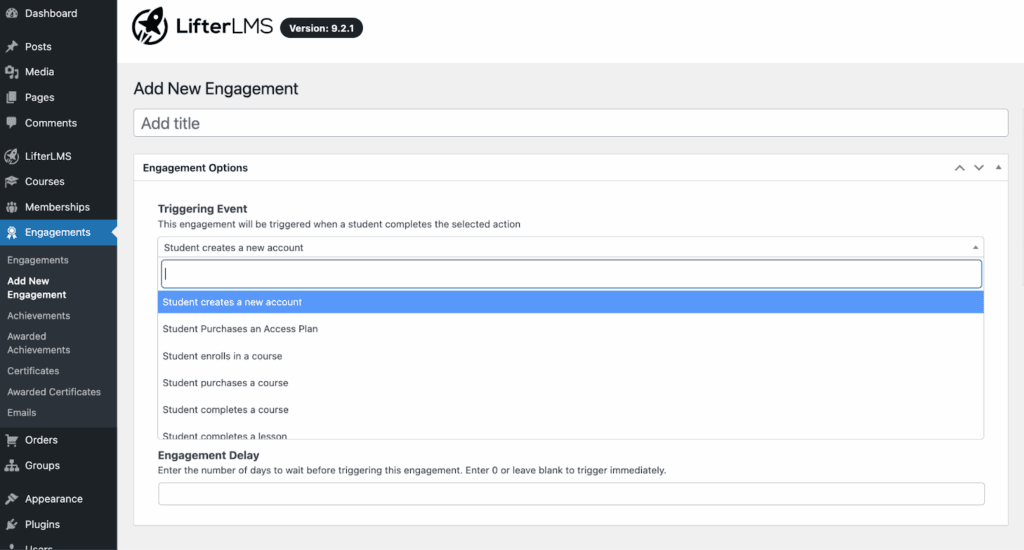
- Triggers: Actions can be triggered when a student completes a lesson, passes a quiz, enrolls in a course, or finishes it entirely. All this data lives in your WordPress database.
- Actions: You can automatically send an email, award a badge, or issue a certificate based on those triggers.
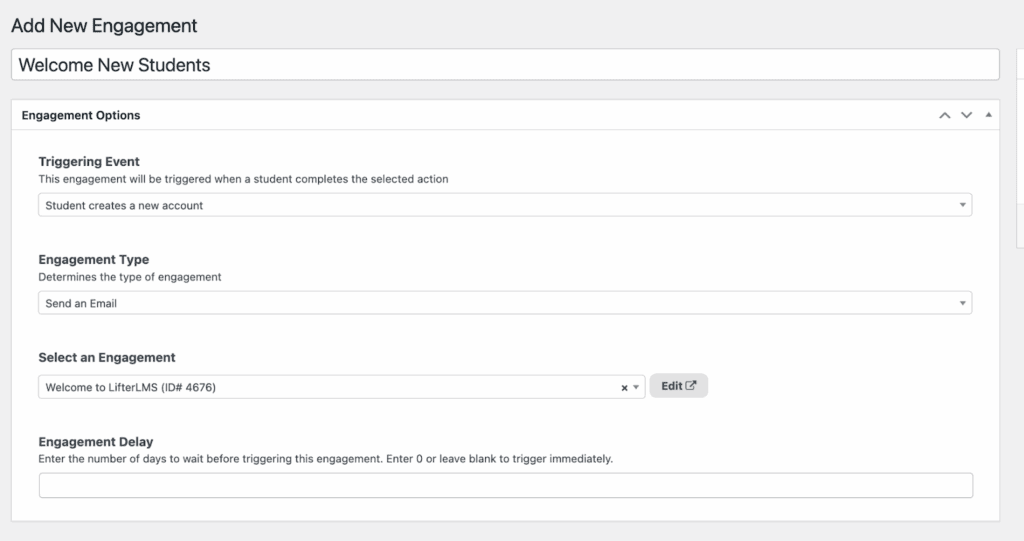
A quick note on certificates. The automation trigger is free, but the actual PDF generation is a paid feature. From our experience, the ability to build automated welcome emails and progress reminders without a separate CRM is one of the most valuable parts of the free plugin.
Reporting and analytics
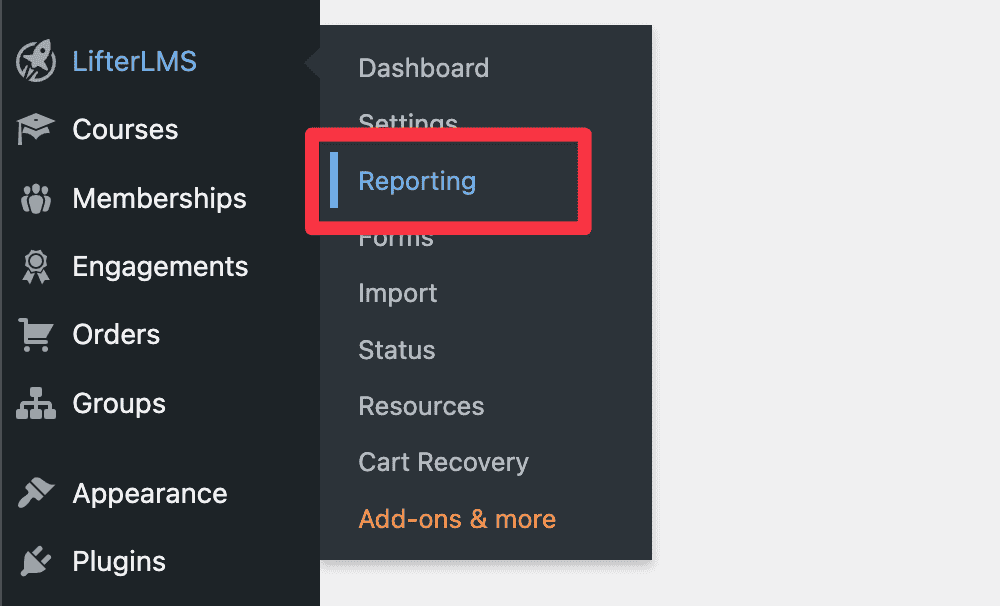
The free reporting tools are surprisingly robust. The Gradebook lets you track individual student progress, see course completion rates, and identify exactly which lessons people are getting stuck on. All of this data can be exported as a CSV file.
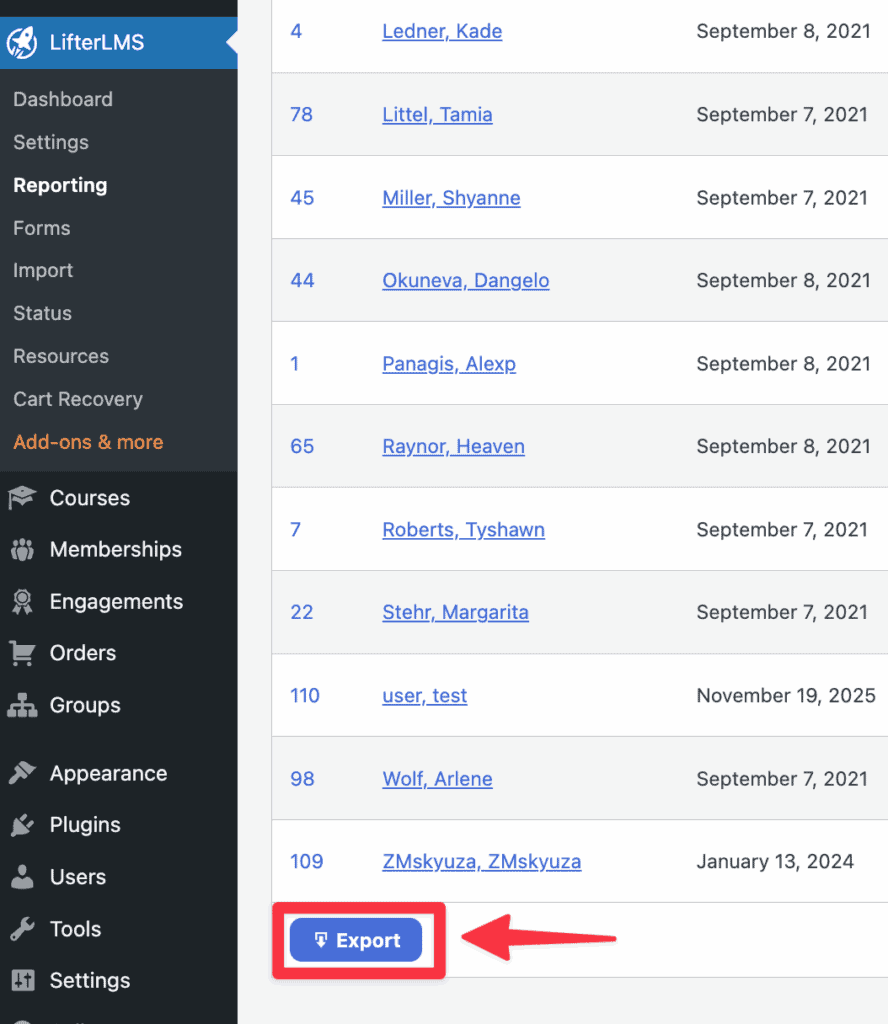
For advanced business analytics and cohort reporting (grouping students by start date, etc.), you will need the high-tier Infinity Bundle. But for day-to-day course management, the free tools are more than capable.
Ecosystem integrations
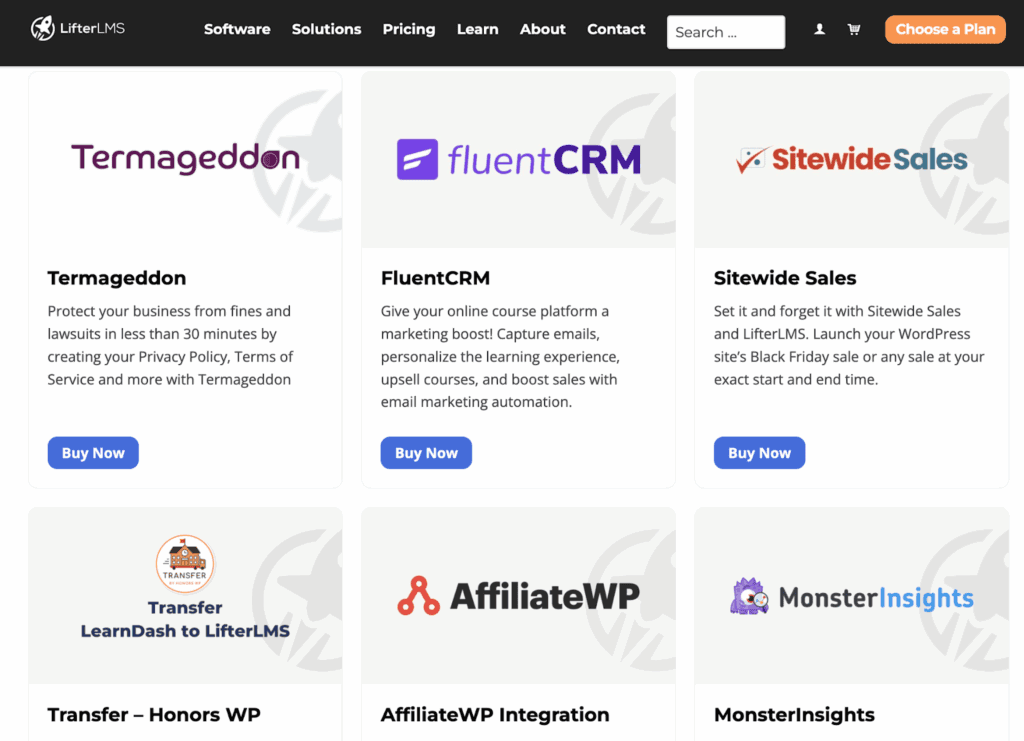
LifterLMS plays well with the tools you already use.
- Page builders: It provides native blocks for Gutenberg, Elementor, Beaver Builder, and other popular builders. This ensures your course grids, enrollment buttons, and progress bars integrate seamlessly with your site’s design.
- CRM and marketing: It has native integrations for tools like Mailchimp and ConvertKit. It also supports WP Fusion, which connects it to hundreds of CRMs. This lets you tag students and trigger email sequences based on their course progress.
- Form builders: It also integrates with major form builders like Gravity Forms and WPForms for more complex student submissions or registration forms.
Site performance
- It loads code intelligently. The plugin only loads its scripts on pages where they are needed, like your courses and student dashboard. This keeps your homepage and other content fast, a significant advantage over plugins that slow down your entire site.
- The all-in-one design reduces bloat. By handling memberships and payments natively, you avoid installing other heavy plugins like WooCommerce. This means fewer potential conflicts and a leaner, more stable website.
User experience
We judge the user experience from two perspectives: for you, the creator, and for your students.
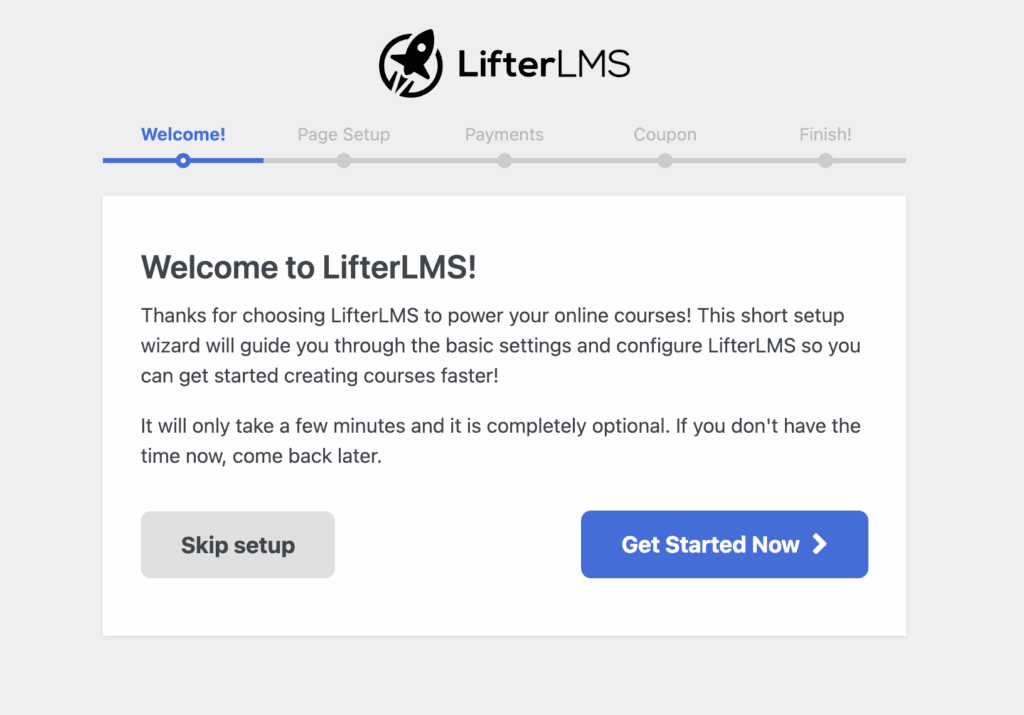
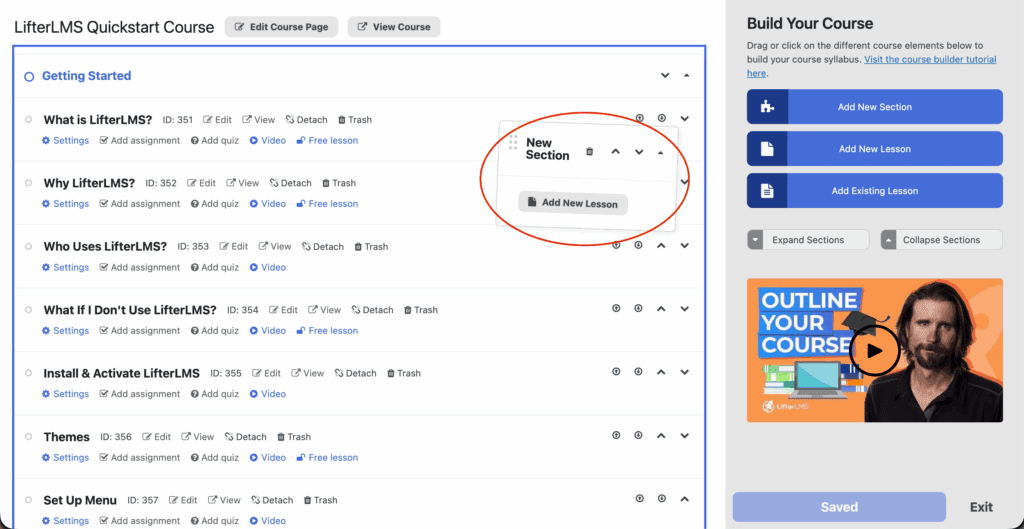
For the course creator: A faster workflow. Getting started is surprisingly straightforward, thanks to a comprehensive setup wizard. Before running it, it’s wise to have a WordPress backup ready. Once you’re in, the one-screen Course Builder is a standout feature.
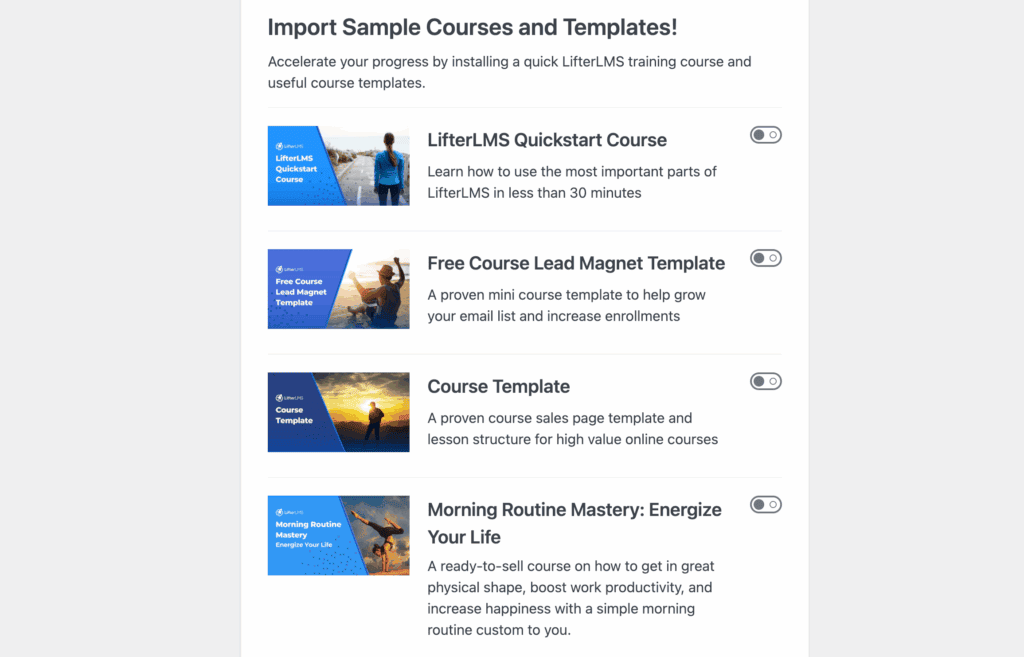
Instead of endless clicking between tabs, you can map out your entire curriculum from a single drag-and-drop view. You can start with a pre-built course template or from scratch, which makes the process feel more like designing a syllabus and less like web development.
For the student: A focused journey. The student experience is clean and professional.
- Focus Mode strips away site distractions during lessons, which is a proven way to boost completion rates.
- A personalized dashboard lets students track their progress and certificates, giving your site a polished feel.
- The mobile experience is solid. Everything is responsive, but it is important to know there is no native iOS or Android app. You need a separate, paid service for that.
The all-in-one design means the checkout, memberships, and course content work together seamlessly. This creates a smooth and trustworthy experience, and knowing how to restore a backup provides peace of mind that you can always maintain it.
LifterLMS vs alternatives
Here’s a simple breakdown of how LifterLMS compares to its main competitors.
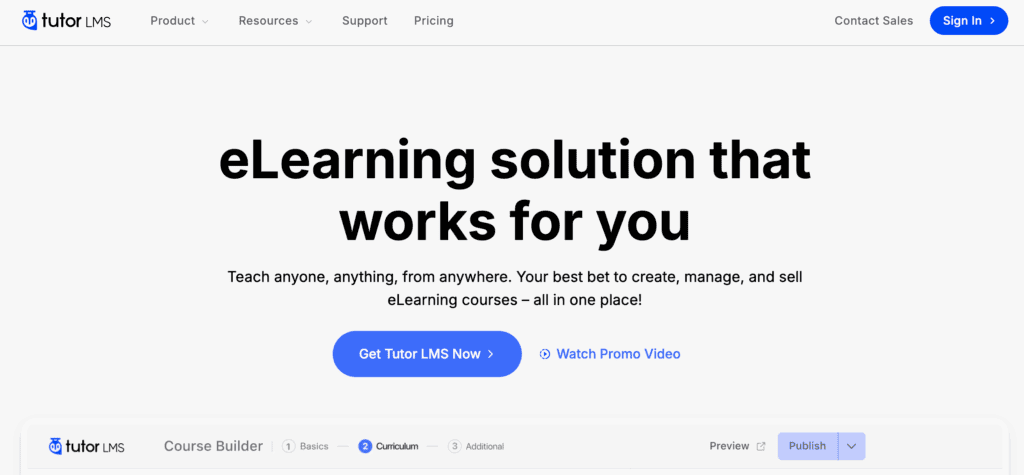
LifterLMS vs TutorLMS: This choice depends on your business model. TutorLMS is built specifically for creating multi-instructor marketplaces, like your own version of Udemy. LifterLMS is designed for a single business or creator selling their own courses.
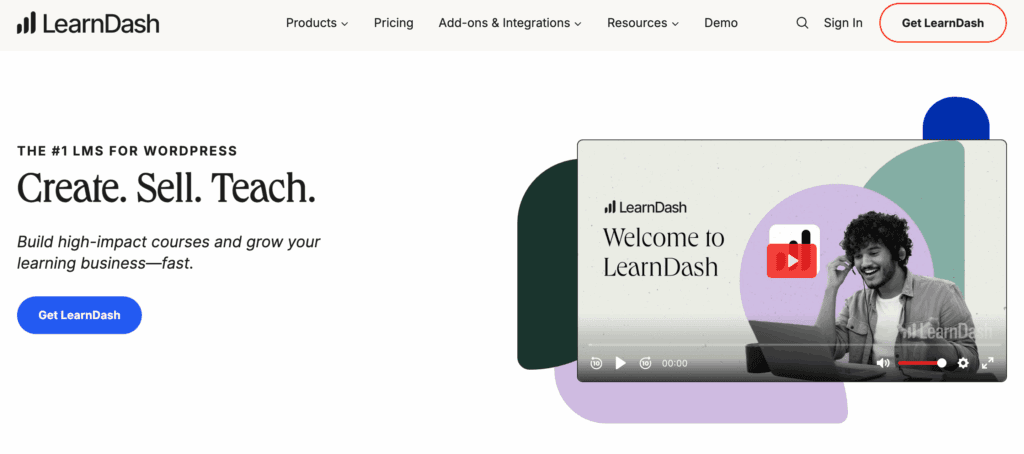
LifterLMS vs LearnDash: This is the biggest comparison. Choose LifterLMS if you want an all-in-one system for courses, memberships, and payments. Choose LearnDash if you need the most powerful quiz engine and prefer to use separate plugins for memberships and ecommerce.
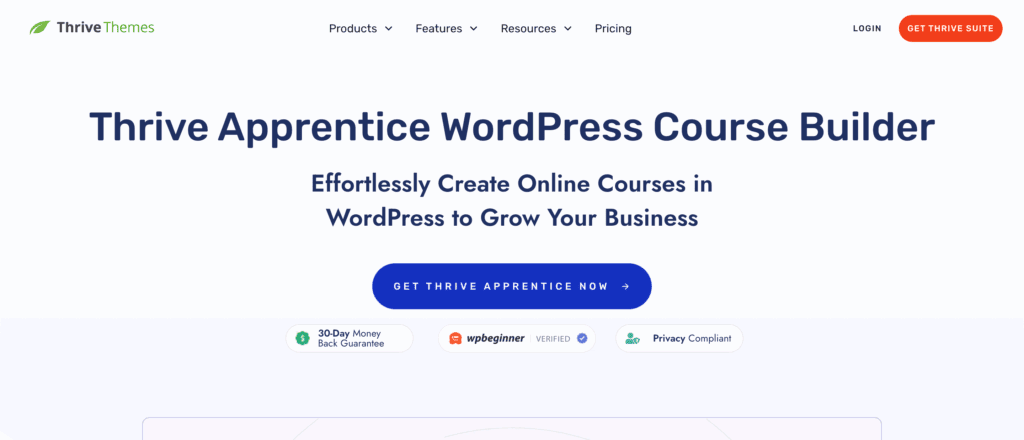
LifterLMS vs Thrive Apprentice: This is a battle of function versus design. Thrive Apprentice offers superior visual control and is better for marketers who prioritize the look of their course pages. LifterLMS is stronger for its native membership features and detailed student management.
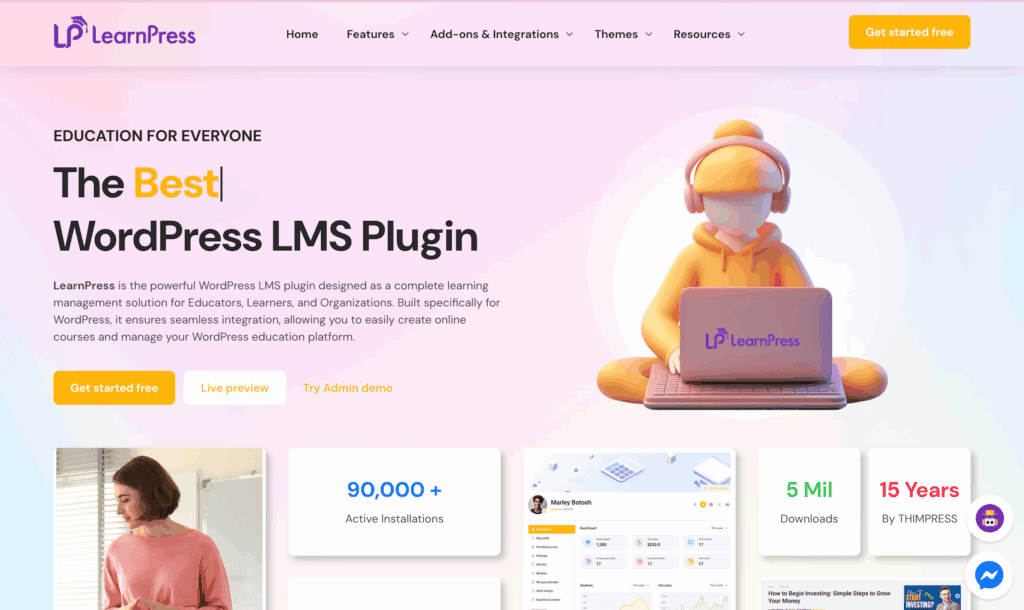
LifterLMS vs LearnPress: Both offer free plugins, but LifterLMS is a more polished and commercially supported ecosystem. It has a clear and coherent upgrade path, while LearnPress often feels more fragmented and relies on third-party add-ons.
Pros and cons
Here is a simple summary of where LifterLMS shines and where it has room for improvement.
| What we like | What could be better |
| Generous free version: Full LMS features included. | Paid payment gateways: You need a paid plan to automate sales. |
| All-in-one design: No extra plugins for memberships or e-commerce. | No native mobile app: Requires a separate service to create an app. |
| Free content dripping: A powerful feature that’s often paid. | Quiz engine is good, not great: Lacks advanced assessment features. |
| Built-in automation: Handles emails and awards automatically. | Learning curve: Understanding all the add-ons can take time. |
| Helpful student analytics: See where students get stuck. | |
| Excellent support: Consistently rated as top-tier. |
Parting thoughts
LifterLMS is the most complete all-in-one system for WordPress creators who want to own their platform. It expertly handles courses, memberships, and payments without forcing you to manage a messy stack of plugins.
The generous free version is the best in its class. It makes it easy to start without immediate investment. We recommend it for anyone who values a unified system and strong support. But you should consider alternatives if a native mobile app is a non-negotiable requirement.
FAQs
Is LifterLMS good?
Yes. LifterLMS is one of the most capable and reliable LMS plugins for WordPress, particularly for creators who want a unified system for courses, memberships, and payments. Their support team is consistently rated among the best in the category.
Is LifterLMS free?
Yes, the core plugin is completely free and allows you to build a full course and membership site with no time limit. To accept automated payments via Stripe or PayPal, you’ll need the Earth Bundle ($149.50/yr). So: free to build with, paid to sell with at scale.
What is the difference between LifterLMS and LearnDash?
LifterLMS includes memberships and ecommerce natively and offers a free tier; LearnDash does not. LearnDash has a more advanced quiz engine, which is important for academic or corporate training use cases. For most independent course creators and coaching businesses, LifterLMS is the more complete out-of-the-box solution.
Does LifterLMS work with Elementor?
Yes. LifterLMS provides dedicated Elementor widgets for course elements, including enrollment buttons, course grids, student progress, and instructor profiles.
Can LifterLMS handle multiple instructors?
Yes. LifterLMS supports multiple instructor accounts with individual course ownership and management permissions. For full multi-instructor marketplace functionality with revenue sharing, additional configuration is needed.

Shivani enjoys crafting guides that make every aspect of using WordPress simple and easy to follow. When she's not glued to her laptop, you can find her buried in a good book or occasionally, painting.


