

Your search for Learndash vs LearnPress ends here. This single decision impacts your budget, your students’ experience, and your ability to scale. Picking the wrong plugin means hitting a wall with technical limits or hidden costs. This guide cuts through the confusion to help you choose the right foundation for your online course.
The right course creation tools separate a frustrating launch from a successful one. We compare LearnDash’s all-in-one professional suite against LearnPress’s free, modular approach. By the end, you will know exactly which platform is the smarter investment for your project, saving you time and money.
In our review of Learndash and think that in comparison with LearnPress, Learndash is the superior choice for serious, professional projects. LearnPress is a good free starting point for beginners.
To provide a definitive Learndash vs Learnpress review, we went hands-on. We installed both plugins on a clean WordPress site to see how they perform in a real-world setting. Our comparison focused on the features that matter most to course creators:
- Course Builder: How intuitive and powerful is the drag-and-drop course builder?
- Assessments: What is the depth of their quiz and assignment options?
- Monetization: What is the true cost and effort to integrate Stripe & PayPal?
- Engagement: How is the quality of built-in certificates and achievement badges?
- Content Control: Can you reliably drip content on a set schedule?
- Reporting: How clear and detailed are the student progress reports?
- Performance: What is the plugin’s impact on overall site speed?
Student Experience & Focus Mode
A focused student is a successful student. A great LMS doesn’t just present content; it removes clutter like sidebars and menus that can pull a learner’s attention away from the material. We looked at how each plugin creates an immersive learning environment. For any WordPress LMS for beginners, a clean user interface is non-negotiable.
LearnDash: LearnDash excels with its “Focus Mode.” This feature instantly transforms your course page by hiding distracting theme elements like headers, footers, and sidebars. It creates a clean, professional interface with your own logo and colors, a persistent progress bar, and easy navigation between lessons. This makes your WordPress site feel like a high-end, dedicated learning platform such as Teachable.
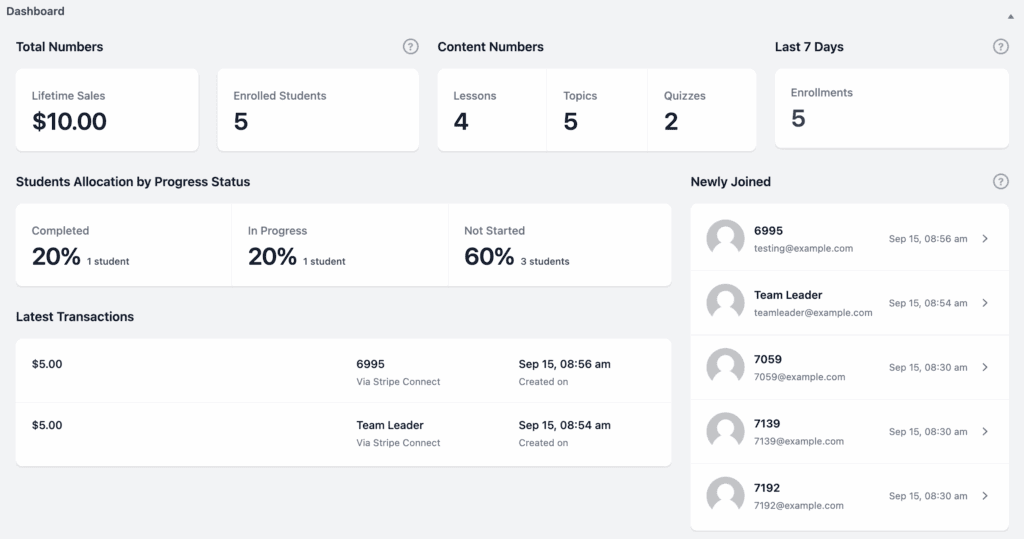
LearnPress: LearnPress provides a minimalist interface that also hides sidebars in the main curriculum view to keep students on track. It includes a clear progress bar and a clean front-end dashboard where students can track all their enrolled courses and results. While effective, it relies more heavily on your chosen theme to look polished and doesn’t have a single, powerful toggle like LearnDash’s Focus Mode.
Quiz Complexity & Assessment Tools
Quizzes are essential for gauging comprehension and boosting engagement. We’re comparing the depth of question types, anti-cheating features, and automated feedback options. A truly most scalable WordPress LMS needs to handle everything from simple knowledge checks to complex, timed exams.
LearnDash: LearnDash provides a powerful quiz builder with eight different question types, including sorting, matching, and fill-in-the-blank. Its standout features are “Question Banks” and randomization, which ensure no two students get the exact same test. You can set strict timers that auto-submit and provide detailed feedback on why an answer was right or wrong, making it ideal for formal assessments.
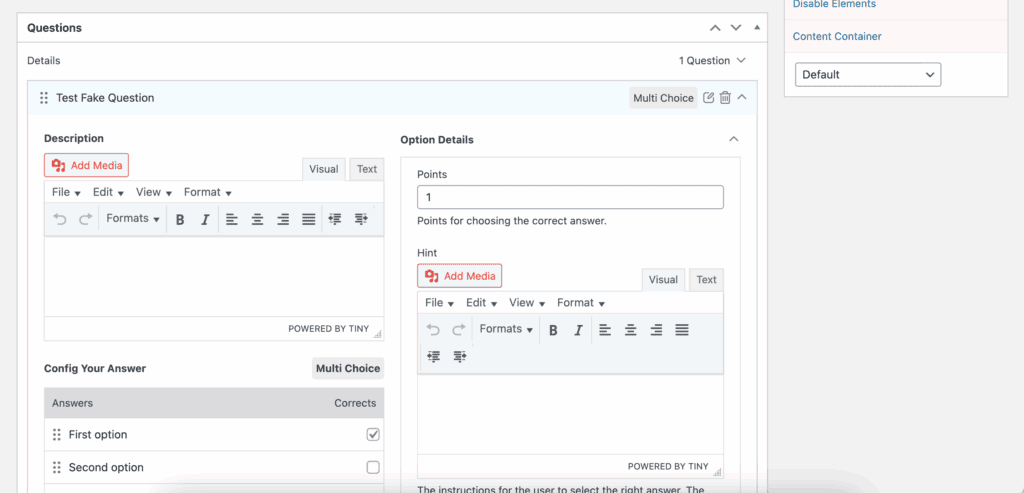
LearnPress: LearnPress offers a solid foundation with essential question types like True/False, Multiple Choice, and Sorting. It also allows for question randomization from a larger pool to deter cheating and lets you set timers, retake limits, and specific passing grades required to unlock the next lesson. While perfectly capable, it lacks the sheer variety and advanced logic found in LearnDash.
Content Control & Drip Feeding
How you release your content can significantly impact student progress and prevent them from skipping ahead. We’re examining features like drip schedules, which release lessons over time, and prerequisites, which lock content until a previous step is completed. It’s important to understand the potential LearnPress add-ons cost, as some core features may not be free.
LearnDash: LearnDash offers highly granular content control. You can drip-feed lessons on a fixed schedule (e.g., 7 days after enrollment) and enforce strict prerequisites. Its killer feature is “Video Progression,” which can lock the “complete” button until a student has watched an entire embedded video, ensuring they don’t skip crucial material.
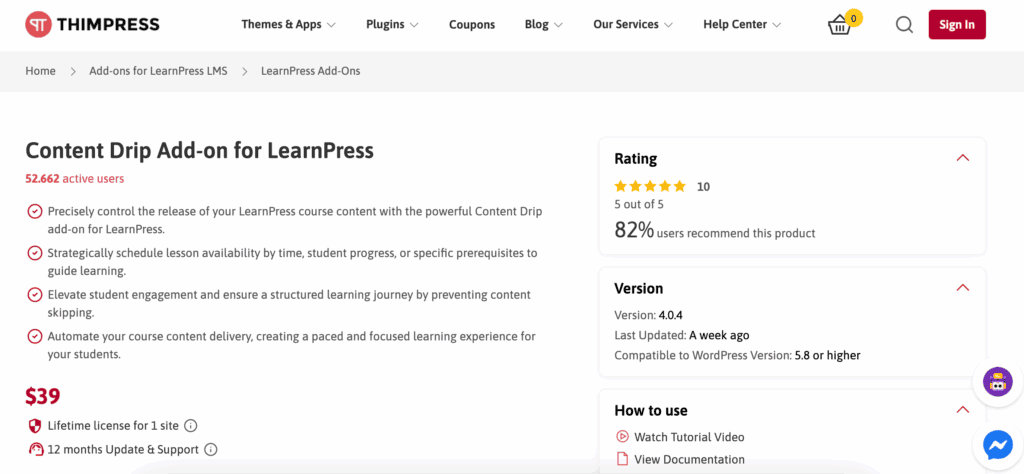
LearnPress: LearnPress also provides reliable prerequisite rules. However, its content drip functionality requires a premium add-on, which is a critical distinction from LearnDash where it is a core feature. It supports various video embeds and can automatically mark a lesson as complete when the video finishes, but it doesn’t have the “must-watch” lock-in feature that LearnDash does.
Payment Flexibility & Monetization
Ultimately, you want to sell courses on WordPress with as little friction as possible. This means having flexible payment options, from simple one-time purchases to recurring subscriptions, and integrating with popular gateways. We looked at what’s included out of the box versus what requires an add-on.
LearnDash: LearnDash comes with built-in integrations for Stripe, PayPal, and Razorpay, allowing you to start selling immediately without any extra plugins for simple sales. While it can handle subscriptions natively, most users pair it with WooCommerce for more advanced functions like coupons, bundles, or intricate tax rules.
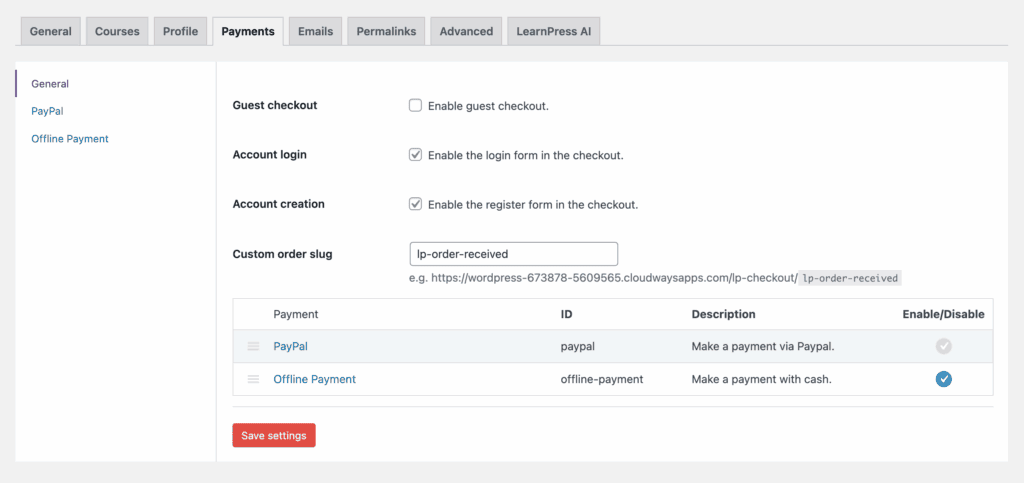
LearnPress: LearnPress includes PayPal for free, but a Stripe integration requires a premium add-on. Its primary strength is its seamless compatibility with WooCommerce. This means you can use any payment gateway available for WooCommerce, making it an excellent choice for selling in regions with specific local gateways. It also has a built-in offline payment method for manual transactions.
Student Engagement & Gamification
Keeping students motivated is key to reducing dropout rates. We’re comparing built-in tools like certificates, points, and badges that add a layer of fun and reward to the learning process. When you’re comparing LearnPress vs Learndash vs TutorLMS, these engagement features can be a major differentiator.
LearnDash: LearnDash has gamification built into its core. You can automatically award points for completing lessons, which can then be used to unlock other courses. It includes dynamic PDF certificates that auto-populate with student data and an integrated “Achievements” add-on for awarding badges and pop-up celebrations for milestones.
LearnPress: LearnPress offers automated PDF certificates with customizable templates, a valuable feature for a free plugin. It can also send automated email notifications to congratulate students. However, it lacks a native points or badge system, requiring you to integrate a third-party gamification plugin like GamiPress to achieve the same effect as LearnDash.
Mobile Fluidity
Learning happens everywhere, not just at a desk. A clunky mobile interface can frustrate students and hurt your brand. We’re evaluating how each plugin’s layout, buttons, and navigation adapt to the small screens of phones and tablets.
LearnDash: LearnDash’s front-end course player, especially the “Focus Mode,” is designed to be fully responsive and works beautifully on mobile devices. The navigation is touch-friendly, and videos and text resize correctly. The clean, app-like feel of Focus Mode is a significant advantage for mobile learners.
LearnPress: The core LearnPress layout is also mobile-ready, with large buttons and a layout that adapts well to smaller screens. However, its appearance is heavily dependent on the theme you use. To get a truly premium mobile experience, you will likely need a dedicated LearnPress theme like Eduma. ThimPress also offers a premium service to build a native mobile app that syncs with your site.
Site Performance & Speed
A slow LMS is a frustrating one for both you and your students. We analyzed how each plugin is built, how it affects your website’s database, and how efficiently it loads its code. While both are well-optimized, there are key architectural differences.
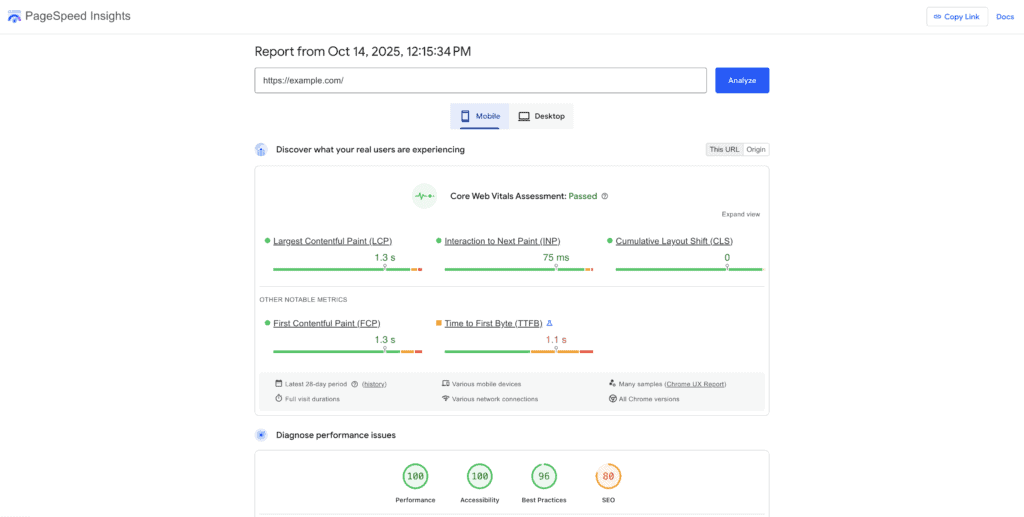
LearnDash: LearnDash is built to be efficient. A key performance feature is that it only loads its scripts and styles on course-related pages. This prevents it from adding unnecessary weight to your homepage, blog, or contact page. While large quizzes can add to the database, its on-demand asset loading is a major plus for overall site speed.
LearnPress: LearnPress is impressively lightweight, especially for what’s considered the best free LMS WordPress plugin. It smartly uses custom database tables for course data to keep your main WordPress posts table clean and fast. It is highly compatible with caching plugins, though with many premium add-ons installed, the number of scripts loaded can increase.
Pricing & Total Cost of Ownership
What’s the real cost? We’re breaking down the upfront fees versus the potential long-term costs. It’s crucial to look beyond the initial price tag and consider the LearnPress add-ons cost required to achieve the functionality you need.
LearnDash: LearnDash’s pricing operates on a clear, annual subscription model, starting at around $199/year for one site. This fee includes almost all features (like content drip and advanced quizzing), support, and updates. This all-in-one approach provides predictable budgeting and excellent value for serious course creators.
LearnPress: The core LearnPress plugin is 100% free. However, to match LearnDash’s functionality, you will need to purchase premium add-ons, which cost between $29-$49 each. A “Pro Bundle” containing all add-ons is available for around $299. While free to start, a fully-featured LearnPress site can easily meet or exceed the cost of LearnDash.
Limitations & Downsides
No plugin is perfect, and understanding the potential downsides is just as important as knowing the strengths. Before you commit, it’s crucial to be aware of the common complaints and limitations that might affect your workflow or budget. Considering these limitations might even lead you to look for Learndash alternatives.
LearnDash: The primary criticisms of LearnDash revolve around refinement and support. Out of the box, its default styling can look a bit plain or dated without customization using a page builder or a premium theme like BuddyBoss. Official support is ticket-based and can sometimes be slow, leading many users to rely on its very active Facebook community for faster solutions. Finally, some of the most detailed reporting features are reserved for the higher-tier Pro bundle.
LearnPress: LearnPress’s limitations stem from its modular, freemium nature. For a new user, figuring out which of the many add-ons you need and then configuring them all can be a steep learning curve compared to LearnDash’s integrated approach. Support for the free version is limited to the public WordPress.org forums, where response times can be slow. Most critically, to make a LearnPress site look truly professional, you are almost always required to purchase a premium, purpose-built theme.
Are There Other Alternatives?
While LearnDash and LearnPress are two of the most popular choices, they aren’t the only options in the WordPress LMS space. If neither feels like a perfect fit, consider these other strong contenders:
- Thrive Apprentice: An excellent choice for entrepreneurs and marketers already using the Thrive Themes ecosystem, as it focuses heavily on conversion and seamless integration with sales funnels.
- LifterLMS: A powerful all-in-one competitor to LearnDash that also operates on a freemium model. Its core plugin is free, with advanced features sold as individual add-ons or in bundles, making it another flexible alternative.
Final Thoughts: Which is the Better Plugin?
LearnDash is the superior choice for a professional, scalable course business, offering a reliable, all-in-one feature set for long-term growth. However, LearnPress is the undisputed winner for beginners on a budget or anyone testing a course idea, providing a powerful and risk-free start with its free core plugin.
Before you make your final decision, we strongly recommend you use a test site to test both plugins. Install the free version of LearnPress and try building a simple lesson. If your host doesn’t offer a staging site, see if LearnDash has a demo. This hands-on experience will give you the clearest picture of which workflow feels best for you.
FAQs
Is LearnDash the best LMS?
It is widely considered one of the best and most reliable LMS plugins for WordPress, especially for professional creators, corporate training, and academic institutions. However, the “best” choice always depends on your specific budget, features, and technical needs.
Which is the best LMS plugin for WordPress?
There isn’t a single “best” for everyone. LearnDash is a top choice for a premium, all-in-one solution. LearnPress is excellent for a free start. Other popular options include LifterLMS and Tutor LMS, each with its own unique strengths.
Is LearnPress free or pro?
LearnPress uses a “freemium” model. The core plugin for building and managing courses is 100% free. However, advanced features like content dripping, Stripe payments, certificates, and assignment management require purchasing individual premium add-ons or the all-inclusive Pro Bundle.
What is the best way to learn WordPress?
The best way to learn WordPress is through hands-on practice. Start with a test site on a cheap hosting plan or a free local development tool. Install a theme, experiment with plugins, and try to build a simple project. Combine this practical experience with reputable online tutorials from sources like WPBeginner or the official WordPress Learn platform.

Shreya has been a writer for as long as she can remember. Now, she writes articles that help WordPress users manage the sites that they're proud of, with little to no coding


